How restaurants and food brands that sell online on Shopify can use in-store screens for pickup orders and online ordering
Most food brands selling on Shopify still treat the wait at the pickup counter as dead air, with a paper receipt taped to a bag and nothing else.
Here's the honest split: your Shopify store owns the order, the payment, and the customer record. Your counter doesn't own any of that. The gap between the two is where pickups go wrong, where people stand in the wrong line, and where your best-selling item stays invisible to everyone who just walked in. Closing that gap is mostly a display problem, and it's one you can solve without touching checkout. One straightforward fix is restaurant digital signage, which turns the TV you already own into a board that shows pickup status, menu updates, and order prompts. This guide covers how to wire it into a Shopify operation without adding chaos to a Friday rush.
Why the store and the counter keep drifting apart
Shopify is built for a customer with a browser and patience. A restaurant is built for a customer with wet hands and four minutes. Those two people are the same person now, and they're standing three feet from your register wondering where their oat milk latte went.
The drift shows up in predictable ways. Online orders get marked ready in Shopify before the bag exists. Someone orders pickup and then shows up to a line that isn't the pickup line. Staff shout names over espresso machines. Not one of those problems is a software failure. They're all information that lives on a screen nobody can see.
Picture a two-location café with a single wall-mounted display and no new hardware beyond a TV from the storage closet. In-store questions about order mix-ups would likely drop, because people stop asking staff who already look harried. That's the whole promise of a screen: it answers the question before the question gets a body attached to it.
What the screens actually do during a real service day
Pickup and online ordering
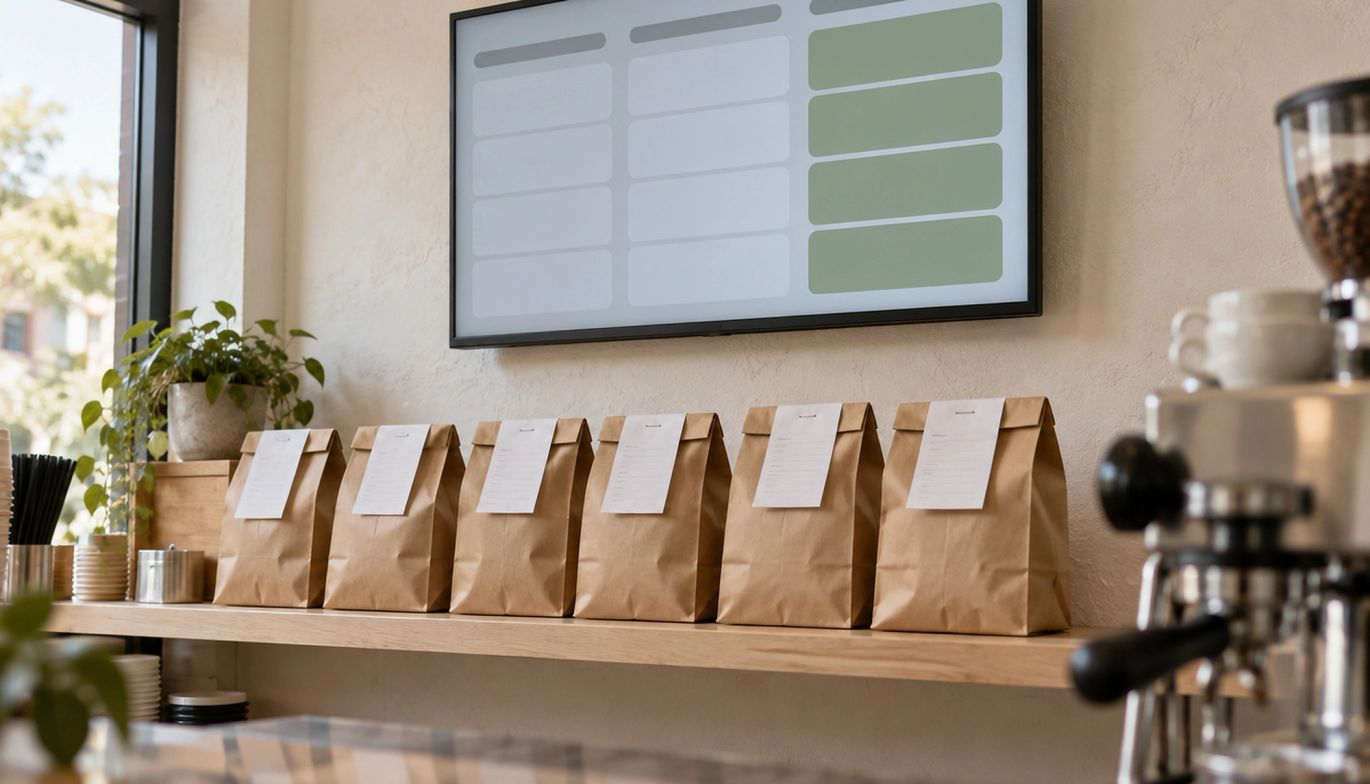
This is the highest value placement for most food brands, and it's the one I'd install first if you're doing this in stages. A board above the pickup shelf shows order numbers as they move from in progress to ready. Customers watch their own number instead of your crew's faces, and your staff stops narrating a process that a screen can narrate better.
Pair it with a QR code that opens your Shopify store. Now someone browsing the counter can order a second drink or a bag of beans while the first order gets finished. The screen becomes a quiet upsell path, not a billboard.
Menu and availability changes
Selling out is normal. Telling every customer who asks is exhausting. Carts and bakeries run into this every day, and a screen that flips a sold-out item to unavailable across the room saves dozens of human conversations. Update it once, and it's true everywhere.
A practical note: a paper menu that gets edited by hand during a busy day stops being accurate by the third edit. A screen doesn't have that problem.
Order prompts at the counter
A short loop of your store's three most popular add-ons runs near the register. Sides, drinks, a dessert that sells terribly because nobody knows it exists. You're not pushing a promotion; you're just making the option visible at the moment someone's deciding. That's the difference between a menu and a nudge.
Setting it up in the right order
Skip the urge to plan a twelve-step rollout. There are only five things that matter early, and doing them in order keeps you from buying the wrong screen twice.
- Pick one location and one wall. Choose the spot where pickup customers already stand still and look around. That's where your display earns attention.
- Decide the single job it does first. Pickup order status or menu board, never both in week one.
- List the data you need to feed it. Order numbers, item availability, item names. If a number isn't reliable in Shopify, it won't be reliable on the wall either.
- Plan for stock errors. Decide what should happen on a busy Saturday if an order is accepted for an item that has just sold out. Then design the screen to show that status clearly.
- Run it for two weekends before you add anything. Watch what customers actually read. Most of your intended content gets ignored, and the thing you almost cut is the one people point at.
That order is deliberate. Hardware decisions are easy to reverse. The decision about what the screen says is the one that sticks.
Trusting the data pipeline
None of this works if the screen shows a stale order number. The difference between a useful display and an infuriating one is whether it refreshes automatically, and that depends on how your Shopify store connects to whatever runs the screen. Third-party tools are involved here, so read the documentation before you promise the team a smooth setup.
Online ordering keeps growing for retail and restaurants alike. That's exactly why a storefront without a screen at the pickup counter feels half finished. You've built the digital half. The physical half is still a sticky note.
A scenario that shows where this gets hard
Consider a hypothetical small bakery selling cookie boxes on Shopify. Its screen is so clear about pickup timing that customers arrive exactly when the screen says, and a crowd stacks up at the door in a short window. The fix isn't a smaller screen. Adding a second zone on the board that shows a slower "ready soon" state for a portion of orders would spread the crowd out. The lesson holds generally. Screens change customer behavior, and sometimes they change it too well. Build in a buffer before you make pickup windows public on a wall.
What I'd tell a food brand starting today
Start with one thing: pickup order status. It's the highest payoff per dollar, it solves a complaint you probably already hear weekly, and it needs the least content management. Menu boards are lovely, and I'd get to them. Just don't let a fresh menu layout delay the one screen that actually reduces friction.
The order of operations matters more than the hardware. Map the data, watch a real rush, fix the awkward edge case, then scale to your other locations once the first one hums. If you're running multiple shops, standardizing on the same display setup across all of them is worth the upfront effort. It saves you from maintaining four different versions of the truth.
None of it turns your counter into a theme park. It just makes the room match the store. When a customer orders online, pays online, and walks in, the screen is the one thing in the building that already knows why they're there.
If you're mapping your next storefront upgrade, open your Shopify admin and count how many of your order statuses a customer can actually see once they arrive. If the answer is zero, your first screen has a job waiting.
[Related Media]