Solana Pay Shopify Guide 2026 UPDATED
Millions of businesses can employ Solana Pay, an open, free-to-use payments system built on Solana, was offered as a certified app integration on Shopify. Solana Pay is designed for fast transactions and almost no gas fees. Update: as of November 2026 the Solana Pay app page on the Shopify App Store says the app is not currently available, so the steps below describe the original flow.
Last Updated on 16/11/2026
Why Solana?
It involves more than just taking back control of your payments. A new channel of communication is opened up by linking consumer and business wallets using the Solana blockchain. It will alter the way you see promotions, rewards, and your interactions with clients.
Examining both the merchant setup and the consumer checkout experience will help you understand how to incorporate Solana Pay into a Shopify site.
Businesses must adapt to the fast-changing world of eCommerce and offer a variety of payment options. The new Shopify Solana Pay app from Solana Labs provides a quick, affordable, and secure way to accept cryptocurrency payments in your online store.
We'll show you how to incorporate Solana Pay into a Shopify store in this guide. The merchant setup procedure and the customer checkout flow will also be reviewed.
Merchant Set-Up
You can add Solana Pay as a payment option after setting up and populating your Shopify store.
Install Solana Pay
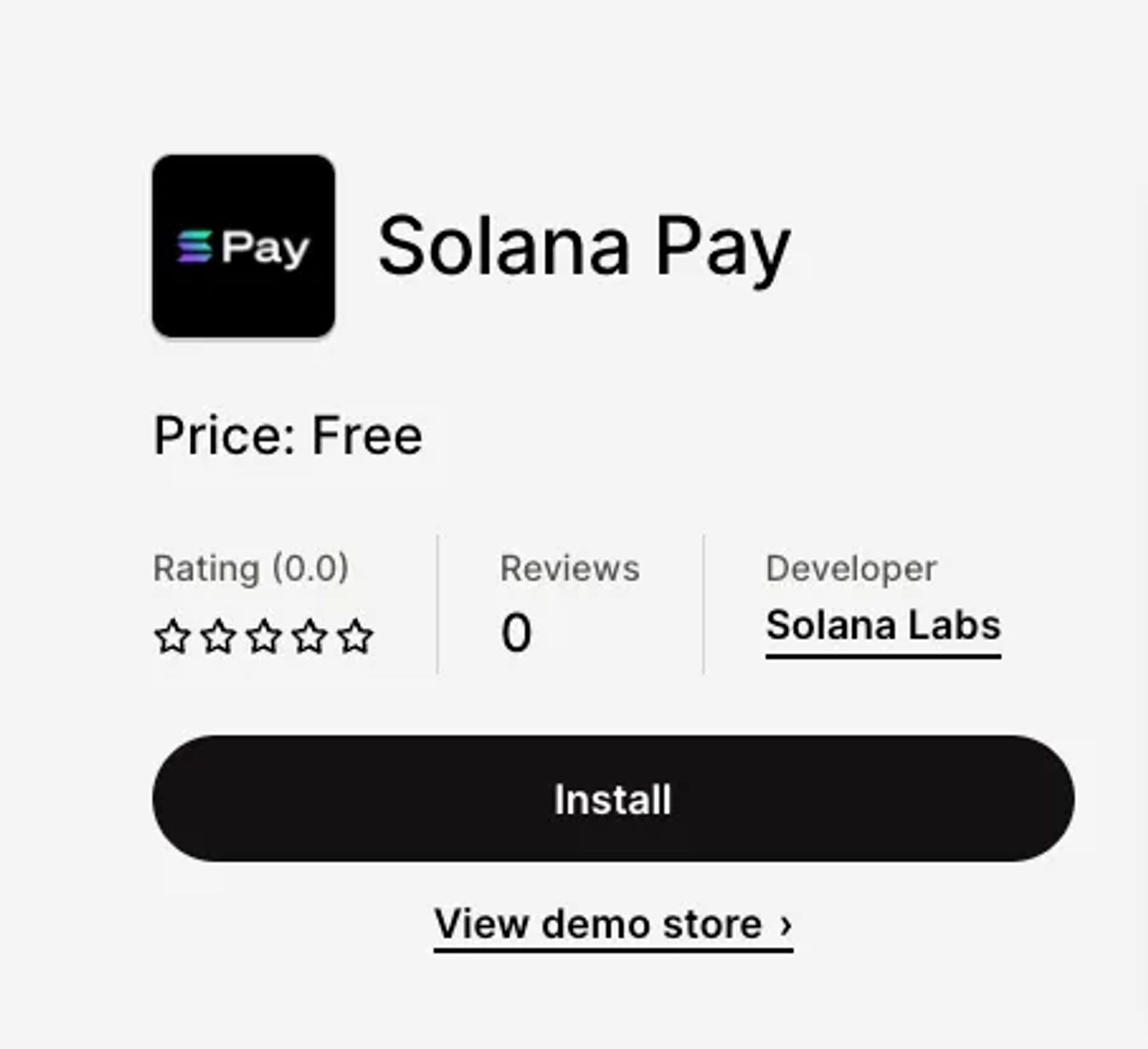
- Visit the Shopify Solana Pay App Installation Link.
- Click on the “Install” button.
Configure Solana Pay
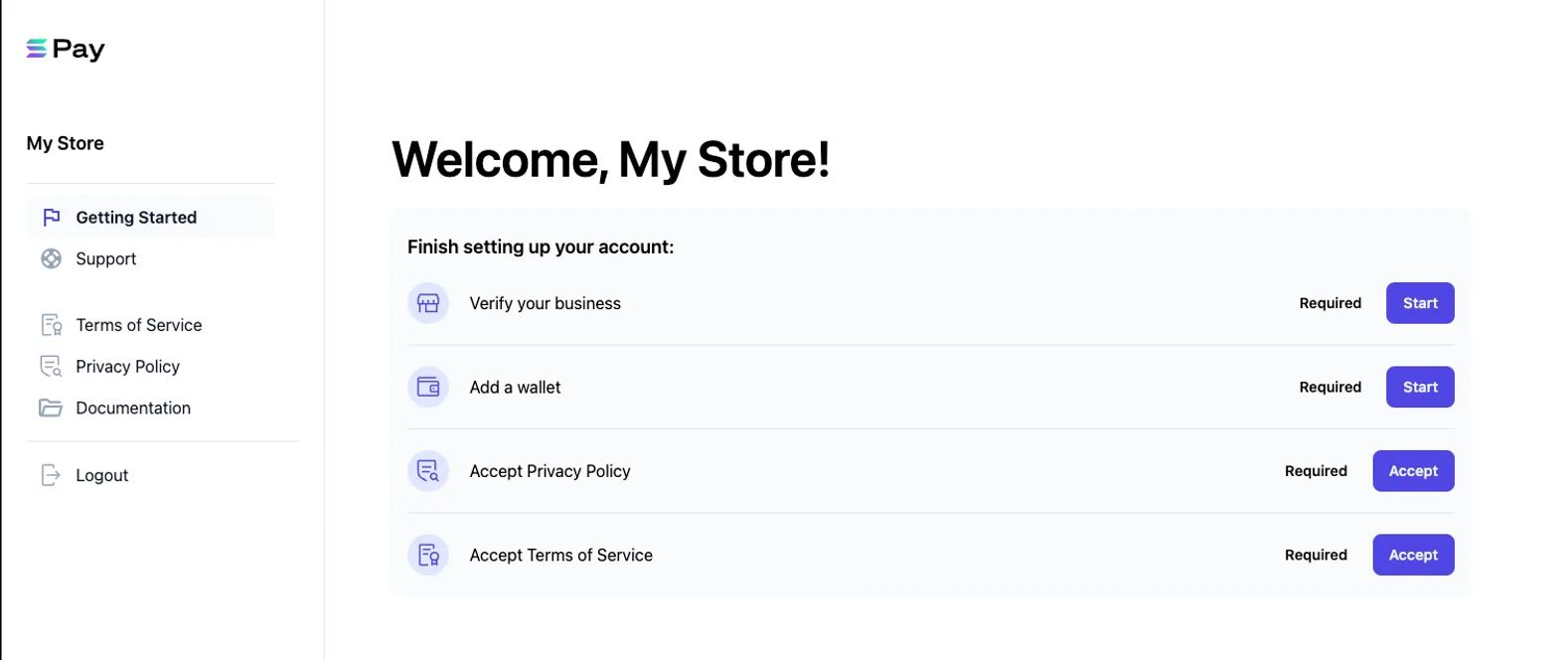
- Enter your business details.
- Await verification, which may take up to 48 hours.
- Input your Solana wallet address, where you'll receive payments from shoppers.
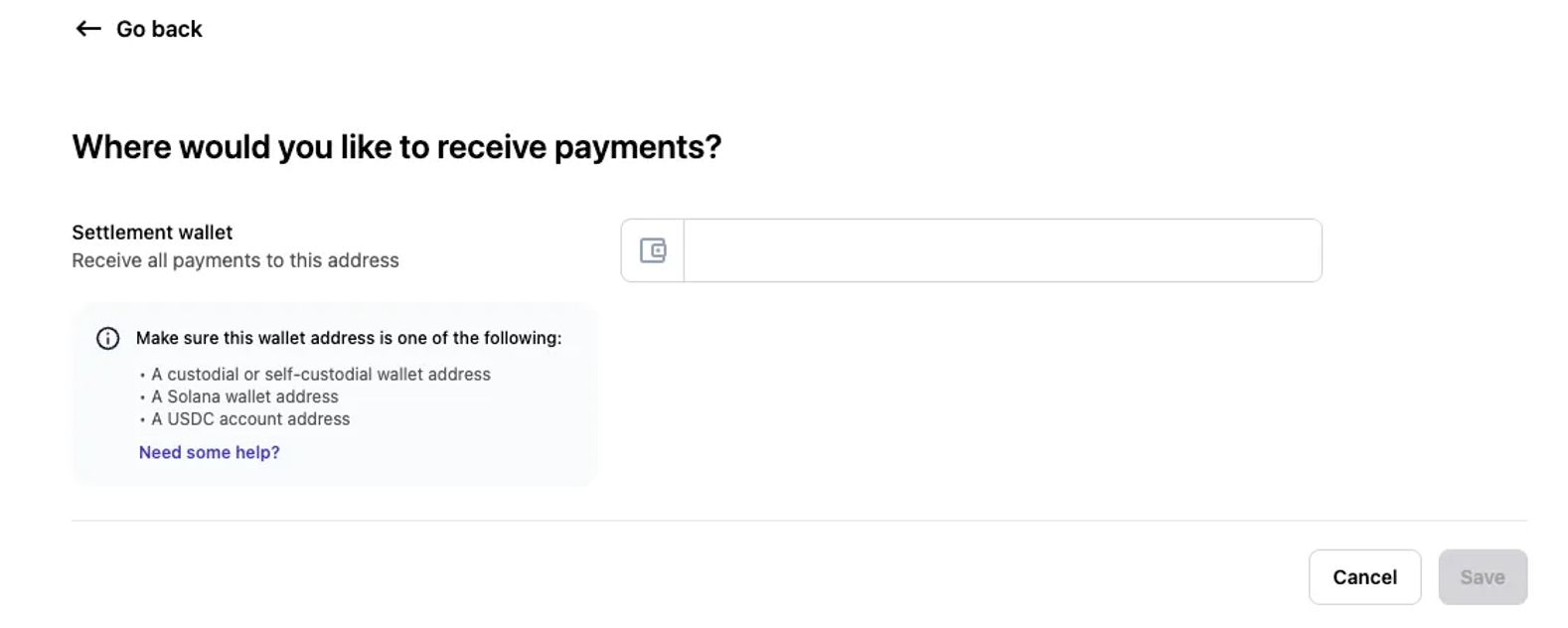
- Review and accept Solana Pay's Privacy Policy and Terms of Service.
Once this is done, you'll be brought to the Shopify admin area where you can enable the Solana Pay app and start accepting payments from clients using it.
Customer Checkout
Choosing Solana Pay
At checkout, select Solana Pay as your preferred payment method.
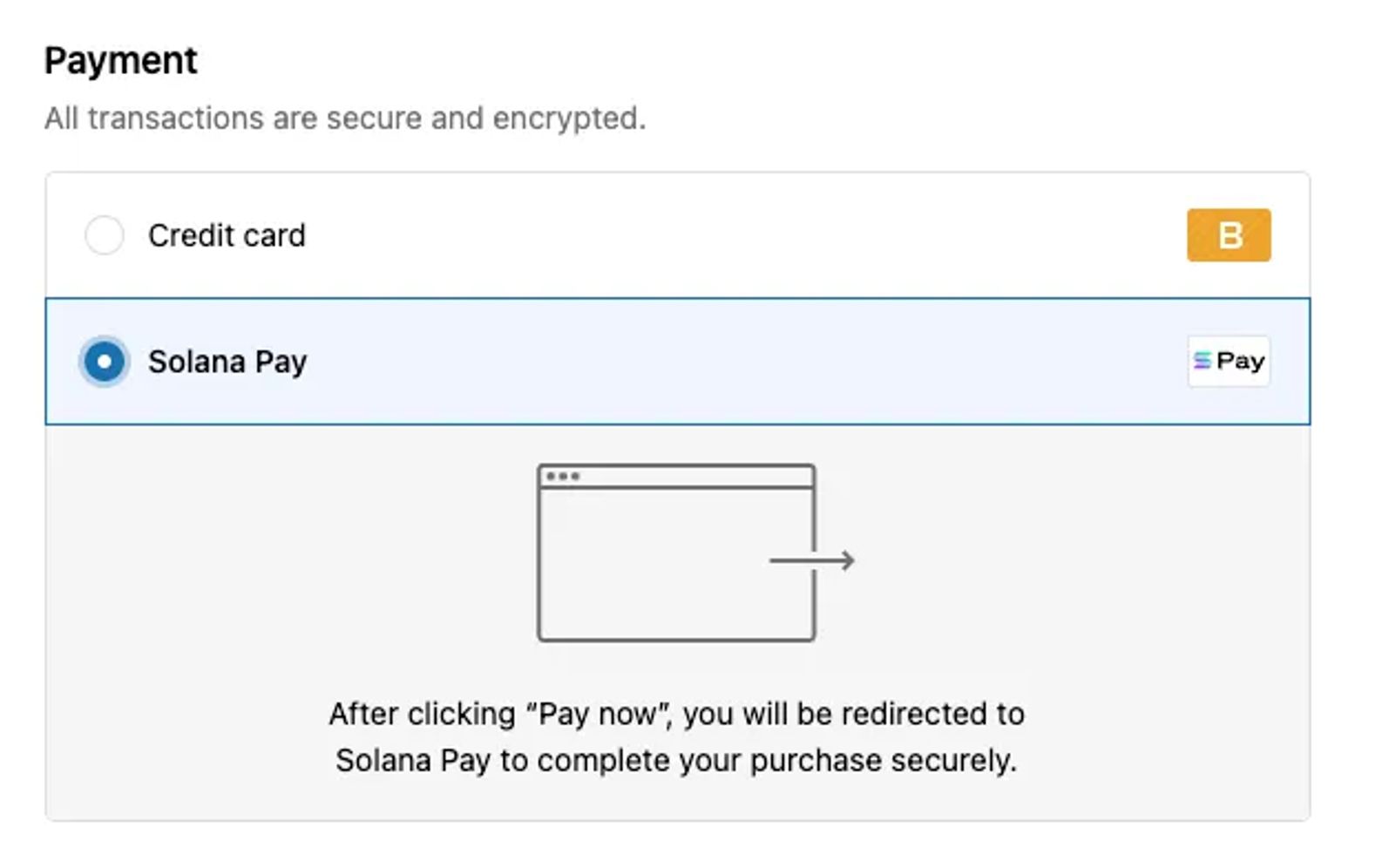
Connecting to a Solana Wallet
The Shopify Solana Pay app can be used in one of two ways. You have two options for making a payment: either use the Solana Pay QR code on a mobile device or connect your wallet.
A window requesting you to link your wallet will display if the "Pay with Wallet" option is chosen. obey the directions displayed on the screen.
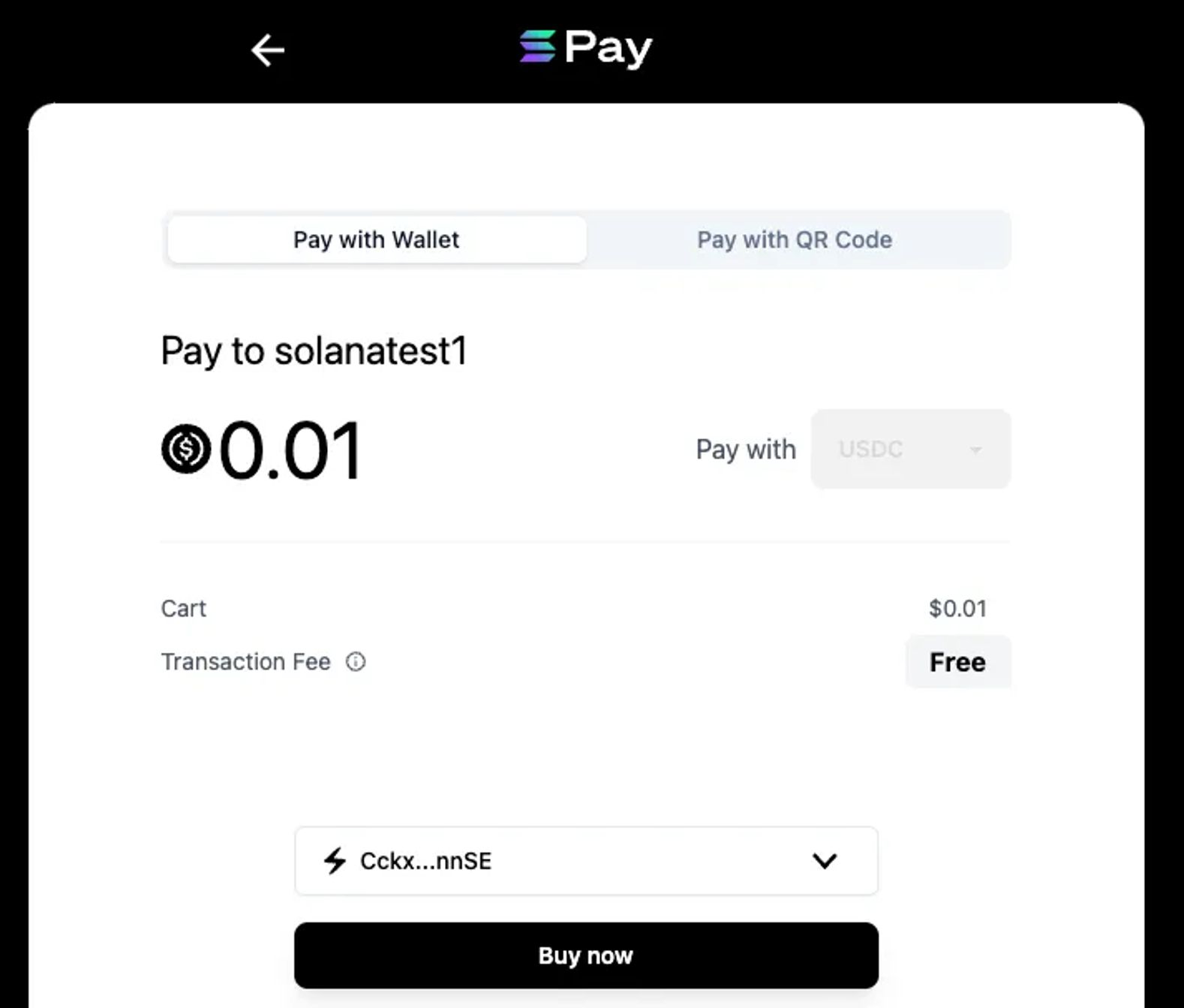
Approving the Payment
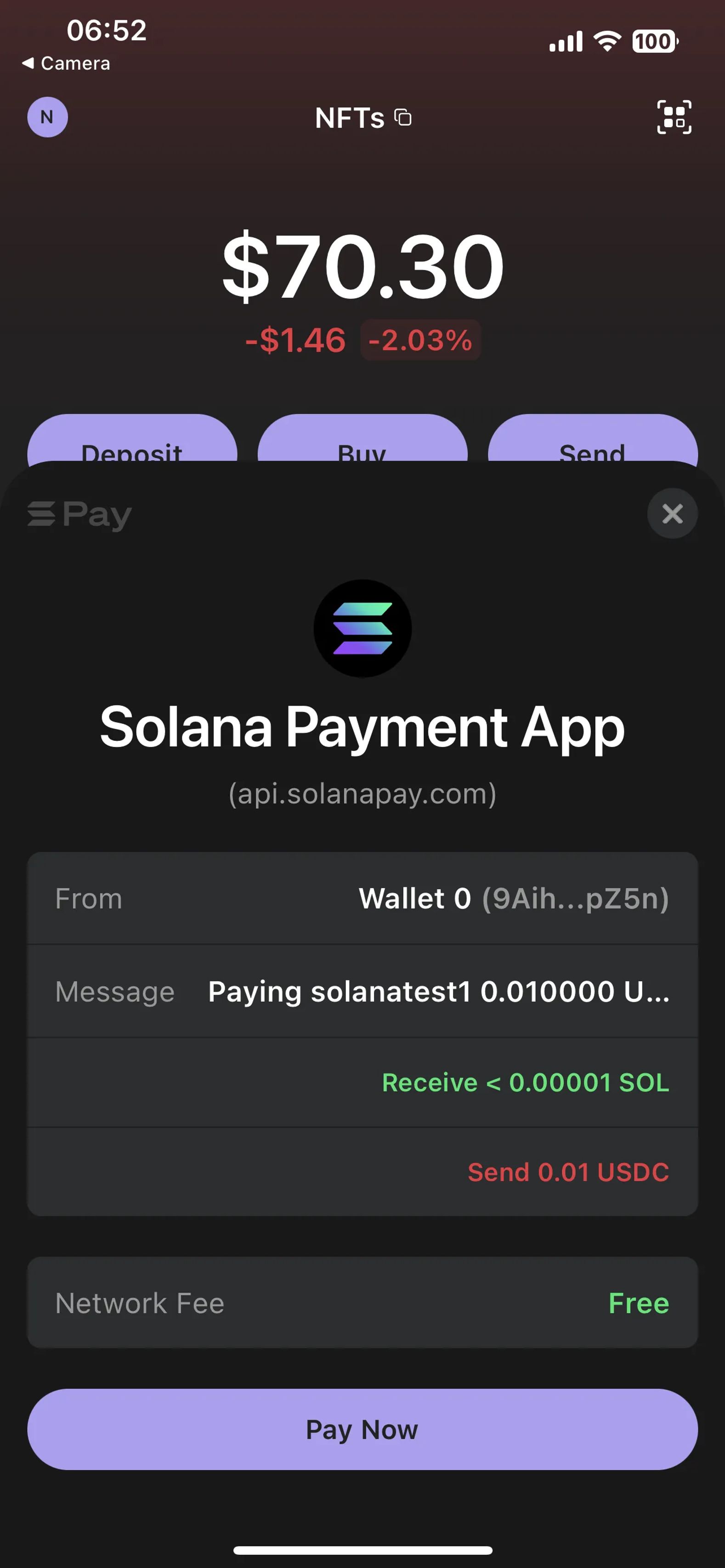
Once connected, use the Solana Pay interface to confirm the transaction information and approve the request.
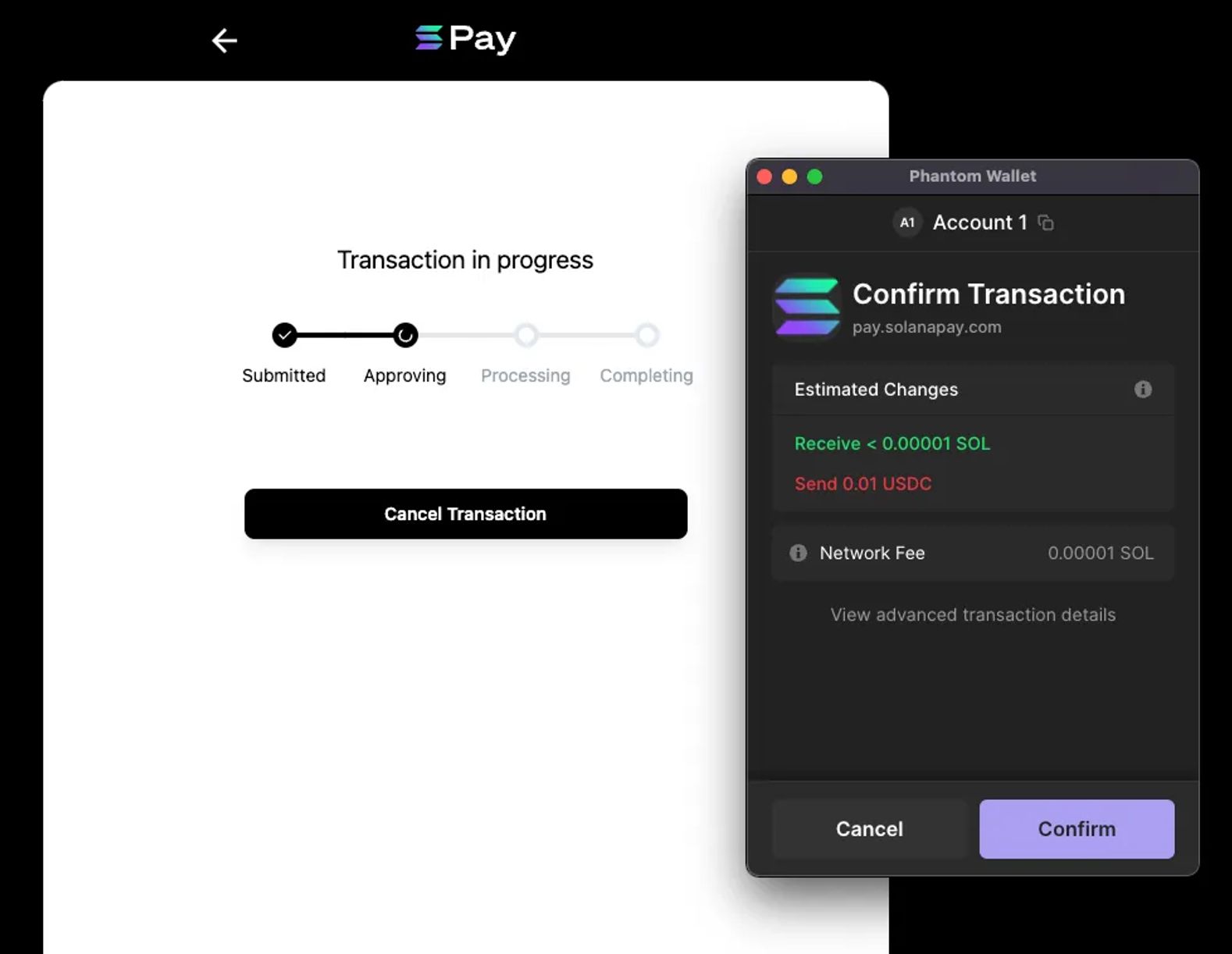
The app will verify the payment by examining the blockchain's transaction history, and once this has been done, it will update to reflect a successful transaction.
A user may also select the "Pay with QR code" option, which will enable them to finish the transaction using a mobile device.
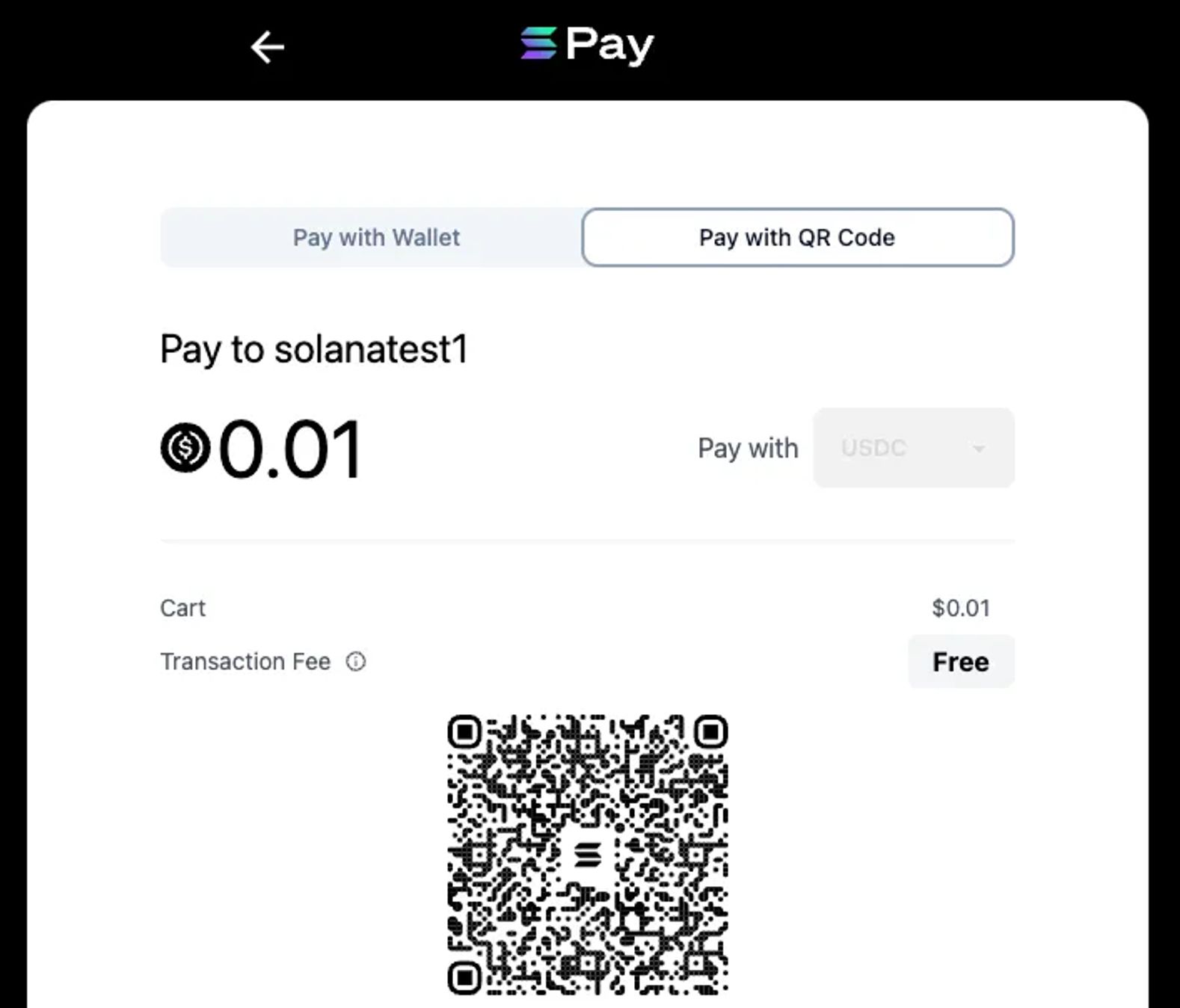
You can accept the transaction after scanning the code, and the Shopify app will let you know when it has been completed.
Conclusion
The integration of the Solana Pay Shopify app will aid in streamlining the payment process for online shoppers as traditional Web2 payment options have always been cumbersome. The Solana Pay software lowers digital payment expenses and enables shops to accept cryptocurrency payments. It's a fantastic chance to have this payment option on your website because the setup is so straightforward. Contact us if you need help with Solana Pay Shopify app.
[Related Media]