Integrations
Connect your Shopify storefront with the services that support ordering, fulfillment, personalization and customer care.
Customers move between channels, while teams need a reliable view of products, orders and stock. Unified commerce work starts by identifying which data should be shared and where each decision is made across the store, retail operations and connected systems.
Learn MoreAn online store, physical location and back-office system may each hold part of the customer or order journey. The first step is to map how products, inventory, orders and customer information move today. That reveals where a shared platform can simplify work and where an integration is still needed.
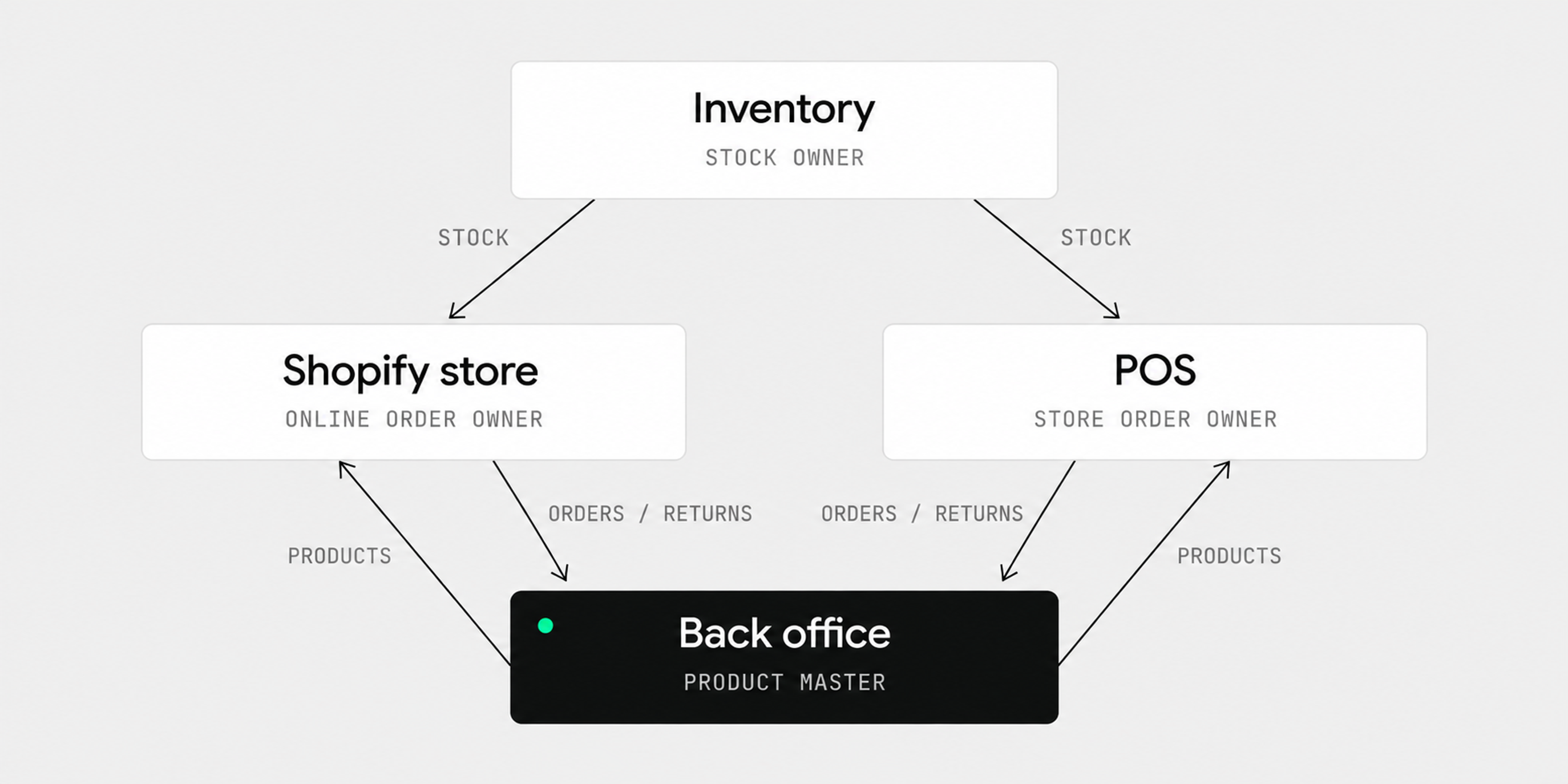
Illustration: how product, inventory and order information can move across channels.
Connect your Shopify storefront with the services that support ordering, fulfillment, personalization and customer care.
Keep the product information in your ERP connected to the catalog your customers see in Shopify.
Build and extend a Shopify store around the journeys, catalog and operations your business needs.

Customers might browse online before visiting a store, check local availability or need help with a return after purchasing in another channel. Each journey depends on accurate data and clear team responsibilities. The experience should be designed around the journeys the business actually supports, not a list of platform features.
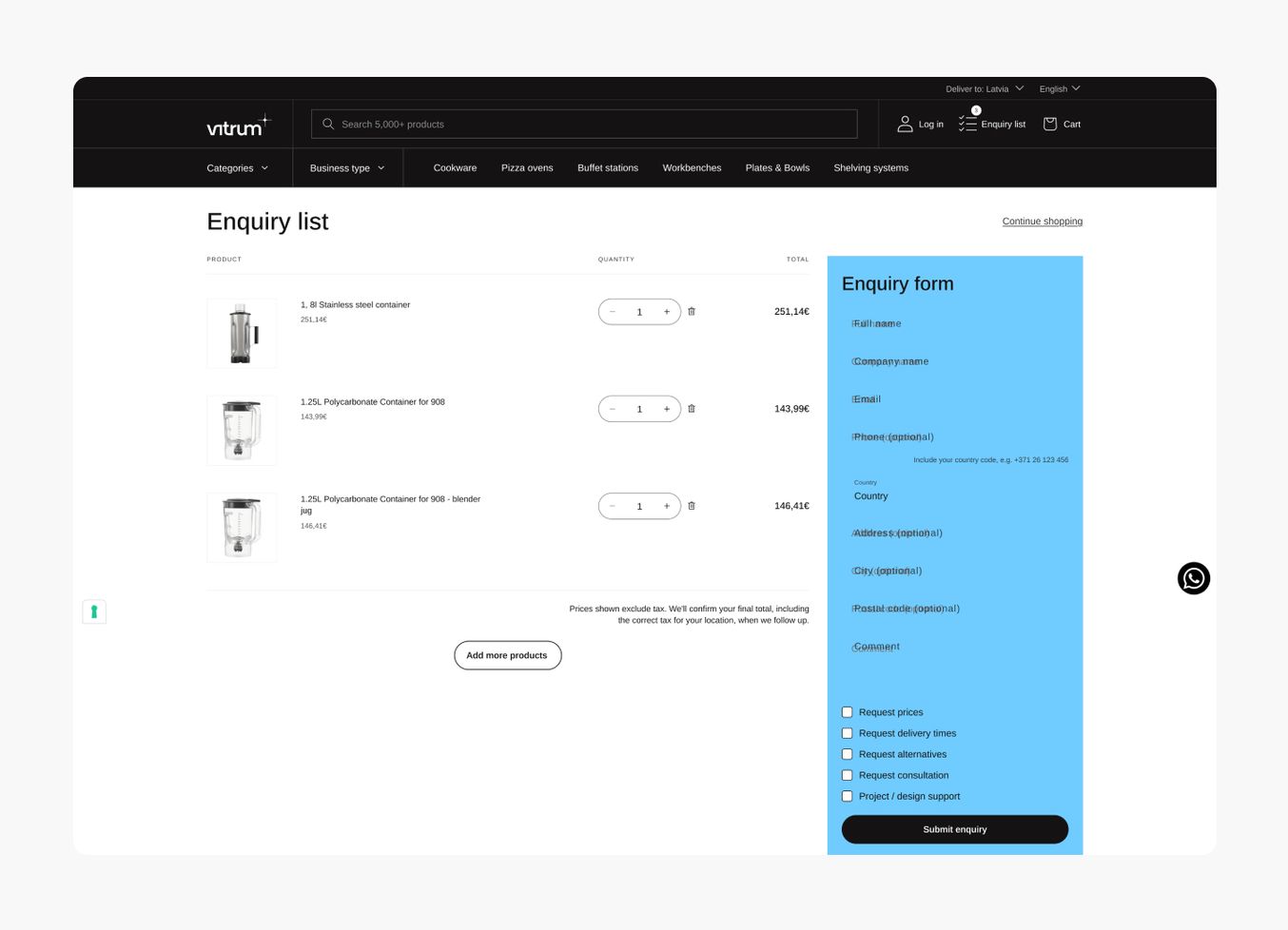
The technical work may involve Shopify storefronts, POS, inventory and external systems. Before building, define the source of truth for each data type, the required update timing and what happens when a connection fails. Broader channel and platform decisions are covered by Commerce Strategy. Further reading: Omnichannel Retail Strategy: A Shopify Playbook.

It refers to connecting sales channels, inventory and customer data through a shared operational model. The exact systems and customer journeys depend on the retailer. Shopify explanation.
No. Running both channels does not show that products, stock, customers and orders are connected. The integrations and operating processes need to be checked.
Start with product and inventory sources, orders, fulfillment, customer data and the journeys that cross channels. That makes it possible to define the connections and responsibilities required. Related reading: Unified Commerce Platform: Benefits, KPIs & Shopify Guide.
TONS combines the opening of a physical store with an online store and launch email campaigns.
We use necessary cookies to run the site. With your permission we also use analytics and marketing cookies to enhance your browsing experience. Review our Cookie Policy.
Your privacy choices
We use cookies to run the site, understand how it is used and measure our marketing. You can opt out of analytics and of the sale or sharing of your information at any time. We honour the Global Privacy Control signal. Review our Cookie Policy.
Cookies
We use cookies to run the site and to understand how it is used. You can change this in the settings. Review our Cookie Policy.
Cookie settings
Turning marketing off stops the sale and sharing of your information for advertising. A Global Privacy Control signal from your browser already does this.