

So, what’s it really going to cost to get your online shop off the ground? The answer can be anything from a few hundred dollars for a simple, do-it-yourself setup to well over $100,000 for a full-blown custom enterprise build. The final number really just comes down to what your business needs, how complex you want the design to be, and the features you can’t live without.
Your Quick Guide to Online Shop Costs
Before we get into the nitty-gritty of every line item, let's zoom out and look at the big picture. Getting a handle on the potential investment from the very beginning saves a lot of headaches later on and helps you put your money where it matters most.
Think of it this way: you wouldn't start building a house without knowing the difference between a starter home budget and a luxury mansion budget. The same exact logic applies to your digital storefront.
Having a solid strategy for comprehensive business financial planning is the bedrock for managing these expenses. The biggest things that will move the needle on your total cost are the ecommerce platform you choose, how much custom design work you need, and the specific tools and functions required to run and grow your business.
Estimated Online Shop Build Costs by Business Stage
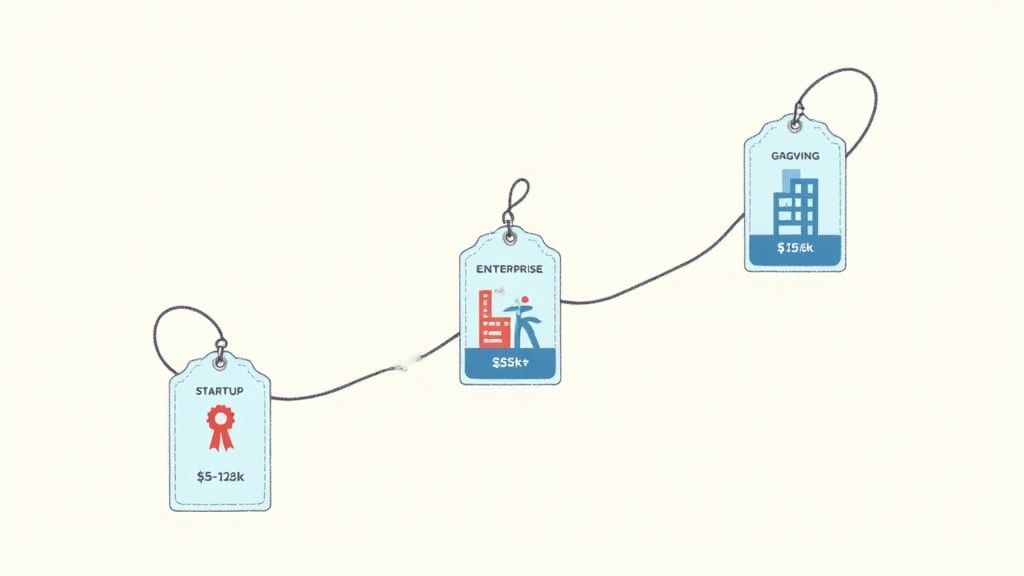
To help set some realistic expectations, we can break down the cost to build a shop into three common business stages. This gives you a framework to align your budget with where you are now and where you want to go.
This table gives you a ballpark idea, but remember that a major piece of your ongoing expenses will be your platform's subscription fee. For instance, Shopify has different pricing tiers designed to fit perfectly into these stages.
The screenshot above lays out the standard monthly plans, which are the foundation of your recurring costs. These plans are just the starting point—you'll be adding themes, apps, and other services on top. For a deeper dive into these platform fees, you can learn more about how much Shopify costs per month in our complete guide.
Deconstructing the Core Costs of Building an Online Shop
So, what does it really cost to build an online shop? Think of it like building a physical retail space. You've got your foundational costs (the rent), your aesthetic choices (the paint and fixtures), and all the functional add-ons (the cash register and security system). Each piece comes with its own price tag.
Breaking down these individual line items is the only way to build a realistic budget and sidestep those nasty surprise expenses that can completely derail a launch.
Just like a brick-and-mortar store, your ecommerce site has "hard" and "soft" costs. The hard costs are the easy ones to spot—the tangible, predictable bills you have to pay. Soft costs are a bit trickier; they cover the services and creative work that actually bring your brand to life. Getting a handle on both is crucial for smart financial planning.
In the world of physical retail, soft costs like interior design, permits, and stocking that initial inventory can tack on an extra 30-60% to the hard construction bill. It’s no different online. Your store’s soft costs—think professional branding, custom coding, and killer product photos—can inflate your budget in a hurry if you don't account for them from the get-go.
This diagram lays out the main cost categories, starting with the platform and branching out into all the design and feature decisions you'll make.
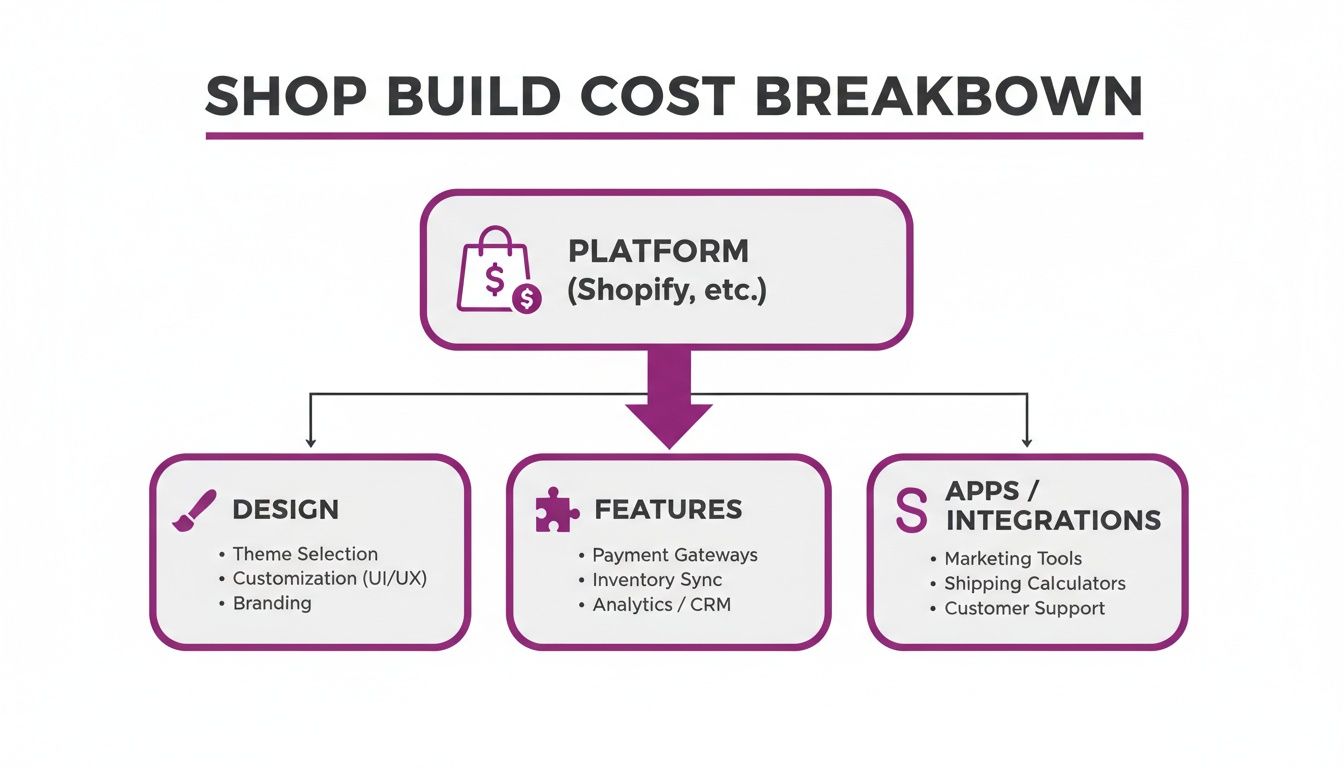
As you can see, your platform choice is the foundation. Everything else—from how your site looks to what it can do—gets built right on top of it.
Platform and Theme Expenses
Your ecommerce platform is the digital real estate you're building on. For most merchants, Shopify is the go-to, and its subscription is your main recurring hard cost. The plans generally run from $39/month for Basic up to $399/month for Advanced Shopify. As you move up, you get more features and, importantly, lower transaction fees.
Next, you need a theme. This is the architectural blueprint for your store's look, feel, and user experience.
- Free Themes: Shopify offers some fantastic free themes (like the popular Dawn theme) that are perfect for getting started. They’re mobile-friendly, straightforward to customize, and keep your initial costs at zero.
- Premium Themes: For a one-time fee of $200-$400, premium themes offer more advanced design features, dedicated support, and a more unique aesthetic right out of the box.
Grabbing a premium theme can be a smart upfront investment to help you stand out. That said, starting with a free theme is a totally legitimate way to manage a tight budget.
Apps and Integrations
Apps are like hiring specialized staff and buying new equipment for your store. They handle everything from email marketing and customer reviews to loyalty programs and sophisticated analytics. The catch? Nearly every app comes with its own monthly subscription fee, and those can add up fast.
Your app stack is a major driver of monthly recurring costs. A lean startup might spend $50-$100 per month, while a growing brand can easily exceed $500 per month on essential tools for email marketing, reviews, loyalty programs, and more.
Some apps are essential from day one, like an email marketing tool (e.g., Klaviyo) or a product review app (e.g., Loox). Others can wait until your business grows and your needs get more complex. It's also worth understanding the costs of outsourced app support, as getting expert help with setup and maintenance can be a significant part of the initial investment.
Design and Development Costs
This is where the biggest "soft cost" variables live. A theme gives you the structure, but you still need to furnish the place. That means branding, imagery, and maybe even some custom-coded features to make the store uniquely yours.
These costs swing wildly depending on whether you DIY it or hire the pros:
- Branding & Logo Design: A professional logo and a full brand guide can run anywhere from $500 to $5,000+. It all depends on the designer's experience and how deep you want to go.
- Product Photography & Videography: In ecommerce, high-quality visuals are completely non-negotiable. Plan to budget at least $1,000 to $5,000 for a solid set of professional product photos to get you started.
- Custom Development: Need a feature that a theme or an app just can't handle? You'll need a developer. This could be anything from a unique product customizer to a complex backend integration. Costs here start around $1,500 and can easily climb into the tens of thousands for major projects.
Comparing Your Build Options: DIY vs. Freelancer vs. Agency
You've got the vision for your online store—the features, the design, the whole nine yards. That's a huge step, but it’s only half the battle. Now comes the big question: who’s actually going to build it?
How you answer this will have the single biggest impact on your upfront costs, your launch timeline, and the long-term health of your business.
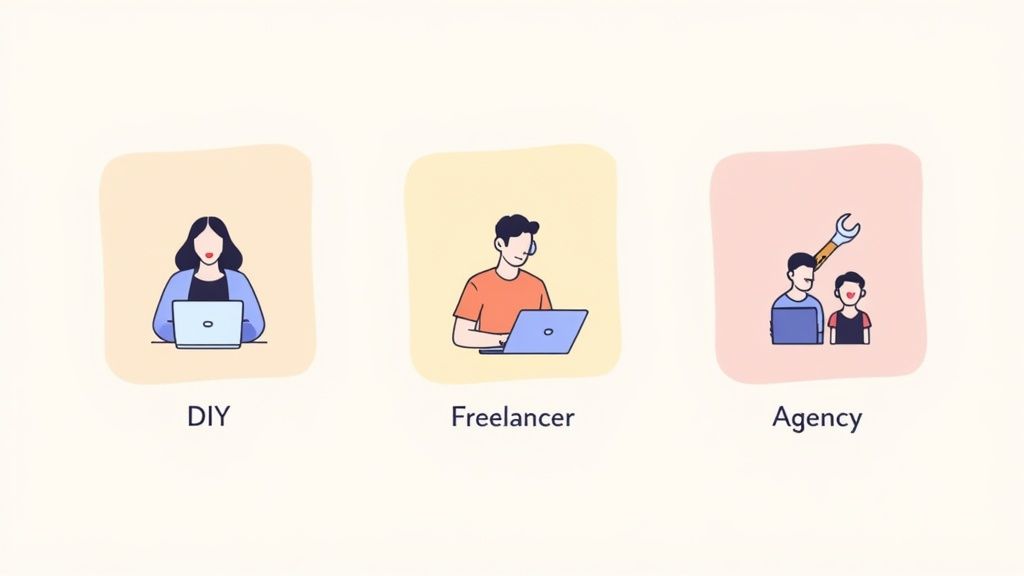
This isn't just about picking the cheapest option. It’s a strategic choice that needs to balance your budget, your technical chops, and the one thing you can't buy more of—your time. Let's break down the three main paths you can take to bring your Shopify store to life.
The Do-It-Yourself (DIY) Approach
Going DIY is exactly what it sounds like. You're the one in the driver's seat—playing the role of designer, developer, and project manager all at once. Armed with a Shopify theme and the app store, you’re in complete control from start to finish.
Financially, this is the most attractive route for new entrepreneurs. Your main costs are your Shopify subscription, maybe a premium theme, and any apps you need. It keeps the initial cash outlay to a minimum.
But here’s the trade-off: what you save in money, you pay for in time and effort. The learning curve can be steep. You’ll have to become your own tech support, troubleshoot issues, and develop an eye for what actually converts. Modern themes are great, but a polished, professional store is about more than just dragging and dropping a few elements.
Hiring a Freelancer
Think of a freelancer as your hired gun. When you need a specific skill set without the cost of a full-time team, this is the perfect middle ground.
Maybe you’re comfortable managing the project but need a developer to code a custom feature. Or perhaps you need a designer to nail your brand’s aesthetic. A freelancer lets you tap into high-level skills on an as-needed basis, giving you a targeted professional boost where you need it most.
The cost is a clear step up from DIY, but it's still way more affordable than bringing on a full agency. You get professional-grade work on the parts of your project that matter most, which can deliver an incredible return. The real challenge? Finding the right talent and being ready to manage the project yourself.
Partnering with an Agency
Working with an agency is the all-in, strategic option. You're not just hiring one person; you're bringing on an entire team of specialists—strategists, designers, developers, and marketers—all focused on your project.
This is the premium choice, and the investment reflects that. An agency doesn't just build a site; they build a business strategy. They start by digging deep into your goals and then create a comprehensive plan to get you there. They manage everything from market research and custom development to complex integrations and post-launch optimization.
This path is best for established brands or fast-growing businesses that need a high-performance, fully custom store and have the budget to match. An agency lifts the operational weight off your shoulders, letting you focus on running your business. Many, like our team at ECORN, offer flexible subscription models that provide ongoing support, acting as a true growth partner.
Comparison of Shop Building Approaches
To make the decision a bit clearer, it helps to see how these three approaches stack up side-by-side. Each has its place, depending on your resources and goals.
Ultimately, choosing your build partner comes down to a simple equation: matching your current resources—your time, money, and skill—with your long-term business ambitions.
Budget Scenarios With Real-World Cost Examples
Abstract line items and percentages are fine, but things get real when you see how the numbers actually stack up in the wild. That's where you truly understand the cost to build a shop. To make this tangible, let's walk through three distinct budget scenarios for building a Shopify store, each tailored to a different stage of business. Think of these as financial roadmaps, showing exactly where every dollar goes and what you get for your investment.
Whether you're bootstrapping a brand-new idea or scaling an established name, one of these scenarios will likely hit close to home.
Scenario 1: The Startup on a Shoestring
This one’s for the scrappy entrepreneur with a killer idea and a tight wallet. The mission is simple: get a professional, working store live for under $2,000. How? A smart Do-It-Yourself (DIY) approach that puts money where it has the most immediate impact.
The focus here is all about getting to market fast and validating your product without taking on a mountain of financial risk. That means you’ll be leaning heavily on Shopify’s built-in tools while making a few key one-time purchases to avoid that generic, cookie-cutter look.
Budget Breakdown (Approximate Costs):
- Shopify Basic Plan (3 Months): $120
- Premium Shopify Theme: $350
- Examples: Email marketing, product reviews, basic SEO tools.
Total Estimated One-Time Build Cost: ~$1,940
This lean budget makes two things a priority: a premium theme for a polished first impression and good product photos. Visuals are everything for a new store. Everything else—from setup to copywriting—is handled by the founder to keep cash in the bank.
Scenario 2: The Growing Brand
Okay, this brand isn't new to the game. They’ve got traction, they've proven people want their product, and now it's time to invest $5,000 to $15,000 into a more powerful, conversion-focused experience. The DIY days are over; it's time to bring in the pros.
The heart of this budget goes to hiring a skilled freelancer or a small studio. This unlocks a semi-custom design that actually reflects the brand's personality and allows for more advanced apps that streamline operations and drive sales.
Budget Breakdown (Approximate Costs):
- Freelance Designer/Developer (Theme customization, app setup): $6,000
- Shopify Plan (3 Months): $320
- Examples: Loyalty program, advanced analytics, subscription tools.
Total Estimated One-Time Build Cost: ~$14,520
This budget is about shifting from "launch" mode to "growth" mode. You're making serious investments in professional branding, photography, and expert development to build a solid foundation for scaling revenue and creating a loyal following.
Scenario 3: The Enterprise-Level Build
For an established enterprise or a Shopify Plus merchant, building a shop is a major capital investment. We're talking a starting point of $25,000 that often climbs well past $100,000. This isn't just about putting up a website; it's about engineering a complex, high-performance commerce machine.
At this level, you're almost certainly partnering with a specialized ecommerce agency. The project involves a fully custom design and build, complex integrations with systems like your ERP or CRM, and a deep strategic focus on creating a one-of-a-kind, scalable platform.
For context, let's compare this to brick-and-mortar. In the U.S., the average fit-out for a retail shop runs about $155 per square foot, and construction costs jumped roughly 20% between 2021 and 2024. You can quickly see how even a significant digital investment can be far more economical than a physical one. You can learn more about these rising retail construction costs here.
Budget Breakdown (Approximate Costs):
- Agency Partnership (Strategy, design, custom development, project management): $50,000+
- Shopify Plus Platform Fees (Ongoing): ~$2,000/month
- Custom App Development & System Integrations (ERP, PIM, CRM): $25,000+
- Advanced Tech Stack (Headless commerce, personalization engines): $15,000+
- Comprehensive CRO & A/B Testing Program Setup: $10,000+
- Extensive Content Production (Video, 3D models): $10,000+
Total Estimated One-Time Build Cost: $110,000+
Here, the online store is a core piece of business infrastructure. The budget funds a dedicated team of experts building a tailored solution designed to handle massive traffic, complex back-end workflows, and deliver a superior customer experience that truly defines the brand.
Beyond the Build: Uncovering Ongoing Operating Costs
Getting your online store live is a huge milestone, but it's really the starting line, not the finish. That initial build cost is a one-time thing; the ongoing operational costs are what actually determine if your business thrives or just survives. Too many entrepreneurs get blindsided here, focusing so much on the launch that they forget to budget for keeping the lights on.
Think of it like buying a car. The sticker price is the big number you plan for, but you'd never forget about gas, insurance, and regular oil changes, right? Those are the recurring expenses that keep you on the road. It's the same deal with your shop—the operational budget covers everything needed to bring in customers, handle orders, and get your products out the door.
These costs aren't just little details you can figure out later. They're the financial engine of your entire operation. Without a solid plan for them, even the most beautiful store will stall out before it ever gets a chance to build real momentum.
Essential Recurring Software Subscriptions
Your digital storefront doesn't run on its own. It relies on a whole suite of tools to function, and almost all of them come with monthly or annual subscription fees. The good news is these costs are predictable. Your Shopify plan is the foundation, but the apps you add on top are what truly unlock your store's power.
These software costs can easily range from $100 to over $1,000 per month, all depending on your store's complexity and sales volume. A few key categories you absolutely need to budget for include:
- Email Marketing & SMS: You need a platform like Klaviyo or Omnisend to talk to your customers and drive those crucial repeat purchases.
- Customer Reviews: Apps like Loox or Judge.me are non-negotiable for building trust and social proof.
- Loyalty & Rewards Programs: Smart tools designed to keep customers coming back are a fantastic investment in lifetime value.
- Advanced Analytics & Reporting: As you grow, the standard Shopify reports won't be enough. You'll need deeper insights to make smart decisions.
One of the most common mistakes I see is "app bloat"—subscribing to dozens of tools without a clear return on investment. Make it a habit to audit your app stack every quarter. If an app isn't directly making you money or saving you time, cut it. It’s a simple but powerful way to keep monthly costs in check.
Transaction and Fulfillment Expenses
Every single time you make a sale, a little piece of that revenue goes toward the cost of actually processing the payment and getting the product into your customer's hands. These are variable costs, meaning they scale up and down with your sales volume, which makes them a critical part of your financial forecasting.
Payment processing fees are simply the cost of doing business online. For every transaction, platforms like Shopify Payments or PayPal take a small percentage plus a fixed fee. It might only be 2.9% + 30¢ per transaction, but that adds up fast as your order volume grows.
Shipping and fulfillment is the other big variable expense. This bucket includes:
- Packaging materials: The boxes, mailers, tape, and void fill.
- Carrier rates: What you actually pay carriers like USPS, UPS, or FedEx to ship the package.
- Fulfillment partners: If you're using a third-party logistics (3PL) service, their fees become a major operational line item.
Just like building a physical store costs more in Geneva than it does in a smaller city, your operational costs can vary wildly. A report from Arcadis notes that construction costs in high-end markets can create a 200% cost gap compared to less expensive ones. You can read more about how global construction costs vary on Arcadis.com. The same principle applies here—your shipping costs will fluctuate dramatically based on where your customers live.
Marketing and Growth Investments
Your marketing budget is the fuel for your growth engine. Without a consistent investment in driving traffic, your store is basically invisible. This isn't just a "cost"; it's a direct investment in acquiring customers, but you have to manage it carefully. For a deeper dive into managing your finances, check out our guide on how to reduce operational costs.
A healthy marketing budget for a growing ecommerce brand is typically somewhere between 10-20% of your total revenue. This money gets spread across different channels, each with its own cost structure:
- Paid Advertising: This is your bread and butter—platforms like Meta Ads (Facebook & Instagram) and Google Ads, where you're paying for clicks or impressions.
- Content Creation: Investing in quality blog posts, social media content, and video is how you attract organic traffic and build a brand people care about.
- Influencer Marketing: Partnering with creators in your niche to get your products in front of their engaged audiences.
- SEO & CRO: This is the long game. Ongoing work to improve your search rankings (SEO) and optimize your site's conversion rate (CRO) is an investment that pays off for years.
By getting a handle on these ongoing costs before they surprise you, you can move past just launching a store and start building a truly sustainable, profitable ecommerce business.
Still Have Questions About Building Your Online Shop?
As you start putting the numbers together and planning your launch, a few big questions always seem to pop up. Getting straight answers to these common concerns is key to moving forward with confidence and making sure you're truly ready for the road ahead.
Let's tackle the most frequent questions we hear about timelines, scalability, and where to put your money first when figuring out the real cost of building a shop.
How Long Does It Take to Build a Shopify Store?
Honestly, the timeline for getting your store live depends entirely on the path you take. A quick-and-dirty DIY setup is a world away from a full-blown agency project.
- DIY Build: If you're grabbing a pre-built theme and plugging in your own content, you can realistically have a basic, functional store up and running in just a few weeks.
- Freelancer Project: Bringing in a freelancer for a semi-custom design and some app integrations usually takes around 4 to 8 weeks from kickoff to launch day.
- Agency Partnership: A comprehensive, custom build with an agency is a much deeper dive. These projects often take 3 to 6 months, and sometimes even longer for stores with highly complex features.
Can I Just Start with a DIY Build and Upgrade Later?
Absolutely. Not only can you, but you probably should. This is one of the most common—and smartest—growth strategies for new businesses.
Starting with a simple DIY store is the perfect way to test your product idea and keep those initial costs down. It lets you prove your concept in the real world without needing a massive upfront investment.
Once your brand starts getting some traction and the revenue is flowing, you can reinvest those profits into a professional upgrade. Countless successful stores started with a basic theme, only to later hire an agency to execute a complete redesign, build out custom functionality, or migrate to a more powerful platform like Shopify Plus.
This phased approach is one of the best ways to manage your budget. You prove the concept works on a shoestring, then you invest in scaling up the experience once you know it will deliver a return. It's all about minimizing risk while maximizing your long-term growth potential.
What's the Single Most Important Area to Invest In at the Start?
If you're launching a new online store, the one place you absolutely cannot afford to cut corners is high-quality product presentation. This is completely non-negotiable.
This breaks down into two key things: professional product photography and compelling, well-written product descriptions. If your customers can't clearly see the value, quality, and details of what you're selling, every single dollar you spend on themes, apps, or ads is basically thrown away. A clean, simple theme paired with stunning imagery will always give you the biggest bang for your buck right out of the gate.
Ready to build a high-performance Shopify store without all the guesswork? The team of dedicated specialists at ECORN is here to help you design, develop, and optimize an ecommerce experience that drives real results. Explore our flexible subscription packages and see how we can help you grow.



Conversion Tracking Setup for Shopify Stores

BigCommerce vs Shopify Plus Which Enterprise Wins in 2026

Shopify Theme Kit: Setup, Commands, and Migration Guide

Shopify Extension Development: A Practical 2026 Guide

Shopify Speed Score Explained and How to Improve It

Shopify Mobile Optimization: The 2026 Playbook

How to Add Subcategory in Shopify for Better UX

How to Implement Structured Data for Ecommerce in 2026

SEO App Mobile: Shopify Store Optimization Guide

Shopify Plus Support: What It Includes and How to Choose

Google Ads for Shopify: The Complete 2026 Playbook

Shopify New York: How to Find and Hire the Right Agency

Google Search Console for Shopify: The Complete Setup

First Party Data Collection for eCommerce Growth

FAQ Online Store Guide: Build and Measure It Right

Do FB Ads Work for eCommerce in 2026?

One Page Checkout for Shopify: Design and Implementation

Shopify GraphQL vs REST: The 2026 Developer Decision

Shopify Ecommerce Consulting: Strategy, Pricing &

Are Reddit Ads Worth It for eCommerce Brands

Shopify Title and Meta Description: A Practical 2026 Guide

Product Video Best Practices for Shopify Brands

Real-Time Inventory Management: A 2026 Guide

AI Chatbot Integration for Shopify Stores

Affiliate Program Management: A Shopify Guide

10 Best Performance Monitoring Tools for Shopify in 2026

Digital Asset Management for eCommerce Brands in 2026

Every Type of Facebook Ads Explained for eCommerce Growth

Product Information Management Explained for Shopify Brands

Support Ticket System: A Guide for Shopify Stores

10 Best Customer Service Tools for Shopify in 2026

Can I Start a Business with No Money? a 2026 Blueprint

What Sells Good on Etsy: Best Niches for 2026

Shopify Add to Cart Button: A Practical 2026 Guide

Customer Feedback Automation: A Practical eCommerce Guide

Critical Rendering Path: A Guide for Shopify Stores

How to Promote on TikTok for eCommerce in 2026

B2B eCommerce Consulting That Drives Real Revenue

10 Best Practices for Site Navigation in 2026

Return vs Refund for Shopify Stores: A Practical Guide

What Is Customer Lifetime Value and Why It Matters

What Is Voice of Customer Research for eCommerce

SMS Marketing for Ecommerce That Actually Converts

Master How to Improve Email Deliverability in 2026

Top 7 eCommerce Partners NYC for Shopify Brands in 2026

Machine Learning for Ecommerce: Boost Your Shopify Store

Beauty Market Research: Your 2026 Growth Guide

Shopify International Expansion: A 2026 Roadmap

What Does CRO Stand for in Business: Understanding CRO

Shopify Visual Merchandising: A Playbook for Higher Sales

Shopify Landing Page Design: Master Conversion in 2026

10 Best AI SEO Optimization Tools for Shopify in 2026

Agentic AI for Ecommerce: Boost Your Sales in 2026
Mastering Email Marketing Data for eCommerce Growth

Conversion Rate Optimisation Australia: Boost Your Sales

Conversion Rate Optimization AI: Your Shopify Store Guide

10 Product Bundling Strategies for Shopify in 2026

How to Increase Customer Lifetime Value: A Shopify Playbook

AI Customer Service Automation: Shopify Guide 2026

Clean Website Design: A Shopify Conversion Playbook

Omnichannel Retail Strategy: A Shopify Playbook

Product Data Enrichment: A Guide for Shopify Brands

Instagram Shopping Features a Guide for Shopify Stores

What Is Revenue Optimization: A Holistic RevOps Guide

Benefits of Conversion Rate Optimization: Boost Your

WordPress to Shopify Migration: Your 2026 Seamless Switch

Boost Sales: Ecommerce Payment Processing Guide 2026

Unified Commerce Platform: Benefits, KPIs & Shopify Guide

How to Reduce Bounce Rate eCommerce: Your 2026 Guide

Shopify API Integration: A Practical End-to-End Guide

How to Implement Data Governance: A 2026 Guide

Shopify Store Development Cost: A 2026 Breakdown

What Is Server Side Tracking: The Shopify Guide 2026

Marketing Automation Workflows: A Shopify Guide for 2026

Shopify: How to Reduce Technical Debt

Shopify UX Design Change: A Playbook for Growth

User Generated Content Strategy: Shopify Playbook

Shopify Pause and Build Plan Cost: A Complete 2026 Guide

Compare at Price on Shopify: A Complete Guide for 2026

Where Can I Sell My Prints? 10 Best Platforms for 2026

Shopify Order Management System: The Ultimate Guide 2026

What Is Marketing Attribution? an eCommerce Guide for 2026

10 Best Black Friday Sales Sheets for 2026

Discover the Top Social Media Marketing Agencies For

Consumer Confidence Definition for eCommerce in 2026

What Is Social Commerce? Your 2026 Guide to Boosting Sales

A Social Ad Campaign Playbook for eCommerce Growth

7 Best FAQ Page Examples for SaaS & eCommerce

Market Research in Fashion Industry: A Guide for Shopify

Shopify Migration Services: Expert Guide for 2026

Mastering FB Retargeting Ads for Shopify in 2026

What Is Omnichannel Ecommerce

Master Your Shopify Plus Migration: The 2026 Guide

Shopify Integration Services: A Merchant's 2026 Guide

Shopify Collection Description: A Guide to SEO & Sales

Shopify Plus Contact: Reach Sales & Support Effectively

Top Luxury Shopify Stores: Design & UX Strategies

How to Improve Customer Experience: A Shopify Roadmap

Creative Facebook Ads: 10 Examples for Shopify Brands

Remarketing with Facebook Ads: A Shopify Guide for 2026


newsletter in your inbox