

Have you ever updated a product name or changed a collection, only to see your hard-earned traffic vanish into thin air? It’s a common scenario, but it’s not a glitch. It’s the direct result of a broken URL, and a Shopify URL redirect is the exact tool you need to fix it.
Think of it as a digital forwarding address. It makes sure both your customers and the search engines always land on the right page, no matter what you change behind the scenes.
Why URL Redirects Are Critical for Your Shopify Store
A Shopify URL redirect is much more than a simple technical fix. It’s a foundational piece of a healthy ecommerce strategy. When you change a URL for a product, collection, or blog post, the old address doesn't just disappear. It becomes a dead end.
Anyone—a potential customer or a search engine crawler—who tries to visit that old link gets hit with a frustrating "404 Not Found" error. This single error can set off a chain reaction of negative effects.
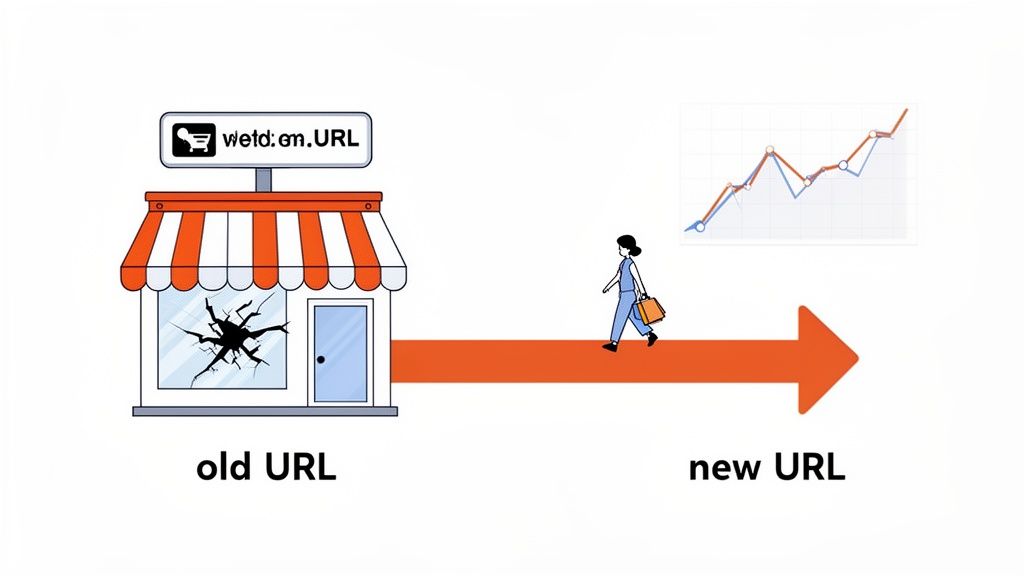
Imagine a customer clicking a link from an old marketing email or a saved bookmark. Landing on a 404 page is a terrible user experience. More often than not, they’ll just leave your site, and you’ve just lost a sale. For search engines like Google, these dead ends are red flags that chip away at your site's credibility.
Protecting SEO and User Experience
The true importance of URL redirects really clicks when you understand the basics of What is Search Engine Optimization (SEO). When Google indexes a page, it assigns it value based on things like backlinks, content quality, and user engagement. If you change a URL without setting up a redirect, you’re essentially throwing all that accumulated value away.
Here’s why redirects are non-negotiable for any Shopify store that’s serious about growth:
- Preserves SEO Authority: A proper redirect tells search engines that a page has moved permanently. This simple instruction ensures they pass the old URL's ranking power—often called "link equity"—over to the new one.
- Enhances User Trust: When you seamlessly guide users to the right page, you avoid frustration and maintain a professional, trustworthy brand image.
- Prevents Lost Revenue: By ensuring every link leads to a live, shoppable page, you're closing a major loophole where potential sales can leak out.
A single broken link from a high-authority backlink can silently drain your organic traffic for months. Implementing a redirect strategy isn't just about housekeeping; it's about protecting your most valuable marketing assets.
Failing to manage redirects is one of the most common—and costly—mistakes I see store owners make. By proactively creating them for everything from discontinued products to full site migrations, you safeguard your traffic, your sales, and your overall search performance.
To see how this fits into the bigger picture, a solid https://www.ecorn.agency/blog/shopify-seo-checklist can help you bake this practice right into your broader optimization efforts.
So, What’s the Deal with 301 Redirects in Shopify?
Before we dive into the how, let's talk about the why. Getting a handle on the SEO side of things is crucial. Think of a URL redirect like setting up mail forwarding with the post office. When you move, you tell them your new address, and they make sure all your mail gets to the right place. A 301 redirect does exactly that for your web pages.
This isn't just about making life easier for your customers; it's a direct instruction to search engines. When Google stumbles upon a 301, it understands that a page has moved for good. This signal tells it to transfer the old URL's ranking power—its "link equity"—over to the new page, which is absolutely vital for keeping your spot in the search results.
The Power of Permanent: Why Shopify Uses 301s
You’ll generally hear about two types of redirects: 301 (permanent) and 302 (temporary). A 302 essentially tells search engines, "This page has moved, but it might be back." It's handy for things like A/B testing or running a short-term promotion, but it doesn't pass along the full SEO value because the change isn't seen as final.
Here’s the thing about Shopify: it exclusively uses 301 permanent redirects. The platform did away with 302s to protect your SEO rankings whenever a URL changes. This means every redirect you create—whether for a sold-out product or a rebranded collection—sends a clear signal to Google to transfer nearly all of its link equity. We're talking up to 95% of your hard-earned traffic being preserved. For a deeper dive into Shopify's policies, LitExtension offers some great insights.
This is a huge built-in advantage. It takes the guesswork out of the equation and ensures you're always using the best redirect for your store's long-term SEO health.
When to Use a 301 Redirect: Common Shopify Scenarios
Knowing that 301s are important is one thing, but knowing exactly when to pull the trigger is another. There are a few common situations where setting up a Shopify URL redirect is non-negotiable for keeping your store healthy and performing well.
Let's look at some real-world examples where a 301 redirect is your best friend.
When to Use a 301 Redirect: Common Shopify Scenarios
This table breaks down the most frequent scenarios where a 301 redirect is not just helpful, but necessary. Use it as a quick reference guide to protect your SEO and user experience.
These are just a few examples, but they cover the core reasons you'll be creating redirects on your store.
Every time you delete a page or change a URL handle without a redirect, you create a 404 error. Think of these as broken branches on a tree—too many will weaken the entire structure of your site in the eyes of search engines.
Avoiding Redirect Chains and Other SEO Pitfalls
While creating a Shopify URL redirect is pretty straightforward, it's easy to fall into a common trap: the redirect chain. This is what happens when one URL points to another, which then points to a third, and so on.
- Example Chain: Page A → Page B → Page C
Each "hop" in that chain slows down page load times for users and eats up your crawl budget with search engines. Worse, a long chain can dilute the link equity being passed, hurting the very SEO you were trying to protect in the first place.
The best practice is simple: always redirect directly to the final destination. If you notice that page-a already redirects to page-b, and you later decide that page-b needs to point to page-c, don't just add a new redirect.
- The Fix: Go back and update the original redirect for
page-aso it points directly topage-c.
By understanding how 301s work and sidestepping common mistakes like chains, you're doing more than just fixing broken links. You're actively protecting your store's most valuable asset: its authority with search engines.
How to Create URL Redirects in Shopify
Now that you know why 301 redirects are so critical, let's get our hands dirty. Actually implementing redirects in Shopify is a core skill for any store owner, and thankfully, the platform gives you a few different ways to get it done.
Whether you're fixing a single broken link or managing a massive, store-wide overhaul, there's a method that fits. We'll walk through the four main ways to handle this: creating individual redirects in the Shopify admin, using a CSV for bulk uploads, touching on the advanced options for Shopify Plus, and finally, exploring third-party apps for more automated management.
First, this diagram perfectly illustrates the journey of a 301 redirect. It's a simple concept but incredibly powerful for turning a potential 404 error into a smooth, uninterrupted user experience.
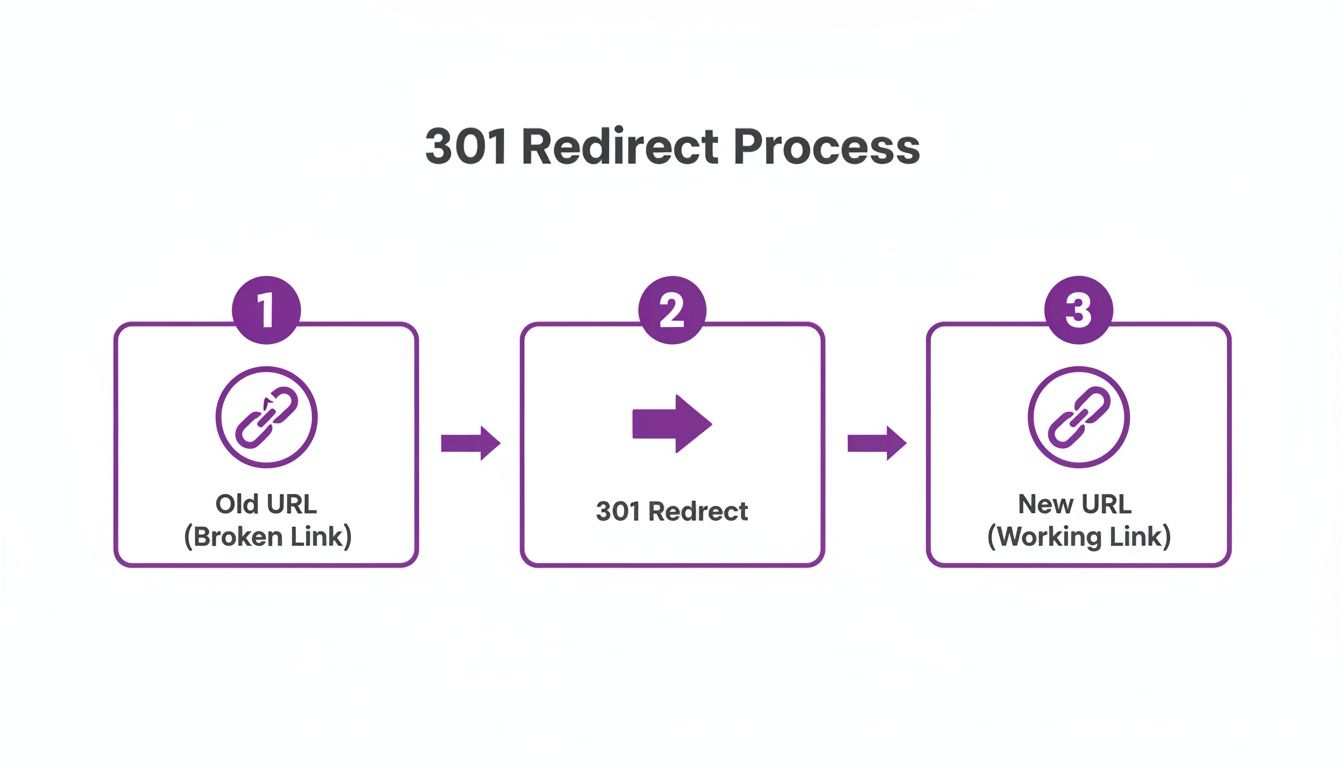
As you can see, the 301 acts as that essential bridge, making sure both people and search engine crawlers are pointed from a dead end to the correct, live page.
Creating a Single Redirect in Shopify Admin
The most common, everyday method is just creating a redirect manually inside your Shopify admin. This is your go-to for quick fixes. Just renamed a product? Deleted an old blog post? This is the tool for the job.
You don't need to be a developer for this one; it’s literally a copy-and-paste task. Let’s say you updated a product handle from /products/old-summer-dress to /products/linen-summer-dress-blue. You’ve got to make sure anyone who bookmarked or clicked the old link still lands on the new page.
Here's how to get there in your store's backend:
- From your Shopify admin, head to Online Store > Navigation.
- Look for the URL Redirects link near the top right and click it.
- Hit the Create URL redirect button to open up the form.
You'll see two simple fields: "Redirect from" and "Redirect to." This is where you tell Shopify which old link needs to point to which new link. Precision is everything here.
Pro Tip: I always recommend using relative URLs, which means they start with a
/. For example, use/products/old-productinstead of the fullhttps://yourstore.com/products/old-product. This keeps your redirects from breaking if you ever change your primary domain. It's a small detail that saves big headaches later.
Using a CSV for Bulk Redirect Imports
Doing this manually is fine for a few URLs, but it's a nightmare for big projects like a site migration or a major catalog restructuring. Can you imagine trying to manually enter 5,000 URLs? No thank you. This is where Shopify’s bulk CSV import feature is an absolute lifesaver.
With this method, you can prep all your redirects in a simple spreadsheet and upload them in one fell swoop. The formatting has to be perfect to avoid errors, but the time it saves is enormous.
To get started, just create a CSV file with two columns:
- Column A Header:
Redirect from - Column B Header:
Redirect to
Then, just list all your old URLs in the first column and the new destination URLs in the second. Your spreadsheet might look like this:
Once your file is ready, you'll go to the same URL Redirects page in your admin. But instead of creating one manually, you'll click the Import button, upload your CSV, and let Shopify do the heavy lifting.
Advanced Options for Shopify Plus
If you're running a larger operation on Shopify Plus, the redirect game gets a little more sophisticated. While the basic tools are the same, Plus merchants have access to features better suited for handling complexity at scale.
One of the biggest perks is the ability to leverage custom scripts and more powerful apps. For instance, a store on Plus can use the Script Editor app to build out more dynamic redirect logic that just isn't possible on the standard plans.
Plus merchants also frequently work with migration specialists or SEO agencies who can tap into the Shopify API to manage redirects programmatically. This is absolutely essential during complex replatforming projects where you might need to map and verify tens of thousands of URLs with flawless accuracy.
Leveraging Third-Party Redirect Apps
Shopify's built-in tools are great, but they can't do everything. One major blind spot is that they don't automatically find 404 errors for you as they happen. You have to go looking for them. This is where the Shopify App Store really shines.
There are a bunch of dedicated redirect management apps that can automate a huge chunk of this work. These apps offer features that go way beyond the native toolset:
- Automatic 404 Detection: Many apps will monitor your site for "Page Not Found" errors in real-time and give you a simple dashboard to fix them on the fly.
- Pattern-Based Redirects: Some let you create rules to redirect entire groups of URLs that share a pattern. This is a game-changer if you're changing your blog or collection URL structure.
- Redirect Chain Analysis: More advanced apps can even spot and help you fix messy redirect chains that slow down your site and hurt your SEO.
An app is a smart move if you find yourself constantly cleaning up broken links or if your store is just too large and dynamic to manage manually. It flips the script from a reactive, tedious task to a proactive, automated system, freeing you up to focus on what actually grows your business.
Managing Redirects for Migrations and Rebranding
Site migrations and full-on rebrands are easily two of the most stressful projects you can tackle as an ecommerce business. Get them right, and you can unlock some serious growth. But if you get them wrong? You’re looking at a potential SEO disaster. The one thing that holds it all together is a rock-solid Shopify URL redirect strategy.
These are the high-stakes moments where your redirect game truly gets put to the test. A single missed URL from an old platform can mean losing a powerful backlink or sending droves of would-be customers straight to a 404 page. The potential for damage here is huge.
Navigating a Platform Migration to Shopify
Moving over to Shopify from a platform like Magento, WooCommerce, or BigCommerce isn't just about copying over products and customer lists. One of the trickiest technical hurdles is dealing with the completely different URL structures.
For example, your old Magento store might have had a product URL like domain.com/category/product-name.html. Once you move to Shopify, that same product now lives at domain.com/products/product-name. Every single one of those old URLs needs a map to its new home in Shopify.
Failing to do this is just brutal. We’ve seen store migrations without proper Shopify URL redirects absolutely torch 20-50% of their organic traffic overnight. But with a smart 301 redirect plan, you can flip that script and hold onto 80-90% of your rankings. This is why we hammer this point home with every client: during a replatform, you must map every old URL to its new Shopify path.
Your pre-launch migration plan has to include these key steps:
- Crawl Your Old Site: Fire up a tool like Screaming Frog and get a complete list of every URL on your current site. I mean everything—product pages, collections, blog posts, and those random "About Us" pages.
- Build Your Redirect Map: This is your migration blueprint. Create a simple two-column spreadsheet. In Column A, paste all the old URLs from your crawl. In Column B, list out their new Shopify destinations.
- Import in Bulk: As soon as the new site is live, use Shopify's CSV import tool to upload your entire redirect map. This will save you from the soul-crushing task of creating thousands of redirects by hand.
Your work isn't finished at launch. Get into Google Search Console and live in the "Coverage" report for a while. You're on the hunt for any 404 errors that might have slipped through. This post-launch cleanup is non-negotiable for plugging any leaks in your SEO foundation.
For a much deeper, step-by-step breakdown, you might want to check out our complete Shopify migration checklist to make sure nothing gets missed.
Executing a Successful Rebrand or Domain Change
A rebrand often means changing your domain name, which from an SEO perspective, is like moving your entire house. The whole point is to transfer all the authority, trust, and ranking power you’ve built up on your old domain over to the new one.
This takes some careful planning. The first move is to implement site-wide redirects that point every single page from old-domain.com to the exact same page on new-domain.com. For example, old-domain.com/products/blue-widget has to go directly to new-domain.com/products/blue-widget.
A classic mistake we see is people just redirecting every old URL to the new homepage. This creates a terrible user experience and sends a really confusing signal to Google. It’s a surefire way to lose rankings for all your individual product and category pages.
Here’s a quick roadmap for a domain change:
- Set Up the New Domain: Add your shiny new domain to your Shopify store and officially set it as the primary one.
- Keep the Old Domain Active: Whatever you do, don't let your old domain expire. You need to keep it registered and pointed to Shopify so the redirects can actually work.
- Implement Redirects: Shopify is usually pretty good about automatically handling the primary domain redirect when you make the switch. But you absolutely must double-check that it’s working correctly across your entire site.
- Update Google Search Console: Head over to GSC and use the "Change of Address" tool. This is how you formally tell Google that your site has moved, which helps them speed up the process of indexing your new URLs and transferring over your ranking signals.
By planning carefully and being precise in your execution, you can get through even the most complicated migrations and rebrands without torching years of hard-earned SEO progress.
Advanced Redirect Strategies and Best Practices
Going beyond the basics of creating a redirect is where you can really start to move the needle on your store's performance. It’s about shifting from a reactive mindset—fixing broken links as they pop up—to a proactive one. This means thinking strategically about when and why you’re creating redirects to optimize for growth.
Ultimately, this involves thinking about everything from conversion rates and long-term site health to the technical limits of Shopify itself. Nailing these advanced strategies is what separates a decent redirect plan from a truly great one.
Managing Shopify's Redirect Limit
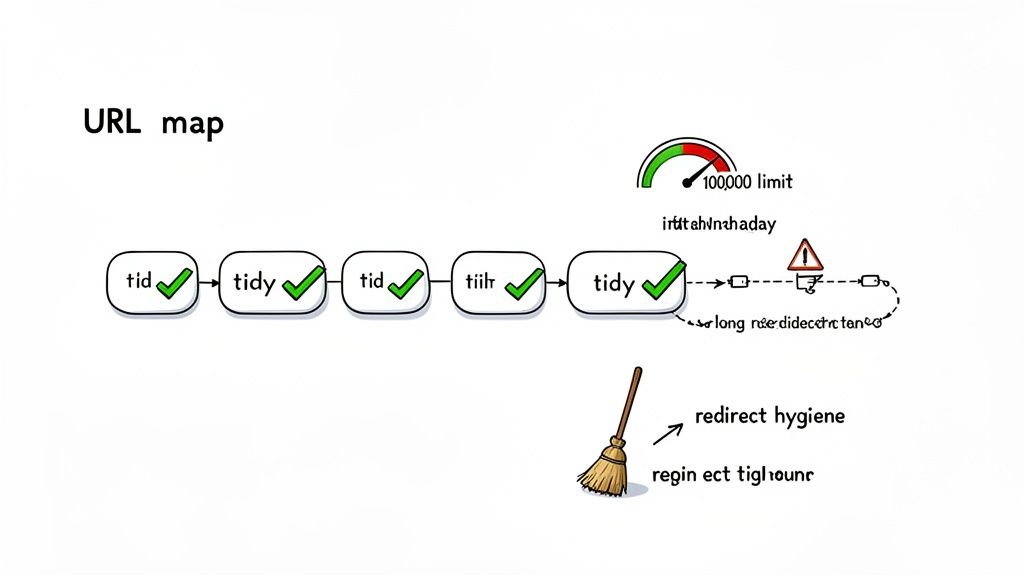
Here’s something that catches a lot of merchants by surprise: standard Shopify plans cap out at 200,000 URL redirects. For fast-growing brands, this limit can sneak up much quicker than you might think, especially if you're handling major site migrations, big product catalog updates, or frequent collection changes.
Once you start getting close to this limit, performance can begin to lag, and you'll lose the agility to manage new URL changes when you need to. This is exactly why "redirect hygiene" becomes so critical.
The Importance of Redirect Hygiene
Just like any other part of your storefront, your redirect list needs regular maintenance. Over time, it can get bloated with outdated, unnecessary, or—worst of all—chained redirects that actively slow down your site and hurt the user experience.
Think of it as a digital spring cleaning. Periodically auditing your redirects helps you:
- Boost Site Speed: Removing long redirect chains cuts down on the number of "hops" a browser has to make to reach the final page. This can shave precious milliseconds off your load times.
- Preserve SEO Health: A clean, organized redirect list is much easier for search engine crawlers to process, helping them index your site more efficiently.
- Stay Under the Limit: For large or older stores, pruning old redirects frees up valuable space and keeps you safely under that 200,000 cap.
A classic example is a redirect from a 2021 holiday collection to a 2022 version, which then points to a 2023 version. Best practice is to go back and update that original 2021 redirect to point directly to the most current page, completely eliminating the chain.
Conversion-Focused Redirect Strategies
A smart Shopify URL redirect doesn't just prevent a 404 error; it actively works to keep a potential customer on the path to making a purchase. The final destination of your redirect matters—a lot.
Consider a common scenario: a product is discontinued for good. The knee-jerk reaction for many store owners is to just redirect the old product page to the homepage. This is a huge missed opportunity. The user was looking for something specific, and dumping them on the homepage forces them to start their search from scratch.
A much smarter, conversion-focused approach is to send them to the most relevant alternative you have.
- Send them to a Parent Category: If the "Men's Slim Fit Chino" is gone, redirect its URL to the
/collections/mens-pantspage. It keeps them in the right aisle. - Point to a Similar Product: If a new and improved version of that product exists, send traffic from the old URL directly to the new one. It's an easy win.
- Use a "Best Sellers" Collection: When there’s no direct replacement, guiding them to your most popular items is a solid fallback strategy.
This simple shift in thinking keeps the user engaged and moves them closer to finding a product they’ll actually buy, dramatically improving your chances of saving the sale.
Common Redirect Mistakes to Avoid
Even with the best intentions, it's easy to make small mistakes that can have a big impact on your SEO and user experience. Be on the lookout for these common pitfalls:
- Creating Long Redirect Chains: As mentioned, always point the original URL directly to its final destination. Audit your redirects regularly and fix any chains you find.
- Using Absolute URLs: While they work, using relative URLs (like
/products/new-item) instead of absolute ones (https://yourstore.com/products/new-item) is a safer bet. They won't break if you ever change your primary domain. - Forgetting to Update Internal Links: Your job isn't done after creating the redirect. The next step is to go back and update any internal links in your navigation, blog posts, or collection descriptions that still point to the old URL. This improves site speed for users and makes your site easier for Google to crawl.
To dive deeper and implement more sophisticated techniques, you can often find great case studies and tutorials by exploring additional insights on advanced redirect strategies. By adopting these best practices, you can elevate your redirect management from a simple technical chore into a powerful tool for store optimization.
Frequently Asked Questions About Shopify Redirects
Even with the best-laid plans, redirects always seem to spark a few questions. Let's tackle some of the most common ones we hear from merchants so you can get back to business with confidence.
Can I Redirect an Old Domain to My Shopify Store?
Yes, and you absolutely should! This is a non-negotiable step if you're rebranding or migrating from another platform.
The key is to keep your old domain registered and active. Inside Shopify, you'll set your new domain as the primary one. Shopify is pretty good at handling the main domain-level redirect automatically, but don't just set it and forget it. Always take a few minutes to manually test a handful of old, high-traffic URLs (like popular products or blog posts) to make sure they're landing on their new counterparts, not just dumping visitors on the homepage.
How Do I Fix a 404 Error in Shopify?
First, you have to find the broken link. Your best friend here is Google Search Console, which will flag any 404 errors it finds when crawling your site.
Once you’ve identified the broken URL, just pop over to your Shopify Admin. Go to Online Store > Navigation and look for the URL Redirects view. From there, you can create a new redirect. Simply paste the broken URL path (e.g., /old-product-page) into the "Redirect from" field and the new, correct destination into the "Redirect to" field.
Pro Tip: A proactive approach saves a lot of headaches. Consider using a Shopify app that automatically detects 404 errors as they happen. This lets you fix broken links before they can do any real damage to your SEO or frustrate a potential customer.
Can I Remove /blogs/ or /products/ From My Shopify URLs?
Unfortunately, no. Shopify's core URL structure is locked in. Prefixes like /products/, /collections/, and /blogs/ are permanent parts of the platform's architecture.
However, you can use a clever workaround with redirects. For example, if you want a cleaner, more memorable URL like yourstore.com/reviews, you can create a Shopify URL redirect from /reviews that points to the actual blog page at yourstore.com/blogs/news/reviews. This gives you a user-friendly link for marketing while still playing by Shopify's rules.
Do Shopify Redirects Expire?
Nope. When you create a redirect in Shopify, you're creating a permanent 301 redirect. These do not have an expiration date and will stay active as long as your store exists, unless you go in and manually delete them.
This is a huge deal for your long-term SEO. It ensures that any link equity or "SEO juice" built up by your old URLs is properly passed to the new ones, preserving your search rankings for years to come.
Ready to elevate your store beyond just redirects? At ECORN, our team of Shopify specialists helps brands optimize every aspect of their ecommerce presence, from conversion rate optimization to complex Shopify Plus development. Discover our flexible solutions and see how we can help you scale.



Shopify Developer Hourly Rate: What to Pay in 2026

Ecommerce Conversion Tracking: The Complete How-To Guide

Shopify Design Agency: How to Pick the Right Partner

Mastering Multi Store Management on Shopify

Scale Shopify Store

10 Shopify App Ideas Worth Building in 2026

Conversion Rate Optimization for Landing Pages: The Playbook

Shopify Plus Automation: A Guide for 2026

10 Social Selling Platforms for Shopify Merchants

Shopify Website Design Examples: 7 Stores Worth Studying

7 Ecommerce Newsletter Examples for Shopify Brands

One Product Shopify Store: Build and Scale

Mobile Pop Up Strategy for Shopify Stores That Converts

Sitemap for Shopify: How to Find, Optimize, and Submit It

7 Single Product Websites Worth Emulating

Product Variants Shopify: The Complete 2026 Guide

Ecommerce Analytics Consulting for Growth

What Is AI Integration for eCommerce

How to Choose the Right eCommerce Website Development Firm

E Business Strategy Implementation

Conversion Tracking Setup for Shopify Stores

BigCommerce vs Shopify Plus Which Enterprise Wins in 2026

Shopify Theme Kit: Setup, Commands, and Migration Guide

Shopify Extension Development: A Practical 2026 Guide

Shopify Speed Score Explained and How to Improve It

Shopify Mobile Optimization: The 2026 Playbook

How to Add Subcategory in Shopify for Better UX

How to Implement Structured Data for Ecommerce in 2026

SEO App Mobile: Shopify Store Optimization Guide

Shopify Plus Support: What It Includes and How to Choose

Google Ads for Shopify: The Complete 2026 Playbook

Shopify New York: How to Find and Hire the Right Agency

Google Search Console for Shopify: The Complete Setup

First Party Data Collection for eCommerce Growth

FAQ Online Store Guide: Build and Measure It Right

Do FB Ads Work for eCommerce in 2026?

One Page Checkout for Shopify: Design and Implementation

Shopify GraphQL vs REST: The 2026 Developer Decision

Shopify Ecommerce Consulting: Strategy, Pricing &

Are Reddit Ads Worth It for eCommerce Brands

Shopify Title and Meta Description: A Practical 2026 Guide

Product Video Best Practices for Shopify Brands

Real-Time Inventory Management: A 2026 Guide

AI Chatbot Integration for Shopify Stores

Affiliate Program Management: A Shopify Guide

10 Best Performance Monitoring Tools for Shopify in 2026

Digital Asset Management for eCommerce Brands in 2026

Every Type of Facebook Ads Explained for eCommerce Growth

Product Information Management Explained for Shopify Brands

Support Ticket System: A Guide for Shopify Stores

10 Best Customer Service Tools for Shopify in 2026

Can I Start a Business with No Money? a 2026 Blueprint

What Sells Good on Etsy: Best Niches for 2026

Shopify Add to Cart Button: A Practical 2026 Guide

Customer Feedback Automation: A Practical eCommerce Guide

Critical Rendering Path: A Guide for Shopify Stores

How to Promote on TikTok for eCommerce in 2026

B2B eCommerce Consulting That Drives Real Revenue

10 Best Practices for Site Navigation in 2026

Return vs Refund for Shopify Stores: A Practical Guide

What Is Customer Lifetime Value and Why It Matters

What Is Voice of Customer Research for eCommerce

SMS Marketing for Ecommerce That Actually Converts

Master How to Improve Email Deliverability in 2026

Top 7 eCommerce Partners NYC for Shopify Brands in 2026

Machine Learning for Ecommerce: Boost Your Shopify Store

Beauty Market Research: Your 2026 Growth Guide

Shopify International Expansion: A 2026 Roadmap

What Does CRO Stand for in Business: Understanding CRO

Shopify Visual Merchandising: A Playbook for Higher Sales

Shopify Landing Page Design: Master Conversion in 2026

10 Best AI SEO Optimization Tools for Shopify in 2026

Agentic AI for Ecommerce: Boost Your Sales in 2026
Mastering Email Marketing Data for eCommerce Growth

Conversion Rate Optimisation Australia: Boost Your Sales

Conversion Rate Optimization AI: Your Shopify Store Guide

10 Product Bundling Strategies for Shopify in 2026

How to Increase Customer Lifetime Value: A Shopify Playbook

AI Customer Service Automation: Shopify Guide 2026

Clean Website Design: A Shopify Conversion Playbook

Omnichannel Retail Strategy: A Shopify Playbook

Product Data Enrichment: A Guide for Shopify Brands

Instagram Shopping Features a Guide for Shopify Stores

What Is Revenue Optimization: A Holistic RevOps Guide

Benefits of Conversion Rate Optimization: Boost Your

WordPress to Shopify Migration: Your 2026 Seamless Switch

Boost Sales: Ecommerce Payment Processing Guide 2026

Unified Commerce Platform: Benefits, KPIs & Shopify Guide

How to Reduce Bounce Rate eCommerce: Your 2026 Guide

Shopify API Integration: A Practical End-to-End Guide

How to Implement Data Governance: A 2026 Guide

Shopify Store Development Cost: A 2026 Breakdown

What Is Server Side Tracking: The Shopify Guide 2026

Marketing Automation Workflows: A Shopify Guide for 2026

Shopify: How to Reduce Technical Debt

Shopify UX Design Change: A Playbook for Growth

User Generated Content Strategy: Shopify Playbook

Shopify Pause and Build Plan Cost: A Complete 2026 Guide

Compare at Price on Shopify: A Complete Guide for 2026

Where Can I Sell My Prints? 10 Best Platforms for 2026


newsletter in your inbox