

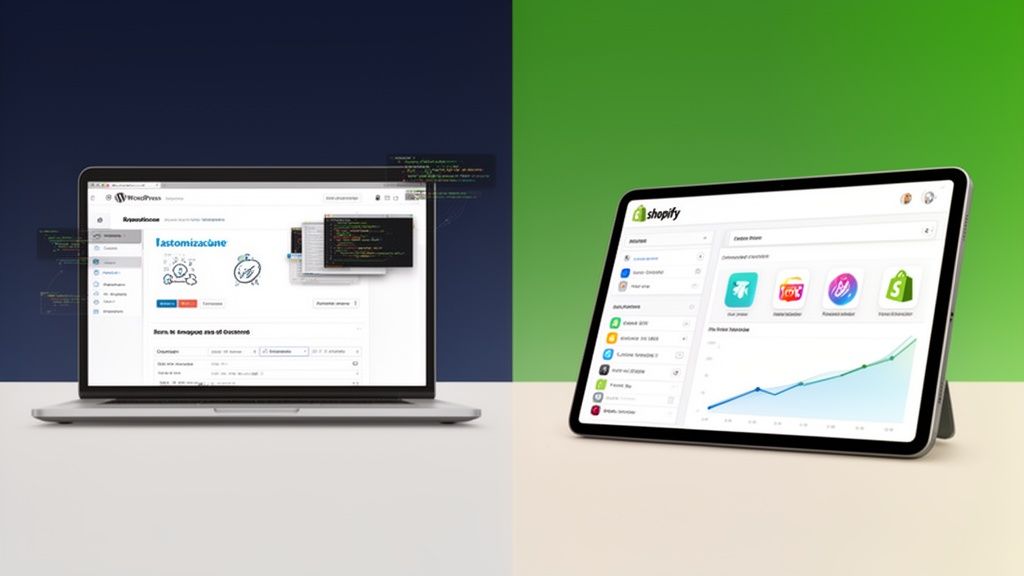
The big question: WordPress or Shopify? At its core, the difference is pretty simple. Shopify is a complete, all-in-one eCommerce package built to get you selling fast. It handles all the tricky stuff like hosting and security right out of the box. On the other hand, WordPress with WooCommerce is an open-source powerhouse offering total creative freedom, but you’re in the driver's seat for managing hosting, security, and all the technical upkeep.
Unpacking the ECommerce Giants
Choosing between Shopify and WordPress isn’t just picking a tool; it’s committing to an entire ecosystem that will shape how you run your business, how much you can grow, and how you handle your day-to-day operations.
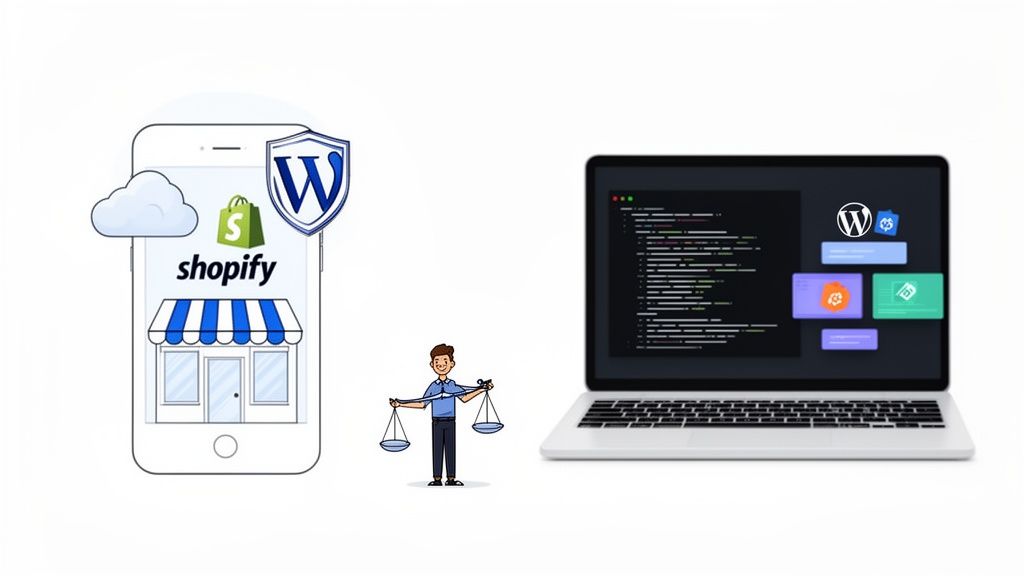
Think of it this way: Shopify is like leasing a brand-new, high-performance luxury car. Everything just works. The engine is tuned, the security system is top-notch, and you have a 24/7 concierge service on call. WordPress with WooCommerce is more like building a custom car from a kit. You have the ultimate freedom to choose every single part—the engine, the chassis, the paint job—but you’re the one who has to assemble it, maintain it, and fix it when something breaks.
These aren’t just minor players; they are the two titans of online retail. Shopify currently powers 26.2% of all eCommerce sites worldwide and has an even bigger footprint among high-traffic stores. In the United States alone, Shopify claims around 29% of the eCommerce software market. Not to be outdone, WooCommerce, the go-to eCommerce plugin for WordPress, runs on 20.1% of all eCommerce sites, which translates to over 3.5 million active stores. You can dig into more of the numbers in this detailed analysis.
This guide will cut through the noise and break down the differences that actually matter. If you need a broader overview first, take a look at our guide on how to choose an eCommerce platform.
Shopify vs WordPress Core Differences
Before we get into the nitty-gritty, let’s start with a high-level look at what sets these two platforms apart. This table sums up their fundamental philosophies, helping you match their strengths to your business needs and technical know-how.
As you can see, the choice boils down to a trade-off: Shopify offers unparalleled ease of use and reliability in a managed package, while WordPress delivers ultimate control and customization for those willing to handle the technical side.
Comparing Platform Architecture and Performance
Choosing between Shopify and WordPress isn't just about features; it’s a fundamental decision about the very foundation of your store. One is a fully managed, all-in-one system designed for commerce, while the other gives you endless control but makes you the architect and janitor of your own infrastructure. Getting this choice right is critical to your store's performance, stability, and how much time you spend managing tech versus growing your business.
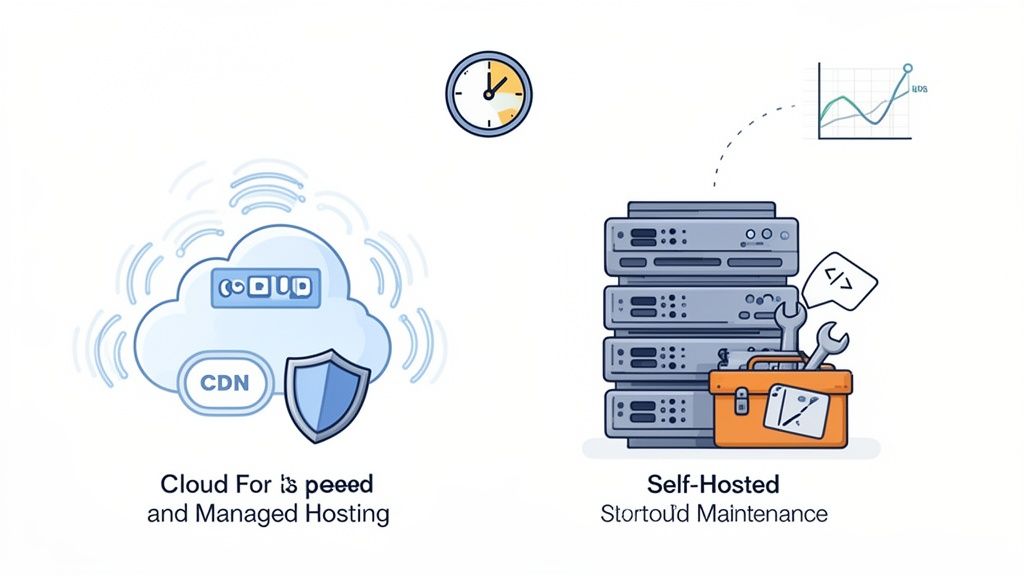
At its core, Shopify is a hosted Software-as-a-Service (SaaS) platform. This is a fancy way of saying they handle all the technical heavy lifting for you—servers, software updates, security patches, and network configuration are all included. You pay a monthly fee for a turnkey eCommerce environment that just works.
WordPress, on the other hand, is self-hosted and open-source. The software itself is free, but you’re on the hook for everything else. You have to buy your own web hosting, install the software, and personally manage every technical detail. This offers complete freedom but also complete responsibility for your store’s speed and safety.
Hosting and Uptime Reliability
Hosting is baked directly into the Shopify package. Their entire infrastructure is battle-tested and built to handle massive traffic surges, like the chaos of a Black Friday sale. You never have to think about server capacity or whether your site can handle a sudden influx of visitors—it's Shopify's job to keep your store online and lightning-fast, and they back it up with a service level agreement.
A WordPress site’s reliability is a direct reflection of the hosting provider and plan you select. A cheap, shared hosting plan might only set you back a few dollars a month, but it will almost certainly buckle under the pressure of a successful sales event, leading to a slow or completely crashed website. To even approach Shopify's level of reliability, you need to invest in premium managed WordPress hosting, which can be significantly more expensive and still requires you to get your hands dirty with configuration.
The Core Trade-Off: Shopify sells peace of mind with managed reliability, a perfect fit for founders who want to focus on their product, not their servers. WordPress offers the potential for elite, custom-tuned performance, but the burden of achieving and maintaining it rests entirely on your shoulders.
Security and Compliance Management
Security is another area where the philosophical differences between Shopify and WordPress become crystal clear. Because Shopify is a closed ecosystem, they manage critical security measures for you right out of the box.
- Built-in SSL Certificate: Every single Shopify store includes a free SSL certificate, which encrypts the connection between your customers and your store. No setup required.
- Level 1 PCI DSS Compliance: Shopify is certified Level 1 PCI DSS compliant, the gold standard for handling credit card data. Meeting this complex and costly standard on your own is a massive undertaking.
- Constant Monitoring: A dedicated security team at Shopify monitors their network 24/7 for threats, applying patches and updates automatically. You don't have to lift a finger.
With a WordPress store, security is an active, ongoing job. You're responsible for getting and installing an SSL certificate (though many hosts now offer free ones). You also have to ensure your store is PCI compliant, which usually involves specific payment gateways and security plugins. Most importantly, you must stay on top of updating the WordPress core, themes, and plugins. Outdated software is the #1 entry point for hackers.
Performance and Load Speed
Site speed isn’t a vanity metric; it’s directly tied to your bottom line. Study after study confirms that even a one-second delay in page load time can slash conversions by 7%.
Shopify is built for speed from the ground up. Their plans include access to a global Content Delivery Network (CDN), which caches copies of your site in data centers around the world. This means that whether a customer is in London or Los Angeles, they get a consistently fast experience.
For WordPress, performance is something you have to build, not something you get automatically. You absolutely can achieve incredible speeds, but it’s a multi-front battle that involves:
- Choosing a high-performance host with modern tech like server-side caching.
- Setting up a CDN through your host or a service like Cloudflare.
- Installing and fine-tuning caching plugins such as WP Rocket.
- Optimizing every image to shrink file sizes without losing quality.
- Avoiding plugin bloat, as too many poorly coded plugins can grind your site to a halt.
In the end, Shopify gives you predictable, excellent performance with zero effort. WordPress has a higher theoretical performance ceiling, but hitting it requires deep technical expertise and a significant ongoing investment of time and money.
Analyzing the True Cost of Ownership
When you’re weighing WordPress against Shopify, it’s all too easy to fixate on the sticker price of a monthly plan. But let's be real—the true cost of ownership goes way beyond that initial number. It’s a tangled web of transaction fees, essential add-ons, and ongoing maintenance that can completely change your budget. Getting a handle on these hidden and variable costs is the only way to make a financially sound decision for your business.
Shopify offers a far more predictable, bundled pricing model. That monthly subscription fee isn't just for the platform; it covers top-notch hosting, security (including your SSL certificate), and access to all its core eCommerce features. This all-in-one approach makes budgeting a whole lot simpler since your major technical expenses are rolled into one consistent payment.
But the costs don't stop there. If you use Shopify Payments, their native gateway, you get competitive processing rates. However, if you opt for an external provider like PayPal or Stripe, Shopify tacks on an additional transaction fee, ranging from 2% on the Basic plan down to a more manageable 0.5% on the Advanced plan. And this is on top of what the payment processor itself charges.
Then you have apps. While plenty of free ones exist, any growing store will inevitably need premium apps for things like advanced reviews, loyalty programs, or subscription models. These can easily add another $20 to $200+ per month to your bill. For a complete picture, our guide on the full cost of a Shopify store breaks down all these recurring expenses.
Understanding WordPress Variable Costs
At first glance, WordPress with the WooCommerce plugin looks like a bargain—because it’s technically free. But this is a bit misleading. As a self-hosted platform, you’re on the hook for sourcing and paying for every single component of your store individually. This gives you ultimate control, but it also introduces a ton of cost variability.
Your biggest recurring expense will undoubtedly be hosting. You can find cheap shared hosting, but for a serious eCommerce site, you need robust managed WordPress hosting to guarantee speed and security. Expect that to run you anywhere from $30 to $150 per month.
Beyond that, you'll need to open your wallet for:
- Premium Themes: A professionally designed and supported theme isn't a luxury; it's a necessity. This will typically set you back between $50 and $200 as a one-time purchase.
- Essential Plugins: Sure, there are free plugins, but critical functions like advanced shipping rules, payment gateways, and security monitoring almost always require premium versions. These can cost $50 to $300 per year, per plugin.
- Maintenance and Development: This is the big one. Factoring in the ongoing website maintenance cost for SMBs is critical. Unless you’re a developer yourself, you’ll likely need to hire someone for the initial setup, troubleshooting, or custom features, which can become a massive one-time or recurring expense.
Key Takeaway: Shopify’s costs are bundled and predictable, making it perfect for businesses that need a stable monthly budget. WordPress might seem cheaper to start, but its à la carte cost structure means expenses can quickly add up and even surpass Shopify's fees as you scale.
Estimated Annual Cost Breakdown
To really spell out the financial differences, here’s a sample cost projection for a growing business in its first year on each platform. This table paints a clearer picture of where your money actually goes.
As you can see, a do-it-yourself WordPress setup looks cheaper on paper, but that projection assumes you're handling all the technical work yourself. Once you factor in even a modest budget for a developer, the numbers start to look very different. Shopify’s model provides a stable financial forecast, making it a much safer bet for businesses that don't have a technical team on payroll.
Customization Flexibility and App Ecosystems
Beyond the core platform, the real tug-of-war in the WordPress vs. Shopify debate boils down to one simple question: how much control do you really have? The power to mold your store's look, feel, and function is where these two giants take dramatically different paths. It's a clear choice between curated convenience and boundless, open-source freedom.
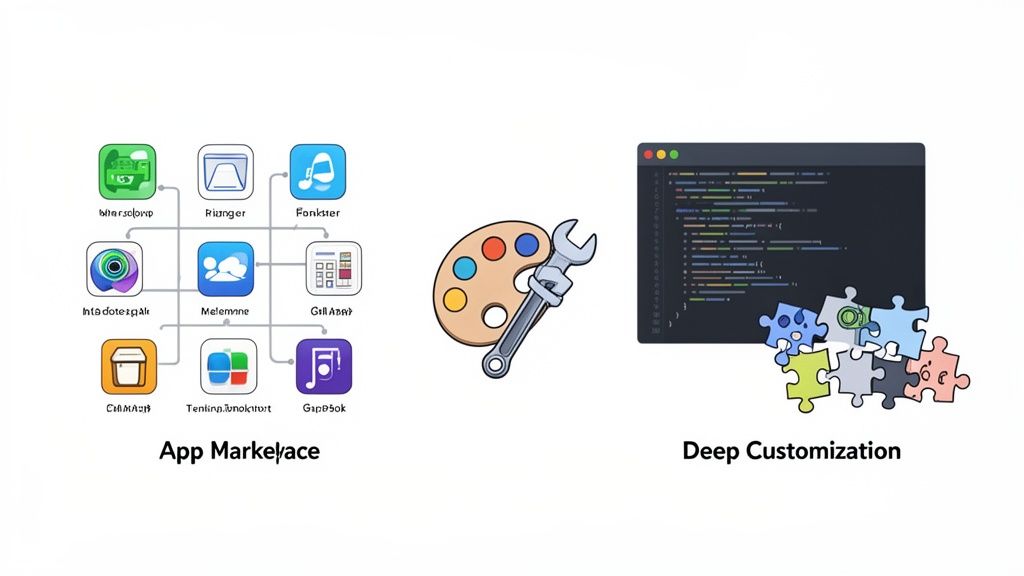
Shopify’s approach is a high-quality, walled-garden model. The entire ecosystem revolves around the Shopify App Store, which is home to over 8,000 vetted applications. This curation process is Shopify’s biggest strength. Every app is held to strict quality and security standards before it ever sees the light of day, drastically cutting the risk of you installing a buggy or malicious add-on that could bring your store to its knees.
For most businesses, this curated library is more than enough to get the job done. Whether you’re looking for advanced subscription tools, sophisticated loyalty programs, or powerful email marketing integrations, there's almost always a reliable, easy-to-install app waiting for you.
Shopify: The Power of Guided Design
Modern Shopify themes, especially those built on the Online Store 2.0 framework, give you serious design flexibility without needing to touch a single line of code. Merchants can use a drag-and-drop editor to add, remove, and shuffle sections around their entire site—not just the homepage. This makes building a unique, professional-looking layout something anyone can do.
Think about a boutique fashion brand. They can absolutely thrive within Shopify’s ecosystem. They can start with a premium, visually stunning theme and then layer on apps for lookbooks, customer reviews with photos, and back-in-stock notifications. The result is a polished, high-converting store built in a fraction of the time it would take on WordPress, with zero technical maintenance headaches.
Shopify offers reliable, guided power. It's an ecosystem designed to give you everything you need to build a professional, feature-rich store quickly and safely, with guardrails that prevent you from breaking things.
WordPress: Embracing Absolute Freedom
WordPress, on the other hand, is a world of near-limitless possibility. Its power comes from its open-source nature, giving you a direct line to the source code and an absolutely massive library of tools. WordPress dominates the global content management system landscape with a commanding 43.5% market share across all websites worldwide. That versatility is fueled by access to tens of thousands of themes and over 65,000 plugins, cementing its spot as the go-to for deep customization. You can get a better sense of WordPress's global impact and plugin ecosystem.
This massive selection means that if you can dream up a feature, there's probably a plugin for it. And if there isn’t, a developer can just build it from scratch. This is the kind of control that’s non-negotiable for businesses with unique or complex requirements that just don't fit into a standard eCommerce box.
Imagine a B2B company that sells industrial parts. They might need a complex quote-request system, tiered pricing for different customer groups, and an integration with a proprietary inventory management system. Trying to force this into Shopify would be difficult and restrictive. With WordPress and WooCommerce, a developer can build these bespoke features directly into the platform, creating a perfect solution that’s truly tailored to their operations.
Of course, the trade-off for all this power is responsibility. With so many plugins coming from different developers, compatibility issues are a real risk. A single poorly coded plugin can introduce security vulnerabilities or slow your site to a crawl. Vetting, managing, and updating all these moving parts becomes a critical, ongoing task.
Ultimately, the right choice hinges on your business's specific needs and technical resources. Shopify provides a secure, powerful, and user-friendly environment that meets the needs of the vast majority of online stores. WordPress offers unparalleled freedom for those who need to build something truly custom and have the expertise—or the budget to hire it—to manage the technical complexity that comes along with it.
When it comes to the Shopify vs. WordPress showdown, nothing matters more than visibility. Your platform’s ability to handle Search Engine Optimization (SEO) and marketing isn't just another feature on a list—it's the very engine that pulls in organic traffic and drives sales.
Both platforms are powerhouses in their own right, but they come at the problem from completely different directions. Your choice boils down to a classic trade-off: do you want built-in simplicity or infinite control?
Shopify gives you a rock-solid SEO foundation straight out of the box. This is a huge win for business owners who want to spend their time on products and customers, not wrestling with technical settings. The platform is built for commerce from the ground up, which means its code is clean, it generates a sitemap for you automatically, and every store gets a free SSL certificate. These are all big green flags for search engines.
It’s also incredibly easy to manage your on-page SEO. You can tweak meta titles, descriptions, and image alt text right from your dashboard, no apps needed. For most stores, these built-in tools are more than enough to carve out a competitive spot in search results.
The WordPress SEO Advantage
While Shopify gets you off to a great start, WordPress offers a much higher ceiling for what's possible. Because it’s open-source, you can pair it with legendary plugins like Yoast SEO or Rank Math to get meticulous, granular control over every last detail of your site's SEO. This is where WordPress really pulls away from the pack.
With a plugin like Yoast, you can suddenly do things like:
- Implement Advanced Schema Markup: Move beyond basic product schema and start defining articles, events, or even recipes. This gives search engines a much richer understanding of your content.
- Fine-Tune Technical SEO: You get direct access to your
robots.txtfile, letting you manage complex redirect strategies and optimize how search engines crawl your site. - Optimize Content in Real-Time: As you write, you get live feedback on everything from keyword density and readability to your internal linking structure, helping you craft perfectly optimized pages.
This level of control is a massive advantage, but it’s not for the faint of heart. It comes with a steep learning curve. To truly max out your SEO on WordPress, you need a solid grasp of SEO principles and the discipline to configure everything just right.
Key Differentiator: Shopify handles the SEO basics for you, acting as a guardrail to prevent major mistakes. WordPress hands you the keys to a complete optimization toolkit, which is incredible in expert hands but also leaves room for error if you don't know what you're doing.
Comparing Blogging and Content Marketing
Great content marketing is one of the most reliable ways to pull in organic traffic, and this is an area where WordPress has a clear, native edge. After all, it started life as a blogging platform, and its content management system (CMS) is still the gold standard for a reason.
WordPress simply offers a better toolkit for serious bloggers. You get features like revision history, more advanced ways to categorize content with both tags and categories, and a much more flexible post editor. These tools make it far easier to run a large-scale, sophisticated content strategy designed to attract customers through valuable information.
That said, Shopify's built-in blog is no slouch. It has all the essential tools you need to publish high-quality articles, optimize them for search, and connect that content back to your products. For the vast majority of eCommerce businesses, Shopify’s blogging features are perfectly fine for building a content funnel that supports sales.
The choice here isn’t between a good tool and a bad one; it’s between an excellent one and the undisputed industry best.
Making the Right Choice for Your Business
The WordPress vs Shopify debate isn't about finding the single "best" platform—it’s about finding the best fit for your business right now. Your business model, comfort level with technology, and plans for growth are what really matter here.
To cut through the noise, ask yourself one question: What's more important, speed and simplicity or total creative control? This decision tree lays out how your priorities for SEO control can point you directly to the right platform.
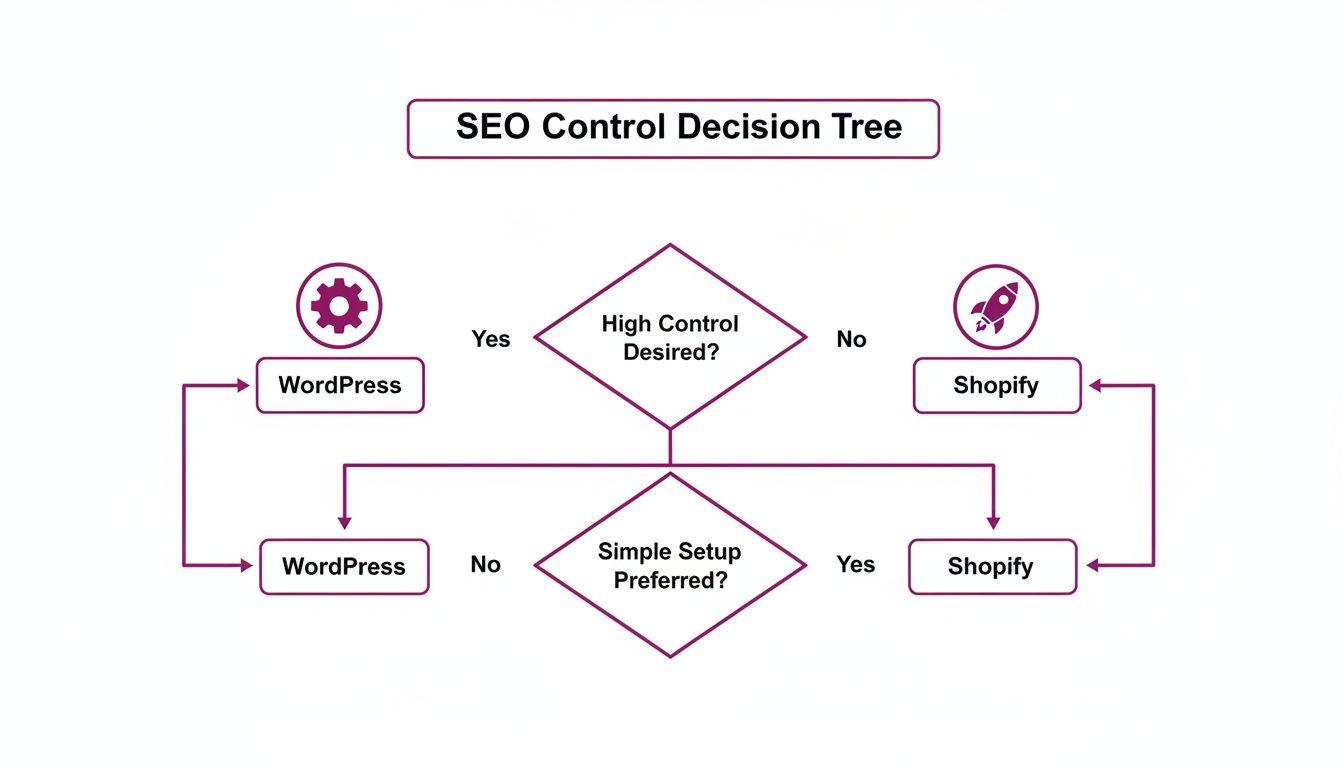
This really gets to the heart of the trade-off. Shopify is built to give you a powerful, streamlined setup right out of the box. WordPress, on the other hand, is the clear winner if you need deep, granular control over every last detail of your site.
The Startup Focused on Speed to Market
If you’re a new startup, your number one goal is getting your product in front of customers and validating your idea. Every hour you spend messing with servers, researching plugins, or fixing technical glitches is an hour you aren't spending on marketing and making sales.
For this reason, Shopify is almost always the better choice for startups. Its all-in-one platform eliminates nearly all the technical headaches. You can get a professional, secure, and fast store live in days, not weeks. The predictable monthly cost also makes budgeting a breeze, which is a lifesaver for early-stage companies watching their cash flow.
The Growing Brand Prioritizing Scalability
Once your business starts to take off, your needs change. You now need a rock-solid infrastructure that can handle massive traffic spikes without you breaking a sweat. You also need an ecosystem of apps that can support more sophisticated marketing, loyalty programs, and operational workflows.
This is where Shopify Plus becomes the obvious next step. It delivers enterprise-level infrastructure, dedicated support, and advanced features without bogging your team down with the technical overhead of running a high-traffic WordPress site. The focus stays on growth, not on server maintenance. Knowing your site won't crash during a Black Friday sale is priceless.
For most growing eCommerce brands, Shopify's managed environment is a strategic asset. It lets you focus resources on customer acquisition and product development rather than on becoming a part-time IT department.
The Niche Business with Bespoke Needs
Of course, there are times when Shopify’s curated approach can feel a bit restrictive. If your business model relies on highly specific, non-standard functionality, the open-source nature of WordPress becomes its biggest advantage.
WordPress with WooCommerce is the hands-down choice for businesses with unique requirements, such as:
- Complex B2B quoting engines with tiered customer pricing.
- Deep integrations with proprietary, in-house software.
- A business model that demands complete control over every step of the checkout process.
- A content-heavy strategy where the blog is the main engine for traffic and sales.
This route is best for companies that either have an in-house development team or a dedicated budget for expert technical partners. The freedom WordPress offers is immense, but it comes with the responsibility of managing every single technical detail yourself. Your platform should ultimately be a tool that helps you execute effective ecommerce growth strategies that boost revenue and keep customers coming back.
Frequently Asked Questions
When you're weighing WordPress against Shopify, the same few questions always seem to pop up. Getting straight answers to these is often the last step before you can confidently pick the right platform for your business. Let's tackle the most common questions we hear from merchants.
Which Platform Is Better for Beginners Without Technical Skills?
For anyone just starting out or who isn’t comfortable with the technical side of things, Shopify is the clear winner. It's a complete, all-in-one package. You never have to worry about finding a hosting company, installing software, or running security updates.
Everything from the dashboard to the 24/7 support is designed for people who want to focus on their business, not on being a web developer.
WordPress, on the other hand, has a much steeper learning curve. While page builders have made it more accessible, the initial setup is on you. You have to source your own hosting, install the software, and you're personally responsible for every update and security patch. For a beginner, that can get overwhelming fast.
Can You Migrate from WordPress to Shopify?
Absolutely. Moving from a WordPress and WooCommerce site to Shopify is a well-trodden path. We see businesses make this switch when they’re tired of the constant technical maintenance and want a more reliable, hands-off infrastructure that can grow with them. The process involves moving all your product, customer, and order data over.
While there are apps that claim to automate this, we always recommend a professionally managed migration for any store with a history. This is the only way to guarantee total data integrity, preserve your SEO rankings with proper URL redirects, and make sure complex product variants are set up correctly. It prevents a lot of costly headaches and downtime.
A smooth migration is about more than just moving data—it’s about protecting your revenue and customer experience. A rushed job with cheap tools can lead to lost sales and broken trust, which makes a professional approach a smart investment.
Which Platform Offers Better Long-Term Scalability?
Both platforms can handle huge amounts of traffic, but they get there in completely different ways. With Shopify, scalability is built right into the service. Plans like Shopify Plus are engineered for massive, enterprise-level traffic, giving you unlimited bandwidth and performance that's fully managed for you. You don't have to lift a finger.
WordPress can also scale to incredible heights, but it requires your direct involvement and budget. As your store grows, you'll need to invest in high-performance hosting, set up a Content Delivery Network (CDN), and likely hire developers to optimize your database and code. You are responsible for building and maintaining your own high-performance machine.
Is WordPress Actually Free for ECommerce?
No, and this is a huge misconception. The core WordPress and WooCommerce software are free to download, but running a real, professional online store is far from it. You have to budget for a list of essential ongoing costs.
These non-negotiable expenses include:
- Web Hosting: A monthly or annual fee for the server that keeps your site online.
- Domain Name: The annual registration for your website's address.
- Premium Theme: A one-time purchase for a professional design that you can rely on.
- Essential Plugins: Annual subscriptions for things like payment gateways, advanced shipping rules, security, and performance tools.
So, while the software itself is open-source, the ecosystem required to run it as a serious business is not free.
Ready to build a high-growth store on a platform that manages the tech so you can focus on sales? ECORN specializes in Shopify development and migration services that set your business up for success. Explore our Shopify services and start your project today.



Shopify Plus Automation: A Guide for 2026

10 Social Selling Platforms for Shopify Merchants

Shopify Website Design Examples: 7 Stores Worth Studying

7 Ecommerce Newsletter Examples for Shopify Brands

One Product Shopify Store: Build and Scale

Mobile Pop Up Strategy for Shopify Stores That Converts

Sitemap for Shopify: How to Find, Optimize, and Submit It

7 Single Product Websites Worth Emulating

Product Variants Shopify: The Complete 2026 Guide

Ecommerce Analytics Consulting for Growth

What Is AI Integration for eCommerce

How to Choose the Right eCommerce Website Development Firm

E Business Strategy Implementation

Conversion Tracking Setup for Shopify Stores

BigCommerce vs Shopify Plus Which Enterprise Wins in 2026

Shopify Theme Kit: Setup, Commands, and Migration Guide

Shopify Extension Development: A Practical 2026 Guide

Shopify Speed Score Explained and How to Improve It

Shopify Mobile Optimization: The 2026 Playbook

How to Add Subcategory in Shopify for Better UX

How to Implement Structured Data for Ecommerce in 2026

SEO App Mobile: Shopify Store Optimization Guide

Shopify Plus Support: What It Includes and How to Choose

Google Ads for Shopify: The Complete 2026 Playbook

Shopify New York: How to Find and Hire the Right Agency

Google Search Console for Shopify: The Complete Setup

First Party Data Collection for eCommerce Growth

FAQ Online Store Guide: Build and Measure It Right

Do FB Ads Work for eCommerce in 2026?

One Page Checkout for Shopify: Design and Implementation

Shopify GraphQL vs REST: The 2026 Developer Decision

Shopify Ecommerce Consulting: Strategy, Pricing &

Are Reddit Ads Worth It for eCommerce Brands

Shopify Title and Meta Description: A Practical 2026 Guide

Product Video Best Practices for Shopify Brands

Real-Time Inventory Management: A 2026 Guide

AI Chatbot Integration for Shopify Stores

Affiliate Program Management: A Shopify Guide

10 Best Performance Monitoring Tools for Shopify in 2026

Digital Asset Management for eCommerce Brands in 2026

Every Type of Facebook Ads Explained for eCommerce Growth

Product Information Management Explained for Shopify Brands

Support Ticket System: A Guide for Shopify Stores

10 Best Customer Service Tools for Shopify in 2026

Can I Start a Business with No Money? a 2026 Blueprint

What Sells Good on Etsy: Best Niches for 2026

Shopify Add to Cart Button: A Practical 2026 Guide

Customer Feedback Automation: A Practical eCommerce Guide

Critical Rendering Path: A Guide for Shopify Stores

How to Promote on TikTok for eCommerce in 2026

B2B eCommerce Consulting That Drives Real Revenue

10 Best Practices for Site Navigation in 2026

Return vs Refund for Shopify Stores: A Practical Guide

What Is Customer Lifetime Value and Why It Matters

What Is Voice of Customer Research for eCommerce

SMS Marketing for Ecommerce That Actually Converts

Master How to Improve Email Deliverability in 2026

Top 7 eCommerce Partners NYC for Shopify Brands in 2026

Machine Learning for Ecommerce: Boost Your Shopify Store

Beauty Market Research: Your 2026 Growth Guide

Shopify International Expansion: A 2026 Roadmap

What Does CRO Stand for in Business: Understanding CRO

Shopify Visual Merchandising: A Playbook for Higher Sales

Shopify Landing Page Design: Master Conversion in 2026

10 Best AI SEO Optimization Tools for Shopify in 2026

Agentic AI for Ecommerce: Boost Your Sales in 2026
Mastering Email Marketing Data for eCommerce Growth

Conversion Rate Optimisation Australia: Boost Your Sales

Conversion Rate Optimization AI: Your Shopify Store Guide

10 Product Bundling Strategies for Shopify in 2026

How to Increase Customer Lifetime Value: A Shopify Playbook

AI Customer Service Automation: Shopify Guide 2026

Clean Website Design: A Shopify Conversion Playbook

Omnichannel Retail Strategy: A Shopify Playbook

Product Data Enrichment: A Guide for Shopify Brands

Instagram Shopping Features a Guide for Shopify Stores

What Is Revenue Optimization: A Holistic RevOps Guide

Benefits of Conversion Rate Optimization: Boost Your

WordPress to Shopify Migration: Your 2026 Seamless Switch

Boost Sales: Ecommerce Payment Processing Guide 2026

Unified Commerce Platform: Benefits, KPIs & Shopify Guide

How to Reduce Bounce Rate eCommerce: Your 2026 Guide

Shopify API Integration: A Practical End-to-End Guide

How to Implement Data Governance: A 2026 Guide

Shopify Store Development Cost: A 2026 Breakdown

What Is Server Side Tracking: The Shopify Guide 2026

Marketing Automation Workflows: A Shopify Guide for 2026

Shopify: How to Reduce Technical Debt

Shopify UX Design Change: A Playbook for Growth

User Generated Content Strategy: Shopify Playbook

Shopify Pause and Build Plan Cost: A Complete 2026 Guide

Compare at Price on Shopify: A Complete Guide for 2026

Where Can I Sell My Prints? 10 Best Platforms for 2026

Shopify Order Management System: The Ultimate Guide 2026

What Is Marketing Attribution? an eCommerce Guide for 2026

10 Best Black Friday Sales Sheets for 2026

Discover the Top Social Media Marketing Agencies For

Consumer Confidence Definition for eCommerce in 2026

What Is Social Commerce? Your 2026 Guide to Boosting Sales

A Social Ad Campaign Playbook for eCommerce Growth


newsletter in your inbox