


Adding product reviews to your Shopify store is one of the most powerful things you can do to build trust and drive sales. The setup is straightforward—you can either use Shopify's free 'Product Reviews' app for a basic but effective solution, or opt for a more feature-packed third-party app from the App Store, like Loox or Judge.me. Once you have one installed, it's just a matter of tweaking the settings and dropping the review widget onto your product pages.
Why Product Reviews Are a Shopify Store Essential

Before we get into the nuts and bolts of the setup, let's talk about why reviews are so critical. They aren't just a nice-to-have feature; they're a core part of any successful ecommerce strategy. Think about it: genuine customer feedback acts as powerful social proof, closing the trust gap between a curious browser and a confident buyer.
When shoppers see that other people have already purchased and enjoyed a product, it instantly lowers their guard. That kind of authentic trust is something no marketing copy can ever truly replicate.
A product page without reviews is like a restaurant with no one inside. It just feels a bit risky, making potential buyers wonder if they should be the guinea pig.
The Direct Impact on Sales and Growth
The link between customer reviews and your bottom line is direct and easy to measure. Just having customer feedback on a page can boost conversion rates significantly, often somewhere between 10-30%.
This is especially important when you realize that 79% of Shopify traffic comes from mobile users. These shoppers are scrolling quickly, and they rely heavily on clear, scannable reviews to make a snap decision.
But the benefits don't stop at the initial sale. Reviews also have a ripple effect on other key metrics:
- Average Order Value (AOV): When a shopper reads detailed, glowing feedback, they feel more confident about your brand as a whole, which can encourage them to add more to their cart.
- Reduced Return Rates: Honest reviews often contain practical details about sizing, material quality, or real-world use cases. This helps new customers make smarter choices, leading to fewer returns down the road.
- Customer Loyalty: A transparent review system shows you're not afraid of feedback and that you value what your customers think. This goes a long way in fostering a strong community around your brand.
If you're looking for more ways to fine-tune your store's performance, our guide on https://www.ecorn.agency/blog/shopify-conversion-optimization is packed with actionable tips.
Unlocking SEO Benefits with User-Generated Content
Reviews also come with a huge, often-overlooked SEO advantage. Every single review is a piece of unique, user-generated content (UGC), and search engines absolutely love it.
This content is naturally filled with the long-tail keywords and phrases your actual customers use to describe your products. It's authentic and highly relevant.
This constant trickle of fresh content signals to Google that your product pages are active and valuable, which can help improve their authority and search rankings over time.
When you combine authentic customer feedback with solid ecommerce SEO best practices, you create a powerful engine for organic growth that keeps working for you long-term.
Getting Started with Shopify's Product Reviews App
For most merchants dipping their toes into the world of customer feedback, the best place to start is often the simplest. Shopify’s own free Product Reviews app is that perfect starting point. It’s a reliable, no-frills tool that plugs right into your store without any extra cost or technical headaches.
Getting it up and running is ridiculously fast. Just head over to the Shopify App Store, click install, and the app handles the heavy lifting by adding the necessary code to your theme automatically. Seriously, you can have a working review section on your product pages in a matter of minutes.
Don't let the simplicity fool you. Since its debut back in 2013, the app has added all the essentials you'd expect, like star ratings and photo uploads. Once it's installed, the review widget is ready for your customers to start sharing their thoughts. You can find out more about Shopify’s growth by exploring these Shopify statistics and trends.
Initial Configuration and Key Settings
Once the app is installed, the first thing you’ll want to do is jump into the settings panel. This is your command center for customizing how reviews are collected and displayed. A few quick tweaks here will save you a ton of time down the road and get the system working exactly how you need it to.
Here are the settings I always tell clients to configure right away:
- Auto-Publish Reviews: You get two choices here: let all new reviews go live instantly or hold them for manual approval. When you're just starting out, I always recommend manual approval. It gives you a crucial buffer to ensure only genuine, high-quality feedback makes it onto your site.
- Email Notifications: Flip this on. You'll get an email every time a customer leaves a review. This lets you jump on both glowing praise and critical feedback quickly, which is absolutely essential for building strong customer relationships.
- Star Color: It sounds minor, but matching the color of the review stars to your brand’s palette makes a huge difference. It helps the whole section feel like a native part of your store, not just some widget you tacked on.
Pro Tip: Manually approving reviews is more than just a filter; it's an opportunity. When a negative review comes in, you can reach out to that customer privately before publishing it. More often than not, you can resolve their issue and turn a frustrated buyer into a loyal fan.
Customizing the Look and Feel
Beyond the basic settings, the app gives you a decent amount of control over the text inside the review widget. Taking a few moments to customize these fields helps align the review section with your brand’s voice, creating a much more cohesive experience for your shoppers.
You can easily swap out the default text for headings, labels, and buttons. For instance, instead of the generic "Write a review," you could go with something more engaging like "Share Your Thoughts" or "How Did We Do?"
Think about tweaking these text fields:
- Form Header: The main title your customers see.
- Reviewer Name Label: The prompt for their name.
- Submit Button Text: Your main call-to-action.
- No Reviews Text: The message that appears before you have any reviews.
These small changes add up, giving your product pages a more polished and professional feel. By spending just a few minutes on these settings, you build a solid foundation for gathering powerful social proof.
Choosing the Right Third-Party Review App
While Shopify's own app is a decent place to start, there comes a point when you'll want more firepower. This is where third-party apps completely change the game, unlocking advanced features that can seriously boost your social proof and marketing. The Shopify App Store is packed with fantastic options, but each one has its own personality and strengths.
Picking the right one isn't just about grabbing the app with the longest feature list. It's about matching its capabilities to what your business actually needs. For a visually-driven apparel brand, an app that excels at photo and video reviews is a no-brainer. If you're all about efficiency, you'll want one with powerful automated email sequences to handle the entire feedback loop for you.
This infographic lays out the core decision you'll face: stick with the basic native app or jump into the world of specialized third-party solutions.
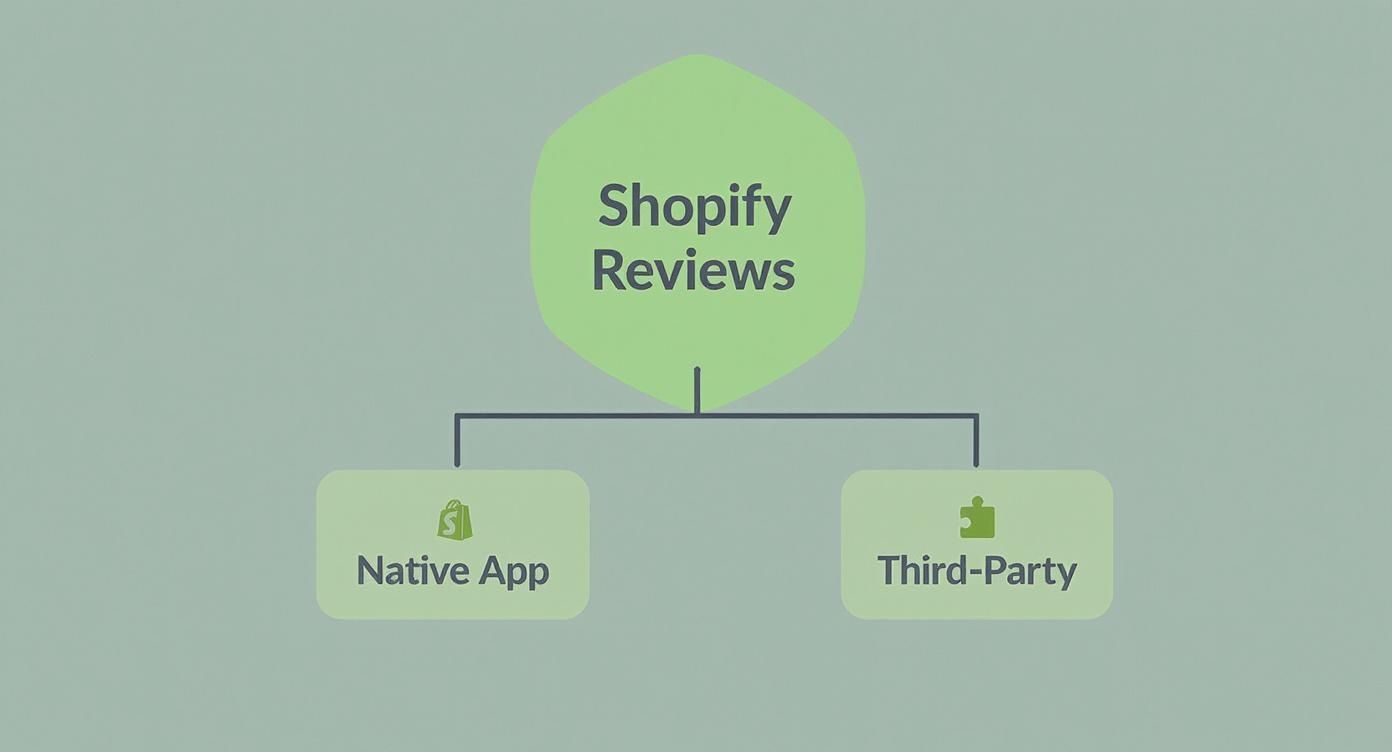
As you can see, while the native app provides a simple entry point, the real growth potential lies with third-party tools that are built for much more.
Defining Your Core Needs
Before you dive into the App Store, take a moment to figure out what you truly need. A quick self-assessment will save you from being dazzled by flashy features you might never use.
Just ask yourself a few key questions:
- What’s my budget? Are you looking for a robust free plan, or are you ready to invest in a paid subscription for more advanced tools?
- What kind of reviews matter most? Is it all about star ratings and text? Or do you need compelling photo and video reviews to really showcase your products?
- How important is automation? Do you want an app to automatically send review requests, offer incentives for feedback, and publish reviews based on rules you set?
- Do I need other integrations? Is it important to sync reviews with Google Shopping, connect to your email marketing platform, or tie into a customer loyalty program?
Answering these will give you a solid checklist to work from, helping you make a smart, informed decision that will actually benefit your store.
Comparing the Top Contenders
When it comes to adding reviews, most Shopify store owners turn to one of a handful of popular third-party apps like Yotpo, Loox, or Judge.me. Each of these has carved out a specific niche, catering to different business types and goals. If you want to get a broader view of the Shopify ecosystem, you can check out some of these current statistics and trends.
Let's break down three of the biggest names to see how they compare.
Judge.me is a crowd favorite, largely because of its incredibly generous free plan. It offers features that many competitors put behind a paywall, like photo and video reviews, making it a budget-friendly powerhouse for almost any store.
Loox is the go-to for brands that live and breathe visuals. Its entire platform is designed to collect and display beautiful photo and video reviews, turning customer content into stunning social proof that sells.
Yotpo goes beyond just reviews, positioning itself as a full "ecommerce marketing platform." It bundles reviews with loyalty programs, SMS marketing, and other user-generated content tools, making it a great fit for larger brands that want an all-in-one solution.
Choosing an app isn't just a technical decision; it's a marketing one. The right app will not only collect feedback but will actively help you use that feedback to attract and convert more customers.
To make things even clearer, here's a side-by-side look at what each platform brings to the table.
Comparing Top Shopify Review Apps
This table breaks down the features, pricing models, and ideal user for some of the most popular review apps on the market. Use it to quickly see which one aligns best with your store's needs and budget.
Of course, the best way to figure out how to add review on Shopify for your store is to simply try a couple out. Nearly all of these apps offer a free trial, which is the perfect chance to get a feel for the workflow and see which one clicks with your brand before you commit.
How to Display Reviews on Your Product Pages

Alright, you've picked your review app. Now for the most important part: getting that powerful social proof live on your product pages. This is where the magic happens, where shoppers see star ratings and read feedback that can make or break a sale.
The good news? Most modern review apps are built to make this incredibly simple.
Many popular third-party apps, like Loox or Judge.me, handle this with an automatic injection process. During the setup, they’ll ask for permission to tweak your theme, and with a single click, they'll intelligently place the review widget right where it needs to be—usually just under the product description. This no-code approach is a lifesaver for merchants who just want to get it done fast.
Making reviews prominent is a non-negotiable in today's market. With over 4.8 million active merchants on Shopify as of 2025, you need every advantage you can get. Customer feedback is a massive differentiator. You can dig into more of Shopify's impressive growth and trends to see just how competitive the space is.
Manually Placing Review Snippets
Sometimes, the automatic placement isn't quite right for your layout, or maybe your theme is heavily customized. In these situations, you'll have to get your hands just a little bit dirty by adding the review code snippet manually. Don't worry, it sounds more technical than it is—it's mostly just a copy-and-paste job.
First, you'll need to grab the specific code snippet from your review app's documentation or settings panel. Then, it's time to find the right spot in your theme files.
- From your Shopify admin, head to Online Store > Themes.
- Find the theme you're using, click the three-dot menu, and select Edit code.
- The file you're looking for is usually in the Sections or Snippets folder. Keep an eye out for names like
product-template.liquid,main-product.liquid, or something similar likeproduct-form.liquid.
Once you've found the right file, just paste the snippet where you want the reviews to show up, like right after the product description. This little chunk of code tells Shopify exactly where to render your beautiful new review section.
Key Takeaway: Before you touch a single line of code, always duplicate your theme. Think of it as a free insurance policy. If anything goes sideways, you can restore the backup in seconds and pretend it never happened.
Design Tips for Seamless Integration
Just dropping the widget onto the page isn't the final step. You need to make it look like it belongs there. A clunky, out-of-place review section can feel untrustworthy and cheapen your brand's look.
Here are a few small tweaks that make a huge difference:
- Match Your Branding: Dive into your review app's appearance settings. Adjust the colors, fonts, and even the style of the star icons to perfectly match your store's aesthetic.
- Place Stars Up High: Most apps provide a separate, smaller code snippet for the star rating summary. Grab that and place it right below your product title. This gives shoppers instant social proof the moment they land on the page.
- Keep It Clean: Resist the urge to add too many bells and whistles. A simple, clean, and readable layout is always more effective than a cluttered one. Let the reviews speak for themselves.
By focusing on smart placement and thoughtful design, you'll be able to properly showcase your customer feedback and truly master how to add reviews on Shopify in a way that actually boosts your conversion rate.
Managing and Responding to Customer Feedback

Getting reviews on your site is only half the job. The real work—and where you can truly stand out—begins when you start engaging with them.
How you handle feedback is a direct reflection of your brand's personality and commitment to your customers. Just letting reviews pile up, good or bad, is a huge missed opportunity to build loyalty and show you’re actually listening.
Your first line of defense is a solid moderation policy. You need to decide upfront: will you automatically publish all reviews, or will you approve them manually? When you're just starting, manual approval is the way to go. It gives you total control over spam and, more importantly, lets you handle critical feedback privately before it ever goes public.
This proactive stance is vital. Consider that Shopify merchants process a staggering average of 199 million orders per month. Every single review has the potential to sway a massive number of future customers. You can see just how big that number is by exploring insights on Shopify's global reach.
Responding to Positive Reviews
It’s easy to glance at a five-star review and move on, but taking a moment to engage is a seriously powerful move.
A simple, personalized thank you shows you genuinely appreciate their business and encourages them to come back. Even better, it signals to potential buyers that there are real, caring people behind your brand.
Here are a couple of quick templates you can adapt:
- Simple & Sweet: "Thank you so much, [Customer Name]! We’re thrilled you love the product and really appreciate you taking the time to share your experience."
- Highlight a Feature: "That's fantastic to hear, [Customer Name]! We worked hard on the [specific feature they mentioned], so it’s great to know it’s hitting the mark."
Transforming Negative Feedback
Negative reviews can feel like a punch to the gut, but they are pure gold if you handle them right.
Responding publicly with professionalism and a genuine desire to help can do more for your brand’s credibility than a dozen positive reviews. It proves you stand behind your products and are absolutely committed to making things right.
The goal isn’t to win an argument; it’s to solve the problem and show everyone else watching that you provide outstanding support. Never get defensive. Acknowledge their frustration, apologize for their poor experience, and offer a clear path to a solution, like contacting your support email.
Nailing this response is an art form. For a much deeper dive, check out our guide on responding to bad reviews and protecting your brand image. Mastering this skill can turn a public complaint into a powerful testament to your customer service.
Got Questions About Shopify Reviews? We’ve Got Answers.
Jumping into customer reviews can feel like opening a can of worms. There are a lot of moving parts, from the technical side of things to figuring out the best way to actually get customers to leave feedback. We see the same questions pop up time and again, so let's clear the air and tackle the most common ones head-on.
Can I Import Reviews From Another Platform?
Yes, and you absolutely should! This is a huge one, especially for new stores or anyone moving from another platform. Starting with zero reviews feels like a ghost town, and importing is the perfect way to fill your pages with social proof from day one.
Most of the popular third-party apps like Loox and Judge.me are built for this. They make it incredibly simple to pull in feedback using a CSV file or even directly from a product URL on a platform like AliExpress. Don't wait for your first few sales to trickle in before you start showing off five-star ratings.
Will a Review App Slow Down My Shopify Store?
It's smart to worry about site speed—every millisecond counts. And yes, technically, any app adds a bit of code to your store. However, the good news is that the top-tier review apps are built by developers who are obsessed with performance. They use modern tricks like asynchronous loading to make sure their code doesn't stand in the way of your page loading quickly.
The best move here is to stick with well-known, highly-rated apps. Check their reviews for comments on performance. Once you've installed one, run your store through Google PageSpeed Insights. That'll give you the hard data you need to confirm everything is running smoothly.
What’s the Best Way to Get More Customer Reviews?
You have to ask. Simple as that. But when you ask is what makes all the difference.
The most powerful method, by a long shot, is setting up automated post-purchase emails. You want to time these perfectly—send them out 7-14 days after an order is fulfilled. This gives your customer enough time to actually receive and use the product, so their feedback is genuine and detailed.
Want to supercharge your results? Offer a small thank you. A 10% discount on their next purchase in exchange for a review can work wonders for your submission rate. Many apps have this feature built right in, making it a set-it-and-forget-it strategy to keep a steady stream of reviews flowing in.
Ready to take your Shopify store to the next level with expert design, development, and conversion optimization? The team at ECORN is here to help you scale. Explore our flexible subscription packages and see how we can help you grow.



What Is AI Integration for eCommerce

How to Choose the Right eCommerce Website Development Firm

E Business Strategy Implementation

Conversion Tracking Setup for Shopify Stores

BigCommerce vs Shopify Plus Which Enterprise Wins in 2026

Shopify Theme Kit: Setup, Commands, and Migration Guide

Shopify Extension Development: A Practical 2026 Guide

Shopify Speed Score Explained and How to Improve It

Shopify Mobile Optimization: The 2026 Playbook

How to Add Subcategory in Shopify for Better UX

How to Implement Structured Data for Ecommerce in 2026

SEO App Mobile: Shopify Store Optimization Guide

Shopify Plus Support: What It Includes and How to Choose

Google Ads for Shopify: The Complete 2026 Playbook

Shopify New York: How to Find and Hire the Right Agency

Google Search Console for Shopify: The Complete Setup

First Party Data Collection for eCommerce Growth

FAQ Online Store Guide: Build and Measure It Right

Do FB Ads Work for eCommerce in 2026?

One Page Checkout for Shopify: Design and Implementation

Shopify GraphQL vs REST: The 2026 Developer Decision

Shopify Ecommerce Consulting: Strategy, Pricing &

Are Reddit Ads Worth It for eCommerce Brands

Shopify Title and Meta Description: A Practical 2026 Guide

Product Video Best Practices for Shopify Brands

Real-Time Inventory Management: A 2026 Guide

AI Chatbot Integration for Shopify Stores

Affiliate Program Management: A Shopify Guide

10 Best Performance Monitoring Tools for Shopify in 2026

Digital Asset Management for eCommerce Brands in 2026

Every Type of Facebook Ads Explained for eCommerce Growth

Product Information Management Explained for Shopify Brands

Support Ticket System: A Guide for Shopify Stores

10 Best Customer Service Tools for Shopify in 2026

Can I Start a Business with No Money? a 2026 Blueprint

What Sells Good on Etsy: Best Niches for 2026

Shopify Add to Cart Button: A Practical 2026 Guide

Customer Feedback Automation: A Practical eCommerce Guide

Critical Rendering Path: A Guide for Shopify Stores

How to Promote on TikTok for eCommerce in 2026

B2B eCommerce Consulting That Drives Real Revenue

10 Best Practices for Site Navigation in 2026

Return vs Refund for Shopify Stores: A Practical Guide

What Is Customer Lifetime Value and Why It Matters

What Is Voice of Customer Research for eCommerce

SMS Marketing for Ecommerce That Actually Converts

Master How to Improve Email Deliverability in 2026

Top 7 eCommerce Partners NYC for Shopify Brands in 2026

Machine Learning for Ecommerce: Boost Your Shopify Store

Beauty Market Research: Your 2026 Growth Guide

Shopify International Expansion: A 2026 Roadmap

What Does CRO Stand for in Business: Understanding CRO

Shopify Visual Merchandising: A Playbook for Higher Sales

Shopify Landing Page Design: Master Conversion in 2026

10 Best AI SEO Optimization Tools for Shopify in 2026

Agentic AI for Ecommerce: Boost Your Sales in 2026
Mastering Email Marketing Data for eCommerce Growth

Conversion Rate Optimisation Australia: Boost Your Sales

Conversion Rate Optimization AI: Your Shopify Store Guide

10 Product Bundling Strategies for Shopify in 2026

How to Increase Customer Lifetime Value: A Shopify Playbook

AI Customer Service Automation: Shopify Guide 2026

Clean Website Design: A Shopify Conversion Playbook

Omnichannel Retail Strategy: A Shopify Playbook

Product Data Enrichment: A Guide for Shopify Brands

Instagram Shopping Features a Guide for Shopify Stores

What Is Revenue Optimization: A Holistic RevOps Guide

Benefits of Conversion Rate Optimization: Boost Your

WordPress to Shopify Migration: Your 2026 Seamless Switch

Boost Sales: Ecommerce Payment Processing Guide 2026

Unified Commerce Platform: Benefits, KPIs & Shopify Guide

How to Reduce Bounce Rate eCommerce: Your 2026 Guide

Shopify API Integration: A Practical End-to-End Guide

How to Implement Data Governance: A 2026 Guide

Shopify Store Development Cost: A 2026 Breakdown

What Is Server Side Tracking: The Shopify Guide 2026

Marketing Automation Workflows: A Shopify Guide for 2026

Shopify: How to Reduce Technical Debt

Shopify UX Design Change: A Playbook for Growth

User Generated Content Strategy: Shopify Playbook

Shopify Pause and Build Plan Cost: A Complete 2026 Guide

Compare at Price on Shopify: A Complete Guide for 2026

Where Can I Sell My Prints? 10 Best Platforms for 2026

Shopify Order Management System: The Ultimate Guide 2026

What Is Marketing Attribution? an eCommerce Guide for 2026

10 Best Black Friday Sales Sheets for 2026

Discover the Top Social Media Marketing Agencies For

Consumer Confidence Definition for eCommerce in 2026

What Is Social Commerce? Your 2026 Guide to Boosting Sales

A Social Ad Campaign Playbook for eCommerce Growth

7 Best FAQ Page Examples for SaaS & eCommerce

Market Research in Fashion Industry: A Guide for Shopify

Shopify Migration Services: Expert Guide for 2026

Mastering FB Retargeting Ads for Shopify in 2026

What Is Omnichannel Ecommerce

Master Your Shopify Plus Migration: The 2026 Guide

Shopify Integration Services: A Merchant's 2026 Guide

Shopify Collection Description: A Guide to SEO & Sales

Shopify Plus Contact: Reach Sales & Support Effectively

Top Luxury Shopify Stores: Design & UX Strategies


newsletter in your inbox