

Before you even think about writing a subject line, you need to lay the proper groundwork. Getting this foundation right is what separates the campaigns that drive real revenue from those that just end up as digital noise. It’s the difference between sending random emails and running a strategic, profitable marketing channel.
Setting the Stage for a Profitable Email Strategy

For Shopify merchants, this initial phase is all about building a solid framework for everything that comes next. The potential here is massive. Projections show we'll cross 4.8 billion email users by 2027, with nearly 376 billion emails sent daily. This isn't a channel to ignore.
Define Your Campaign Objectives
Let's get one thing straight: "increase sales" is not a goal. It's a wish. To make your email efforts count, you need to tie them to specific, measurable eCommerce metrics that actually move the needle for your business. This focus will dictate your messaging, your segmentation, and the very campaigns you build.
Think in terms of concrete goals like these:
- Boost Customer Lifetime Value (CLV): How can you get existing customers to buy again? Think exclusive offers or loyalty program perks sent directly to their inbox.
- Increase Repeat Purchase Rate: A simple post-purchase flow suggesting complementary products or offering a small discount on their next order can work wonders.
- Reduce Cart Abandonment: This is low-hanging fruit. A timely reminder email, maybe with a small incentive, can recover a surprising amount of otherwise lost revenue.
- Drive Traffic for a New Product Launch: Build hype with a teaser campaign, then send a direct link to your new collection the moment it drops.
When you start with clear objectives, proving the ROI of your email marketing becomes a whole lot easier.
Choose the Right Email Service Provider
Your Email Service Provider (ESP) is the engine powering your entire strategy. For any Shopify store, a seamless integration isn't just a nice-to-have; it's a must. You need a platform that pulls customer data, purchase history, and browsing behavior directly from Shopify to unlock powerful, personalized automations.
Two of the biggest names in the Shopify ecosystem are Klaviyo and Omnisend. Klaviyo is a beast when it comes to deep data integration and advanced segmentation, perfect for brands that want to get hyper-personal. Omnisend shines as an all-in-one solution, bundling email, SMS, and push notifications for a true omnichannel approach.
If you're still weighing your options, checking out a list of the best email marketing software for small businesses can offer some valuable perspective.
Authenticate Your Domain for Better Deliverability
This part is a bit technical, but it's absolutely non-negotiable. Authenticating your domain is like showing your ID to inbox providers like Gmail and Outlook. It proves you are who you say you are, which is critical for staying out of the dreaded spam folder.
Key Takeaway: Without proper authentication, even the most brilliantly crafted email is useless. A huge chunk of your audience will never even see it. This is your ticket to the inbox.
You’ll need to set up three specific records in your domain’s DNS settings. Your ESP will have step-by-step guides for this, but here’s what they do:
- SPF (Sender Policy Framework): A public list of the mail servers you’ve approved to send emails from your domain.
- DKIM (DomainKeys Identified Mail): Adds a digital signature to your emails, proving the message wasn't tampered with on its way to the inbox.
- DMARC (Domain-based Message Authentication, Reporting & Conformance): This policy tells receiving servers what to do with emails that fail SPF or DKIM checks—like sending them to spam or rejecting them outright.
Take the hour or so needed to get this done. It’s a one-time setup that pays dividends in deliverability for years to come.
Building and Segmenting Your Customer Email List
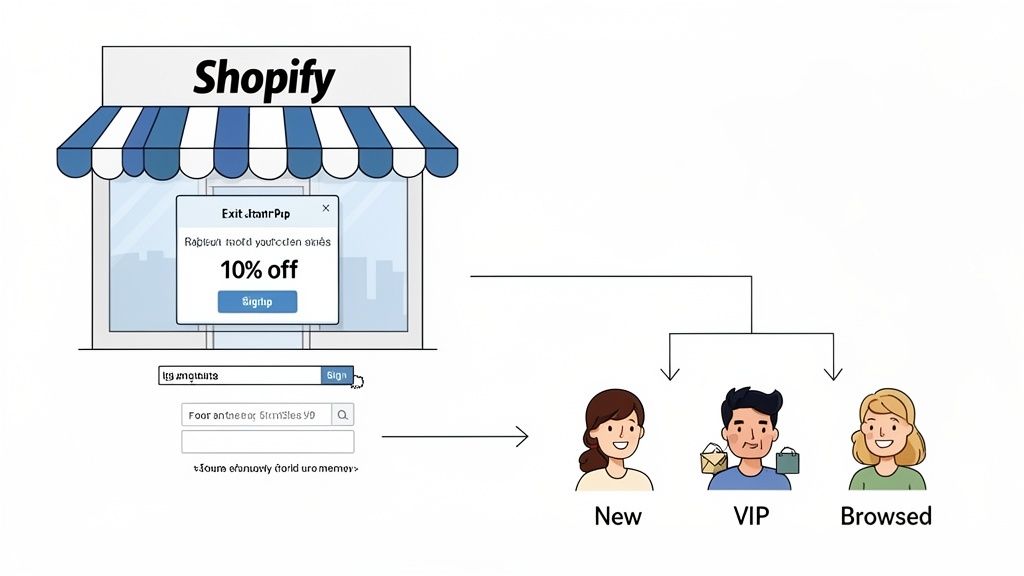
Let’s be honest, your email list is the single most valuable asset you have. It’s a direct line to people who have literally raised their hands and said, “I’m interested.” You own this channel. No algorithm changes, no platform whims—just a pure connection to your audience.
Before you can craft the perfect campaign, you have to nail the fundamentals of building an email list. For any Shopify brand, this means turning your website into a finely tuned lead-capture machine.
Smart Strategies for List Growth
This isn't about slapping an annoying, full-screen pop-up on your site and calling it a day. The key is to offer real value in exchange for that coveted email address. A well-timed offer feels helpful, not pushy.
Here are a few tactics I've seen work time and time again:
- Exit-Intent Pop-ups: They're a classic for a reason. When someone's cursor heads for the exit, a pop-up offering 15% off their first order can be just the nudge they need to stick around and subscribe.
- Embedded Footer Forms: Don't underestimate the power of a simple, static signup form. It's a low-pressure way for genuinely interested shoppers to join your newsletter on their own terms.
- Targeted Banners: Use banners on specific collection pages to deliver relevant value. Selling kitchenware? Offer a free recipe ebook. Fashion? A downloadable style guide is perfect.
By weaving these into your site, you give visitors multiple, organic opportunities to become subscribers. For a deeper playbook, check out our guide on the ultimate strategies to build an email list for eCommerce.
The Power of Smart Segmentation
Okay, so you're collecting emails. Great. But sending the same generic blast to everyone on your list is a fast track to the unsubscribe button. This is where segmentation changes the game, turning your monologue into a one-on-one conversation.
When you group subscribers based on their actual behavior, you can send messages that are so relevant they feel personal. The numbers don't lie—segmented campaigns can drive 30% more opens and 50% more click-throughs than unsegmented ones. It’s no surprise that 78% of marketers swear by it as their most effective tactic. Personalization is how you win.
Key Takeaway: Don't just collect emails—categorize them. Segmentation allows you to speak to your customers' specific needs and journey stages, which dramatically increases engagement and drives more sales.
You don't need a dozen complicated segments to start. Here’s a simple table outlining a few high-impact groups you can create right now using your Shopify data.
Effective Customer Segmentation Strategies for Shopify
This table breaks down some of the most effective segments you can build. It covers who they are, what data you'll use, and what kind of campaign will actually get them to click.
By setting up these dynamic segments, you ensure the right message always finds the right person at exactly the right time. This isn't just a "nice-to-have"; it's the foundation for an email marketing program that delivers real, measurable results for your store.
Your Core Email Automation Playbook
Manual campaigns are great for flash sales and newsletters, but automation is what turns your email marketing into a machine that works for you 24/7. When you set up automated flows, you’re essentially creating an always-on system to nurture subscribers, recover lost sales, and build loyalty without lifting a finger.
Think of these flows as your digital sales team, ready to jump in at the perfect moment. Instead of blasting the same message to everyone, automations deliver incredibly relevant emails triggered by what a user does—or doesn’t do. It’s the difference between shouting into a crowd and having a real one-on-one conversation.
These are the absolute must-have automations every Shopify brand needs.
The High-Converting Welcome Series
This is it—your first impression. You only get one. Your welcome series kicks off the second someone subscribes, making it one of the most opened and clicked sequences you'll ever send. Its job is simple: turn that fresh, curious subscriber into a first-time customer while giving them a real taste of your brand.
A solid welcome flow usually has three to four emails spread out over the first week.
- Email 1 (Immediate): Deliver the goods. If you promised 15% off, give it to them right away. Keep this email laser-focused with a crystal-clear "Shop Now" button. Make sure it looks great on mobile.
- Email 2 (Wait 1-2 Days): Tell your story. This is where you build a connection. What makes you different? Talk about your mission, introduce the founders, or show off the unique materials you use.
- Email 3 (Wait 2-3 Days): Show, don't just tell. Hit them with your best-sellers or some killer social proof like customer reviews and user-generated content. This builds trust and helps guide them toward that first purchase.
Pro Tip: Your welcome series isn't just about selling. Use it to set expectations. A simple line like, "We'll be in your inbox twice a week with new arrivals and special offers" can dramatically cut your unsubscribe rates down the road.
The Abandoned Cart Recovery Flow
If you’re looking for an automation that delivers an almost immediate ROI, this is the one. A shocking number of carts are abandoned before the finish line. This simple flow is your safety net, designed to gently nudge those would-be customers back to complete their purchase.
Timing is absolutely crucial here. A classic, high-performing sequence looks something like this:
- Email 1 (1-4 hours after abandonment): The gentle reminder. The tone should be helpful, not aggressive. Think "Did you forget something?" or "Your cart is waiting." Always include a dynamic image of the exact product they left behind and a direct link back to their cart.
- Email 2 (24 hours later): Handle their objections. This is the perfect spot to talk about your free shipping, easy returns policy, or awesome customer support. Sometimes, all they need is a little reassurance.
- Email 3 (48-72 hours later): Create a little urgency with a small sweetener. A limited-time offer like 10% off or free shipping can be the final push they need to close the deal.
This three-part sequence is magic because it reminds, reassures, and incentivizes without being annoying. Once you nail this, you can get even more advanced. For a deeper dive, explore how ecommerce email marketing automation lets you customize flows based on cart value or the specific items left behind.
The Post-Purchase and Customer Loyalty Series
The work doesn't stop when you get the sale. In fact, that's when the real relationship begins. The post-purchase period is a golden opportunity to turn a one-time buyer into a raving fan who comes back again and again.
Here’s what a great post-purchase flow includes:
- Order Confirmation (Immediate): Yes, it's transactional, but it's also a brand touchpoint. Go beyond a boring receipt. Add a heartfelt thank you and let them know what to expect with shipping.
- Shipping Confirmation (When shipped): Another chance to build trust. Make the tracking link big, bold, and impossible to miss.
- Product Review Request (7-14 days after delivery): Timing is key. Wait until they've actually had a chance to use the product, then ask for a review. Those stars are pure gold for your product pages.
- Cross-Sell/Up-Sell (21-30 days later): Now you know what they like. Suggest complementary products they might love. Did they buy a coffee maker? It’s the perfect time to recommend your best-selling beans.
The Win-Back Campaign for Lapsed Customers
Let's be real: it costs way more to find a new customer than to keep an old one. A win-back campaign (or re-engagement flow) targets subscribers who haven't bought or opened an email in a while—say, 90-120 days. The goal is simple: remind them why they liked you in the first place and give them a damn good reason to come back.
Kick it off with a subject line like "We miss you!" or "Is this goodbye?". Inside, offer an exclusive "welcome back" discount that's a little more generous than your standard promos. If they still don't bite, it might be time to send one last email asking if they want to stay subscribed. This helps you clean your list and keep your engagement rates healthy.
Writing Emails That Actually Get Opened
Let's be honest. All the clever automation and segmentation in the world won't matter if your emails are a total snooze-fest. Once your message lands in that crowded inbox, you have mere seconds to convince someone to click. This is where killer copy and smart design team up to create an email that doesn't just get opened—it drives sales.
Your first fight is for attention in the inbox itself. The subject line and preview text are your one-two punch to stand out. Forget boring, generic phrases like "Weekly Newsletter" or "New Products." Your job is to spark a little curiosity or create a sense of urgency.
Nailing the Subject Line and Preview Text
Think of your subject line as the headline on a magazine cover and the preview text as the juicy snippet that makes you want to read the article. They have to work together. A great subject line might ask a question or make a bold claim, while the preview text gives just enough context to make someone have to see what's inside.
I've seen these formulas work time and time again for eCommerce brands:
- Direct & Urgent: "Your 15% Off Code Is About to Expire"
- Curiosity-Driven: "Is This the Best T-Shirt We've Ever Made?"
- Benefit-Focused: "Finally, a Skincare Routine That Works in 5 Minutes"
- Personalized: "Just For You, [First Name]..."
The real trick is to keep them short and punchy. A huge chunk of your audience is reading on their phone, where long subject lines get ruthlessly cut off. Keep it brief.
This is where your compelling copy will shine across all your automated touchpoints.
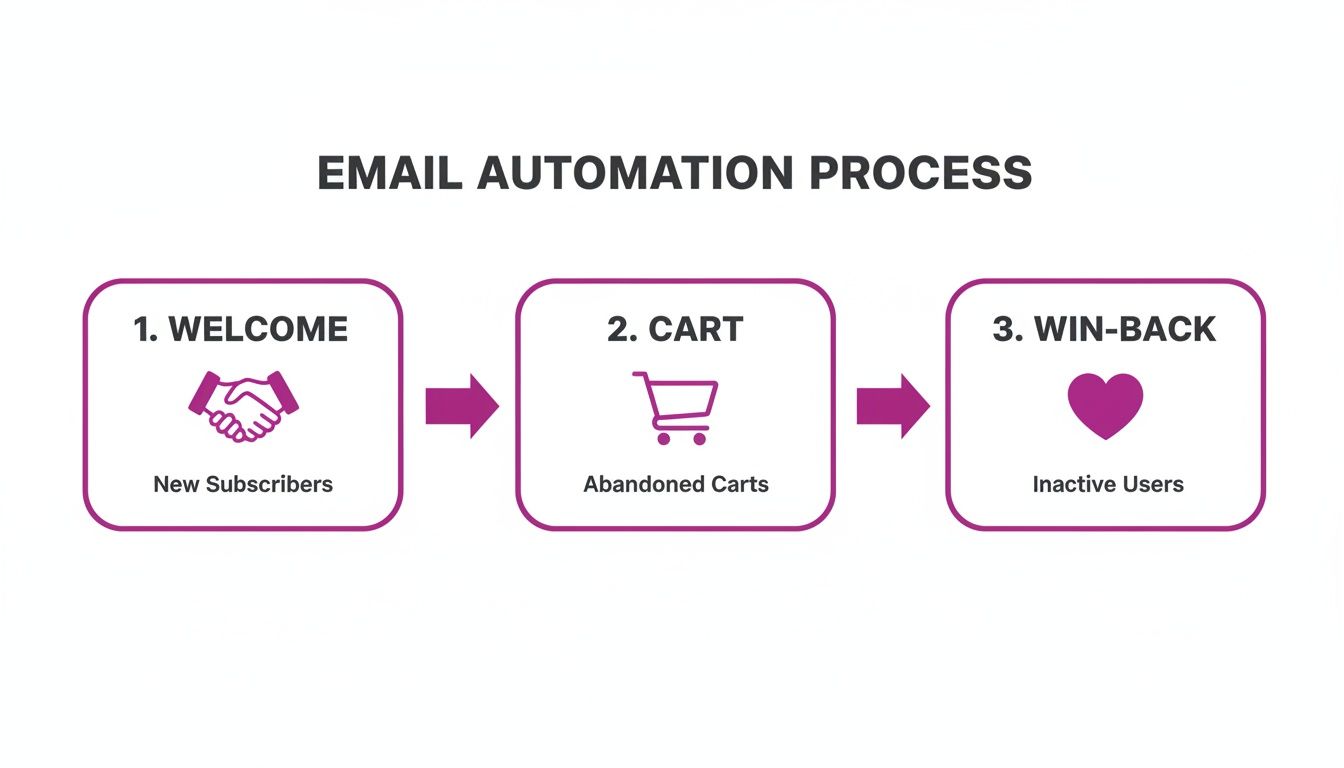
From a warm welcome sequence to a gentle cart reminder and a friendly "we miss you" offer, each stage needs its own tailored messaging to guide your customer along their journey.
Design for Scanners, Not Readers
Once they open the email, the clock is ticking. People don't read emails—they scan them. Your goal is to make the most important information impossible to miss. Long, dense paragraphs of text are the enemy.
Key Takeaway: Build your emails with a clear visual hierarchy. Use bold headlines, super short paragraphs, bullet points, and lots of white space to funnel the reader's eye right down to your call-to-action.
Always use high-quality imagery that shows your products in their best light. If you're a clothing brand, use lifestyle shots, not just products floating on a white background. If you sell home goods, show them in a beautifully styled room. You're trying to help the customer imagine the product in their life.
Write Copy That Sells
Here’s a classic mistake I see all the time: brands talk about their product's features instead of its benefits. Nobody buys a drill because they want a drill; they buy it because they want a hole in the wall. The exact same logic applies to your store.
- Feature: "Our sneakers have orthopedic foam insoles."
- Benefit: "Walk all day without a single ache."
See the difference? The benefit speaks directly to your customer's problem or desire. Always frame your copy around what your product does for the customer. This simple mental shift from "what it is" to "what it does for you" is a conversion game-changer.
Don't Bury the Call-to-Action (CTA)
Every single email you send needs one crystal-clear goal, and your CTA is the button that gets you there. Vague CTAs like "Click Here" or "Learn More" are weak and uninspiring. Be specific, be direct, and tell them exactly what to do.
Your CTA button should pop with a contrasting color and be surrounded by enough white space that it's impossible to ignore.
When you combine a curiosity-piquing subject line, a scannable design, benefit-driven copy, and a powerful CTA, you create an email that doesn’t just inform—it persuades. This is how you build a campaign that people actually look forward to getting.
Measuring Performance and Optimizing for Growth
Hitting "send" on your campaign isn't the finish line—it's the starting block. The most profitable eCommerce brands I've worked with don't just "set it and forget it." They treat every single email as a chance to learn something new.
This is the feedback loop that turns a decent email strategy into a powerhouse growth engine for your store. It’s all about looking at the right data and making smart, informed decisions. To do that, you have to ditch the vanity metrics and dial in on the Key Performance Indicators (KPIs) that actually tell you if your emails are making you money.
Understanding the KPIs That Matter for eCommerce
Don't get lost in a sea of data. For a Shopify store, only a handful of metrics truly paint a picture of the health and profitability of your email marketing. Track these religiously, and you'll always know what's working and what needs a tune-up.
Here are the core metrics you need on your dashboard:
- Open Rate: The percentage of people who actually opened your email. This is a direct gut check on your subject line's power and how much your customers recognize—and trust—your brand in a crowded inbox.
- Click-Through Rate (CTR): This measures the percentage of openers who were compelled enough to click a link. Your CTR is a powerful signal that your offer, copy, and design are hitting the mark.
- Conversion Rate: The big one. This is the percentage of people who clicked and went on to complete your goal, usually making a purchase. This is the KPI that ties your email directly to revenue.
- Revenue Per Recipient (RPR): You get this by dividing the total revenue from an email campaign by the number of people you sent it to. It gives you a clear dollar value for every single subscriber on that send.
These four metrics work together to tell a complete story. A sky-high open rate is useless if nobody clicks. A great CTR is promising, but if it doesn't lead to sales, you have a conversion problem on your site.
Key Email Marketing KPIs for eCommerce
Here’s a quick-reference table breaking down the most important metrics. This is your cheat sheet for understanding campaign health and identifying where to focus your optimization efforts.
By keeping an eye on these numbers, you move from guessing to knowing. You can pinpoint exactly where the friction is—whether it's getting the email opened, earning the click, or closing the sale—and take targeted action.
A Practical Guide to A/B Testing Your Emails
The only way to consistently improve those KPIs is by testing. A/B testing (or split testing) is your secret weapon. It’s simple: you send two versions of an email to small, random slices of your audience, see which one performs better, and then send the winner to everyone else. It takes the guesswork completely out of the equation.
Key Takeaway: The golden rule of A/B testing is to only test one thing at a time. If you change both the subject line and the CTA button, you’ll never know which change actually caused the results.
Always start with a hypothesis. For instance: "I believe a subject line using an emoji will get a higher open rate than one without." Then, you run the test to prove or disprove it.
Here's a simple checklist of high-impact elements you can start testing right away:
- Subject Lines: This is the easiest place to start and often yields the biggest wins. Test different tones (e.g., direct vs. mysterious), lengths, personalization, or adding emojis.
- Call-to-Action (CTA): Tweak the text on your main button. Does "Shop Now" outperform "Claim Your Discount"? Also, play around with the button's color, size, and placement within the email.
- Email Copy: Do your customers respond to short, punchy messages or longer, more story-driven content? Test the length of your copy or the primary benefit you’re highlighting.
- Imagery and Layout: Pit a lifestyle photo against a clean product shot on a white background. Or try a single-column layout versus a multi-product grid to see what drives more clicks.
- Send Time and Day: Does sending on a Tuesday morning work better than a Sunday evening? Every audience has unique habits, and testing is the only real way to find your timing sweet spot.
This cycle of testing, learning, and iterating is what separates the brands that fizzle out from the ones that scale. Each test, win or lose, gives you a valuable insight that makes your very next campaign that much smarter—and more profitable.
Answering Your Top Shopify Email Marketing Questions
Even when your automations are humming along, the real-world questions always find a way to pop up. Setting up campaigns is one thing; managing the day-to-day is a whole different ballgame. Let's dig into some of the most common questions I hear from Shopify store owners and get you some straight answers.
How Often Should I Actually Email My List?
Ah, the million-dollar question. The honest, no-fluff answer? It depends. There’s no magic number that works for everyone. The right email frequency really comes down to your brand, what you sell, and what your subscribers have come to expect from you.
For most Shopify stores, a solid starting point is sending promotional campaigns two to four times a month. This should be on top of your automated flows, like the welcome series or abandoned cart reminders. It’s enough to stay on their radar without becoming inbox noise.
Think of it this way:
- Fast-moving products? (like fashion or cosmetics): You’ve probably got new arrivals and trends to talk about constantly. Emailing once a week usually works well here.
- Considered purchases? (like furniture or high-end tech): Your customers aren't buying a new couch every week. A slower cadence, maybe twice a month, is often better. Your job is to build trust and provide value between those big purchase decisions.
My two cents: Keep a close eye on your metrics. If you ramp up your sending and see unsubscribes spike without a matching lift in sales, that’s your audience telling you to pull back. Listen to them.
What’s the Best Way to Clean My Email List?
Keeping your email list clean—what we call list hygiene—is non-negotiable for good deliverability. It’s all about removing subscribers who’ve stopped engaging. If you keep sending emails to a dead list, your sender reputation tanks, and soon enough, your emails start landing in spam for everyone, even your best customers.
Your email platform, whether it's Klaviyo or Omnisend, will help you identify these folks. You can build a segment of "unengaged" subscribers, which is usually anyone who hasn't opened or clicked an email in the last 90 to 180 days.
But don't just hit delete. First, give them one last shot with a targeted re-engagement or "win-back" campaign. If they still ignore you, it's time to let them go and suppress them from future sends. I know, it hurts to see that list number go down. But a smaller, highly engaged list is infinitely more valuable than a huge, silent one. Trust me.
How Should I Handle Unsubscribes?
Rule number one: make it dead simple for people to unsubscribe. Hiding that link is a rookie mistake that will get you flagged for spam, which is way more damaging than losing a subscriber. Every single marketing email needs a clear unsubscribe link in the footer. No exceptions.
When someone clicks it, honor their request immediately. Don't put them through a maze of confirmation pages or make them log in.
That said, the unsubscribe page is a great place to learn. Instead of just a final goodbye, you can offer an "opt-down" option. Give them a choice to receive emails just once a month instead of weekly, for example. This simple tactic can save subscribers who like your brand but just feel a bit overwhelmed by the frequency.
At ECORN, we help Shopify brands turn these common hurdles into real growth opportunities. Our team lives and breathes this stuff, and we can help you fine-tune your strategy to get measurable results. Explore our scalable solutions and see how we can help your brand grow.


Shopify Theme Updater App: A Safe Update Playbook
Shopify Git Integration: A Developer's Guide to 2026
Headless Ecommerce Development Services Explained

How to Build a Shopify Clothing Website That Converts

How to Launch a Box Subscription Business in 2026

Luxury Skincare Branding Playbook That Converters

10 Best Podcast Ecommerce Shows for Store Growth in 2026

Shopify Developer Hourly Rate: What to Pay in 2026

Critical Shopify Setup Errors That Are Secretly Sabotaging Your Store

Ecommerce Conversion Tracking: The Complete How-To Guide

Shopify Design Agency: How to Pick the Right Partner

Mastering Multi Store Management on Shopify

Scale Shopify Store

10 Shopify App Ideas Worth Building in 2026

Conversion Rate Optimization for Landing Pages: The Playbook

Shopify Plus Automation: A Guide for 2026

10 Social Selling Platforms for Shopify Merchants

Shopify Website Design Examples: 7 Stores Worth Studying

7 Ecommerce Newsletter Examples for Shopify Brands

One Product Shopify Store: Build and Scale

Mobile Pop Up Strategy for Shopify Stores That Converts

Sitemap for Shopify: How to Find, Optimize, and Submit It

7 Single Product Websites Worth Emulating

Product Variants Shopify: The Complete 2026 Guide

Ecommerce Analytics Consulting for Growth

What Is AI Integration for eCommerce

How to Choose the Right eCommerce Website Development Firm

E Business Strategy Implementation

Conversion Tracking Setup for Shopify Stores

BigCommerce vs Shopify Plus Which Enterprise Wins in 2026

Shopify Theme Kit: Setup, Commands, and Migration Guide

Shopify Extension Development: A Practical 2026 Guide

Shopify Speed Score Explained and How to Improve It

Shopify Mobile Optimization: The 2026 Playbook

How to Add Subcategory in Shopify for Better UX

How to Implement Structured Data for Ecommerce in 2026

SEO App Mobile: Shopify Store Optimization Guide

Shopify Plus Support: What It Includes and How to Choose

Google Ads for Shopify: The Complete 2026 Playbook

Shopify New York: How to Find and Hire the Right Agency

Google Search Console for Shopify: The Complete Setup

First Party Data Collection for eCommerce Growth

FAQ Online Store Guide: Build and Measure It Right

Do FB Ads Work for eCommerce in 2026?

One Page Checkout for Shopify: Design and Implementation

Shopify GraphQL vs REST: The 2026 Developer Decision

Shopify Ecommerce Consulting: Strategy, Pricing &

Are Reddit Ads Worth It for eCommerce Brands

Shopify Title and Meta Description: A Practical 2026 Guide

Product Video Best Practices for Shopify Brands

Real-Time Inventory Management: A 2026 Guide

AI Chatbot Integration for Shopify Stores

Affiliate Program Management: A Shopify Guide

10 Best Performance Monitoring Tools for Shopify in 2026

Digital Asset Management for eCommerce Brands in 2026

Every Type of Facebook Ads Explained for eCommerce Growth

Product Information Management Explained for Shopify Brands

Support Ticket System: A Guide for Shopify Stores

10 Best Customer Service Tools for Shopify in 2026

Can I Start a Business with No Money? a 2026 Blueprint

What Sells Good on Etsy: Best Niches for 2026

Shopify Add to Cart Button: A Practical 2026 Guide

Customer Feedback Automation: A Practical eCommerce Guide

Critical Rendering Path: A Guide for Shopify Stores

How to Promote on TikTok for eCommerce in 2026

B2B eCommerce Consulting That Drives Real Revenue

10 Best Practices for Site Navigation in 2026

Return vs Refund for Shopify Stores: A Practical Guide

What Is Customer Lifetime Value and Why It Matters

What Is Voice of Customer Research for eCommerce

SMS Marketing for Ecommerce That Actually Converts

Master How to Improve Email Deliverability in 2026

Top 8 eCommerce Partners NYC for Shopify Brands in 2026

Machine Learning for Ecommerce: Boost Your Shopify Store

Beauty Market Research: Your 2026 Growth Guide

Shopify International Expansion: A 2026 Roadmap

What Does CRO Stand for in Business: Understanding CRO

Shopify Visual Merchandising: A Playbook for Higher Sales

Shopify Landing Page Design: Master Conversion in 2026

10 Best AI SEO Optimization Tools for Shopify in 2026

Agentic AI for Ecommerce: Boost Your Sales in 2026
Mastering Email Marketing Data for eCommerce Growth

Conversion Rate Optimisation Australia: Boost Your Sales

Conversion Rate Optimization AI: Your Shopify Store Guide

10 Product Bundling Strategies for Shopify in 2026

How to Increase Customer Lifetime Value: A Shopify Playbook

AI Customer Service Automation: Shopify Guide 2026

Clean Website Design: A Shopify Conversion Playbook

Omnichannel Retail Strategy: A Shopify Playbook

Product Data Enrichment: A Guide for Shopify Brands

Instagram Shopping Features a Guide for Shopify Stores

What Is Revenue Optimization: A Holistic RevOps Guide

Benefits of Conversion Rate Optimization: Boost Your

WordPress to Shopify Migration: Your 2026 Seamless Switch

Boost Sales: Ecommerce Payment Processing Guide 2026

Unified Commerce Platform: Benefits, KPIs & Shopify Guide

How to Reduce Bounce Rate eCommerce: Your 2026 Guide

Shopify API Integration: A Practical End-to-End Guide

How to Implement Data Governance: A 2026 Guide

Shopify Store Development Cost: A 2026 Breakdown


newsletter in your inbox