

Launching a Shopify store isn't just a technical process; it's an exercise in strategic planning, careful setup, and smart marketing from day one. At its core, it boils down to defining your niche, getting your store's backend configured correctly, designing a theme that actually converts, and rolling out a marketing plan to bring in those first crucial customers.
Building Your Pre-Launch Strategic Blueprint
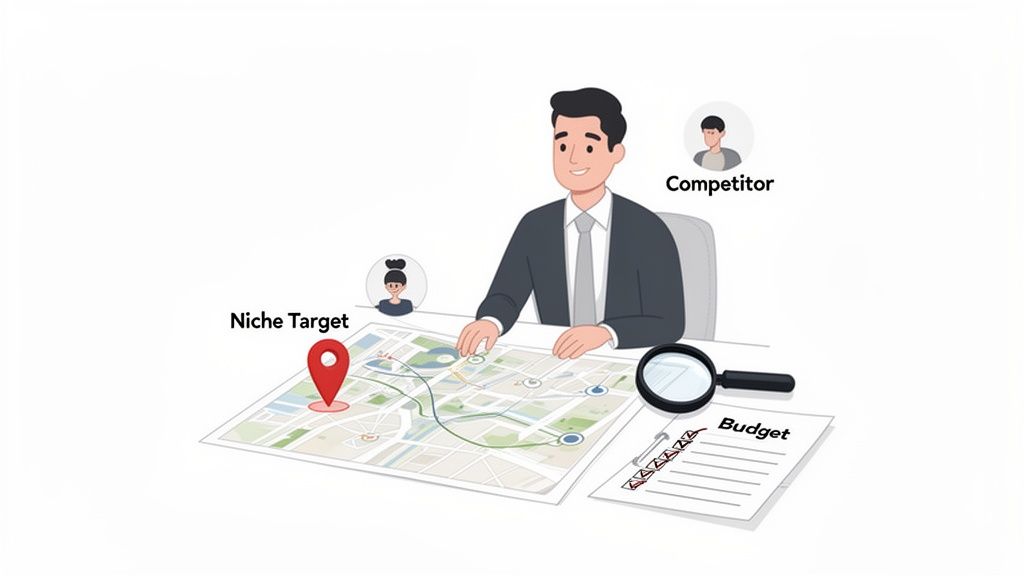
Before you even think about starting a Shopify trial, the real work begins. I’ve seen it time and again: the difference between a store that takes off and one that fizzles out is almost always the quality of its pre-launch strategy. This isn't just about an idea for a product; it's about building a rock-solid business case for it.
This initial phase will dictate every single decision you make down the line—your branding, site design, ad copy, even your customer service policies. Rushing this part is one of the most common and costly mistakes a new brand can make.
Defining Your Niche and Customer Avatar
Trying to sell to everyone is a surefire way to sell to no one. Your first strategic move is to carve out a profitable niche—a specific slice of a bigger market that has its own unique needs. Don't just sell "coffee." Sell "organic, single-origin coffee beans for home espresso enthusiasts." See the difference?
Once you've got your niche, you have to get inside the head of who you're selling to. This means creating a detailed customer avatar. And no, I'm not just talking about basic demographics. You need to dig into the psychographics.
- Demographics: Sure, get the basics: Age, location, income, job title.
- Psychographics: What do they actually care about? What are their values, hobbies, and biggest frustrations? What do they aspire to be?
- Buying Behavior: What pushes them to make a purchase? Where do they hang out online? Which social media platforms are they scrolling through?
For our coffee example, a sharp avatar might be "Alex, a 32-year-old graphic designer who values sustainability, reads tech blogs, and will happily pay a premium for quality and convenience." From this point on, every decision gets filtered through a simple question: "What would Alex think?"
Conducting Competitor Analysis
You’re not launching into a void. Your ideal customers are already buying similar products from somebody else. Your job is to figure out who those competitors are and pinpoint where they're dropping the ball.
Use Google, social media, and market research tools to identify your top three to five direct and indirect competitors. Then, put them under the microscope.
- Product Offering: What exactly are they selling? How are they pricing it?
- Website Experience: How does their site feel? Is it a breeze to navigate or a clunky mess? What's their checkout like?
- Marketing Channels: Are they killing it on Instagram? Running savvy email campaigns? Dominating TikTok?
- Customer Reviews: What do people absolutely love about them? And, more importantly, what are the consistent complaints?
The gaps in your competitors' strategies are pure gold. If their customers are constantly complaining about slow shipping, you just found a massive opportunity. Making fast, reliable shipping a cornerstone of your brand could be your ticket in.
Crafting a Unique Value Proposition
Your Unique Value Proposition (UVP) is the heart of your brand's promise. It’s a crystal-clear statement that explains the benefit you offer, how you solve your customer's problem, and what makes you different from everyone else.
A killer UVP is specific, easy to remember, and laser-focused on a key benefit. For our coffee brand, it could be: "Ethically sourced, specialty-grade coffee, delivered fresh within 48 hours of roasting." This isn't just "good coffee." It immediately screams quality, ethics, and speed—a genuinely better coffee experience. This process is a vital part of the 10 pre-launch ecommerce tactics that pave the way for a successful launch.
Finally, sketch out a realistic budget. Factor in your inventory, the Shopify subscription, fees for essential apps (plan on $50-$200/month to start), and an initial marketing budget. A clear financial roadmap ensures you have the fuel to not only get off the ground but also to maintain momentum during those critical first few months.
Getting Your Shopify Store Foundation Right
With your strategy mapped out, it's time to translate that vision into a functional Shopify store. This phase isn't about flashy design—it's about building the solid, reliable infrastructure your business will depend on. Getting these core settings right from the start prevents major headaches down the road.
The first major decision you'll face is choosing the right Shopify plan. It’s easy to get analysis paralysis here, but the choice often comes down to your current business stage.
Choosing Your Shopify Plan
For most new ventures, the Basic Shopify plan is the perfect starting point. It gives you everything you need to build a professional store, process orders, and manage products without a hefty monthly commitment. You can always upgrade as your sales volume increases.
If you’re already processing a decent number of orders or need more robust reporting and lower transaction fees, the Shopify plan is the logical next step. For established brands pushing significant revenue, often over $500k annually, Shopify Plus becomes a necessity for handling scale, automation, and complex international operations.
- Basic Shopify: Ideal for new businesses testing their market.
- Shopify Plan: A great fit for growing brands with consistent monthly sales.
- Advanced Shopify: For businesses scaling up that need advanced reporting and lower shipping rates.
- Shopify Plus: The enterprise solution for high-volume merchants needing maximum customization and support.
Configuring Core Business Settings
Once you've picked a plan, you'll dive into the administrative heart of your store. This is where you input the details that make your business official. Just navigate to Settings in your Shopify admin to get started.
Here, you'll set up your store name, legal business name, and address. Make absolutely sure this information matches your official business registration documents. You'll also configure your store's default currency and time zone, which are crucial for accurate reporting and customer pricing.
Your store's legal settings are non-negotiable. Correctly entering your business information, currency, and tax details ensures you operate legally and build trust with both customers and payment processors from your very first sale.
Connecting Your Domain and Professional Email
Nothing screams "amateur" faster than a default .myshopify.com URL. A custom domain is one of the most critical investments you'll make for brand credibility. You can buy one directly through Shopify or connect an existing one from a registrar like GoDaddy or Namecheap.
Shopify walks you through this process, which usually just involves updating a few records where your domain is registered. While you're at it, set up professional email forwarding. An address like info@yourbrand.com that forwards to your personal inbox looks far more professional than a generic Gmail account.
Setting Up Staff Permissions
Even if you're a solo founder right now, it’s smart to get a handle on how staff permissions work. Sooner or later, you'll bring on a virtual assistant, a marketing partner, or a developer, and you'll need to grant them access to specific parts of your Shopify admin without handing over the keys to the entire kingdom.
You can create staff accounts with limited permissions, giving them access only to what they need—like managing orders, editing products, or tweaking the theme. This secure approach is essential for protecting sensitive business data and maintaining operational control as your team expands. Taking the time to build this strong foundation is a key step in learning how to launch a Shopify store that is built to last.
Designing a High-Converting Customer Experience
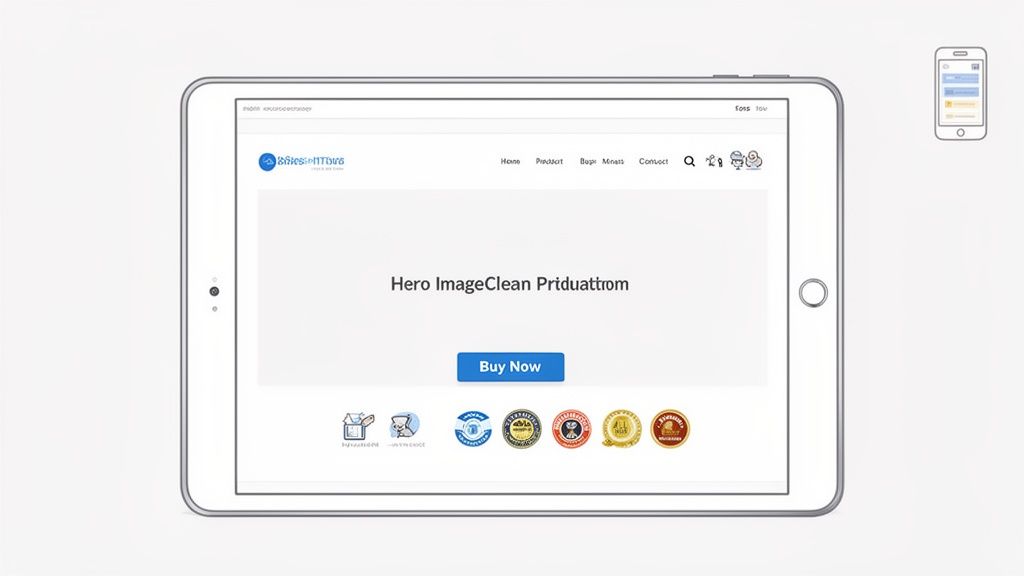
Think of your store’s design as your best salesperson—it works around the clock, 24/7, to sell your products. When you're figuring out how to launch a Shopify store, great design isn't just about aesthetics; it's the engine of a profitable business. A truly effective design seamlessly guides visitors from the moment they land on your site to the final click at checkout, turning casual browsers into repeat customers.
This journey starts with your theme. The Shopify Theme Store is packed with options, and the one you pick will have a lasting impact on everything from page speed and user experience (UX) to your bottom-line conversion rate.
Free Themes Versus Premium Themes
It’s the classic debate for any new store owner: should you go with a free or a premium theme? While the allure of "free" is strong, it's crucial to understand what you're getting—and what you're giving up.
Free Shopify themes, like the popular Dawn theme, are fantastic starting points. They’re built by Shopify, so you know they are fast, well-coded, and reliable. For brands just starting out or working with a tight budget, a free theme provides all the essential features you need to get your store live and making sales.
However, premium themes often justify their price tag (usually between $200-$350) by packing in more advanced, built-in features. Think mega menus, sophisticated product filtering, or integrated video sections. Investing in one of these can actually save you money down the line by eliminating the need for a handful of paid apps. They also tend to offer more unique layouts and greater design flexibility, helping your brand stand out in a crowded market.
Building Intuitive Site Navigation
Imagine walking into a massive department store with no signs or logical flow. You’d get frustrated and leave, right? The same is true for your online store. Your navigation, from the main menu to the footer, is the map that guides your customers.
Keep your main menu clean, simple, and focused. Use straightforward language for your categories. For instance, instead of a vague term like "Our Offerings," get specific with "Men's Jackets" or "Kitchen Gadgets."
A well-planned navigation structure pays off in multiple ways:
- Reduces Bounce Rate: When people can find what they want quickly, they stick around longer.
- Improves User Experience: A logical flow makes the shopping experience feel effortless and even enjoyable.
- Boosts SEO: Search engines love a clear site structure. It helps them crawl and understand your pages, which can improve your rankings.
Core Principles of Conversion Rate Optimization
Conversion Rate Optimization (CRO) is all about turning more of your visitors into customers. You don't need a Ph.D. in marketing to apply a few foundational principles that can make a real difference.
First, look at your calls-to-action (CTAs). Buttons like "Add to Cart" or "Buy Now" should be impossible to ignore. Use a color that pops against the rest of the page and write clear, action-oriented text.
Next up is building trust. Online shoppers are inherently cautious, so you need to put their minds at ease.
Trust signals are the visual cues that tell customers your store is legit and their information is safe. This includes things like customer reviews, security badges (like SSL certificates), a clearly stated return policy, and high-quality product photos. Sprinkle these throughout your site—especially on product pages and at checkout—and you can see a dramatic lift in conversions.
For a deeper look into optimizing every customer touchpoint, see this guide on how to improve your e-commerce customer experience. And if you're ready for more specific, actionable insights, our team has put together a detailed guide on how to design a Shopify store for conversions.
The speed at which you can implement these optimizations directly impacts your profitability. The ecommerce world moves fast; Shopify merchants generated $9.3 billion in sales during the 2023 Black Friday–Cyber Monday weekend alone, with peak sales hitting $4.2 million per minute. With nearly 79% of Shopify traffic coming from mobile devices, launching with a fully tested, mobile-first design is non-negotiable. If you skip this step, you're essentially ignoring the vast majority of your potential customers from day one.
Nailing Your Products, Payments, and Shipping
A gorgeous storefront is great, but it's only half the story. The real engine of your eCommerce business is humming away behind the scenes, driven by slick product management, rock-solid payments, and a shipping strategy that actually makes sense. This is the operational core where you protect your profit margins and build the kind of trust that keeps customers coming back.
Getting these details right isn’t just about ticking a box on your launch list—it’s the foundation for a business that can actually grow. Let's break down what it takes to turn a beautiful website into a machine that works.
Building Out a Product Catalog That Sells
Your product pages are your digital sales team. They have to do more than just show a title and a price; they need to answer questions before they’re even asked and create a genuine desire to buy.
This all starts with high-quality product photography. You don’t need a professional studio right out of the gate, but your images absolutely must be sharp, well-lit, and consistent.
- Show Every Angle: Give them the full picture—front, back, side, and close-ups of any important details. Don't make them guess.
- Use Lifestyle Photos: Help customers see the product in their world. If you sell a backpack, show someone hiking with it. Make it relatable.
- Keep It Consistent: Use the same background and lighting for all your main product shots. This gives your collection pages a clean, professional vibe that builds confidence.
Next up, you need SEO-rich product descriptions. Put yourself in your customer’s shoes. What words would they type into Google to find your product? Weave those keywords into your descriptions naturally, and always, always focus on benefits, not just features. Instead of saying a jacket "is made of waterproof nylon," try something like, "keeps you bone-dry during those unexpected downpours."
A great product description doesn't just list specs; it tells a story. It solves a problem and makes the customer feel smart for choosing your product. Think of it as your silent salesperson, working 24/7 to close the deal.
Configuring Payments and Taxes
You have to make it dead simple for people to give you their money. For most new stores, activating Shopify Payments is the easiest and smartest move you can make. It’s built right in, so you can accept all major credit cards without the headache of setting up a third-party gateway.
Activating it is a breeze. Just head to Settings > Payments in your Shopify admin and follow the prompts. This also unlocks accelerated checkouts like Shop Pay, Apple Pay, and Google Pay, which are proven conversion boosters, especially on mobile. While Shopify Payments is the best place to start, you can always add other options like PayPal later on to give customers more choice.
Taxes can feel like a minefield, but Shopify really does simplify it. Go to Settings > Taxes and duties to configure tax collection based on where your business is and where you're selling. Shopify automatically calculates the correct rates at checkout, but remember: it's still on you to register with the right tax authorities and remit the money you collect.
Setting Up a Smart Shipping System
Your shipping strategy is a big deal. It directly impacts your conversion rates and your profitability. Customers today expect transparent, affordable, and reasonably fast shipping. In fact, surprise shipping costs at checkout are still the #1 reason people abandon their carts.
First, define your shipping zones. These are simply the geographic regions you'll ship to, and you can create different rules and rates for each. For example, you might set up zones for:
- Domestic (your home country)
- North America
- Europe
- Rest of the World
Within those zones, you can set your rates. A really effective strategy is to offer a flat rate or, even better, a free shipping threshold. For instance, you could offer $5 flat rate shipping on all domestic orders and free shipping on orders over $75. This is a powerful psychological trigger that encourages people to add just one more item to their cart, boosting your average order value.
To make sure your products get delivered efficiently and affordably, it pays to do your homework on carriers. A good best courier service Australia comparison guide for ecommerce success can help you find partners that fit your business needs. Choosing the right courier is a crucial piece of the puzzle. It impacts everything from your costs to delivery speed and ultimately, customer satisfaction, so it’s a decision worth researching.
Getting Ready for a Flawless Go-Live
The final stretch before your Shopify store goes live is where all the hard work and careful prep really pays off. This is no time for winging it. You need to shift into a mission-control mindset. A solid launch strategy is the difference between a smooth, successful debut and a stressful day of putting out fires.
Think of this phase as the final dress rehearsal. It’s a series of checks and balances covering everything from the first click a customer makes to your first marketing email. Your mission is simple: find and fix every potential hiccup before a real customer does.
Simulate the Complete Customer Journey
If there's one thing you absolutely must do before launch, it's walking through the entire customer journey yourself. I'm not just talking about clicking around the homepage. You need to act like a real customer, from the moment they discover a product all the way to the post-purchase thank you email.
The easiest way to do this is to create a 100% discount code for internal use. This lets you place as many test orders as you need without actually spending money.
Here's your testing checklist:
- Add different items to the cart. Make sure you test this from various product pages, especially for items with variants like size or color.
- Go through the entire checkout process. Use real shipping information and apply your discount code to finalize the "purchase."
- Check your inbox. Did the order confirmation email arrive instantly? Does it look professional? Is all the information correct?
- Flip to the backend. Check your Shopify admin to see how the order appears. Fulfill it yourself and trigger the shipping confirmation email.
Don't just test the "happy path" where everything works perfectly. Actively try to break things. What happens if you type in a bogus shipping address or a fake credit card number? Catching these edge cases now will save you a world of customer service pain later.
Set Up Essential Tracking and SEO
You can't improve what you don't measure. Launching a store without analytics is like flying blind—you’ll have no idea if your marketing is working or where potential customers are dropping off. Getting your tracking tools in place from day one is non-negotiable.
Your most important tool here is Google Analytics 4 (GA4). Shopify has a native integration that makes the initial setup fairly simple. Once you connect it, GA4 will immediately start gathering crucial data about who your visitors are, how they found you, and what they do on your site.
Getting this right is critical. While Shopify’s built-in reports are great for sales data, GA4 gives you the complete marketing funnel. You can track everything from blog post performance to specific button clicks, giving you the detailed insights needed to truly optimize your store.
Beyond analytics, double-check your basic SEO settings. Head over to Online Store > Preferences in your Shopify admin. Make sure you’ve set a compelling homepage title and meta description. These are often the first things people will see in Google search results, so make them count and be sure to include your main keywords.
Prepare Your Initial Marketing Campaigns
A beautiful store with zero traffic is just a hobby. Your launch day needs to be backed by a coordinated marketing push to generate that initial buzz and bring in your first wave of visitors.
You don't need a massive, multi-channel campaign to start, but you absolutely need a plan.
- Email Marketing: Have you been collecting emails on a "coming soon" page? Now is the time to put that list to work. Get your launch announcement email written, designed, and ready to send the second you flip the switch.
- Social Media: Prepare all your launch day posts for Instagram, Facebook, TikTok, or wherever your audience lives. Use your best lifestyle photos or videos and have a crystal-clear call-to-action that sends people straight to your new store.
- Influencer Outreach: If you’ve seeded products with any micro-influencers, coordinate with them to post on or around your launch day to amplify your reach.
This isn’t just about marketing, though. The customer experience is underpinned by a solid backend setup.
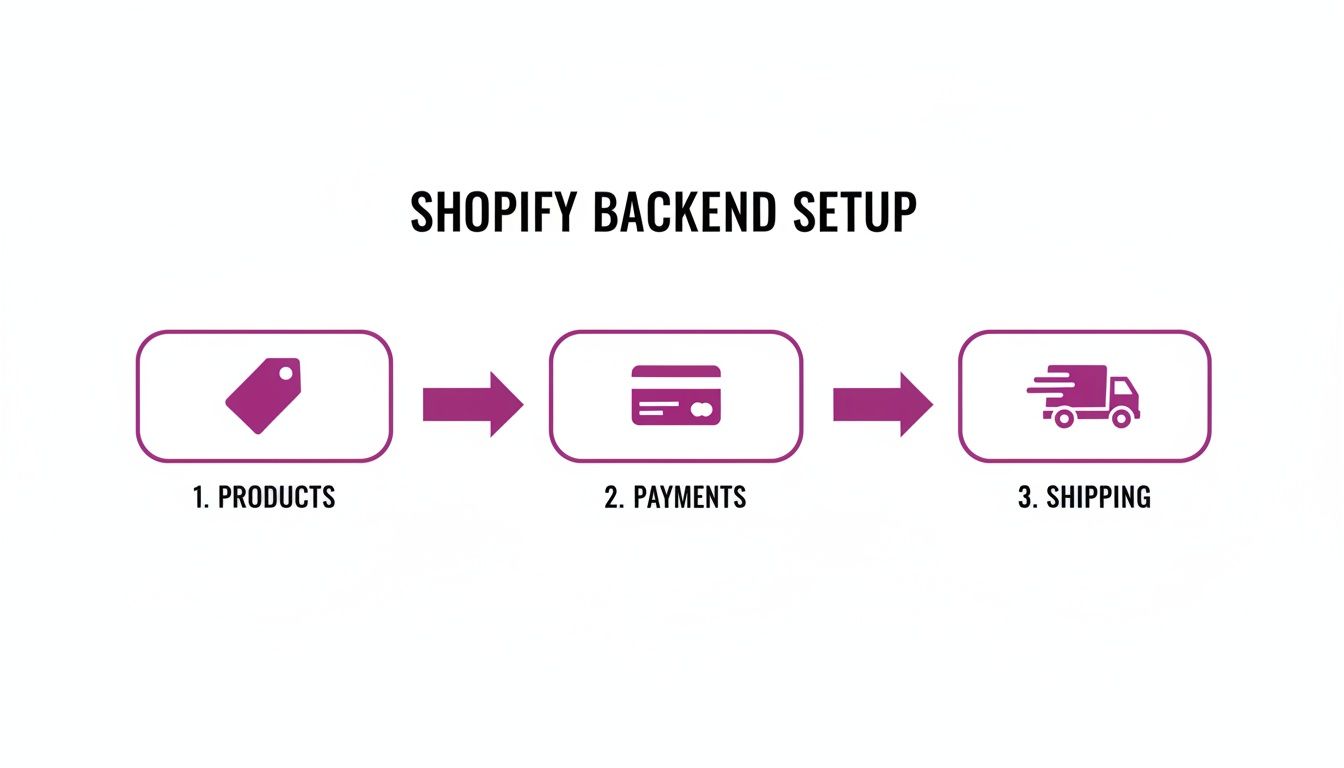
As the visual shows, a seamless customer journey is only possible when your products, payments, and shipping are perfectly integrated behind the scenes.
Launching a Shopify store today means stepping into a massive, data-driven arena where flawless execution matters. By late 2025, it's estimated there are between 4.8 to 6.5 million active Shopify stores globally, with the platform powering about 30% of U.S. eCommerce sites. The average Shopify store converts visitors at around 2.5%, but the top-tier brands hit 4–5%. That gap is where a strategic launch and continuous optimization come in, helping you climb toward the top performers instead of getting lost in the crowd. Dive into more illuminating Shopify statistics to get a better sense of the competitive landscape.
Frequently Asked Questions
When you're figuring out how to launch a Shopify store, a few key questions always seem to pop up. Whether you're a first-time founder trying to get your bearings or a growing brand ready for the next step, getting these answers straight can help you set realistic expectations and make smarter moves right from the start.
How Long Does It Realistically Take to Launch a Shopify Store?
You’ll see claims about getting a store online in a weekend, and sure, it's technically possible. But for a serious brand that wants to make a real impact? You should budget 4-8 weeks.
This timeline isn't arbitrary. It’s what’s needed to do things right—from nailing down your strategy and branding to customizing your theme, getting high-quality product photography, and doing thorough pre-launch testing. Rushing is a classic mistake that almost always leads to an amateurish-looking store that just doesn't convert.
An experienced agency can often cut this timeline down to 2-4 weeks. By leaning on proven workflows, pre-optimized design frameworks, and efficient project management, they can deliver a top-tier launch without cutting the corners that are so critical for your long-term success.
What Are the Essential Costs to Consider When Launching?
Your monthly Shopify subscription is just the beginning. To create a realistic budget, you need to think about the other foundational costs that separate a professional setup from a hobby project.
Here’s a quick breakdown of what you should plan for:
- Domain Name: This is non-negotiable for brand credibility. Expect to pay around $15 per year.
- Premium Theme: Free themes are a start, but a premium theme (a $200-$350 one-time cost) typically gives you much better design flexibility and built-in features, saving you money on apps down the road.
- Essential Apps: Set aside a monthly budget of $50-$200+. This will cover the must-haves for email marketing, customer reviews, and other critical functions.
Of course, your single biggest variable cost will likely be your initial inventory purchase. It's also smart to earmark a separate budget for professional product photography and your first marketing campaigns—after all, you need to drive those crucial first sales.
All in, a practical starting budget, not including inventory, usually falls between $500 and $2,000.
When Is It Time to Upgrade to Shopify Plus?
Shopify Plus is Shopify's enterprise-level solution, built for high-volume businesses that are starting to feel constrained by the standard plans. The jump to Plus is almost always driven by scale and the need for more powerful, customized functionality.
So, when should you start seriously considering the switch? It usually comes down to hitting specific milestones.
It’s probably time to look at Shopify Plus when:
- You’re consistently pulling in $500k-$1M in annual revenue.
- You need to customize your checkout to a degree that standard Shopify doesn't allow.
- You’re ready to launch a dedicated B2B or wholesale channel with its own pricing and ordering rules.
- You're managing multiple international storefronts and want to run them from a single, unified backend.
The perks at this level—like significantly lower transaction fees, the powerful automation of Shopify Flow, and a dedicated support team—become absolutely essential for scaling your operations without friction.
Ready to launch and scale your Shopify store with an expert team in your corner? The crew at ECORN has guided over 100 brands through conversion-focused design, development, and strategic growth. Check out our flexible subscription packages to see how we can accelerate your journey. Find out more at https://www.ecorn.agency/.



10 Shopify App Ideas Worth Building in 2026

Conversion Rate Optimization for Landing Pages: The Playbook

Shopify Plus Automation: A Guide for 2026

10 Social Selling Platforms for Shopify Merchants

Shopify Website Design Examples: 7 Stores Worth Studying

7 Ecommerce Newsletter Examples for Shopify Brands

One Product Shopify Store: Build and Scale

Mobile Pop Up Strategy for Shopify Stores That Converts

Sitemap for Shopify: How to Find, Optimize, and Submit It

7 Single Product Websites Worth Emulating

Product Variants Shopify: The Complete 2026 Guide

Ecommerce Analytics Consulting for Growth

What Is AI Integration for eCommerce

How to Choose the Right eCommerce Website Development Firm

E Business Strategy Implementation

Conversion Tracking Setup for Shopify Stores

BigCommerce vs Shopify Plus Which Enterprise Wins in 2026

Shopify Theme Kit: Setup, Commands, and Migration Guide

Shopify Extension Development: A Practical 2026 Guide

Shopify Speed Score Explained and How to Improve It

Shopify Mobile Optimization: The 2026 Playbook

How to Add Subcategory in Shopify for Better UX

How to Implement Structured Data for Ecommerce in 2026

SEO App Mobile: Shopify Store Optimization Guide

Shopify Plus Support: What It Includes and How to Choose

Google Ads for Shopify: The Complete 2026 Playbook

Shopify New York: How to Find and Hire the Right Agency

Google Search Console for Shopify: The Complete Setup

First Party Data Collection for eCommerce Growth

FAQ Online Store Guide: Build and Measure It Right

Do FB Ads Work for eCommerce in 2026?

One Page Checkout for Shopify: Design and Implementation

Shopify GraphQL vs REST: The 2026 Developer Decision

Shopify Ecommerce Consulting: Strategy, Pricing &

Are Reddit Ads Worth It for eCommerce Brands

Shopify Title and Meta Description: A Practical 2026 Guide

Product Video Best Practices for Shopify Brands

Real-Time Inventory Management: A 2026 Guide

AI Chatbot Integration for Shopify Stores

Affiliate Program Management: A Shopify Guide

10 Best Performance Monitoring Tools for Shopify in 2026

Digital Asset Management for eCommerce Brands in 2026

Every Type of Facebook Ads Explained for eCommerce Growth

Product Information Management Explained for Shopify Brands

Support Ticket System: A Guide for Shopify Stores

10 Best Customer Service Tools for Shopify in 2026

Can I Start a Business with No Money? a 2026 Blueprint

What Sells Good on Etsy: Best Niches for 2026

Shopify Add to Cart Button: A Practical 2026 Guide

Customer Feedback Automation: A Practical eCommerce Guide

Critical Rendering Path: A Guide for Shopify Stores

How to Promote on TikTok for eCommerce in 2026

B2B eCommerce Consulting That Drives Real Revenue

10 Best Practices for Site Navigation in 2026

Return vs Refund for Shopify Stores: A Practical Guide

What Is Customer Lifetime Value and Why It Matters

What Is Voice of Customer Research for eCommerce

SMS Marketing for Ecommerce That Actually Converts

Master How to Improve Email Deliverability in 2026

Top 7 eCommerce Partners NYC for Shopify Brands in 2026

Machine Learning for Ecommerce: Boost Your Shopify Store

Beauty Market Research: Your 2026 Growth Guide

Shopify International Expansion: A 2026 Roadmap

What Does CRO Stand for in Business: Understanding CRO

Shopify Visual Merchandising: A Playbook for Higher Sales

Shopify Landing Page Design: Master Conversion in 2026

10 Best AI SEO Optimization Tools for Shopify in 2026

Agentic AI for Ecommerce: Boost Your Sales in 2026
Mastering Email Marketing Data for eCommerce Growth

Conversion Rate Optimisation Australia: Boost Your Sales

Conversion Rate Optimization AI: Your Shopify Store Guide

10 Product Bundling Strategies for Shopify in 2026

How to Increase Customer Lifetime Value: A Shopify Playbook

AI Customer Service Automation: Shopify Guide 2026

Clean Website Design: A Shopify Conversion Playbook

Omnichannel Retail Strategy: A Shopify Playbook

Product Data Enrichment: A Guide for Shopify Brands

Instagram Shopping Features a Guide for Shopify Stores

What Is Revenue Optimization: A Holistic RevOps Guide

Benefits of Conversion Rate Optimization: Boost Your

WordPress to Shopify Migration: Your 2026 Seamless Switch

Boost Sales: Ecommerce Payment Processing Guide 2026

Unified Commerce Platform: Benefits, KPIs & Shopify Guide

How to Reduce Bounce Rate eCommerce: Your 2026 Guide

Shopify API Integration: A Practical End-to-End Guide

How to Implement Data Governance: A 2026 Guide

Shopify Store Development Cost: A 2026 Breakdown

What Is Server Side Tracking: The Shopify Guide 2026

Marketing Automation Workflows: A Shopify Guide for 2026

Shopify: How to Reduce Technical Debt

Shopify UX Design Change: A Playbook for Growth

User Generated Content Strategy: Shopify Playbook

Shopify Pause and Build Plan Cost: A Complete 2026 Guide

Compare at Price on Shopify: A Complete Guide for 2026

Where Can I Sell My Prints? 10 Best Platforms for 2026

Shopify Order Management System: The Ultimate Guide 2026

What Is Marketing Attribution? an eCommerce Guide for 2026

10 Best Black Friday Sales Sheets for 2026

Discover the Top Social Media Marketing Agencies For

Consumer Confidence Definition for eCommerce in 2026


newsletter in your inbox