

Connecting your Shopify store with eBay isn't just a tactic—it's a strategic leap that transforms your single storefront into a far more resilient, multichannel business. This is about more than just finding new customers; it's about building a stronger foundation for your entire ecommerce operation. The right eBay and Shopify integration lets you tap into a massive new audience while keeping your backend operations centralized and sane.
Why Integrate Shopify With eBay?
Growing from a single storefront to a multichannel brand is a defining moment for any ambitious business. When you rely only on your Shopify store, you're on the hook for generating 100% of your traffic. That means all your marketing, your social media grind, and your SEO efforts are the only things filling the pipeline. It works, but it can create a fragile business model that lives or dies by your ad spend and algorithm whims.
Plugging into eBay completely changes that dynamic.
Suddenly, you have direct access to a huge, built-in audience that is already searching for products like yours. This isn't just about adding a new sales channel. It's about diversifying your revenue and becoming less dependent on a single source of traffic, which makes your entire business much more resilient.
Tap Into a Global Marketplace
One of the biggest wins here is the sheer scale of the audience you can reach. You're not starting from scratch; you're connecting with a vast, established customer base overnight.
- Massive Audience Expansion: Listing on eBay gives a Shopify merchant immediate access to an estimated 130–134 million active buyers across the globe. Think about that—it's an instant and enormous expansion of your potential market. You can read more about the impact of this audience expansion from recent guides.
- High-Intent Buyers: People on eBay aren't just scrolling aimlessly like they might be on social media. They’re there with a mission: to buy. These are customers actively searching for specific items, meaning you can capture sales from people who are ready to pull out their credit cards right now.
Centralize and Scale Your Operations
The real magic of this integration, though, is in the operational efficiency it creates. Instead of trying to run two separate businesses with two sets of inventory and orders, you manage everything from the one place you already know: your Shopify dashboard. This centralized control is what allows you to scale without descending into chaos.
A proper integration ensures that your inventory levels, product details, and order processing are all handled from a single source of truth. This is how you prevent overselling, save countless hours of manual data entry, and free up your team to focus on growth instead of just keeping the lights on.
To really see the operational difference, it helps to compare running these channels separately versus having them truly connected.
Standalone Channels vs Integrated Ecommerce
This table breaks down the day-to-day reality of managing your stores separately compared to running a fully integrated system.
Ultimately, a standalone approach means you're running two businesses, while an integrated system means you're running one, smarter business. Understanding the strategic advantages of ecommerce platform integration is key to long-term growth. By linking these two powerhouses, you're not just adding a sales channel—you're building an efficient engine that can capture new market share without overwhelming your team.
Choosing the Right Integration Method
Deciding how you’re going to connect eBay and Shopify is a major fork in the road. It’s a choice that will absolutely dictate your day-to-day efficiency and how easily you can scale up down the line.
The reality is, not all integration tools are built the same. What works perfectly for a new brand with a dozen handmade products will be a total disaster for an established seller juggling thousands of SKUs. Your choice really boils down to two paths: using Shopify’s free, built-in sales channel or paying for a specialized third-party app.
The right path for you has everything to do with where your business is today and, more importantly, where you want it to go. This little decision tree sums up the core question pretty well.
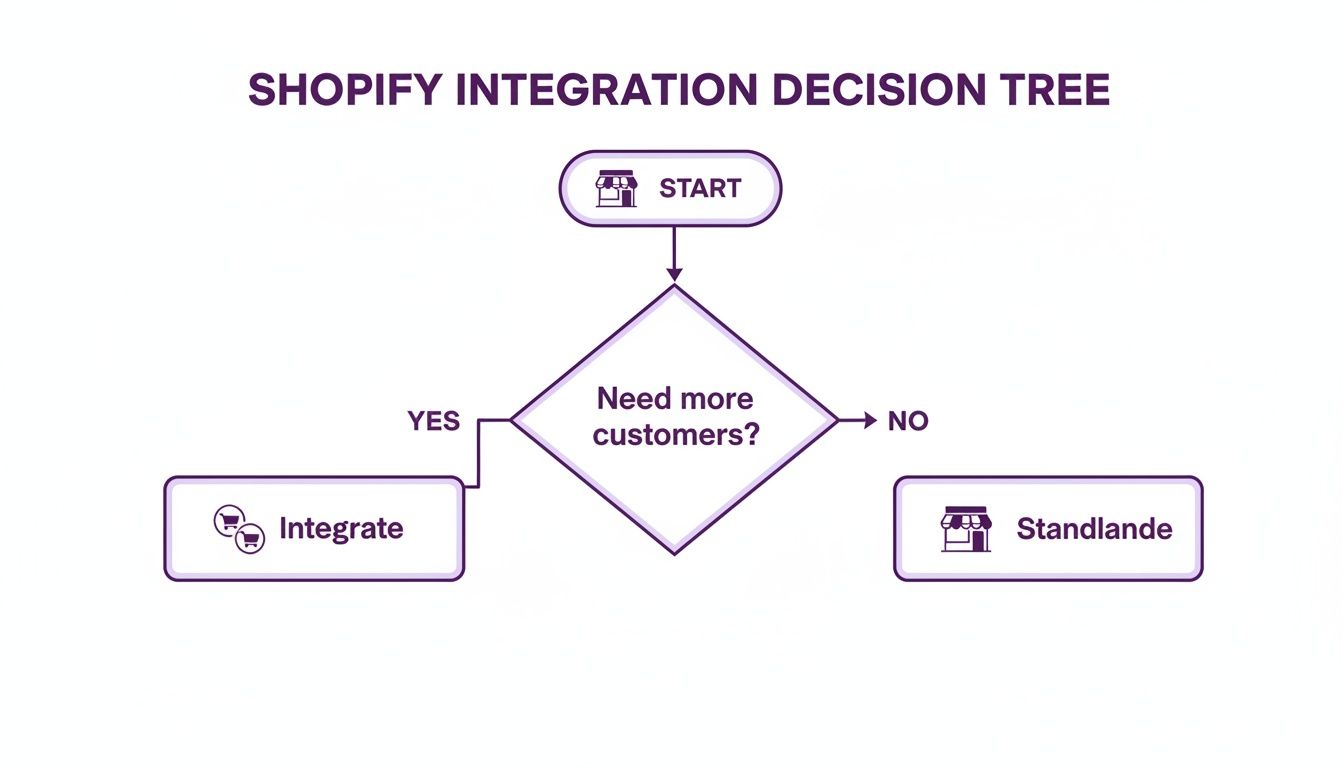
As you can see, if growth is the goal, integration is almost always the answer. You’ve got to expand beyond a single storefront to find new customers.
The Native Shopify eBay Channel
If you're just dipping your toes into multichannel selling, Shopify’s own eBay sales channel is the perfect place to start. It’s designed to be simple, and it's a solid, no-cost option for businesses with straightforward product catalogs.
Think of it this way: if you sell unique art prints or a small line of accessories without tons of variations, the native channel gives you the core functions you need. It’ll sync your inventory and pull orders back into Shopify, keeping your basic operations neat and centralized from the get-go.
But that simplicity is also its biggest weakness. You will quickly hit a wall if you need to manage a large, complex product line. That's when you have to look at the dedicated apps.
When to Use Third-Party Apps
As your business grows, your needs get more complicated. This is exactly when investing in a third-party app from the Shopify App Store stops being a "nice to have" and becomes an operational necessity. These tools are built from the ground up to handle the messy, real-world scenarios that growing brands run into every single day.
Let’s say you run a fashion brand. You sell one style of dress that comes in five sizes and ten different colors. That’s 50 unique SKUs for a single product. Trying to manage that with a basic tool is a recipe for overselling and hours of manual data entry. A proper third-party app, however, is built for this.
These apps offer powerful features like:
- Bulk Listing and Editing: The ability to create or update hundreds—or even thousands—of listings at once. This saves an unbelievable amount of time.
- Complex Attribute Mapping: Easily map your Shopify variants like size, color, and material to eBay’s specific item categories and required attributes without pulling your hair out.
- Multi-Warehouse Support: If you use multiple fulfillment centers or a 3PL, these apps can correctly route orders based on where the stock is actually located.
Take an electronics reseller as another example. They need to list products with specific condition grades like "New," "Used," or "Refurbished." A third-party app lets you build custom templates and rules that can automatically apply these conditions based on Shopify tags or metafields, something the native channel just can't do.
The core takeaway is this: While the native channel is a great starting point, third-party apps provide the granular control and automation necessary to run a serious, scalable multichannel operation. They are built for the complexity that comes with success.
How to Connect Your Shopify and eBay Stores
Alright, this is where your strategy gets real. Connecting Shopify and eBay isn't just a matter of clicking a few buttons; it’s about laying the groundwork for a smooth, headache-free multichannel operation. Before you even touch an app, you need to do a quick health check on both of your accounts.
First up, take a hard look at your eBay seller account. Is it in good standing? Your seller performance metrics need to be solid, with no lingering restrictions. A healthy account is non-negotiable if you want your new listings to actually get seen. At the same time, this is the perfect moment to give your Shopify product data a good spring cleaning. Make sure your product titles, descriptions, and images are top-notch, because this is the raw material your eBay listings will be built from.
Choosing Your Integration App
Once your accounts are prepped and ready, it's time to pick the right tool for the job. You’ll kick things off from your Shopify dashboard by heading over to the Shopify App Store. You'll see a few different options for an eBay and Shopify integration, and each has its own set of pros and cons.
Frankly, for most businesses—especially anyone with plans to grow—a dedicated third-party app is the only way to go. These tools are built with the robust features you’ll need to manage a serious multichannel business without tearing your hair out.
Here’s what you’ll see on the official eBay channel app page in the Shopify App Store.
That "Add app" button is your starting line. It kicks off the process of linking everything together right from your Shopify admin panel.
Authorizing and Configuring the Connection
After you’ve picked your app and hit install, you'll be asked to authorize the connection. This is a critical security step. You’re essentially giving the app permission to talk to both your Shopify product catalog and your eBay seller account. The process will bounce you over to eBay to sign in and formally approve the handshake between the two platforms.
With the authorization sorted, you dive into the initial configuration. This is where you set the rules of engagement for how your stores will interact.
- Default Policies: You'll set up your baseline shipping, payment, and return policies. Think of these as templates. You might create a "Standard Free Shipping" policy or a "14-Day Returns" policy that can be quickly applied to listings instead of setting them up one by one.
- Initial Sync Settings: Next, you have to decide which products get the green light. A smart move is to start small. Pick a manageable collection of your best-sellers to sync first, rather than throwing your entire catalog at it. This lets you test the waters and work out any kinks on a smaller, less risky scale.
Your initial setup is all about creating a solid foundation. Don’t rush this. Taking the time to get your default policies and sync settings right from the very beginning will save you from countless manual fixes down the road and ensure your eBay and Shopify integration runs like a well-oiled machine.
The final piece of this puzzle is mapping your products to eBay’s world. You’ll need to link your Shopify product collections to the most logical eBay categories. This step is absolutely vital for discoverability—it’s how you make sure your products show up when buyers are browsing the right digital aisles. Combine that with creating some branded listing templates, and you’ll have products that not only get found but also look sharp and professional.
Mastering Product and Inventory Syncing
Okay, so your stores are connected. Now the real work begins. The heart of any solid eBay and Shopify integration isn't just getting them linked up; it’s the constant, seamless synchronization of your products and inventory.
Honestly, this is the single most critical piece of the puzzle. Get it right, and you prevent overselling, protect your seller reputation, and keep customers from leaving angry reviews. Get it wrong, and you're just managing two separate messes waiting to explode.
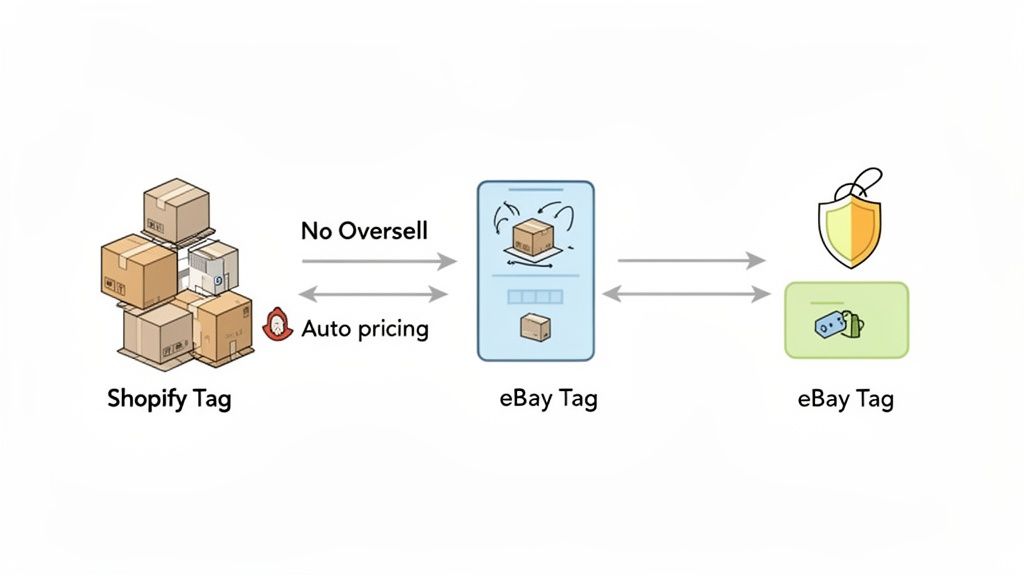
Real-time inventory syncing is your single source of truth. When a product sells on Shopify, its stock level has to update on eBay instantly, and vice versa. This is what stops you from selling that last widget to two different people—a nightmare that always ends in a canceled order and a ding to your seller rating.
Smart Product Data Management
Syncing goes way beyond just stock counts. You have to be smart about how you manage product information across both channels. A product title that works wonders on your branded Shopify store might completely flop in eBay's keyword-driven search environment.
The pros don’t just copy and paste. They use their integration app’s features to create listing templates that are optimized for each platform.
- Marketplace-Specific Pricing: A simple but powerful trick is to use pricing rules to automatically bump up your eBay price by a certain percentage. This is a dead-simple way to cover eBay's seller fees without eating into your profit margins.
- Title Optimization: Your Shopify title might be creative and on-brand, like "The Woodsman Flannel." But on eBay, you need to think like a search engine. A title like "Men's Large Red Plaid Flannel Shirt" is packed with the exact keywords buyers are typing in.
- Selective Syncing: You probably don't want to list your entire catalog on eBay. You can use Shopify product tags—something like "list-on-ebay"—to choose exactly which items get pushed to the marketplace. This gives you precise control.
Pulling this off means sticking to proven omnichannel inventory management best practices. It's not just about the software; it’s about building solid operational habits. For a deeper look at this, we have a whole guide on multi-channel inventory management.
Advanced Syncing Strategies
Once you start to scale, things get more complicated. What about product bundles, where one sale needs to reduce the stock of multiple component SKUs? Your sync tool has to be smart enough to understand those relationships. The same goes for products with tons of variants like size and color—precise attribute mapping is absolutely non-negotiable.
The real goal here is to get to a state of "set it and forget it" automation. A properly configured integration should juggle thousands of SKUs and orders daily without you having to constantly babysit it. That frees you up to focus on growing the business, not on tedious data entry.
Modern integration tools are built for this. By 2025, the expectation for any decent app is near-real-time inventory sync and the power to handle bulk listings in batches of thousands. This lets sellers with massive catalogs push their whole lineup to eBay without a headache.
Mastering these advanced syncing capabilities is what separates the casual sellers from the professional multichannel powerhouses. It’s how you ensure your operation is profitable and perfectly synchronized, no matter where the sale comes from.
Making Multichannel Order Fulfillment Actually Work
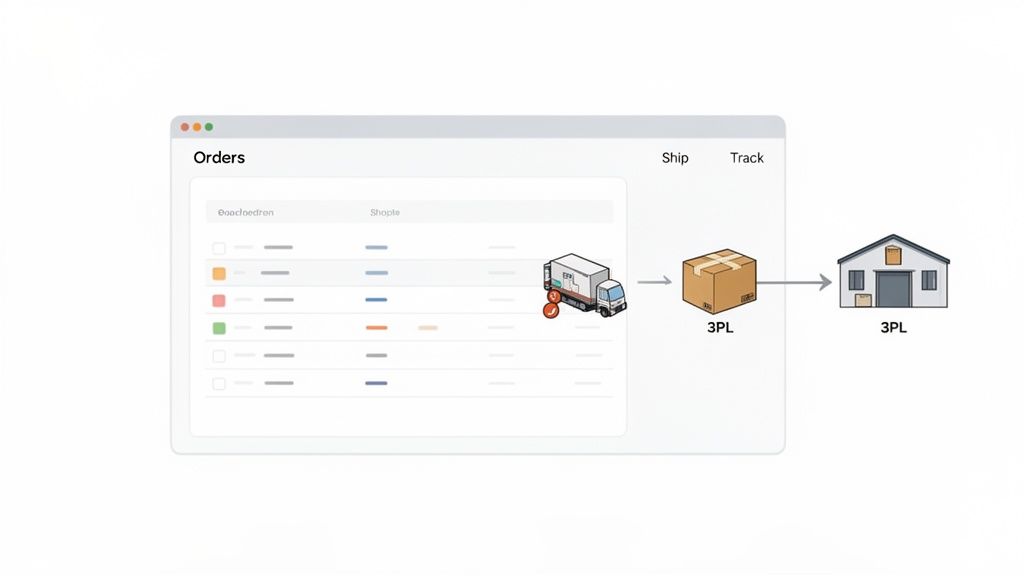
The moment you start seeing sales from both your Shopify store and your new eBay channel, you've officially stepped into multichannel commerce. It's a great problem to have, but it can quickly spin into chaos if you don't nail down a single, unified fulfillment process.
The whole point of a proper eBay and Shopify integration is to turn those two separate order streams into one clean workflow. Instead of constantly refreshing your eBay seller account for new orders, they just show up right in your Shopify dashboard. They'll look and feel just like your regular website orders, letting you manage everything from the screen you already know.
This isn't about reinventing your shipping process; it's about making sure you don't have to. You can process every single order, no matter where it came from, using the exact same system.
A Single Source for Shipping
Whether you’re packing boxes yourself or you’ve handed things over to a third-party logistics (3PL) provider, this kind of consolidation is a massive time-saver. Your team follows one procedure, prints labels from one system, and pulls inventory from one central hub. It just works.
Once you fulfill an eBay order in Shopify, the system generates a tracking number. A good integration then automatically pushes that info straight back to eBay. This little step is crucial for two big reasons:
- Happy Customers: The eBay buyer gets an instant notification that their item is on the way.
- Happy eBay: It keeps your seller metrics in the green by proving you ship on time.
From an operational standpoint, the goal is to make an eBay order feel no different than a Shopify order. You eliminate the busywork, slash the risk of human error, and build a fulfillment operation that can actually scale.
Handling Returns and Reporting
Of course, fulfillment isn't just about shipping boxes out the door. You have to deal with returns and keep the books straight, and an integrated system makes that easier, too. When a customer starts a return on eBay, that action can be mirrored in Shopify, so your records stay perfectly aligned.
On the finance side, having all your order data in one place simplifies reporting immensely. You can easily segment sales reports to see how much revenue is coming from each channel, which helps you make smarter calls on marketing spend and inventory buys. Getting a complete picture of your transactional activity is a huge reason why merchants do this in the first place.
When you see that eBay’s Gross Merchandise Volume sits around $18.8 billion for a single quarter, you realize just how much sustained buyer demand you can tap into. For a deeper dive, check out some more insights about the financial context for multichannel sellers on Shopify Doran.
For any business looking to really dial this in, exploring different ecommerce fulfillment solutions can be a game-changer. By centralizing everything, you can turn a potentially messy multichannel operation into a smooth, streamlined machine.
Got Questions About Integrating Shopify and eBay? Let's Clear Things Up.
Thinking about connecting eBay and Shopify is smart, but it's totally normal to have questions about how it all works day-to-day. Getting the practical details sorted out upfront is the key to building a multichannel strategy you can actually rely on.
Let's dive into some of the most common things merchants ask us.
Can I Set Different Prices for My Products on eBay and Shopify?
Yes, and honestly, you'd be crazy not to. A good integration app is more than just a data pipe; it should have powerful pricing rules built right in. This is your secret weapon for maintaining profitability on a platform like eBay.
For instance, you can easily create a rule to automatically mark up your Shopify prices by 15% for all your eBay listings. This simple tweak helps you absorb eBay's seller fees and any unique fulfillment costs for that channel. The best part? You protect your margins on every single eBay sale without ever touching the prices on your main Shopify store.
How Are Shipping Policies and Taxes Handled?
You'll typically manage shipping and tax settings using templates inside your integration app. The idea is to set it and forget it. You can create different shipping policies—maybe one for free shipping, another for calculated rates, and a third for a simple flat rate—and then apply them to specific product groups.
When an order rolls in from eBay, the right policy gets applied automatically. Taxes work in a similar way. You'll first configure your tax obligations directly in your eBay account settings. The integration then makes sure the correct sales tax is collected based on where the buyer is located, and all that crucial data flows back into Shopify with the order details for clean, accurate accounting.
What Happens if I Sell My Last Item on Shopify?
This is where a real-time inventory sync proves its worth. The second that last unit sells on Shopify, the integration app pings eBay with an immediate update.
That signal instantly sets the eBay quantity to zero or, depending on your settings, ends the listing altogether. This is a non-negotiable feature. It prevents you from accidentally selling an item you don't have, which is absolutely critical for protecting your seller rating and avoiding the headache of customer complaints. And don't worry, it works both ways—if the last item sells on eBay, your Shopify inventory updates just as fast.
A proper integration isn't just about connecting two platforms; it's about building automation you can trust. It should stop you from overselling, manage your pricing intelligently, and handle logistics without you needing to manually check everything. That’s what frees you up to focus on actually growing the business.
Which Is Better: The Native Shopify App or a Third-Party Solution?
The right answer here really comes down to your business's size and complexity. For someone just starting out with a small, straightforward product catalog, Shopify's native eBay app is a great place to start. It’s free and it handles the basics of syncing just fine.
But for most growing and established brands, a third-party solution is the way to go. They unlock a whole different level of control, with advanced features like bulk listing and editing, sophisticated attribute mapping for products with lots of variants, custom pricing rules, and support for multiple eBay accounts or international sites. If you’re managing hundreds of SKUs or need that fine-grained control over your listings, a paid app is less of a cost and more of a necessity.
Navigating a complex eBay and Shopify integration can feel like a huge project, especially when you're trying to scale. For businesses that want to get it right without the trial-and-error, the experts at ECORN can design and implement a rock-solid multichannel strategy built for growth. Get in touch with our Shopify specialists today and let's build it right.



Ecommerce Analytics Consulting for Growth

What Is AI Integration for eCommerce

How to Choose the Right eCommerce Website Development Firm

E Business Strategy Implementation

Conversion Tracking Setup for Shopify Stores

BigCommerce vs Shopify Plus Which Enterprise Wins in 2026

Shopify Theme Kit: Setup, Commands, and Migration Guide

Shopify Extension Development: A Practical 2026 Guide

Shopify Speed Score Explained and How to Improve It

Shopify Mobile Optimization: The 2026 Playbook

How to Add Subcategory in Shopify for Better UX

How to Implement Structured Data for Ecommerce in 2026

SEO App Mobile: Shopify Store Optimization Guide

Shopify Plus Support: What It Includes and How to Choose

Google Ads for Shopify: The Complete 2026 Playbook

Shopify New York: How to Find and Hire the Right Agency

Google Search Console for Shopify: The Complete Setup

First Party Data Collection for eCommerce Growth

FAQ Online Store Guide: Build and Measure It Right

Do FB Ads Work for eCommerce in 2026?

One Page Checkout for Shopify: Design and Implementation

Shopify GraphQL vs REST: The 2026 Developer Decision

Shopify Ecommerce Consulting: Strategy, Pricing &

Are Reddit Ads Worth It for eCommerce Brands

Shopify Title and Meta Description: A Practical 2026 Guide

Product Video Best Practices for Shopify Brands

Real-Time Inventory Management: A 2026 Guide

AI Chatbot Integration for Shopify Stores

Affiliate Program Management: A Shopify Guide

10 Best Performance Monitoring Tools for Shopify in 2026

Digital Asset Management for eCommerce Brands in 2026

Every Type of Facebook Ads Explained for eCommerce Growth

Product Information Management Explained for Shopify Brands

Support Ticket System: A Guide for Shopify Stores

10 Best Customer Service Tools for Shopify in 2026

Can I Start a Business with No Money? a 2026 Blueprint

What Sells Good on Etsy: Best Niches for 2026

Shopify Add to Cart Button: A Practical 2026 Guide

Customer Feedback Automation: A Practical eCommerce Guide

Critical Rendering Path: A Guide for Shopify Stores

How to Promote on TikTok for eCommerce in 2026

B2B eCommerce Consulting That Drives Real Revenue

10 Best Practices for Site Navigation in 2026

Return vs Refund for Shopify Stores: A Practical Guide

What Is Customer Lifetime Value and Why It Matters

What Is Voice of Customer Research for eCommerce

SMS Marketing for Ecommerce That Actually Converts

Master How to Improve Email Deliverability in 2026

Top 7 eCommerce Partners NYC for Shopify Brands in 2026

Machine Learning for Ecommerce: Boost Your Shopify Store

Beauty Market Research: Your 2026 Growth Guide

Shopify International Expansion: A 2026 Roadmap

What Does CRO Stand for in Business: Understanding CRO

Shopify Visual Merchandising: A Playbook for Higher Sales

Shopify Landing Page Design: Master Conversion in 2026

10 Best AI SEO Optimization Tools for Shopify in 2026

Agentic AI for Ecommerce: Boost Your Sales in 2026
Mastering Email Marketing Data for eCommerce Growth

Conversion Rate Optimisation Australia: Boost Your Sales

Conversion Rate Optimization AI: Your Shopify Store Guide

10 Product Bundling Strategies for Shopify in 2026

How to Increase Customer Lifetime Value: A Shopify Playbook

AI Customer Service Automation: Shopify Guide 2026

Clean Website Design: A Shopify Conversion Playbook

Omnichannel Retail Strategy: A Shopify Playbook

Product Data Enrichment: A Guide for Shopify Brands

Instagram Shopping Features a Guide for Shopify Stores

What Is Revenue Optimization: A Holistic RevOps Guide

Benefits of Conversion Rate Optimization: Boost Your

WordPress to Shopify Migration: Your 2026 Seamless Switch

Boost Sales: Ecommerce Payment Processing Guide 2026

Unified Commerce Platform: Benefits, KPIs & Shopify Guide

How to Reduce Bounce Rate eCommerce: Your 2026 Guide

Shopify API Integration: A Practical End-to-End Guide

How to Implement Data Governance: A 2026 Guide

Shopify Store Development Cost: A 2026 Breakdown

What Is Server Side Tracking: The Shopify Guide 2026

Marketing Automation Workflows: A Shopify Guide for 2026

Shopify: How to Reduce Technical Debt

Shopify UX Design Change: A Playbook for Growth

User Generated Content Strategy: Shopify Playbook

Shopify Pause and Build Plan Cost: A Complete 2026 Guide

Compare at Price on Shopify: A Complete Guide for 2026

Where Can I Sell My Prints? 10 Best Platforms for 2026

Shopify Order Management System: The Ultimate Guide 2026

What Is Marketing Attribution? an eCommerce Guide for 2026

10 Best Black Friday Sales Sheets for 2026

Discover the Top Social Media Marketing Agencies For

Consumer Confidence Definition for eCommerce in 2026

What Is Social Commerce? Your 2026 Guide to Boosting Sales

A Social Ad Campaign Playbook for eCommerce Growth

7 Best FAQ Page Examples for SaaS & eCommerce

Market Research in Fashion Industry: A Guide for Shopify

Shopify Migration Services: Expert Guide for 2026

Mastering FB Retargeting Ads for Shopify in 2026

What Is Omnichannel Ecommerce

Master Your Shopify Plus Migration: The 2026 Guide

Shopify Integration Services: A Merchant's 2026 Guide

Shopify Collection Description: A Guide to SEO & Sales

Shopify Plus Contact: Reach Sales & Support Effectively


newsletter in your inbox