

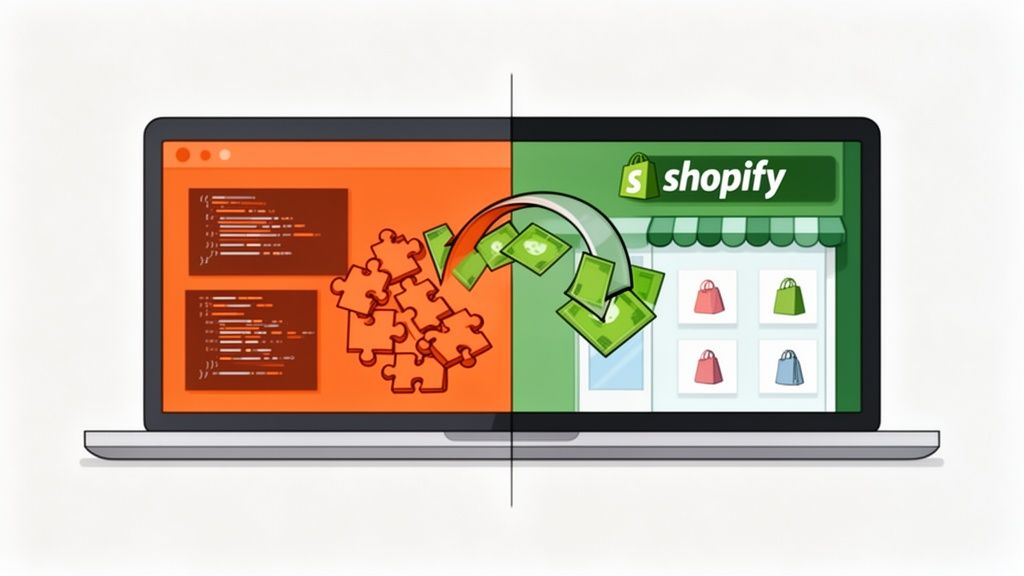
Thinking about a migration from Magento to Shopify? You're not just swapping out one piece of tech for another; you're making a strategic decision to build a more efficient, growth-focused business. This isn't about running away from a platform. It’s about leaning into a streamlined ecosystem built for modern commerce.
Why Smart Brands Are Migrating From Magento to Shopify

There's a reason so many growing ecommerce brands are making the jump from Magento. It’s a powerful platform, no doubt, but that power comes at a cost that goes way beyond licensing fees. We see it all the time: businesses get bogged down by Magento's sheer operational weight.
Its open-source nature means you need a developer for almost everything, from minor tweaks to critical security patches. This creates frustrating bottlenecks that slow your whole operation down.
And then there are the costs. Unpredictable maintenance bills, server management headaches, and troubleshooting complex code—it all adds up, draining resources that should be going into marketing and product development. For a brand that’s trying to scale, these hurdles become a serious distraction.
The Strategic Advantages of a Shopify Migration
At its core, the move to Shopify is about lowering your total cost of ownership (TCO). As a fully-hosted SaaS platform, Shopify takes care of the technical heavy lifting—server management, security, and performance are all handled for you. This frees your team up to focus on what actually grows the business.
When you make the switch, you unlock some serious competitive advantages:
- Blazing-Fast Site Performance: Shopify's infrastructure is built for speed. That means faster load times and better Core Web Vitals, which is a massive win for both your customer experience and your SEO rankings.
- Empower Your Whole Team: The Shopify admin is famously intuitive. Your marketing and content teams can manage products, launch campaigns, and update the site without ever needing to bug a developer.
- A World of Apps at Your Fingertips: The Shopify App Store is massive. You can find a plug-and-play solution for almost any functionality you had on Magento, often with a much simpler setup.
We’ve seen firsthand how a Magento to Shopify migration can be a game-changer. One analysis of 527 stores found the average migration took just 18 days with a 92% data transfer success rate. The result? A 35% average increase in revenue post-migration, proving just how powerful Shopify's optimized environment can be.
The numbers don’t lie—there’s a clear and compelling return on investment. A well-planned migration can be incredibly quick and effective.
To help you see the bigger picture, we’ve put together a high-level comparison of the two platforms.
Magento vs Shopify: A Strategic Comparison for Growing Brands
Choosing between an open-source powerhouse like Magento and a streamlined SaaS solution like Shopify can feel daunting. This table breaks down the key differences that matter most when you're focused on growth and efficiency.
This side-by-side view makes it clear why so many brands are opting for Shopify's simplicity and power. It's a platform designed to remove friction, not create it.
For a more granular breakdown, check out our detailed comparison of Magento vs Shopify. The trend is clear: Shopify is empowering brands to achieve remarkable growth by letting them focus on what they do best.
Laying the Groundwork: Your Pre-Migration Blueprint
Jumping into a migration from Magento to Shopify without a solid plan is a recipe for disaster. Think of it less like a technical task and more like a strategic business move. It all starts with a deep, honest look at your current Magento setup. This is where you iron out the wrinkles, manage risk, and make sure your new Shopify store is set up to deliver real results.
Forget a generic checklist. This is a forensic investigation of your store. The goal here is to figure out what’s absolutely essential, what could be done better on Shopify, and what you can finally leave behind. This kind of upfront thinking keeps the project on track and grounded in reality.
Digging Deep with a Full Magento Audit
First things first: you need a complete inventory of everything on your existing site. You have to understand every moving part before you can decide where it goes on Shopify.
Let's start with your product catalog. Don't just count SKUs; you need to understand the complexity.
- Product Types: How many simple, configurable, bundled, or virtual products are you dealing with? Shopify's variant system is fantastic, but bundled products, for instance, might need a different approach, maybe with a dedicated app.
- Attribute Sets: Make a detailed list of all your Magento product attributes. You'll have to map these to Shopify's product options or, for more complex data, lean on metafields. For example, a "Technical Specs" attribute set in Magento will likely become a series of metafields on your Shopify product detail pages.
- Media: Are your product images and videos a mess? Now is the perfect time to clean house, ditch old assets, and make sure you're only migrating high-quality media that will shine on a new storefront.
Next up, your customer and order data. Honestly, migrating every single order from the last ten years probably isn't worth the cost or the headache. A smarter move is to migrate just the last two or three years of order history. This keeps recent customer data handy while you can archive the rest. It makes for a much cleaner migration and a tidier Shopify admin from day one.
One of the biggest mistakes we see is treating a migration as a simple "lift and shift." This is your golden opportunity to streamline. A thorough audit almost always reveals that 20-30% of old data or functionality is totally redundant and can be retired, saving a ton of time and money.
Mapping What You Have to What You Need
With a clear picture of your data, it's time to tackle your Magento extensions and custom code. This is, without a doubt, one of the most critical parts of planning your move to Shopify.
Fire up a spreadsheet and list every single extension and custom feature. For each one, figure out what it does and then ask three simple but powerful questions:
- Is this feature actually still essential for our business?
- Does Shopify offer a native feature that does the same thing?
- Can we get this done (and probably do it better) with an app from the Shopify App Store?
For example, that complex custom shipping module you had built in Magento could be easily replaced by an app like ShipperHQ on Shopify. A clunky rewards program extension? You could switch to a modern solution like LoyaltyLion. This process stops you from trying to cram old, clunky Magento logic into the sleek, efficient Shopify ecosystem.
Finally, with all your research done, you can set clear, measurable goals for the project. Vague goals like "build a better website" are useless. You need specifics that are tied to actual business outcomes.
Actionable Migration Goals
This blueprint turns your migration from a technical nightmare into a powerful business upgrade. It gives you a clear roadmap, manages expectations, and guarantees that your new Shopify store isn't just a replacement, but a massive step forward.
Getting Into the Weeds: Core Data Migration
Once you have your strategic blueprint locked down, it’s time to get your hands dirty with the technical core of the migration: moving your data. This is where precision and careful planning really pay off. Get it right, and your products, customers, and order history will arrive on Shopify intact and ready to go.
Think of it less like flipping a switch and more like carefully translating a book from one language to another. The details matter immensely.
The whole process starts long before you move a single piece of data. It’s all about preparation, which really boils down to three key phases: a thorough audit, defining the scope, and setting clear goals.
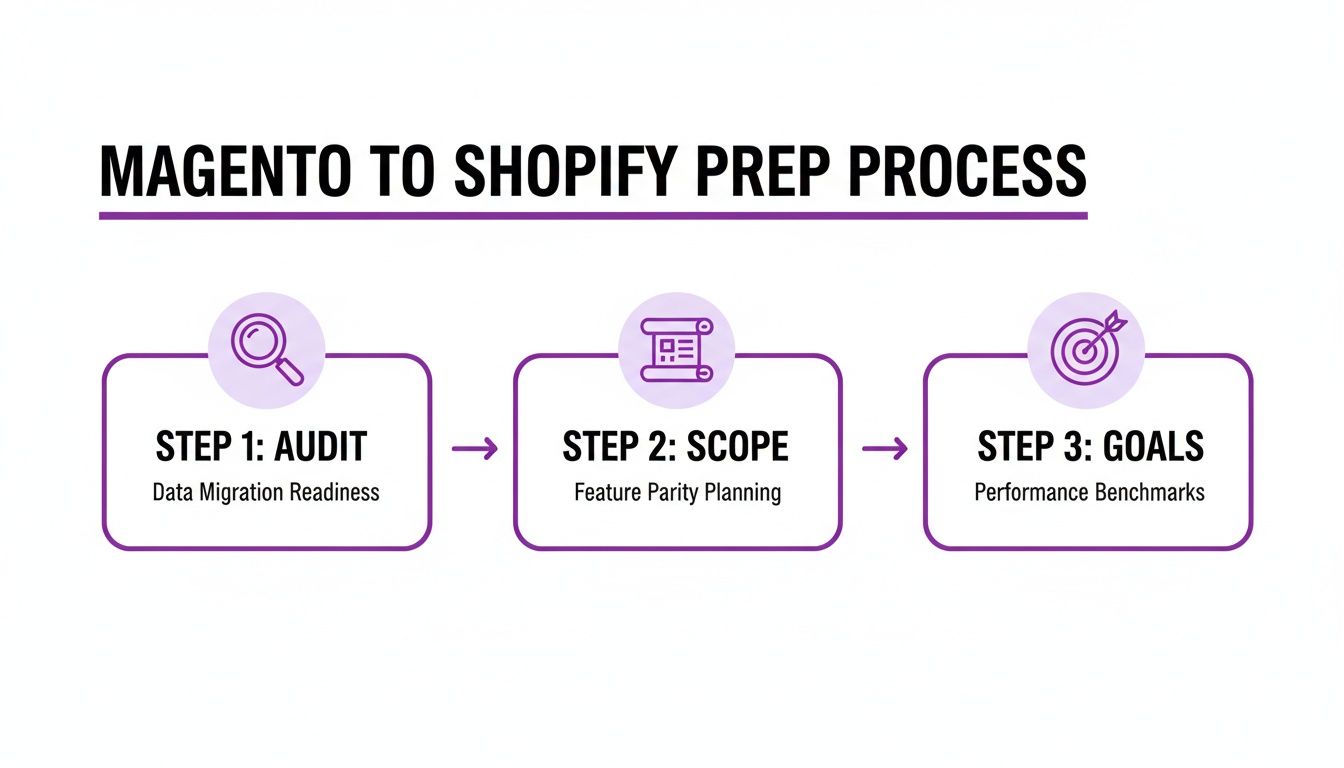
This visual really drives home the point that a successful data transfer is built on a foundation of solid discovery and clear objectives, not just technical button-pushing.
Choosing Your Migration Method
You’ve got three main ways to get your data from Point A to Point B: manual export/import, using an automated migration app, or hiring an agency.
Let's be blunt: a manual CSV migration gives you total control, but it's incredibly time-consuming and a minefield for human error. It’s only really a viable option for the smallest, simplest stores. For most businesses, the real choice is between an automated tool and bringing in the experts.
- Automated Migration Apps: Tools like Cart2Cart or Matrixify are built to connect to both platforms and handle the heavy lifting. They’re cost-effective and relatively quick, but the buck stops with you for the critical data mapping and any post-migration cleanup.
- Agency-Led Migration: Handing the keys to a Shopify expert agency means they manage the entire process. This is the most hands-off and secure option, especially if you have a complex store with custom data structures or a decade of order history.
Ensuring data integrity is a non-negotiable part of any platform switch. Taking some time to review the best practices for data migration can help you sidestep common pitfalls that can completely derail a project. This step is far too important to leave to chance.
The Make-or-Break Task: Data Mapping
Data mapping is easily the most intricate part of this whole operation. It's the process of translating Magento's data structure into Shopify’s, and it is absolutely not a one-to-one transfer. The platforms just organize information differently.
For products, Magento’s attribute sets need to be thoughtfully mapped to Shopify’s product options and metafields. For instance, a "Care Instructions" attribute in Magento doesn’t have a default field in Shopify. That needs to be mapped to a custom metafield. Likewise, Magento’s more complex product types, like bundled or grouped products, often require Shopify apps to replicate their functionality. You can't just import them and expect them to work.
Customer data has its own set of puzzles. Magento’s customer groups (like "Wholesale" or "VIP") simply don’t exist in Shopify. The standard workaround is mapping these groups to customer tags, which you can then use for segmentation, marketing, and access control.
Don’t underestimate the complexity of order data. While you can migrate your order history, you can't just import old orders into Shopify’s live system. They are typically brought in as historical records using a third-party app. This preserves the data for customer service but keeps it from messing up your new store's reporting.
Handling Real-World Migration Scenarios
Let’s talk about a practical example. Imagine you’re migrating a store with thousands of configurable products, each with unique SKUs for different sizes and colors. In Magento, that's managed with configurable products linked to simple products. In Shopify, this all gets consolidated into a single product with multiple variants. Your migration tool or process has to correctly merge these into Shopify’s variant structure. One mistake here can create a massive inventory headache.
B2B brands are another common case. We're seeing an acceleration in B2B migrations, mostly driven by frustration with Magento's high maintenance costs and developer dependency. For a mid-size store with 5,000–50,000 products and custom business logic, a full-service agency migration can cost between $8,000–$20,000 and take 4-8 weeks. That timeline usually covers everything from data transfer and SEO preservation to essential app integrations.
Ultimately, the core data transfer demands a meticulous, almost surgical, approach. Whether you use an automated tool or partner with an agency, success hinges on understanding the structural differences between Magento and Shopify and planning your data mapping with absolute precision.
For a detailed walkthrough, you might be interested in our complete Shopify migration checklist, which breaks down every single step.
Rebuilding Your Storefront and Functionality on Shopify
One of the biggest anxieties I see merchants face during a migration from Magento to Shopify is the fear of losing their store’s unique identity. They worry that their carefully crafted brand experience and essential business logic will get lost in translation.
But let's reframe that. This stage isn't about making a carbon copy; it's a massive opportunity to upgrade your entire user experience, especially on mobile.
Moving to Shopify means leaving behind a custom-coded theme that was probably slow and a nightmare to update. In its place, you get access to the Shopify Theme Store, which is packed with modern, performance-optimized themes built from the ground up with conversion in mind. This is your chance to shed years of technical debt and launch a storefront that’s faster, more intuitive, and fully responsive right out of the box.
Mapping Magento Extensions to the Shopify App Ecosystem
Your next big task is figuring out what to do with all those Magento extensions. A strategic approach here is absolutely critical. Just looking for a one-to-one replacement for every old extension is a rookie mistake. The real goal is to find modern, and often far superior, solutions in the Shopify App Store that actually serve your current business goals.
Go back to the inventory you created during your pre-migration audit. For each Magento extension, nail down its core function, then start exploring Shopify apps that deliver the same (or better) outcome.
- ERP and PIM Integrations: Many of the complex, custom-built connectors in Magento can be replaced with robust, pre-built apps on Shopify. Check for official apps from your ERP provider or trusted third-party connectors that offer a much smoother integration.
- Subscription Services: If you were using a clunky Magento extension for recurring orders, you can now migrate to incredibly powerful Shopify-native platforms like Recharge or Skio. These apps are woven directly into the Shopify checkout, providing a seamless experience for your subscribers.
- Loyalty and Rewards Programs: Those clunky old rewards modules can be swapped for modern, engaging solutions like LoyaltyLion or Yotpo. They offer far more effective ways to build real customer retention.
- Advanced Search and Filtering: Functionality that required a heavy, performance-draining extension on Magento, like faceted search, is handled beautifully by apps like Searchanise or Algolia. They can deliver lightning-fast, relevant results without slowing your site down.
Don't just replicate your old setup. Use this migration as a catalyst to reassess your entire tech stack. You'll often find that three different Magento extensions can be replaced by a single, more efficient Shopify app, which cuts down on both complexity and monthly subscription costs.
This process is about more than just swapping out tools. It’s about adopting a more agile, efficient way of running your business. By leaning into the Shopify App Store, you dramatically reduce your reliance on custom code. That means easier updates, better security, and the ability to roll out new features much, much faster.
Leveraging the Power of Shopify Plus for Complex Needs
For businesses with more sophisticated requirements, Shopify Plus offers another layer of customization that can easily replicate—and often surpass—what was possible on Magento. If you're on Shopify Plus, you get access to exclusive tools that are total game-changers.
Shopify Scripts are a perfect example. These are small snippets of Ruby code that allow you to inject custom logic directly into the cart and checkout process. For instance, you can use Scripts to build:
- Tiered pricing for wholesale customers.
- Complex "Buy One, Get One" (BOGO) offers.
- Automatic discounts based on specific item combinations in the cart.
- Custom shipping rate calculations for unique products.
This kind of functionality lets you build sophisticated promotions and pricing rules directly into your store's backend, without bloating the frontend with heavy apps.
On top of that, the ability to customize the checkout.liquid file on Shopify Plus gives you incredible control over the most critical step in the customer journey. While Magento’s checkout is highly customizable, it often comes at a steep cost to performance and security. With Shopify Plus, you can add custom branding, trust badges, and other unique UX elements to your checkout page while still running on Shopify’s rock-solid, secure, and high-converting checkout infrastructure.
That combination of flexibility and reliability is something that’s incredibly difficult and expensive to achieve on a self-hosted Magento setup.
Protecting Your SEO During the Switch
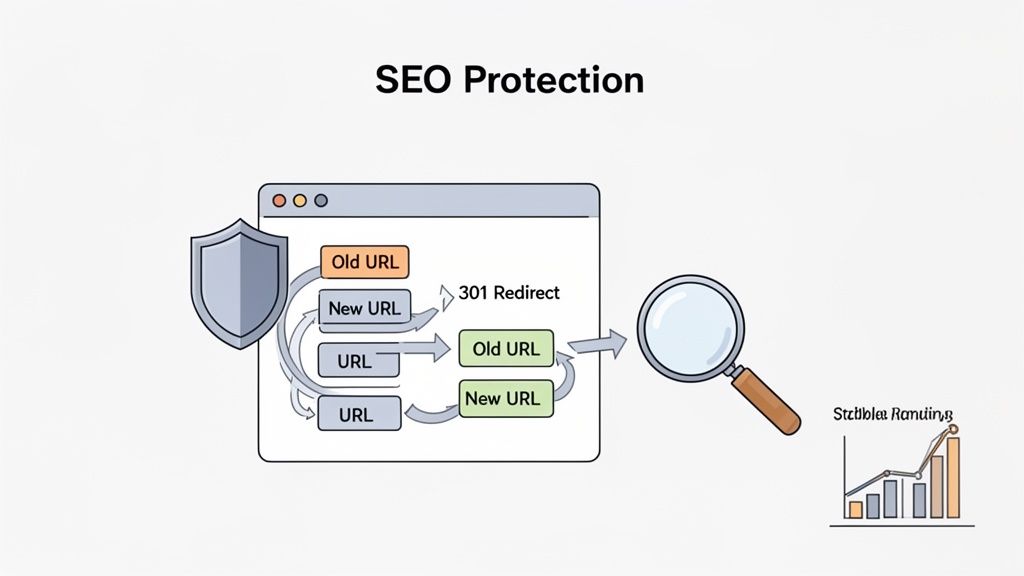
Let's be honest, losing years of hard-earned search rankings is the nightmare scenario for any brand migrating from Magento to Shopify. A sudden drop in organic traffic can cripple revenue overnight, making SEO preservation one of the most critical—and frankly, most feared—parts of the whole project.
But it doesn't have to be terrifying. With a solid, meticulous strategy, you can protect your SEO equity and even come out stronger on the other side.
The main headache comes from a fundamental difference in how Magento and Shopify structure URLs. Magento gives you almost total freedom, which is great until you have to move. Shopify, on the other hand, enforces a more rigid format, like adding /products/ to product URLs and /collections/ for collection pages. This means every single one of your old URLs will break if you don't handle it properly.
Mastering URL Redirects and Data Mapping
This is where the humble 301 redirect becomes your most important tool. A 301 is a permanent instruction that tells search engines (and users' browsers) that a page has moved for good. Building a comprehensive redirect map isn't just a good idea; it's completely non-negotiable.
Your first move is to crawl your entire Magento site. Use a tool like Screaming Frog or Ahrefs to export a complete list of every single URL you have. Then, you'll need to create a simple two-column spreadsheet:
- Column A: Your old Magento URLs.
- Column B: The corresponding new Shopify URLs.
Precision is everything here. A Magento product URL like yourstore.com/awesome-widget.html has to be perfectly mapped to its new Shopify home, yourstore.com/products/awesome-widget. For smaller catalogs, you might get away with using Shopify's built-in redirect manager. But for stores with thousands of pages, an app like Matrixify is a lifesaver for bulk-importing your redirect map via a CSV file.
A classic mistake we see all the time is forgetting about image URLs. If your product images rank well in Google Images, failing to map them correctly will cause a noticeable drop in traffic. Make sure your mapping plan includes preserving that image SEO.
Beyond Redirects: An SEO Preservation Checklist
While 301s are the foundation, a truly robust SEO strategy goes much deeper. You also have to migrate all the crucial on-page elements that search engines use as ranking signals.
Here's what your SEO migration checklist should cover:
- Metadata: Systematically transfer all your meta titles and meta descriptions. These directly impact your click-through rates from search results, so don't leave them behind.
- Canonical Tags: Double-check that canonical tags on the new Shopify site are correctly configured. This is key to preventing duplicate content issues, especially if you have product variants.
- Image Alt Text: Make sure all your descriptive alt text moves over with your product images. This is huge for both accessibility and image search rankings.
Performance is another massive piece of the puzzle. While over 86% of Magento stores have moved to updated versions, many are now eyeing Shopify for even bigger performance gains. A move from Magento 1 to Magento 2 can deliver 50% faster load times, but Shopify's out-of-the-box excellence with Core Web Vitals often blows that away—a major win for your SEO.
To really nail this, you should also familiarize yourself with these essential ecommerce SEO best practices. This will set you up for success not just on launch day, but for the long haul. The final step is running both pre-launch and post-launch SEO audits to catch any broken links or crawl errors before they can do any real damage.
Launch and Post-Migration Growth Strategies
Getting your migration from Magento to Shopify to the finish line is more than just flipping a switch. The real art is in sticking the landing—executing a perfect launch and then immediately shifting your focus to growth. All the heavy lifting is behind you, but this is where your careful planning really shines, creating a seamless switch for your customers and setting you up for what comes next.
Before you go live, you need to get into a quality assurance (QA) mindset. This isn't just about clicking a few pages to see if they load. It’s a deep dive into every function that actually makes you money.
Your Final Pre-Launch QA Checklist
Don't even think about pointing your domain until you've done some serious end-to-end testing. This is your last chance to squash any bugs before they hit your customers and your bottom line. Get your team to put the new site through its paces, covering every possible scenario.
- Frontend User Experience: Test everything on Chrome, Safari, and Firefox. Then do it again on desktop, tablet, and mobile. Are all the pages, images, and links showing up correctly? No broken layouts? Good.
- Checkout and Payments: This is the big one. Place test orders with every single payment option you offer. Make sure the transactions go through, the right tax rules are applied, and the order confirmation emails actually send.
- Backend Operations: Jump into the Shopify admin. Do the test orders look right? Run through your entire fulfillment process, from processing the order all the way to printing a shipping label.
- App Functionality: Every app you installed—for loyalty, reviews, subscriptions, search, you name it—needs to be checked. Make sure they’re all configured properly and doing what they're supposed to do.
A classic mistake we see is forgetting to test the customer account migration. Before you launch, email a small group of your most loyal customers. Ask them to try logging into their new accounts and resetting their passwords. This one small action can save you from a tidal wave of customer service tickets on day one.
From Launch Day to Growth Day
Once you're confident in your testing, the launch itself is pretty straightforward. You'll point your domain to Shopify and maybe do one last data sync to pull in any final orders from your old Magento store. But the moment your new Shopify site is live, the real work begins. Your mindset has to switch instantly from migration to optimization.
This is where Conversion Rate Optimization (CRO) takes center stage. Think of your new site as a fantastic starting point, a baseline ready for improvement. Start keeping a close eye on your Shopify Analytics and Google Analytics. Pay special attention to your bounce rates, add-to-cart rates, and where people are dropping off in the checkout.
Try to get an A/B test running within the first month. It doesn't have to be complicated. Something as simple as changing the color of your "Add to Cart" button or tweaking the headline on your homepage can teach you a ton about what your audience responds to. The goal is to never stop improving. You've just moved to a powerful platform, now it's time to use it to turn a successful migration into sustainable, long-term growth.
Common Questions We Hear About Magento to Shopify Migrations
We get it—making a platform switch is a huge decision, and you've probably got a lot of questions. We've managed over 100 of these projects, so we've heard them all. Here are the honest answers to the questions that come up most often.
How Long Will This Whole Thing Take?
Realistically, you should budget anywhere from 6 to 12 weeks for a full migration. The exact timeline really depends on the moving parts. If you have a massive product catalog, a ton of custom features that need to be rebuilt, or a complex theme design, it could lean towards the longer end. Simple stores? We can sometimes get them done faster.
Will I Have to Shut Down My Store?
Nope, not at all. Your current Magento store will stay live and keep ringing up sales throughout the entire process. We build everything out on a separate, hidden "staging" site. This lets you click around, test everything, and give feedback without your customers ever knowing what's happening behind the scenes.
The only downtime is a tiny blip on launch day—usually less than an hour—when we finally point your domain over to the new Shopify site.
Can All of My Data Actually Be Migrated?
Pretty much everything that matters. We can bring over your:
- Products: SKUs, descriptions, images, all your variants, and metadata.
- Customers: Names, contact info, and shipping addresses.
- Order History: We can import past orders so you have that historical data for reference.
- Content: Your blog posts and other CMS pages can be moved across.
What can't come over directly are your Magento extensions and custom-coded features. That's not a problem, though. Part of the process is mapping that functionality to the right Shopify apps or building a custom solution to get you the same result.
The one big thing to know is that customer passwords can't be moved due to security and encryption. This is standard practice. When you launch, you'll need to run a quick campaign inviting your customers to create a new password for their account on the new site.
So, What's the Average Cost?
This is the "how long is a piece of string?" question. Costs vary wildly based on the project's scope. A super basic migration using automated tools might only be a few thousand dollars.
But for a typical mid-sized store with somewhere between 5,000 to 50,000 products, some custom business logic, and a serious need to protect your SEO rankings, you're usually looking at a range of $8,000 to $20,000+.
Getting your migration right is the foundation for your future growth. At ECORN, our team has guided brand after brand through this exact process, making sure the transition is seamless and that your hard-earned data and SEO value are protected.


How to Cross Sell on Shopify Without Friction

Best Shopify Theme for Custom Products Compared
Multi Store Inventory Management: A Practical Guide

SEO Consulting for Ecommerce: A Practical Guide
Shopify Theme Updater App: A Safe Update Playbook
Shopify Git Integration: A Developer's Guide to 2026
Headless Ecommerce Development Services Explained

How to Build a Shopify Clothing Website That Converts

How to Launch a Box Subscription Business in 2026

Luxury Skincare Branding Playbook That Converters

10 Best Podcast Ecommerce Shows for Store Growth in 2026

Shopify Developer Hourly Rate: What to Pay in 2026

Critical Shopify Setup Errors That Are Secretly Sabotaging Your Store

Ecommerce Conversion Tracking: The Complete How-To Guide

Shopify Design Agency: How to Pick the Right Partner

Mastering Multi Store Management on Shopify

Scale Shopify Store

10 Shopify App Ideas Worth Building in 2026

Conversion Rate Optimization for Landing Pages: The Playbook

Shopify Plus Automation: A Guide for 2026

10 Social Selling Platforms for Shopify Merchants

Shopify Website Design Examples: 7 Stores Worth Studying

7 Ecommerce Newsletter Examples for Shopify Brands

One Product Shopify Store: Build and Scale

Mobile Pop Up Strategy for Shopify Stores That Converts

Sitemap for Shopify: How to Find, Optimize, and Submit It

7 Single Product Websites Worth Emulating

Product Variants Shopify: The Complete 2026 Guide

Ecommerce Analytics Consulting for Growth

What Is AI Integration for eCommerce

How to Choose the Right eCommerce Website Development Firm

E Business Strategy Implementation

Conversion Tracking Setup for Shopify Stores

BigCommerce vs Shopify Plus Which Enterprise Wins in 2026

Shopify Theme Kit: Setup, Commands, and Migration Guide

Shopify Extension Development: A Practical 2026 Guide

Shopify Speed Score Explained and How to Improve It

Shopify Mobile Optimization: The 2026 Playbook

How to Add Subcategory in Shopify for Better UX

How to Implement Structured Data for Ecommerce in 2026

SEO App Mobile: Shopify Store Optimization Guide

Shopify Plus Support: What It Includes and How to Choose

Google Ads for Shopify: The Complete 2026 Playbook

Shopify New York: How to Find and Hire the Right Agency

Google Search Console for Shopify: The Complete Setup

First Party Data Collection for eCommerce Growth

FAQ Online Store Guide: Build and Measure It Right

Do FB Ads Work for eCommerce in 2026?

One Page Checkout for Shopify: Design and Implementation

Shopify GraphQL vs REST: The 2026 Developer Decision

Shopify Ecommerce Consulting: Strategy, Pricing &

Are Reddit Ads Worth It for eCommerce Brands

Shopify Title and Meta Description: A Practical 2026 Guide

Product Video Best Practices for Shopify Brands

Real-Time Inventory Management: A 2026 Guide

AI Chatbot Integration for Shopify Stores

Affiliate Program Management: A Shopify Guide

10 Best Performance Monitoring Tools for Shopify in 2026

Digital Asset Management for eCommerce Brands in 2026

Every Type of Facebook Ads Explained for eCommerce Growth

Product Information Management Explained for Shopify Brands

Support Ticket System: A Guide for Shopify Stores

10 Best Customer Service Tools for Shopify in 2026

Can I Start a Business with No Money? a 2026 Blueprint

What Sells Good on Etsy: Best Niches for 2026

Shopify Add to Cart Button: A Practical 2026 Guide

Customer Feedback Automation: A Practical eCommerce Guide

Critical Rendering Path: A Guide for Shopify Stores

How to Promote on TikTok for eCommerce in 2026

B2B eCommerce Consulting That Drives Real Revenue

10 Best Practices for Site Navigation in 2026

Return vs Refund for Shopify Stores: A Practical Guide

What Is Customer Lifetime Value and Why It Matters

What Is Voice of Customer Research for eCommerce

SMS Marketing for Ecommerce That Actually Converts

Master How to Improve Email Deliverability in 2026

Top 8 eCommerce Partners NYC for Shopify Brands in 2026

Machine Learning for Ecommerce: Boost Your Shopify Store

Beauty Market Research: Your 2026 Growth Guide

Shopify International Expansion: A 2026 Roadmap

What Does CRO Stand for in Business: Understanding CRO

Shopify Visual Merchandising: A Playbook for Higher Sales

Shopify Landing Page Design: Master Conversion in 2026

10 Best AI SEO Optimization Tools for Shopify in 2026

Agentic AI for Ecommerce: Boost Your Sales in 2026
Mastering Email Marketing Data for eCommerce Growth

Conversion Rate Optimisation Australia: Boost Your Sales

Conversion Rate Optimization AI: Your Shopify Store Guide

10 Product Bundling Strategies for Shopify in 2026

How to Increase Customer Lifetime Value: A Shopify Playbook

AI Customer Service Automation: Shopify Guide 2026

Clean Website Design: A Shopify Conversion Playbook

Omnichannel Retail Strategy: A Shopify Playbook

Product Data Enrichment: A Guide for Shopify Brands

Instagram Shopping Features a Guide for Shopify Stores

What Is Revenue Optimization: A Holistic RevOps Guide

Benefits of Conversion Rate Optimization: Boost Your

WordPress to Shopify Migration: Your 2026 Seamless Switch

Boost Sales: Ecommerce Payment Processing Guide 2026

Unified Commerce Platform: Benefits, KPIs & Shopify Guide


newsletter in your inbox