

Deciding to move from Magento to Shopify isn't just a platform swap—it's a strategic move to cut down on technical headaches and reduce the total cost of ownership. For ambitious brands, it’s about shifting focus from endless server maintenance and updates to what really matters: marketing, customer experience, and scaling the business.
Why Smart Brands Are Moving From Magento To Shopify
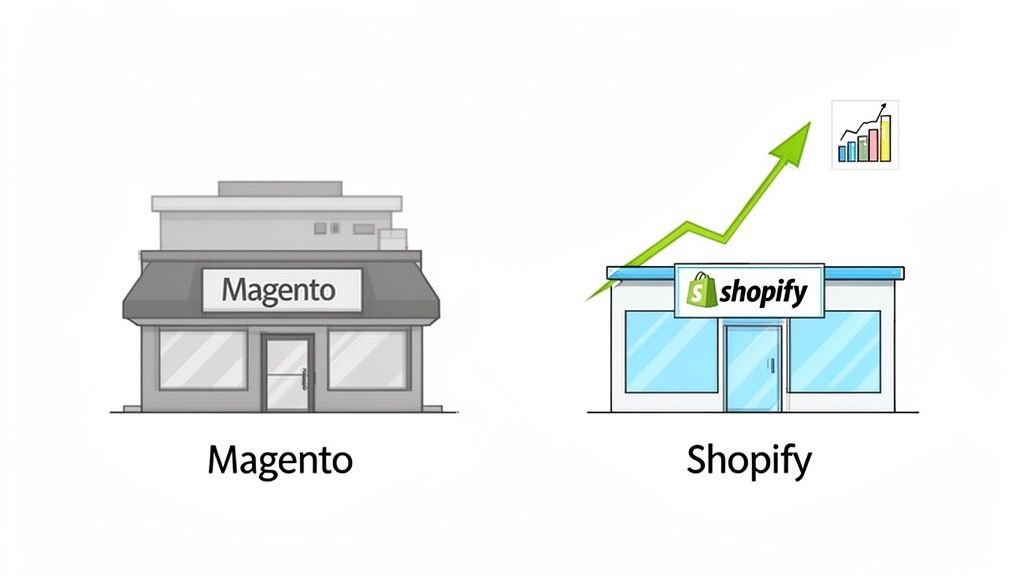
The conversation around migrating from Magento to Shopify has changed. It's no longer a simple feature-for-feature debate; it's about business agility and future-proofing your brand. We've seen countless merchants on Magento get bogged down, spending far more time and money on the platform’s complexities—security patches, server configurations, developer dependencies—than on activities that actually grow their revenue.
This constant operational drag is exactly what pushes so many businesses to look for a better way. Shopify steps in as a powerful alternative by taking on all the technical heavy lifting. Because it's a fully hosted SaaS platform, you can stop worrying about hosting, security compliance, or software updates. This frees up an incredible amount of time and budget, letting your team zero in on creating amazing products and building relationships with customers.
The Strategic Shift To Simplicity And Growth
Making the move is often a pivot toward a more marketing-led and agile approach. While Magento’s deep customization is its calling card, that flexibility comes with a hefty price tag. Development cycles are often long and expensive, which can seriously hamper a brand's ability to react to market trends or launch a new campaign quickly.
Shopify, on the other hand, is built for speed and simplicity. Its intuitive dashboard and massive app ecosystem empower non-technical team members to manage the store, update content, and launch promotions without having a developer on speed dial. This democratizes the management of the store and makes the entire team more effective.
The primary drivers we see for this move boil down to a few key points:
- Reduced Total Cost of Ownership (TCO): Brands get to escape Magento's unpredictable development and hosting bills for Shopify’s clear, predictable subscription model.
- Enhanced Scalability: Shopify's infrastructure is built to handle massive traffic spikes during flash sales or Black Friday without you having to do a thing.
- Superior User Experience: You gain access to modern, mobile-first themes and a famously streamlined checkout process that's optimized for high conversion rates.
- Focus on Core Business: Teams can reallocate resources from just keeping the lights on to what actually drives growth—marketing, product development, and customer service.
Magento vs Shopify A High-Level Comparison For Brands
When you're in the trenches, the theoretical differences between platforms don't matter as much as the practical, day-to-day realities. This table breaks down the key differences that matter most when you're considering a move, focusing on the practical impact for your business operations and growth.
Ultimately, the choice comes down to what you want your team to focus on. Do you want them managing servers and codebases, or do you want them focused on marketing, merchandising, and growing the brand?
Real-World Results And Tangible Outcomes
This trend isn't just anecdotal; it's backed by real data and success stories. A 2023 study looked at 17 enterprise brands that moved from platforms like Magento to Shopify to improve their omnichannel capabilities. A great example is Universal Store, which saw a 15% increase in eCommerce conversion rates and a 10% lift in physical store sales after making the switch.
These migrations highlight a powerful truth: moving to Shopify can cut your TCO by up to 38% while boosting your bottom line. On average, Shopify stores convert 5% higher than those on Adobe Commerce (Magento).
This isn't just a platform change; it's a fundamental business upgrade. The goal is to build a more resilient, efficient, and profitable operation that can scale without being held back by technical debt.
To really dig into the specifics, it's worth checking out a comprehensive ecommerce platform comparison that stacks up the options against your unique business needs. The right decision depends not just on where your business is today, but where you want it to be in the next five years. For a head-to-head analysis, our guide on Magento or Shopify offers even more context to help you decide.
Your Pre-Migration Strategic Audit
Look, jumping into a migration without a solid blueprint is a recipe for disaster. It’s like starting a road trip without a map—sure, you might get there eventually, but you're guaranteed to hit costly detours and a whole lot of frustration. The smoothest moves from Magento to Shopify don't start with code or data transfer; they start with an honest, thorough strategic audit.
This is your chance to prevent future headaches. So many brands rush this part, only to find out halfway through that a mission-critical custom feature from Magento has no easy equivalent in Shopify, or that their product data is a complete mess. A proper audit isn't just about listing what you have. It’s about making smart, deliberate decisions that will shape your new store's foundation, budget, and timeline. Think of it as your opportunity to clean house before you move.
Evaluating Your Product And Customer Data
Your data is the lifeblood of your store, but let's be real—not all of it is worth keeping. Over the years, a Magento database can become a graveyard of outdated products, test accounts, and inconsistent entries. Migrating all that clutter just moves the problem to a shiny new platform.
Start by getting critical with your product catalog. Ask yourself:
- Is this product still relevant? If you have no plans to bring back discontinued items, archive or delete them. Don't carry dead weight.
- Is the data clean? Check for consistent naming conventions, complete descriptions, and high-quality images. Inconsistent data—like having "T-Shirt," "tshirt," and "T Shirt" as categories—will wreak havoc on Shopify’s collection system.
- How complex are your products? Magento's configurable and bundled products are powerful but way more complex than what Shopify offers out of the box. Shopify has a hard limit of 100 variants and 3 options per product. You need a clear plan for how these will be simplified or rebuilt, possibly using Shopify apps.
The same ruthless logic applies to your customer data. You'll bring over customer profiles and their order histories, but passwords cannot be transferred. This is a non-negotiable security limitation due to different encryption standards. Part of your audit must include planning a clear communication strategy to invite customers to reactivate their accounts on the new site. It's a small friction point that good planning can smooth over.
Mapping Magento Extensions To Shopify Apps
One of the biggest mental shifts from Magento to Shopify is moving from self-hosted extensions to a SaaS-based app ecosystem. Magento extensions can dig deep into the core code, while Shopify apps generally play nice through APIs. It’s a safer model, but it can feel more restrictive if you're not prepared.
Your audit needs a detailed inventory of every single Magento extension you're using. But don't just list them—figure out why you have them.
Here’s a pro-tip: Don't fall into the trap of finding a one-for-one replacement for every single Magento extension. Use this audit to challenge whether you still need that functionality. In my experience, 20% of your extensions are probably driving 80% of the value. Ditching the bloat will give you a faster, more stable, and easier-to-manage Shopify store.
Assessing Custom Code And Unique Workflows
This is the part of the audit where DIY migrations often come to a grinding halt. Magento’s open-source nature means you could have years of custom code, unique pricing rules, or complex B2B workflows baked directly into your store. None of that will migrate automatically. It all has to be rebuilt from the ground up.
Go through your site and document every single piece of custom functionality. For each one, you have to make a call:
- Is this feature still absolutely essential? Be honest.
- Can a native Shopify feature or an app from the Shopify App Store handle this now? The ecosystem is massive.
- Does this require custom development on Shopify?
For instance, that custom Magento module calculating shipping based on weird dimensional rules might be easily replaced by an app like Shippo or ShipStation. But a completely bespoke B2B quoting system? That’s likely going to require custom work using Shopify’s APIs or a solution built for Shopify Plus.
This is the most critical part of the audit for building a realistic budget and deciding if you need to bring in an expert agency to manage the project. Underestimate the complexity here, and you'll blow your timeline and budget before you even get to launch.
With your strategic audit buttoned up, it’s time to get your hands dirty with the heart of the migration: moving your store's core assets. This is where all that meticulous planning starts to pay off. We’re talking about the lifeblood of your business—the products, customers, and order history—and giving your storefront a much-needed design overhaul.
Let's be clear about one thing right away. You can't just "port" your Magento data and theme over to Shopify. The platforms are built on fundamentally different architecture. Think of it less like moving furniture to a new house and more like rebuilding that house on a stronger, more modern foundation. It’s a bigger job, but the end result is far more stable and powerful.
Choosing Your Data Transfer Method
When it comes to actually moving your data, you’ve got a few different paths you can take. The right one for you will really depend on your technical chops, how complex your data is, and what your budget looks like.
- Manual CSV Imports: This is the most bare-bones approach. You export product, customer, and order data from Magento into CSV files and then upload them using Shopify's built-in tools. It’s free, but honestly, it's a massive time sink, incredibly prone to human error, and just not feasible for any store with more than a few dozen products.
- Automated Migration Apps: This is the go-to method for most businesses, and for good reason. Tools like Cart2Cart, LitExtension, or Matrixify are built specifically for this job. They connect to both of your stores and automate the transfer of products, customers, orders, and sometimes even basic content pages.
- Expert Migration Services: If you're running a large, complex store—especially if you're on Magento Commerce with a ton of custom logic—this is the safest bet. Partnering with a migration agency means they handle everything, including writing custom scripts for unique data types to make sure nothing gets lost in translation.
The goal isn't just to move data; it's to move it cleanly. A good migration app will have features for clearing out old test data from your new Shopify store or preserving your original order IDs, which is an absolute lifesaver for your customer service team.
The flowchart below breaks down the key areas to audit before you even think about transferring data, hitting on your data structure, app dependencies, and any custom code.
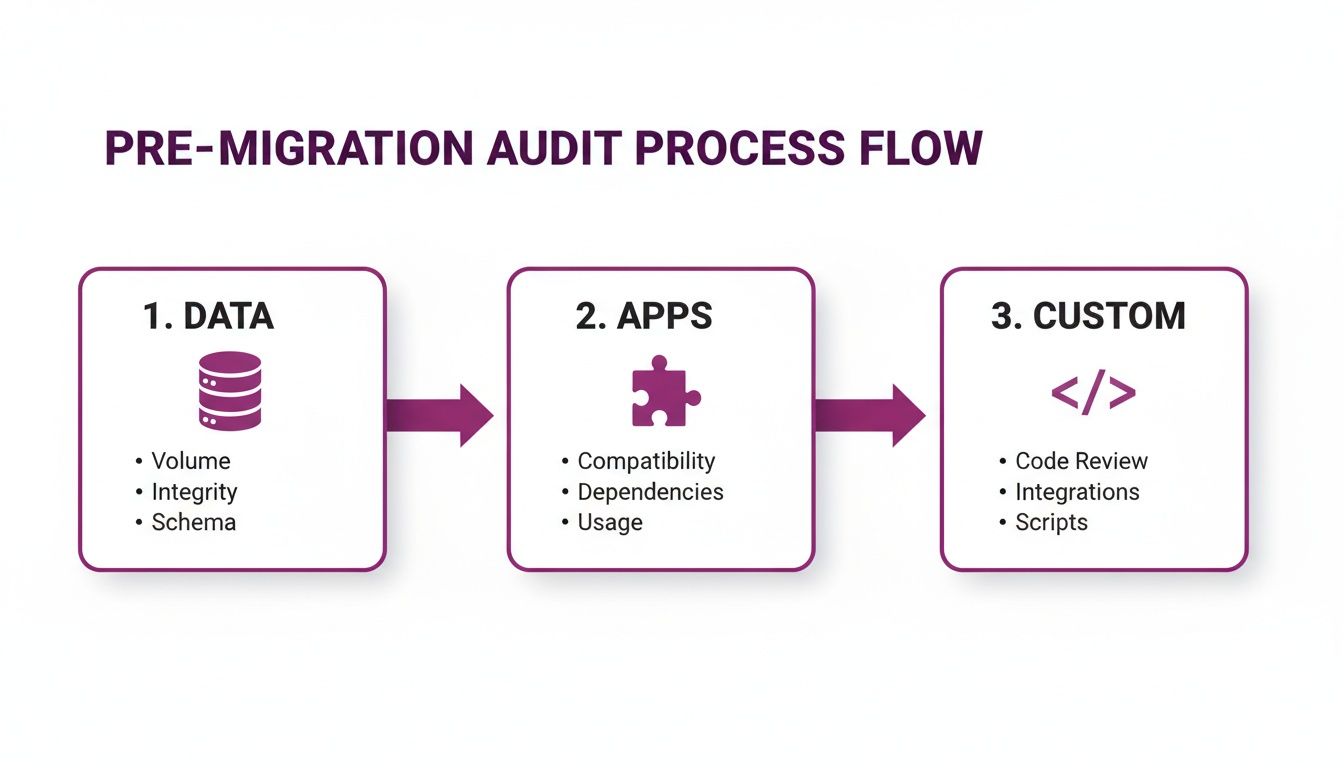
This process really drives home the point: a successful migration starts with knowing exactly what needs to move, what can be left behind, and what has to be rebuilt from the ground up.
Reimagining Your Design And User Experience
One of the biggest myths I hear is that you can just transfer your Magento theme over to Shopify. This is impossible. They run on completely different templating languages (PHP for Magento vs. Liquid for Shopify). But instead of seeing this as a setback, you should view it as a massive opportunity to refresh your brand and seriously improve your conversion rates.
Your first stop should be the Shopify Theme Store. Every theme there is built to Shopify's latest standards, meaning they're mobile-responsive and built for speed right out of the box.
When you're browsing for a new theme, keep these points in mind:
- Brand Alignment: Does the theme’s general vibe actually match your brand?
- Built-in Features: Does it natively support the features you need, like quick-view, mega menus, or advanced filtering? Using a theme's built-in features is almost always better for performance than piling on a bunch of apps to do the same thing.
- Flexibility: How much can you tweak colors, fonts, and layouts without having to call in a developer?
The Shopify Plus Advantage
For bigger businesses making the jump from Magento, this is where Shopify Plus really starts to shine, especially when it comes to design and checkout. The killer feature here is Checkout Extensibility. This lets you deeply customize the entire checkout process—something that was notoriously difficult and risky on Magento. You can inject custom apps, branding, and unique UI elements directly into the checkout, creating a seamless experience.
That level of control means you can craft a perfectly on-brand journey from the product page all the way to the thank-you screen, which has a direct and measurable impact on your conversion rates.
The ROI on a well-executed migration is no joke. Just look at Spanx. After moving from Magento to Shopify, they saw a 10% increase in conversion rates, a 30% boost in content management efficiency, and a whopping 50% reduction in technical issues related to customer experience. This mirrors a broader trend where businesses are cutting their total cost of ownership by up to 38% post-migration. While data migration can cost between $10,000 to $20,000 for enterprise-level projects, those performance gains quickly justify the investment. You can read more about the benefits of migrating to Shopify on gomage.com.
How To Protect Your SEO During The Switch
One of the biggest anxieties brands have when replatforming is watching years of hard-earned SEO authority evaporate overnight. It’s a completely valid fear. If you fumble the technical SEO during a move from Magento to Shopify, the consequences for your organic traffic and revenue can be devastating.
You're dealing with a brand new platform and totally different URL structures. You absolutely have to tell search engines exactly where everything has moved, or they'll simply think your pages are gone for good.
The stakes are incredibly high. Just look at the case of Princessly.com. After their migration from Magento, they suffered a staggering 49.75% drop in traffic across all channels. This collapse also sliced their transactions and revenue in half, even with 301 redirects in place. This horror story drives home why meticulous planning isn't just a recommendation—it’s a survival requirement. You can read the full story on the Shopify Community forums for yourself.
Create a Comprehensive URL Map
Before you touch a single piece of data, your first job is to create a complete map of your old Magento URLs and their new Shopify counterparts. This document is the bedrock of your entire SEO migration strategy.
Shopify and Magento handle URLs very differently, so a direct one-to-one match is impossible without this map.
For example, a common structural change looks like this:
- Magento Product URL:
yourstore.com/cool-product-name - Shopify Product URL:
yourstore.com/products/cool-product-name
It seems minor, but without a redirect, any backlink or search engine ranking pointing to that old URL will slam into a 404 "page not found" error. Your map has to account for every single product, category page (which become "collections" in Shopify), and content page.
Meticulously Implement 301 Redirects
Think of your URL map as the blueprint. The 301 redirects are the construction crew that brings it to life. A 301 is a permanent instruction telling search engines that a page has moved for good. This is critical because it passes the vast majority of the "link equity"—all that SEO juice you've built up—from the old URL to the new one.
You’ve got a few options for implementing these redirects in Shopify:
- Built-in Redirect Tool: Shopify has a native URL redirect feature where you can add them one by one. This is fine for a handful of pages but quickly becomes a nightmare for larger catalogs.
- CSV Import: You can bulk-upload your redirects with a CSV file. For stores with hundreds or thousands of URLs, this is the only sane method.
- Migration Apps: Many data migration apps promise to create 301 redirects automatically. While helpful, you must always double-check their work.
Don't cut corners here. Every important page on your Magento site needs a corresponding 301 redirect pointing to its new home on Shopify. A single missed high-traffic page could result in a significant, immediate drop in organic visitors. For a deeper dive, check out our guide on how Shopify URL redirects work.
Migrate All Your SEO Metadata
Your SEO isn't just about URLs. You also need to transfer all the on-page metadata that helps search engines understand what your content is about. This means bringing over:
- Meta Titles: The page titles that appear in search results.
- Meta Descriptions: The short text snippets under the title in search results.
- Image Alt Tags: Descriptive text for images that helps with accessibility and image search rankings.
Make sure you export all of this data from Magento and map it correctly to the corresponding fields in Shopify. Tools like Matrixify are lifesavers for this kind of bulk data transfer, helping you avoid manual errors and saving countless hours of tedious work.
Post-Launch SEO Monitoring Is Non-Negotiable
Getting your redirects and metadata right is only half the battle. The real work begins the moment your new Shopify store goes live. You have to be vigilant, actively monitoring your site’s health to catch any issues before they snowball.
The first thing you should do after launch is submit your new sitemap.xml file to Google Search Console. This pings Google to come and crawl your new site structure.
From there, keep a close watch on the "Coverage" report in Search Console. This is where Google will flag any crawl errors it finds, especially those dreaded 404s. Hunt down any reported 404s and implement redirects for them immediately. Protecting your SEO during a switch is an active, ongoing process, not a one-and-done task.
Here’s a simple checklist we use to keep SEO migrations on track.
Essential SEO Migration Checklist
Staying organized with a checklist like this ensures no critical steps are forgotten in the chaos of a launch. It’s the best way to safeguard the SEO authority you’ve worked so hard to build.
Testing, Launching, And Post-Migration Optimization
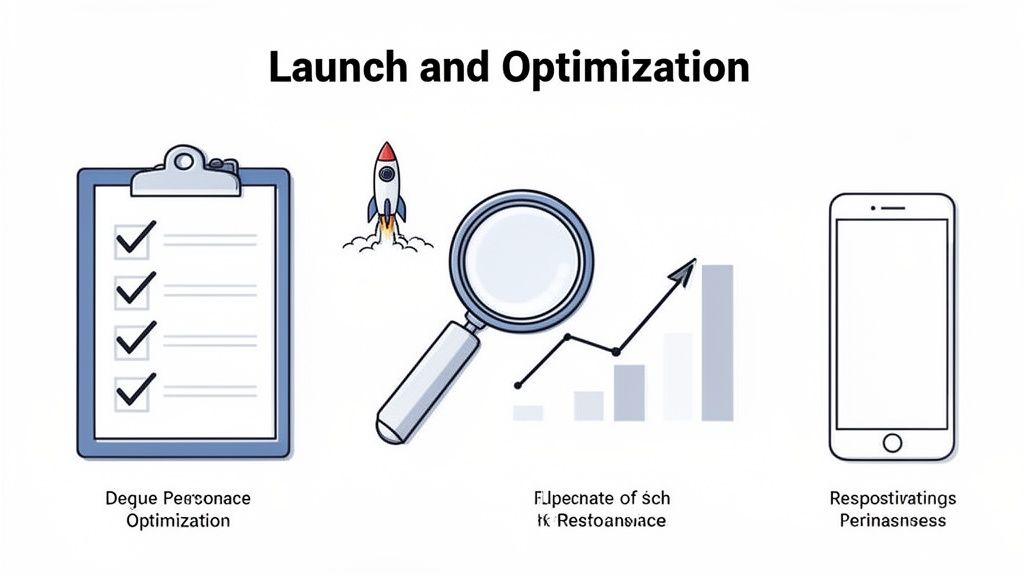
This is it—the moment your new Shopify store goes live is a massive milestone. But don't pop the champagne just yet. This isn't the end of the story; it's the beginning of a whole new chapter.
A successful launch is so much more than just flipping a switch. It’s built on a foundation of meticulous testing and a solid plan for what comes next. This final stage is what turns a technically sound migration into a platform that actively grows your business.
Before you even dream of pointing your domain to Shopify, a rigorous quality assurance (QA) process is completely non-negotiable. This is your last shot to catch those little hiccups before they turn into major, customer-facing headaches. Your team needs to think like your customers—and even try to break the site—to ensure a totally seamless experience from day one.
The Pre-Launch Quality Assurance Checklist
Your QA process needs to be exhaustive. We're talking about covering every single touchpoint a customer might have with your brand-new store. Don't just click around randomly; methodically test every possible scenario. I always recommend focusing on the critical areas that have a direct line to your revenue and customer trust.
Start with the most important flow of all: the checkout. Can you add different product types (simple products, products with variants) to the cart and actually complete a purchase? Test every single payment gateway you've enabled—credit cards, PayPal, and any accelerated checkouts like Shop Pay or Apple Pay.
From there, your testing should branch out to cover:
- Transactional Emails: Are order confirmations, shipping notifications, and password reset emails actually sending and being received? Just as important, do they reflect your brand's voice and contain the right information?
- Mobile Responsiveness: Go beyond just shrinking your browser window. Pull out actual iOS and Android devices and test the site. With over 70% of ecommerce traffic often coming from mobile, a flawless experience here is absolutely essential.
- App Functionality: Check every single one of your newly installed Shopify apps. Are the loyalty programs, advanced search filters, and review apps all configured properly and working as expected?
- Discount Codes: Run through various discount scenarios. Test percentage-based, fixed amount, and free shipping codes to make sure they apply correctly at checkout and don't cause any weird glitches.
A thorough QA process is the best insurance policy you can have against a rocky launch. Finding a broken payment gateway during internal testing is a minor annoyance. Having a customer discover it after launch is a lost sale and a ding to your reputation.
Executing a Flawless Launch Plan
With testing complete and your confidence high, it’s time to build your go-live runbook. A detailed launch plan minimizes downtime and guarantees a smooth handoff. The heart of this process is updating your DNS records to point your domain away from the old Magento host and toward your new Shopify store.
This change can take anywhere from a few minutes to 24 hours to fully propagate across the globe. To minimize any potential disruption, it's always a best practice to schedule your launch during a low-traffic period, like late at night or super early in the morning.
Once the DNS change is made, do one last sync of any last-minute orders or customer data that trickled in on the Magento site while you were getting ready to launch.
Post-Migration Monitoring and Optimization
Your work isn't over just because the site is live. In fact, it’s just beginning. The first few weeks are critical for monitoring performance and gathering real-world data. Keep a close eye on your analytics to set a new baseline for key metrics like conversion rate, average order value, and site speed.
This is where the real growth starts. With Shopify’s much more user-friendly interface, you can start running A/B tests on product pages, refine your navigation based on user behavior you see in tools like Hotjar, and optimize your marketing funnels. The goal is to shift from a reactive "did anything break?" mindset to a proactive "what can we improve?" approach.
After your new Shopify store has settled in, optimizing customer support is a huge opportunity for long-term success. You can explore advanced strategies to turn Shopify support into a growth driver to build loyalty and boost customer lifetime value. This relentless focus on continuous improvement is what separates a simple replatforming project from a strategic business upgrade when moving from Magento to Shopify.
Common Questions About Moving To Shopify
Even the most buttoned-up migration plan comes with its fair share of "what ifs." You're not alone. We get these questions all the time from merchants making the leap from Magento, so let's tackle the big ones right now.
Think of this as the practical, no-fluff FAQ for your move.
How Long Does a Migration Really Take?
This is always the first question, and the honest answer is: it depends. The timeline hinges entirely on the complexity of your store—how much data you have and, more importantly, how much custom functionality needs to be rebuilt from the ground up.
But "it depends" isn't a helpful answer, so here are some real-world benchmarks:
- Small Stores: If you're working with a few hundred SKUs and a fairly standard feature set, you could be looking at a 2 to 4-week turnaround.
- Medium Stores: Got a few thousand products, some custom theme work, and a list of must-have apps? Plan for 1 to 2 months to do it right.
- Complex Enterprise Stores: For massive catalogs, deep custom logic, B2B functionality, or heavy API integrations, a project can easily take 3 months or more.
Here's a pro-tip: the actual data transfer is often one of the quickest parts. The real time-sinks are the upfront audit, theme development, and rigorous testing. Cutting corners on these is the fastest way to a messy, broken launch.
Can My Product Variations Be Migrated Correctly?
This is a huge—and valid—concern. Magento is a beast when it comes to handling complex product configurations. Shopify takes a different approach, prioritizing a streamlined user experience, which comes with a few hard limits you need to know about.
Shopify has a firm ceiling of 100 variants and 3 options per product. For most stores, this is plenty. Think of a t-shirt with options for Size (S, M, L), Color (Red, Blue), and Style (V-Neck, Crew)—that fits perfectly within the system.
But what if your Magento products are more complicated than that? You have a couple of solid workarounds:
- Split the Product: The simplest solution is often to break a single, overly complex product into several simpler ones.
- Use Shopify Apps: The app ecosystem is your best friend here. Tools like Infinite Options or Product Personalizer let you add custom fields that aren't tied to Shopify's native variant limit, giving you that extra flexibility.
What Happens to My Customer Passwords?
For rock-solid security reasons, customer passwords cannot be migrated. This isn't a Shopify quirk; it's a non-negotiable security standard for any platform move. The encryption methods are different and completely incompatible.
So, what's the game plan? You migrate all the customer data—names, emails, addresses, order history—but not the passwords. After you go live, you launch a branded email campaign inviting everyone to activate their new account.
A simple "Create your new password" link makes it a painless, low-friction experience. It's also a great first touchpoint to re-engage your loyal customers on your shiny new site.
Will My Magento Extensions Work on Shopify?
Short answer: nope. Magento extensions are built on a PHP framework, while Shopify apps live in a totally different world of APIs and various languages. They just don't speak the same language.
Your pre-migration audit is the time to take inventory of every extension you're currently using and, more importantly, why you're using it. From there, you'll dive into the Shopify App Store to find the modern equivalent.
The good news? With over 8,000 apps available, there’s a powerful, well-supported solution for virtually everything, from loyalty programs to advanced search. This is actually a fantastic opportunity to ditch clunky, outdated extensions and upgrade your tech stack.
Ready to make the move with confidence? At ECORN, we specialize in seamless Magento to Shopify migrations, ensuring your data, design, and SEO are handled with expert precision. Let our team of Shopify specialists build you a high-performing store designed for growth. Get in touch with us today to start planning your successful migration.



Conversion Rate Optimization for Landing Pages: The Playbook

Shopify Plus Automation: A Guide for 2026

10 Social Selling Platforms for Shopify Merchants

Shopify Website Design Examples: 7 Stores Worth Studying

7 Ecommerce Newsletter Examples for Shopify Brands

One Product Shopify Store: Build and Scale

Mobile Pop Up Strategy for Shopify Stores That Converts

Sitemap for Shopify: How to Find, Optimize, and Submit It

7 Single Product Websites Worth Emulating

Product Variants Shopify: The Complete 2026 Guide

Ecommerce Analytics Consulting for Growth

What Is AI Integration for eCommerce

How to Choose the Right eCommerce Website Development Firm

E Business Strategy Implementation

Conversion Tracking Setup for Shopify Stores

BigCommerce vs Shopify Plus Which Enterprise Wins in 2026

Shopify Theme Kit: Setup, Commands, and Migration Guide

Shopify Extension Development: A Practical 2026 Guide

Shopify Speed Score Explained and How to Improve It

Shopify Mobile Optimization: The 2026 Playbook

How to Add Subcategory in Shopify for Better UX

How to Implement Structured Data for Ecommerce in 2026

SEO App Mobile: Shopify Store Optimization Guide

Shopify Plus Support: What It Includes and How to Choose

Google Ads for Shopify: The Complete 2026 Playbook

Shopify New York: How to Find and Hire the Right Agency

Google Search Console for Shopify: The Complete Setup

First Party Data Collection for eCommerce Growth

FAQ Online Store Guide: Build and Measure It Right

Do FB Ads Work for eCommerce in 2026?

One Page Checkout for Shopify: Design and Implementation

Shopify GraphQL vs REST: The 2026 Developer Decision

Shopify Ecommerce Consulting: Strategy, Pricing &

Are Reddit Ads Worth It for eCommerce Brands

Shopify Title and Meta Description: A Practical 2026 Guide

Product Video Best Practices for Shopify Brands

Real-Time Inventory Management: A 2026 Guide

AI Chatbot Integration for Shopify Stores

Affiliate Program Management: A Shopify Guide

10 Best Performance Monitoring Tools for Shopify in 2026

Digital Asset Management for eCommerce Brands in 2026

Every Type of Facebook Ads Explained for eCommerce Growth

Product Information Management Explained for Shopify Brands

Support Ticket System: A Guide for Shopify Stores

10 Best Customer Service Tools for Shopify in 2026

Can I Start a Business with No Money? a 2026 Blueprint

What Sells Good on Etsy: Best Niches for 2026

Shopify Add to Cart Button: A Practical 2026 Guide

Customer Feedback Automation: A Practical eCommerce Guide

Critical Rendering Path: A Guide for Shopify Stores

How to Promote on TikTok for eCommerce in 2026

B2B eCommerce Consulting That Drives Real Revenue

10 Best Practices for Site Navigation in 2026

Return vs Refund for Shopify Stores: A Practical Guide

What Is Customer Lifetime Value and Why It Matters

What Is Voice of Customer Research for eCommerce

SMS Marketing for Ecommerce That Actually Converts

Master How to Improve Email Deliverability in 2026

Top 7 eCommerce Partners NYC for Shopify Brands in 2026

Machine Learning for Ecommerce: Boost Your Shopify Store

Beauty Market Research: Your 2026 Growth Guide

Shopify International Expansion: A 2026 Roadmap

What Does CRO Stand for in Business: Understanding CRO

Shopify Visual Merchandising: A Playbook for Higher Sales

Shopify Landing Page Design: Master Conversion in 2026

10 Best AI SEO Optimization Tools for Shopify in 2026

Agentic AI for Ecommerce: Boost Your Sales in 2026
Mastering Email Marketing Data for eCommerce Growth

Conversion Rate Optimisation Australia: Boost Your Sales

Conversion Rate Optimization AI: Your Shopify Store Guide

10 Product Bundling Strategies for Shopify in 2026

How to Increase Customer Lifetime Value: A Shopify Playbook

AI Customer Service Automation: Shopify Guide 2026

Clean Website Design: A Shopify Conversion Playbook

Omnichannel Retail Strategy: A Shopify Playbook

Product Data Enrichment: A Guide for Shopify Brands

Instagram Shopping Features a Guide for Shopify Stores

What Is Revenue Optimization: A Holistic RevOps Guide

Benefits of Conversion Rate Optimization: Boost Your

WordPress to Shopify Migration: Your 2026 Seamless Switch

Boost Sales: Ecommerce Payment Processing Guide 2026

Unified Commerce Platform: Benefits, KPIs & Shopify Guide

How to Reduce Bounce Rate eCommerce: Your 2026 Guide

Shopify API Integration: A Practical End-to-End Guide

How to Implement Data Governance: A 2026 Guide

Shopify Store Development Cost: A 2026 Breakdown

What Is Server Side Tracking: The Shopify Guide 2026

Marketing Automation Workflows: A Shopify Guide for 2026

Shopify: How to Reduce Technical Debt

Shopify UX Design Change: A Playbook for Growth

User Generated Content Strategy: Shopify Playbook

Shopify Pause and Build Plan Cost: A Complete 2026 Guide

Compare at Price on Shopify: A Complete Guide for 2026

Where Can I Sell My Prints? 10 Best Platforms for 2026

Shopify Order Management System: The Ultimate Guide 2026

What Is Marketing Attribution? an eCommerce Guide for 2026

10 Best Black Friday Sales Sheets for 2026

Discover the Top Social Media Marketing Agencies For

Consumer Confidence Definition for eCommerce in 2026

What Is Social Commerce? Your 2026 Guide to Boosting Sales


newsletter in your inbox