

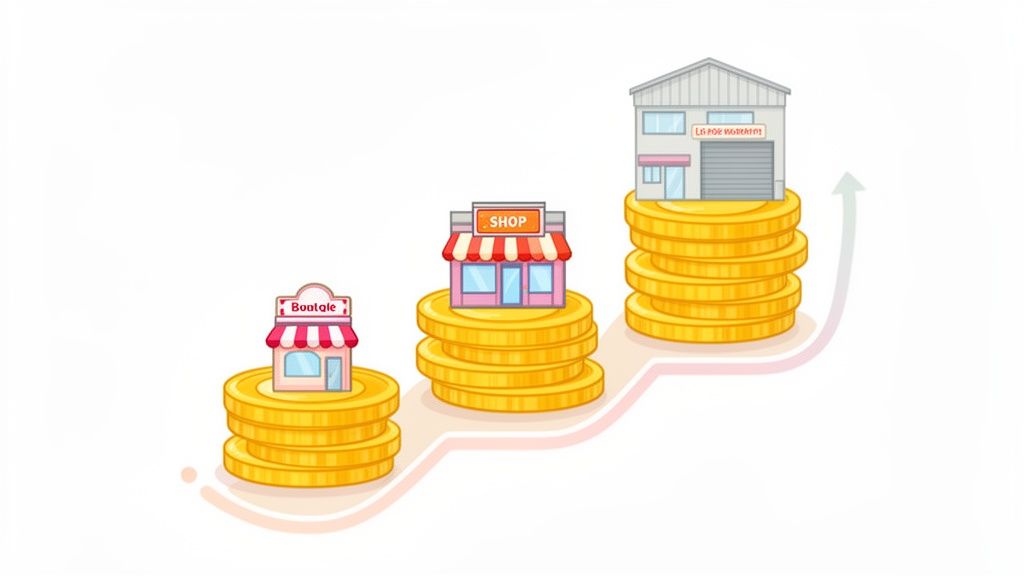
The real cost of a Shopify store isn't some fixed number you can just look up. It’s a spectrum. You could get a lean, DIY store off the ground for as little as $50 a month, or you might see a high-octane enterprise on Shopify Plus pushing past $5,000 monthly. What you'll actually pay boils down to your subscription plan, the apps you can't live without, and those pesky transaction fees.
Your Realistic Guide to Shopify Store Costs
Figuring out the true investment for your Shopify store means looking way beyond the sticker price. Think of it like buying a car: the base model gets you on the road, sure, but the total cost to you includes insurance, gas, and maybe that upgraded sound system you've been eyeing. In the same way, your Shopify bill is a mix of fixed and variable expenses that will shift and change as your business finds its footing and starts to grow.
One of the best things about Shopify is how low the barrier to entry is. It’s perfect for new brands. The basic plan is just $29 per month, but they often run promotions like a 3-day free trial followed by your first three months for just $1/month.
For more established brands bringing in serious volume, Shopify Plus starts at $2,000+ monthly. It's a big jump, but for high-volume stores, the advanced features and lower transaction fees absolutely justify the price tag. You can dive deeper into the numbers by checking out these Shopify statistics on Coalition Technologies.
Core Expenses for Different Growth Stages
Let's map out a realistic financial plan by looking at the core costs for three common stages of a business. This gives you a clear-eyed view from day one, helping you plan your budget with confidence.
The Bootstrapped Startup: This is you in the garage, focused on one thing: launching. Minimizing costs is the name of the game. You'll be on a basic plan, rocking a free theme, and using a handful of essential free or low-cost apps.
The Growing Business: Sales are picking up. Now, you’ll upgrade your plan to get better reporting and lower transaction fees. Your app collection will also grow to include tools for marketing automation, customer reviews, and analytics that actually tell you something useful.
The Scaling Enterprise: You've hit the big leagues. You need an engine that can handle serious traffic and sales volume. The investment here is all about Shopify Plus, specialized apps, and maybe even some custom development work to squeeze every last drop of performance out of your store.
The key takeaway is this: your Shopify costs should scale with your revenue. You don't need an enterprise-level budget on day one. You invest in more powerful tools as your sales prove you need them.
This chart gives you a quick visual on the typical starting monthly costs for a startup, a growing business, and an enterprise-level store.
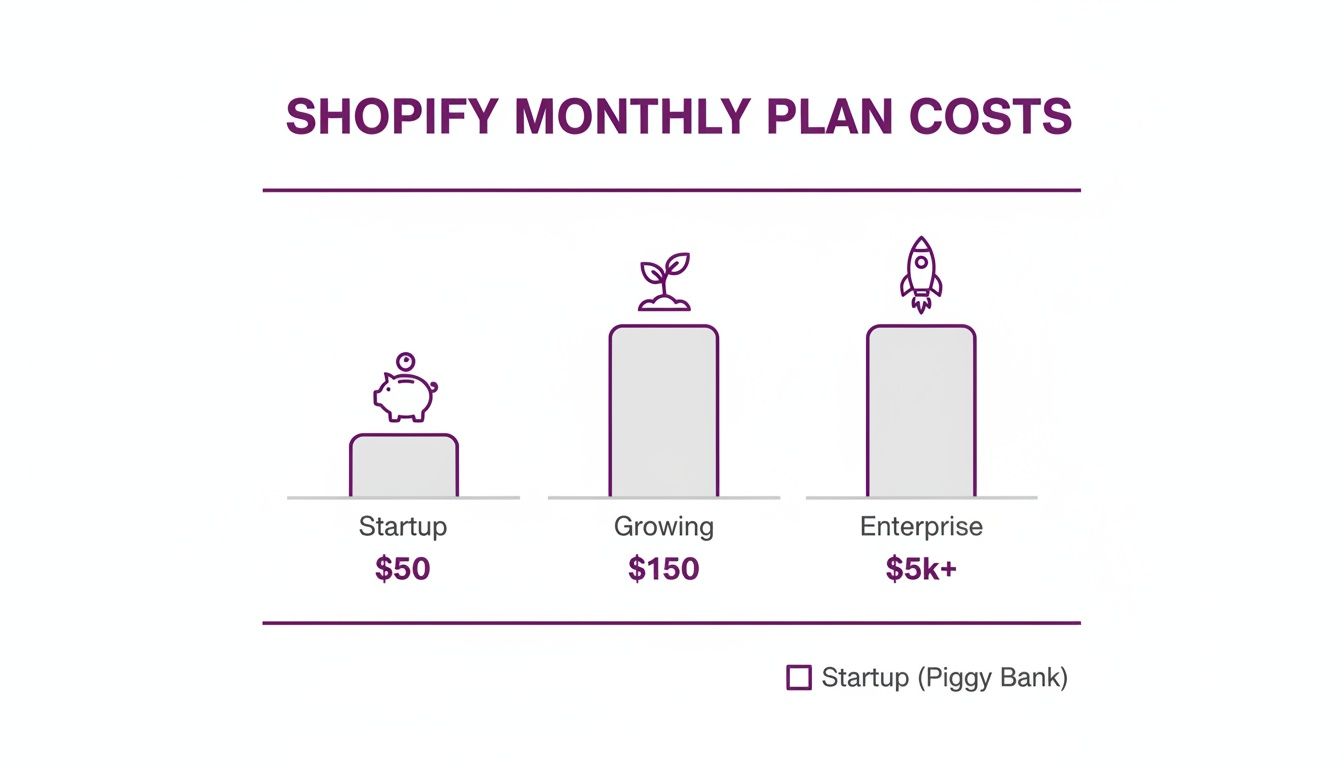
As you can see, the financial commitment grows right alongside the business, which makes sense—you're paying for more horsepower and better features as you scale.
Estimated Monthly Shopify Costs at a Glance
To give you a clearer picture, here's a simple breakdown of what your monthly costs might look like at different stages. This isn't exhaustive, but it covers the core expenses you'll encounter.
Remember, these are starting points. Your total will also be influenced by transaction fees and any one-time costs for themes or development help. Use this table as a baseline to build your own budget.
Decoding Shopify's Core Pricing Plans
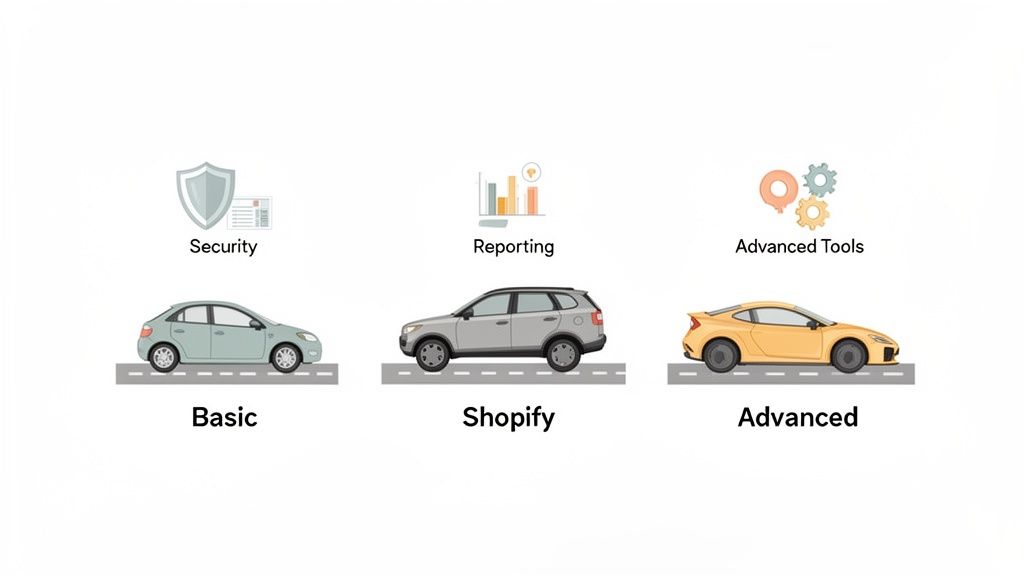
Picking a Shopify plan is a lot like choosing a vehicle for a road trip. You wouldn't try to move a family of five in a two-seater sports car, nor would you enter a race with a minivan. The goal isn't just to find the cheapest ride, but the one with the right engine, features, and fuel efficiency for where you are right now and where you're headed.
This is why you have to look past the monthly sticker price. That's just one part of the story. The real value—and the real cost—is hidden in the details: the transaction fees, the reporting tools, and how many staff accounts you get. These are the things that directly hit your bottom line and dictate how smoothly your store runs as you start to grow.
The official Shopify pricing page gives you the bird's-eye view.
As you can see, each plan is built for a different stage of business. The main trade-off is always between a lower monthly fee and higher per-sale credit card rates.
The Basic Plan: Your Reliable Starter Sedan
Think of the Basic Shopify plan as your dependable first car. It’s not flashy, but it has everything you absolutely need to get your business on the road and moving forward. For a low monthly fee, you get a fully functional online store, the ability to list unlimited products, and all the essential tools for managing orders and customers.
This plan is the perfect launchpad for:
- New businesses just testing out a product idea.
- Side hustlers looking to turn a passion project into a real revenue stream.
- Brick-and-mortar shops taking their first steps into the world of online sales.
The catch? The transaction fees are the highest of the core plans, at 2.9% + 30¢ for every online sale. That’s perfectly fine when you're starting out and sales are trickling in. But once your sales volume picks up, those fees will start to take a noticeable bite out of your profits.
The Shopify Plan: The Versatile SUV for Growth
Once your business starts picking up speed, you'll outgrow that starter car. You'll need something with more power under the hood and more space for your growing operation. The Shopify plan is that versatile SUV, built to handle more traffic, bigger orders, and more complex day-to-day tasks.
The monthly cost is a step up, but the investment starts paying for itself almost immediately. The biggest perk is the lower transaction fee, which drops to 2.6% + 30¢. That might not sound like a huge difference, but it adds up fast. A store doing $10,000 in monthly sales saves $30 on fees alone—that almost covers the jump in the subscription price right there. You also unlock professional reports, which give you much deeper insights into how your customers are behaving and what’s actually selling.
This plan is the sweet spot for most growing businesses. A good rule of thumb is to upgrade as soon as the money you save from the lower transaction fees is more than the increase in your monthly plan cost.
The Advanced Plan: The High-Performance Engine
When your store is humming and processing a high volume of orders, every little bit of efficiency and optimization counts. The Advanced Shopify plan is the high-performance engine built for exactly that: scaling your business. It comes with the lowest transaction fees of the standard plans (2.4% + 30¢) and the most powerful features in the toolkit.
Two features really make this plan stand out: the advanced report builder and third-party calculated shipping rates.
- Advanced Reporting: This isn't just about seeing your sales. You can build completely custom reports to slice and dice your data any way you want, pinpointing your most profitable products or uncovering hidden customer segments.
- Calculated Shipping: This feature connects directly to carriers like USPS and UPS to show real-time shipping rates at checkout. It's a game-changer for ensuring you don't lose money by undercharging for shipping or lose customers by overcharging.
This plan is for established businesses where complexity is the norm. The higher price tag only makes sense when your sales volume is high enough that the fee savings and operational upgrades deliver a clear, measurable return.
Uncovering the Hidden Costs of Running Your Store
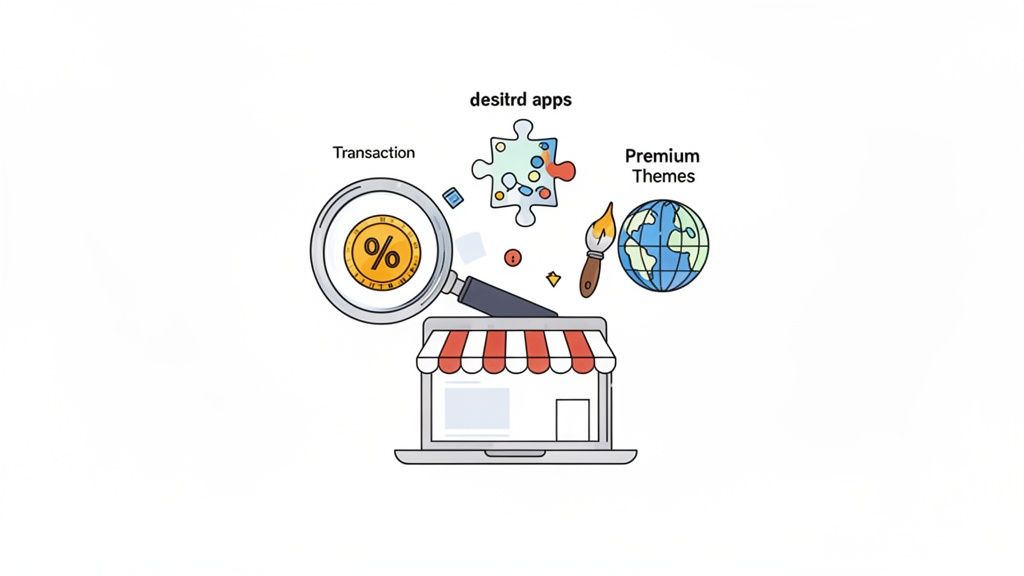
Thinking your monthly Shopify subscription is the total cost of running your store is a classic rookie mistake. It’s like buying a concert ticket and forgetting you’ll need cash for parking, drinks, and that awesome band t-shirt you know you're going to buy. The subscription is just the price of admission. The real costs are in the details that turn a basic storefront into a money-making machine.
These aren't "hidden" costs in a deceptive sense, but they're easy to overlook when you're just excited to get launched. From the small slice Shopify takes from every sale to the essential apps that power your marketing, getting a grip on these expenses is non-negotiable for setting a realistic budget and protecting your profit margins.
Let's pull back the curtain on these costs so you can plan for them as smart investments, not nasty surprises.
Transaction and Payment Processing Fees
Every time a customer hits that "buy" button, a tiny piece of the sale goes to processing the payment. This is just the cost of doing business online, but the way Shopify structures these fees can really add up. You'll run into two main types.
First, you have payment processing fees. These are charged by the payment gateway (like Shopify Payments, Stripe, or PayPal) to securely handle the credit card transaction. But—and this is a big but—if you decide not to use Shopify’s own gateway, Shopify Payments, they'll tack on an additional transaction fee for the privilege.
Honestly, using Shopify Payments is the easiest way to keep these costs down since it eliminates that extra fee. While your subscription is a fixed cost, these processing fees are a major variable. For example, on the Basic plan, you're looking at 2.9% + $0.30 for every online sale. For a small store doing around $1,579 a month, that might only be an extra $40-$50. But for high-volume stores, this can quickly scale into thousands.
If you want to get into the nitty-gritty, we break down exactly how these charges work in our detailed guide on https://www.ecorn.agency/blog/shopify-fees-per-sale.
Must-Have Shopify Apps
Out of the box, Shopify is solid. But to actually compete and grow, you're going to need to bolt on some extra functionality with apps. Think of your store like a new smartphone; it works fine on its own, but the apps are what make it an essential part of your life.
The Shopify App Store is a massive marketplace with tools for everything you can imagine. Here are the categories most new store owners find they can't live without:
- Email Marketing: Apps like Klaviyo or Omnisend are your direct line to customers. They help you recover abandoned carts, build relationships, and run promotions. (Cost: Free plans are common, but expect to pay $20-$100+/month as your list grows).
- Customer Reviews: Tools like Judge.me or Loox are all about building trust. Social proof is powerful, and it has a direct impact on your conversion rate. (Cost: Free to $15-$100/month).
- SEO Optimization: You need to show up on Google. Apps can help you manage the technical bits like meta descriptions, image alt tags, and site speed. (Cost: Free to $20-$50/month).
- Upselling and Cross-selling: These apps are fantastic for increasing your average order value (AOV) by suggesting related products to shoppers. (Cost: $10-$80/month).
The Shopify App Store has a dizzying array of options to level up your store.
My advice? Start lean. Only install apps that provide immediate, obvious value. You can always add more as your revenue justifies the expense.
One-Time Setup Investments
While most of the costs we've talked about are monthly, a few important ones hit you right at the start. Budgeting for these upfront will save you a lot of financial headaches later on.
The smartest store owners I know don't see their initial setup as a cost. They see it as an investment in their brand's foundation. A killer theme and a memorable domain name pay for themselves over and over again.
Here are the main one-time costs to plan for:
- Domain Registration: This is your store's address on the web (like
yourbrand.com). You get a free.myshopify.comdomain, but a custom one is non-negotiable for looking professional. Expect to pay about $15-$20 per year. - Premium Theme: Shopify's free themes are great for getting your feet wet. But as you grow, a premium theme (usually a $180-$350 one-time purchase) gives you way more design flexibility, better features, and dedicated developer support.
Beyond the platform itself, getting a handle on your operational expenses is how you stay profitable. It’s worth exploring some effective e-commerce cost reduction strategies to manage your overall budget. By planning for both the recurring and one-time costs, you'll have a much clearer financial picture and set your store up for success from day one.
Choosing Your Path: DIY Setup vs. Hiring an Agency
Deciding how to build your Shopify store is one of the first major forks in the road. This choice directly shapes the total cost of your Shopify store and how quickly you can launch.
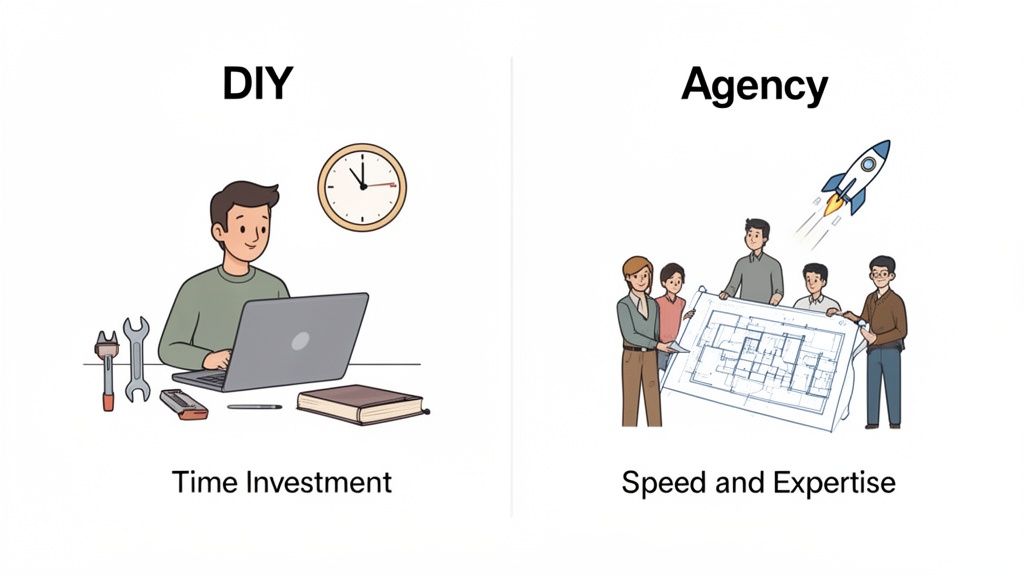
Think of it like building a house. You could grab a high-end DIY kit with all the materials and a detailed instruction manual. Or, you could bring in a professional architect and a full construction crew. Both paths can get you a beautiful home, but they demand completely different things from you in terms of time, money, and expertise.
The decision really boils down to a single, critical trade-off: your time versus your money. One route requires a serious commitment of your personal hours; the other requires a significant financial investment. Neither is automatically "better"—the right call depends entirely on your specific situation, skills, and business goals.
The Do-It-Yourself (DIY) Approach
Going the DIY route is the classic bootstrapping method. Armed with a Shopify plan, a theme, and a can-do attitude, you become the designer, developer, and marketer all at once. For those just starting out, this path has some huge upsides.
Primary Benefits of DIY:
- Minimal Upfront Cost: This is the biggest draw. Your initial spend is pretty much just your Shopify plan, a domain name, and maybe a premium theme. You're saving thousands of dollars that would otherwise go to an agency.
- Total Creative Control: You call all the shots. Every color, font, and product placement is your decision, which means the final result will be a perfect reflection of your vision.
- Deep Learning Experience: You will learn an incredible amount about ecommerce. Building it all yourself gives you a hands-on, ground-level understanding of how every piece of your business works, from product pages to the checkout process.
But that control and cost-saving comes at a price—one paid in your time and effort. The learning curve for web design, SEO, and conversion rate optimization (CRO) is no joke. A task that takes an expert a few hours could easily turn into days of frustrating research and trial-and-error for a beginner.
The most overlooked cost in a DIY build is the opportunity cost. Every hour you spend trying to fix a theme bug is an hour you aren't spending on product development, marketing, or talking to customers—the things that actually drive revenue.
Partnering with a Shopify Agency
Hiring a Shopify agency is like bringing in that professional crew to build your house. They already have the blueprints, specialized tools, and the experience to get the job done right, and quickly. This path is an investment in speed, expertise, and getting immediate results. An agency can often launch a fully optimized, high-converting store in a fraction of the time it would take a solo founder.
Key Advantages of Using an Agency:
- Speed to Market: A pro team will get your store live much faster, so you can start making money sooner. A delayed launch could mean missing a key sales season or letting a competitor get a head start.
- Instant Expertise: You’re not just paying for a website; you’re buying years of specialized knowledge in design, development, SEO, and CRO. Agencies know what works and what turns visitors into customers.
- Focus on Your Strengths: With the technical side handled, you can pour your energy into high-level strategy—sourcing products, building your brand, and crafting your marketing plan.
Of course, this expertise has a higher price tag. Agency projects for a new store can start at a few thousand dollars for a basic setup and climb to $25,000+ for complex, custom builds.
Making the Right Decision for Your Business
So, how do you choose? It’s about more than just what’s in your bank account. To find your answer, ask yourself these critical questions:
- How valuable is my time? Try to put a rough hourly rate on your time. If you spend 80 hours building your store yourself, that’s a significant "soft cost." Would those 80 hours have been better spent on something else?
- What’s my technical skill level? Be honest here. Are you comfortable with a bit of code, design principles, and figuring out new software? Or does the thought of customizing a theme fill you with dread?
- What are my business goals? If you’re just trying to validate an idea with minimal risk, DIY is a fantastic way to start. But if you’re an established brand aiming for rapid growth and market leadership, an agency's expertise becomes a powerful strategic asset.
Ultimately, the best path is the one that aligns with your resources, your timeline, and your long-term vision. Getting this choice right lays the foundation for your store's success from day one.
When Does It Make Sense to Invest in Shopify Plus for Serious Scaling?
For brands that are rapidly growing, Shopify Plus isn't just another subscription tier; it's a completely different commerce operating system. If the standard Shopify plans are like leasing a high-performance car, Shopify Plus is like having your own dedicated pit crew and engineering team on call. The conversation shifts from a simple monthly fee to a strategic investment in your entire e-commerce infrastructure.
The price tag, which kicks off at around $2,000 per month, can definitely seem steep at first glance. But for businesses hitting certain milestones, staying on a standard plan actually becomes more expensive. Think about the hidden costs: operational bottlenecks, missed conversion opportunities, and paying higher transaction fees on massive sales volumes. Plus is built for brands that have outgrown off-the-shelf solutions and need industrial-strength tools to manage their scale and complexity.
Upgrading isn't a decision you make on a whim. It's a calculated move, usually driven by very specific growing pains.
Finding Your Tipping Point for Shopify Plus
So, how do you know when the investment goes from being a luxury to a strategic necessity? The answer usually lies in identifying scaling challenges that your standard plan just can't solve efficiently anymore. If your team is spending more time building workarounds than actually growing the business, you're probably getting close to the Plus tipping point.
Here are a few tell-tale signs:
- You're dealing with massive traffic events. Your store needs to handle flash sales, product drops, or holiday rushes without a single hiccup. Shopify Plus offers dedicated server resources to ensure 99.99% uptime, protecting your revenue and reputation when it matters most.
- Your business operations are getting complex. You're managing multiple international storefronts, a B2B wholesale channel, and your main direct-to-consumer site. Plus lets you manage up to 10 stores from a single dashboard, simplifying your global operations in a huge way.
- You need deep checkout customization. Your conversion rate optimization (CRO) efforts have hit a wall because you can't touch the checkout page. Plus unlocks the
checkout.liquidfile, giving you total control to customize the experience, add trust badges, or build custom upsell flows right at the point of purchase.
For a high-volume brand, a seemingly small 0.5% lift in conversion from a customized checkout can translate into hundreds of thousands of dollars in new revenue. That alone can easily justify the monthly cost of Shopify Plus.
Exclusive Features That Actually Solve Scaling Problems
Shopify Plus comes with a toolkit designed specifically for large-scale commerce. These aren't just minor perks; they are powerful engines built to automate tedious processes, handle complexity, and create the kind of bespoke customer experiences that drive loyalty and sales.
Shopify's own site does a great job of highlighting the enterprise-grade features that truly set Plus apart.
The entire platform is engineered to support brands as they expand into new markets and sales channels without creating friction.
Here are a few of the most impactful tools you only get with Plus:
- Shopify Flow: This is your e-commerce automation engine. You can create custom workflows to automate all sorts of repetitive tasks—like tagging high-value customers, flagging potentially fraudulent orders, or sending reorder notifications when inventory runs low. It frees up your team to focus on strategy instead of manual work.
- Launchpad: This tool automates the entire process of a major sales event. You can schedule product visibility, theme changes, price adjustments, and inventory updates to go live and then revert automatically. It ensures a flawless execution for things like Black Friday or a hyped-up product drop.
- Customizable Checkout: This is one of the biggest game-changers. Getting access to edit the checkout process allows for advanced CRO tactics that are simply impossible on standard plans, giving you a direct lever to pull to increase your bottom line.
Ultimately, the true cost of a Shopify store at the enterprise level is measured by its ability to support growth, not just process transactions. If you want to dive deeper into the financials, you can learn more about Shopify Plus pricing for enterprise e-commerce in our comprehensive guide. Making the jump to Plus is a strategic decision for brands ready to compete at the highest level.
Answering Your Top Questions About Shopify Costs
Figuring out the financial side of launching an ecommerce business can feel like you're piecing together a massive puzzle. To help you lock in your budget with total confidence, we're tackling the most practical, real-world questions merchants have about the true cost of a Shopify store.
These are the concerns that always pop up right before you're ready to hit "launch." Getting clear, direct answers is about more than just numbers—it’s about building a solid financial foundation for your store’s long-term health. Let’s dive in and clear up any lingering uncertainties.
Can I Really Start a Shopify Store for Under $100?
Yes, absolutely. You can get your store live for less than a hundred bucks, and this lean startup approach is one of Shopify's biggest strengths. It lets you test a business idea with minimal financial risk.
Here’s the game plan:
- Jump on the introductory offer: Shopify often runs a trial period followed by plans for as low as $1 per month for the first few months. This slashes your initial platform cost.
- Pick a free theme: The Shopify theme store has a bunch of high-quality, professional-looking themes that are completely free. They are more than enough to get you started.
- Install essential free apps: Start with a handful of free apps for the basics, like email marketing, customer reviews, and SEO.
With this strategy, your only real required costs will be a domain name (usually about $15 for the year) and your first month’s subscription fee. Just remember, this bootstrapped approach is for launching, not for long-term scaling. Be ready to reinvest your first profits into marketing and better tools as soon as sales start rolling in.
How Much Should I Actually Budget for Marketing?
There’s no magic number here, but a smart rule of thumb for new stores is to set aside 10-20% of your projected monthly revenue for marketing. This creates a scalable budget that grows right alongside your sales.
If you're starting from absolute zero with no sales history, a fixed monthly test budget is the way to go. A range of $300-$1,000 per month is a realistic starting point to run targeted experiments on platforms like Meta (Facebook and Instagram) or Google Ads.
A store without a marketing budget is like a shop with no sign on an empty street—it exists, but no one knows it's there. Your marketing spend is the investment you make in being discovered by the right customers.
The key is to start with small, controlled tests. Track your return on ad spend (ROAS) like a hawk. Once you find a channel that brings in profitable customers, you can double down and confidently increase your investment there.
Are Transaction Fees on Shopify Unavoidable?
This is a common point of confusion, but the answer is pretty simple once you understand the difference between two separate charges. You can avoid Shopify's extra transaction fees, but you can’t get out of payment processing fees altogether.
Here’s the breakdown:
- Payment Processing Fees: These are standard rates any credit card processor charges to handle a transaction. They're an unavoidable cost of doing business online, no matter what platform you're on.
- Shopify's Additional Transaction Fees: Shopify charges this extra fee only if you use a third-party payment gateway like PayPal or Stripe instead of their built-in solution.
By using Shopify Payments, you wipe out that extra fee. You'll only pay the standard credit card processing rates, which on the Basic plan are 2.9% + 30¢ per online transaction. For the vast majority of store owners, sticking with Shopify Payments is the most straightforward and cost-effective choice.
When Does Upgrading My Shopify Plan Make Financial Sense?
Deciding to jump from the Basic plan to the Shopify plan, or from Shopify to Advanced, should always be a data-driven decision, not just a gut feeling. There are two main triggers that tell you it's time to level up.
The first and most important trigger is sales volume. The biggest financial perk of upgrading is the lower transaction fees. You should pull the trigger right when the money you save from the lower credit card rates on the higher plan outweighs the increase in your monthly subscription cost.
For example, the fee drops from 2.9% on Basic to 2.6% on the Shopify plan. If your store is processing $15,000 in monthly sales, that tiny 0.3% difference adds up to $45 in savings on fees alone. That nearly covers the $50 price jump between the plans, making the upgrade a break-even move that also unlocks more features.
The second trigger is operational need. You should upgrade when your business needs features that are only available on the higher tiers to run smoothly. This could mean:
- More Staff Accounts: As your team gets bigger, the two accounts on the Basic plan won't cut it.
- Advanced Reporting: The professional reports on the Shopify plan offer deeper insights into customer behavior and sales trends.
- Third-Party Shipping Rates: The Advanced plan offers real-time carrier-calculated shipping, which is a game-changer for stores with varied product weights and international customers.
Don't upgrade too early. Let your revenue and operational needs guide you to the smartest financial decision for where your business is right now.
Ready to build a store that not only looks great but is optimized to convert from day one? The team at ECORN specializes in Shopify design, development, and conversion rate optimization to help brands scale effectively. Whether you're just starting or looking to enhance an existing store, our experts are ready to help you succeed.
Discover our Shopify solutions and book a consultation today!



BigCommerce vs Shopify Plus Which Enterprise Wins in 2026

Shopify Theme Kit: Setup, Commands, and Migration Guide

Shopify Extension Development: A Practical 2026 Guide

Shopify Speed Score Explained and How to Improve It

Shopify Mobile Optimization: The 2026 Playbook

How to Add Subcategory in Shopify for Better UX

How to Implement Structured Data for Ecommerce in 2026

SEO App Mobile: Shopify Store Optimization Guide

Shopify Plus Support: What It Includes and How to Choose

Google Ads for Shopify: The Complete 2026 Playbook

Shopify New York: How to Find and Hire the Right Agency

Google Search Console for Shopify: The Complete Setup

First Party Data Collection for eCommerce Growth

FAQ Online Store Guide: Build and Measure It Right

Do FB Ads Work for eCommerce in 2026?

One Page Checkout for Shopify: Design and Implementation

Shopify GraphQL vs REST: The 2026 Developer Decision

Shopify Ecommerce Consulting: Strategy, Pricing &

Are Reddit Ads Worth It for eCommerce Brands

Shopify Title and Meta Description: A Practical 2026 Guide

Product Video Best Practices for Shopify Brands

Real-Time Inventory Management: A 2026 Guide

AI Chatbot Integration for Shopify Stores

Affiliate Program Management: A Shopify Guide

10 Best Performance Monitoring Tools for Shopify in 2026

Digital Asset Management for eCommerce Brands in 2026

Every Type of Facebook Ads Explained for eCommerce Growth

Product Information Management Explained for Shopify Brands

Support Ticket System: A Guide for Shopify Stores

10 Best Customer Service Tools for Shopify in 2026

Can I Start a Business with No Money? a 2026 Blueprint

What Sells Good on Etsy: Best Niches for 2026

Shopify Add to Cart Button: A Practical 2026 Guide

Customer Feedback Automation: A Practical eCommerce Guide

Critical Rendering Path: A Guide for Shopify Stores

How to Promote on TikTok for eCommerce in 2026

B2B eCommerce Consulting That Drives Real Revenue

10 Best Practices for Site Navigation in 2026

Return vs Refund for Shopify Stores: A Practical Guide

What Is Customer Lifetime Value and Why It Matters

What Is Voice of Customer Research for eCommerce

SMS Marketing for Ecommerce That Actually Converts

Master How to Improve Email Deliverability in 2026

Top 7 eCommerce Partners NYC for Shopify Brands in 2026

Machine Learning for Ecommerce: Boost Your Shopify Store

Beauty Market Research: Your 2026 Growth Guide

Shopify International Expansion: A 2026 Roadmap

What Does CRO Stand for in Business: Understanding CRO

Shopify Visual Merchandising: A Playbook for Higher Sales

Shopify Landing Page Design: Master Conversion in 2026

10 Best AI SEO Optimization Tools for Shopify in 2026

Agentic AI for Ecommerce: Boost Your Sales in 2026
Mastering Email Marketing Data for eCommerce Growth

Conversion Rate Optimisation Australia: Boost Your Sales

Conversion Rate Optimization AI: Your Shopify Store Guide

10 Product Bundling Strategies for Shopify in 2026

How to Increase Customer Lifetime Value: A Shopify Playbook

AI Customer Service Automation: Shopify Guide 2026

Clean Website Design: A Shopify Conversion Playbook

Omnichannel Retail Strategy: A Shopify Playbook

Product Data Enrichment: A Guide for Shopify Brands

Instagram Shopping Features a Guide for Shopify Stores

What Is Revenue Optimization: A Holistic RevOps Guide

Benefits of Conversion Rate Optimization: Boost Your

WordPress to Shopify Migration: Your 2026 Seamless Switch

Boost Sales: Ecommerce Payment Processing Guide 2026

Unified Commerce Platform: Benefits, KPIs & Shopify Guide

How to Reduce Bounce Rate eCommerce: Your 2026 Guide

Shopify API Integration: A Practical End-to-End Guide

How to Implement Data Governance: A 2026 Guide

Shopify Store Development Cost: A 2026 Breakdown

What Is Server Side Tracking: The Shopify Guide 2026

Marketing Automation Workflows: A Shopify Guide for 2026

Shopify: How to Reduce Technical Debt

Shopify UX Design Change: A Playbook for Growth

User Generated Content Strategy: Shopify Playbook

Shopify Pause and Build Plan Cost: A Complete 2026 Guide

Compare at Price on Shopify: A Complete Guide for 2026

Where Can I Sell My Prints? 10 Best Platforms for 2026

Shopify Order Management System: The Ultimate Guide 2026

What Is Marketing Attribution? an eCommerce Guide for 2026

10 Best Black Friday Sales Sheets for 2026

Discover the Top Social Media Marketing Agencies For

Consumer Confidence Definition for eCommerce in 2026

What Is Social Commerce? Your 2026 Guide to Boosting Sales

A Social Ad Campaign Playbook for eCommerce Growth

7 Best FAQ Page Examples for SaaS & eCommerce

Market Research in Fashion Industry: A Guide for Shopify

Shopify Migration Services: Expert Guide for 2026

Mastering FB Retargeting Ads for Shopify in 2026

What Is Omnichannel Ecommerce

Master Your Shopify Plus Migration: The 2026 Guide

Shopify Integration Services: A Merchant's 2026 Guide

Shopify Collection Description: A Guide to SEO & Sales

Shopify Plus Contact: Reach Sales & Support Effectively

Top Luxury Shopify Stores: Design & UX Strategies

How to Improve Customer Experience: A Shopify Roadmap

Creative Facebook Ads: 10 Examples for Shopify Brands

Remarketing with Facebook Ads: A Shopify Guide for 2026

SEO Linking Strategies for Shopify Stores


newsletter in your inbox