

Shopify payment fees are the slice of every sale you make that goes towards processing the transaction. Think of it as the cost of doing business online. These fees aren't one-size-fits-all; they change based on your Shopify plan and, most importantly, whether you use Shopify Payments or an external, third-party gateway. Getting a handle on this is the first step toward protecting your profit margins.
What Are You Really Paying in Shopify Payment Fees?
When you look at your payout statements, the deductions can feel a bit like a mystery. But at its core, it's simple: every time a customer buys from you, there's a cost to move their money safely into your account. The real question is which path you take to handle that process, as it directly impacts how simple—and affordable—it is.
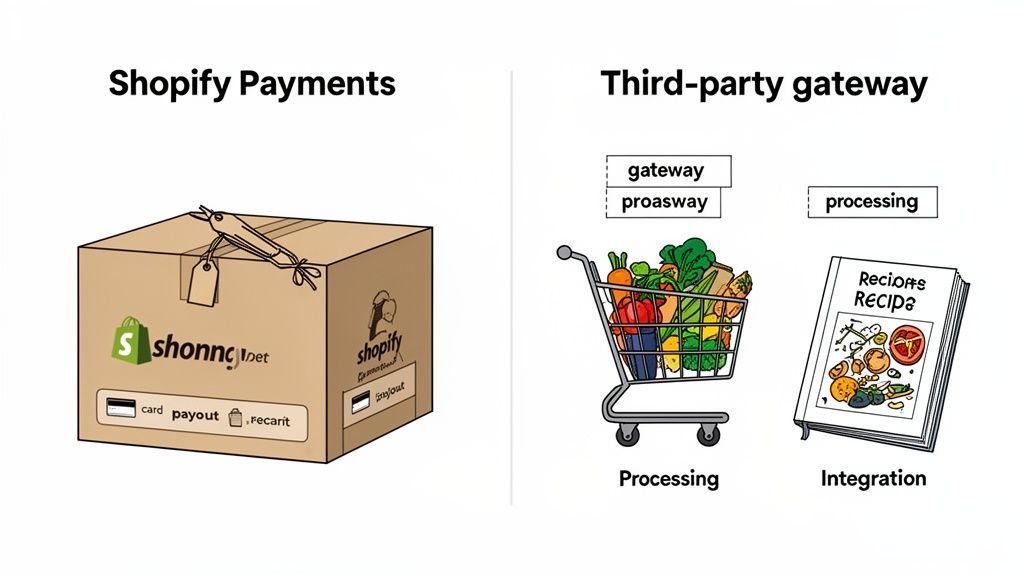
Let's break it down with an analogy. Choosing your payment setup is like deciding how to make dinner.
The Meal Kit vs. DIY Dinner Analogy
Using Shopify Payments is like ordering a meal kit. Everything you need—the payment gateway, the merchant account, the processing—comes in one box. The price is clear and upfront. No surprise trips to the store because you forgot an ingredient. It's a clean, all-in-one solution built right into your store.
Using a third-party gateway like PayPal or Stripe is the DIY approach. You go to the grocery store for your ingredients (that's the payment gateway's processing fee) and then you buy a separate cookbook (that's Shopify’s additional transaction fee). You get more control over the individual pieces, but it means juggling separate accounts, separate bills, and more complexity.
The core difference comes down to bundling. Shopify Payments rolls all the costs into a single, predictable rate. With a third-party gateway, you’re paying their fee plus a penalty fee from Shopify for not using its native system.
The Two Paths for Processing Payments
It's no surprise that most merchants prefer the "meal kit." Shopify Payments is the clear favorite, processing a massive 62% of all Shopify Gross Merchandise Volume (GMV). The biggest reason? It lets you dodge the extra transaction fees that Shopify charges when you use an external processor—fees that can range from 0.5% to 2%. This penalty fee is tacked on top of what you're already paying your gateway. You can find more insights about these Shopify Pay statistics and what they mean for merchants.
To make the choice even clearer, let's put the two options side-by-side.
Shopify Payments vs Third-Party Gateways At a Glance
Here’s a quick comparison of the two main ways to handle payments on Shopify, highlighting the key differences in how you’re charged.
Ultimately, for the vast majority of store owners, the math points directly to Shopify Payments. It’s simpler, more integrated, and almost always cheaper.
Picking your Shopify plan is one of the most important calls you'll make for your store. It's not just about features—it's about your bottom line. Think of your plan as a lever that directly controls your Shopify payment fees. Shopify has this system dialled in to reward growth. As you sell more, upgrading your plan means you keep a bigger slice of the pie from every single sale.
This tiered approach is Shopify’s way of betting on your success. They get that a store pulling in $5,000 a month operates differently than one hitting $50,000. By offering better rates on higher plans, they give you a compelling financial reason to scale with them. Suddenly, your subscription fee isn't just another bill; it's a strategic investment in your own profitability.
The biggest difference you'll see is in the credit card processing rates. Each plan—Basic, Shopify, and Advanced—has its own rate for online and in-person sales. We're talking fractions of a percent, but for a store with serious volume, that tiny difference can stack up to thousands of dollars saved over a year.
Breaking Down the Fees by Plan
Let's get into the weeds with the US rates for Shopify Payments. Keep in mind these numbers can shift a bit depending on where you are in the world, but the core idea is universal: pay for a better plan, get better rates.
- Basic Shopify Plan: This is where most people start. It's perfect for getting off the ground but has the highest processing fees. You're looking at 2.9% + 30¢ for every online credit card sale.
- Shopify Plan: Once you've got some momentum, this plan makes a lot of sense. The rate drops to 2.6% + 30¢. That 0.3% difference might not sound like much, but it adds up fast as your order count climbs.
- Advanced Shopify Plan: For businesses that are really scaling, this plan offers the best deal, typically around 2.4% + 30¢ per online transaction.
This model isn't just a US thing. Take Australia, for example. A common structure there is 1.75% + $0.30 AUD per online transaction, which gets pulled right from your payout. It’s a clean, predictable system that helps you manage cash flow as you grow. If you want to see exactly how these fees show up, you can learn more about how Shopify displays payment fees across different orders.
The Tipping Point: When Upgrading Saves You Money
So, when do you pull the trigger and upgrade? You need to find your "tipping point"—that magic monthly revenue number where the savings from lower transaction fees more than cover the higher subscription cost.
Let's walk through a quick back-of-the-napkin calculation to see it in action.
Scenario A: Store on the Basic Plan
- Monthly Subscription: ~$39/month
- Online Rate: 2.9% + 30¢
- Let's say you're doing $15,000 in monthly revenue across 300 orders.
- Variable Fees: ($15,000 * 2.9%) = $435
- Fixed Fees: (300 orders * $0.30) = $90
- Total Payment Fees: $435 + $90 = $525
Now, what happens if this exact same store jumps up to the Shopify plan?
Upgrading your plan is a data-driven decision. It's not about features alone; it's about calculating the exact moment when the fee savings outweigh the higher subscription cost, turning a monthly expense into a profit-boosting tool.
Scenario B: The Same Store on the Shopify Plan
- Monthly Subscription: ~$105/month (a $66 jump)
- Online Rate: 2.6% + 30¢
- Still processing the same $15,000 over 300 orders.
- Variable Fees: ($15,000 * 2.6%) = $390
- Fixed Fees: (300 orders * $0.30) = $90
- Total Payment Fees: $390 + $90 = $480
In this case, the upgrade saves the store $45 ($525 - $480) on fees. But since the plan costs an extra $66, they're still down about $21 overall. Not worth it... yet.
But what if their revenue hits $25,000? The fee savings would jump to $75, which easily covers the $66 plan increase and puts them in the green. That's the tipping point. Your own number will depend on your sales volume and average order value, but running this simple math is one of the smartest things you can do to protect your margins.
The Hidden Cost of Using Third-Party Gateways
While the freedom to choose your own payment gateway sounds great in theory, it often comes with a significant—and sometimes surprising—financial catch. If you opt for a third-party provider like PayPal or Stripe instead of Shopify Payments, Shopify will tack on an additional transaction fee for every single sale.
This isn't an arbitrary penalty. It's a fee Shopify applies to cover the cost of maintaining and securing the integrations for these external systems within its platform. But for you, the merchant, it means an extra charge that quietly and consistently eats away at your profit margins, turning a seemingly small percentage into a substantial annual expense.
How This Fee Changes With Your Shopify Plan
The size of this extra fee is directly tied to your Shopify subscription plan. Shopify structures it to reward merchants on higher-tier plans with a lower penalty, but no matter which plan you're on, the fee is always there if you bypass Shopify Payments.
Here’s the breakdown:
- Basic Plan: You'll pay an extra 2.0% on every transaction.
- Shopify Plan: The fee drops to 1.0% per transaction.
- Advanced Plan: This plan has the lowest additional fee at 0.5%.
Remember, these percentages are slapped on top of whatever processing fees your chosen third-party gateway already charges. You're essentially paying two separate fees on every sale, a model that can become a real drag on your profitability. This is why it's so important to understand the full picture of costs and benefits when looking at different options, like a CRM with Flutterwave integration, to see how all the pieces fit together.
This decision tree gives you a clear visual of how your choice of Shopify plan directly impacts your potential fee structure.
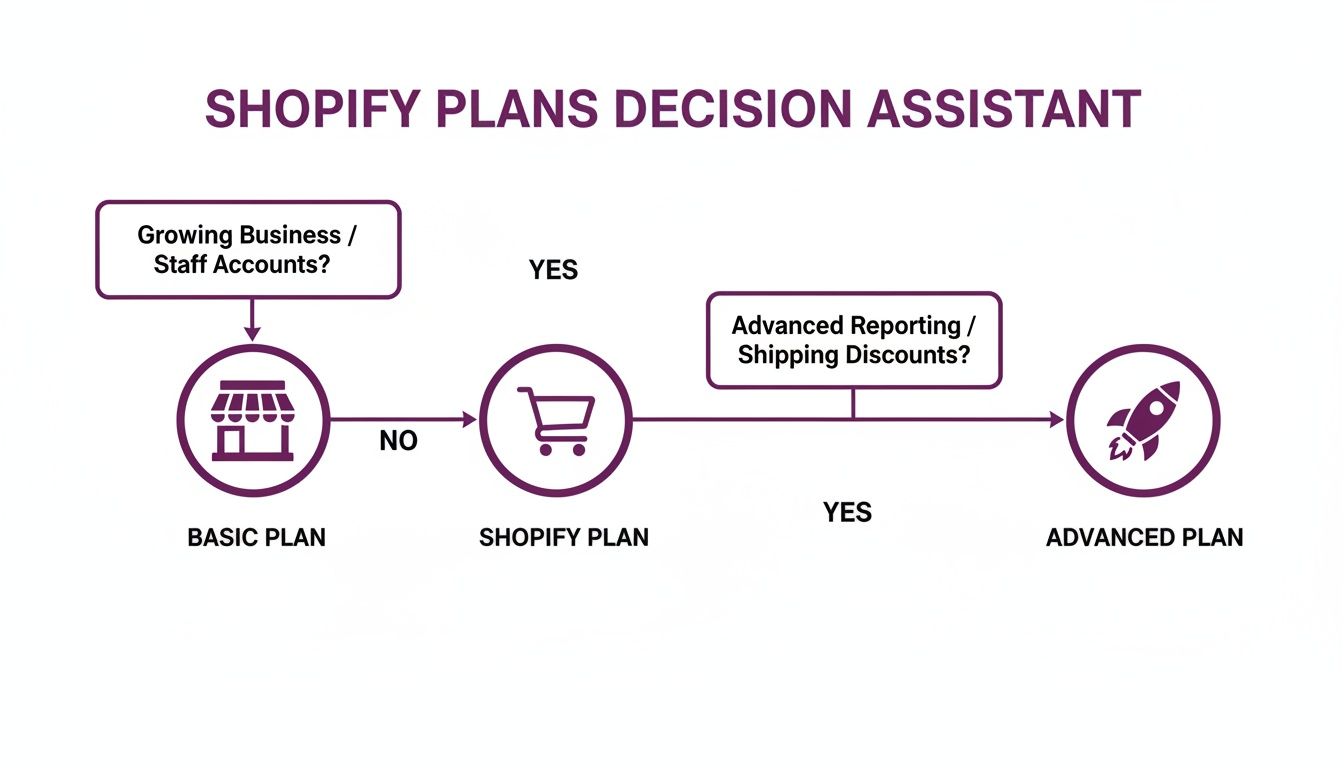
As the infographic shows, moving up to a higher-tier plan brings those rates down, making it a strategic move for businesses as their sales volume grows.
A Real-World Example of Eroding Margins
Let's put these numbers into perspective to see just how damaging this fee can be.
Imagine a growing brand on the Basic Shopify plan that processes $30,000 in revenue each month using an external payment gateway. That 2.0% additional Shopify transaction fee comes out to $600 per month.
That single fee adds up to an extra $7,200 per year in costs—money that would be completely eliminated by simply using Shopify Payments.
That $7,200 is pure profit leakage. It's cash you're handing over just for choosing an external processor, on top of the standard credit card fees you're already paying them. This calculation makes it crystal clear why digging into a proper payment gateway integration guide is non-negotiable before you commit to a third-party setup.
Sure, for some businesses, a specific, niche feature from a third-party provider might be a dealbreaker. But for the vast majority of merchants, the financial argument is undeniable. The extra costs create a significant hurdle that makes Shopify Payments the more logical and profitable choice for long-term growth.
Navigating Fees for International Sales
Taking your Shopify store global is a massive step, but it cracks open a whole new world of fees. Selling internationally isn't just about handling different currencies; you're also dealing with cross-border charges and currency conversion fees that can quietly eat into your profits if you're not paying attention.
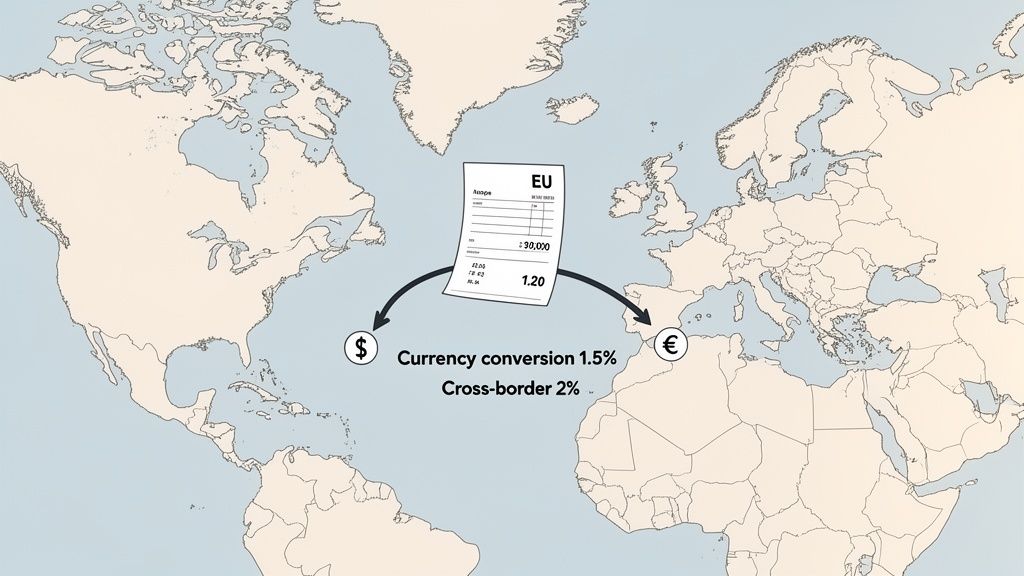
Think of it like this: these fees are the cost of translating your business for a new market. A language translator charges for their expertise, and in the same way, payment networks charge for the service of converting one currency to another and moving money safely across borders. Getting a handle on these costs is the first step toward building a global sales strategy that's actually profitable.
Understanding Currency Conversion and Cross-Border Fees
When a customer pays in a currency that's different from your payout currency, Shopify Payments steps in and applies a currency conversion fee. This is a small percentage of the transaction total that covers the risk and operational cost of foreign exchange (forex).
The rates are pretty straightforward and set by region:
- For US-based stores, the fee is 1.5% of the transaction amount.
- For stores in all other countries, it’s typically 2.0%.
These fees can add up fast. For example, a UK-based store doing heavy volume in USD will see a significant chunk of their revenue go toward that 2% conversion fee when getting paid out in GBP. For a high-volume seller, this could easily amount to thousands of dollars over a year.
On top of that, some credit card networks might tack on a cross-border fee. This gets charged when the customer's bank is in a different country than your business. It's separate from currency conversion and is often just baked into your standard transaction rate. To see how these fees compare across different services, you can look at examples like Capitec's foreign exchange fees to get a sense of the landscape.
A Practical Example of International Fees
Let's put some real numbers to this. Imagine you run a US-based store on the "Shopify" plan. You sell a product for $120 USD to a customer in France, who pays in Euros. Your store's base currency is USD.
Here’s a quick breakdown of the fees you’d pay:
- Standard Processing Fee: Your online rate is 2.6% + $0.30. That comes out to ($120 * 2.6%) + $0.30 = $3.42.
- Currency Conversion Fee: As a US-based merchant, the 1.5% fee applies. That's another $120 * 1.5% = $1.80.
- Total Fees on the Sale: Add them up: $3.42 + $1.80 = $5.22.
So, for that $120 international order, your actual payout would be $114.78—and that’s before any other business costs. If you hadn't planned for that extra $1.80, your profit margins on every single global sale would be consistently off.
International sales introduce a new variable into your profit equation. The key is to treat currency conversion fees not as a surprise cost, but as a predictable expense to be managed through smart pricing and market strategy.
Using Shopify Markets to Manage Global Pricing
Thankfully, you don't have to just absorb these costs. Shopify gives you a powerful tool called Shopify Markets. It’s a central hub right in your admin where you can manage your entire international game plan.
Instead of just letting currencies convert at checkout and taking the hit, Shopify Markets lets you set specific prices for different countries or regions. You can create pricing rules that bake those extra international fees right into the product price, ensuring your margins stay healthy no matter where your customers are. To really get into the weeds on this, check out our strategic guide to using multiple currencies for global sales.
By using these tools, you can build a global expansion plan that is both ambitious and, more importantly, profitable.
The Other Fees That Can Sneak Up on You
Beyond the standard credit card rates you see on your Shopify plan, a few other fees can quietly pop up on your statements and start chipping away at your profits. These aren't part of every transaction, but they're critical to understand if you want to protect your margins and avoid any nasty surprises at the end of the month.
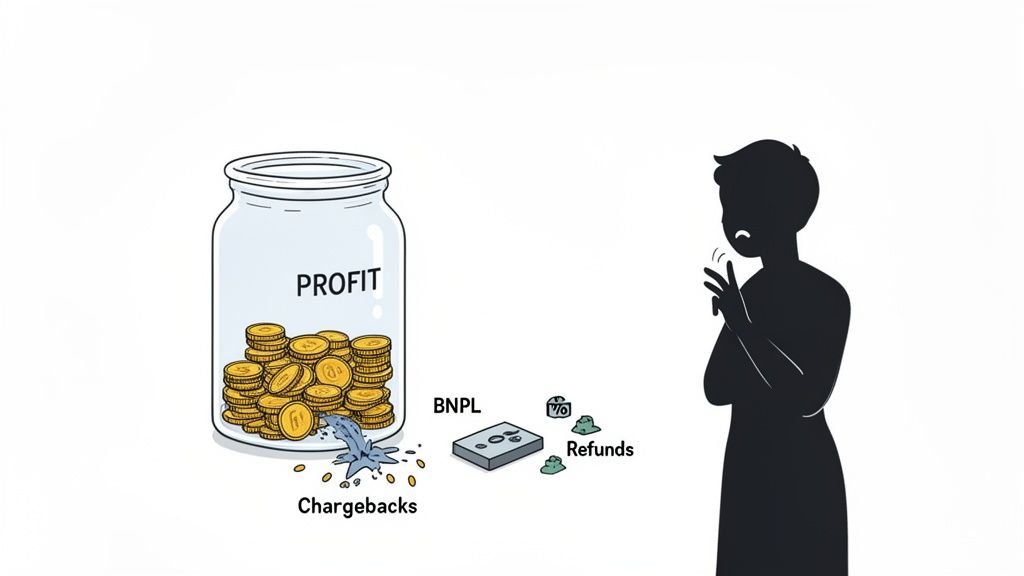
One of the biggest culprits here is the chargeback fee. A chargeback is what happens when a customer disputes a transaction directly with their bank, forcing a reversal of the charge. Think of it as a refund, but with a penalty attached.
Not only do you lose the original sale, but Shopify also hits you with a separate chargeback fee. In the US, this is typically a $15 penalty for each incident. You can get that fee back if you successfully fight and win the dispute, but that whole process eats up valuable time and requires you to have solid proof on your side.
Dealing with Chargebacks and Alternative Payment Costs
Chargebacks are more than just a financial headache; they're a red flag for payment processors. Let them pile up, and you risk being labeled a "high-risk" merchant, which could even lead to your account being shut down. The best defense is a good offense—meaning proactive customer service and crystal-clear communication.
To keep chargebacks at bay, zoom in on these areas:
- Clear Product Descriptions: What you show is what you should deliver. High-quality photos and detailed, honest descriptions leave no room for misinterpretation.
- Transparent Policies: Your shipping, return, and refund policies should be dead simple to find and understand. Confusion is the breeding ground for disputes.
- Responsive Support: Get back to customers quickly and helpfully. A good conversation can solve a problem long before it turns into a chargeback.
Think of a chargeback fee as a fine for a poor customer experience. By investing in clear communication and excellent service upfront, you can dramatically reduce the risk of these costly penalties and protect your revenue.
The other area to keep an eye on is alternative payment methods, especially Buy Now, Pay Later (BNPL) services like Klarna or Affirm. Offering these can be a fantastic way to boost conversions by giving customers payment flexibility, but that convenience comes with its own price tag.
These BNPL providers charge their own transaction fees, which are almost always higher than what you'd pay for a standard credit card. You can expect to see rates anywhere from 4% to 6% or even more, depending on the provider and the specific plan a customer chooses. You have to account for these higher costs in your pricing, otherwise you'll watch your profit margin shrink every time a customer chooses to pay in installments.
Actionable Strategies to Reduce Your Payment Fees
Understanding Shopify’s fee structure is the first step. Now, let’s put that knowledge to work and actually fatten up your bottom line. Think of managing fees less like a chore and more like an offensive play to boost your profitability. With a few smart moves, you can keep more of the revenue you’ve worked so hard to earn.
The goal isn't just to slash costs wherever you can. It's about making calculated, data-driven decisions that put you in control. Let's dive into a practical playbook you can start using today.
Time Your Plan Upgrade Perfectly
One of the biggest levers you can pull to cut down on fees is upgrading your Shopify plan at the exact right moment. As we’ve seen, higher-tier plans come with sweeter credit card processing rates. The trick is to find your "break-even point"—that magic monthly sales number where the savings on your transaction fees more than cover the higher subscription cost.
Here’s the simple math to figure it out:
- Calculate the Subscription Cost Difference: Find the monthly price jump between your current plan and the next one up. For instance, going from the Basic plan to the Shopify plan is an increase of about $66 per month.
- Determine the Fee Savings Per Transaction: Figure out the percentage difference in the online credit card rates. Moving from Basic (2.9%) to Shopify (2.6%) saves you 0.3% on every single sale.
- Find Your Break-Even Revenue: Just divide the monthly subscription increase by your fee savings percentage. In our example: $66 / 0.003 = $22,000.
What this tells you is that once your store is consistently pulling in $22,000 a month, making the jump to the Shopify plan starts making you money. The savings on fees will cover the subscription hike and then some, putting cash right back into your business.
Intelligently Price Products to Absorb Costs
Stop thinking of payment fees as something that gets subtracted from your profit. Instead, treat them like any other cost of goods sold (COGS)—just like the cost of materials or shipping. By baking this cost directly into your retail price, you can shield your margins without slapping a "processing fee" on the checkout page, which is a known conversion killer.
For example, say you sell an item for $100, and your average processing fee works out to 2.8% ($2.80). You could simply price that item at $103. Most customers won't even notice a small bump like that, but across hundreds or thousands of sales, it makes a huge difference to your net profit. This little tweak keeps your margins healthy and predictable.
A common mistake is treating payment fees as a separate expense. By integrating them into your pricing strategy from the start, you build a more resilient and profitable business model that accounts for the true cost of every sale.
Embrace Shopify Payments to Eliminate Extra Fees
This is the lowest-hanging fruit of them all. If you’re using a third-party payment gateway, you’re paying Shopify an extra fee on every transaction—anywhere from 0.5% to 2.0%. By simply flipping the switch to the built-in Shopify Payments solution, that extra cost vanishes completely.
For a store on the Basic plan doing $15,000 a month, that switch instantly saves $300 every month. That’s $3,600 a year with zero downside for most stores. Unless you have a very specific, non-negotiable reason for needing a third-party gateway, sticking with Shopify Payments is almost always the smarter financial move. It's a good idea to audit your payment setup every so often to make sure you're not leaving money on the table.
Your Questions on Shopify Payment Fees, Answered
Alright, let's cut through the noise. When it comes to Shopify's payment fees, a few questions pop up time and time again. Getting these straight is the key to mastering your margins and making sure no money is left on the table.
Think of this as your go-to cheat sheet for the most common sticking points.
Do I Have to Use Shopify Payments?
Short answer: no. But you’ll probably want to.
Shopify gives you the freedom to use other gateways like PayPal or Stripe, but they build in a pretty strong incentive to stick with their native solution. If you choose a third-party gateway, Shopify will add an extra transaction fee to every single sale. This fee runs from 0.5% to 2.0%, depending on your plan.
Keep in mind, that's on top of the processing fees your chosen gateway already charges. For almost everyone, sticking with Shopify Payments is the most straightforward and cost-effective route.
What Is the Difference Between a Transaction Fee and a Processing Fee?
This is easily the most common point of confusion, and it’s a crucial one to understand. The terms sound similar, but in the world of Shopify, they mean two very different things.
- Processing Fee: This is the standard credit card rate you can't avoid. Any time someone pays with a card, this fee is charged to process the payment securely. With Shopify Payments, this is the main fee you'll see (e.g., 2.6% + 30¢).
- Transaction Fee: This is the extra fee Shopify charges only if you decide to use an external payment gateway instead of Shopify Payments.
If you're using Shopify Payments, your transaction fee is $0. Simple as that.
The easiest way to remember it is this: processing fees are a non-negotiable part of accepting cards online. Transaction fees are an optional penalty for not using Shopify Payments. Flip the switch on Shopify Payments, and that penalty disappears.
Can I Avoid All Shopify Payment Fees?
Unfortunately, there's no magic button to eliminate payment fees entirely. Any time you accept a card payment—online or in-person—there are underlying costs to securely move money between banks and networks. These processing fees are just a standard cost of doing business in eCommerce.
But you absolutely can—and should—strategically reduce them. Here are the most effective ways to do it:
- Enable Shopify Payments: This is the lowest-hanging fruit. It instantly removes the extra transaction fee.
- Upgrade Your Shopify Plan: As your sales grow, upgrading your plan will unlock lower processing rates. Do the math to see when it makes sense for you.
- Price Your Products Smartly: Factor these processing costs into your pricing strategy from the get-go to protect your profit margins.
Treat these fees not as a surprise expense, but as a predictable operational cost. By managing them actively, you can make sure they never eat into your bottom line.
Ready to stop guessing and start growing? ECORN is a Shopify-focused agency that helps ambitious brands scale with expert development and conversion rate optimization. See how our flexible solutions can help you build a more profitable store.



Ecommerce Conversion Tracking: The Complete How-To Guide

Shopify Design Agency: How to Pick the Right Partner

Mastering Multi Store Management on Shopify

Scale Shopify Store

10 Shopify App Ideas Worth Building in 2026

Conversion Rate Optimization for Landing Pages: The Playbook

Shopify Plus Automation: A Guide for 2026

10 Social Selling Platforms for Shopify Merchants

Shopify Website Design Examples: 7 Stores Worth Studying

7 Ecommerce Newsletter Examples for Shopify Brands

One Product Shopify Store: Build and Scale

Mobile Pop Up Strategy for Shopify Stores That Converts

Sitemap for Shopify: How to Find, Optimize, and Submit It

7 Single Product Websites Worth Emulating

Product Variants Shopify: The Complete 2026 Guide

Ecommerce Analytics Consulting for Growth

What Is AI Integration for eCommerce

How to Choose the Right eCommerce Website Development Firm

E Business Strategy Implementation

Conversion Tracking Setup for Shopify Stores

BigCommerce vs Shopify Plus Which Enterprise Wins in 2026

Shopify Theme Kit: Setup, Commands, and Migration Guide

Shopify Extension Development: A Practical 2026 Guide

Shopify Speed Score Explained and How to Improve It

Shopify Mobile Optimization: The 2026 Playbook

How to Add Subcategory in Shopify for Better UX

How to Implement Structured Data for Ecommerce in 2026

SEO App Mobile: Shopify Store Optimization Guide

Shopify Plus Support: What It Includes and How to Choose

Google Ads for Shopify: The Complete 2026 Playbook

Shopify New York: How to Find and Hire the Right Agency

Google Search Console for Shopify: The Complete Setup

First Party Data Collection for eCommerce Growth

FAQ Online Store Guide: Build and Measure It Right

Do FB Ads Work for eCommerce in 2026?

One Page Checkout for Shopify: Design and Implementation

Shopify GraphQL vs REST: The 2026 Developer Decision

Shopify Ecommerce Consulting: Strategy, Pricing &

Are Reddit Ads Worth It for eCommerce Brands

Shopify Title and Meta Description: A Practical 2026 Guide

Product Video Best Practices for Shopify Brands

Real-Time Inventory Management: A 2026 Guide

AI Chatbot Integration for Shopify Stores

Affiliate Program Management: A Shopify Guide

10 Best Performance Monitoring Tools for Shopify in 2026

Digital Asset Management for eCommerce Brands in 2026

Every Type of Facebook Ads Explained for eCommerce Growth

Product Information Management Explained for Shopify Brands

Support Ticket System: A Guide for Shopify Stores

10 Best Customer Service Tools for Shopify in 2026

Can I Start a Business with No Money? a 2026 Blueprint

What Sells Good on Etsy: Best Niches for 2026

Shopify Add to Cart Button: A Practical 2026 Guide

Customer Feedback Automation: A Practical eCommerce Guide

Critical Rendering Path: A Guide for Shopify Stores

How to Promote on TikTok for eCommerce in 2026

B2B eCommerce Consulting That Drives Real Revenue

10 Best Practices for Site Navigation in 2026

Return vs Refund for Shopify Stores: A Practical Guide

What Is Customer Lifetime Value and Why It Matters

What Is Voice of Customer Research for eCommerce

SMS Marketing for Ecommerce That Actually Converts

Master How to Improve Email Deliverability in 2026

Top 7 eCommerce Partners NYC for Shopify Brands in 2026

Machine Learning for Ecommerce: Boost Your Shopify Store

Beauty Market Research: Your 2026 Growth Guide

Shopify International Expansion: A 2026 Roadmap

What Does CRO Stand for in Business: Understanding CRO

Shopify Visual Merchandising: A Playbook for Higher Sales

Shopify Landing Page Design: Master Conversion in 2026

10 Best AI SEO Optimization Tools for Shopify in 2026

Agentic AI for Ecommerce: Boost Your Sales in 2026
Mastering Email Marketing Data for eCommerce Growth

Conversion Rate Optimisation Australia: Boost Your Sales

Conversion Rate Optimization AI: Your Shopify Store Guide

10 Product Bundling Strategies for Shopify in 2026

How to Increase Customer Lifetime Value: A Shopify Playbook

AI Customer Service Automation: Shopify Guide 2026

Clean Website Design: A Shopify Conversion Playbook

Omnichannel Retail Strategy: A Shopify Playbook

Product Data Enrichment: A Guide for Shopify Brands

Instagram Shopping Features a Guide for Shopify Stores

What Is Revenue Optimization: A Holistic RevOps Guide

Benefits of Conversion Rate Optimization: Boost Your

WordPress to Shopify Migration: Your 2026 Seamless Switch

Boost Sales: Ecommerce Payment Processing Guide 2026

Unified Commerce Platform: Benefits, KPIs & Shopify Guide

How to Reduce Bounce Rate eCommerce: Your 2026 Guide

Shopify API Integration: A Practical End-to-End Guide

How to Implement Data Governance: A 2026 Guide

Shopify Store Development Cost: A 2026 Breakdown

What Is Server Side Tracking: The Shopify Guide 2026

Marketing Automation Workflows: A Shopify Guide for 2026

Shopify: How to Reduce Technical Debt

Shopify UX Design Change: A Playbook for Growth

User Generated Content Strategy: Shopify Playbook

Shopify Pause and Build Plan Cost: A Complete 2026 Guide

Compare at Price on Shopify: A Complete Guide for 2026

Where Can I Sell My Prints? 10 Best Platforms for 2026

Shopify Order Management System: The Ultimate Guide 2026


newsletter in your inbox