

Building a website on Shopify is about so much more than just picking a theme and uploading products. It’s about building a business—a real, strategic business—from the ground up.
The whole process starts with defining your niche, getting crystal clear on who your customer is, and then curating the perfect product lineup. Only then can you use Shopify’s powerful tools to bring that vision to life. A successful launch lives or dies by this foundational planning.
Laying the Groundwork for a Winning Shopify Store
I see it all the time: founders get excited and jump straight into designing their store. It’s a classic misstep. The e-commerce brands that truly kill it are built on a rock-solid strategic foundation long before a single product photo is taken.
Creating a Shopify site that actually performs means making intentional, informed decisions from day one. Think of it as drawing up the blueprint for your business before you start pouring the concrete.
This initial planning phase is what separates the thriving stores from the ones that fizzle out. It’s where you nail down your unique value proposition, carve out your space in the market, and get laser-focused on who you're selling to. Before you even sign up, it’s a good idea to understand how does Shopify work as a complete e-commerce ecosystem.
Niche, Customer, and Catalog Strategy
First things first: you have to zero in on a specific market segment. A generic store selling "a little bit of everything" is a recipe for disaster. It’s nearly impossible to market effectively and your brand will never stick in anyone’s mind.
Instead, find a well-defined niche. We're talking about things like sustainable pet toys, minimalist leather goods, or gourmet vegan snacks. This focus makes your marketing a million times easier and your brand instantly more memorable.
Once you’ve got your niche, it's time to build a detailed profile of your ideal customer. Don't just stop at basic demographics. Dig into their lifestyle, their pain points, their values, and what actually influences their buying decisions. This customer persona will guide everything from your website's tone of voice to your product photography.
This flow is key—it’s how you build a cohesive brand from the ground up.
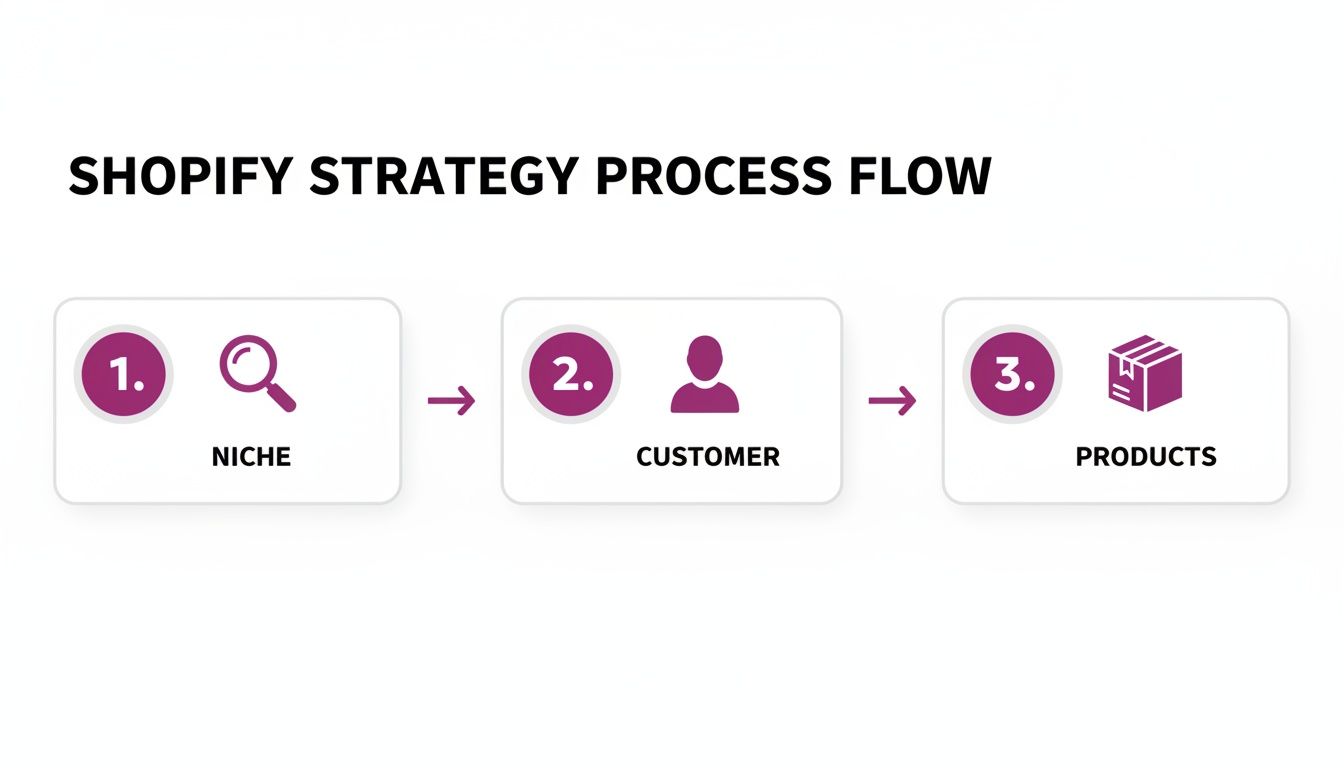
As you can see, each element logically builds on the last, creating a solid foundation for everything that comes next.
The Power of the Shopify Ecosystem
Shopify isn’t just a website builder; it's an entire commerce platform designed for growth. The numbers don't lie.
The number of live Shopify stores exploded by 201% between March 2020 and January 2022. The platform now powers roughly 29% of all e-commerce stores in the US. With merchants serving 875 million unique customers in 2023, its reliability and market dominance are undeniable.
Treat this initial strategic phase as your most critical task. When you do, every choice—from your brand name to your product selection—becomes a deliberate step toward building a profitable and sustainable online business.
Bringing Your Brand to Life with Themes and Pages
Alright, with the strategic groundwork laid, we get to the fun part: actually building your Shopify store and making your brand vision a reality. This is where your brand stops being a concept in a slide deck and becomes a living, breathing digital experience. Your Shopify theme is the canvas for all of it.
But don't mistake a theme for just a pretty coat of paint. A great theme is a conversion machine, thoughtfully designed with a user experience that smoothly guides visitors from just browsing to hitting "buy now." Think of it as the architecture of your digital storefront—it has to look great, but it also has to work flawlessly.
Selecting the Right Shopify Theme
Hopping into the Shopify Theme Store, you'll find a ton of options, both free and paid, each with its own style and built-in features. It's easy to get drawn in by aesthetics alone, but you've got to look under the hood. A gorgeous theme that loads at a snail's pace or has a confusing layout will actively sabotage your sales.
When you're sizing up a theme, here's what to focus on:
- Performance: How fast does the demo site load? Anything taking longer than three seconds is a major red flag and will send visitors bouncing.
- Mobile Responsiveness: With more than half of all web traffic coming from phones, a theme that isn't perfect on mobile is a non-starter. No excuses.
- Feature Set: Does it have the built-in tools you need, like a product quick-view, slick filtering options, or a mega menu? Using native theme features often means fewer apps, which is great for keeping your site speed up.
- Support and Reviews: Especially for paid themes, check out the developer's reputation. Good support is worth its weight in gold when you inevitably hit a snag.
While premium themes pack a punch with more features and deeper customization, don't sleep on the free ones. Shopify's own themes, like Dawn and Sense, are built for performance and are fantastic starting points. You can dig deeper into the best free Shopify themes to see how they stack up for different types of stores.
Customizing Your Storefront for Brand Consistency
Once you've picked your theme, the real work begins. Shopify's theme editor is your new best friend—it’s a surprisingly powerful tool that lets you inject your brand's personality into every pixel, no coding required. This is how you go from a generic template to a store that is unmistakably yours.
Start by dialing in your core brand elements:
- Color Palette: Upload your logo and pull its primary colors for key elements like buttons, headers, and announcement bars. Use your secondary colors for accents to create a cohesive, professional look.
- Typography: Your fonts say a lot about your brand. A luxury brand might go for a sophisticated serif font, while a store selling modern tech gadgets would probably lean toward a clean, sans-serif typeface. Consistency is key here.
- Imagery: Your product photos and lifestyle shots are critical. They need to be high-quality and perfectly aligned with your brand's vibe. This is one of the fastest ways to build trust and show off the value of what you sell.
A well-customized theme does more than just look good; it creates an immersive brand experience. Every color, font, and image choice should reinforce what your brand stands for, making your store memorable long after a visitor leaves.
As you get everything looking just right, you might also want to hide 'Powered by Shopify' from your footer. It’s a small detail, but it adds a layer of professionalism and reinforces that the store is 100% your own.
Crafting Essential Pages and Intuitive Navigation
Beyond your homepage and product pages, there are a few other pages that are absolutely essential for building trust. These are the pages shoppers hunt for to make sure you're a legitimate, trustworthy business before they hand over their credit card details.
Make sure you create and put some real thought into the content for these pages:
- About Us: This is your chance to tell your story. What’s your mission? What are your values? Why should people buy from you? This is how you connect with customers on a human level.
- Contact: Make it dead simple for customers to get in touch. Include an email, a contact form, and links to your social media. Don't make them dig for it.
- FAQ: Get ahead of the curve by answering common questions about shipping, returns, product care, and anything else your customers might ask. A solid FAQ page builds confidence and can seriously cut down on your customer service emails.
Finally, you need to tie it all together with navigation that just makes sense. Your main menu should be clean and simple, guiding users to your most important product collections and pages without being overwhelming. A confused customer is a lost customer. Your goal is to make finding what they want completely effortless.
Curating an Irresistible Product Catalog
Think of your product pages as your best salespeople. They're on the clock 24/7, working to convince visitors to hit that "Add to Cart" button. When you're building a store on Shopify, mastering the platform's catalog tools is how you turn a simple product list into a compelling shopping experience. This is where you stop just listing items and start guiding customers.
It all begins with the individual product page. The first order of business is writing persuasive, SEO-friendly product descriptions. Forget the dry, technical specs for a moment—your real goal is to tell a story. Put yourself in your customer's shoes: what problem does your product solve for them?
Instead of a flat "100% cotton t-shirt," paint a picture. Try something like, "Crafted from incredibly soft, breathable 100% Pima cotton, this tee is your new go-to for all-day comfort, whether you're running errands or just kicking back on the weekend." You're not just selling a shirt; you're selling the feeling of comfort and ease.
Organizing Your Inventory with Strategic Collections
Once your product pages are solid, the next move is to group them into logical collections. Think of collections as the aisles in a physical store; they help shoppers find what they're looking for without feeling overwhelmed. A messy, disorganized store is a surefire way to frustrate visitors and lose sales.
Shopify gives you two powerful ways to build them:
- Manual Collections: You get to hand-pick every single product that goes into the collection. This is perfect for small, highly curated groups, like a "Founder's Favorites" feature or a seasonal "Holiday Gift Guide." You have total control, but it does require manual updates.
- Automated Collections: This is where you set the rules, and Shopify does the work, automatically adding any products that meet your conditions. It's a massive time-saver for larger catalogs. For example, you could create a "T-Shirts" collection that instantly pulls in any product with the type "T-shirt" and the tag "men's."
This automation is where the real magic is. As you add new products, they'll pop right into the correct collections without you lifting a finger, keeping your store impeccably organized.
A well-structured catalog does more than just display products; it actively guides the shopping experience. By using a mix of manual and automated collections, you can create intuitive pathways that encourage browsing and lead to higher average order values.
Leveraging Variants, Tags, and Metafields
To build a truly sophisticated shopping experience, you have to dig deeper than just titles and descriptions. This is where Shopify's more advanced product data tools—variants, tags, and metafields—come into play, allowing for powerful filtering and organization.
First up are product variants. If you sell items that come in different options like size, color, or material, these are non-negotiable. Instead of clogging up your store with a separate page for every single variation, you create one master product and simply add the variants. It keeps your catalog clean and makes it way easier for customers to see all their options in one spot.
Next, you have product tags. Think of these as flexible, informal labels. While collections are for broad categories, tags are for the nitty-gritty details. You could use tags like "bestseller," "new-arrival," "eco-friendly," or "gift-idea." The real power of tags is unlocked when you use them to create advanced filtering on your collection pages, letting customers drill down to find exactly what they want.
Adding Custom Details with Metafields
Finally, for all the unique product info that doesn't quite fit anywhere else, Shopify gives you metafields. These are custom data fields you can add to your products, and they're perfect for displaying specialized information that builds trust and answers customer questions upfront.
Here are a few real-world examples of how you could use metafields:
- For Apparel: Add metafields for "Care Instructions" (e.g., Machine wash cold, tumble dry low) or a "Fit Guide" (e.g., Runs true to size).
- For Skincare: You could create a "Key Ingredients" list or an "Ideal For" field to specify skin type.
- For Furniture: Display "Dimensions" (L x W x H) or "Materials" (e.g., Solid oak, steel frame) right on the product page.
By adding this extra layer of detail, you're anticipating what your customers need to know, reducing friction in the buying process, and giving your products a professional polish that sets your brand apart. Combining these tools is the secret to building a catalog that isn't just organized, but genuinely helpful and irresistible to shoppers.
Building Your E-commerce Tech Stack
Your Shopify store is powerful right out of the box, but the Shopify App Store is where you truly unlock its potential. Think of your core Shopify setup as a high-performance car engine; the apps you install are the specialized upgrades—like a better suspension system or a turbocharger—that tailor its performance to your specific goals.
The right apps can transform a standard store into an exceptional one, but it’s easy to get carried away. Piling on too many apps, especially poorly coded ones, can seriously bog down your site speed. That creates a clunky user experience that absolutely kills conversions.
The goal isn't to install every shiny new tool you see. It's about building a lean, strategic tech stack where every single app solves a real business problem.
Core App Categories for Every Store
Instead of just browsing aimlessly, focus your search on a few key categories that deliver the biggest impact. For almost every e-commerce business, this means starting with tools for marketing, social proof, and customer support.
These three pillars work together to attract, convert, and retain customers. They form the foundation of an operation that can actually scale.
- Email & SMS Marketing: This is your most valuable owned channel, hands down. An app like Klaviyo lets you move way beyond basic newsletters to create sophisticated automated flows. You can set up welcome series for new subscribers, abandoned cart reminders that recover lost sales (a huge revenue driver), and post-purchase follow-ups that turn one-time buyers into loyal repeat customers.
- Customer Reviews & Social Proof: People trust other shoppers more than they trust you. It's just a fact. Tools like Yotpo or Loox automate the process of collecting and displaying customer reviews, photos, and star ratings. This kind of social proof builds instant trust and credibility, answering the silent question in every visitor’s mind: "Is this product as good as it looks?"
- Customer Support & Helpdesk: In a crowded market, excellent service is a massive competitive advantage. An app like Gorgias or Zendesk consolidates all your customer conversations—from email, live chat, and social media—into one unified dashboard. This means your team can respond faster and more effectively, turning potential complaints into positive brand experiences.
Vetting Apps for Performance and Reliability
Before you smash that "Add app" button, you need to do a little homework. A poorly chosen app can introduce bugs, tank your load times, or create nasty compatibility issues with your theme.
Your site's performance is a core feature, not an afterthought. Every app you add is a trade-off between new functionality and potential speed degradation. Choose wisely by prioritizing apps that are well-coded, well-supported, and directly contribute to your revenue goals.
Here’s a quick checklist to run through before installing anything new:
- Check Recent Reviews: Don't just glance at the overall star rating. Filter for the most recent reviews from the last few months. Are users reporting new bugs? Is the developer actually responsive to issues?
- Examine the Demo Store: Most reputable apps have a live demo. Use it. Is it fast and intuitive? Does it work flawlessly on mobile? Don't skip this step.
- Review the Support Options: What kind of support does the developer offer? Look for clear documentation, email support, or live chat. Good support is often a sign of a well-maintained, quality product.
- Understand the Pricing: Does the pricing scale fairly as your business grows? Be wary of apps with confusing pricing tiers that can become unexpectedly expensive down the road.
Taking a methodical approach helps you build a powerful, reliable tech stack that genuinely enhances your Shopify store without dragging down its performance. To go even deeper, check out our complete guide to building an e-commerce tech stack that can support your brand's growth.
Turning Traffic into Revenue with Conversion Optimization
Getting traffic to your brand-new Shopify store is a huge win, but it’s only half the battle. Let's be honest: visitors are great, but customers pay the bills. The discipline of turning those hard-won visitors into paying customers is called conversion rate optimization (CRO).
It's the art and science of fine-tuning every little detail of your store to convince more people to click "buy." Shopify gives you a powerful foundation, but optimization is a marathon, not a sprint. It’s an ongoing process of testing, learning, and tweaking. You’d be surprised how small, data-driven changes can have a massive impact on your bottom line. This isn't about guesswork; it's about digging into user behavior and systematically removing any friction that stands in their way.
Boost Your Site Speed for Better Conversions
Before you even think about testing a button color or rewriting a headline, you need to tackle the number one conversion killer: a slow website. In e-commerce, speed is money. A one-second delay can cause a major dip in conversions, and frustrated visitors rarely come back for a second try.
Site speed isn’t just about user experience, either. It’s a huge factor for your SEO rankings. Google actively prioritizes fast, mobile-friendly sites, so a sluggish store is hurting you on multiple fronts.
Here are a few quick wins:
- Shrink Your Images: Nine times out of ten, large, unoptimized images are the main culprit for slow load times. Use a Shopify app like Crush.pics or TinyIMG to automatically compress your photos without turning them into pixelated messes.
- Audit Your Apps: Be ruthless. Every app you install adds code to your site, potentially slowing it down. If an app isn’t providing clear, measurable value, get rid of it.
- Pick a Performance-Optimized Theme: Not all themes are built the same. Stick with themes from the official Shopify Theme Store, as they’re all vetted for performance and solid coding standards.
Dig into Analytics to Understand User Behavior
You can’t fix what you don’t measure. Your Shopify Analytics and Google Analytics dashboards are absolute gold mines of information. They show you where people are coming from, what pages they love, and—most importantly—where they're giving up and leaving.
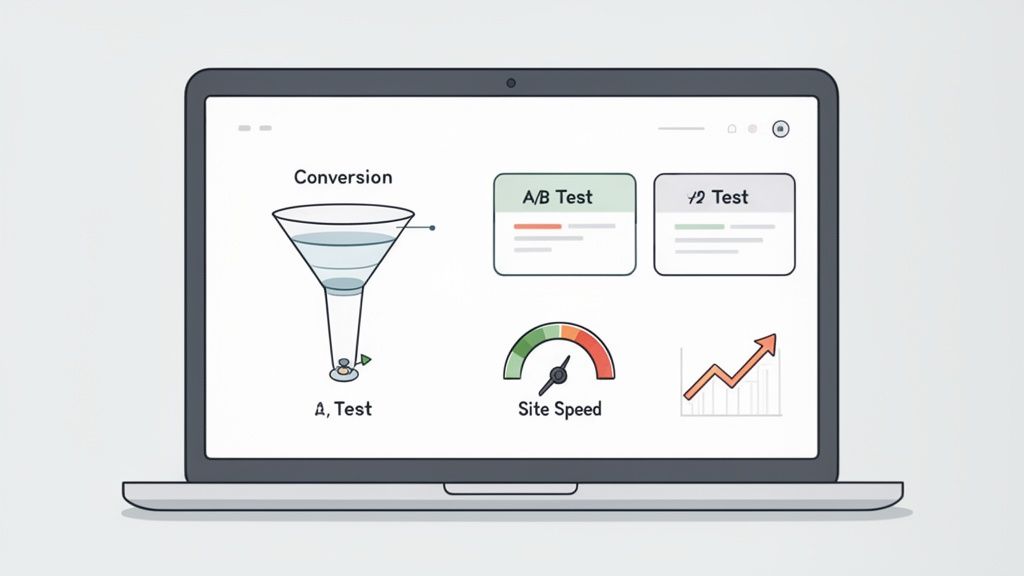
The best place to start is your conversion funnel. This report maps out the customer's journey from landing on your site to completing a purchase. Pay close attention to the drop-off rates between these key steps:
- Added to Cart
- Reached Checkout
- Sessions Converted
See a huge drop-off between "Added to Cart" and "Reached Checkout"? That’s a massive red flag. It could point to unexpected shipping costs, a confusing cart page, or a weak call-to-action. This is the data that tells you exactly where to focus your efforts.
Your analytics aren't just a bunch of numbers; they're the voice of your customer. Learn to interpret them, and you'll pinpoint the exact friction points in their shopping journey. That's how you make targeted improvements that directly boost sales.
A Gentle Introduction to A/B Testing
Okay, so you've used your analytics to find a problem area. Now what? How do you know if your brilliant idea for a fix will actually work?
The answer is A/B testing. It sounds technical, but the concept is simple. You create two versions of a page: Version A (the original) and Version B (your new idea). Then, you show each version to a different segment of your audience to see which one performs better.
Don't get overwhelmed. You don't need to test everything at once. Start with high-impact elements where a win can really move the needle:
- Product Page Layout: Try different arrangements of your photos, description, and "Add to Cart" button.
- Call-to-Action (CTA) Text: Does "Buy Now" work better than "Add to Cart"? What about "Shop the Collection" versus "Learn More"? Test it.
- Homepage Headline: This is your first impression. Test different value propositions to see which one truly clicks with new visitors.
Tools like VWO or Optimizely can help you run these experiments without needing a developer. The golden rule is to test only one thing at a time. That way, you know for sure that any change in performance is a direct result of that specific tweak.
It also helps to know where you stand. The average Shopify store converts around 2.5% of its visitors, but the top players are in a different league. The elite 10% of stores consistently hit conversion rates of 4.7% or higher. They get there by mastering optimization, especially for high-intent traffic sources—email traffic, for example, converts at an incredible 4.3% on average.
To see how you stack up, check out more Shopify statistics on chargebacks911.com. By adopting a data-driven approach, you can systematically climb the ranks and join the high-converting brands.
Setting the Stage for Long-Term Growth
Getting your Shopify store launched is a huge milestone, but it's really just the starting block. The real race is building a business that can grow and adapt for years to come. As your brand matures, you’ll inevitably outgrow the standard Shopify features, and that's a good thing! It means you're succeeding.
Thinking about long-term growth isn't about some far-off future; it's about making smart choices right now. You need to anticipate higher order volumes, more complex operations, and maybe even dipping your toes into international markets. The goal is to build a resilient store that can handle whatever you throw at it without needing a complete tear-down and rebuild every couple of years.
Upgrading to Shopify Plus
So, when does it make sense to make the jump to Shopify Plus? Honestly, you’ll probably feel it before you see it on a spreadsheet. Your team will start hitting operational walls and spending too much time on manual workarounds.
Here are a few tell-tale signs that it’s time to upgrade:
- You're Dreading Peak Season: If the thought of Black Friday traffic makes you sweat, you need the beefed-up server capacity and dedicated support that comes with Plus. It's built to handle massive order volumes without a hiccup.
- Manual Tasks are Bogging You Down: Are you or your team caught in a loop of repetitive tasks? A Plus-exclusive tool like Shopify Flow is a game-changer. It automates workflows like tagging VIP customers or flagging high-risk orders, freeing up your team to focus on growth.
- Your B2B Operation is Getting Serious: If your wholesale or B2B channel is taking off, the dedicated B2B storefront features in Plus offer a far more polished and professional experience for your partners.
It’s no secret that Shopify has become the platform of choice for scaling businesses. In just the last 90 days, a staggering 20,508 merchants migrated over to Shopify. And when you look at top enterprise sites, 42.2% of new launches are choosing the platform. You can dig into more of Shopify’s impressive growth statistics on omnisend.com.
Taking Your Brand Global with Shopify Markets
Not too long ago, expanding internationally was a logistical and financial nightmare. Thankfully, Shopify Markets has completely changed the game, putting all the tools you need to manage your global presence into a single dashboard.
Going global isn't just about shipping to new countries; it's about creating localized shopping experiences. Shopify Markets empowers you to present your store in local currencies and languages, which is critical for building trust and maximizing conversion rates in new regions.
With Shopify Markets, you can easily manage country-specific domains, set custom pricing for different regions, and handle international duties and taxes without pulling your hair out. It makes cross-border commerce feel almost as simple as selling to someone in the next town over.
Got Questions About Building on Shopify?
As you get ready to dive into building your Shopify store, it's totally normal for questions to pop up. Let's tackle some of the most common ones we hear from clients to help you get started with confidence.
How Long Does It Really Take to Build a Shopify Store?
This is the classic "how long is a piece of string?" question. The timeline can swing wildly depending on what you're trying to build.
Honestly, you could get a basic store up and running over a weekend. If you have just a handful of products, your content ready to go, and you're happy with a standard theme, it can be that fast.
But for a more ambitious project? Think a custom-designed site with a large product catalog, several key app integrations, and unique features. That's a different story. You're realistically looking at a timeline of 4 to 12 weeks.
The biggest things that will affect your timeline are:
- How much theme customization you need. Are we talking simple color swaps or a complete overhaul?
- The sheer number of products and collections you need to get loaded into the system.
- How much original content (photos, killer product descriptions, blog posts) you need to create from scratch.
What Are the Essential Costs to Keep in Mind?
Your monthly Shopify subscription is just the starting point. There are a few other costs you'll want to budget for right out of the gate. First up is your custom domain name, which is usually a small but necessary expense—typically around $15 per year.
Next, let's talk themes. While Shopify offers some fantastic free themes, a premium theme often brings more advanced features and a more polished, professional look. This is a one-time purchase, generally falling in the $200 to $400 range.
Finally, don't forget about apps. The right apps for marketing, customer reviews, and SEO are non-negotiable for growth. Many of these work on a monthly subscription model, which can add anywhere from $50 to over $300 to your monthly bill, all depending on your tech stack.
A quick note on migrations: Moving an existing store from a platform like WooCommerce or BigCommerce to Shopify is something we see all the time, and it's a very manageable process. Shopify has its own import tools that handle basic data like products and customers, making the switch pretty straightforward for smaller stores.
But if you're a larger, more established business with years of order history and customer data, you'll want to be more careful. Using a dedicated third-party migration app or partnering with a Shopify expert agency is the safest bet. This ensures every piece of critical data makes the jump seamlessly, protecting your hard-earned SEO rankings without skipping a beat in your day-to-day operations.
Ready to scale your e-commerce vision with expert guidance? ECORN specializes in Shopify development and conversion rate optimization to help brands grow. Whether you're launching, migrating, or optimizing, our dedicated specialists are here to elevate your project. Explore our flexible packages and start building a better e-commerce experience today.


Ecommerce Loyalty Program Software How to Choose and Launch
Shopify Plans Comparison for Every Business Stage
How to Improve User Experience for eCommerce Growth
Shopify Checkout Optimization That Converts More
Shopify Inventory Sync: A Practical Setup Guide
Shopify App Integration Playbook That Scales
Shopify CMS Integration: Your 2026 Guide to Options
Shopify Store Audit: Find Hidden Conversion Leaks

Shopify Plus Experts: How to Hire the Right Team

Chargeback Protection Shopify: A Practical 2026 Guide
8 Examples of Conversion Rate Optimization
How to Conversion Rate Optimization for Shopify Stores
Shopify Design Essentials Every Store Owner Needs
Ecommerce Terms of Service: How to Draft and Implement

How to Implement Structured Data for Ecommerce in 2026

SEO App Mobile: Shopify Store Optimization Guide

Shopify Plus Support: What It Includes and How to Choose

Google Ads for Shopify: The Complete 2026 Playbook

Shopify New York: How to Find and Hire the Right Agency

Google Search Console for Shopify: The Complete Setup

First Party Data Collection for eCommerce Growth

FAQ Online Store Guide: Build and Measure It Right

Do FB Ads Work for eCommerce in 2026?

One Page Checkout for Shopify: Design and Implementation

Shopify GraphQL vs REST: The 2026 Developer Decision

Shopify Ecommerce Consulting: Strategy, Pricing &

Are Reddit Ads Worth It for eCommerce Brands

Shopify Title and Meta Description: A Practical 2026 Guide

Product Video Best Practices for Shopify Brands

Real-Time Inventory Management: A 2026 Guide

AI Chatbot Integration for Shopify Stores

Affiliate Program Management: A Shopify Guide

10 Best Performance Monitoring Tools for Shopify in 2026

Digital Asset Management for eCommerce Brands in 2026

Every Type of Facebook Ads Explained for eCommerce Growth

Product Information Management Explained for Shopify Brands

Support Ticket System: A Guide for Shopify Stores

10 Best Customer Service Tools for Shopify in 2026

Can I Start a Business with No Money? a 2026 Blueprint

What Sells Good on Etsy: Best Niches for 2026

Shopify Add to Cart Button: A Practical 2026 Guide

Customer Feedback Automation: A Practical eCommerce Guide

Critical Rendering Path: A Guide for Shopify Stores

How to Promote on TikTok for eCommerce in 2026

B2B eCommerce Consulting That Drives Real Revenue

10 Best Practices for Site Navigation in 2026

Return vs Refund for Shopify Stores: A Practical Guide

What Is Customer Lifetime Value and Why It Matters

What Is Voice of Customer Research for eCommerce

SMS Marketing for Ecommerce That Actually Converts

Master How to Improve Email Deliverability in 2026

Top 7 eCommerce Partners NYC for Shopify Brands in 2026

Machine Learning for Ecommerce: Boost Your Shopify Store

Beauty Market Research: Your 2026 Growth Guide

Shopify International Expansion: A 2026 Roadmap

What Does CRO Stand for in Business: Understanding CRO

Shopify Visual Merchandising: A Playbook for Higher Sales

Shopify Landing Page Design: Master Conversion in 2026

10 Best AI SEO Optimization Tools for Shopify in 2026

Agentic AI for Ecommerce: Boost Your Sales in 2026
Mastering Email Marketing Data for eCommerce Growth

Conversion Rate Optimisation Australia: Boost Your Sales

Conversion Rate Optimization AI: Your Shopify Store Guide

10 Product Bundling Strategies for Shopify in 2026

How to Increase Customer Lifetime Value: A Shopify Playbook

AI Customer Service Automation: Shopify Guide 2026

Clean Website Design: A Shopify Conversion Playbook

Omnichannel Retail Strategy: A Shopify Playbook

Product Data Enrichment: A Guide for Shopify Brands

Instagram Shopping Features a Guide for Shopify Stores

What Is Revenue Optimization: A Holistic RevOps Guide

Benefits of Conversion Rate Optimization: Boost Your

WordPress to Shopify Migration: Your 2026 Seamless Switch

Boost Sales: Ecommerce Payment Processing Guide 2026

Unified Commerce Platform: Benefits, KPIs & Shopify Guide

How to Reduce Bounce Rate eCommerce: Your 2026 Guide

Shopify API Integration: A Practical End-to-End Guide

How to Implement Data Governance: A 2026 Guide

Shopify Store Development Cost: A 2026 Breakdown

What Is Server Side Tracking: The Shopify Guide 2026

Marketing Automation Workflows: A Shopify Guide for 2026

Shopify: How to Reduce Technical Debt

Shopify UX Design Change: A Playbook for Growth

User Generated Content Strategy: Shopify Playbook

Shopify Pause and Build Plan Cost: A Complete 2026 Guide

Compare at Price on Shopify: A Complete Guide for 2026

Where Can I Sell My Prints? 10 Best Platforms for 2026

Shopify Order Management System: The Ultimate Guide 2026

What Is Marketing Attribution? an eCommerce Guide for 2026

10 Best Black Friday Sales Sheets for 2026

Discover the Top Social Media Marketing Agencies For

Consumer Confidence Definition for eCommerce in 2026

What Is Social Commerce? Your 2026 Guide to Boosting Sales

A Social Ad Campaign Playbook for eCommerce Growth

7 Best FAQ Page Examples for SaaS & eCommerce

Market Research in Fashion Industry: A Guide for Shopify

Shopify Migration Services: Expert Guide for 2026

Mastering FB Retargeting Ads for Shopify in 2026

What Is Omnichannel Ecommerce

Master Your Shopify Plus Migration: The 2026 Guide


newsletter in your inbox