

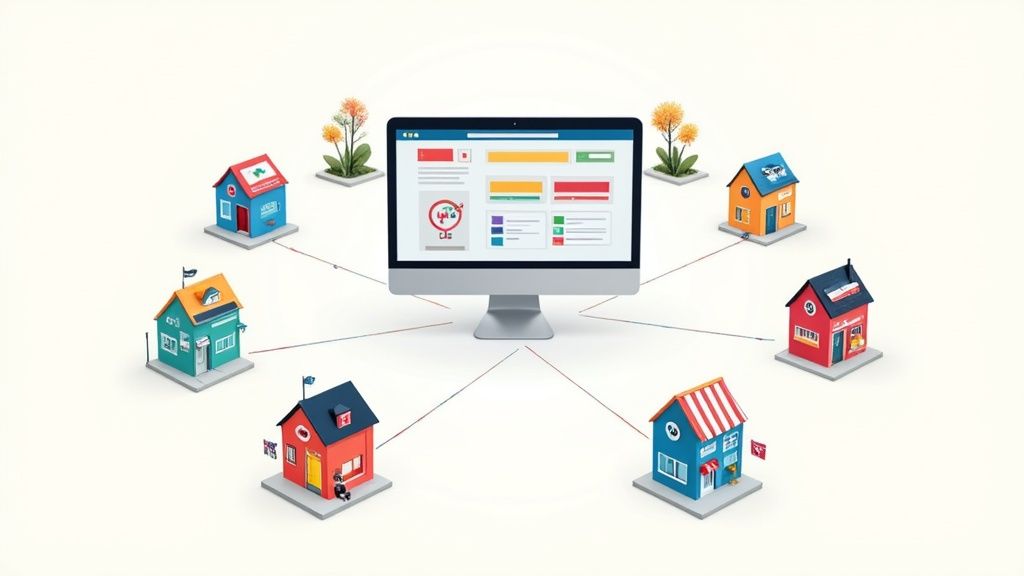
Is managing multiple Shopify stores the right move for your brand? The short answer is a resounding yes—but only if you're trying to reach distinct customer groups, like international markets, B2B clients, or even entirely separate brand identities. It’s a strategic leap from a single storefront to creating highly focused shopping experiences that can seriously accelerate growth.
Understanding Your Expansion Options
Deciding to expand your eCommerce footprint is a big deal. As your brand gets bigger, that one-size-fits-all storefront can start to feel a little tight at the seams. You're probably wondering if splitting up your operations is the key to serving different audiences or regions more effectively.
Ultimately, the choice boils down to two main paths within the Shopify ecosystem. This guide will walk you through the streamlined, single-store approach using Shopify Markets versus the more robust, independent multi-store architecture. Think of it like deciding between adding new, specialized departments to your existing flagship store or opening entirely new boutiques in different neighborhoods. Each strategy has a purpose, and each comes with its own set of trade-offs.
Key Strategic Differences
To make the right call, you have to get what makes these two approaches fundamentally different. One gives you simplicity and central control, while the other offers total freedom and customization—at a higher operational cost, of course.
- Centralized vs. Decentralized: A single store powered by Shopify Markets keeps all your data, products, and settings under one roof. It’s simple. Multiple stores, on the other hand, create totally separate businesses, each with its own dashboard, customer list, and workflow.
- Depth of Localization: Shopify Markets is fantastic for surface-level localization—think switching currencies and translating text. A multi-store setup lets you go deep, offering entirely different product catalogs, unique marketing campaigns for each region, and tailored legal compliance for every market.
- Brand Separation: If you're launching a completely different brand (like a luxury line and a separate outlet store), multiple stores are non-negotiable. It’s the only way to create truly distinct brand experiences, from the domain name all the way to the checkout.
The real question isn’t about which option is “better,” but which one truly aligns with your business goals. A brand that just needs to show prices in different currencies has vastly different needs than one launching a dedicated wholesale division.
To get us started, let's break down the core differences in a simple table. This will give you a quick snapshot of how each strategy stacks up in terms of core features, ideal use cases, and general costs.
Single-Store vs Multi-Store Shopify Strategies at a Glance
This table should give you a solid starting point. As we dive deeper, we'll unpack the specific technical, operational, and financial details you'll need to make a confident decision for your brand's future.
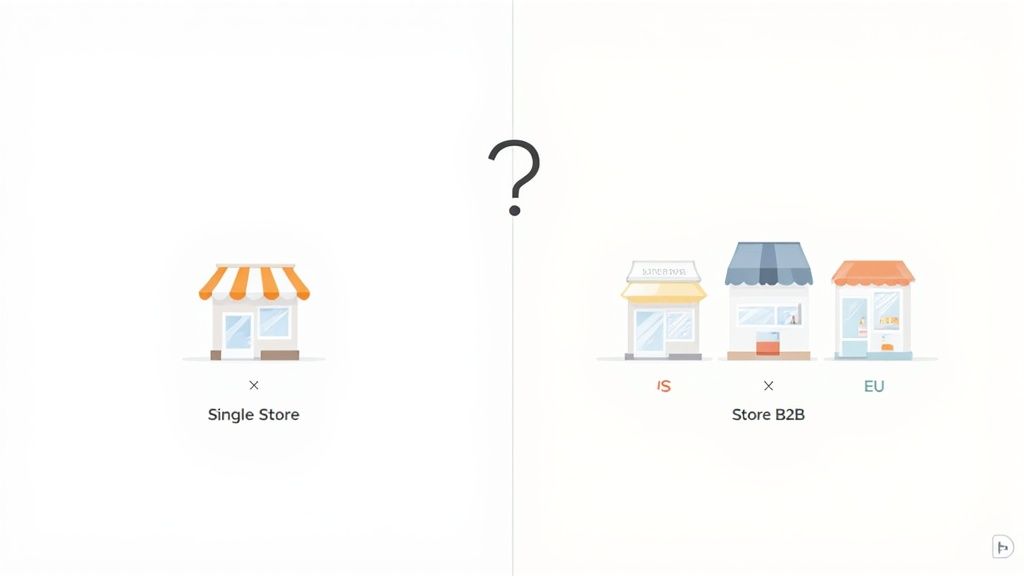
Why Top Brands Run Multiple Storefronts
So, what pushes a successful brand to manage more than one Shopify store? It’s not about making things complicated for the sake of it. It's a calculated move for serious growth. Moving beyond a single website lets top brands build experiences that are dialed in for specific audiences, transforming a general store into a collection of specialized boutiques.
This whole approach boils down to a simple truth in ecommerce: one size never fits all. By launching multiple Shopify stores, brands can ditch the generic model and speak directly to different customer groups in the language, currency, and context that actually makes sense to them.
Deep International Localization
One of the biggest reasons to go multi-store is for a real push into international markets. Sure, a single store can show different currencies and offer basic translations, but that rarely creates a truly local shopping experience. A dedicated storefront for a new country or region unlocks a much, much deeper level of customization.
Think about it from the customer's perspective. Someone in Germany landing on a .de domain expects to see everything in German, pay in Euros, and find products that are actually relevant to them. A separate store makes this easy. You can:
- Offer unique product catalogs: Feature items that are hot in that specific region while hiding products that aren't available or just don't sell there.
- Run region-specific marketing: Launch sales and campaigns that line up with local holidays or cultural moments, like Boxing Day in the UK or Singles' Day in Asia.
- Comply with local regulations: Handle different tax laws, privacy policies (like GDPR in Europe), and shipping rules without tangling up your main store's operations.
This isn't just about translation; it's about full-blown cultural and commercial adaptation. Getting these details right builds a ton of trust and shows customers you actually understand their market, which can do wonders for your conversion rates.
Separating B2C and B2B Operations
Another huge driver for multiple storefronts is serving completely different customer types, usually retail (B2C) and wholesale (B2B). These two groups have wildly different needs. Trying to make them both happy on a single site often leads to a clunky, confusing mess for everyone.
A dedicated B2B store opens the door to features that are critical for wholesale but totally unnecessary for regular shoppers.
A separate B2B portal is more than just a convenience—it's an efficiency machine. It streamlines wholesale ordering with bulk pricing, custom catalogs, and net payment terms that are just impossible to manage on a standard B2C site.
By splitting into two distinct stores, a brand can perfect the entire user journey for each audience. The B2C site can focus on storytelling, beautiful visuals, and a frictionless checkout. The B2B site, on the other hand, is all about function, speed, and account management, giving wholesale partners a platform built just for them.
Creating Distinct Brand and Product Identities
Sometimes, a single brand has product lines that target completely different people. Picture a company selling both a high-end, premium collection and a separate line of discounted outlet items. Mashing these together on one site can seriously dilute the premium brand's value and just plain confuse shoppers.
By launching multiple Shopify stores, brands can carve out unique identities for each product line.
- Premium Brand Store: This site would be all about elegant design, rich brand stories, and a laser focus on quality and craftsmanship.
- Outlet Store: This storefront could have a much more direct, deal-focused design that screams value and highlights discounts.
This separation gives each brand its own voice, marketing strategy, and target customer without one stepping on the other's toes. It’s a smart way to capture different market segments without compromise. This strategy is more common than you might think; recent data shows that with 4.7 million sellers managing around 9.7 million total stores, the average seller runs about two distinct websites, often to test out different niches. You can dig into more stats like this over at The Social Shepherd.
Ultimately, running multiple stores is a proactive play. It's about meeting diverse customer needs head-on, forging stronger connections, and setting the stage for targeted, scalable growth.
Choosing Your Growth Architecture
When you decide to expand your brand, you're doing more than just adding another sales channel. You're laying the very foundation for all your future growth. This is the moment your business strategy and your technology stack have to align perfectly. For most Shopify merchants, this decision comes down to two main paths: using Shopify Markets from a single store or going all-in with a multi-store model on Shopify Plus.
Let's break it down with an analogy.
Think of Shopify Markets as renting several apartments in one big, well-managed building. You get a prime location, shared amenities, and lower overhead because everything is managed from a central office. A Shopify Plus multi-store setup, on the other hand, is like owning a portfolio of separate, distinct houses. Each property is yours to customize completely, from the paint on the walls to the landscaping out front, giving you total autonomy.

Shopify Markets: The Centralized Hub
Shopify Markets is built for brands that want to sell internationally but manage it all from a single, unified backend. It's an elegant solution for tackling cross-border complexities without having to duplicate your entire operation. This approach is a fantastic fit if your core product line and brand identity are pretty much the same everywhere you sell.
With Markets, you can handle the essentials from one place:
- Currencies and Pricing: Set local currencies and apply specific pricing rules or rounding for different countries.
- Language and Domains: Translate your store content and use international domains (like
yourstore.froryourstore.de) to create a more local shopping experience. - Duties and Taxes: Automatically calculate and collect import duties and taxes right at checkout. No more surprise fees for your customers.
This "apartment building" model keeps things lean. You're pulling from one inventory pool, using one set of apps, and logging into one admin panel. It's an incredibly efficient way to test international waters without the heavy operational lift of running entirely separate businesses.
Shopify Plus: The Autonomous Network
Shopify Plus is for brands that have outgrown the one-size-fits-all model. This is the "separate houses" approach, where you build and manage completely independent storefronts under one master organization. This architecture is a game-changer when you need deep customization for different brands, regions, or customer segments (like B2C vs. B2B).
This model gives you unparalleled control. Each store can have its own unique theme, a distinct product catalog, and a tailored set of apps. It's a must-have for brands that need to present a completely different identity to different audiences. As your global footprint grows, you can even explore strategies like optimizing offshore solutions for e-commerce businesses to manage each market effectively.
The decision to use Shopify Plus isn't just a technical one; it’s a strategic commitment to deep market penetration. It signals that your brand requires more than just translation—it needs total operational independence for each storefront to thrive.
The platform is engineered for exactly this kind of complexity. You'll often see scaled brands running multiple Plus stores—one for their slick B2C experience and another as a dedicated B2B portal. In fact, over 660,000 stores now serve B2B customers, a massive 65% jump from 400,000 previously. That kind of growth is largely powered by the flexibility of Plus.
Making the Right Choice for Your Brand
So, which path should you take? The right answer comes down to your operational reality and your growth ambitions.
Choose Shopify Markets if:
- Your brand identity and product catalog are consistent across all regions.
- You want to keep things simple with centralized management.
- Your main goal is to handle international currencies, languages, and duties from one dashboard.
Choose a Shopify Plus multi-store setup if:
- You manage distinct brands or have separate B2C and B2B arms.
- You need fundamentally different product catalogs, pricing, or themes for each market.
- Your strategy demands complete regional autonomy for marketing, merchandising, and operations.
Ultimately, this choice will define your capacity for growth. The centralized model offers streamlined efficiency, while the decentralized network provides limitless customization. Picking the right architecture is the first critical step in building a scalable, global ecommerce empire.
Navigating the Operational Challenges
Let’s be honest: managing multiple Shopify stores isn't just about launching a few duplicate websites. It’s a whole new ballgame, introducing a layer of operational complexity that can quickly spiral out of control if you’re not prepared.
To scale this model successfully, your backend systems need to be just as slick as your customer-facing storefronts. This isn't a simple copy-paste job; it’s a fundamental shift in how you run your business.
Think of it like going from conducting a small band to directing a full orchestra. Each musician—or in this case, each store—needs individual attention, but they all have to play in harmony. Without a central conductor and a clear score, you get chaos, not a seamless brand experience.
Unifying Inventory Management
Inventory is usually the first—and biggest—headache. When you're selling the same products across different regional stores, how do you stop yourself from overselling? If a customer in the UK buys the last medium-sized shirt, that stock level needs to update instantly for someone browsing your US store. Doing this manually? It’s a recipe for disaster.
This is where a centralized inventory management system becomes absolutely non-negotiable.
- A Single Source of Truth: Tools like an Enterprise Resource Planning (ERP) system or dedicated inventory software act as the central brain for all your stock.
- Real-Time Syncing: Every sale, return, or stock transfer on one store immediately updates everywhere else. No more guesswork, just accurate data.
- Warehouse and Retail Harmony: For brands with physical locations, this is make-or-break. Our guide on https://www.ecorn.agency/blog/multi-location-inventory-management dives deep into linking online stores with brick-and-mortar operations for a truly unified system.
Without this level of sync, you’re just waiting to frustrate customers with canceled orders and damage the reputation you’ve worked so hard to build.
Managing the Tech Stack Multiplier
Your tech stack doesn't just grow; it multiplies. That app costing you $50/month on one store is suddenly a $150/month expense across three. The financial hit is obvious, but the management overhead is the real silent killer.
You need a clear game plan for your themes, apps, and integrations. Do all stores share the same theme, or will they have unique designs? Which apps are essential everywhere, and which are region-specific? Keeping track of updates, licenses, and settings for each store requires meticulous organization. You’ll quickly find that you need solid strategies for managing multiple projects to keep everything running smoothly.
The goal is to build a cohesive tech stack, not a tangled mess of disconnected tools. Every app and theme should serve the specific purpose of its store while fitting into your broader brand strategy.
Creating a Unified Customer Experience
Finally, you have to make sure the customer journey feels consistent, no matter which storefront they land on. This goes for both marketing and support. How do you track a customer’s lifetime value if they buy from your US store one month and your EU store the next? And how does your support team find order details when they’re split across different dashboards?
Consolidating your data is the only way forward.
- Unified Analytics: Use a central analytics platform to pull in data from all your stores. This gives you a complete picture of customer behavior and marketing performance, not just isolated snapshots.
- Centralized Support: A helpdesk that integrates with multiple Shopify instances is a must. It lets your team see a customer's entire history and all their orders in one place.
- Consistent Branding: While you’re localizing content and offers, your core brand message, tone, and visual identity have to remain solid across the board. Don't let it get diluted.
By tackling these operational challenges head-on with the right systems and processes, you can turn a complex web of stores into a powerful, efficient, and truly scalable eCommerce machine.
Understanding the True Cost of Scaling
Launching multiple Shopify stores is a huge milestone, but it's easy to get caught up in the excitement and overlook the full financial picture. The real investment goes way beyond the monthly subscription fees you see on the pricing page. To avoid nasty surprises that can derail a solid expansion plan, you have to calculate the total cost of ownership (TCO).
Think of it like buying a car. The sticker price is just the beginning; it's the fuel, insurance, and maintenance that determine the real long-term expense. Each new storefront adds layers of recurring costs and operational investments that need to be mapped out. A pragmatic financial forecast is what makes growth sustainable, not just ambitious.
Breaking Down the Core Expenses
The most obvious cost is the Shopify plan itself. You could run several standard plans, or you might find that a single Shopify Plus license, which includes expansion stores, is actually more economical as you scale. With a staggering 6.58 million Shopify stores online globally, it’s clear the platform is built for growth—often through these multi-store strategies. You can get more details on this trend over at Craftberry.co.
But platform fees are just the starting point. Your tech stack costs are about to multiply. That essential review app or email marketing tool you rely on? You'll probably need a separate license for each new store.
- App Subscriptions: Many developers charge on a per-store basis. An app that costs $30/month for one store suddenly becomes $90/month across three.
- Theme Licenses: Premium themes are almost always licensed for a single store. A new storefront usually means buying another theme license.
- Development and Maintenance: Just setting up each new store requires development resources. Then there’s the ongoing maintenance, updates, and custom features for multiple storefronts that add to the bill. We break down these initial expenses in our guide on the cost to build a new Shopify store.
Uncovering the Hidden Operational Costs
The expenses that often catch merchants off-guard are the ones related to people and operations. Managing multiple Shopify stores isn't a task you can just tack onto an existing employee's to-do list without seeing a drop in quality. It demands dedicated focus and a different set of skills.
The true cost of scaling is often measured in payroll, not just software subscriptions. Your team structure must evolve to support a more complex operational footprint.
Start thinking about the new roles and responsibilities you’ll need to budget for. Your operational costs will likely grow to include:
- Dedicated Regional Managers: Each key market might need its own manager to handle localized merchandising, marketing campaigns, and customer service.
- Specialized Support Staff: Your customer service team will need the training and tools to manage inquiries across different stores, languages, and currencies.
- Increased Agency Support: You might need to lean more heavily on your development or marketing agencies to handle the increased workload across multiple sites.
By mapping out both the direct software costs and the indirect operational costs, you can build a realistic budget. This financial clarity is the foundation for a successful expansion that actually powers your growth instead of draining your resources.
Your Multi-Store Decision and Launch Plan
Alright, let's turn all this strategy into a concrete plan of action. You've got the lay of the land—you understand the different architectures, the operational hurdles, and the costs involved. Now, it’s time to create a playbook for your next move.
We'll start with a straightforward checklist. It’s designed to help you figure out if launching multiple Shopify stores is truly the right call for your business right now. If the answer is yes, we'll then walk through a high-level launch roadmap to get you from decision to go-live.
The Decision Checklist
Before you start dedicating time and money, take a moment to run through these questions. Your answers will quickly tell you if the heavy hitters of a multi-store setup actually solve your current business problems. This isn't about getting a "right" or "wrong" answer, but about finding the right strategic fit.
Answer "yes" or "no" to these key points:
- Audience Separation: Do you have totally different customer groups to serve, like B2B wholesale accounts and your everyday direct-to-consumer (B2C) shoppers?
- Brand Identity: Is a new brand or product line on the horizon that needs its own unique look, feel, and messaging—completely separate from your main brand?
- Deep Localization: Are you serious about international growth and need to offer specific product catalogs, pricing, and marketing for different countries or regions?
- Pricing Complexity: Do you need to manage drastically different pricing models, like tiered wholesale pricing or region-specific sales and promotions?
If you nodded "yes" to two or more of these, a multi-store strategy is probably your best bet. A single "yes" might be something you can tackle with a clever app, but multiple justifications strongly suggest you need the power of separate storefronts.
Your High-Level Launch Roadmap
Once you’ve made the call, it's time to map out the execution. Taking this one phase at a time keeps things manageable and makes sure nothing critical falls through the cracks. While every launch has its own quirks, this roadmap hits all the essential stages.
1. Phase 1: Strategic Planning & Tech Stack Definition
This is your foundation. Before a single line of code is written, you need to lock in the big decisions. Get crystal clear on the exact purpose of this new store, map out your tech stack (what apps are non-negotiable?), and nail down your domain strategy.
2. Phase 2: Technical Setup & Configuration
Now we get hands-on. Your team will spin up the new Shopify instance, get the theme customized, install your must-have apps, and start moving over essential data like product info and customer lists.
3. Phase 3: Operational Integration
Time to plug your new store into the mothership. The main event here is connecting it to your central business systems. That means getting your inventory management system (like your ERP) hooked up to ensure stock levels are syncing in real-time across every single storefront. No exceptions.
4. Phase 4: Pre-Launch Testing & Go-Live
The final stretch. This is all about rigorous, end-to-end testing. Walk through the entire customer journey, from landing on the homepage to a successful checkout. Test every button, every link, every scenario. Once you’re confident everything is running flawlessly, you're ready to flip the switch and launch your new store.
Frequently Asked Questions
Thinking about juggling more than one Shopify store? It’s a big step, and it’s natural to have a few questions pop up. Let’s tackle some of the most common ones we hear from brands weighing their options.
Can I Use One Shopify Login For Multiple Stores?
Yes, you absolutely can. If you're the store owner, Shopify lets you create and manage all of your stores using the same email and password. It’s a simple but powerful feature that lets you hop between your different store dashboards right from the main admin panel, which makes the day-to-day much easier to handle.
How Do Multiple Shopify Stores Affect SEO?
When it's done right, a multi-store strategy can be a huge boost for your SEO. Using country-specific domains (like .de for Germany or .fr for France) with fully localized content tells search engines exactly who you're talking to. This sends incredibly strong relevancy signals that can seriously improve your rankings in those regions.
The key, though, is a rock-solid hreflang tag strategy. These little snippets of code tell Google which language and region each page is for. This is crucial for preventing your own stores from competing against each other or being flagged for duplicate content. Get this wrong, and you could do more harm than good.
What Is the Easiest Way to Sync Products?
Honestly, the only sustainable way is with a dedicated third-party app from the Shopify App Store. Trying to update products manually across several stores is a recipe for disaster—it’s time-consuming and you’re bound to make mistakes.
Think of a Product Information Management (PIM) system or a specialized sync app as your single source of truth. It’s what stops you from overselling and keeps all your product data perfectly consistent across every single storefront.
Apps like Syncio or Multi-Store Sync Power were built for this exact problem. They let you manage your product catalog from one central place and automatically push updates—whether it's a price change, a new photo, or an inventory adjustment—to your entire network of stores. It’s a massive time-saver.
Do I Need Shopify Plus to Run Multiple Stores?
Technically, no. You can absolutely create and pay for multiple, separate stores on any of the standard Shopify plans. But let's be real: Shopify Plus is designed for this kind of scale, and it makes the whole operation infinitely more efficient.
The Plus plan comes with a few game-changing advantages:
- Expansion Stores: You get up to nine additional "clone" stores at a much lower cost than paying for individual standard plans.
- Unified Management: A central dashboard gives you control over user permissions, analytics, and automation across all your stores from one place.
- Exclusive Apps: You get access to powerful tools like Shopify Flow for automation and Launchpad for scheduling sales events, both built to handle multi-store complexity.
This decision tree can help you visualize if a multi-store setup is the right move for your brand's specific needs.

As you can see, things like launching a B2B channel or needing deep localization for different markets are often the tipping points that push growing brands toward a multi-store architecture.
At ECORN, we live and breathe complex Shopify Plus setups for ambitious brands. If you're ready to scale your operations with a smart multi-store strategy, our team has the development and CRO expertise to get you there. Explore our Shopify solutions today.



How to Add Subcategory in Shopify for Better UX

How to Implement Structured Data for Ecommerce in 2026

SEO App Mobile: Shopify Store Optimization Guide

Shopify Plus Support: What It Includes and How to Choose

Google Ads for Shopify: The Complete 2026 Playbook

Shopify New York: How to Find and Hire the Right Agency

Google Search Console for Shopify: The Complete Setup

First Party Data Collection for eCommerce Growth

FAQ Online Store Guide: Build and Measure It Right

Do FB Ads Work for eCommerce in 2026?

One Page Checkout for Shopify: Design and Implementation

Shopify GraphQL vs REST: The 2026 Developer Decision

Shopify Ecommerce Consulting: Strategy, Pricing &

Are Reddit Ads Worth It for eCommerce Brands

Shopify Title and Meta Description: A Practical 2026 Guide

Product Video Best Practices for Shopify Brands

Real-Time Inventory Management: A 2026 Guide

AI Chatbot Integration for Shopify Stores

Affiliate Program Management: A Shopify Guide

10 Best Performance Monitoring Tools for Shopify in 2026

Digital Asset Management for eCommerce Brands in 2026

Every Type of Facebook Ads Explained for eCommerce Growth

Product Information Management Explained for Shopify Brands

Support Ticket System: A Guide for Shopify Stores

10 Best Customer Service Tools for Shopify in 2026

Can I Start a Business with No Money? a 2026 Blueprint

What Sells Good on Etsy: Best Niches for 2026

Shopify Add to Cart Button: A Practical 2026 Guide

Customer Feedback Automation: A Practical eCommerce Guide

Critical Rendering Path: A Guide for Shopify Stores

How to Promote on TikTok for eCommerce in 2026

B2B eCommerce Consulting That Drives Real Revenue

10 Best Practices for Site Navigation in 2026

Return vs Refund for Shopify Stores: A Practical Guide

What Is Customer Lifetime Value and Why It Matters

What Is Voice of Customer Research for eCommerce

SMS Marketing for Ecommerce That Actually Converts

Master How to Improve Email Deliverability in 2026

Top 7 eCommerce Partners NYC for Shopify Brands in 2026

Machine Learning for Ecommerce: Boost Your Shopify Store

Beauty Market Research: Your 2026 Growth Guide

Shopify International Expansion: A 2026 Roadmap

What Does CRO Stand for in Business: Understanding CRO

Shopify Visual Merchandising: A Playbook for Higher Sales

Shopify Landing Page Design: Master Conversion in 2026

10 Best AI SEO Optimization Tools for Shopify in 2026

Agentic AI for Ecommerce: Boost Your Sales in 2026
Mastering Email Marketing Data for eCommerce Growth

Conversion Rate Optimisation Australia: Boost Your Sales

Conversion Rate Optimization AI: Your Shopify Store Guide

10 Product Bundling Strategies for Shopify in 2026

How to Increase Customer Lifetime Value: A Shopify Playbook

AI Customer Service Automation: Shopify Guide 2026

Clean Website Design: A Shopify Conversion Playbook

Omnichannel Retail Strategy: A Shopify Playbook

Product Data Enrichment: A Guide for Shopify Brands

Instagram Shopping Features a Guide for Shopify Stores

What Is Revenue Optimization: A Holistic RevOps Guide

Benefits of Conversion Rate Optimization: Boost Your

WordPress to Shopify Migration: Your 2026 Seamless Switch

Boost Sales: Ecommerce Payment Processing Guide 2026

Unified Commerce Platform: Benefits, KPIs & Shopify Guide

How to Reduce Bounce Rate eCommerce: Your 2026 Guide

Shopify API Integration: A Practical End-to-End Guide

How to Implement Data Governance: A 2026 Guide

Shopify Store Development Cost: A 2026 Breakdown

What Is Server Side Tracking: The Shopify Guide 2026

Marketing Automation Workflows: A Shopify Guide for 2026

Shopify: How to Reduce Technical Debt

Shopify UX Design Change: A Playbook for Growth

User Generated Content Strategy: Shopify Playbook

Shopify Pause and Build Plan Cost: A Complete 2026 Guide

Compare at Price on Shopify: A Complete Guide for 2026

Where Can I Sell My Prints? 10 Best Platforms for 2026

Shopify Order Management System: The Ultimate Guide 2026

What Is Marketing Attribution? an eCommerce Guide for 2026

10 Best Black Friday Sales Sheets for 2026

Discover the Top Social Media Marketing Agencies For

Consumer Confidence Definition for eCommerce in 2026

What Is Social Commerce? Your 2026 Guide to Boosting Sales

A Social Ad Campaign Playbook for eCommerce Growth

7 Best FAQ Page Examples for SaaS & eCommerce

Market Research in Fashion Industry: A Guide for Shopify

Shopify Migration Services: Expert Guide for 2026

Mastering FB Retargeting Ads for Shopify in 2026

What Is Omnichannel Ecommerce

Master Your Shopify Plus Migration: The 2026 Guide

Shopify Integration Services: A Merchant's 2026 Guide

Shopify Collection Description: A Guide to SEO & Sales

Shopify Plus Contact: Reach Sales & Support Effectively

Top Luxury Shopify Stores: Design & UX Strategies

How to Improve Customer Experience: A Shopify Roadmap

Creative Facebook Ads: 10 Examples for Shopify Brands

Remarketing with Facebook Ads: A Shopify Guide for 2026

SEO Linking Strategies for Shopify Stores
Top 7 Statistics YouTube Channels for eCommerce in 2026

Hiring Shopify Plus Designers: A Founder's Guide
Shopify Product Variation: Master Your Variants for 2026

Leverage Ai Solutions Brands: Your 2026 Shopify Growth Guide

Filters in Shopify: A Guide for Growing Brands


newsletter in your inbox