

Moving away from Magento to Shopify is much more than just swapping one platform for another. It's a strategic pivot—a conscious decision to ditch technical headaches and cut down the total cost of ownership. For many brands, it’s about breaking free from constant developer dependency and sky-high maintenance bills, so they can finally pour those resources back into growing the business and delighting customers.
Why Smart Brands Are Migrating From Magento To Shopify
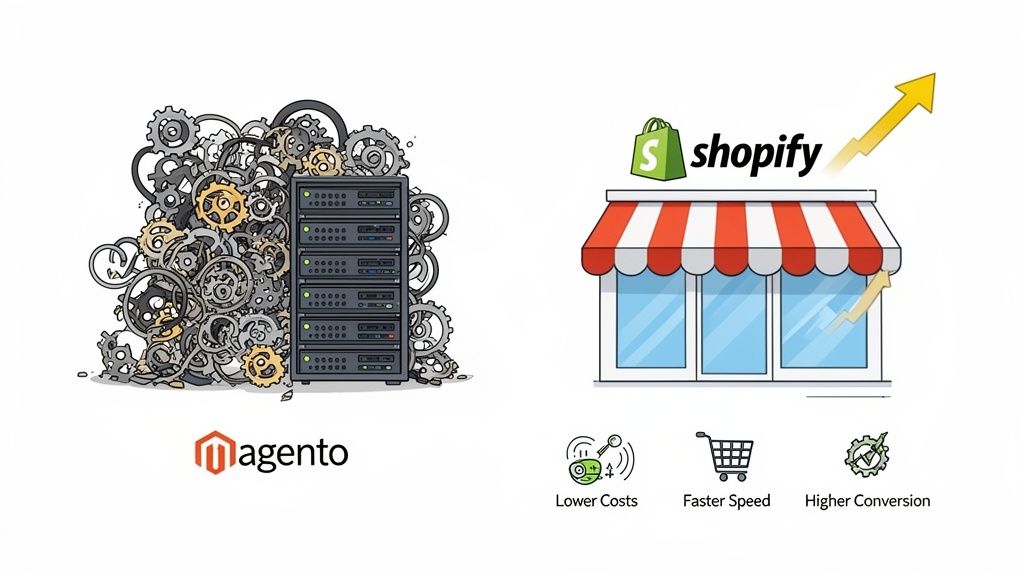
The conversation about migrating from Magento isn't just a tech debate anymore. It’s a boardroom-level discussion about operational agility and long-term viability. Many businesses running on Magento feel trapped in a web of complexity. Simple updates need a developer, performance tuning is a constant fight, and the technical debt just keeps piling up, acting like an anchor holding the business back.
For these brands, Shopify feels like a breath of fresh air. Its intuitive interface puts the power back in the hands of the people who need it most. Marketing and merchandising teams can suddenly launch campaigns, update content, and react to market trends on their own, without waiting in a developer's queue. That simple change is a game-changer for how a business runs.
Escaping The Maintenance Treadmill
One of the biggest drivers for the switch is the never-ending maintenance cycle that comes with Magento. Because it's a self-hosted platform, the buck stops with you. You're on the hook for server patching, security updates, performance tweaks, and those notoriously painful version upgrades. It all eats up a ton of time, budget, and specialized talent.
Shopify, being a fully hosted SaaS platform, just wipes all of that off your plate.
- Hosting and Security: Shopify handles all the server maintenance, security patches, and CDN performance tuning behind the scenes. Your store stays fast and secure without you lifting a finger.
- Automatic Updates: Platform updates happen automatically. You're always on the latest, most secure version without having to plan a massive, business-disrupting upgrade project.
- Predictable Costs: The move almost always results in a lower and more predictable Total Cost of Ownership (TCO). The wild swings of Magento hosting fees, developer retainers, and emergency patch-up jobs get replaced by a simple, flat monthly subscription.
Freeing yourself from just "keeping the lights on" means you can finally shift your budget and attention from reactive fixes to proactive growth projects that actually move the needle. For a more detailed look at how the platforms compare, check out our full Magento vs. Shopify breakdown.
Before settling on a platform, it's wise to weigh all your options. Understanding the nuances between different e-commerce models, like the differences between Amazon FBA vs. Shopify, can provide valuable perspective on what it takes to succeed online.
To put this into perspective, let's look at the key differences in a more structured way.
Magento vs Shopify: A Strategic Comparison for Growing Brands
For founders and operators trying to decide on the best path forward, this table cuts through the noise and focuses on what really matters for your business.
Ultimately, the choice comes down to what you want your team to focus on. Magento offers endless customization but at the cost of complexity, while Shopify prioritizes ease of use and operational efficiency, letting you concentrate on growing your brand.
The decision to migrate is rarely about a single feature. It's about choosing a platform that empowers your team to focus on merchandising and marketing, not constant platform upkeep. The goal is to build a foundation that supports growth instead of hindering it.
Your Pre-Migration Blueprint for a Smooth Switch
Diving headfirst into a Magento to Shopify migration without a solid plan is a recipe for disaster. It’s like setting sail without a map—you’ll end up somewhere, but probably not where you intended. I’ve seen it time and again: a successful replatforming project is 90% planning and only 10% execution. This blueprint is your map, built to help you scope the project right, sidestep budget blowouts, and avoid those data-loss nightmares that keep merchants up at night.
Your first move isn't about data or design; it’s about a brutally honest audit of your current Magento store. You have to understand every single moving part of your existing business before you can dream of rebuilding it better on Shopify. This forces you to get real about "must-haves" versus "nice-to-haves" and almost always uncovers hidden complexities that would have derailed your project down the road.
Kicking Things Off With a Comprehensive Magento Audit
Think of your Magento store as a house you're moving out of. Before you can even think about packing, you need a full inventory of everything inside. This audit has to be meticulous, touching every corner of your operations, from the business-critical data to the custom code that makes your store unique.
Your audit needs to hit three core areas:
- Data Health: Get a good look at your products, customers, and orders. Is your product data a mess or is it clean and consistent? Do you have thousands of ancient, inactive customer accounts that are just dead weight? How critical is your historical order data for future reporting?
- Functionality & Integrations: Make a complete list of every single Magento extension you’re running. What purpose does each one serve? Is it a core business function (like a subscription tool) or a minor tweak? Don't forget to document all your third-party integrations, like connections to your ERP, 3PL, or marketing automation platform.
- Design & User Experience: Take stock of your current design assets, any custom-coded theme features, and unique UX elements. This isn't about a copy-paste job. It’s about understanding the brand elements and user flows that actually work and should be brought over.
Mapping Your Path From Magento to Shopify
Once the audit is done, it's time to map your findings to the Shopify ecosystem. This is where you translate your current setup into a tangible Shopify plan. The goal is simple: replicate and, more importantly, improve upon what you already have.
A huge piece of this puzzle is finding Shopify app equivalents for your Magento extensions. For every single extension on your audit list, you need to hit the Shopify App Store and research apps that offer similar—or better—functionality.
Don’t just look for a one-to-one replacement. A migration is the perfect opportunity to re-evaluate your tech stack. You might find a single Shopify app that can replace three of your old Magento extensions, simplifying your operations and lowering your monthly costs.
This mapping phase is also your chance to clean house. Before you even think about exporting anything, take the time to archive old products, merge duplicate customer accounts, and standardize your data formats. A clean data set is the absolute foundation of a smooth migration. For a deeper dive on what to prep, our comprehensive Shopify migration checklist gives you a detailed breakdown of every item you need to think about.
Assembling Your Migration Team
A project of this size is not a one-person show. You need a dedicated team with clearly defined roles, whether you're tackling this internally or bringing in an expert agency. Your team structure will really depend on your company's in-house resources and technical bench strength.
At a minimum, you should have these key roles covered:
- Project Manager: The quarterback. This is the central point of contact responsible for the timeline, communication, and keeping the entire project from going off the rails.
- Developer/Technical Lead: The hands-on expert who will manage the technical nitty-gritty of data migration, theme development, and app integrations.
- Marketing & SEO Specialist: The person in charge of the SEO preservation plan. They’ll be creating the 301 redirect map and handling the metadata migration to protect your rankings.
- Stakeholders: Key decision-makers from different departments (like marketing, operations, and customer service) who need to provide input and sign off on major decisions.
Clear and consistent communication is the glue that holds this whole thing together. Set up regular check-in meetings, create a shared project space in a tool like Asana or Trello, and make sure everyone knows exactly what they're responsible for. Getting this alignment right from day one is the single most important factor in making sure your migration stays on schedule and on budget.
The Core Migration Process: From Your Data to a Fresh Design
Alright, with your migration blueprint locked in, it’s time to roll up our sleeves and get to the real work. This is where the magic happens—a careful mix of technical data wrangling and creative rebuilding. We’re essentially moving your store, piece by piece, from its aging Magento foundation to a brand-new home on Shopify.
A successful jump from Magento to Shopify isn't just one big leap; it's a series of deliberate, calculated steps. Each stage builds on the one before it, making sure no data gets left behind and the final result is a massive upgrade for your business and your customers.
This process isn't just about moving files. It starts way before that.
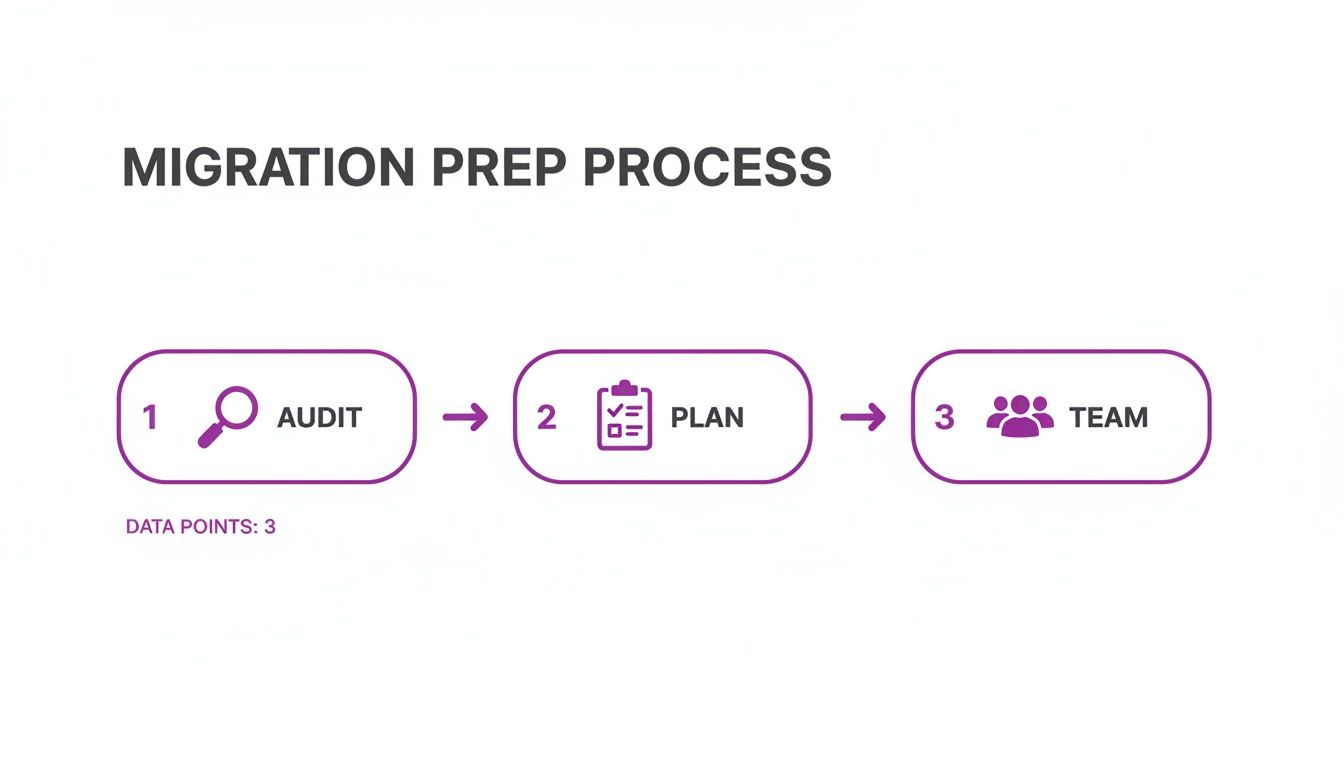
As you can see, a solid foundation built on a thorough audit, smart planning, and getting the right people involved is non-negotiable. Get this part right, and the technical work becomes infinitely smoother.
Picking Your Migration Path
The first big decision you’ll make is how you're actually going to move everything over. There’s no single "right" answer here. The best method really boils down to your budget, your team's technical skills, and just how complex your Magento setup is.
Most merchants end up going one of three ways.
Choosing Your Migration Method
Deciding how to get your data from point A to point B is a critical first step. Each method has its own set of trade-offs, so it's important to weigh them against your specific needs. This table breaks down the most common approaches.
Ultimately, the goal is to choose the path that minimizes risk and downtime for your business. For anything beyond a very basic store, leaning on an automated tool or an agency is almost always the safer bet.
A common mistake I see is underestimating data complexity. What seems like a simple product catalog in Magento often has hidden layers of custom attributes and funky pricing rules. Always, always do a small test migration first to see what breaks. It will save you massive headaches later.
The Realities of Data Transfer
No matter which path you choose, moving the data is the heart of the project. This is so much more than a copy-paste job. It’s a delicate operation that requires an almost obsessive attention to detail to make sure everything lands in Shopify intact and working correctly.
Navigating Product Data
Your product catalog is the lifeblood of your store. Migrating it correctly means bringing over all the rich details that convince a customer to click "add to cart."
This isn't just about names and prices. You have to account for:
- Product Variants: All those sizes, colors, and materials need to be perfectly mapped to Shopify’s variant system.
- Images and Media: Product photos, videos, and any 3D models must be transferred and re-linked to the correct SKUs.
- Metafields for Custom Data: Magento's custom attributes usually find their new home in Shopify’s metafields. This is perfect for preserving important specs like dimensions, material composition, or care instructions.
Handling Customer and Order History
Your customer list is pure gold. While you can't migrate passwords—a critical security feature, since platforms use different encryption—you can and should bring over everything else. That means names, email addresses, shipping info, and their complete order history.
Moving order data is essential for your customer service team and for accurate reporting. It lets your team look up past purchases and helps maintain a seamless experience for your loyal customers. A common practice post-launch is to send a bulk email campaign inviting everyone to activate their new account by simply creating a new password.
Rebuilding Your Store's Look and Feel
Once your data is safely in its new home, the focus shifts to the fun part: the front end. This is your chance to recreate your store’s design and user experience. But don't just copy what you had on Magento—this is a golden opportunity to improve it.
A great place to start is the Shopify Theme Store. You’ll find hundreds of high-quality themes, both free and paid, all built with performance and conversions in mind. Find one that fits your brand's vibe and has the core features you need.
From there, Shopify’s theme editor is surprisingly powerful, letting you tweak colors, fonts, and layouts without seeing a single line of code. For bigger changes, you can dive into the theme's Liquid code yourself or hire a developer to build out custom sections.
Finally, you’ll turn to the Shopify App Store to replicate the functionality your Magento extensions provided. Whether it’s for loyalty programs, product reviews, or advanced search, there is almost certainly an app for that. Often, it's better supported and requires far less maintenance than its Magento equivalent.
This process often feels like a significant upgrade. We've seen it time and again, especially as more brands make the switch. For instance, we helped one Australian electronics retailer migrate 15,000 products in under six weeks. The result? They slashed their load times by 50% and boosted conversions by 20%. For most mid-sized stores, a full migration project typically lands somewhere between four and twelve weeks. You can find more real-world examples by checking out various Magento to Shopify migration timelines and successes.
How to Protect Your SEO During the Migration
Let's talk about the single biggest fear in any replatforming project: losing years of hard-earned search engine rankings.
It's a valid concern. A botched SEO migration can absolutely decimate organic traffic—we've seen drops of 20-50% or more, effectively wiping out a primary revenue channel overnight. Protecting your SEO when moving from Magento to Shopify isn't just a task on a checklist; it's the most critical technical part of the entire project.
This isn't just about preventing a temporary dip in traffic. The goal is to make sure Google and other search engines understand that your store has moved, not vanished. You need to transfer all the authority and trust you've built with your old Magento URLs directly to their new Shopify counterparts. Get this right, and it's a seamless transition in the eyes of search crawlers.
The Cornerstone of SEO Preservation: Your 301 Redirect Map
At the heart of every single successful SEO migration is the 301 redirect map. Think of it as a detailed set of forwarding instructions for both search engines and your customers. A 301 redirect is a permanent signal that tells browsers and search bots that a page has moved for good, passing the vast majority of its ranking power (often called "link equity") to the new URL.
This is a non-negotiable step.
First, you need to pull a complete list of every single indexable URL on your current Magento site. Don't miss anything. This includes:
- Product Pages: Every product, including all variants if they generate unique URLs.
- Category Pages: All your collections and any sub-collections.
- CMS Pages: Your "About Us," "Contact," "Shipping Policy," and any other informational pages.
- Blog Posts: Every article and blog category page you've ever published.
Once you have your master list of old Magento URLs, the real work begins. You have to manually map each one to its new URL on Shopify. Yes, it's tedious, but it is absolutely essential. A single missed high-traffic URL can lead to a measurable loss in traffic and revenue. Shopify's URL structure is different (using /products/ and /collections/), so you can't just assume the paths will line up.
Your 301 redirect map is your SEO insurance policy. Do not rush this, and do not cut corners. Every 404 error you prevent is a direct investment in preserving your organic traffic and customer trust. A single broken backlink from a high-authority site can have a real, negative impact.
Migrating Critical On-Page SEO Elements
Redirects are the foundation, but you also have to preserve the on-page signals that tell search engines what each page is about. If you fail to migrate your metadata, you'll confuse search engines and your rankings can drop, even with perfect redirects in place.
Make sure your data migration plan explicitly includes these core elements:
- Meta Titles and Descriptions: These are what people see in search results. They must be migrated for every single product, collection, and page to maintain your click-through rates and keyword relevance.
- H1 Tags: The main headline on each page is a powerful ranking signal. Check that your new Shopify theme correctly uses the product or page name as the H1.
- Image Alt Text: This is huge for image search rankings and accessibility. It's an often-overlooked data point that needs to be part of your product data export and import.
Final Checks Before and After Launch
With your redirect map and metadata ready to go, you're almost there. Before you flip the switch, run a final SEO check. We always recommend crawling your Shopify staging site to find and fix any broken internal links that might still be pointing to the old Magento URLs.
Once you go live, the first 48-72 hours are critical.
Immediately submit your new sitemap.xml file to Google Search Console to encourage faster indexing of your new URLs. Then, keep a close eye on your analytics. Set up monitoring in Google Analytics and Search Console to watch for any spike in 404 "Not Found" errors or sudden drops in organic traffic. Catching these issues early allows you to fix them before they cause any lasting damage to your hard-earned search presence.
Finalizing Your Launch with Rigorous Testing
You've moved the data, rebuilt the theme, and mapped out all your redirects. Now for the make-or-break moment before you flip the switch: a full-blown, rigorous testing phase. This isn't just a box to check; it's your final quality gate, and it's absolutely non-negotiable if you want a smooth launch instead of a support ticket nightmare.
So many merchants get this far and then rush the final step. I've seen it happen time and again. But a single broken payment gateway or a checkout glitch can kill customer trust and cost you sales from the very first minute you go live. Think of this as the full dress rehearsal for your store's grand opening.
Building Your Comprehensive QA Checklist
Your testing has to cover every single thing a user might do, plus all the behind-the-scenes processes. Start by building a detailed checklist that your whole team can work through on the staging site. This should be a group effort involving your developers, your marketing folks, and even a few "test customers" to get a fresh pair of eyes on everything.
Your list needs to hit both the frontend experience and the backend mechanics.
- Cross-Browser and Device Testing: Don't just check it on your own machine. Test the site on Chrome, Safari, Firefox, and Edge. More importantly, pull out your phones—test everything on different iOS and Android devices and screen sizes to make sure the responsive design is flawless.
- Customer Journey Simulation: Walk through the entire sales funnel from every possible angle. Start on a product page, then a collection page, then from a blog post link. Add items to the cart, throw in a discount code, and go through every single step of the checkout. Try to break it.
- Transactional Email Verification: Place some test orders and make sure all the automated emails are firing correctly. That means order confirmations, shipping updates, and abandoned cart reminders. Check that the branding is right, the info is accurate, and all the links actually work.
Testing Critical Backend Functions
While the customer-facing experience is what everyone sees, what happens in the back end is just as important. Your QA here needs to focus on the core machinery that keeps your business running. Never assume that just because the data was migrated, everything is configured perfectly.
A successful launch depends on testing the entire ecosystem, not just isolated parts. The checkout process doesn't just involve a payment gateway; it triggers inventory updates, customer notifications, and fulfillment workflows. Test the complete flow to uncover any weak links in the chain.
Get your team to validate these mission-critical areas:
- Payment Gateway Tests: Use Shopify's Bogus Gateway to run transactions with test credit card numbers for every single payment option you offer, whether that's Shopify Payments, PayPal, or Afterpay.
- Shipping and Tax Rules: This is a big one. Create test orders with weird product combinations and ship them to different addresses (both domestic and international). You have to be 100% sure your shipping rates and tax calculations are perfect.
- App and Integration Functionality: Go through every single app you've installed and confirm it's working as expected. Does your loyalty app award points correctly? If you're using a 3PL, did the test order get passed to their system properly?
Your Launch Day Game Plan
Once testing is done and you're confident the site is solid, it's time to map out launch day. A step-by-step plan is the best way to minimize chaos and ensure a smooth transition.
- Schedule for Low Traffic: Plan your launch for a time when your store traffic is historically at its lowest. For most stores, this means late at night or very early in the morning.
- Enable Magento Maintenance Mode: Put your old Magento store into maintenance mode. This stops any new orders from sneaking in while you make the switch.
- Perform Final Data Sync: If necessary, run one last "delta" migration to pull over any orders or customer accounts that were created at the last minute.
- Update Your DNS Records: This is the moment of truth. Point your domain’s A record and CNAME record to Shopify. You are officially live.
- Run Final Live Checks: As soon as the domain starts pointing to the new site, place a real order with a real credit card to confirm everything is working. Then, you can remove the storefront password, submit your new sitemap to Google Search Console, and keep a close eye on your analytics for any weirdness.
Life After Launch: Optimizing for Growth on Shopify
Getting your store live on Shopify isn't the finish line. Far from it. This is where the real work—and the real fun—begins. You can finally stop spending all your time on platform maintenance and pivot to what actually moves the needle: Conversion Rate Optimization (CRO).
One of the first things you'll notice is how much easier data is to access. Shopify Analytics is a breath of fresh air compared to Magento's clunky reporting. You can quickly spot where customers are dropping off in your funnel or which product pages are duds. This isn’t just data for data's sake; it's a clear roadmap for what to fix first.
Unlocking New Optimization Potential
Once you're settled in, it's time to start experimenting. The entire Shopify ecosystem is built for A/B testing and personalization in a way that always felt bolted-on and cumbersome with Magento.
You don't have to go big right away. Start with simple, high-impact tests:
- Product Page Layouts: Try different image galleries, tweak your call-to-action button colors, or move your reviews higher up the page.
- Checkout Flow: If you're on Shopify Plus, Shopify Scripts is a game-changer. You can customize your checkout logic to reduce friction, like offering tiered shipping rates or auto-applying discounts for specific customer tags.
This cycle of testing, learning, and improving is where you’ll see the massive long-term value of your move.
The real power of Shopify emerges post-launch. You’re no longer just running a store; you're operating a growth engine. The platform is designed to turn insights into action quickly, letting you optimize continuously.
To truly capitalize on this, you need to understand how shoppers behave on your new site. Digging into the key customer engagement metrics on Shopify is vital for turning initial interest into sustained growth.
When you're ready for more advanced tactics, the Shopify App Store is your best friend. Here you'll find powerful, pre-vetted tools for personalization, marketing automation, and customer service that integrate seamlessly. For Plus merchants, Shopify Flow is your secret weapon for automating all those repetitive tasks that used to eat up your team's day. This is the operational efficiency you migrated for, freeing up your people to focus on strategy, not manual work.
Got Questions? We've Got Answers
Making the jump from Magento to Shopify is a big move, and it's natural to have a few crucial questions pop up. We've managed hundreds of these migrations, and we see the same concerns time and time again. Let's tackle the big ones—cost, SEO, and customer data—so you can go into this with your eyes wide open.
How Much Does Migrating from Magento to Shopify Cost?
This is the million-dollar question, and the honest answer is: it depends entirely on your store's complexity.
For a smaller store with a straightforward setup, you might be looking at a budget between $500 and $5,000, especially if you're using automated migration tools for the heavy lifting.
But for enterprise-level businesses with massive product catalogs, years of order history, and custom-built features, the investment is significantly larger. These projects typically range from $10,000 to over $50,000. We've even seen complex replatforming projects push past $250,000 when you factor in a completely custom theme and specialized app development. Just remember, these figures don't account for the time your own team will spend on the project.
As for a timeline, a basic migration can usually be wrapped up in 2-6 weeks. To see how these migration costs and timelines break down for different types of stores, it's worth digging into the details.
Will I Lose My Hard-Earned SEO Rankings?
You absolutely shouldn't, provided the migration is handled by someone who knows what they're doing. A temporary, minor dip in traffic can sometimes happen as search engines re-crawl the new site, but a permanent drop is completely avoidable.
The single most critical piece of the SEO puzzle is the 301 redirect map. This map is non-negotiable. It meticulously tells Google and other search engines where every single one of your old Magento URLs now lives on Shopify. Get this wrong, and you're sending your traffic—and your link equity—straight to a 404 error page.
Beyond redirects, you also need to ensure all your meta titles, descriptions, H1 tags, and other on-page SEO elements are migrated over cleanly. A well-planned SEO strategy is your insurance policy for protecting your organic visibility.
Can I Migrate Customer Passwords from Magento?
The short answer is no. This isn't a limitation; it's a critical security feature.
Magento and Shopify use entirely different, and incompatible, encryption methods to protect customer passwords. You simply can't decrypt passwords from one system and re-encrypt them in another. Frankly, you wouldn't want to.
The best practice is to migrate all other customer data—names, email addresses, shipping info, and order history. Once you launch the new Shopify store, you send a targeted email campaign inviting your customers to "activate" their new account. All they have to do is click a link and create a new password. It's a small, one-time inconvenience for them that ensures their data remains secure.
Ready to make your move from Magento to Shopify a seamless success? The team at ECORN specializes in complex migrations, ensuring your data, design, and SEO are handled with expert care. Let's build your new high-growth Shopify store together.



Product Variants Shopify: The Complete 2026 Guide

Ecommerce Analytics Consulting for Growth

What Is AI Integration for eCommerce

How to Choose the Right eCommerce Website Development Firm

E Business Strategy Implementation

Conversion Tracking Setup for Shopify Stores

BigCommerce vs Shopify Plus Which Enterprise Wins in 2026

Shopify Theme Kit: Setup, Commands, and Migration Guide

Shopify Extension Development: A Practical 2026 Guide

Shopify Speed Score Explained and How to Improve It

Shopify Mobile Optimization: The 2026 Playbook

How to Add Subcategory in Shopify for Better UX

How to Implement Structured Data for Ecommerce in 2026

SEO App Mobile: Shopify Store Optimization Guide

Shopify Plus Support: What It Includes and How to Choose

Google Ads for Shopify: The Complete 2026 Playbook

Shopify New York: How to Find and Hire the Right Agency

Google Search Console for Shopify: The Complete Setup

First Party Data Collection for eCommerce Growth

FAQ Online Store Guide: Build and Measure It Right

Do FB Ads Work for eCommerce in 2026?

One Page Checkout for Shopify: Design and Implementation

Shopify GraphQL vs REST: The 2026 Developer Decision

Shopify Ecommerce Consulting: Strategy, Pricing &

Are Reddit Ads Worth It for eCommerce Brands

Shopify Title and Meta Description: A Practical 2026 Guide

Product Video Best Practices for Shopify Brands

Real-Time Inventory Management: A 2026 Guide

AI Chatbot Integration for Shopify Stores

Affiliate Program Management: A Shopify Guide

10 Best Performance Monitoring Tools for Shopify in 2026

Digital Asset Management for eCommerce Brands in 2026

Every Type of Facebook Ads Explained for eCommerce Growth

Product Information Management Explained for Shopify Brands

Support Ticket System: A Guide for Shopify Stores

10 Best Customer Service Tools for Shopify in 2026

Can I Start a Business with No Money? a 2026 Blueprint

What Sells Good on Etsy: Best Niches for 2026

Shopify Add to Cart Button: A Practical 2026 Guide

Customer Feedback Automation: A Practical eCommerce Guide

Critical Rendering Path: A Guide for Shopify Stores

How to Promote on TikTok for eCommerce in 2026

B2B eCommerce Consulting That Drives Real Revenue

10 Best Practices for Site Navigation in 2026

Return vs Refund for Shopify Stores: A Practical Guide

What Is Customer Lifetime Value and Why It Matters

What Is Voice of Customer Research for eCommerce

SMS Marketing for Ecommerce That Actually Converts

Master How to Improve Email Deliverability in 2026

Top 7 eCommerce Partners NYC for Shopify Brands in 2026

Machine Learning for Ecommerce: Boost Your Shopify Store

Beauty Market Research: Your 2026 Growth Guide

Shopify International Expansion: A 2026 Roadmap

What Does CRO Stand for in Business: Understanding CRO

Shopify Visual Merchandising: A Playbook for Higher Sales

Shopify Landing Page Design: Master Conversion in 2026

10 Best AI SEO Optimization Tools for Shopify in 2026

Agentic AI for Ecommerce: Boost Your Sales in 2026
Mastering Email Marketing Data for eCommerce Growth

Conversion Rate Optimisation Australia: Boost Your Sales

Conversion Rate Optimization AI: Your Shopify Store Guide

10 Product Bundling Strategies for Shopify in 2026

How to Increase Customer Lifetime Value: A Shopify Playbook

AI Customer Service Automation: Shopify Guide 2026

Clean Website Design: A Shopify Conversion Playbook

Omnichannel Retail Strategy: A Shopify Playbook

Product Data Enrichment: A Guide for Shopify Brands

Instagram Shopping Features a Guide for Shopify Stores

What Is Revenue Optimization: A Holistic RevOps Guide

Benefits of Conversion Rate Optimization: Boost Your

WordPress to Shopify Migration: Your 2026 Seamless Switch

Boost Sales: Ecommerce Payment Processing Guide 2026

Unified Commerce Platform: Benefits, KPIs & Shopify Guide

How to Reduce Bounce Rate eCommerce: Your 2026 Guide

Shopify API Integration: A Practical End-to-End Guide

How to Implement Data Governance: A 2026 Guide

Shopify Store Development Cost: A 2026 Breakdown

What Is Server Side Tracking: The Shopify Guide 2026

Marketing Automation Workflows: A Shopify Guide for 2026

Shopify: How to Reduce Technical Debt

Shopify UX Design Change: A Playbook for Growth

User Generated Content Strategy: Shopify Playbook

Shopify Pause and Build Plan Cost: A Complete 2026 Guide

Compare at Price on Shopify: A Complete Guide for 2026

Where Can I Sell My Prints? 10 Best Platforms for 2026

Shopify Order Management System: The Ultimate Guide 2026

What Is Marketing Attribution? an eCommerce Guide for 2026

10 Best Black Friday Sales Sheets for 2026

Discover the Top Social Media Marketing Agencies For

Consumer Confidence Definition for eCommerce in 2026

What Is Social Commerce? Your 2026 Guide to Boosting Sales

A Social Ad Campaign Playbook for eCommerce Growth

7 Best FAQ Page Examples for SaaS & eCommerce

Market Research in Fashion Industry: A Guide for Shopify

Shopify Migration Services: Expert Guide for 2026

Mastering FB Retargeting Ads for Shopify in 2026

What Is Omnichannel Ecommerce

Master Your Shopify Plus Migration: The 2026 Guide

Shopify Integration Services: A Merchant's 2026 Guide

Shopify Collection Description: A Guide to SEO & Sales


newsletter in your inbox