

To build a successful ecommerce website, you need more than just a good product. You need a strategic plan, a user-friendly platform like Shopify, and a crystal-clear picture of your ideal customer. Think of it as building a house—you’d never start laying bricks without a solid blueprint. The same logic applies here.
Your Blueprint for a Profitable Online Store
Before you even think about writing a single product description or picking out a color palette, you need a strategy. This initial planning phase is what separates the thriving ecommerce brands from the expensive, abandoned projects. It's about defining the very DNA of your business so you can cut through the noise from day one. This isn't just about chasing a passion; it's about finding that sweet spot where what you love meets what the market actually wants to buy.
And the opportunity is massive. Global retail ecommerce sales are projected to hit a staggering $6.42 trillion, a 6.86% jump from last year. But you're not alone. With over 28 million online stores out there and 2,162 new ones popping up daily, just having a website isn't enough. Your blueprint is what will get you in front of some of the 2.77 billion global online shoppers.
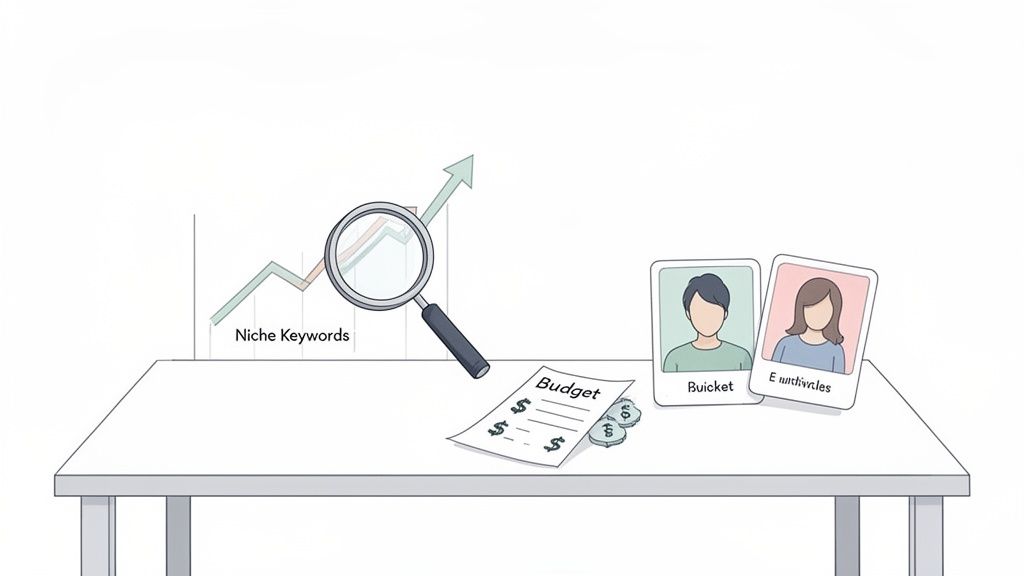
Defining Your Niche and Target Audience
Finding your niche is about more than just picking a product category. It’s about carving out a specific corner of the market you can serve better than anyone else. Selling handcrafted leather goods? Your niche isn't just "bags." It’s something more specific, like "sustainable leather backpacks for eco-conscious urban professionals." See the difference?
Once you've got that locked in, it's time to build a detailed customer persona. This isn't some generic demographic profile; it's a living, breathing story about your ideal customer:
- What are their daily pain points? For our backpack example, maybe they can't find a bag that's stylish, durable, and ethically made.
- Where do they spend their time online? Are they scrolling through Instagram, connecting on LinkedIn, or reading niche environmental blogs?
- What actually influences their buying decisions? Is it the brand story, the product quality, or reviews from people they trust?
Knowing these details intimately will guide every single decision you make, from the tone of voice on your website to the product features you highlight.
Developing Your Unique Selling Proposition
Your Unique Selling Proposition (USP) is the simple, powerful promise you make to your customers. It's the answer to the question, "Why should I buy from you and not your competitor?" A strong USP is memorable, clear, and laser-focused on a benefit your audience genuinely cares about.
A classic mistake I see all the time is brands thinking a lower price is a USP. It's not. It's a race to the bottom you'll never win. Instead, focus on what truly makes you different: superior craftsmanship, next-level customer service, a powerful mission, or an innovative product feature nobody else has.
Of course, a huge part of this initial blueprint phase is when you select the best ecommerce platform for your business model. This decision sets the stage for everything that follows.
This flowchart lays out the very first fork in the road: deciding whether your focus will be primarily online or in-person.
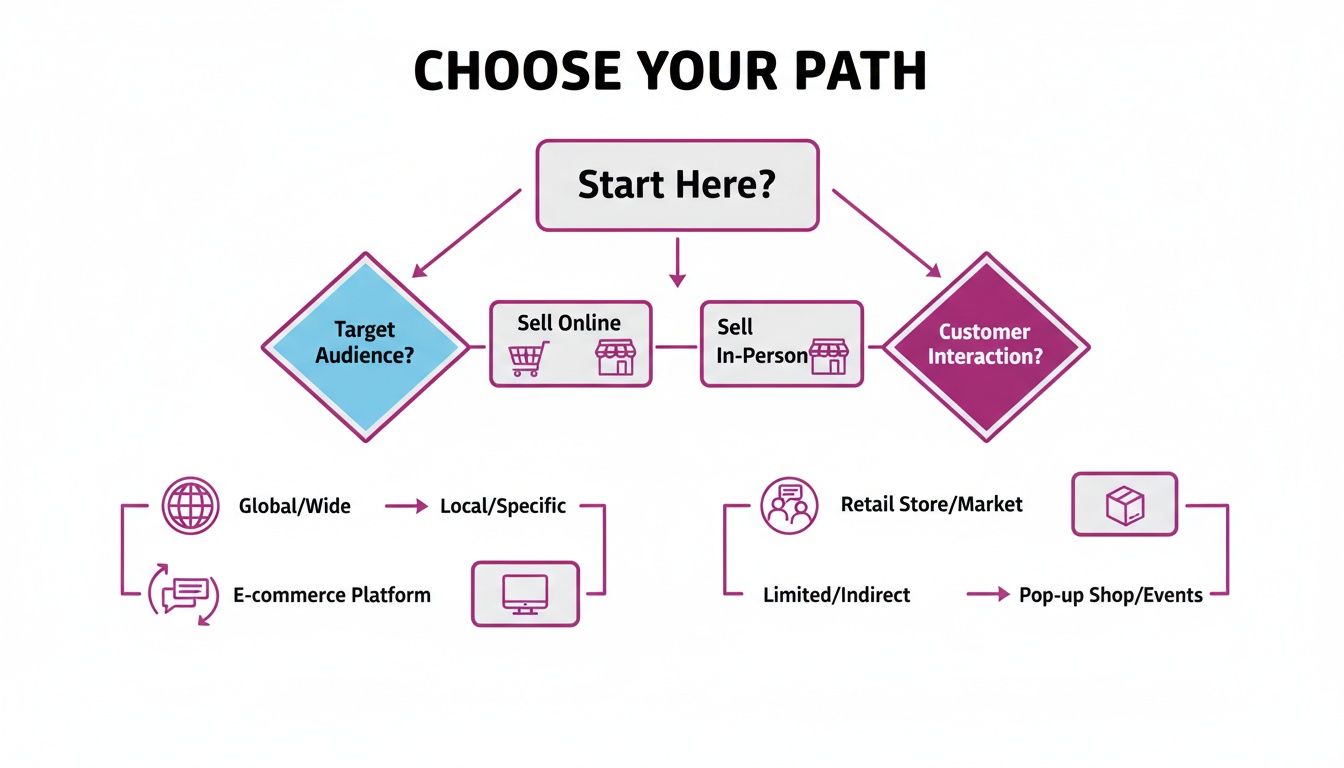
As you can see, your primary sales channel dictates your technology, marketing, and operational focus right from the get-go. Getting this right is critical.
Ecommerce Platform At a Glance Shopify vs Competitors
Choosing the right platform is one of the most important decisions you'll make. While there are many options, Shopify consistently comes out on top for its blend of power, flexibility, and ease of use, making it an ideal choice for brands with serious growth ambitions. This table gives you a quick rundown of how it stacks up against other popular choices.
Ultimately, while WooCommerce and Wix have their strengths, Shopify's all-in-one, fully-hosted model removes many of the technical headaches that can slow down a growing business. This allows you to focus on what really matters: your products, your customers, and your growth.
Building Your Digital Storefront in Shopify
With a solid blueprint in hand, it's time to roll up our sleeves and translate that vision into a real, functional online store. This is where we move from abstract ideas to a tangible digital presence. We'll walk through the foundational setup in Shopify, focusing on creating a storefront that not only looks great but is also engineered for performance.
Getting started is as simple as signing up. Shopify guides you through a few quick questions about your business. Don't get hung up on the store name just yet; you can easily change it later. Once you're in the dashboard, head straight to settings to plug in your core business info—address, currency, and time zone. These details might seem small, but they're absolutely critical for getting your tax and shipping calculations right from day one.
Selecting the Perfect Theme for Your Brand
Your Shopify theme is the visual skeleton of your entire store. It dictates the look, feel, and ultimately, the user experience. Shopify’s own theme store is packed with a wide range of free and premium options, all professionally designed and, most importantly, mobile-responsive.
But when you're sizing up a theme, you've got to look past the pretty pictures. Here's what actually matters:
- Mobile-First Design: A huge chunk of your traffic will come from smartphones, making a theme that shines on mobile a non-negotiable. Use the live demo feature and test every single theme on your own phone before committing.
- Page Speed and Performance: A slow-loading site is a guaranteed conversion killer. Premium themes often come loaded with features, but they can also add bloat. Look for themes explicitly labeled as "Performance-optimized" and dig into the reviews for any chatter about speed.
- Customization Flexibility: How much control do you really need? Some themes give you extensive drag-and-drop sections, while others are more rigid. Make sure the theme lets you dial in the layouts and features to match your brand without having to wrestle with code.
Customizing Your Storefront and Essential Pages
Once you’ve installed your chosen theme, the Shopify theme editor becomes your new command center. This is where your brand's personality comes to life. Start with the basics: upload your logo and favicon, then set your brand’s color palette and typography. Consistent branding isn't just for looks; it builds instant trust and recognition.
Beyond the homepage, there are a handful of essential pages you absolutely must create to establish credibility and provide crucial information. Don't treat these as an afterthought—they are vital for building a trustworthy brand.
Building out your essential pages isn't just a box-ticking exercise. A well-written 'About Us' page can create an emotional connection, a clear 'Contact' page reduces friction, and transparent policy pages can be the deciding factor for a hesitant first-time buyer.
To get going, focus on building out these four key pages:
- About Us: Tell your story. Why did you start this business? What's your mission? This is your chance to connect with customers on a human level.
- Contact Us: Give people multiple ways to get in touch—a contact form, email address, and maybe even a business phone number. Adding a physical address or P.O. Box can also boost your trust factor.
- Shipping Policy: Be crystal clear about your shipping rates, processing times, and carriers. Being upfront about potential delays is always better for managing customer expectations.
- Refund & Return Policy: Spell out your policy on returns, exchanges, and refunds. A customer-friendly return policy is a massive conversion booster because it removes the risk from their purchase decision.
Shopify actually provides simple templates for these legal pages, which you can find and customize under Settings > Policies. Getting these foundational elements right, combined with a sharp, customized theme, creates the professional storefront you need for a successful launch. For a deeper dive into aesthetic and functional choices, exploring guides on designing a Shopify website can provide some excellent inspiration and best practices.
Mastering Products, Payments, and Shipping

A beautiful store is just the beginning. The real muscle of your business is the behind-the-scenes flow that gets a customer from "add to cart" to unboxing their order. This is where we get into the nitty-gritty of your ecommerce operations: products, payments, and shipping.
Nailing these three is absolutely non-negotiable. Weak product pages won't inspire a purchase, a clunky checkout will lead straight to abandoned carts, and confusing shipping options are a one-way ticket to a competitor's site. Let's make sure that doesn't happen to you.
Adding and Organizing Your Products
How you showcase your products can single-handedly make or break a sale. It all starts with great visuals. You don't need a high-end studio; modern smartphones are more than capable of capturing crisp, high-quality photos. Just focus on good lighting, a simple background, and getting shots from multiple angles.
Next up, the product description—your 24/7 digital salesperson. Don't just list features; sell the benefits. How will this product make your customer's life better? You can use tools like Shopify Magic to get a solid first draft, but always go back and sprinkle in your brand's unique personality.
To keep your storefront from feeling like a messy warehouse, you need to group products into collections. This isn't just for looks; it's a massive deal for user experience. You have two main ways to do this:
- Manual Collections: You get to hand-pick every single product for a specific group, perfect for curated lists like "Staff Favorites" or "New Arrivals."
- Automated Collections: This is the smarter way to work. You set conditions (like tags, price, or product type), and Shopify does the rest. For example, a collection for "T-Shirts Under $25" would automatically pull in any product tagged "t-shirt" with a price that fits.
Good organization helps shoppers find exactly what they're looking for without getting frustrated, which is fundamental to building a site that actually converts.
Setting Up Secure Payment Gateways
Alright, let's talk about the most crucial part of any transaction: getting paid. A smooth, trustworthy payment process is everything. If customers feel their financial details are safe, they’re far more likely to click "buy now."
Shopify simplifies this with its native solution, Shopify Payments. Activating it is typically just a few clicks in your admin panel. It lets you accept all major credit cards directly on your site, which is a huge win for conversions since customers aren't redirected to some unfamiliar third-party page.
Don't underestimate the power of offering multiple payment options. While Shopify Payments covers the essentials, adding recognized gateways like PayPal or Shop Pay can capture sales from customers who prefer those methods. Data shows that offering these familiar options can significantly lift conversion rates.
It's also vital to get familiar with the fee structure. Every payment gateway, Shopify's included, takes a small percentage plus a fixed fee from each transaction. These rates change based on your Shopify plan, so make sure you review them. For a much deeper dive, our comprehensive guide to the Shopify Payments gateway breaks down all the details on fees, features, and setup.
Configuring Your Shipping Strategy
Shipping is often the final hurdle, and if you get it wrong, it can be a major source of friction. Your goal is to offer shipping options that are clear, fair, and reliable. Inside Shopify, you'll handle this by setting up shipping zones and rates.
A shipping zone is just a geographic area you ship to—like your home country, a specific continent, or the rest of the world. For each zone, you define the rates customers will see. There are three common ways to approach this:
My advice? Start simple. A flat-rate strategy is usually the easiest and most effective way to get going. You can always add more complex rules as your business grows. The key is to be completely transparent about shipping costs upfront to avoid any nasty surprises at checkout.
Optimizing Your Store for More Conversions
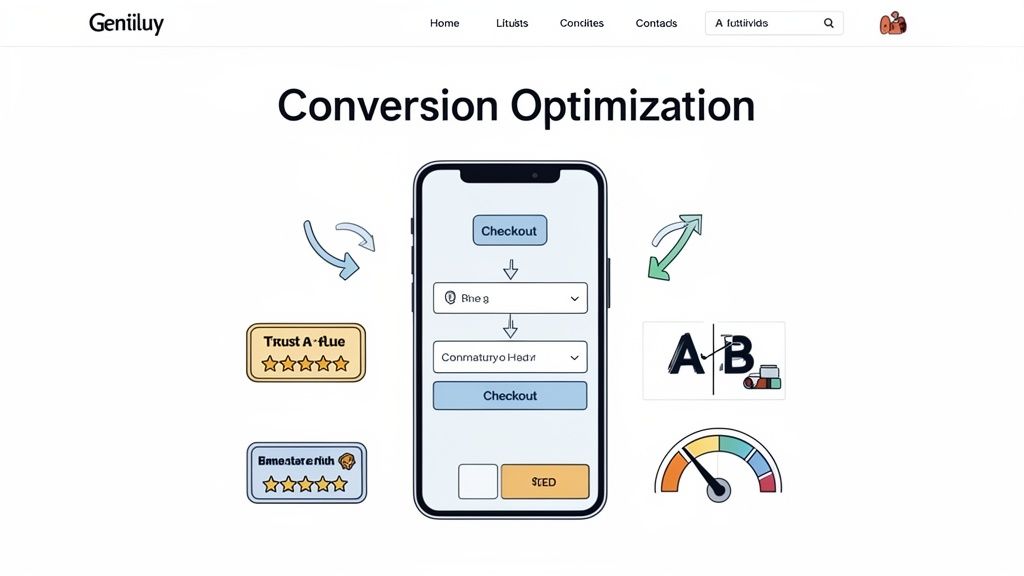
Getting traffic to your brand-new ecommerce site is a huge win, but let's be honest, it's only half the battle. The real work begins now: turning those curious visitors into paying customers. This is where Conversion Rate Optimization (CRO) and User Experience (UX) come into play—they’re two sides of the same coin, both focused on making your store as smooth and effective as possible.
This isn't just about making things look pretty; it’s about understanding shopper psychology. A clunky navigation menu, a page that takes forever to load, or a missing trust badge can send a potential customer packing in seconds. Our job is to systematically find and eliminate every single point of friction.
Designing an Intuitive User Journey
Think of your website's navigation as a friendly guide, leading customers from your homepage to the exact product they're looking for, and then straight through to checkout without a single hiccup. If a user has to stop and think about where to click next, you're already losing them. A clean, logical menu structure is the foundation.
Beyond that, a powerful site search is non-negotiable. Many shoppers show up with a specific item in mind, and a frustrating search experience is one of the fastest ways to lose a guaranteed sale. Make sure your search bar is front and center, delivering fast, relevant results—ideally with features like auto-complete and filtering options.
Your store's design should be invisible. The best user experience is one that customers don't even notice because it just works. Every click should feel natural, guiding them smoothly toward their goal without any frustration or confusion.
This seamless experience absolutely must extend to your product pages. High-quality photos and detailed descriptions are table stakes, but you can take it a step further with video. To really show off what you're selling and drive more sales, learning how to make product demo videos that convert is a game-changer. A short, well-made video can answer questions and build desire in a way static images just can't.
Building Unbreakable Trust with Shoppers
In ecommerce, trust is everything. A first-time visitor is naturally going to be skeptical, and it's your job to put their mind at ease from the moment they land on your site. You do this by strategically placing trust signals everywhere they look.
Start with customer reviews and testimonials. Social proof is incredibly powerful. Seeing that other people have had a great experience with your products and brand is often the final nudge a new customer needs to click "buy."
Beyond reviews, a few visual cues are essential for building that subconscious feeling of safety:
- Security Badges: Display logos from well-known security providers (like Norton or McAfee) and payment options (Visa, Mastercard, PayPal) in your footer and at checkout. This instantly tells shoppers their financial data is safe.
- Clear Policies: Your return, shipping, and privacy policies should be dead simple to find and even easier to understand. A transparent, friendly return policy removes a ton of perceived risk from the purchase.
- Professional Contact Information: An easy-to-find "Contact Us" page with a real address (if you have one), email, and phone number shows that you're a legitimate business with real people ready to help.
Mastering Mobile First and Page Speed
Let's get one thing straight: optimizing your store today means putting mobile first. The majority of online traffic now comes from smartphones, so a clunky mobile site is a direct path to failure. Every single element, from your navigation to your checkout buttons, has to be designed with small screens and thumbs in mind.
Just as critical is your site's loading speed. Even a one-second delay can cause a massive drop in conversions. People expect instant. Use a tool like Google's PageSpeed Insights to diagnose what's slowing you down—it's often oversized images or too many apps. Compressing your images and choosing a performance-focused Shopify theme are two of the quickest wins for boosting your speed and, in turn, your sales.
7. Extend Functionality With the Right Apps
Your Shopify setup is a powerful foundation, but it’s just that—a foundation. The real magic, the stuff that makes your store yours and turns shoppers into loyal customers, happens when you start extending its capabilities with apps.
Think of the Shopify App Store as your gateway to transforming a good store into a finely tuned selling machine. This isn't about adding apps just because you can; it's a strategic move to plug functional gaps, automate tedious work, and create a truly standout customer experience. With over 8,000 apps to choose from, the key is to be selective and focus on what will actually move the needle for your business.
Identifying Your Store’s Functional Needs
Before you even open the App Store, you need a plan. The best way to approach it is with a clear list of problems you want to solve or opportunities you want to jump on.
Start by asking a few pointed questions about your business:
- Where are we losing customers? If your cart abandonment rate is through the roof, you might need an app for email retargeting or exit-intent popups.
- What manual tasks are eating up our time? Spending hours on repetitive customer support queries? A chatbot or a help desk app like Gorgias could be a game-changer.
- How can we build long-term loyalty? This question points you straight toward apps for loyalty programs or subscription management.
- Are our marketing efforts really paying off? Look into apps for advanced SEO, more sophisticated email marketing automation, or SMS campaigns.
When you diagnose your specific pain points first, you avoid installing a bloated collection of apps that can slow down your site and make your life more complicated.
Essential App Categories for Growth
While every store's needs are unique, some app categories offer foundational benefits for almost everyone. We'll get into a curated list shortly, but let's cover the big ones first.
Customer Relationship and Marketing: Email is still king. Apps like Klaviyo or Omnisend offer powerful automation that lets you build sophisticated welcome series, abandoned cart reminders, and post-purchase follow-ups that drive repeat business on autopilot.
Customer Support and Engagement: Great support builds trust like nothing else. Tools like Gorgias or Tidio integrate live chat and a full help desk right into your store, helping you answer questions in real-time and manage all customer communication from one place.
I’ve seen stores boost their conversion rates simply by adding a well-managed live chat. It removes friction for hesitant buyers by answering those last-minute questions that would otherwise lead to an abandoned cart. The catch? You have to be ready to respond quickly.
Loyalty and Reviews: It’s far cheaper to keep a customer than to find a new one. Apps like Yotpo or Judge.me automate collecting and displaying product reviews, which provides crucial social proof. To take it a step further, loyalty program apps like Smile.io reward repeat purchases, turning one-time buyers into genuine brand advocates.
To make things easier, I've put together a starter pack of must-have apps that address the most common needs of a new or growing store.
Essential Shopify App Starter Pack
This table isn't exhaustive, but it's a solid starting point that covers your bases from marketing and support to on-site experience and analytics.
Leveraging AI and Analytics for an Edge
Today, running a successful store means making data-driven decisions. Integrating the right analytics and AI tools isn't just a nice-to-have anymore; it’s how you stay competitive.
First thing's first: connect Google Analytics 4 (GA4). Shopify’s built-in analytics are great for a quick overview, but GA4 gives you much deeper insights into customer behavior, traffic sources, and the full conversion path. It helps you understand the entire customer journey, not just the final click.
AI-powered apps can also give you a serious advantage. Personalization tools use machine learning to serve up product recommendations based on a user's browsing history, which can dramatically increase your average order value. In the same way, AI-driven chatbots can handle a huge volume of common customer questions 24/7, freeing up your team to focus on the more complex issues that require a human touch.
Whenever you're considering a new app, always check the reviews, see what people say about their support, and think about the potential impact on your site's speed. A well-chosen app should solve a problem and generate a return, not just add another monthly fee to your bill.
Your Pre-Launch Checklist for a Flawless Debut
You're in the final stretch. That feeling right before your store goes live is a mix of excitement and pure adrenaline. This isn't the time to get trigger-happy and rush; it's when you need to be meticulous, running a final sweep to make sure every single detail is perfect for your first wave of visitors. A methodical approach right now saves you from those embarrassing—and often costly—glitches later on.
First thing’s first: pressure-test your entire checkout process from start to finish. Get into Shopify’s test mode and run several simulated orders. Does the cart update correctly when you add or remove items? Are your shipping rates calculating exactly as you planned? You need to walk through the entire payment flow to guarantee there are no dead ends or confusing steps that could cause a potential customer to bail.
Final Polish and Technical Setup
Once the checkout is confirmed solid, it’s time for a full, site-wide audit. Proofread every single page. And I mean every page—from your most detailed product descriptions to the fine print in your return policy. Nothing erodes trust faster than sloppy copy riddled with typos.
While you're at it, click every link and navigation button. Hunt down and squash any broken links like it's your job. Because right now, it is.
Next up, let's knock out the technical essentials for going live:
- Connect Your Custom Domain: It’s time to ditch the default
.myshopify.comaddress. Connecting the professional domain you purchased is a non-negotiable step for brand credibility. - Configure DNS Settings: Follow the instructions from both Shopify and your domain registrar to point your domain to your new store. Just a heads-up, this process can sometimes take a few hours to propagate across the globe.
- Remove the Storefront Password: This is it—the final step before you're officially open. In your Shopify admin, head over to Online Store > Preferences and simply uncheck the box to disable the password page.
Once you remove that password, your site is officially open for business. Before you click that button, have a simple launch-day marketing plan locked and loaded. Announce your launch across your social media channels and, most importantly, send an email to your pre-launch list to drive that initial, crucial wave of traffic.
Following this checklist ensures you’re not just flipping a switch on a website. You're launching a professional, trustworthy, and fully functional online store from the very first moment a customer lands on your page.
Frequently Asked Questions
When you're figuring out how to build an ecommerce website, a few key questions always seem to pop up. We get these all the time from brands of all sizes, so let’s clear the air on some of the most common hurdles.
How Much Does It Cost to Create a Shopify Website?
The honest answer? It depends. Your investment can range from a few hundred dollars to several thousand, based on your needs.
At the bare minimum, you're looking at a Shopify subscription (basic plans start around $29/month), a custom domain name which usually runs $15-$20 per year, and maybe a premium theme. A good theme is a one-time purchase, typically costing between $180 to $350.
From there, your monthly costs grow with app subscriptions. While many great apps have free plans, advanced tools for things like marketing automation, subscriptions, or loyalty programs can add anywhere from $20 to a few hundred dollars to your monthly bill.
How Long Does It Take to Build a Shopify Store?
You could genuinely get a simple, functional store with a few products live in a single weekend. If your product photos and descriptions are ready, there’s nothing stopping you from making your first sale right away.
But for a truly polished, professional online store—the kind with a custom design, a big product catalog, and specific app integrations—you should plan for four to twelve weeks. This timeline gives you enough room for proper planning, design, thorough testing, and a strategic launch.
Rushing the build is one of the biggest mistakes we see. It almost always leads to a poor user experience. Take the time to test your checkout on multiple devices, click every link, and get feedback. A polished launch builds way more trust than a hasty one.
Can I Switch to Shopify from Another Platform?
Absolutely. Migrating from platforms like WooCommerce or BigCommerce to Shopify is a well-trodden path. Shopify even provides its own tools, like the Store Importer app, to help pull over your essential data—products, customers, and order history.
While these tools are a great starting point, a smooth migration that protects your hard-earned SEO rankings requires careful planning. For bigger stores or complex catalogs, we usually recommend working with a migration specialist. It’s the best way to ensure no data—or search engine authority—gets lost in the shuffle.
Ready to turn your vision into a high-performing Shopify store? The team at ECORN specializes in creating, optimizing, and scaling ecommerce websites that drive real results. Explore our Shopify development services and let's build your brand's future, together.



Sitemap for Shopify: How to Find, Optimize, and Submit It

7 Single Product Websites Worth Emulating

Product Variants Shopify: The Complete 2026 Guide

Ecommerce Analytics Consulting for Growth

What Is AI Integration for eCommerce

How to Choose the Right eCommerce Website Development Firm

E Business Strategy Implementation

Conversion Tracking Setup for Shopify Stores

BigCommerce vs Shopify Plus Which Enterprise Wins in 2026

Shopify Theme Kit: Setup, Commands, and Migration Guide

Shopify Extension Development: A Practical 2026 Guide

Shopify Speed Score Explained and How to Improve It

Shopify Mobile Optimization: The 2026 Playbook

How to Add Subcategory in Shopify for Better UX

How to Implement Structured Data for Ecommerce in 2026

SEO App Mobile: Shopify Store Optimization Guide

Shopify Plus Support: What It Includes and How to Choose

Google Ads for Shopify: The Complete 2026 Playbook

Shopify New York: How to Find and Hire the Right Agency

Google Search Console for Shopify: The Complete Setup

First Party Data Collection for eCommerce Growth

FAQ Online Store Guide: Build and Measure It Right

Do FB Ads Work for eCommerce in 2026?

One Page Checkout for Shopify: Design and Implementation

Shopify GraphQL vs REST: The 2026 Developer Decision

Shopify Ecommerce Consulting: Strategy, Pricing &

Are Reddit Ads Worth It for eCommerce Brands

Shopify Title and Meta Description: A Practical 2026 Guide

Product Video Best Practices for Shopify Brands

Real-Time Inventory Management: A 2026 Guide

AI Chatbot Integration for Shopify Stores

Affiliate Program Management: A Shopify Guide

10 Best Performance Monitoring Tools for Shopify in 2026

Digital Asset Management for eCommerce Brands in 2026

Every Type of Facebook Ads Explained for eCommerce Growth

Product Information Management Explained for Shopify Brands

Support Ticket System: A Guide for Shopify Stores

10 Best Customer Service Tools for Shopify in 2026

Can I Start a Business with No Money? a 2026 Blueprint

What Sells Good on Etsy: Best Niches for 2026

Shopify Add to Cart Button: A Practical 2026 Guide

Customer Feedback Automation: A Practical eCommerce Guide

Critical Rendering Path: A Guide for Shopify Stores

How to Promote on TikTok for eCommerce in 2026

B2B eCommerce Consulting That Drives Real Revenue

10 Best Practices for Site Navigation in 2026

Return vs Refund for Shopify Stores: A Practical Guide

What Is Customer Lifetime Value and Why It Matters

What Is Voice of Customer Research for eCommerce

SMS Marketing for Ecommerce That Actually Converts

Master How to Improve Email Deliverability in 2026

Top 7 eCommerce Partners NYC for Shopify Brands in 2026

Machine Learning for Ecommerce: Boost Your Shopify Store

Beauty Market Research: Your 2026 Growth Guide

Shopify International Expansion: A 2026 Roadmap

What Does CRO Stand for in Business: Understanding CRO

Shopify Visual Merchandising: A Playbook for Higher Sales

Shopify Landing Page Design: Master Conversion in 2026

10 Best AI SEO Optimization Tools for Shopify in 2026

Agentic AI for Ecommerce: Boost Your Sales in 2026
Mastering Email Marketing Data for eCommerce Growth

Conversion Rate Optimisation Australia: Boost Your Sales

Conversion Rate Optimization AI: Your Shopify Store Guide

10 Product Bundling Strategies for Shopify in 2026

How to Increase Customer Lifetime Value: A Shopify Playbook

AI Customer Service Automation: Shopify Guide 2026

Clean Website Design: A Shopify Conversion Playbook

Omnichannel Retail Strategy: A Shopify Playbook

Product Data Enrichment: A Guide for Shopify Brands

Instagram Shopping Features a Guide for Shopify Stores

What Is Revenue Optimization: A Holistic RevOps Guide

Benefits of Conversion Rate Optimization: Boost Your

WordPress to Shopify Migration: Your 2026 Seamless Switch

Boost Sales: Ecommerce Payment Processing Guide 2026

Unified Commerce Platform: Benefits, KPIs & Shopify Guide

How to Reduce Bounce Rate eCommerce: Your 2026 Guide

Shopify API Integration: A Practical End-to-End Guide

How to Implement Data Governance: A 2026 Guide

Shopify Store Development Cost: A 2026 Breakdown

What Is Server Side Tracking: The Shopify Guide 2026

Marketing Automation Workflows: A Shopify Guide for 2026

Shopify: How to Reduce Technical Debt

Shopify UX Design Change: A Playbook for Growth

User Generated Content Strategy: Shopify Playbook

Shopify Pause and Build Plan Cost: A Complete 2026 Guide

Compare at Price on Shopify: A Complete Guide for 2026

Where Can I Sell My Prints? 10 Best Platforms for 2026

Shopify Order Management System: The Ultimate Guide 2026

What Is Marketing Attribution? an eCommerce Guide for 2026

10 Best Black Friday Sales Sheets for 2026

Discover the Top Social Media Marketing Agencies For

Consumer Confidence Definition for eCommerce in 2026

What Is Social Commerce? Your 2026 Guide to Boosting Sales

A Social Ad Campaign Playbook for eCommerce Growth

7 Best FAQ Page Examples for SaaS & eCommerce

Market Research in Fashion Industry: A Guide for Shopify

Shopify Migration Services: Expert Guide for 2026

Mastering FB Retargeting Ads for Shopify in 2026

What Is Omnichannel Ecommerce

Master Your Shopify Plus Migration: The 2026 Guide


newsletter in your inbox