

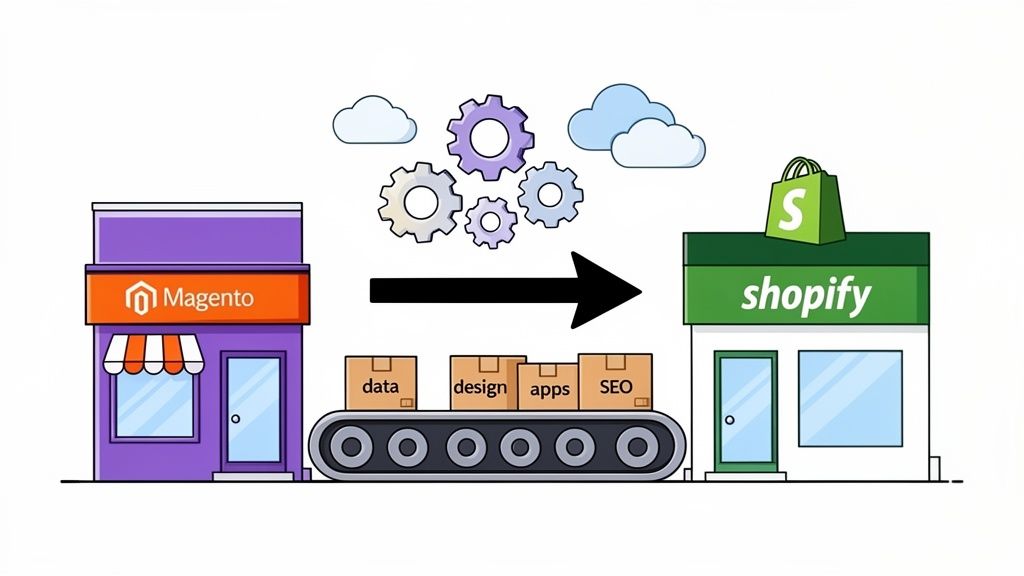
Making the leap from Magento to Shopify is much more than a simple platform change. It's a strategic pivot away from a complex, developer-heavy system toward a platform built for agility and growth. This is about reallocating your resources—time, money, and brainpower—from simply maintaining a website to actively growing a business.
You’re trading constant infrastructure headaches for a streamlined focus on sales and customer experience.
Why Smart Brands Migrate From Magento To Shopify
The decision to leave Magento is almost never a spur-of-the-moment thing. It’s a calculated business move fueled by a desire to reduce operational friction and accelerate growth. While Magento is undeniably powerful, it often demands a small army of developers for routine maintenance, security updates, and even minor tweaks. This creates a technical bottleneck that can bring marketing initiatives and new feature rollouts to a grinding halt.
For founders and their teams, this translates directly into lost time and money. Every dollar spent on a developer to patch the system is a dollar not spent on customer acquisition. Shopify flips that script by handling the hosting, security, and infrastructure, freeing your team to actually innovate and execute.
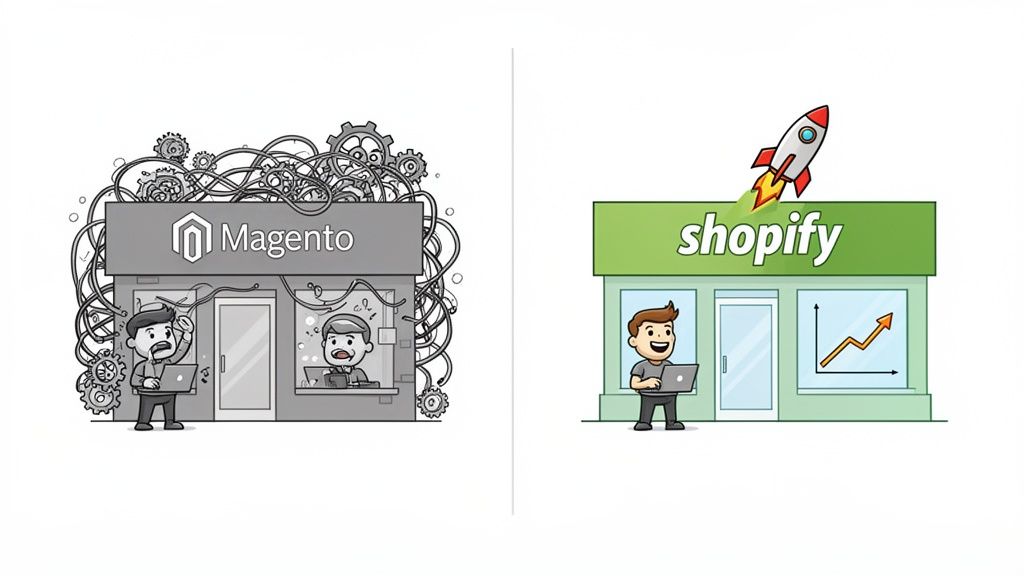
The Tangible Business Wins
The benefits become crystal clear when you look at the results. This isn't just about making your tech team's life easier; it's about making a direct, positive impact on your bottom line. Brands that make the switch consistently see major improvements in their most important KPIs.
We see these wins fall into three main buckets:
- Lower Total Cost of Ownership (TCO): When you stop paying for hosting, endless security patches, and constant developer hand-holding, your operational budget shrinks. It’s that simple.
- Higher Conversion Rates: Shopify's checkout is famously smooth, its themes are mobile-first, and page speeds are generally faster. This all adds up to a better user experience that turns more browsers into buyers.
- Unmatched Agility: Your marketing team can launch a new campaign, spin up a landing page, or test a new app in minutes, not weeks. This allows you to jump on market trends and opportunities before your competitors even notice them.
A Case Study In Growth
The success stories really drive the point home. Take a brand like Molekule, a leader in premium air purifiers. Their move from Magento to Shopify Plus resulted in a staggering 75% increase in device conversion rates. They also grew their subscriber base by 7% and saw a 10% lift in overall traffic—all while cutting the operational headaches that were slowing them down.
This isn't an isolated case. On average, studies show Shopify stores convert 5% higher than those on Adobe Commerce (Magento) and can slash the total cost of ownership (TCO) by up to 38%. For more context on this, a great resource is this guide on finding the best ecommerce platforms for small business.
The bottom line is this: Moving to Shopify isn't just a technical upgrade. It's an investment in a more efficient, scalable, and profitable business model that empowers your team to focus on what truly matters—growing the brand.
Ultimately, this migration is about reclaiming your resources from technical debt and deploying them where they count: on customer-facing initiatives that drive real revenue.
Magento vs Shopify Key Differences At A Glance
To really understand why so many brands are making this move, it helps to see the core differences side-by-side. This isn't about which platform has more raw power, but which one is the right tool for growth-focused ecommerce businesses.
This table makes the strategic choice clear. While Magento offers deep customization, Shopify offers freedom—the freedom to focus on your customers and your products instead of your platform's plumbing.
Building Your Strategic Migration Blueprint
A successful migration from Magento to Shopify is won or lost long before a single line of data is moved. Seriously. This initial planning stage is your pre-flight checklist, where you’ll create a detailed blueprint to guide the entire project. From my experience, rushing this critical phase is the single biggest cause of scope creep, budget blowouts, and those dreaded launch-day disasters.
The goal here is to leave no stone unturned. You need to conduct a thorough audit of your current Magento setup to understand exactly what needs to be rebuilt, replaced, or simply left behind. This isn't just a technical exercise; it's a strategic one that forces you to re-evaluate what’s truly driving value for your business.
Conducting A Comprehensive Magento Audit
First things first: document everything. Think of yourself as an archaeologist, carefully cataloging every artifact in your current store before moving it to a new museum. This audit is what prevents critical functionalities from being forgotten until it's way too late.
Your audit should zero in on four main areas:
- Core Data: This is the lifeblood of your store—all products (with their variants, images, and meta descriptions), customer accounts, and your complete order history. Getting this right is absolutely non-negotiable for business continuity.
- Custom Functionality: Did you build a custom product configurator or a unique wholesale portal on Magento? Document every single custom feature, no matter how small it seems.
- Third-Party Integrations: Make a list of every single extension and app you're currently using. This means everything from your email service provider and loyalty program to your ERP and shipping logistics software.
- Content and SEO: Don't forget your blog posts, CMS pages (like "About Us"), and all the underlying SEO data—meta titles, descriptions, and URL structures. This stuff is gold.
By creating this exhaustive inventory, you're not just listing features; you're building the foundation for your project scope. This document becomes the single source of truth for your team and any migration partners you bring on board.
Mapping Features To The Shopify Ecosystem
With your audit complete, the next step is translation. You need to map every item on your Magento list to its future home in the Shopify ecosystem. This is where you figure out how you'll replicate your store's functionality.
For example, a clunky, custom-coded B2B feature on Magento might be easily replaced by a powerful Shopify Plus app like Wholesale Gorilla. A complex loyalty extension could be swapped for a more streamlined and modern solution like LoyaltyLion.
This mapping process is a golden opportunity for improvement. Don't just aim to replicate your old store bolt-for-bolt. Instead, ask yourself: "How can we do this better on Shopify?" This is your chance to shed outdated features and adopt more efficient solutions from the Shopify App Store.
This process forces you to categorize each and every feature:
- Native Shopify Feature: Can this be handled by Shopify's core functionality out of the box?
- Shopify App: Is there a well-reviewed app that can replace this?
- Custom Development: Is this feature so unique to your business that it will require custom coding?
- Discard: Let's be honest, is this feature even necessary anymore?
This methodical approach ensures there are no functionality gaps when you finally go live. A detailed plan prevents that last-minute scramble to find a solution for a critical feature you forgot all about.
Defining Goals And Choosing Your Path
Finally, you need to define what success actually looks like. Your project goals should be specific and measurable. Are you trying to reduce your reliance on developers, increase conversion rates by 5%, or slash page load times by 30%? Clear goals will keep the entire project focused and on track.
You also need to set a realistic timeline. A simple migration might take a few weeks, but a complex enterprise project with significant custom development could easily stretch over several months. Be sure to factor in time for the audit, data migration, design, development, and thorough testing.
This blueprint is also where you decide how you'll get it all done. Will you handle it in-house, try to use a migration app, or hire a Shopify Plus agency? For complex stores, partnering with an expert is often the safest and most efficient path forward. To make sure you cover all your bases, our comprehensive Shopify migration checklist provides a detailed, step-by-step guide to help you manage the process effectively.
With a strategic blueprint in hand, you transform a potentially chaotic project into a structured, predictable process. You're setting the stage for a truly seamless transition.
Executing A Seamless Data And Content Transfer
Okay, your migration blueprint is locked in. Now it's time to get into the really technical part of the project: moving your actual data. This is where the digital lifeblood of your business—your products, customers, and order history—makes the journey from Magento's architecture over to Shopify.
Getting this step right is non-negotiable. A sloppy data transfer can lead to lost sales, frustrated customers, and a messy launch. I've seen it happen. The goal is a smooth transition that feels seamless to your customers.
There are really three ways to approach this, and the right one for you depends entirely on your store's complexity, your budget, and your team's technical comfort level. The key is to be realistic about the scale of your operation.
This flowchart gives a great visual of the prep work you need to do before you even think about moving a single piece of data.
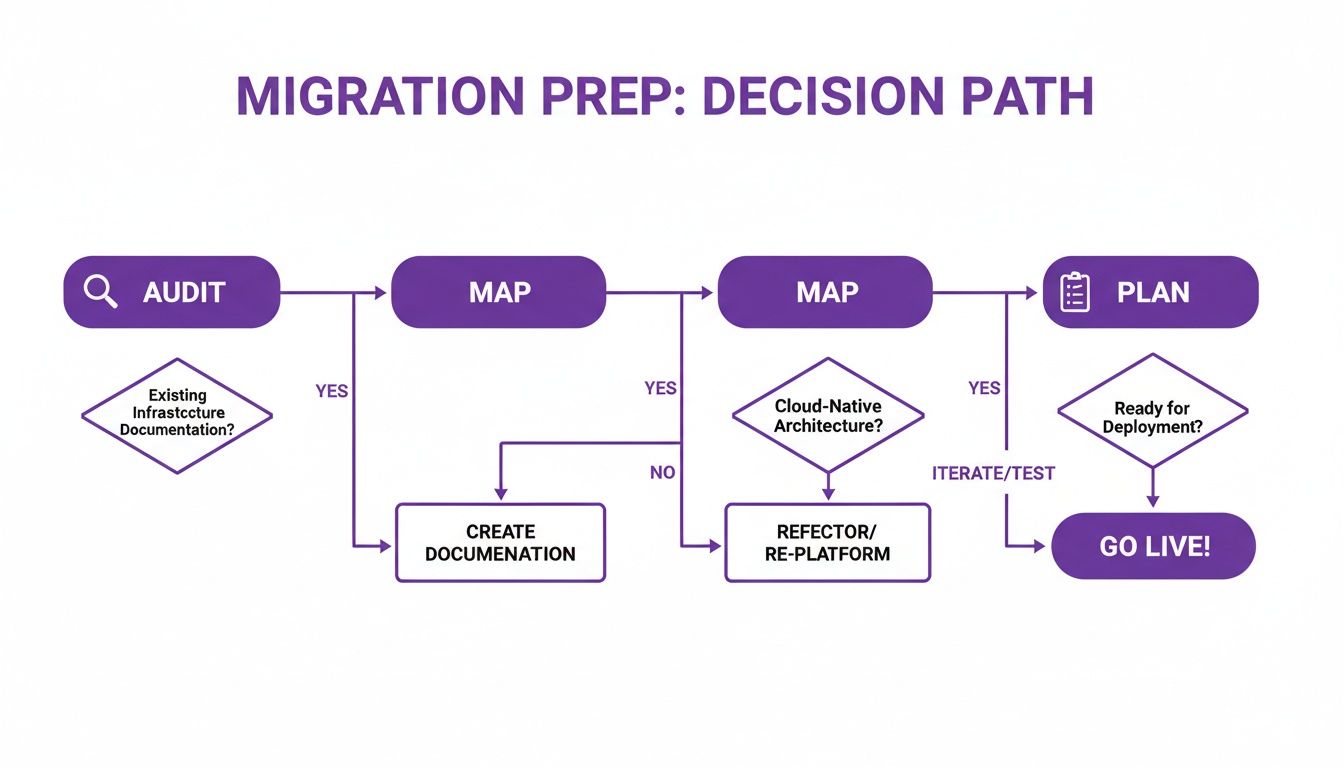
As you can see, a successful migration is all about meticulous auditing and mapping. Nail that, and the actual transfer becomes much more straightforward.
Automated Migration Apps: The Popular Choice
For the vast majority of stores I've worked with, a dedicated migration app is the way to go. It's the most efficient and reliable route, hands down. Services like LitExtension or Cart2Cart are built for this exact purpose. They act as a bridge between your old Magento database and your new Shopify store.
These tools do the heavy lifting for you. They intelligently map data fields between the two platforms and automate the entire transfer with very little manual work needed. They're especially good for moving complex data sets like:
- Products: This includes all your variants, SKUs, images, and meta descriptions.
- Customer Data: Profiles and shipping addresses come across cleanly.
- Order History: Crucial for keeping your reporting intact and providing continuous customer service.
The biggest wins here are speed and a massive reduction in the risk of human error. For a store with thousands of products and years of order history, this approach can literally save hundreds of hours of painstaking manual labor.
Manual CSV Import And Export For Smaller Catalogs
If your store is on the smaller side—maybe a few hundred products without a ton of custom data—a manual approach using CSV files can be a solid, budget-friendly option. This process involves exporting your products, customers, and orders from Magento into spreadsheets.
From there, you'll need to carefully reformat those CSVs to match Shopify's specific template requirements before you can import them. While this method gives you total control and costs nothing, it's also incredibly easy to mess up. One wrong column or a bit of bad formatting can throw the whole import off.
Pro Tip: If you go the manual route, please, do a test run first. Export a small, manageable batch of data, like 10-20 products. Import that test file into Shopify and check everything—mapping, image URLs, variant info. This simple check can save you from a colossal cleanup job later on.
This method is best for merchants who are comfortable in a spreadsheet and have a pretty straightforward data setup. It gets exponentially more painful with larger datasets or custom attributes.
Custom API Solutions For Enterprise-Level Complexity
What if you're a large, enterprise-level business? You might have years of incredibly complex data, custom-coded features, or unique third-party integrations. For these situations, a standard app or a CSV import just won't cut it. This is where a custom migration solution built with the Shopify API becomes necessary.
This approach requires a development team to write scripts that pull data directly from your Magento database and push it into Shopify through its API. It gives you complete, granular control over the entire process. You can transfer highly customized data fields or even transform the data as it's being moved.
A perfect real-world example is a Magento store with a unique B2B customer group structure or a deeply integrated loyalty program. An API-driven migration can rebuild those complex relationships perfectly within Shopify, something an off-the-shelf app would likely struggle with. It's the most expensive and time-consuming path, but for complex migrations, it provides the precision you need.
Handling The Nuances Of Data Migration
No matter which method you pick, a few data types always need special attention.
- Customer Passwords: For security reasons, passwords are encrypted and simply cannot be migrated. The standard industry practice is to import all the customer accounts and then use an app like Bulk Account Inviter. This sends a clean, professional email prompting your customers to activate their new account on your Shopify store.
- Blog Posts and CMS Pages: Content like your blog articles or "About Us" page often gets forgotten in the shuffle. While some migration apps can pull this content over, you might find yourself needing to manually copy and paste it. Honestly, this is a great opportunity to review and refresh that content anyway.
Choosing the right data transfer strategy is the foundation of a successful migration. Whether you use an automated app, a manual CSV process, or a custom API build, getting it right ensures your business data stays intact and your new Shopify store is ready for a seamless launch.
Designing a Shopify Store That Actually Converts
Just slapping your old Magento design onto Shopify is a huge missed opportunity. Think bigger. This migration is your golden ticket to build a smarter, higher-converting customer experience from the ground up. This isn't about a fresh coat of paint; it's about engineering a storefront that drives sales and shows off how your brand has grown.
The first big decision you'll have to make is how to approach the design. Are you going to customize a top-tier theme from the Shopify Theme Store, or are you ready to invest in a completely custom, from-scratch build? There's no single "right" answer here—it really comes down to your budget, timeline, and what your brand truly needs.

Premium Themes: The Smartest Place to Start
For the vast majority of businesses, starting with a premium theme is the most sensible and efficient route. Themes from well-known developers are reliable, mobile-ready right out of the box, and loaded with features that align with modern e-commerce best practices. They give you a rock-solid foundation that you can then heavily customize to fit your brand identity without the headache of starting from zero.
A premium theme gives you a fantastic balance of control and cost-effectiveness. You can tweak everything from colors and fonts to layouts and section arrangements to carve out a unique space for your brand. The trick is to pick a theme that naturally fits your catalog size and the kind of shopping journey you want to create, then use its built-in settings to let your brand's personality shine through.
When a Fully Custom Build Makes Sense
Going for a completely custom build gives you total creative freedom, but be prepared for a much higher price tag and a longer timeline. This path is usually reserved for enterprise-level brands on Shopify Plus that have very specific functional or design requirements that a pre-built theme just can't handle.
A custom build might be the right call if your business needs:
- A completely unique user interface that breaks away from the standard e-commerce grid.
- Deep, complex integrations with proprietary back-end systems that need to be part of the front-end experience.
- Highly specialized customer journeys, like a multi-step product builder or a unique subscription model.
A custom build is a powerful move, but it demands a crystal-clear vision and a top-notch development partner. Frankly, for most merchants, a well-chosen premium theme delivers 90% of the punch for a fraction of the cost and effort.
Swapping Magento Extensions for Modern Shopify Apps
Your next mission-critical task is to figure out how you'll replace your Magento extensions. This is where Shopify really excels. The Shopify App Store is one of the platform's biggest strengths, packed with polished, powerful apps for almost anything you can dream up. It's your chance to ditch clunky, outdated extensions for modern, user-friendly solutions.
Start by auditing your current Magento setup and mapping each extension to a Shopify equivalent. For example:
- Subscriptions: If you were using a Magento extension for recurring orders, you can now move to a best-in-class Shopify app like Recharge or Skio. These tools offer far superior customer portals and retention features.
- Loyalty & Rewards: That complex loyalty module from Magento can be replaced with a slick, streamlined solution like LoyaltyLion or Yotpo, which often integrate seamlessly with your email and SMS marketing platforms.
- Advanced Search: An old extension for filtered search can be upgraded to an AI-powered search app like Algolia or Searchanise, delivering lightning-fast, relevant results that genuinely boost conversion rates.
This whole mapping process is also a fantastic opportunity to clean house and simplify your tech stack. Concentrate on finding apps that are well-supported, highly rated, and solve your core business problems more effectively than your old Magento setup ever did. The goal here is to build a more powerful, integrated, and high-performing storefront—one that not only looks incredible but is fine-tuned to convert from the moment you launch.
Protecting Your SEO During The Transition
Migrating your store without a rock-solid SEO plan is like building a beautiful new shop and then bricking up the front door. You can do everything else perfectly, but if you decimate your search rankings, you’re cutting off your primary source of traffic and revenue. This isn't just a theoretical risk; it’s a painful reality for brands that rush the process.
The stakes are incredibly high. For many Shopify stores, organic traffic accounts for up to 90% of all visits. When you mess with that, you’re playing with fire.
Just look at the cautionary tale of Princessly.com, a fashion brand that moved from Magento to a new Shopify store. They thought they'd handled their redirects correctly, but their organic traffic plummeted by a staggering 49.75% almost overnight. As you can guess, revenue and transactions tanked right along with it. Their story is a critical reminder: preserving your SEO isn't just important—it's everything.
Mastering The Art Of The 301 Redirect Map
The single most important tool in your SEO preservation toolkit is the humble 301 redirect. This simple command tells search engines that a page has permanently moved, and it passes the vast majority of its ranking power over to the new URL. Getting this wrong is the fastest way to watch years of hard work vanish.
The problem is that Magento and Shopify have different default URL structures, so you can't just copy and paste. You have to manually create a comprehensive map that connects every single old Magento URL to its new Shopify equivalent.
Your map must include:
- Product Pages: Every product, including all its variants. No exceptions.
- Category Pages: Your old category pages must point directly to their new Shopify collection counterparts.
- CMS and Blog Pages: Don’t forget about your "About Us," "Contact," and all of that valuable blog content you've created over the years.
The best way to tackle this is with a simple spreadsheet. Create two columns: one for the old Magento URL and one for the new Shopify URL right next to it. This document becomes your blueprint. For a deeper dive into the technical side, our guide on implementing Shopify URL redirects walks you through the execution.
Migrating Your On-Page SEO Elements
Redirects get the traffic to the right place, but what about the content that search engines actually rank? You need to make sure all of your critical on-page SEO data makes the journey, too. This information tells Google what your pages are about, and losing it is like erasing your site's memory.
Your migration checklist absolutely must include the transfer of:
- Meta Titles: The main headline that shows up in search results.
- Meta Descriptions: That short snippet of text below the title.
- Image Alt Text: Descriptions for your images that help with accessibility and image search.
- H1 Tags and Body Content: The actual on-page headings and text where your keywords live.
Plenty of migration apps claim to handle this automatically, but trust me, you need to verify it yourself. It's your responsibility to double-check that the data moved over correctly. A manual spot-check of your top-performing pages is a non-negotiable step before you even think about going live.
A migration isn't just about preserving what you have; it's an opportunity to improve. While migrating, it's crucial to not only maintain but also grow your search visibility; implement a practical SEO blueprint to increase organic traffic and start your new platform on a growth trajectory.
The Pre-Launch Testing Protocol
Before you flip the switch, you need a rigorous testing and quality assurance (QA) process. Run this on your new Shopify store in a staging environment. This is your last chance to catch potentially catastrophic errors before they hit your customers and your search rankings.
Your pre-launch QA checklist should be exhaustive. Don't cut corners here.
Your Final QA Checklist:
- Redirect Testing: Use a tool like Screaming Frog to crawl your list of old URLs. Make sure every single one redirects to the correct new page with a 301 status code.
- On-Page SEO Verification: Manually check your most important pages—your top sellers, your highest-traffic blog posts. Confirm that meta titles, descriptions, and H1s are all there and correct.
- Internal Link Check: Crawl the entire staging site to find and fix any broken internal links that point to old URLs or 404 pages.
- Mobile Responsiveness: Pull out your phone (and a few others if you can). Test the site on multiple devices to guarantee a flawless experience for mobile users.
- Checkout and Payment Gateway Test: Run several test orders. Use different payment methods. Ensure the entire checkout process is smooth and completely error-free.
A thorough testing process is your final line of defense. Taking the time to be meticulous here will ensure your launch is a success, protecting both your hard-earned SEO and your customers' trust.
Your Post-Launch Growth And Optimization Playbook
Getting your migration from Magento to Shopify over the line is a massive win, but it’s really the starting line, not the finish. Think of your new Shopify store as a high-performance growth engine that's just waiting for you to turn the key. Those first few weeks after launch are everything—they're your chance to set a new baseline and really start flexing the power of your new platform.
Right away, your mindset needs to pivot from migration to monitoring. Keep a sharp eye on your Shopify Analytics and Google Analytics. You're looking for anything that seems off, like weird dips in traffic, conversion rates, or average order value. Catching these little performance hiccups early means you can squash them before they make a real dent in your bottom line.
Driving Conversions And Automating Workflows
Once you're confident the store is stable and humming along, it's time to get aggressive about growth. This is where the sheer agility of the Shopify ecosystem starts to pay off. You can jump into conversion rate optimization (CRO) experiments almost immediately—a process that was probably a clunky, developer-heavy headache on Magento.
Go ahead and install a solid A/B testing app. Start simple. Experiment with different product page layouts, tweak your calls-to-action, or play with promotional messaging. You'd be amazed how small, data-backed changes can stack up into serious revenue gains. For instance, testing a new button color might feel trivial, but I've seen it lift conversions by a surprising amount more than once.
The real power move after migrating is to embrace automation. If you're on Shopify Plus, Shopify Flow is about to become your new best friend. It lets you build out custom workflows that handle all those repetitive, soul-crushing tasks without writing a single line of code.
You can set up a Flow to automatically:
- Tag your VIP customers so you can create special marketing segments for them.
- Ping your team on Slack when a bestselling product is running low on inventory.
- Create a support ticket the moment a negative product review comes in.
This kind of automation frees up huge chunks of time for your team. Suddenly, they're focused on big-picture growth strategies instead of getting bogged down in manual data entry and admin busywork.
Enhancing The Customer Experience
Beyond CRO and automation, your new setup makes personalizing the entire customer journey so much easier. Now's the time to integrate more advanced customer service tools, like a live chat app or a more powerful helpdesk solution, to give your shoppers faster, better support.
Also, start exploring personalization apps. These tools can serve up tailored product recommendations based on a customer's browsing history or past purchases. Implemented correctly, they can do wonders for your average order value and customer lifetime value. After you migrate from Magento to Shopify, your ability to quickly test and roll out these kinds of growth levers is your single greatest advantage. Make sure you use it from day one.
Unpacking Your Migration Questions
Switching platforms always kicks up a few questions. Moving from a beast like Magento to the streamlined world of Shopify is a big deal, and it's smart to have all the answers before you jump in. We get these questions all the time, so let's tackle the big ones head-on.
How Long Does This Actually Take?
Honestly, there's no magic number here. The timeline is completely tied to how complex your current setup is. If you're running a smaller store with a clean product catalog and just a handful of apps, you could be looking at a surprisingly quick turnaround—maybe as little as 3-5 weeks from start to finish.
But for a bigger, enterprise-level business? The kind with deep customizations, a decade of order history, and a web of third-party integrations? A realistic window is closer to 2-4 months. That extra time is crucial. It lets us do a proper deep-dive audit, handle the data transfer with care, build out any custom features, and test everything until it's bulletproof.
Am I Going To Nuke My SEO Rankings?
Not if we do it right. This is probably the biggest fear we see, and it's totally manageable with a solid SEO strategy.
The absolute, non-negotiable cornerstone of protecting your rankings is a comprehensive 301 redirect map. This map tells search engines exactly where every single old Magento URL has moved to on Shopify. Skip this, and you're asking for trouble.
We also make sure all your on-page SEO gold—meta titles, descriptions, the works—comes over perfectly. You might see a tiny, temporary dip in traffic as Google and others re-crawl the new site, but a well-executed plan ensures your hard-won organic visibility stays right where it is.
What’s The Real Deal On Costs And Timelines For Larger Stores?
For established brands, the investment to migrate from Magento to Shopify can look significant at first glance. It's not uncommon to see the data migration piece alone quoted at a flat $10,000 to $20,000, with custom work billed hourly.
A small shop's data might be moved over in just 5-7 days, but for a large enterprise, that part of the process will naturally take longer. It’s important to see this as an investment, not just a cost. You're trading that upfront expense for an escape from Magento's notoriously high total cost of ownership. For a full breakdown, this detailed cost analysis on aureatelabs.com is worth a read.
Ready to build a high-converting, scalable storefront without the technical headaches? ECORN specializes in seamless Magento to Shopify migrations, transforming complex setups into powerful growth engines. Let's discuss your project today!



Shopify Plus Automation: A Guide for 2026

10 Social Selling Platforms for Shopify Merchants

Shopify Website Design Examples: 7 Stores Worth Studying

7 Ecommerce Newsletter Examples for Shopify Brands

One Product Shopify Store: Build and Scale

Mobile Pop Up Strategy for Shopify Stores That Converts

Sitemap for Shopify: How to Find, Optimize, and Submit It

7 Single Product Websites Worth Emulating

Product Variants Shopify: The Complete 2026 Guide

Ecommerce Analytics Consulting for Growth

What Is AI Integration for eCommerce

How to Choose the Right eCommerce Website Development Firm

E Business Strategy Implementation

Conversion Tracking Setup for Shopify Stores

BigCommerce vs Shopify Plus Which Enterprise Wins in 2026

Shopify Theme Kit: Setup, Commands, and Migration Guide

Shopify Extension Development: A Practical 2026 Guide

Shopify Speed Score Explained and How to Improve It

Shopify Mobile Optimization: The 2026 Playbook

How to Add Subcategory in Shopify for Better UX

How to Implement Structured Data for Ecommerce in 2026

SEO App Mobile: Shopify Store Optimization Guide

Shopify Plus Support: What It Includes and How to Choose

Google Ads for Shopify: The Complete 2026 Playbook

Shopify New York: How to Find and Hire the Right Agency

Google Search Console for Shopify: The Complete Setup

First Party Data Collection for eCommerce Growth

FAQ Online Store Guide: Build and Measure It Right

Do FB Ads Work for eCommerce in 2026?

One Page Checkout for Shopify: Design and Implementation

Shopify GraphQL vs REST: The 2026 Developer Decision

Shopify Ecommerce Consulting: Strategy, Pricing &

Are Reddit Ads Worth It for eCommerce Brands

Shopify Title and Meta Description: A Practical 2026 Guide

Product Video Best Practices for Shopify Brands

Real-Time Inventory Management: A 2026 Guide

AI Chatbot Integration for Shopify Stores

Affiliate Program Management: A Shopify Guide

10 Best Performance Monitoring Tools for Shopify in 2026

Digital Asset Management for eCommerce Brands in 2026

Every Type of Facebook Ads Explained for eCommerce Growth

Product Information Management Explained for Shopify Brands

Support Ticket System: A Guide for Shopify Stores

10 Best Customer Service Tools for Shopify in 2026

Can I Start a Business with No Money? a 2026 Blueprint

What Sells Good on Etsy: Best Niches for 2026

Shopify Add to Cart Button: A Practical 2026 Guide

Customer Feedback Automation: A Practical eCommerce Guide

Critical Rendering Path: A Guide for Shopify Stores

How to Promote on TikTok for eCommerce in 2026

B2B eCommerce Consulting That Drives Real Revenue

10 Best Practices for Site Navigation in 2026

Return vs Refund for Shopify Stores: A Practical Guide

What Is Customer Lifetime Value and Why It Matters

What Is Voice of Customer Research for eCommerce

SMS Marketing for Ecommerce That Actually Converts

Master How to Improve Email Deliverability in 2026

Top 7 eCommerce Partners NYC for Shopify Brands in 2026

Machine Learning for Ecommerce: Boost Your Shopify Store

Beauty Market Research: Your 2026 Growth Guide

Shopify International Expansion: A 2026 Roadmap

What Does CRO Stand for in Business: Understanding CRO

Shopify Visual Merchandising: A Playbook for Higher Sales

Shopify Landing Page Design: Master Conversion in 2026

10 Best AI SEO Optimization Tools for Shopify in 2026

Agentic AI for Ecommerce: Boost Your Sales in 2026
Mastering Email Marketing Data for eCommerce Growth

Conversion Rate Optimisation Australia: Boost Your Sales

Conversion Rate Optimization AI: Your Shopify Store Guide

10 Product Bundling Strategies for Shopify in 2026

How to Increase Customer Lifetime Value: A Shopify Playbook

AI Customer Service Automation: Shopify Guide 2026

Clean Website Design: A Shopify Conversion Playbook

Omnichannel Retail Strategy: A Shopify Playbook

Product Data Enrichment: A Guide for Shopify Brands

Instagram Shopping Features a Guide for Shopify Stores

What Is Revenue Optimization: A Holistic RevOps Guide

Benefits of Conversion Rate Optimization: Boost Your

WordPress to Shopify Migration: Your 2026 Seamless Switch

Boost Sales: Ecommerce Payment Processing Guide 2026

Unified Commerce Platform: Benefits, KPIs & Shopify Guide

How to Reduce Bounce Rate eCommerce: Your 2026 Guide

Shopify API Integration: A Practical End-to-End Guide

How to Implement Data Governance: A 2026 Guide

Shopify Store Development Cost: A 2026 Breakdown

What Is Server Side Tracking: The Shopify Guide 2026

Marketing Automation Workflows: A Shopify Guide for 2026

Shopify: How to Reduce Technical Debt

Shopify UX Design Change: A Playbook for Growth

User Generated Content Strategy: Shopify Playbook

Shopify Pause and Build Plan Cost: A Complete 2026 Guide

Compare at Price on Shopify: A Complete Guide for 2026

Where Can I Sell My Prints? 10 Best Platforms for 2026

Shopify Order Management System: The Ultimate Guide 2026

What Is Marketing Attribution? an eCommerce Guide for 2026

10 Best Black Friday Sales Sheets for 2026

Discover the Top Social Media Marketing Agencies For

Consumer Confidence Definition for eCommerce in 2026

What Is Social Commerce? Your 2026 Guide to Boosting Sales

A Social Ad Campaign Playbook for eCommerce Growth


newsletter in your inbox