


Pre-orders are way more than just an early sales tactic—they're a powerful business strategy that can seriously level up your Shopify store. When you let customers buy items before they're officially available, you get to validate new product ideas, lock in cash flow upfront, and build some incredible marketing momentum for your launch. It completely flips the script, turning a product release from a financial gamble into a calculated success.
Why Pre-Orders Are a Game-Changer for Shopify Stores
Launching a new product often feels like a leap of faith, right? You pour money into design, manufacturing, and marketing, all while crossing your fingers that the demand will actually be there. A well-executed pre-order strategy on Shopify strips away a lot of that uncertainty and makes your launch a data-driven process. Instead of guessing what your customers want, you let them tell you directly—with their wallets.

Validate Your Ideas Without the Financial Risk
Picture this: a small, independent fashion brand is dying to release a bold new jacket design. Manufacturing a full run could sink thousands of dollars into inventory, a massive risk if the style doesn't hit. By setting up a pre-order campaign, they can gauge real-world interest first.
If they hit their target of 100 pre-orders, they know it's a green light for production. If they don't, they’ve just sidestepped a costly mistake.
This kind of validation is gold for both startups and established stores. It gives you the power to:
- Test new product lines: See if that new category you're eyeing has legs before you commit to a huge inventory buy.
- Gauge demand for variations: Let customers pre-order their preferred colors or sizes, so you know exactly what mix to produce.
- Fund your initial production run: Use the cash from pre-orders to pay your manufacturer, taking the financial pressure off your own bank account.
Build Unstoppable Marketing Momentum
A pre-order window isn't just about sales; it's a full-blown marketing event. It creates a period of exclusivity and urgency that can generate serious buzz. You’re not just selling a product; you’re selling anticipation.
This is the perfect time to build an engaged community around your launch. Use social media teasers, email countdowns, and behind-the-scenes content to get people excited and ready to buy the second it drops.
A pre-order strategy fundamentally shifts your cash flow. Instead of paying for inventory and then waiting for sales, you secure revenue first and then fulfill orders. This simple change can de-risk your entire operation.
This strategy is especially powerful when you consider the scale of the Shopify ecosystem. Shopify powers over 4.8 million stores worldwide, which together have generated more than $500 billion in sales. With an estimated 79% of all Shopify traffic now coming from mobile devices, it’s critical your pre-order experience is seamless for those shoppers.
Pre-orders allow you to tap into this massive market with a proven, low-risk launch model that builds excitement and locks in revenue from day one. To really dig in, you can discover more insights about the power of pre-orders on Shopify and learn how to best capture this demand.
Choosing Your Shopify Pre Order Method
So you're ready to launch a pre-order campaign on Shopify. Smart move. But before you dive in, you need to decide how you're going to set it up. There are a few different ways to tackle this, and the path you choose will really shape your campaign, your workload, and your customer's experience.
Each approach has its own quirks, costs, and level of complexity. Picking the right one comes down to your specific goals, how comfortable you are with the tech side of things, and what kind of pre-order journey you want to create. Let's break down the three main options.

The Native Shopify Method: Selling Out of Stock
The most basic way to get started is by using a feature that’s already built into Shopify. It’s pretty simple: you just find the product setting that lets you "Continue selling when out of stock." This is a free, no-fuss option that doesn't require installing anything extra.
This works best if you're just dipping your toes into pre-orders or running a super simple campaign. Maybe you're a small brand testing a single new product and you know for a fact it'll ship in a couple of weeks. In that case, this can get the job done without any added cost.
But that simplicity is also its biggest weakness. The native function just wasn't built for a proper pre-order launch. It lacks all the specialized tools you need, which can lead to some serious operational headaches and a pretty confusing experience for your customers. Is the item a pre-order or just on backorder? The page doesn't make it clear, and that ambiguity can kill trust.
Dedicated Shopify Pre Order Apps
This is where things get serious—and a lot more powerful. The Shopify App Store is packed with apps built by developers who live and breathe pre-orders. They're designed specifically to solve all the problems the native method creates.
A good pre-order app completely transforms the experience. It swaps out that generic "Add to Cart" button for a crystal-clear "Pre-Order Now" CTA and gives you a whole suite of tools for managing the campaign from start to finish.
You'll find features like:
- Partial Payments and Deposits: Let customers pay a percentage upfront. This is a game-changer for conversion rates, as it lowers the barrier to purchase for higher-ticket items.
- Automated Communication: Set up emails that automatically go out when a pre-order is confirmed, when there’s a shipping update, or when you're ready to capture the final payment. No more manual follow-ups.
- Mixed Cart Handling: What happens when a customer tries to buy an in-stock t-shirt and a pre-order hoodie in the same transaction? An app lets you set rules to prevent fulfillment nightmares.
- Countdown Timers and Badges: Add visual cues to the product page that create urgency and make it immediately obvious which items are for pre-order.
Choosing the right app is a big deal. An analysis of over $85 million in pre-order sales found that features like back-in-stock alerts and automated notifications are absolutely critical. Being able to smoothly transition from a waitlist to a live pre-order lets you capture demand right at its peak. If you're looking for guidance, you can find detailed guides on selecting the best app for your store.
For most brands that are serious about pre-orders, a dedicated app is a non-negotiable investment. The control, automation, and vastly improved customer experience far outweigh the monthly fee. It's the difference between a smooth launch and a logistical mess filled with support tickets and lost sales.
Custom Code and Development
For the big players or Shopify Plus merchants with highly specific needs, a custom-coded solution offers the ultimate level of control. This means hiring a developer or an agency to build a pre-order system directly into your store's theme.
Make no mistake, this is the most expensive and complex route. But it also means you can build a completely bespoke experience. Imagine a high-fashion brand that wants a unique pre-order flow that integrates with a custom inventory management system in a way no off-the-shelf app can. Or a business that needs to pipe its pre-order data into a proprietary ERP for specialized fulfillment logic.
While this path gives you total freedom, it also puts all the responsibility on you for maintenance, updates, and bug fixes. It's a huge undertaking reserved for businesses whose needs are so unique that a pre-built solution just won't cut it. Honestly, for the vast majority of Shopify stores, a quality pre-order app will have more than enough firepower.
To help you visualize the trade-offs, here’s a quick comparison of the three methods.
Comparing Shopify Pre Order Methods
Ultimately, the goal is to create a pre-order experience that feels seamless for the customer and is manageable for your team. A dedicated app strikes that balance perfectly for almost everyone.
Designing a High-Converting Pre-Order Product Page
A standard product page has a simple job: sell an item you can ship out tomorrow. A pre-order page? That’s a whole different ballgame. You’re asking a customer to buy something that might not even fully exist yet, which requires a completely different psychological approach.
This isn't just about selling; it's about building trust. Your page needs to be built on a foundation of absolute clarity and create a sense of exclusive opportunity. The goal is to squash every bit of hesitation and answer every potential question before it even pops into your customer's head.
Crafting Crystal-Clear Pre-Order Messaging
Vague language is the absolute enemy of a successful pre-order campaign. You have to be painfully transparent about the entire arrangement. Any ambiguity about shipping dates or payment terms is the fastest way to lose a sale and, worse, damage the trust you’re trying to build.
The single most critical piece of information is the estimated shipping date. Don't bury it in the fine print. It needs to be front and center, right near the product title and your call-to-action button. Forget "Ships in Q3." Get specific with language like, "Expected to ship the week of October 15th." This manages expectations from the very first glance.
Here’s a perfect example from a Shopify store that nails this. Notice how they make the pre-order status and ship date impossible to miss.
This kind of clarity immediately tells the shopper you're on top of your game and have a solid plan.
Beyond the date, tell them why it's a pre-order. Is it a limited first run? Are you funding production? A short, honest sentence can build a surprisingly powerful connection. Try something like, "Pre-order now to help fund our first production run and be among the first to get it this fall."
Rethinking Your Call-to-Action
On a pre-order page, a generic "Add to Cart" button just feels wrong. It's disconnected from what the customer is actually doing—they aren't just adding an item; they are reserving a future product. Your button copy should reflect this unique commitment.
Play around with language that’s more action-oriented and benefit-driven. Here are a few ideas to get you started:
- Reserve Your Spot: This implies exclusivity and limited availability, making the customer feel like an insider.
- Pre-Order Now & Save 15%: This directly ties the action to an immediate reward, a huge incentive for early commitment.
- Claim Your Early Bird Offer: Similar to reserving a spot, this frames the pre-order as a special, time-sensitive opportunity they don't want to miss.
Your call-to-action is the final handshake. By aligning the button's text with the customer's mindset—reserving a future product, not just buying one—you can seriously boost your click-through rates.
This is a core part of great page design. You can dive deeper into these kinds of strategies in our comprehensive guide to ecommerce product page design, which covers all the fundamentals of building layouts that actually convert.
Building Trust and Urgency with Visuals and Proof
Since customers can't physically see or touch the final product, your visuals have to do all the heavy lifting. This is no time to skimp. You need high-resolution mockups, slick 3D renders, or even professional videos that show the product from every conceivable angle.
If you have a physical prototype, even better! Use it to create lifestyle imagery that shows the product in a real-world setting, helping customers visualize it in their own lives.
Once you have stunning visuals locked in, it's time to layer in elements that drive action.
- Countdown Timers: Nothing creates a sense of urgency like a ticking clock. Use a timer to count down to the end of the pre-order window or the expiration of an early-bird discount.
- Social Proof: No reviews yet? No problem. Use quotes from beta testers, feature positive comments from your social media announcements, or highlight any press mentions you’ve received.
- Progress Bars: If you're using pre-orders to fund production, show a progress bar indicating how close you are to your goal (e.g., "78% funded!"). This creates a communal vibe and encourages people to chip in to help push you over the finish line.
Nailing Your Pre-Order Fulfillment and Payments
It’s an incredible feeling when a pre-order campaign takes off. The sales notifications start pinging, and you've just proven your product has a market before it's even physically available. But that initial rush is just the starting line. Now, the real work begins on the backend, juggling fulfillment logistics and payment processing.
Trust me, a messy operational plan can turn a fantastic launch into a customer service nightmare. These are customers who have put their trust—and their money—in your hands. They're expecting a smooth, transparent process. Get this right, and you build long-term loyalty; get it wrong, and you'll be dealing with frustrated buyers who never come back.
This whole process boils down to a few core elements on your product page: setting clear expectations, creating urgency, and building trust.
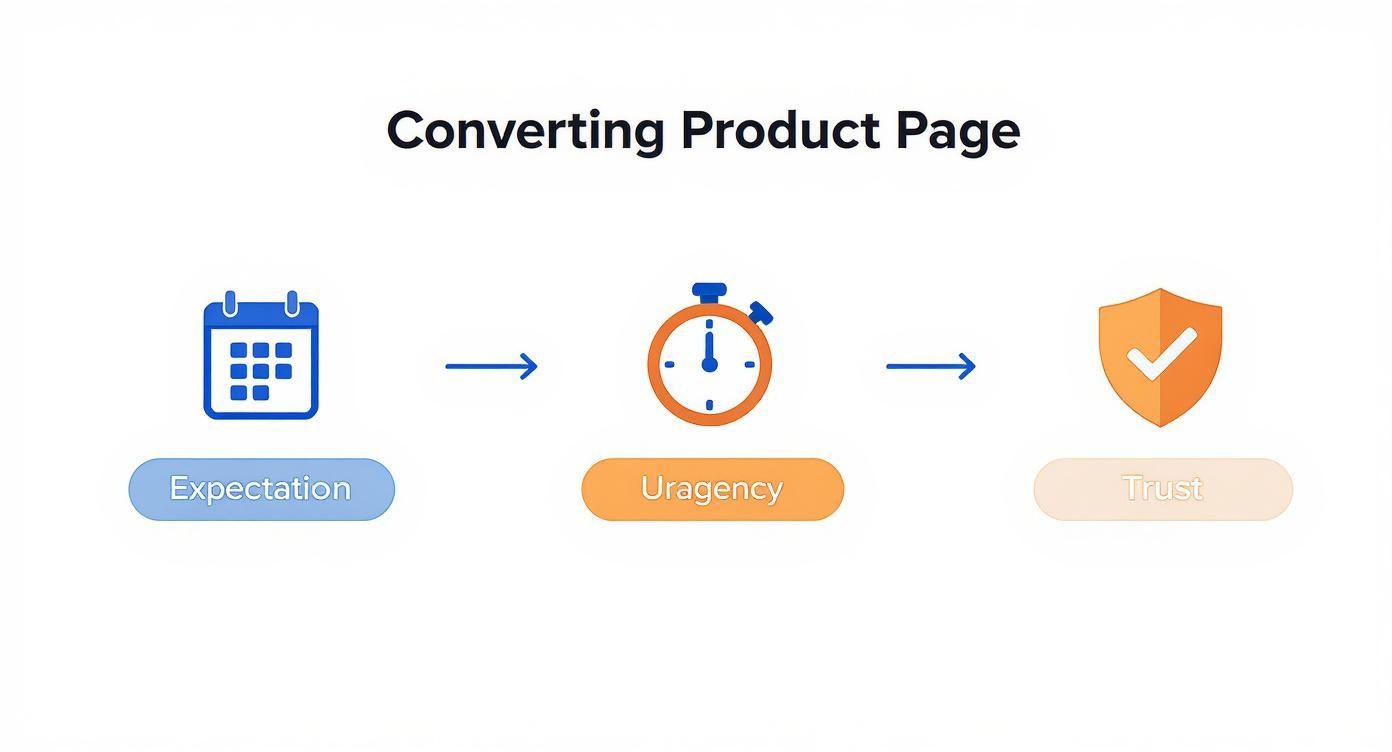
This visual is a great reminder that a successful pre-order isn't just a sale. It's a journey you guide your customer on, starting long before they ever click "buy."
Handling Payments: Charge Now vs. Charge Later
One of the first big calls you'll have to make is when to actually take the money. This decision ripples through everything—your cash flow, the customer experience, and even your legal obligations under FTC guidelines.
Charge Immediately (Pay Now)
This is the go-to approach for most pre-order Shopify campaigns. The customer pays the full amount at checkout, just as they would for any other purchase.
- The upside? Immediate cash flow. This is huge for funding production runs or covering those hefty ad costs. It also locks in the sale; a customer who has paid is far more committed.
- The downside? You're managing expectations over a potentially long wait. If production gets delayed (and it happens), you're holding onto your customers' money. Without stellar communication, this can lead to a wave of cancellation requests.
Authorize Now, Charge Later (Pay Later)
With this setup, you only authorize the customer's credit card at checkout. The actual charge happens later, right when you're ready to ship. You'll typically find this feature in dedicated pre-order apps.
- The upside? It lowers the barrier to entry for customers. This can really boost conversion rates, especially for higher-priced items. It also makes handling delays a bit less stressful since you haven't taken their money yet.
- The downside? That payment authorization doesn't last forever. Most payment gateways have an authorization window, often just 7 to 30 days. If your pre-order period is longer than that, the authorization lapses. You'll then have to chase customers to re-enter their payment info—a logistical headache that guarantees you'll lose some sales.
For most brands, charging immediately is the safest and most direct route, as long as you are confident in your production timeline. The absolute key is to pair this strategy with a rock-solid communication plan.
Building a Bulletproof Fulfillment Workflow
Once the orders are flooding in, you need a system to keep pre-orders separate from your regular, in-stock items. Mixing them up is a classic recipe for disaster, leading to products shipped by mistake and very confused customers.
The simplest way to wrangle this in Shopify is with tags. When you set up your pre-order product—whether through an app or Shopify's native backorder setting—make sure it's automatically tagged with something distinct like "pre-order" or "october-shipment".
This one little tag is surprisingly powerful. You can then:
- Create Custom Order Views: In your Shopify admin, just filter your orders by that specific tag. Boom. You now have a clean, dedicated list of all pre-orders that need special handling.
- Segment Your Email Lists: Use the tag to create a customer segment in Klaviyo, Omnisend, or whatever you use for email. This lets you send targeted updates only to pre-order customers, so you're not bugging your entire list.
- Guide Your Fulfillment Team: When it's finally time to ship, your warehouse team can pull up that tagged order list and know exactly which orders to pack and send. No more mix-ups.
If you want to get deeper into the mechanics and strategy behind this, you can learn more about how pre-orders work in our comprehensive guide. It covers everything from the initial setup to the final unboxing.
Managing Mixed Carts and Keeping Everyone in the Loop
Sooner or later, a customer is going to want to buy an in-stock t-shirt and a pre-order hoodie in the same transaction. You need a clear policy for this "mixed cart" scenario. Are you going to ship the t-shirt now and the hoodie later, eating two shipping costs? Or will you hold the entire order until everything is ready to go?
Many pre-order apps have settings to handle this, letting you automatically split the order or just display a clear message at checkout. If you're managing this manually, you have to spell out your policy on the product page to avoid any nasty surprises.
And finally, proactive communication isn't just a good idea—it's essential. Set up an automated email flow specifically for pre-order customers. Keep them informed, keep them excited, and build anticipation. You want them feeling anxious to get their product, not anxious about where their money went.
Tracking the Success of Your Pre-Order Campaign
When your pre-order campaign finally wraps up, it’s easy to just glance at the total revenue and give yourself a pat on the back. But while a big sales number is great, it only tells you part of the story.
To really figure out if your launch was a home run—and to arm yourself with intel for the next one—you need to dig a little deeper. The right metrics will tell you what truly worked and what didn't.
https://www.youtube.com/embed/vZB1JUznDos
Knowing which numbers to watch helps you move past simple vanity metrics and start making smart, data-driven decisions. Was your email campaign the real hero? Did your product page messaging hit the mark? Were your shipping estimates a bit too optimistic? The right key performance indicators (KPIs) give you clear, honest answers.
Key Metrics Beyond Total Sales
To get a true read on performance, you first need a solid grasp of essential conversion tracking principles. This foundation is what allows you to measure what actually moves the needle. Instead of fixating on the final sales number, let's break down the metrics that offer real insight.
- Pre-Order Conversion Rate: This is your golden metric. It's the percentage of people who landed on your product page and actually completed a pre-order. It’s the ultimate test of your offer, your copy, and your visuals.
- Cancellation Rate: This one’s a biggie. It tracks how many customers asked for a refund before their item even shipped. A high rate here can be a major red flag that something’s off.
- Customer Feedback: Don't underestimate the power of qualitative data. Comments from surveys or support tickets give you the "why" behind the numbers. What were the recurring questions? Where was the friction?
These data points paint a much richer, more actionable picture of your campaign’s health, showing you exactly where you nailed it and where there’s room to grow.
Analyzing Your Pre-Order Conversion Rate
Your pre-order conversion rate is a vital sign for any pre order Shopify strategy. It tells you exactly how well your product page turned casual browsers into committed buyers.
For example, if your page got 1,000 visitors and 20 of them placed a pre-order, you're looking at a 2% conversion rate. The next step is to figure out where those conversions came from. More often than not, you'll find that email and SMS marketing deliver the best ROI. Why? Because you're talking to an audience that already knows and trusts your brand.
If your conversion rate feels a little disappointing, it's time to put your product page under the microscope. Was the estimated shipping date impossible to miss? Did your call-to-action button feel urgent and exclusive? Sometimes, tiny tweaks to your copy or design can make a huge difference for the next launch.
Your pre-order conversion rate isn't just a number; it's a direct reflection of the trust and excitement you built. A strong rate means your messaging resonated and overcame the natural hesitation of buying a future product.
Understanding Your Cancellation Rate
Look, some cancellations are just part of the game. But a high cancellation rate is a clear signal that you might have missed the mark on setting expectations. As a general rule of thumb, you want to keep this number below 7%. If you see it creeping higher, it's time to play detective.
So, what are the usual suspects for a high cancellation rate?
- Fuzzy Shipping Timelines: If customers felt like the wait time was a bait-and-switch, they're going to get frustrated and back out.
- Unexpected Delays: Production hiccups and shipping snags happen. But radio silence about them is a surefire way to erode trust and send your cancellation rate through the roof.
- Lack of Regular Updates: Customers who’ve already paid want to feel like they're in the loop. If they feel left in the dark, anxiety kicks in, and they'll start reaching for that "cancel order" button.
You can get ahead of this by being proactive. Communicate any delays as soon as you know about them and send out regular updates to keep the excitement alive. This not only keeps your cancellation rate down but also builds serious goodwill with your customers. Analyzing this data helps you refine your communication playbook and set more realistic timelines for future campaigns, turning a potential pitfall into a valuable lesson learned.
Got Pre-Order Questions? We've Got Answers
When you start digging into pre-orders, the same handful of questions pop up almost every time. Getting these things right from the start is the key to a smooth launch that keeps customers happy and your operations team sane.
Let’s walk through the common hurdles you'll likely face when setting up your Shopify pre-order strategy. Nailing these details builds a ton of trust and makes the whole experience feel solid and professional for your customers.
Can I Take Partial Payments or Deposits for Pre Orders?
Yes, you can, but this is where Shopify’s out-of-the-box features hit a wall. The standard "continue selling when out of stock" setting is an all-or-nothing deal; it can't handle partial payments. For this, you absolutely need a dedicated pre-order app.
Apps like Pre-Order Manager, PreProduct, or Purple Dot are built for exactly this scenario. They unlock the flexibility to:
- Charge a percentage upfront: A great option is taking a 25% deposit to lock in the order.
- Set a fixed deposit amount: You could charge a flat $50, no matter the final price of the product.
- Capture the rest later: Automatically or manually charge the remaining balance right before the item ships out.
This is a fantastic way to drive conversions, particularly for higher-priced items. It lowers the barrier to entry for the customer, making it an easier "yes" while still giving you the demand data and commitment you need.
What Is the Best Way to Communicate Shipping Delays?
The golden rule here? Be aggressively proactive and transparent. Delays are an unfortunate fact of life in ecommerce, but how you handle them is what defines your brand. The second you know there's a problem, you need to be on it.
Don't wait for the "Where's my order?" emails to start rolling in. Get ahead of it. Send a clear, honest, and apologetic email to every single affected customer.
Your email needs to cover three things:
- Explain what's going on: Briefly and honestly, tell them why there's a delay.
- Give them a new timeline: Provide a revised, and realistic, estimated shipping date.
- Offer a clear path forward: Reassure them their order is still secure and let them know what happens next.
A small gesture of goodwill, like a 10% discount code for a future purchase, can do wonders here. It shows you value their business and respect their patience, often turning a bad situation into a moment that actually builds loyalty.
How Do I Handle Returns for Pre Ordered Products?
This one's simple: treat pre-order returns just like any other return. Your standard return policy should absolutely apply. The only critical difference is when that return window actually starts.
The clock on your 30-day (or whatever your policy is) return period must begin from the day the customer receives the product. It should never start from the day they placed the pre-order, which could have been weeks or even months earlier. This is the only fair way to do it, and frankly, it’s what customers expect.
Make sure this is spelled out clearly in your return policy to head off any potential confusion. A simple line like, "For pre-ordered items, our 30-day return policy begins on the date of delivery," is all it takes to provide clarity and prevent headaches down the road.
Can Customers Use Discount Codes on Pre Order Items?
Absolutely! In fact, you should probably encourage it. Standard Shopify discount codes work on pre-order products by default unless you go out of your way to exclude them. Offering an exclusive discount is one of the most powerful tools in your arsenal for driving those early commitments.
Try creating a special "early bird" discount code. It's a classic tactic because it works. You can easily set up a code in Shopify that applies only to your pre-order product or collection. This not only juices your sales numbers but also rewards your most enthusiastic customers and makes them feel like insiders.
At ECORN, we turn complex Shopify challenges into straightforward, scalable solutions. Whether you're mapping out your first pre-order launch or trying to fine-tune an existing strategy, our team has the real-world experience to guide you. Explore our flexible Shopify development and CRO packages to see how we can help you grow.


Headless Ecommerce Development Services Explained

How to Build a Shopify Clothing Website That Converts

How to Launch a Box Subscription Business in 2026

Luxury Skincare Branding Playbook That Converters

10 Best Podcast Ecommerce Shows for Store Growth in 2026

Shopify Developer Hourly Rate: What to Pay in 2026

Critical Shopify Setup Errors That Are Secretly Sabotaging Your Store

Ecommerce Conversion Tracking: The Complete How-To Guide

Shopify Design Agency: How to Pick the Right Partner

Mastering Multi Store Management on Shopify

Scale Shopify Store

10 Shopify App Ideas Worth Building in 2026

Conversion Rate Optimization for Landing Pages: The Playbook

Shopify Plus Automation: A Guide for 2026

10 Social Selling Platforms for Shopify Merchants

Shopify Website Design Examples: 7 Stores Worth Studying

7 Ecommerce Newsletter Examples for Shopify Brands

One Product Shopify Store: Build and Scale

Mobile Pop Up Strategy for Shopify Stores That Converts

Sitemap for Shopify: How to Find, Optimize, and Submit It

7 Single Product Websites Worth Emulating

Product Variants Shopify: The Complete 2026 Guide

Ecommerce Analytics Consulting for Growth

What Is AI Integration for eCommerce

How to Choose the Right eCommerce Website Development Firm

E Business Strategy Implementation

Conversion Tracking Setup for Shopify Stores

BigCommerce vs Shopify Plus Which Enterprise Wins in 2026

Shopify Theme Kit: Setup, Commands, and Migration Guide

Shopify Extension Development: A Practical 2026 Guide

Shopify Speed Score Explained and How to Improve It

Shopify Mobile Optimization: The 2026 Playbook

How to Add Subcategory in Shopify for Better UX

How to Implement Structured Data for Ecommerce in 2026

SEO App Mobile: Shopify Store Optimization Guide

Shopify Plus Support: What It Includes and How to Choose

Google Ads for Shopify: The Complete 2026 Playbook

Shopify New York: How to Find and Hire the Right Agency

Google Search Console for Shopify: The Complete Setup

First Party Data Collection for eCommerce Growth

FAQ Online Store Guide: Build and Measure It Right

Do FB Ads Work for eCommerce in 2026?

One Page Checkout for Shopify: Design and Implementation

Shopify GraphQL vs REST: The 2026 Developer Decision

Shopify Ecommerce Consulting: Strategy, Pricing &

Are Reddit Ads Worth It for eCommerce Brands

Shopify Title and Meta Description: A Practical 2026 Guide

Product Video Best Practices for Shopify Brands

Real-Time Inventory Management: A 2026 Guide

AI Chatbot Integration for Shopify Stores

Affiliate Program Management: A Shopify Guide

10 Best Performance Monitoring Tools for Shopify in 2026

Digital Asset Management for eCommerce Brands in 2026

Every Type of Facebook Ads Explained for eCommerce Growth

Product Information Management Explained for Shopify Brands

Support Ticket System: A Guide for Shopify Stores

10 Best Customer Service Tools for Shopify in 2026

Can I Start a Business with No Money? a 2026 Blueprint

What Sells Good on Etsy: Best Niches for 2026

Shopify Add to Cart Button: A Practical 2026 Guide

Customer Feedback Automation: A Practical eCommerce Guide

Critical Rendering Path: A Guide for Shopify Stores

How to Promote on TikTok for eCommerce in 2026

B2B eCommerce Consulting That Drives Real Revenue

10 Best Practices for Site Navigation in 2026

Return vs Refund for Shopify Stores: A Practical Guide

What Is Customer Lifetime Value and Why It Matters

What Is Voice of Customer Research for eCommerce

SMS Marketing for Ecommerce That Actually Converts

Master How to Improve Email Deliverability in 2026

Top 8 eCommerce Partners NYC for Shopify Brands in 2026

Machine Learning for Ecommerce: Boost Your Shopify Store

Beauty Market Research: Your 2026 Growth Guide

Shopify International Expansion: A 2026 Roadmap

What Does CRO Stand for in Business: Understanding CRO

Shopify Visual Merchandising: A Playbook for Higher Sales

Shopify Landing Page Design: Master Conversion in 2026

10 Best AI SEO Optimization Tools for Shopify in 2026

Agentic AI for Ecommerce: Boost Your Sales in 2026
Mastering Email Marketing Data for eCommerce Growth

Conversion Rate Optimisation Australia: Boost Your Sales

Conversion Rate Optimization AI: Your Shopify Store Guide

10 Product Bundling Strategies for Shopify in 2026

How to Increase Customer Lifetime Value: A Shopify Playbook

AI Customer Service Automation: Shopify Guide 2026

Clean Website Design: A Shopify Conversion Playbook

Omnichannel Retail Strategy: A Shopify Playbook

Product Data Enrichment: A Guide for Shopify Brands

Instagram Shopping Features a Guide for Shopify Stores

What Is Revenue Optimization: A Holistic RevOps Guide

Benefits of Conversion Rate Optimization: Boost Your

WordPress to Shopify Migration: Your 2026 Seamless Switch

Boost Sales: Ecommerce Payment Processing Guide 2026

Unified Commerce Platform: Benefits, KPIs & Shopify Guide

How to Reduce Bounce Rate eCommerce: Your 2026 Guide

Shopify API Integration: A Practical End-to-End Guide

How to Implement Data Governance: A 2026 Guide

Shopify Store Development Cost: A 2026 Breakdown

What Is Server Side Tracking: The Shopify Guide 2026

Marketing Automation Workflows: A Shopify Guide for 2026


newsletter in your inbox