

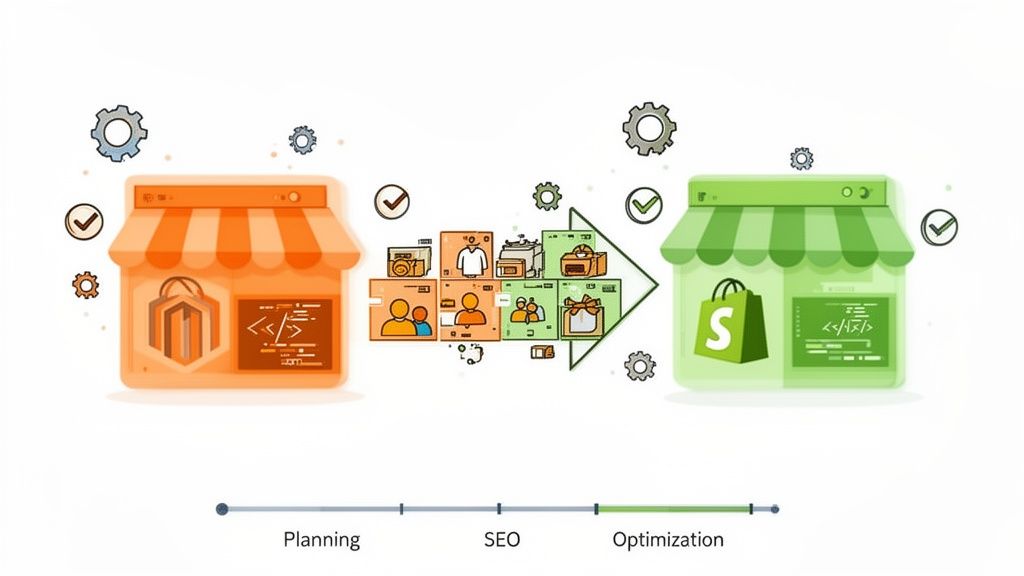
Thinking about moving from Magento to Shopify? It's a big decision, but for many brands, it’s a strategic pivot away from technical headaches toward predictable, scalable growth. The core idea is simple: trade in the complexity of server maintenance and security patches for a platform that lets you focus on what you actually want to do—sell your products and create an amazing customer experience.
Why Smart Brands Migrate From Magento To Shopify

The conversation to leave Magento usually starts when the platform's power becomes a liability. While it’s incredibly flexible, Magento often turns into a resource black hole. We see it all the time: brands get bogged down by surprise maintenance costs, the constant need for a developer to make even minor tweaks, and the nerve-wracking process of applying security updates.
This technical debt doesn't just cost money; it kills agility.
Imagine you’re a growing fashion brand gearing up for a Black Friday sale. On Magento, a last-minute site slowdown means an emergency call to a developer, risking thousands in lost sales while you wait for a fix. The problem could be anything from a clunky extension to an unoptimized server—issues that require deep expertise and often come with a painful invoice. This is the reality for many Magento users: the platform’s complexity becomes a bottleneck to growth.
The Shift Towards Simplicity And Predictability
This is where Shopify enters the picture, offering a completely different approach. As a fully hosted, SaaS (Software as a Service) platform, it takes all the backend nightmares off your plate. Server management, security, performance—it’s all handled for you. This frees up your team to manage the store through an intuitive dashboard, making everyday tasks like adding products or updating the homepage quick and painless.
Let's quickly compare the core philosophies that drive brands to make the switch.
Magento Vs Shopify At A Glance
FactorMagento (Adobe Commerce)Shopify & Shopify PlusMaintenanceHands-on & complex. Requires a skilled developer for security patches, server updates, and performance tuning.Fully managed. Shopify handles all hosting, security, and updates automatically in the background.ScalabilityHighly scalable, but manual. You must provision and manage server resources to handle traffic spikes.Built-in & effortless. Shopify's infrastructure automatically scales to handle massive traffic, like flash sales.Total Cost of OwnershipUnpredictable. Costs include hosting, developer retainers, emergency fixes, and expensive extensions.Predictable. A fixed monthly subscription fee covers hosting, security, and support. App costs are clear.
Ultimately, this comparison highlights a move from a model of ownership (and all its burdens) to one of service. Shopify's subscription model brings predictable monthly costs, ending the cycle of surprise invoices for emergency fixes that are so common on self-hosted platforms. This financial clarity lets you budget effectively and invest in what matters: marketing and product development.
A platform switch isn’t just a technical update; it's a strategic business decision. Moving to Shopify is about reclaiming time and resources to focus on what truly drives revenue—creating an exceptional customer experience.
Tangible Business Outcomes From Migration
This isn’t just about making your life easier; it’s about driving real, measurable results. A faster, more reliable website directly improves conversion rates and customer loyalty. Plus, the extensive Shopify App Store gives you plug-and-play access to thousands of tools for things like loyalty programs or advanced personalization, no custom coding required.
The numbers back this up. An in-depth analysis of 527 Magento store migrations found that the average project was completed in just 18 days. More importantly, these businesses saw an average revenue increase of +35% after switching. That’s a powerful testament to how the right platform can unlock growth. You can explore detailed eCommerce migration insights from DataGlobeHub to see more. The move empowers you to build a more resilient, agile, and profitable business.
Your Pre-Migration Audit And Strategic Plan
Jumping straight into a Magento to Shopify migration without a solid plan is a classic recipe for disaster. Think of it like trying to build a house without blueprints—you’ll end up with costly mistakes, wasted time, and a final product that doesn’t quite work. A thorough pre-migration audit is your blueprint. It forces you to take a complete inventory of your current setup, ensuring nothing critical gets left behind.
This isn’t just a technical box-ticking exercise; it’s a strategic deep-dive into your entire ecommerce operation. The goal is to get crystal clear on what you have, what you actually need, and how it will all translate to the Shopify ecosystem. This clarity is what stops scope creep and budget blowouts dead in their tracks.
Cataloging Your Core Magento Assets
Before you can figure out how to move, you need to know exactly what you’re moving. The first step is to create a detailed inventory of your Magento store's most critical pieces. I'm not talking about a simple count; this is about understanding the real complexity of your data and functionality.
Your inventory needs to meticulously document:
- Products: Go way beyond a simple SKU count. You need to note all the different product types you use—simple, configurable, bundled, or virtual. Pay very close attention to custom attributes. These are everywhere in Magento but need a different approach in Shopify, which usually means mapping them to Shopify Metafields.
- Customers: Identify all your customer groups. Do you have different tiers for retail, wholesale, or VIPs? In Shopify, you’ll likely recreate these using customer tags, so mapping this out now is essential for keeping your segmentation intact.
- Orders: Your historical order data is gold for customer service and analytics. You need to decide how much of that history is truly essential to bring over. Migrating years of orders can be a heavy lift, but it's often a non-negotiable for maintaining a complete customer view.
Think of this audit as the foundation of your entire migration. A poorly documented starting point almost always leads to a messy, incomplete, and frustrating transition. The time you invest here will save you countless hours of headaches later.
Mapping Functionality from Extensions to Apps
One of Magento’s biggest selling points is its flexibility, but over the years, this often leads to a tangled web of third-party modules and custom code. Every single one of these extensions has to be accounted for and have a clear path forward.
Fire up a spreadsheet and list every extension installed on your Magento store. For each one, you need to answer these questions:
- What does it actually do? (e.g., runs the loyalty program, powers advanced search, handles subscription billing).
- Is this function still critical for our business? A migration is the perfect time to ditch features that seemed like a good idea but never delivered.
- Does Shopify offer this out of the box? For instance, basic discount codes are built right into Shopify.
- If not, what's the best Shopify App Store alternative? Start researching top-rated apps that can replicate the functionality you need.
For example, if you rely on a complex tiered pricing extension for B2B customers in Magento, you might map this to a combination of Shopify Functions and a dedicated B2B app like Wholesale Gorilla. Figuring out these replacements early is crucial for building a realistic budget, as many Shopify apps run on a monthly subscription model. To get a head start, using a comprehensive eCommerce replatforming checklist can give you a structured way to tackle this audit.
Planning for Unique Magento Structures
Finally, you have to account for Magento’s unique architectural quirks. The most common one we see is the multi-store setup, which lets you run multiple storefronts from a single backend. Replicating this in Shopify requires some careful upfront planning.
For international stores, Magento’s multi-store views can often be replaced by Shopify Markets. This feature is designed to manage currencies, languages, and domains for different regions, all from one dashboard. It’s a game-changer.
However, if your stores have completely separate product catalogs or distinct branding, you might be looking at setting up multiple Shopify expansion stores. This is a major architectural decision that will define your project's scope and your long-term management strategy, so it's one you want to make right at the start.
Navigating The Data Migration Process
Once you’ve locked in your strategy, it’s time to get into the technical heart of the migration: moving your data. This is where your products, customers, and order history make the journey to their new home on Shopify. Let’s be clear—getting this right is absolutely non-negotiable. Your business continuity, customer relationships, and the valuable history you've built all hang in the balance.
There’s no single "best" way to tackle this. The right approach really comes down to your store's complexity, your budget, and how comfortable you are with the technical side of things. Most merchants end up going down one of three main paths.
Choosing Your Data Migration Path
The first, and by far most common, option is using a dedicated migration app from the Shopify App Store. Tools like LitExtension or Cart2Cart are built for exactly this purpose. They give you a guided, mostly automated process where you connect both stores, map your data fields, and then let the software do the heavy lifting. For standard data—products, customers, orders—this method is fast and generally reliable.
But that convenience can have its limits. If your Magento store is loaded with custom attributes or has a unique data structure, these automated tools can sometimes struggle to map everything perfectly. You might find yourself needing to do some manual clean-up anyway.
That brings us to the second path: a manual CSV import/export. This approach puts you in the driver's seat, giving you total control over your data. You export everything from Magento into CSV files, spend time cleaning and reformatting them to match Shopify’s structure, and then import them directly. While this is fantastic for data cleansing and handling tricky custom fields, it's also the most time-consuming and ripe for human error. It’s a solid choice for stores with smaller catalogs or for teams who are wizards with spreadsheets.
The third route is to bring in the pros and partner with a specialized migration agency. This is your go-to, hands-off option, perfect for large, complex stores with years of data, custom-coded features, or sophisticated B2B needs. Uncap, for instance, specializes in Magento to Shopify Plus migrations specifically for B2B manufacturers and wholesale brands. An expert team handles the entire show—from data mapping and custom scripting to validation and testing—ensuring a smooth transition with almost no disruption.
This high-level process flow really underscores how any successful migration starts with a solid plan.
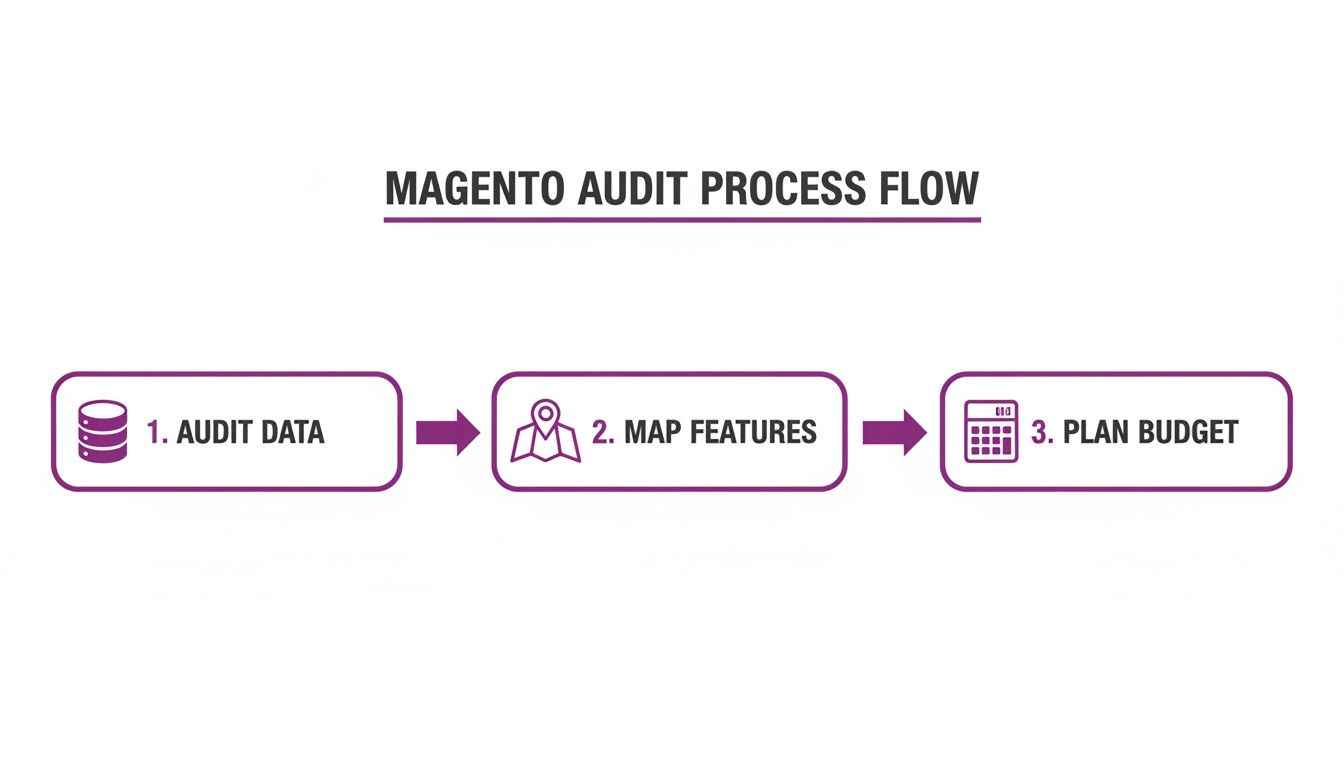
As you can see, a successful move is built on a foundation of auditing, mapping, and planning—long before you even think about touching the data.
Pre-Export Data Cleaning Is Essential
No matter which method you pick, one timeless truth applies: garbage in, garbage out. A migration is the perfect excuse to do a deep clean of your Magento database before you export a single byte of data.
Don't carry over years of accumulated digital clutter to your clean new Shopify store. A pre-migration cleanup will simplify the process, improve your new store's performance, and ensure you're starting on the best possible foundation.
Start by digging in and deleting old, unused coupon codes. Get rid of discontinued products that have zero sales history or SEO value. And please, archive or remove all those test customer accounts that are just cluttering up your database. This kind of simple housekeeping can dramatically cut down on the amount of data you have to move and validate.
Handling Complex Data And Common Challenges
Some data types just need a little extra attention during a Magento to Shopify migration. Nailing these is often what separates a smooth transition from a chaotic one.
Common Migration Hurdles
- Product Variants: Magento's configurable products are a lot more flexible than Shopify's variants, which have a hard cap of 100 variants per product and three options. If you have products that blow past these limits, you'll need a game plan. This could mean splitting the product into multiple listings or using a Shopify app to extend variant capabilities.
- Customer Groups: Those Magento customer groups you use (like Wholesale or VIP) don't map over directly. The standard move here is to map them to Shopify customer tags. You can then use these tags to build marketing segments, lock down specific pages, or apply custom pricing with a B2B app.
- Order History: Moving your full order history is critical for good customer service and nurturing loyalty. Make sure your chosen migration method can preserve order IDs, statuses, and the links to customer accounts. Some apps even have an option to keep the original order IDs, which is a lifesaver.
The B2B world really puts a spotlight on why a structured migration is so important. We're seeing more enterprise B2B brands ditching their developer-heavy Magento setups for Shopify. For these projects, the big wins come from meticulously mapping complex Magento attributes to Shopify metafields, importing detailed order histories so clients can easily reorder, and getting payment terms configured correctly for wholesale accounts. As detailed in this breakdown of structured B2B migrations on Fyresite.com, this careful approach ensures that even the most complex business logic gets rebuilt successfully on the new platform.
Rebuilding Your Storefront And Functionality
With your data staged and ready to move, it's time to turn to the fun part: what your customers will actually see and interact with. This phase of the migration is all about design, user experience, and bringing your store's features to life on Shopify.
Think of this as more than just a rebuild. It's a prime opportunity to rethink your customer journey from the ground up, not just slap a new coat of paint on your old Magento layout.
You’ve got two main paths for building your new digital home. You can either start with a pre-built theme from the Shopify Theme Store or go for a completely custom build. A premium theme is a fantastic, cost-effective way to get started, giving you a solid foundation with mobile-responsive design and tons of built-in features. A custom build, on the other hand, gives you total creative freedom, but it will require more time and a bigger budget.
Translating Extensions Into A Modern App Stack
One of the biggest shifts from Magento is moving from self-hosted extensions to Shopify's integrated app ecosystem. Your pre-migration audit gave you a list of every Magento module you were using. Now, you’ll find their Shopify counterparts.
But this isn't about finding a direct, one-to-one replacement for every single feature. The real goal is to think about the business problem each extension solved and find the best modern solution.
- Subscriptions: If you used a module for recurring orders on Magento, you'll be looking at powerful Shopify apps like Recharge or Skio.
- Loyalty & Rewards: That old points program can be rebuilt and often enhanced with apps like Yotpo or Smile.io, which usually have far better integrations with your marketing stack.
- Advanced Search: If your Magento store relied on a custom search solution, an app like Searchanise can deliver AI-powered results and filtering that's ready to go out of the box.
This is your chance to ditch clunky, outdated extensions and embrace sleek, well-supported apps built to work perfectly within Shopify. You'll simplify your tech stack and likely see a nice performance boost. For an even better customer experience and a potential drop in returns, you could also integrate features like virtual fitting room technology.
Recreating Custom Functionality And Business Logic
But what about the truly unique stuff? The custom-coded business logic that makes your brand special, like a complex product configurator or bespoke B2B pricing rules. While Shopify is known for being user-friendly, it’s more than capable of handling this level of complexity.
This is where you'll get familiar with Shopify's developer tools:
- Shopify Metafields: These will become your best friend. They let you add custom data fields to products, customers, and orders, making them perfect for recreating the detailed attributes you had in Magento.
- Shopify Functions: For logic that has to run at checkout—like custom discounts, unique shipping rates, or specific payment options—Functions offer a secure, high-performance way to execute your code.
- APIs: Shopify’s robust set of APIs allows for deep integrations with your other systems, whether it's an ERP, PIM, or any other critical business software.
Your custom Magento features don't have to be abandoned. By using Shopify's modern developer tools like Functions and Metafields, you can rebuild that unique logic in a more stable, scalable, and maintainable way.
Let's take a real-world example. Imagine a B2B store that offered tiered pricing on Magento—the more a customer buys, the lower the price per unit. This isn't a native Shopify feature, but it's totally achievable.
You'd use customer tags to flag wholesale accounts, store the different price-break rules on each product using Metafields, and then use a Shopify Function to apply the correct discount automatically in the cart.
This approach effectively reconstructs your essential business logic inside Shopify's framework. You get the functionality you need without the constant maintenance headache that came with custom Magento modules. It's simply a smarter way to build for the long haul.
Protecting Your SEO During The Transition
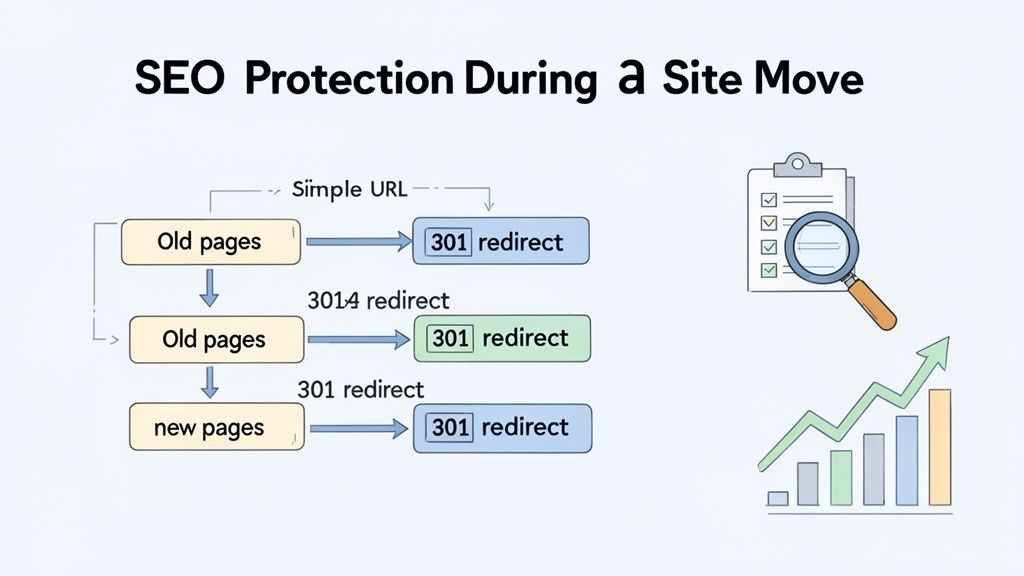
Let's be blunt: a successful migration that kills your organic traffic isn't successful at all. You've likely spent years building up your search engine authority, and protecting that hard-won SEO is one of the most critical parts of this entire project. The goal is to make sure your organic traffic follows you from Magento to Shopify without a catastrophic drop.
This isn't about just flipping a switch and hoping for the best. It's a careful strategy to tell search engines exactly where all your content has moved. I’ve seen brands neglect this step, and the result is devastating—they essentially erase their rankings and have to start over from scratch.
Building Your 301 Redirect Map
The absolute cornerstone of any SEO-friendly migration is a comprehensive 301 redirect map. Think of a 301 redirect as a permanent change-of-address form for your web pages. It tells search engines and browsers that a page has moved for good, passing most of its ranking power (what we call "link equity") to the new URL.
Magento and Shopify have totally different URL structures. A product page on Magento might be yourstore.com/product-name, while on Shopify it becomes yourstore.com/products/product-name. Without a redirect, anyone clicking on an old link from Google hits a dead 404 error page. All the SEO value of that page? Gone.
Your map should be a simple spreadsheet with two columns: the old Magento URL and the corresponding new Shopify URL. You have to be meticulous and map every single important page:
- Product Pages: Every last one needs its own redirect. No exceptions.
- Category Pages: Map your old Magento categories to their new Shopify collections.
- CMS Pages: Don't forget pages like "About Us," "Contact," or your shipping policy pages.
- Blog Posts: Every article needs to be mapped to its new home on Shopify.
For stores with thousands of pages, this can feel like a mammoth task, but it is 100% non-negotiable. Certain migration apps can help automate the creation of this map, but you should always plan for manual verification. We've got more detailed advice in our complete guide to managing Shopify URL redirects.
Migrating Metadata And Technical SEO
Beyond the URLs themselves, all your on-page SEO elements need to make the journey. This means your meta titles, meta descriptions, and image alt text for all your key pages. You'll want to export these from Magento and import them directly into Shopify to maintain keyword consistency and keep your click-through rates from search results steady.
Don't just think of the migrate magento to shopify process as a technical task. It’s a huge opportunity to improve your site's performance and user experience—both are massive ranking factors. A well-executed move can be SEO-neutral, or even positive, in the long run.
Even though the URL structure changes are a challenge, 301 redirects are incredibly effective at preserving your rankings. On top of that, Shopify's infrastructure often delivers superior Core Web Vitals right out of the box, giving you an immediate speed advantage over an unoptimized Magento setup.
The Pre-Launch SEO Checklist
Before you hit the big red "launch" button, one final round of testing is crucial. This checklist is your safety net, helping you catch any SEO or functional issues before they can impact your customers or your rankings.
Your Final Checks Should Include:
- Test Key Redirects: Manually check a random sample of your 301 redirects. Do they point to the right pages? Do they load quickly?
- Verify Metadata: Spot-check a handful of product and collection pages. Are the meta titles and descriptions showing up correctly?
- Update Google Accounts: Make sure your Google Analytics tracking code is installed on your new Shopify theme. You also need to add your new domain as a property in Google Search Console.
- Submit New Sitemap: The moment you launch, submit your new
sitemap.xmlfile to Google Search Console. This tells Google to get to work crawling and indexing your new URLs as quickly as possible.
Post-Launch Optimization And Growth Strategies
Getting your store live on Shopify isn't the end of the project—it's the beginning of a whole new game. You've just swapped out the engine of your ecommerce business. Now, it's time to see what it can do on the open road. Your focus shifts from the technical headaches of Magento to actively growing your sales.
This is where you start to see the real payoff from all your hard work.
Your first move? Get familiar with Shopify Analytics. This is your new mission control. Don't get distracted by vanity metrics; you need to dial in on the numbers that actually move the needle for your business.
Monitoring Key Performance Indicators
From the moment you go live, you need to be tracking a few core metrics. These numbers will tell you, from your customers' perspective, whether the migration was a success. They'll also point you to the quickest wins for improvement.
- Conversion Rate: This is the ultimate health check. Is the new site convincing more browsers to become buyers? A lift here is the clearest sign of success.
- Average Order Value (AOV): Are people spending more each time they check out? Shopify's app ecosystem makes it incredibly easy to introduce upsells and cross-sells that can bump this number up.
- Site Speed: Check your score in Shopify's admin and run it through Google PageSpeed Insights. Speed is money, especially on mobile, and even small improvements can have a big impact on conversions.
With the new store up and running, a huge piece of the puzzle is optimizing Shopify SEO for search engines. The 301 redirects you set up were about protecting your existing rankings. Now, it's time to go on the offensive and start climbing higher.
Implementing Conversion Rate Optimization
Once you have a week or two of data to establish a baseline, you can start making targeted tweaks to improve performance. This is where Shopify really comes into its own. You can run tests and make changes fast, without needing to loop in a developer for every little thing.
A great place to start is with A/B testing on your product pages. Grab an app like Neat A/B Testing and start experimenting. Test different product descriptions, try a new image layout, or change your call-to-action button copy. It's wild how a simple change, like swapping "Add to Cart" for "Buy Now," can completely change how people behave on the page.
The most significant growth doesn't come from the migration itself, but from what you do with the platform's power afterward. Treat your new store as a living project, constantly testing and refining the customer experience.
Next, turn your attention to the checkout. Shopify's native checkout is already one of the best in the business, but if you're on Shopify Plus, you can customize it even further. Add trust badges, customer testimonials, or one-click upsell offers right in the cart. These small additions can slash your cart abandonment rate and give your AOV a nice boost.
Finally, think about personalization. Installing an AI-powered recommendation app can create a much more engaging—and profitable—shopping journey by showing each visitor the products they're most likely to buy.
Even with the best-laid plans, you're bound to have questions pop up during a big platform move like this. Let's tackle some of the most common ones we hear from merchants making the switch from Magento to Shopify.
How Long Does This Whole Thing Really Take?
This is the classic "how long is a piece of string?" question. The timeline can swing wildly. If you're running a small store with a few hundred products and you're happy with a standard Shopify theme, you could be live in a couple of weeks. No problem.
But for bigger, more established stores—we're talking thousands of SKUs, a massive order history, and layers of custom code—the process is much more involved. A realistic window for a complex migration, from the initial audit all the way to post-launch tweaks, is easily two to three months.
Am I Going to Tank My SEO Rankings?
This is a huge, and completely valid, concern. But a nosedive in your search rankings is absolutely not a given.
If you’re diligent about creating a 301 redirect map for every single URL, carefully migrate all your metadata, and get your new sitemap submitted to Google the moment you launch, you can protect your hard-earned traffic. In fact, we often see brands get an SEO boost over time. Shopify’s out-of-the-box performance and mobile experience are just that good.
Can All My Magento Features Be Rebuilt on Shopify?
Almost always, the answer is yes—but you have to think about it differently. Shopify's power comes from its massive app ecosystem and flexible developer tools like Metafields and Shopify Functions.
A feature that was a clunky custom module in Magento might be a simple combination of a well-vetted Shopify App and a few small theme adjustments. The key isn't to replicate the Magento implementation pixel-for-pixel. Instead, focus on the business goal the feature was trying to achieve. You'll often find a cleaner, more efficient way to get it done on Shopify.
The trend of migrating from Magento to Shopify isn't just hype; it's driven by a real desire for better performance and a less frustrating merchant experience. The numbers show a 2:1 migration ratio—twice as many stores are joining Shopify as are leaving—and an impressively low 2.2% churn rate for the platform in early 2024. Discover more insights about Shopify's growth on technologychecker.io.
This massive shift shows that while the technical details are different, the end result for most brands is a more stable, growth-oriented platform.
Ready to make your move to Shopify seamless and strategic? The experts at ECORN specialize in high-performance Shopify migrations, design, and CRO. Let us build your new home for growth. Learn more at https://www.ecorn.agency/.



How to Launch a Box Subscription Business in 2026

Luxury Skincare Branding Playbook That Converters

10 Best Podcast Ecommerce Shows for Store Growth in 2026

Shopify Developer Hourly Rate: What to Pay in 2026

Critical Shopify Setup Errors That Are Secretly Sabotaging Your Store

Ecommerce Conversion Tracking: The Complete How-To Guide

Shopify Design Agency: How to Pick the Right Partner

Mastering Multi Store Management on Shopify

Scale Shopify Store

10 Shopify App Ideas Worth Building in 2026

Conversion Rate Optimization for Landing Pages: The Playbook

Shopify Plus Automation: A Guide for 2026

10 Social Selling Platforms for Shopify Merchants

Shopify Website Design Examples: 7 Stores Worth Studying

7 Ecommerce Newsletter Examples for Shopify Brands

One Product Shopify Store: Build and Scale

Mobile Pop Up Strategy for Shopify Stores That Converts

Sitemap for Shopify: How to Find, Optimize, and Submit It

7 Single Product Websites Worth Emulating

Product Variants Shopify: The Complete 2026 Guide

Ecommerce Analytics Consulting for Growth

What Is AI Integration for eCommerce

How to Choose the Right eCommerce Website Development Firm

E Business Strategy Implementation

Conversion Tracking Setup for Shopify Stores

BigCommerce vs Shopify Plus Which Enterprise Wins in 2026

Shopify Theme Kit: Setup, Commands, and Migration Guide

Shopify Extension Development: A Practical 2026 Guide

Shopify Speed Score Explained and How to Improve It

Shopify Mobile Optimization: The 2026 Playbook

How to Add Subcategory in Shopify for Better UX

How to Implement Structured Data for Ecommerce in 2026

SEO App Mobile: Shopify Store Optimization Guide

Shopify Plus Support: What It Includes and How to Choose

Google Ads for Shopify: The Complete 2026 Playbook

Shopify New York: How to Find and Hire the Right Agency

Google Search Console for Shopify: The Complete Setup

First Party Data Collection for eCommerce Growth

FAQ Online Store Guide: Build and Measure It Right

Do FB Ads Work for eCommerce in 2026?

One Page Checkout for Shopify: Design and Implementation

Shopify GraphQL vs REST: The 2026 Developer Decision

Shopify Ecommerce Consulting: Strategy, Pricing &

Are Reddit Ads Worth It for eCommerce Brands

Shopify Title and Meta Description: A Practical 2026 Guide

Product Video Best Practices for Shopify Brands

Real-Time Inventory Management: A 2026 Guide

AI Chatbot Integration for Shopify Stores

Affiliate Program Management: A Shopify Guide

10 Best Performance Monitoring Tools for Shopify in 2026

Digital Asset Management for eCommerce Brands in 2026

Every Type of Facebook Ads Explained for eCommerce Growth

Product Information Management Explained for Shopify Brands

Support Ticket System: A Guide for Shopify Stores

10 Best Customer Service Tools for Shopify in 2026

Can I Start a Business with No Money? a 2026 Blueprint

What Sells Good on Etsy: Best Niches for 2026

Shopify Add to Cart Button: A Practical 2026 Guide

Customer Feedback Automation: A Practical eCommerce Guide

Critical Rendering Path: A Guide for Shopify Stores

How to Promote on TikTok for eCommerce in 2026

B2B eCommerce Consulting That Drives Real Revenue

10 Best Practices for Site Navigation in 2026

Return vs Refund for Shopify Stores: A Practical Guide

What Is Customer Lifetime Value and Why It Matters

What Is Voice of Customer Research for eCommerce

SMS Marketing for Ecommerce That Actually Converts

Master How to Improve Email Deliverability in 2026

Top 8 eCommerce Partners NYC for Shopify Brands in 2026

Machine Learning for Ecommerce: Boost Your Shopify Store

Beauty Market Research: Your 2026 Growth Guide

Shopify International Expansion: A 2026 Roadmap

What Does CRO Stand for in Business: Understanding CRO

Shopify Visual Merchandising: A Playbook for Higher Sales

Shopify Landing Page Design: Master Conversion in 2026

10 Best AI SEO Optimization Tools for Shopify in 2026

Agentic AI for Ecommerce: Boost Your Sales in 2026
Mastering Email Marketing Data for eCommerce Growth

Conversion Rate Optimisation Australia: Boost Your Sales

Conversion Rate Optimization AI: Your Shopify Store Guide

10 Product Bundling Strategies for Shopify in 2026

How to Increase Customer Lifetime Value: A Shopify Playbook

AI Customer Service Automation: Shopify Guide 2026

Clean Website Design: A Shopify Conversion Playbook

Omnichannel Retail Strategy: A Shopify Playbook

Product Data Enrichment: A Guide for Shopify Brands

Instagram Shopping Features a Guide for Shopify Stores

What Is Revenue Optimization: A Holistic RevOps Guide

Benefits of Conversion Rate Optimization: Boost Your

WordPress to Shopify Migration: Your 2026 Seamless Switch

Boost Sales: Ecommerce Payment Processing Guide 2026

Unified Commerce Platform: Benefits, KPIs & Shopify Guide

How to Reduce Bounce Rate eCommerce: Your 2026 Guide

Shopify API Integration: A Practical End-to-End Guide

How to Implement Data Governance: A 2026 Guide

Shopify Store Development Cost: A 2026 Breakdown

What Is Server Side Tracking: The Shopify Guide 2026

Marketing Automation Workflows: A Shopify Guide for 2026

Shopify: How to Reduce Technical Debt

Shopify UX Design Change: A Playbook for Growth


newsletter in your inbox