


Many people get stuck thinking it's Shopify vs. Amazon, but that's the wrong way to look at it. The real magic happens when you use them together. Think of it this way: Shopify is your branded, beautiful home base, while Amazon is the biggest shopping mall in the world. Combining them gives you a powerful multi-channel strategy that lets you build a loyal, direct-to-consumer audience and tap into a marketplace where millions of people are already primed to buy.
Why You Should Connect Shopify and Amazon
This isn't about picking a favorite platform. It's about building a smarter, more resilient ecommerce business. I've seen countless direct-to-consumer brands hit a growth wall where acquiring new customers becomes incredibly expensive. Amazon flips that script. It gives you instant access to a massive, high-intent audience, effectively turning what seems like a competitor into your most powerful sales channel.
Let's break down the core advantages:
- Diversified Revenue Streams: Putting all your eggs in the Shopify basket makes you vulnerable. What happens when ad costs spike or a social media algorithm changes? Amazon gives you a crucial second stream of income, making your business far more stable.
- Massive Customer Acquisition: Amazon has over 310 million active customers globally. That's a staggering number of people you can put your products in front of—shoppers you might never have reached otherwise.
- Simplified Logistics: Using Fulfillment by Amazon (FBA) is a game-changer. You can outsource all the warehousing, picking, packing, and shipping for both your Amazon and Shopify orders. It's a huge operational headache solved.
Before we dive deeper, let's get a quick snapshot of how these two platforms complement each other.
Shopify vs Amazon At a Glance
It’s easy to see them as direct competitors, but their core functions are actually quite different. This table breaks down their primary strengths.
Looking at them side-by-side, it's clear they solve different problems. Shopify gives you control and a brand identity; Amazon gives you unparalleled reach. That's why the integration is so powerful.
Tapping into Unmatched Market Reach
Picture a great Shopify store that's seen steady growth for a few years but is now starting to plateau. The owner is grinding away on ads and social media, but growth has slowed. By listing their top-selling products on Amazon, they can instantly get their brand in front of a completely new set of buyers—people who live and breathe Prime shipping and trust Amazon's easy returns.
This isn't just a theory; it's the entire premise behind the official integration.

As you can see, the whole idea is to help you sell more and grow faster by managing everything from one place. It’s about adding a powerful sales engine to your existing brand headquarters.
Building a Resilient Brand
At the end of the day, integrating Shopify and Amazon is about building a business that isn't dangerously dependent on a single channel. Your Shopify store will always be the heart of your brand—it's where you tell your story, control the experience, and foster long-term customer loyalty. For some great inspiration, you can check out these real-world examples of White Label Shopify in action.
By treating Amazon as a strategic sales channel rather than a competitor, you gain access to its unparalleled reach and logistical power without sacrificing the brand identity you've built on Shopify.
This multi-channel approach is really a cornerstone of modern ecommerce success. To get into the nitty-gritty, our full guide on the Amazon and Shopify integration walks you through every step, from initial setup to optimizing for serious growth.
How to Connect Your Shopify and Amazon Stores
Alright, let's get your Shopify and Amazon stores talking to each other. Think of this as more than just a technical setup; it's the foundational step for your entire multi-channel strategy. Before you even think about installing an app, there are a couple of non-negotiable prerequisites you need to sort out.
First up, you absolutely need an Amazon Professional Seller account. This will set you back $39.99 a month. The individual, pay-as-you-go plan just won’t cut it, as you need API access to make the magic happen. Consider it the cover charge to get into the world's biggest marketplace.
You'll also need Global Trade Item Numbers (GTINs) for your products—things like UPCs, EANs, or ISBNs. Amazon is a stickler for these, using them to identify every unique item in its massive catalog. If you’re a brand owner, you'll need to purchase these. If you're a reseller, the manufacturer should have them ready for you. A shocking number of sellers get stopped dead in their tracks right here, so get this sorted out first.
Choosing Your Integration Method: Native App vs. Third-Party Powerhouse
With the essentials in place, you’ve got a big decision to make. Do you use Shopify’s built-in Amazon Sales Channel app, or do you go for a more robust third-party integration tool? The answer really boils down to how complex your business is and where you plan on taking it.
The native Amazon Sales Channel app, which you can grab right from the Shopify App Store, is the path of least resistance. It's free to install and is honestly perfect if you're just dipping your toes into Amazon or have a straightforward product line.
With the native app, you can:
- Create new Amazon listings using your existing Shopify products.
- Link your current Amazon listings back to Shopify.
- Keep basic inventory and order info in sync.
- Fulfill Amazon orders right from your Shopify dashboard.
But that simplicity is also its biggest weakness. It’s really designed for selling on a single Amazon marketplace (like Amazon.com) and starts to buckle under the weight of more advanced multi-channel workflows.
For sellers with bigger ambitions, third-party platforms like Sellbrite, Codisto, or ChannelAdvisor are where the real power lies. These tools are built from the ground up for serious multi-channel operations and usually come with a monthly fee. In return, you get features the native app can only dream of:
- Multi-Marketplace Support: Manage your listings across Amazon USA, Canada, UK, and more, all from a single dashboard.
- Advanced Rule-Based Automation: This is a game-changer. You can set up custom rules for just about anything. For instance, you could automatically price your Amazon products 10% higher than your Shopify store to bake in Amazon's fees.
- Deeper Catalog Syncing: Got complex product variants or bundles? These tools handle them with far greater precision, preventing costly overselling mistakes.
Pro Tip: My advice? Start with the native Shopify Amazon Sales Channel app. It costs you nothing to try, and you'll quickly learn the ropes of the basic sync process. Once you feel its limitations and your sales volume grows, you can make an informed decision to upgrade to a paid, third-party tool.
The Connection Process, Step by Step
Let’s walk through the actual connection using Shopify’s native app. The goal here is to give both platforms secure permission to share data.
First, you'll need to install the Amazon Sales Channel app. Head to the Shopify App Store from your admin dashboard, search for it, and hit "Add app."
Next, you’ll connect to Amazon. The app will prompt you to link your Amazon Seller Central account. This is the handshake moment—you'll be redirected to Amazon to log in and authorize Shopify to access your seller data. Don't skim through this; you're giving the app the permissions it needs to sync your listings, inventory, and orders.
Finally, you’ll configure your initial settings. Once you’re bounced back to Shopify, you'll set the ground rules. This is where you decide how inventory is managed, how prices are synced, and whether you're using FBA or FBM for fulfillment.
Now, a word of warning. A common, hair-pulling issue people run into right here is a SKU mismatch. For this integration to work, the SKU for a product in Shopify must be an exact match for the Seller SKU of the same product on Amazon. I'm talking character-for-character perfect—no extra spaces, no capitalization differences. A tiny discrepancy will break the link and prevent syncing. Do yourself a massive favor and audit your SKUs on both platforms before you connect anything. That one check can save you hours of headaches down the road.
Syncing Your Product Listings and Inventory
Alright, once you've connected your stores, the real work begins: creating one single, unified view of your product catalog and inventory. Honestly, this is the most critical piece of the entire Shopify-Amazon puzzle.
Getting this right prevents overselling, saves you from endless hours of manual data entry, and gives your customers a consistent experience, no matter where they buy from.
The golden rule is to make Shopify your central source of truth. When a product sells on Amazon, that inventory number needs to tick down in Shopify instantly. When you restock an item in Shopify, that new quantity should immediately get pushed to your Amazon listing. This real-time, two-way street is what keeps the chaos at bay.
Creating and Linking Your Listings
First up, you need to decide how your Shopify products will show up on Amazon. You have two main paths, and it all depends on whether your product is a complete newbie to the marketplace or if it's already got a page.
- Create New Amazon Listings: If you’re selling a unique product under your own brand, you’ll be creating a brand-new listing on Amazon straight from your Shopify app. The integration will pull in your product title, description, images, and price from Shopify to build that new Amazon product page. This is the standard route for most brand owners.
- Link to Existing Amazon Listings: Selling a product that other merchants already offer on Amazon? You won't be creating a new page from scratch. Instead, you'll find the existing Amazon listing and link your Shopify product to it by matching the ASIN (Amazon Standard Identification Number). Your offer then appears alongside the other sellers on that product page.
A huge tripwire here is managing product variations. If you sell a t-shirt in five sizes and three colors, you're dealing with 15 unique SKUs. You have to be meticulous in making sure each variant in Shopify maps perfectly to its counterpart on Amazon. One little mismatch can lead to a customer ordering a "Small, Blue" shirt and getting a "Large, Red" one—a surefire way to rack up negative reviews.
Managing inventory across multiple channels without a sync tool is like trying to fill a bucket with a hole in it. You're constantly losing track of what you have, leading to oversold products, canceled orders, and a trashed seller rating. Shopify has to be your master inventory log.
Preventing Overselling with Real-Time Sync
Picture this: A fashion brand is running a huge Prime Day flash sale on a popular jacket. At the same time, their Shopify store is blowing up thanks to a well-timed email campaign. Without a live inventory sync, they could easily sell 100 jackets on Amazon and 50 on Shopify, even if they only had 120 in stock.
The result? 30 angry customers, a bunch of canceled orders, and a massive hit to their Amazon seller metrics. This is exactly the kind of disaster that inventory synchronization is built to prevent.
By making Shopify the command center, every sale—no matter the channel—pulls from the same central stock count. When that count hits zero, the product is automatically marked "out of stock" everywhere.
This is non-negotiable, especially when you consider the sheer scale of Amazon. The marketplace accounts for an estimated 40.4% of all U.S. retail e-commerce sales. That kind of volume can wipe out your inventory in minutes during a peak event. Manual tracking just isn't an option. You can explore more about marketplace dominance and discover more insights about e-commerce platform market share on amzprep.com.
Best Practices for Flawless Synchronization
Getting that seamless sync running smoothly takes a bit of diligence up front—it’s not just a "set it and forget it" kind of deal. To sidestep the common headaches, here’s what I recommend focusing on.
- SKU and Barcode Hygiene: Your SKUs (Stock Keeping Units) and GTINs (like UPCs or EANs) must be absolutely identical for the same product across both Shopify and Amazon. Any difference, even a misplaced dash, will break the connection and kill the sync.
- Set an Inventory Buffer: This is a pro-tip. Consider setting a rule that reserves a few units. For instance, you can tell your sync tool to show "0" stock on Amazon when your Shopify inventory actually hits "3". This little buffer saves you from overselling during tiny sync delays.
- Regular Audits: At least once a month, do a quick spot-check on a handful of your best-selling products. Just manually compare the inventory levels in Shopify and Seller Central to make sure the numbers are matching up. Trust but verify.
For a deeper dive into the nitty-gritty of keeping stock levels accurate, check out our guide on multi-channel inventory management. Building these habits early will save you a world of troubleshooting pain later.
Choosing the Right Fulfillment Strategy
How you actually get products into your customers' hands is one of the biggest decisions you'll make when you bring Shopify and Amazon together. This isn't just about sticking labels on boxes; it’s about the entire customer experience, your operational sanity, and, ultimately, your bottom line.
You've got three main paths to walk down: Fulfillment by Amazon (FBA), Fulfillment by Merchant (FBM), and Amazon Multi-Channel Fulfillment (MCF). Each one comes with its own set of trade-offs, so let’s get into what they really mean for your business.
Fulfillment by Amazon (FBA): The Power and the Price
FBA is the default for a reason. You ship your inventory to an Amazon warehouse, and they take it from there—storage, picking, packing, shipping, and even the customer service that goes with it. The grand prize for all this? Your products get that coveted Prime badge.
That little Prime logo is a massive conversion booster. Shoppers trust it, and a huge chunk of them won't even look at products that don't have it. It’s a fast track to better visibility and higher sales on the Amazon marketplace.
But FBA isn't a "set it and forget it" solution. The fees can get complicated, and they add up fast. You’re paying for storage (which jumps up for inventory that sits too long) and fulfillment on every single item. If you sell big, heavy, or slow-moving products, these costs can chew right through your margins.
FBA is your ticket to Amazon's incredible logistics network and the Prime badge, but you have to be on top of your inventory. If a product gathers dust in their warehouse, long-term storage fees will turn a winner into a money pit.
This is why having your inventory dialed in is so critical, no matter which fulfillment model you pick.
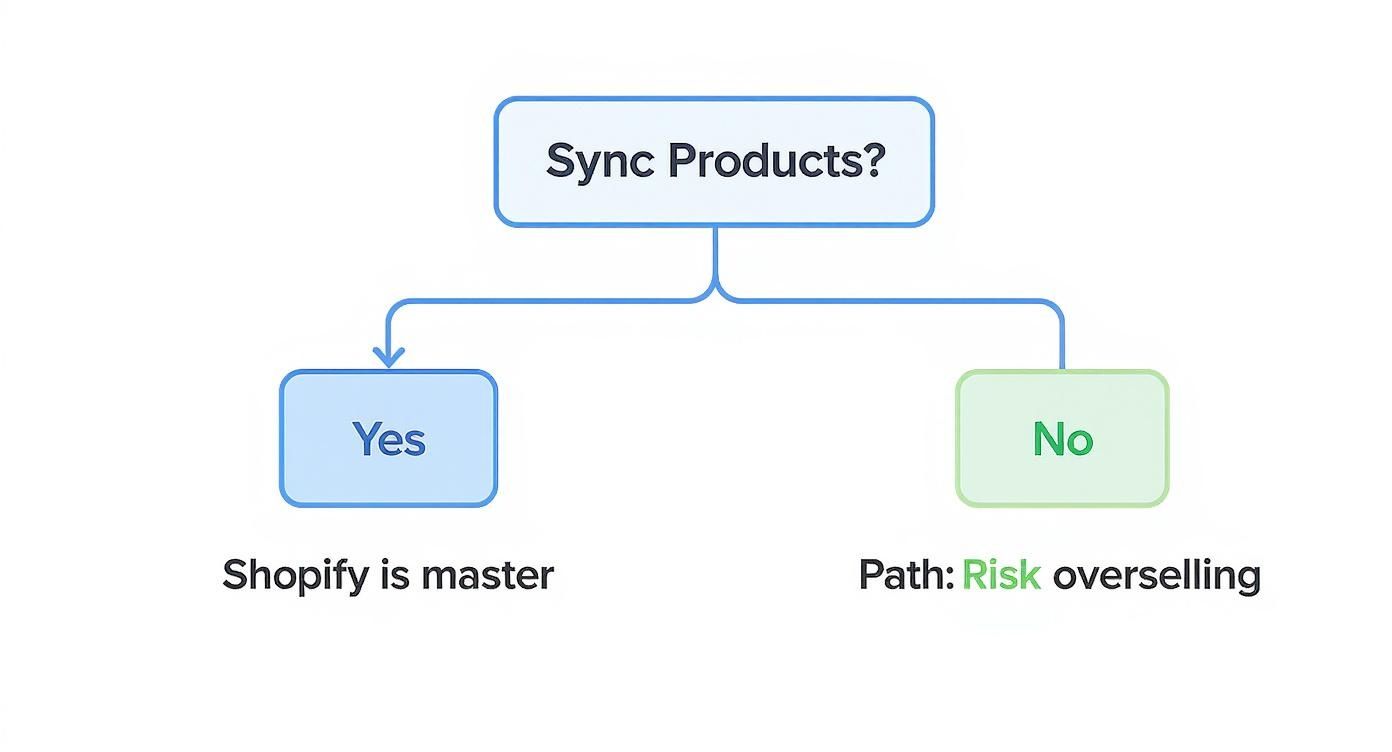
The flowchart here really drives the point home: making Shopify your single source of truth for inventory is the only way to avoid overselling and keep your multi-channel operation running smoothly.
Fulfillment by Merchant (FBM): Total Control, Total Responsibility
Go with FBM, and you’re the captain of the ship. An order comes in on Amazon, and you (or your 3PL) handle the entire process from your own warehouse—picking, packing, and shipping directly to the customer.
The biggest upside here is control over your brand experience. You get to use your own custom packaging, toss in marketing inserts, and create a memorable unboxing moment. That’s all off the table with FBA. You also dodge Amazon's storage fees, which is a game-changer for businesses with bulky products or seasonal sales spikes.
This approach is becoming more popular as Shopify beefs up its B2B commerce tools, a market that dwarfs B2C retail. In a recent quarter, Shopify's B2B gross merchandise volume shot up an incredible 140% year-over-year. This shows that brands are building out their own sophisticated fulfillment operations for wholesale, which can easily be leveraged for FBM. You can dive into the full research on Shopify's growing B2B influence on redstagfulfillment.com.
The catch? You’re on the hook for everything. You have to meet Amazon's demanding shipping deadlines and manage every customer service ticket and return. And most importantly, you lose the Prime badge unless you can qualify for the notoriously tough Seller-Fulfilled Prime program.
Amazon Multi-Channel Fulfillment (MCF): The Hybrid Approach
What if you could tap into Amazon's massive FBA network to ship orders from your own Shopify store? That’s precisely what Multi-Channel Fulfillment (MCF) is for. You send your inventory to Amazon, and when an order comes through on Shopify, Amazon picks, packs, and ships it for you.
This is a fantastic way to centralize your inventory into a single pool. No more splitting stock between your warehouse for Shopify and an Amazon center for FBA. It simplifies your whole operation.
One thing to keep in mind, though: MCF orders traditionally ship in Amazon-branded boxes. Some brands hate this because it can confuse customers who thought they were buying directly from you. While Amazon now offers an unbranded packaging option (for an extra fee), it's a key detail to consider if you want to protect that direct-to-consumer feel.
Making The Right Choice For Your Business
There's no single "best" answer here. The right choice depends entirely on your products, your profit margins, and how much you want to handle yourself. To help you decide, we've broken down the key differences in this table.
Fulfillment Model Comparison: FBA vs. FBM vs. MCF
Ultimately, the best strategy is the one that aligns with your business goals.
- Go with FBA if: You're selling small, fast-moving items and want to pour gas on your Amazon sales with the Prime badge.
- Go with FBM if: You sell bulky or custom products, already have a solid fulfillment process, and want total control over your branding.
- Go with MCF if: You want the simplicity of a single inventory pool for both Amazon and Shopify sales and are happy to let Amazon handle all the shipping.
Fine-Tuning Your Pricing and Marketing Strategy
Juggling Shopify and Amazon means you need a smart, flexible approach to pricing and marketing. A copy-paste strategy just won't cut it. Each platform has its own fee structure and customer mindset, and you've got to play both fields to protect your profits and keep your brand consistent.
One of the first questions I always get is, "Should my prices be the same on Shopify and Amazon?" The answer is almost always a hard no. In fact, pricing your products a bit higher on Amazon isn't just a good idea—it's often a necessity to keep your margins healthy.
Think about it. Amazon's referral fees hover around a hefty 15%, and that's before you even factor in FBA fulfillment and storage costs. Those fees can absolutely demolish your profits. If you just match your Shopify price, you’re selling the same product for significantly less money in your pocket.
How to Structure Your Multi-Channel Pricing
The goal here is to find a sweet spot. You need to cover all of Amazon's costs without looking like you're gouging customers. Amazon is pretty serious about this and has a Fair Pricing Policy that flags listings priced way higher than recent prices on or off their platform.
Here’s a practical way I advise clients to tackle this:
- Calculate Your Landed Cost: First, figure out the total cost to get a product into a customer's hands for each channel. This includes everything—COGS, shipping, and all those platform fees.
- Set Your Target Margin: Know the absolute minimum profit you need to make on every single sale. This is your line in the sand.
- Price Accordingly: Now, adjust your Amazon price upwards just enough to make sure you hit that target margin after all of Amazon's fees are taken out.
For instance, a product you sell for $50 on your Shopify store might need a $58 price tag on Amazon to bring home the same net profit. This is a totally standard and accepted practice for sellers who know what they're doing.
Nailing Your Amazon Listings
On Amazon, your product listing is everything. It's your digital storefront, your best salesperson, and your marketing copy all rolled into one. Getting it right is non-negotiable. While you don't have the total creative freedom of your Shopify store, you can still make your listing a conversion machine by playing within their rules.
Start with a keyword-stuffed title that tells the customer exactly what they're looking at. Put yourself in their shoes—what terms would they search for? A solid title includes your brand, the product type, a key feature or two, and the quantity.
Next, focus on visuals. High-quality images are your most powerful weapon. Your main image absolutely needs a clean, white background. Then, use the other slots to show your product in action with lifestyle photos, infographics that call out benefits, and even short videos if you can.
If you're brand-registered, Enhanced Brand Content (EBC)—also known as A+ Content—is a complete game-changer. It lets you break up that boring wall of text in your description with beautiful layouts, comparison charts, and branded images. It can seriously transform your page and give your conversion rates a major boost.
Use Amazon Ads as Your Marketing Lab
Here’s a powerful strategy that surprisingly few sellers take advantage of: use Amazon Ads as a low-cost testing ground. Before you pour a ton of money into a big Google or Facebook campaign for a new product, run a small, tightly-targeted Amazon Sponsored Products campaign.
Shoppers on Amazon are there to buy. Their purchase intent is through the roof, which means you can get incredibly valuable data, fast. You’ll quickly learn which keywords actually convert, which product images earn the clicks, and what kind of messaging gets people to pull out their wallets.
This data is pure gold. You can take these proven insights and directly apply them to your Shopify marketing efforts, saving yourself a massive amount of time and money on ad testing. It's a lean, effective way to validate your marketing before you scale it up. For even more accurate performance data, it's worth looking into more advanced methods like server-side tracking for Shopify.
How to Troubleshoot Common Integration Issues

Even with the best planning, your Shopify and Amazon integration is going to hit a few snags. It’s inevitable. When a sync fails or an order vanishes into thin air, it’s easy to feel that spike of panic, but trust me—most issues are surprisingly common and have pretty straightforward fixes. The trick is knowing where to look first.
One of the most frequent headaches I see is an inventory sync delay. You're looking at your Shopify dashboard, you know you have ten units of a hot-selling product, but the Amazon listing is screaming "Out of Stock." That little disconnect can cost you real sales and even ding your Amazon search ranking.
Before you dive into a rabbit hole of complex settings, just try the basics. Go into your integration app and kick off a forced manual sync. You'd be surprised how often that solves the problem in seconds.
Diagnosing Sync and Order Problems
When an Amazon order fails to pop up in your Shopify admin, it’s usually a sign of a communication breakdown. This could be something as simple as an SKU mismatch you overlooked during setup, or just a temporary API hiccup between the two platforms. Your integration app's dashboard is your mission control here; it should have an error log that points you directly to the culprit.
Here’s a practical checklist to run through when things go sideways:
- Verify SKUs and GTINs: Go back and double-check that the Shopify SKU and the Amazon Seller SKU are an exact match. I mean character-for-character, no extra spaces.
- Check API Connections: Pop into your app's settings and make sure the connection to Amazon is still authorized and active. Sometimes permissions just expire and need a quick refresh.
- Review App Error Logs: Don't ignore these! Look for specific messages like "Invalid ASIN" or "Authentication Failure." These aren't just jargon; they're telling you exactly what needs to be fixed.
It's no secret that Shopify has become a titan in the digital economy, especially in the United States. In fact, recent analysis shows Shopify now commands roughly 29% of the U.S. e-commerce software market, making it the most-used platform in the country. This really underscores its role as a critical piece of infrastructure for a huge chunk of online retail. You can dig into more data on Shopify's market share growth on granitefirm.com.
Protecting Your Amazon Seller Health
Beyond the technical glitches, you absolutely have to stay on top of Amazon's strict seller metrics. This is non-negotiable. High late shipment rates or a climbing order defect rate can put your entire Amazon account in jeopardy, no matter how well your Shopify store is humming along.
Always remember that Amazon’s world revolves around its customer experience. Your seller metrics are a direct reflection of how well you’re meeting that standard. Drop the ball, and you risk listing suppression or even a full account suspension.
To keep your account in good standing, make a habit of regularly checking your Account Health dashboard in Seller Central. Pay close attention to these three big ones:
- Order Defect Rate (ODR): You have to keep this below 1%. It’s a mix of negative feedback, A-to-z Guarantee claims, and credit card chargebacks.
- Late Shipment Rate (LSR): This needs to stay under 4%. If you’re fulfilling orders yourself (FBM), this means shipping on time, every single time. No excuses.
- Valid Tracking Rate (VTR): Aim to keep this above 95%. Always use carriers that provide tracking information that Amazon’s system can actually verify.
Proactively managing these numbers is the single best way to make sure your Shopify and Amazon partnership continues to be a profitable, long-term asset for your business.
Got Questions? We've Got Answers
You're not alone in wondering about the little details. Here are some of the most common questions we get from merchants diving into the Shopify and Amazon integration for the first time.
Can I Use Amazon FBA To Fulfill My Shopify Orders?
Absolutely. This is a popular strategy called Amazon Multi-Channel Fulfillment (MCF), and it's a game-changer for streamlining operations.
When you enable MCF, your Shopify orders get beamed directly to an Amazon fulfillment center. From there, Amazon’s logistics machine takes over—they pick, pack, and ship the product straight to your customer. It’s a brilliant way to keep all your inventory under one roof, managed by one of the best fulfillment networks on the planet.
Should My Prices Be The Same On Shopify and Amazon?
Not always. In fact, it's often a smart move to price your products slightly higher on Amazon. Why? To cover the seller fees and protect your profit margins.
The trick is to stay on the right side of Amazon's Fair Pricing Policy. They don't like seeing prices that are drastically higher than what's available elsewhere online (like on your own Shopify store). Find that sweet spot that covers your costs without flagging your account. A small, strategic price bump is usually all you need.
A well-configured integration is your best friend here. The second that last unit sells on Amazon, a good sync tool will instantly update your Shopify stock to zero, and vice-versa. This is how you prevent the dreaded overselling nightmare.
At ECORN, we live and breathe this stuff. We help growing brands build powerful multi-channel setups that just work. Whether you need a hand with expert Shopify development or want to fine-tune your conversion rate optimization, our team is here to help you scale without the headaches.
Check out our flexible subscription packages to see how we can work together.



Shopify Git Integration: A Developer's Guide to 2026
Headless Ecommerce Development Services Explained

How to Build a Shopify Clothing Website That Converts

How to Launch a Box Subscription Business in 2026

Luxury Skincare Branding Playbook That Converters

10 Best Podcast Ecommerce Shows for Store Growth in 2026

Shopify Developer Hourly Rate: What to Pay in 2026

Critical Shopify Setup Errors That Are Secretly Sabotaging Your Store

Ecommerce Conversion Tracking: The Complete How-To Guide

Shopify Design Agency: How to Pick the Right Partner

Mastering Multi Store Management on Shopify

Scale Shopify Store

10 Shopify App Ideas Worth Building in 2026

Conversion Rate Optimization for Landing Pages: The Playbook

Shopify Plus Automation: A Guide for 2026

10 Social Selling Platforms for Shopify Merchants

Shopify Website Design Examples: 7 Stores Worth Studying

7 Ecommerce Newsletter Examples for Shopify Brands

One Product Shopify Store: Build and Scale

Mobile Pop Up Strategy for Shopify Stores That Converts

Sitemap for Shopify: How to Find, Optimize, and Submit It

7 Single Product Websites Worth Emulating

Product Variants Shopify: The Complete 2026 Guide

Ecommerce Analytics Consulting for Growth

What Is AI Integration for eCommerce

How to Choose the Right eCommerce Website Development Firm

E Business Strategy Implementation

Conversion Tracking Setup for Shopify Stores

BigCommerce vs Shopify Plus Which Enterprise Wins in 2026

Shopify Theme Kit: Setup, Commands, and Migration Guide

Shopify Extension Development: A Practical 2026 Guide

Shopify Speed Score Explained and How to Improve It

Shopify Mobile Optimization: The 2026 Playbook

How to Add Subcategory in Shopify for Better UX

How to Implement Structured Data for Ecommerce in 2026

SEO App Mobile: Shopify Store Optimization Guide

Shopify Plus Support: What It Includes and How to Choose

Google Ads for Shopify: The Complete 2026 Playbook

Shopify New York: How to Find and Hire the Right Agency

Google Search Console for Shopify: The Complete Setup

First Party Data Collection for eCommerce Growth

FAQ Online Store Guide: Build and Measure It Right

Do FB Ads Work for eCommerce in 2026?

One Page Checkout for Shopify: Design and Implementation

Shopify GraphQL vs REST: The 2026 Developer Decision

Shopify Ecommerce Consulting: Strategy, Pricing &

Are Reddit Ads Worth It for eCommerce Brands

Shopify Title and Meta Description: A Practical 2026 Guide

Product Video Best Practices for Shopify Brands

Real-Time Inventory Management: A 2026 Guide

AI Chatbot Integration for Shopify Stores

Affiliate Program Management: A Shopify Guide

10 Best Performance Monitoring Tools for Shopify in 2026

Digital Asset Management for eCommerce Brands in 2026

Every Type of Facebook Ads Explained for eCommerce Growth

Product Information Management Explained for Shopify Brands

Support Ticket System: A Guide for Shopify Stores

10 Best Customer Service Tools for Shopify in 2026

Can I Start a Business with No Money? a 2026 Blueprint

What Sells Good on Etsy: Best Niches for 2026

Shopify Add to Cart Button: A Practical 2026 Guide

Customer Feedback Automation: A Practical eCommerce Guide

Critical Rendering Path: A Guide for Shopify Stores

How to Promote on TikTok for eCommerce in 2026

B2B eCommerce Consulting That Drives Real Revenue

10 Best Practices for Site Navigation in 2026

Return vs Refund for Shopify Stores: A Practical Guide

What Is Customer Lifetime Value and Why It Matters

What Is Voice of Customer Research for eCommerce

SMS Marketing for Ecommerce That Actually Converts

Master How to Improve Email Deliverability in 2026

Top 8 eCommerce Partners NYC for Shopify Brands in 2026

Machine Learning for Ecommerce: Boost Your Shopify Store

Beauty Market Research: Your 2026 Growth Guide

Shopify International Expansion: A 2026 Roadmap

What Does CRO Stand for in Business: Understanding CRO

Shopify Visual Merchandising: A Playbook for Higher Sales

Shopify Landing Page Design: Master Conversion in 2026

10 Best AI SEO Optimization Tools for Shopify in 2026

Agentic AI for Ecommerce: Boost Your Sales in 2026
Mastering Email Marketing Data for eCommerce Growth

Conversion Rate Optimisation Australia: Boost Your Sales

Conversion Rate Optimization AI: Your Shopify Store Guide

10 Product Bundling Strategies for Shopify in 2026

How to Increase Customer Lifetime Value: A Shopify Playbook

AI Customer Service Automation: Shopify Guide 2026

Clean Website Design: A Shopify Conversion Playbook

Omnichannel Retail Strategy: A Shopify Playbook

Product Data Enrichment: A Guide for Shopify Brands

Instagram Shopping Features a Guide for Shopify Stores

What Is Revenue Optimization: A Holistic RevOps Guide

Benefits of Conversion Rate Optimization: Boost Your

WordPress to Shopify Migration: Your 2026 Seamless Switch

Boost Sales: Ecommerce Payment Processing Guide 2026

Unified Commerce Platform: Benefits, KPIs & Shopify Guide

How to Reduce Bounce Rate eCommerce: Your 2026 Guide

Shopify API Integration: A Practical End-to-End Guide

How to Implement Data Governance: A 2026 Guide

Shopify Store Development Cost: A 2026 Breakdown

What Is Server Side Tracking: The Shopify Guide 2026


newsletter in your inbox