

Moving from BigCommerce to Shopify is less about a simple platform swap and more about a strategic investment in your brand's future. The conversation usually starts when a business realizes its growth is being held back. The core reason often boils down to Shopify's massive, dynamic ecosystem—something that opens up a whole new world of apps, developers, and growth opportunities. It's a move that empowers brands to seriously lift their conversion rates and deliver a mobile shopping experience that actually works.
Why Smart Brands Transfer BigCommerce to Shopify
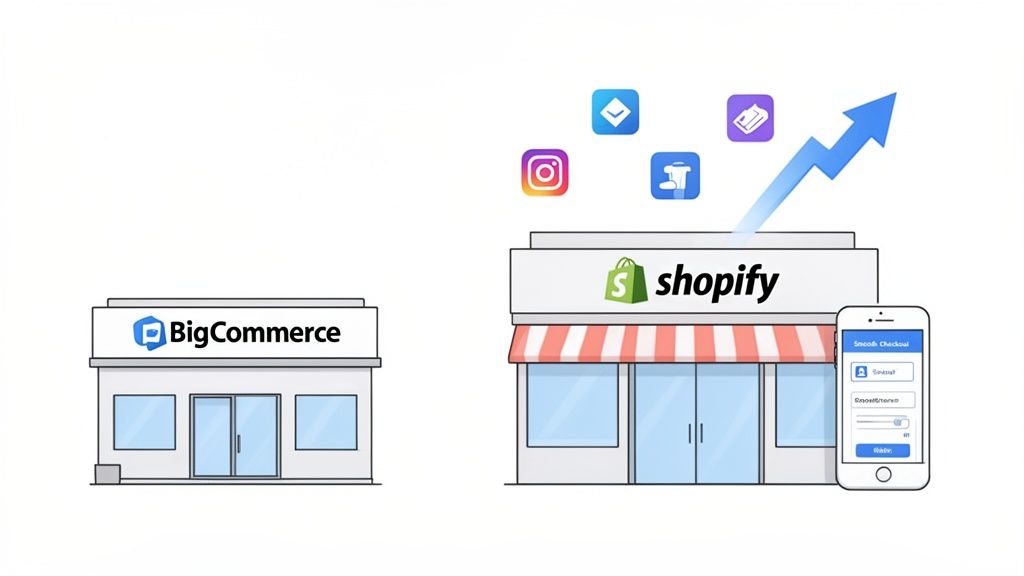
The decision to migrate from BigCommerce to Shopify is rarely made on a whim. It’s a calculated play by ambitious brands tired of hitting growth plateaus. While BigCommerce is a solid platform, we've seen many merchants get stuck when it comes to deep customization, app availability, and finding skilled developers who can move quickly.
Shopify, on the other hand, just operates on a different level. Its ecosystem is its superpower, offering merchants an almost bottomless toolkit to build, tweak, and optimize their stores. This isn't just about having more bells and whistles; it's about being able to pivot and adapt without a six-month development cycle.
The Power of a Larger Ecosystem
Let's talk app stores. Need a very specific function, like a unique loyalty program or a complex subscription model? The odds of finding a polished, ready-to-go solution on the Shopify App Store are just so much higher. This dramatically cuts down the need for custom code, saving you a ton of time and money right out of the gate.
Then there's the talent pool. Finding an agency or a freelancer who truly gets the ins and outs of Shopify is worlds easier than for BigCommerce. This accessibility means faster project turnarounds and much more competitive pricing when you do need custom work done.
The real win isn't just about the features you get today. It's the confidence that as your business evolves, the platform and its massive community of developers will be right there with you. It’s a proactive investment in future-proofing your brand.
Tangible Performance Benefits
These advantages aren't just about convenience—they hit the bottom line. Hard. Shopify's entire infrastructure is geared for conversion, especially on mobile. With a mobile-first design philosophy and its famously simple checkout process, the platform is engineered to turn visitors into customers.
The numbers back this up. Globally, Shopify commands around 28% of the e-commerce market, completely dwarfing BigCommerce's 3% share. This scale drives innovation. For brands making the switch, the performance gains can be staggering.
We consistently see merchants report conversion rate increases between 15% and 36% after migrating. A huge part of that is Shopify's killer mobile experience, which is non-negotiable when 71% of its traffic comes from mobile devices. One home goods retailer we followed even tripled its processing volume and saw a 23% higher conversion rate within 18 months of their move. You can read the full breakdown of these results in this in-depth migration analysis.
When you're trying to find the best ecommerce platform for small business, it helps to have a clear picture of what matters most for a migration.
BigCommerce vs Shopify A Snapshot for Migrating Brands
For brands weighing the move, the key differences often come down to ecosystem, customization, and scalability. This table cuts through the noise to highlight what you really need to know.
Ultimately, the choice becomes clear. For growth-focused brands, the move is about aligning with a platform that not only supports but actively encourages ambition, scale, and market leadership. For a more granular look, check out our detailed BigCommerce vs. Shopify comparison to see a full side-by-side analysis.
Your Pre-Migration Strategic Checklist
A successful migration from BigCommerce to Shopify is all about meticulous planning. Seriously, this is not the stage to rush. The biggest mistake we see merchants make is jumping into the technical work too quickly, which almost always leads to lost data, painful downtime, and a chaotic launch.
Think of this phase as drawing the blueprint for your new store. Every single detail you map out now will save you from costly headaches and rework down the line.
Your first move should be a complete, no-stone-unturned audit of your current BigCommerce store. This goes way beyond just counting products. You need to dig into every corner of your operations to figure out what you’ll rebuild, what gets replaced, and what you can finally retire.
Start by creating an inventory of everything that makes your store run. This list will be your north star for the entire project.
- Apps and Integrations: Document every single third-party app. I’m talking reviews, loyalty programs, shipping calculators, accounting software—everything. Note what each app does and how critical it is to your day-to-day.
- Custom Code and Scripts: Go hunting for any custom features, scripts, or theme tweaks. Did you add some custom JavaScript for a specific tracking pixel? Are there unique functions coded into your theme files? None of that will come over automatically.
- Data Structures: Take a hard look at how your products are organized. Are you using complex option sets, a ton of custom fields, or a very specific category tree? Understanding this now is absolutely essential for mapping your data correctly into Shopify.
Mapping Your Features and Apps
With your full inventory in hand, the next job is to map all that functionality to the Shopify ecosystem. You can't just copy your BigCommerce apps over; you need to find their Shopify equivalents, and this is a make-or-break step for keeping your business running smoothly.
For every app on your BigCommerce list, start researching its counterpart in the Shopify App Store. For example, if you use Yotpo for reviews, you’re in luck—they have a great Shopify app. But if you're using a niche or custom-built integration, you might be looking for a new provider entirely.
Here's a pro tip: don't just look for a direct one-to-one replacement. A migration is the perfect opportunity to upgrade your tech stack. Is there a better, more modern app on Shopify that could do the job of two of your old ones? You could streamline your operations and even lower your monthly app spend.
Data Cleansing and Preparation
Clean data is the foundation of a smooth migration. Trust me, importing a messy, outdated, and poorly formatted database into your new Shopify store is a recipe for disaster. You’ll just create a new set of problems that are ten times harder to fix after you’ve already gone live. Before you even think about exporting anything, dedicate some serious time to a data cleanup.
You’ll want to focus on three key areas:
- Products: Get rid of discontinued items you'll never sell again. Fix inconsistent naming conventions and standardize your product tags. Make sure every product has high-quality images and a solid description.
- Customers: Purge old, inactive, or duplicate customer accounts. This not only shrinks the amount of data you have to move but also gives you a clean, actionable customer list from day one.
- Orders: While you'll definitely want to migrate your order history for reporting and customer service, be strategic. This is less about "cleaning" and more about deciding what historical data is truly essential to bring over.
Once you’ve knocked out these prep steps, you’ll be ready to dive into the more technical side of things. We cover all of that in our complete Shopify migration checklist, which walks you through everything from SEO to final testing.
Setting a Realistic Timeline and Budget
Now that you have a clear inventory and data plan, you can finally put a realistic scope on the project. The timeline and cost of moving from BigCommerce to Shopify really boil down to complexity.
A small store with under 500 SKUs might take just 2-4 weeks and cost somewhere between $2,000–$5,000. On the other hand, an enterprise-level brand with 50,000+ SKUs could be looking at a project that spans up to 39 weeks.
These numbers show exactly why a detailed planning phase is so important for setting a solid budget and avoiding scope creep. By doing the audit and mapping your needs upfront, you give yourself the best possible chance for a seamless and successful transition.
With your game plan in place, it's time to roll up your sleeves and get to the heart of the project: moving your store's data and rebuilding its design. This is the nitty-gritty, the actual transfer from BigCommerce to Shopify. It can seem like a mountain to climb, but breaking it down into two separate tracks—data and design—makes it completely manageable.
First up, the data. We're talking about the lifeblood of your business: your products, customer lists, and order history. Handling this with absolute care is non-negotiable. You’ve got a few ways to tackle this, and the best path really depends on your store’s size and complexity.
How to Get Your Data Across
For the smallest of stores—maybe you have a handful of products and not a lot of history—a manual CSV export and import is technically an option. You'd export your data from BigCommerce into spreadsheets, reformat them for Shopify’s structure, and then upload them. Honestly, though, this approach is a minefield of potential human error and gets old fast with anything more than a tiny catalog.
For pretty much everyone else, an automated migration app is the way to go.
Tools like Cart2Cart are built for this exact job. They create a secure API connection between your BigCommerce and Shopify stores, pulling the data over in the background. The best part? It happens without you having to manually map fields or take your live BigCommerce site down.
These apps are smart enough to handle the tricky stuff, like making sure product variants, customer addresses, and order notes land exactly where they should. While they aren't free, the cost is a small price to pay for data integrity and saving yourself from weeks of mind-numbing manual entry. For a store with 5,000 products and a few years of orders, an automated tool can wrap up the transfer in under four hours. Doing that by hand would be a nightmare.
Before you even think about moving a single file, you need to get your data ready. This is a critical prep stage.
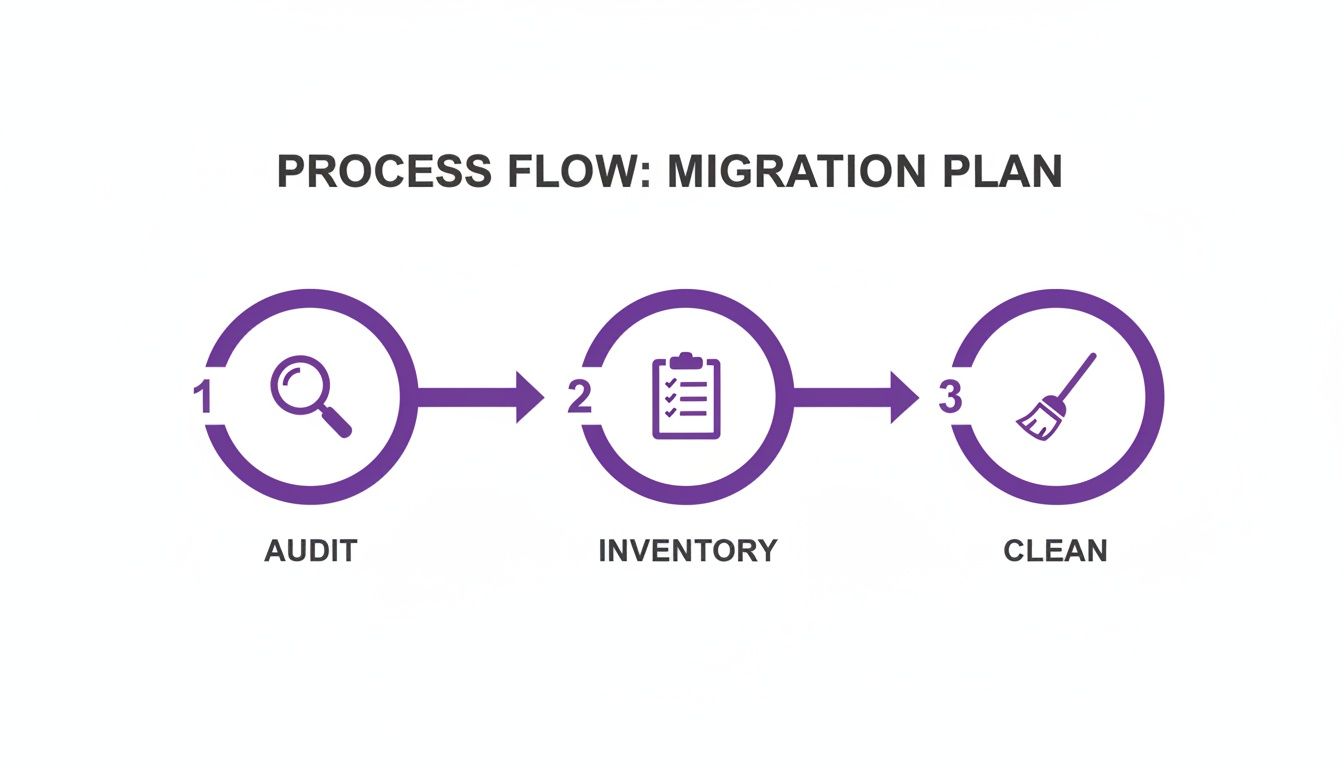
As you can see, a solid migration starts long before the transfer button is clicked. A thorough audit, inventory, and data clean-up process ensures you’re starting fresh on Shopify without bringing over old junk.
To help you decide, here’s a quick breakdown of your options.
Data Migration Methods Pros and Cons
Ultimately, investing in an automated tool or an expert is almost always the right call to protect your most valuable asset.
Rebuilding Your Storefront Design
While your data is being prepped and moved, you can turn your attention to the fun part: your store’s look and feel. A common mistake people make is assuming they can just lift and shift their BigCommerce theme over to Shopify.
You can't. The platforms are built on completely different codebases.
Think of this as a good thing. It’s the perfect opportunity to refresh your brand and seriously upgrade your user experience. The Shopify Theme Store is packed with incredible free and premium themes that are all built for mobile-first and optimized for conversion right out of the box.
Here’s how to approach the redesign without getting overwhelmed:
- Nail Down Your Brand Vitals: Before you even look at a single theme, get your brand's non-negotiables down on paper. This means your logo, color palette, typography, and essential imagery.
- Prioritize Layout and Function: Don't get distracted by pretty pictures. Look for a Shopify theme that has the structure you need. Do you rely on a big homepage hero banner? A mega menu? Specific product grid layouts? Finding a theme that’s already 80% of the way there will save you a ton of customization headaches.
- Customize with Purpose: Once you have your theme, jump into the Shopify theme editor and start applying your brand. Upload your logo, dial in your brand colors, and set up your fonts. The goal here is to make the new site feel familiar to returning customers, but also fresh and improved.
If you have really specific design needs or custom functionality from your BigCommerce store that you just can't live without, it might be time to call in the pros. Working with one of the top Shopify development companies can be a game-changer. They can build custom theme sections or replicate unique features to ensure the transition is flawless. By treating the data migration and the design rebuild as two parallel projects, you can tackle each one methodically and set yourself up for a smooth launch.
Protecting Your SEO and Customer Trust
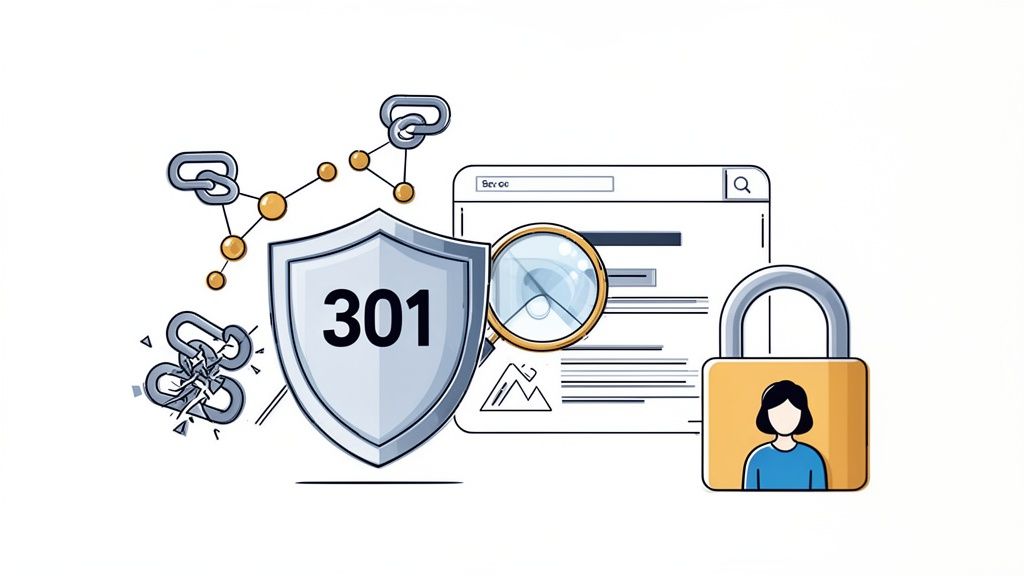
After pouring all that effort into your data and design, the last thing you want is for your search rankings to plummet. It’s a completely valid fear, but also completely avoidable. Protecting your SEO during a move from BigCommerce to Shopify isn't about crossing your fingers; it's about executing a precise technical plan.
The heart of this plan is the 301 redirect. This simple command is your most powerful tool. It tells search engines like Google that a page has permanently moved, passing along most of its hard-earned authority to the new URL on Shopify. Get this wrong, and you're looking at a site full of broken links, frustrated customers, and a nose-dive in organic traffic.
Building Your URL Redirect Map
You can't redirect what you don't know exists. The very first thing you need is a complete map of every single indexable URL on your current BigCommerce store. Don't even think about doing this by hand—it’s a recipe for missed pages and massive SEO gaps.
Instead, fire up a crawling tool like Screaming Frog or Ahrefs to pull a complete list of your URLs. Make sure this includes everything:
- Product pages
- Category (or collection) pages
- Blog posts and articles
- Any static informational pages like "About Us" or "Contact"
With this master list of old BigCommerce URLs, your job is to meticulously map each one to its new home on Shopify. This spreadsheet becomes your SEO playbook for the migration, ensuring no page gets left behind.
Think of it like setting up mail forwarding when you move. Without it, important mail gets lost and people can't find you. 301 redirects are just mail forwarding for the web, making sure your customers and search engine bots are guided to your new digital address without a hitch.
Migrating On-Page SEO Elements
URLs are just one piece of the puzzle. All those on-page SEO elements—the metadata that tells search engines what your pages are actually about—are equally critical. Losing this info during the transfer is like ripping out the table of contents and all the chapter titles from a book.
You have to make sure your migration process, whether manual or with an app, explicitly transfers:
- Meta Titles: The main headline that shows up in search results.
- Meta Descriptions: That short snippet of text under the title in search results.
- Image Alt Text: The descriptive text for images that helps with accessibility and image search.
These elements are crucial for holding onto your rankings for specific keywords. Many automated migration tools offer this as an add-on, and it's an investment that pays for itself a hundred times over by preserving your organic visibility. We saw this with a mid-sized electronics retailer who moved over 5,000 products—they recovered their SEO positions quickly because they made sure every piece of metadata and every 301 redirect was perfectly implemented.
Your Post-Launch SEO Checklist
Once your new Shopify site is live, you're not quite done. Now you need to tell Google about the move and watch the transition like a hawk. This final step confirms the technical success of your migration and helps search engines index your new site quickly.
Here are your immediate post-launch actions:
- Submit Your New Sitemap: Generate your new
sitemap.xmlfile in Shopify and submit it directly to Google Search Console. This is like sending Google an invitation to crawl your new site structure right away. - Monitor for Crawl Errors: Keep a close eye on the "Coverage" report in Google Search Console. It will flag any 404 "Not Found" errors, which are your cue to fix any missed or broken redirects immediately.
- Check Your Rankings: Use an SEO tool to track your keyword rankings. A slight dip and recovery (sometimes called the "Shopify shuffle") is normal, but a sustained drop is a red flag that something's wrong with your redirect map.
This careful approach is why so many enterprise brands are now choosing to transfer BigCommerce to Shopify. As one recent report points out, a proper migration strategy not only prevents SEO loss but also reduces technical debt and boosts overall site performance, with many brands seeing the value within a year. You can dive deeper into this trend and see more success stories over at Domain Worldwide.
Your Go-Live and Post-Migration Growth Plan
Flipping the switch and pointing your domain to the new Shopify store is a huge moment. But it’s the starting line, not the finish line. A truly successful migration is defined by a buttery-smooth launch day followed immediately by a proactive growth strategy.
This whole phase is about building confidence through rigorous testing, having a safety net just in case, and then immediately shifting gears to capitalize on your powerful new platform. Remember, the goal wasn't just to copy your old BigCommerce store; it was to build a better one. This final push ensures a flawless customer experience from the very first click.
The Final Pre-Launch QA Checklist
Before you even think about announcing the new site, you and your team need to become its toughest critics. A thorough quality assurance (QA) process is what catches those small, annoying issues that can kill customer trust and cost you sales. Put yourself in your customers' shoes and test every single path they might take.
Your checklist has to be exhaustive. Don't just click around—actively try to break things.
- Run a Complete Test Transaction: This is absolutely non-negotiable. Place several test orders using different payment methods, especially Shopify Payments and PayPal. Confirm the payment goes through, the order shows up correctly in the admin, and all the confirmation emails fire off as expected.
- Test Every Device Imaginable: Your store has to look and work perfectly on mobile, tablet, and desktop. Pay excruciatingly close attention to how images scale, how the menu behaves, and what the checkout flow feels like on a small screen.
- Verify Your App Integrations: Double-check that your most critical apps—for reviews, loyalty programs, or custom shipping logic—are all configured and working correctly on the live theme. You need to be sure they're pulling the right data and doing their jobs.
- Hunt for Dead Links: Use a link-checker tool or just manually click through every link in your main navigation, footer, and on key pages like your About Us or FAQs. Nothing says "we rushed this" like a 404 error.
Crafting a Sensible Rollback Plan
Look, even with the most meticulous planning, things happen. A rollback plan is your insurance policy. It's a simple, pre-defined procedure for pointing your domain's DNS right back to your old BigCommerce store if a critical, show-stopping bug appears right after launch.
Having a rollback plan doesn't mean you expect to fail; it means you're prepared for anything. Knowing you can revert in minutes if needed allows you to launch with confidence, not anxiety.
Keep this plan simple. It's usually just a matter of having your BigCommerce store on standby and knowing the exact steps to change your DNS settings. The goal here is to minimize downtime and protect your revenue if the worst-case scenario unfolds.
Pivoting to Post-Launch Optimization
Once your new Shopify store is live and stable for a couple of days, the real fun begins. The whole reason to transfer BigCommerce to Shopify was to unlock new growth potential, and now is the time to chase it down. Your mindset has to pivot immediately from migration to optimization.
Your first stop? Dive headfirst into Shopify’s analytics. Get comfortable with the dashboards and start monitoring your core metrics: conversion rate, average order value, top-selling products. This data is now your north star for every decision you make.
Next, start exploring the new tools you have at your disposal. The Shopify ecosystem is practically built for conversion rate optimization (CRO).
- Leverage Shopify's Theme Editor: Modern Shopify 2.0 themes give you incredible flexibility. You can add, remove, and re-order sections on your homepage, product pages, and more to test new layouts—all without needing a developer.
- Explore the App Store: Now's the time to install those apps that directly impact conversions. Think about adding solutions for exit-intent popups, smarter product recommendations, or more robust customer reviews to really elevate the shopping experience.
- Set Up Advanced Analytics: Get tools like Google Analytics 4 and a heatmapping service like Hotjar integrated right away. They will give you much deeper insights into user behavior, showing you exactly where people are clicking and where they might be getting stuck.
By shifting into a growth mindset on day one, you guarantee your migration delivers an immediate return on investment. You haven't just changed platforms; you've upgraded your entire toolkit for building a more profitable business. The migration project is over, but your growth journey on Shopify is just getting started.
Answering Your BigCommerce to Shopify Migration Questions
Making a platform switch is a big deal, and naturally, you've got questions. It's smart to want a clear picture of the timeline, the risks, and what to expect. We've been through this process countless times, so we've pulled together the most common questions merchants ask when moving from BigCommerce to Shopify.
Here are some straight, no-fluff answers based on our hands-on experience.
How Long Does a BigCommerce to Shopify Migration Take?
Honestly, there's no single answer here—it all boils down to the size and complexity of your store. A simple shop is a different beast than a massive enterprise operation.
Based on what we've seen, here’s a realistic breakdown:
- Small Stores: If you've got under 500 products and just a handful of apps, you're likely looking at a 2 to 4-week turnaround.
- Mid-Sized Stores: For stores with 500 to 5,000 products and a decent number of integrations, it's safer to plan for 4 to 8 weeks.
- Large-Scale Operations: Got over 10,000 SKUs, custom-coded features, or complex B2B requirements? You should budget anywhere from 16 to 39 weeks.
These timeframes cover everything—the initial discovery and planning, data scrubbing, theme development, SEO mapping, and all the testing needed to go live without a hitch.
Will I Lose My SEO Rankings After the Migration?
This is the big one, and the short answer is no, you shouldn't—if it's done right. Losing your hard-earned search rankings is completely avoidable with a solid SEO migration strategy.
The absolute must-have is a comprehensive 301 redirect map. This isn't just a nice-to-have; it's critical. We map every single URL from your old BigCommerce site to its new home on Shopify. This tells Google and other search engines exactly where your pages have moved, ensuring all that valuable link equity and ranking authority comes along for the ride.
Of course, it's more than just redirects. We also make sure all your on-page SEO data—meta titles, descriptions, image alt text—is meticulously moved over. A well-planned migration should be seamless for search engine bots and, more importantly, for your customers.
What Happens to My Customer Data and Order History?
Your customer and order history are some of your most valuable assets, and yes, they come with you to Shopify. This is typically handled with a dedicated migration app or by carefully managed CSV imports. We transfer all the key stuff: customer names, emails, shipping info, and their complete order history.
One thing to know is that customer passwords cannot be migrated. This is a non-negotiable security standard across all platforms. Since passwords are encrypted, they can't be moved. Your customers will simply have to reset their password the first time they log in on the new site. It's a minor, one-time step that keeps their account secure.
Can I Use My BigCommerce Theme on Shopify?
Unfortunately, no. You can't just copy and paste your BigCommerce theme over to Shopify. The two platforms use totally different coding languages and theme architectures, making them incompatible.
Think of it as a great opportunity for a refresh. During the migration, you’ll either pick a new theme from the Shopify Theme Store or we can build a custom one for you. We can absolutely replicate the look, feel, and functionality of your old site, but it will be rebuilt from the ground up to work perfectly on Shopify. This is the perfect time to improve the user experience and bake in conversion best practices from day one.
A successful migration comes down to having the right plan and the right team. At ECORN, we specialize in moving brands like yours to Shopify seamlessly, making sure your data, SEO, and sanity are protected every step of the way. Let's talk about getting your brand on Shopify.



BigCommerce vs Shopify Plus Which Enterprise Wins in 2026

Shopify Theme Kit: Setup, Commands, and Migration Guide

Shopify Extension Development: A Practical 2026 Guide

Shopify Speed Score Explained and How to Improve It

Shopify Mobile Optimization: The 2026 Playbook

How to Add Subcategory in Shopify for Better UX

How to Implement Structured Data for Ecommerce in 2026

SEO App Mobile: Shopify Store Optimization Guide

Shopify Plus Support: What It Includes and How to Choose

Google Ads for Shopify: The Complete 2026 Playbook

Shopify New York: How to Find and Hire the Right Agency

Google Search Console for Shopify: The Complete Setup

First Party Data Collection for eCommerce Growth

FAQ Online Store Guide: Build and Measure It Right

Do FB Ads Work for eCommerce in 2026?

One Page Checkout for Shopify: Design and Implementation

Shopify GraphQL vs REST: The 2026 Developer Decision

Shopify Ecommerce Consulting: Strategy, Pricing &

Are Reddit Ads Worth It for eCommerce Brands

Shopify Title and Meta Description: A Practical 2026 Guide

Product Video Best Practices for Shopify Brands

Real-Time Inventory Management: A 2026 Guide

AI Chatbot Integration for Shopify Stores

Affiliate Program Management: A Shopify Guide

10 Best Performance Monitoring Tools for Shopify in 2026

Digital Asset Management for eCommerce Brands in 2026

Every Type of Facebook Ads Explained for eCommerce Growth

Product Information Management Explained for Shopify Brands

Support Ticket System: A Guide for Shopify Stores

10 Best Customer Service Tools for Shopify in 2026

Can I Start a Business with No Money? a 2026 Blueprint

What Sells Good on Etsy: Best Niches for 2026

Shopify Add to Cart Button: A Practical 2026 Guide

Customer Feedback Automation: A Practical eCommerce Guide

Critical Rendering Path: A Guide for Shopify Stores

How to Promote on TikTok for eCommerce in 2026

B2B eCommerce Consulting That Drives Real Revenue

10 Best Practices for Site Navigation in 2026

Return vs Refund for Shopify Stores: A Practical Guide

What Is Customer Lifetime Value and Why It Matters

What Is Voice of Customer Research for eCommerce

SMS Marketing for Ecommerce That Actually Converts

Master How to Improve Email Deliverability in 2026

Top 7 eCommerce Partners NYC for Shopify Brands in 2026

Machine Learning for Ecommerce: Boost Your Shopify Store

Beauty Market Research: Your 2026 Growth Guide

Shopify International Expansion: A 2026 Roadmap

What Does CRO Stand for in Business: Understanding CRO

Shopify Visual Merchandising: A Playbook for Higher Sales

Shopify Landing Page Design: Master Conversion in 2026

10 Best AI SEO Optimization Tools for Shopify in 2026

Agentic AI for Ecommerce: Boost Your Sales in 2026
Mastering Email Marketing Data for eCommerce Growth

Conversion Rate Optimisation Australia: Boost Your Sales

Conversion Rate Optimization AI: Your Shopify Store Guide

10 Product Bundling Strategies for Shopify in 2026

How to Increase Customer Lifetime Value: A Shopify Playbook

AI Customer Service Automation: Shopify Guide 2026

Clean Website Design: A Shopify Conversion Playbook

Omnichannel Retail Strategy: A Shopify Playbook

Product Data Enrichment: A Guide for Shopify Brands

Instagram Shopping Features a Guide for Shopify Stores

What Is Revenue Optimization: A Holistic RevOps Guide

Benefits of Conversion Rate Optimization: Boost Your

WordPress to Shopify Migration: Your 2026 Seamless Switch

Boost Sales: Ecommerce Payment Processing Guide 2026

Unified Commerce Platform: Benefits, KPIs & Shopify Guide

How to Reduce Bounce Rate eCommerce: Your 2026 Guide

Shopify API Integration: A Practical End-to-End Guide

How to Implement Data Governance: A 2026 Guide

Shopify Store Development Cost: A 2026 Breakdown

What Is Server Side Tracking: The Shopify Guide 2026

Marketing Automation Workflows: A Shopify Guide for 2026

Shopify: How to Reduce Technical Debt

Shopify UX Design Change: A Playbook for Growth

User Generated Content Strategy: Shopify Playbook

Shopify Pause and Build Plan Cost: A Complete 2026 Guide

Compare at Price on Shopify: A Complete Guide for 2026

Where Can I Sell My Prints? 10 Best Platforms for 2026

Shopify Order Management System: The Ultimate Guide 2026

What Is Marketing Attribution? an eCommerce Guide for 2026

10 Best Black Friday Sales Sheets for 2026

Discover the Top Social Media Marketing Agencies For

Consumer Confidence Definition for eCommerce in 2026

What Is Social Commerce? Your 2026 Guide to Boosting Sales

A Social Ad Campaign Playbook for eCommerce Growth

7 Best FAQ Page Examples for SaaS & eCommerce

Market Research in Fashion Industry: A Guide for Shopify

Shopify Migration Services: Expert Guide for 2026

Mastering FB Retargeting Ads for Shopify in 2026

What Is Omnichannel Ecommerce

Master Your Shopify Plus Migration: The 2026 Guide

Shopify Integration Services: A Merchant's 2026 Guide

Shopify Collection Description: A Guide to SEO & Sales

Shopify Plus Contact: Reach Sales & Support Effectively

Top Luxury Shopify Stores: Design & UX Strategies

How to Improve Customer Experience: A Shopify Roadmap

Creative Facebook Ads: 10 Examples for Shopify Brands

Remarketing with Facebook Ads: A Shopify Guide for 2026

SEO Linking Strategies for Shopify Stores


newsletter in your inbox