

Here's the deal: the choice between Shopify and WordPress boils down to a single question. Do you want simplicity and speed, or do you crave total control and content flexibility? One isn't better than the other, but one is definitely better for you.
Shopify vs WordPress Which Platform Is Best for eCommerce
Picking your e-commerce platform is a foundational decision that will echo through every part of your business. It's not a choice to take lightly.
Think of Shopify as a purpose-built race car, engineered from the ground up for one thing: selling online. It handles all the messy technical stuff for you—the hosting, the security, the endless updates—so you can stay laser-focused on your products and customers.
WordPress, on the other hand, is more like a powerful, modular engine that you can drop into any chassis you want. When you pair it with the WooCommerce plugin, you get a completely open toolkit. You can build anything from a sprawling, content-heavy blog with a shop attached to a highly customized, one-of-a-kind marketplace. This path gives you ultimate control, but it also means you're the mechanic. You manage the hosting, security, and maintenance yourself.
This guide isn't about rehashing the obvious. We're going to dig into the real-world trade-offs in cost, performance, SEO, and scalability to give you a clear framework for making the right call. For another perspective, this guide on Choosing the Best E-commerce Solution: Shopify or WooCommerce also does a great job breaking down the strengths of each.
Quick Decision Framework Shopify vs WordPress
Sometimes, the best way to decide is to see things side-by-side. This table cuts through the noise and maps your business priorities directly to the right platform.
This table should give you a gut check on which platform feels like a better fit. Your answer probably jumped out at you.
If you're more of a visual person, this decision tree lays out the two primary paths based on your main goal.
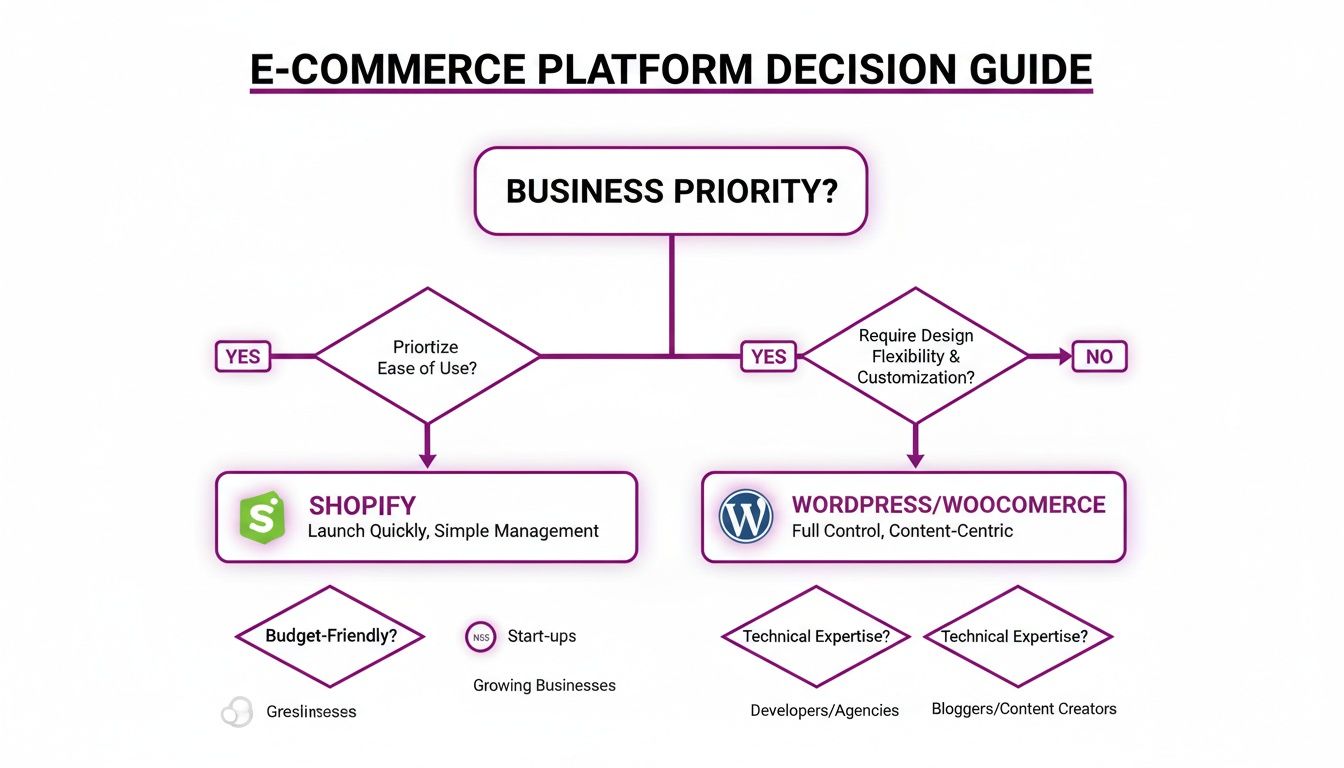
As the chart makes clear, if your mantra is "get it done fast and easy," Shopify is your answer. If it's "build it my way, no matter what," then WordPress is calling your name. Getting this foundational piece right is absolutely critical.
The market data tells a similar story. Shopify has become a juggernaut, grabbing 26.2% of the global e-commerce market share as of 2025, pulling ahead of WooCommerce's 20.1%. In the U.S. alone, Shopify's dominance is even more pronounced, with a massive 29% market share, making it the clear favorite for brands focused on pure, unadulterated growth.
Understanding the Core Architectural Differences
To really get to the heart of the Shopify vs. WordPress debate, you have to look under the hood at how they're built. This isn’t just technical fluff; it's the very foundation that dictates how you'll manage, secure, and grow your store every single day. The core difference really just boils down to a classic trade-off: convenience versus control.
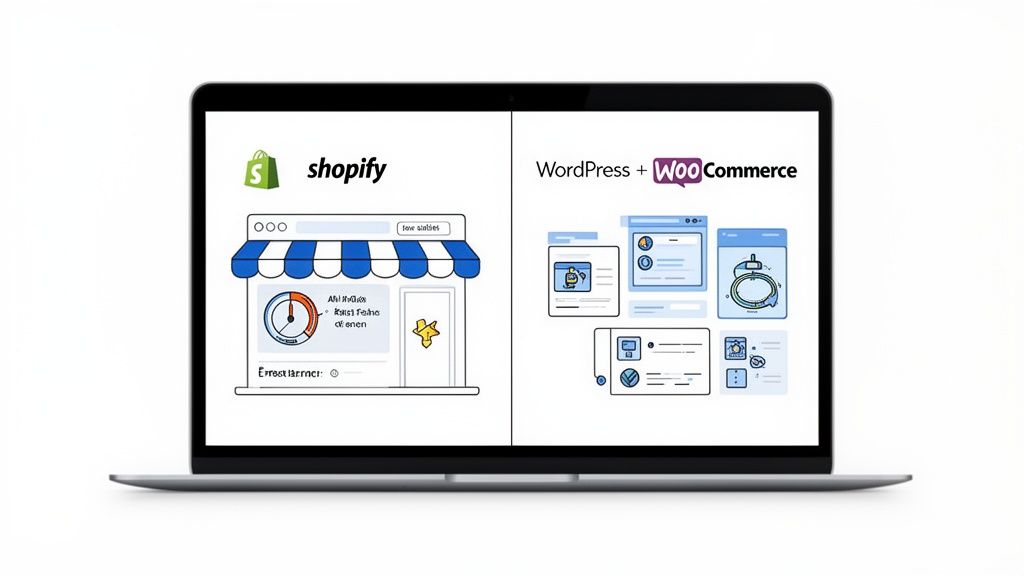
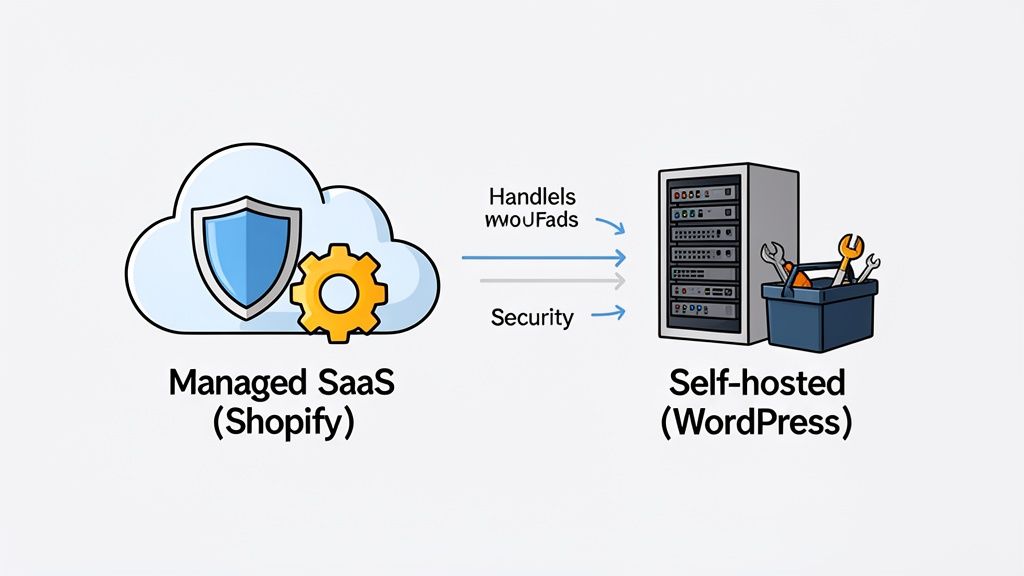
Shopify is a hosted Software-as-a-Service (SaaS) platform. The best way to think about it is like leasing a fully furnished, high-end retail space in a premium shopping mall. You pay one monthly fee, and the mall management—in this case, Shopify—handles everything. Security, building maintenance, electricity, and making sure the whole complex runs smoothly and quickly is all on them.
The Shopify Model: Managed and All-Inclusive
With Shopify, you never have to think about finding a web host, installing software, or patching a security vulnerability at 3 AM. It’s all included. This managed infrastructure means your store automatically gets a globally distributed Content Delivery Network (CDN) for fast load times and an ironclad security posture, all without you lifting a finger.
This all-in-one approach is specifically designed to tear down technical barriers, letting you focus completely on your actual business. You get a powerful, secure, and high-performing e-commerce engine right out of the box.
Key Insight: Shopify’s hosted architecture is all about operational simplicity and reliability. You are paying for the peace of mind that comes from a fully managed environment where performance and security are handled by experts.
On the other hand, WordPress is a self-hosted, open-source content management system (CMS). Sticking with our retail analogy, this is like buying your own plot of land and building your store from the ground up. You own the building, have total control over the layout, and can add any feature you can possibly imagine.
Of course, this ownership comes with total responsibility. You’re the one who has to manage the property's security, perform regular maintenance, and make sure the foundation can handle a sudden flood of customers.
The WordPress Framework: Autonomy and Responsibility
When you build a store with WordPress and WooCommerce, you are firmly in the driver's seat. You choose your own hosting provider, set up your security protocols, and manage every single software update for the WordPress core, themes, and plugins. This gives you unparalleled freedom to customize every single part of your site.
This autonomy is both WordPress's greatest strength and its most significant challenge. It’s why WordPress powers an incredible 43.0% of all websites and commands a 64.3% market share among known CMS platforms. This massive footprint, detailed in recent market share analyses, speaks volumes about its flexibility and open-source appeal. You can dig into the impressive market dominance of WordPress on cminds.com to learn more.
This fundamental architectural difference creates a clear divide in your day-to-day operations:
- Security: On Shopify, security is handled for you. With WordPress, you’re responsible for everything from SSL certificates and web application firewalls to malware scanning.
- Maintenance: Shopify pushes updates automatically. On WordPress, you have to manually update the core software, your theme, and every single plugin—and then make sure they all still play nicely together.
- Support: Shopify offers 24/7 dedicated support. For WordPress, support is fragmented, coming from your hosting provider, theme and plugin developers, or community forums.
Ultimately, choosing between a Shopify and WordPress architecture is a strategic decision. Shopify offers a streamlined, secure path to selling online, while WordPress provides a limitless canvas for those who are willing to manage the technical responsibilities that come with absolute freedom.
Comparing Total Cost of Ownership and Scalability
It’s easy to look at the sticker price of a platform and think you’ve got the full picture. But the real story, especially in e-commerce, is told by the Total Cost of Ownership (TCO). This includes every single hidden fee, recurring charge, and unexpected expense that crops up as you grow. Looking at the TCO is how you really understand which platform—Shopify or WordPress—fits your budget now and in the future.
Shopify’s main selling point is its predictability. You pay a flat monthly fee, and that covers your hosting, security, and customer support. For a new business juggling a tight budget, that kind of consistency is a lifesaver.
But that subscription is just the baseline. The real costs start to creep in as you add more functionality. Need to offer subscriptions or run advanced analytics? You’ll be heading to the Shopify App Store, where most of the powerful apps come with their own monthly fees.
Unpacking Shopify Costs
Think of Shopify’s pricing in layers. You have the base plan, transaction fees on top of that, and then the steady trickle of app subscriptions.
- Monthly Plans: You’ve got a few tiers to choose from—Basic, Shopify, and Advanced. Each one unlocks more features and gives you better transaction rates, so you can scale your plan as your business scales.
- Transaction Fees: This is a big one. If you decide not to use Shopify Payments, the platform will charge you a fee on every single sale. This ranges from 2.0% on the Basic plan down to 0.5% on Advanced, which can take a serious bite out of your margins if you're a high-volume store.
- App Subscriptions: A good app might set you back $20-$50 a month. But a growing store often relies on a handful of them, and that can easily add up to hundreds of dollars in monthly expenses.
Getting a handle on these variables from day one is crucial. Resources on building a Shopify store on a budget are incredibly useful for mapping out these costs before they surprise you.
Calculating WordPress and WooCommerce Costs
With WordPress and WooCommerce, the software itself is free. That’s the hook. But you’re on the hook for everything else—piecing together and paying for the entire infrastructure yourself. This gives you ultimate flexibility, but it also makes your costs much harder to predict.
Here’s what your primary expenses will look like:
- Web Hosting: This is a huge variable. You could start with cheap shared hosting for $10 a month, but as traffic picks up, you'll need a managed host that can handle the load, which can easily exceed $200 per month.
- Premium Plugins: Sure, there are tons of free plugins, but the critical ones—for things like complex shipping rules, payment gateways, or subscriptions—almost always come at a price. Expect to pay $50 to $300 per year for each premium plugin.
- Theme Development: You can grab a premium theme for $60 to $200. If you want something truly unique, custom development will run you thousands.
- Maintenance and Security: This is the wild card. You'll need to pay for security plugins, backup services, and maybe even a developer on retainer for when things inevitably break. These costs are completely unpredictable.
Key Differentiator: The financial trade-off is crystal clear. With Shopify, you get predictable monthly costs that grow as you add apps. With WordPress, your startup costs can be lower, but you’ll need a much larger and more flexible budget for hosting, development, and ongoing maintenance as your store expands.
Let’s put some real-world numbers to this to see how it plays out for different business sizes.
Estimated Cost Breakdown Shopify vs WordPress
This table illustrates the core difference: Shopify bundles key costs into a predictable subscription, while WordPress requires you to manage each component separately, leading to more variable and potentially higher operational costs as you scale.
Scaling Your Business On Each Platform
Scalability is more than just handling a traffic spike during Black Friday. It’s about being able to grow your entire operation—products, customers, international markets—without your tech stack holding you back. Both platforms can handle scale, but they get you there in very different ways.
Shopify offers a beautifully simple upgrade path: Shopify Plus. This is their enterprise-level solution built for merchants doing serious volume. It comes with a hefty price tag, but you get dedicated support, higher API limits for integrations, and the ability to heavily customize your checkout. It’s a proven, hands-off solution for businesses that have outgrown the standard plans.
Scaling a WooCommerce store, on the other hand, is an entirely manual job. It demands deep technical know-how to optimize your hosting, fine-tune your database, and keep your code clean as the site grows. There’s no theoretical limit to how big a WooCommerce store can get, but the responsibility for making it happen falls squarely on you and your dev team.
Recent mobile benchmarks really highlight the trade-offs. Shopify’s optimized platform can boost mobile conversions by up to 20% thanks to its fast themes and sub-two-second CDN load times—a game-changer when 70% of purchases happen on mobile. WordPress gives you unparalleled control over customization and SEO, but for beginners who want a clear path from a $39/month plan to an enterprise-level operation, Shopify's ecosystem is hard to beat.
Ultimately, your choice comes down to your team and resources. If you have developers on staff and crave total control over every aspect of your site, WordPress offers infinite scalability. If you’d rather focus on your products and customers and want a managed, reliable path to growth, Shopify Plus is the industry standard for a reason.
Evaluating SEO and Content Marketing Capabilities
The old debate about SEO on Shopify versus WordPress is often boiled down to a simple, outdated conclusion: WordPress is the king. But that viewpoint misses just how much Shopify has stepped up its game and ignores the real-world nuances of modern eCommerce SEO. The right platform for you hinges on a single question: is your business driven by commerce or by content?
WordPress built its reputation as a content management system, and that DNA gives it a natural edge in content architecture. You get total freedom. Want to build out complex content hubs, create custom post types for case studies or tutorials, and design labyrinthine category and tag structures? Go for it.
That level of granular control touches every part of your on-page SEO. With legendary plugins like Yoast SEO or Rank Math, you can tweak every single URL slug, meta description, and schema markup setting with surgical precision. For a brand where content marketing is the main engine for finding new customers, this isn't just a nice-to-have; it's everything.
WordPress Content and SEO Control
Imagine a business that sells highly technical lab equipment. Their entire strategy is built on publishing deep-dive guides, research papers, and detailed comparison articles to pull in an expert audience.
- Custom Post Types: They can easily create a "Resources" section completely separate from their blog, giving it unique layouts and taxonomies for whitepapers and case studies.
- Advanced URL Structure: They can forge specific URL paths like
domain.com/resources/whitepapers/topic-nameto signal strong topical authority to search engines. - Plugin Power: A tool like Yoast provides real-time feedback on readability, keyword usage, and internal linking opportunities, all right inside the editor.
This is an environment where content-heavy businesses can build a truly formidable organic traffic machine from the ground up.
Shopify's Commerce-First SEO Strengths
Shopify comes at SEO from the opposite direction. It was born and bred for commerce, and its SEO features are engineered to serve that one goal with incredible efficiency and reliability. While you might sacrifice some of the fine-grained control you get with WordPress, Shopify absolutely nails the technical SEO fundamentals that have a massive impact on rankings.
Right out of the box, Shopify gives you a rock-solid technical foundation. Every single store gets a free SSL certificate, access to a lightning-fast global CDN, and mobile-responsive themes by default. These are non-negotiable ranking factors that WordPress users have to figure out and manage on their own. Site speed, a huge deal for both Google and your customers, is a core strength of Shopify’s managed infrastructure.
Key Insight: Shopify takes care of the foundational technical SEO for you—speed, security, and mobile-friendliness. WordPress gives you a blank canvas for total content and on-page SEO customization, but you're the one responsible for building and maintaining that technical foundation.
Shopify has also made massive strides in its content capabilities. The built-in blogging platform is more than powerful enough for the vast majority of eCommerce brands, letting you create rich content that directly supports your product collections. While creating custom post types requires a few workarounds, you can absolutely build a powerful content marketing presence on the platform. For a deep dive into getting the most out of your storefront, check out our complete guide on SEO for Shopify stores.
Comparing Key SEO Features
Let's get specific and see how each platform stacks up on critical SEO tasks.
Ultimately, the best choice circles back to your business model. If you're primarily focused on selling products and using content to drive those sales, Shopify's built-in SEO and powerful technical backbone are often the smarter, more efficient choice. But if your business is built on a content-first strategy where the shop is an extension of a larger publication, the unmatched flexibility of WordPress is the clear winner.
Integrating Shopify and WordPress for a Hybrid Approach
What if the best choice isn't choosing at all? For a lot of businesses, the whole "either/or" debate between Shopify and WordPress completely misses a powerful third option: a hybrid model that fuses the strengths of both. This strategy lets you build an elite content machine on WordPress while letting Shopify's world-class commerce engine handle the actual selling.
This isn't about finding a middle ground; it's about building a purpose-built system that's incredible at both content and commerce. By strategically connecting the two, you can stop making tradeoffs and start creating a truly seamless user experience. Let's look at two of the most effective ways to make this happen.
The Shopify Buy Button: A Simple and Powerful Integration
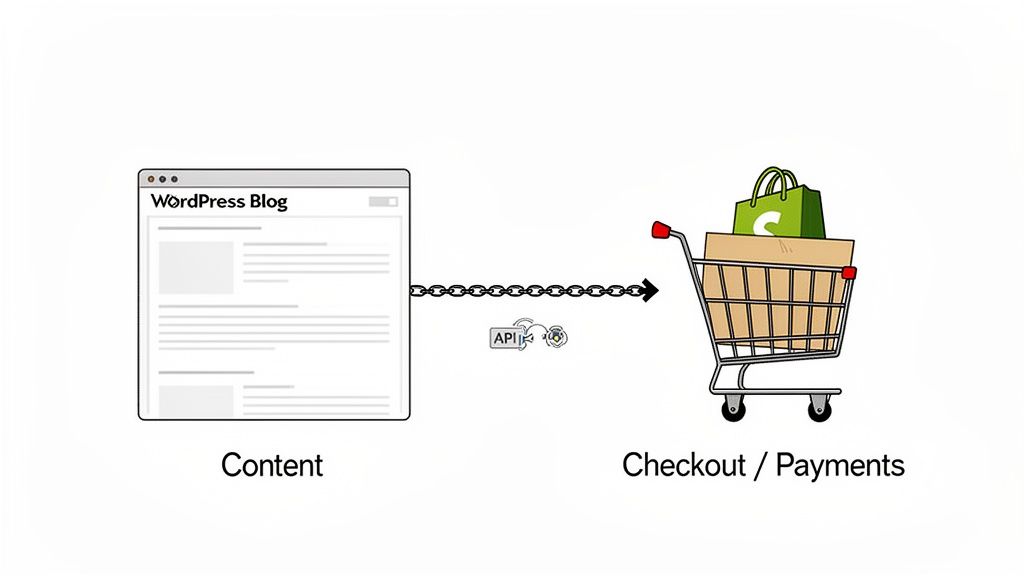
The most direct way to merge Shopify and WordPress is with the Shopify Buy Button. This is a fantastically lightweight tool that lets you embed a fully functional product card, cart, and secure checkout right onto any WordPress page or post.
Think of it like dropping a "micro-store" exactly where you need it most. You could write a deep-dive product review, a detailed how-to guide, or a compelling brand story on your WordPress site, then place a Buy Button right in the middle of the content. Customers can buy the second they're convinced, without ever leaving the page that won them over.
This method is a perfect fit for:
- Content-heavy brands that use their blog as a primary way to find new customers.
- Businesses with a small product catalog that don't really need a full-blown storefront.
- Merchants who want to test new product ideas on an existing WordPress site that already has a big audience.
Getting it set up is dead simple. You just generate a small snippet of code from your Shopify dashboard for a product and paste it into the WordPress editor. Shopify takes care of the entire transaction—from payment processing to inventory tracking—giving you a secure and reliable checkout every time.
Headless Commerce: A Decoupled and Flexible Architecture
For businesses that want the ultimate in flexibility and performance, a headless commerce setup is the gold standard. This advanced approach "decouples" the front-end presentation layer (your WordPress site) from the back-end commerce engine (Shopify). In this model, WordPress becomes the "head," managing all the content and what the user sees and interacts with.
Shopify, meanwhile, acts as the powerful "body," handling all the heavy lifting behind the scenes. This includes everything from inventory and order management to customer data and payment processing. The two systems talk to each other through APIs, which lets your WordPress developers pull product data from Shopify and display it in literally any way they can dream up.
Key Insight: Headless commerce gives you the best of both worlds—WordPress's unmatched content management and SEO flexibility on the front end, backed by Shopify's robust, secure, and scalable commerce infrastructure on the back end.
This architecture gives you total creative freedom. You can build a completely custom, lightning-fast front-end on WordPress without being boxed in by Shopify's theme system. It's the go-to solution for brands that need a unique digital presence and want to weave commerce deeply into a rich content experience. For a deeper look into this powerful strategy, our guide on Shopify headless commerce provides a detailed roadmap.
Choosing Your Hybrid Model
Deciding between the Buy Button and a full headless build really comes down to your technical resources, budget, and long-term goals.
Both of these hybrid models offer a fantastic alternative to the standard platform choice. They acknowledge a simple truth: for many modern brands, the line between content and commerce has completely disappeared. By thoughtfully combining Shopify and WordPress, you can build an integrated powerhouse that delivers a superior experience for your customers and drives real, sustainable growth.
How to Make the Right Decision for Your Business
Choosing between Shopify and WordPress isn't about picking the platform with the most features. It's about making an honest assessment of your business's core needs, your team's comfort with technology, and where you see yourself in a few years. The right choice is the one that removes the most friction between you and your goals.
This final framework should help you pull together everything we’ve covered and make a call you can feel good about.
First things first: what's your primary business model? Are you a direct-to-consumer (DTC) brand laser-focused on selling physical products? Or are you a content creator, a publisher, or a service provider where commerce is more of an add-on to your main mission? Your answer here is probably the biggest clue as to which platform will fit you best.
Think of it this way: a product-first business lives and dies by its operational efficiency. A content-first business thrives on creative freedom and SEO. Aligning your platform choice with that fundamental driver is the first real step toward a successful ecommerce operation.
Situational Recommendations for Different Business Profiles
To make this crystal clear, let's map these platform strengths to a few common business profiles. See which one sounds most like you.
The Solo Entrepreneur or Startup: Your main goal is getting to market fast, without getting tangled up in technical weeds. You need to launch quickly. Choose Shopify. Its all-in-one setup does the heavy lifting, freeing you up to focus on your product and marketing from day one.
The Content-Driven Brand: Your business is built around a blog, a media site, or an influential publication. Unmatched SEO control and content management flexibility are non-negotiable for you. Choose WordPress with WooCommerce or a hybrid approach to capitalize on your existing content authority.
The High-Growth DTC Brand: You're scaling fast and need a rock-solid platform that can handle huge traffic spikes without you having to manually intervene. Choose Shopify Plus. It delivers the enterprise-level infrastructure and support that serious growth demands.
The Custom Experience Enterprise: You need a completely unique, non-traditional user journey and you have a dedicated development team to build it. A headless Shopify and WordPress integration gives you the ultimate power, blending Shopify's bulletproof backend with a fully custom WordPress front-end.
Your platform is a strategic investment in your business’s future. It should play to your strengths, not create new weaknesses. Pick the tool that lines up with your team's skills, budget, and primary growth engine.
Final Checklist Before You Commit
Before you pull the trigger, run through these last few questions. Answering them honestly will help ensure your choice fits your business perfectly for years to come.
- What’s my realistic monthly budget for hosting, apps, and ongoing maintenance?
- How much time can I personally dedicate to technical management and security each week?
- Is my growth strategy mainly driven by paid ads and direct sales, or by organic content and SEO?
- What level of customization will I realistically need in the next one to three years?
- Does my team have the technical chops to manage a self-hosted platform, or do we need the safety net of dedicated support?
Frequently Asked Questions
When you're trying to choose between Shopify and WordPress, a lot of the same practical questions tend to pop up. Let's get right into the most common ones we hear from merchants wrestling with this exact decision.
Can I Migrate from WordPress to Shopify or Vice Versa?
Absolutely. Moving your store between these platforms is completely doable, but it's not a weekend project. It requires serious planning to make sure you don't take your business offline by accident.
The most common move we see is from WooCommerce to Shopify. This is usually for brands that have outgrown the DIY approach and want a more stable, hands-off platform. You can pull this off with migration apps or, for a smoother transition, by hiring an agency to manage the whole process.
Going the other way—from Shopify to WordPress—is less typical, but it makes sense for businesses that need total, granular control over every aspect of their site. Either way, you'll need to be meticulous about checking your data and have a rock-solid SEO plan, which means setting up 301 redirects to protect your search rankings.
Which Platform Is Better for Dropshipping Businesses?
Both are fantastic for dropshipping, but they're built for different types of entrepreneurs. For anyone just starting out, Shopify usually wins. Its simplicity is unmatched, and integrations with apps like DSers make it possible to get a store up and running ridiculously fast.
On the flip side, WooCommerce gives you more control in the long run and can be cheaper since you aren't paying monthly platform fees. Plugins like AliDropship are powerful, but getting everything set up correctly requires more technical know-how.
Decision Point: If your goal is to launch your dropshipping store as quickly and easily as possible, go with Shopify. If you want maximum control and are focused on managing long-term costs, WordPress with WooCommerce is the better bet.
How Do the App and Plugin Ecosystems Compare?
This is where you see a real difference in philosophy. Both platforms have massive extension libraries, but they are very different beasts. The Shopify App Store has over 8,000 apps, all vetted and built specifically for e-commerce. They're generally stable and easy to install, though many come with a monthly subscription fee.
The WordPress plugin repository, in contrast, is a wilder, more sprawling landscape with over 60,000 free plugins, plus thousands more premium ones. The variety is staggering, but quality can be all over the map. It's on you to vet them and deal with any conflicts that arise. Think of it this way: Shopify’s ecosystem is a curated boutique for commerce, while WordPress’s is a massive, open-air market.
Ready to build a high-performance storefront that converts? The team of dedicated Shopify specialists at ECORN is prepared to elevate your project with proven expertise in design, development, and conversion rate optimization. Explore our flexible subscription packages and see how we can help you scale. Learn more at https://www.ecorn.agency/.



Sitemap for Shopify: How to Find, Optimize, and Submit It

7 Single Product Websites Worth Emulating

Product Variants Shopify: The Complete 2026 Guide

Ecommerce Analytics Consulting for Growth

What Is AI Integration for eCommerce

How to Choose the Right eCommerce Website Development Firm

E Business Strategy Implementation

Conversion Tracking Setup for Shopify Stores

BigCommerce vs Shopify Plus Which Enterprise Wins in 2026

Shopify Theme Kit: Setup, Commands, and Migration Guide

Shopify Extension Development: A Practical 2026 Guide

Shopify Speed Score Explained and How to Improve It

Shopify Mobile Optimization: The 2026 Playbook

How to Add Subcategory in Shopify for Better UX

How to Implement Structured Data for Ecommerce in 2026

SEO App Mobile: Shopify Store Optimization Guide

Shopify Plus Support: What It Includes and How to Choose

Google Ads for Shopify: The Complete 2026 Playbook

Shopify New York: How to Find and Hire the Right Agency

Google Search Console for Shopify: The Complete Setup

First Party Data Collection for eCommerce Growth

FAQ Online Store Guide: Build and Measure It Right

Do FB Ads Work for eCommerce in 2026?

One Page Checkout for Shopify: Design and Implementation

Shopify GraphQL vs REST: The 2026 Developer Decision

Shopify Ecommerce Consulting: Strategy, Pricing &

Are Reddit Ads Worth It for eCommerce Brands

Shopify Title and Meta Description: A Practical 2026 Guide

Product Video Best Practices for Shopify Brands

Real-Time Inventory Management: A 2026 Guide

AI Chatbot Integration for Shopify Stores

Affiliate Program Management: A Shopify Guide

10 Best Performance Monitoring Tools for Shopify in 2026

Digital Asset Management for eCommerce Brands in 2026

Every Type of Facebook Ads Explained for eCommerce Growth

Product Information Management Explained for Shopify Brands

Support Ticket System: A Guide for Shopify Stores

10 Best Customer Service Tools for Shopify in 2026

Can I Start a Business with No Money? a 2026 Blueprint

What Sells Good on Etsy: Best Niches for 2026

Shopify Add to Cart Button: A Practical 2026 Guide

Customer Feedback Automation: A Practical eCommerce Guide

Critical Rendering Path: A Guide for Shopify Stores

How to Promote on TikTok for eCommerce in 2026

B2B eCommerce Consulting That Drives Real Revenue

10 Best Practices for Site Navigation in 2026

Return vs Refund for Shopify Stores: A Practical Guide

What Is Customer Lifetime Value and Why It Matters

What Is Voice of Customer Research for eCommerce

SMS Marketing for Ecommerce That Actually Converts

Master How to Improve Email Deliverability in 2026

Top 7 eCommerce Partners NYC for Shopify Brands in 2026

Machine Learning for Ecommerce: Boost Your Shopify Store

Beauty Market Research: Your 2026 Growth Guide

Shopify International Expansion: A 2026 Roadmap

What Does CRO Stand for in Business: Understanding CRO

Shopify Visual Merchandising: A Playbook for Higher Sales

Shopify Landing Page Design: Master Conversion in 2026

10 Best AI SEO Optimization Tools for Shopify in 2026

Agentic AI for Ecommerce: Boost Your Sales in 2026
Mastering Email Marketing Data for eCommerce Growth

Conversion Rate Optimisation Australia: Boost Your Sales

Conversion Rate Optimization AI: Your Shopify Store Guide

10 Product Bundling Strategies for Shopify in 2026

How to Increase Customer Lifetime Value: A Shopify Playbook

AI Customer Service Automation: Shopify Guide 2026

Clean Website Design: A Shopify Conversion Playbook

Omnichannel Retail Strategy: A Shopify Playbook

Product Data Enrichment: A Guide for Shopify Brands

Instagram Shopping Features a Guide for Shopify Stores

What Is Revenue Optimization: A Holistic RevOps Guide

Benefits of Conversion Rate Optimization: Boost Your

WordPress to Shopify Migration: Your 2026 Seamless Switch

Boost Sales: Ecommerce Payment Processing Guide 2026

Unified Commerce Platform: Benefits, KPIs & Shopify Guide

How to Reduce Bounce Rate eCommerce: Your 2026 Guide

Shopify API Integration: A Practical End-to-End Guide

How to Implement Data Governance: A 2026 Guide

Shopify Store Development Cost: A 2026 Breakdown

What Is Server Side Tracking: The Shopify Guide 2026

Marketing Automation Workflows: A Shopify Guide for 2026

Shopify: How to Reduce Technical Debt

Shopify UX Design Change: A Playbook for Growth

User Generated Content Strategy: Shopify Playbook

Shopify Pause and Build Plan Cost: A Complete 2026 Guide

Compare at Price on Shopify: A Complete Guide for 2026

Where Can I Sell My Prints? 10 Best Platforms for 2026

Shopify Order Management System: The Ultimate Guide 2026

What Is Marketing Attribution? an eCommerce Guide for 2026

10 Best Black Friday Sales Sheets for 2026

Discover the Top Social Media Marketing Agencies For

Consumer Confidence Definition for eCommerce in 2026

What Is Social Commerce? Your 2026 Guide to Boosting Sales

A Social Ad Campaign Playbook for eCommerce Growth

7 Best FAQ Page Examples for SaaS & eCommerce

Market Research in Fashion Industry: A Guide for Shopify

Shopify Migration Services: Expert Guide for 2026

Mastering FB Retargeting Ads for Shopify in 2026

What Is Omnichannel Ecommerce

Master Your Shopify Plus Migration: The 2026 Guide


newsletter in your inbox