

An in stock alert is exactly what it sounds like: a notification that tells a customer when a previously sold-out product is available again. For any Shopify store, this feature is a surprisingly powerful tool for recapturing sales you would have otherwise lost, building real customer loyalty, and gathering priceless data on what your audience actually wants to buy.
It turns that moment of disappointment—seeing "Sold Out"—into a genuine opportunity for a future sale.
Why In Stock Alerts Are a Non-Negotiable Growth Tool
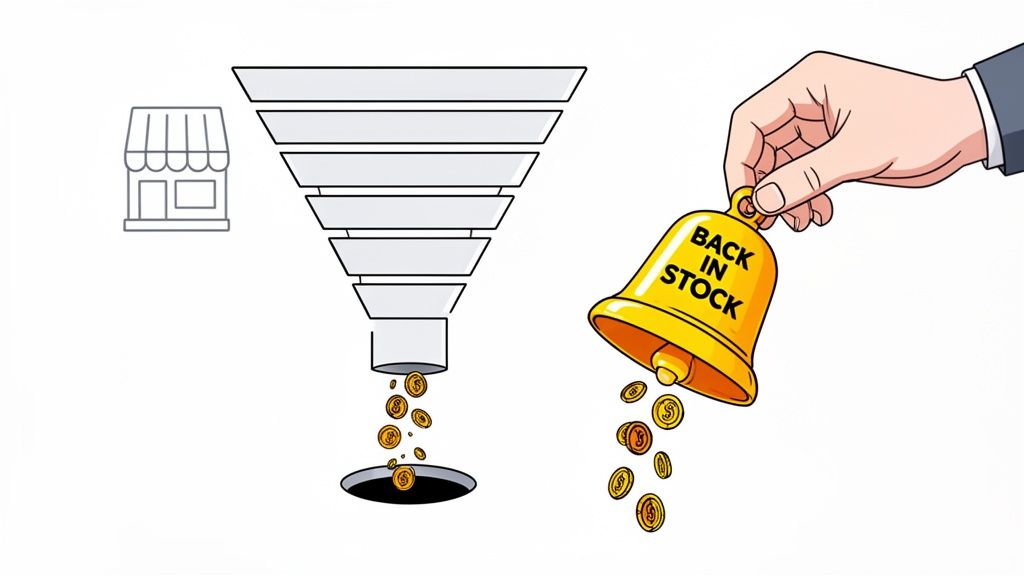
Let's be blunt: every "out of stock" message is a leak in your sales funnel. A customer lands on your product page, card in hand, only to hit a brick wall. In that split second, you don't just lose one transaction; you risk losing that customer forever to a competitor who has what they want right now.
In stock alerts are the simple, effective plug for that leak. Instead of a frustrating dead end, you offer a glimmer of hope: "Let me know when it's back." This small shift completely changes the dynamic, turning a negative experience into a positive one.
Turn Disappointment Into High-Intent Leads
When a shopper signs up for a restock notification, they're not just browsing anymore. They are giving you a crystal-clear signal of their intent to purchase. This is a motivated buyer who wants your specific product, not just any alternative.
By capturing their email or phone number, you get more than a contact—you get a red-hot lead to add to your marketing lists.
Instead of losing a customer to a competitor, you gain a high-intent lead who is eager to buy from you. This simple exchange is the foundation of a powerful revenue recovery strategy.
This builds a direct line of communication with your most interested audience, creating a list of people who are practically waiting to hand you their money. It's far more effective than casting a wide net with generic marketing campaigns. You can dig deeper into how automated inventory management systems supercharge this process in our full guide.
The Real Cost of Stockouts
Stockouts are far more expensive than just the missed sale. The damage goes deeper. Constantly disappointing customers erodes brand trust and makes your store seem unreliable. If shoppers learn that you're often out of stock, they'll simply stop checking your site first.
On the other hand, a simple alert system shows you're proactive and you value their interest. It’s a small gesture that dramatically improves the customer experience.
Let's look at the financial breakdown of having an alert system versus just showing that dreaded "out of stock" message.
The Financial Impact of In Stock Alerts vs Stockouts
As the table shows, the choice is pretty clear. The benefits of an alert system extend far beyond just recovering a single sale.
The data backs this up, too. One landmark analysis found that businesses using real-time stock alert systems slashed their out-of-stock incidents by 45%. The result? A 12% uplift in total revenue.
Ultimately, implementing these alerts is a core part of effective Shopify conversion rate optimization. It’s a quick win that boosts sales by saving purchases that would have otherwise vanished. For any serious eCommerce brand, it’s an essential tool, not just a nice-to-have.
Right, you've decided it's time to stop losing sales to stockouts. Smart move. Now comes the big question: how are you actually going to implement your in-stock alerts? You're at a crossroads, really. You can either tinker with what Shopify gives you out of the box, or you can bring in a specialized app to do the heavy lifting.
This isn't just about picking a tool; it's a strategic call. It affects how your customers see you, the data you get back, and most importantly, how many of those lost sales you actually win back.
Honestly, there's no "one-size-fits-all" answer. The right path for you really hinges on where your brand is right now, what your budget looks like, and how much you value this revenue stream. Let's break down the trade-offs so you can make the right call for your store.
The Native Shopify Approach
Shopify does give you a way to handle back-in-stock notifications on its own. It's a pretty bare-bones setup, usually involving some theme code tweaks to get a sign-up form onto your sold-out product pages.
For a new store just finding its feet or a brand on a tight budget, this route is appealing because it’s completely free. It gets the basic job done. If all you need is a simple way to gauge interest without spending a dime, going native is a perfectly logical first step. Customers can at least raise their hand and say, "Hey, I want this!"
But let's be real—that simplicity comes with some major strings attached. You get next to no control over how the sign-up form looks, and the notification email is usually just as generic. Even worse, there are no built-in analytics. You'll be flying completely blind, with no clue how many people signed up, who converted, or how much money the alerts actually made you.
The native Shopify method is a great starting point for proof of concept. It confirms there's demand for your sold-out products, but it lacks the power to truly capitalize on that demand.
This lack of data and customization is a killer for any growing brand. You can't segment your waiting lists, you can't send follow-up reminders, and you can't test different approaches to see what resonates. You’ll find you outgrow this basic function very, very quickly.
The Power of Third-Party Apps
This is where things get exciting. The Shopify App Store is packed with powerful, dedicated apps built specifically for in stock alerts. These tools don't just send a notification; they turn this whole process into a finely-tuned marketing and sales recovery machine.
Think of it like this: the native option is a basic sedan. It’ll get you from A to B. An app is a high-performance sports car—it not only gets you there faster but offers a far superior experience and gives you a dashboard full of performance metrics.
Here’s a quick rundown of what you unlock with a specialized app:
- Multi-Channel Notifications: Don't just stick to email. Let customers choose SMS or even web push notifications. Given that SMS alerts can hit open rates over 95%, this is a massive advantage for high-demand items.
- Deep Customization: Finally, you can make the sign-up widget and notification templates look and feel like your brand. This small touch builds trust and creates a much more professional, seamless experience.
- Advanced Segmentation: This is a game-changer. You can notify your VIP customers first, or only alert people who wanted a specific variant, like "Size Medium" in that sold-out t-shirt.
- Robust Analytics: This is the big one. Track everything: sign-ups, open rates, clicks, and the holy grail—the exact amount of revenue recovered from your alerts. This data doesn't just prove ROI; it helps you make smarter inventory and purchasing decisions down the line.
A quick search on the App Store reveals a mature market for these tools. You'll find dozens of apps with thousands of positive reviews, which is a strong signal that they work and that merchants rely on them.
For any brand that's serious about growth, the modest monthly fee for an app is a no-brainer. When a $20/month app helps you recover just a couple of sales you otherwise would have lost, it’s already paid for itself many times over. The question stops being about the cost and starts being about the opportunity cost of not using a more powerful tool.
Setting Up Back-in-Stock Notifications That Actually Convert
Look, a functional alert system is one thing. A high-converting one? That's a different beast entirely. The setup isn’t just about flipping a switch in an app. It's about carefully crafting every single touchpoint to seamlessly guide a disappointed customer toward an eventual purchase.
Let's walk through how to build an alert experience that genuinely drives sales, using a typical third-party app as our starting point.
The journey starts right on the product page. This is your first, and maybe only, shot at capturing that user's interest before they bounce. A poorly designed sign-up form will get completely ignored, and that potential sale vanishes forever.
Crafting an Unmissable Sign-Up Form
When a product sells out, the "Add to Cart" button's prime real estate is suddenly up for grabs. This is exactly where your notification sign-up needs to live. It can't be some tiny, apologetic link hidden at the bottom of the page. It needs to be obvious and inviting.
Your whole goal is to make signing up for an in stock alert feel like the most natural, effortless next step.
Here are a few design practices that I've seen work time and time again:
- Prominent Placement: Don't just disable the "Sold Out" button. Replace it with a bright, clickable "Notify Me When Available" button. This immediately gives the user a clear, positive action to take instead of a dead end.
- On-Brand Design: Your sign-up widget should feel like it belongs on your store, not some clunky third-party add-on. Use your brand’s fonts, colors, and button styles. A cohesive experience builds trust.
- Minimal Friction: Only ask for what you absolutely need. An email address or a phone number is plenty. Every extra field you add, even something as simple as "First Name," creates friction and will absolutely lower your sign-up rate.
The user experience has to be dead simple. Customer sees the item is gone. They see the "Notify Me" button. Click. Enter email. Get a confirmation. That's it. Anything more complicated just gives them a reason to leave.
Compelling Copy That Builds Anticipation
The words you use matter just as much as the design. The microcopy on your button, form, and confirmation message can make a huge difference in both sign-up rates and how customers feel about your brand.
Steer clear of generic, robotic language. Instead, use copy that reflects your brand’s personality and builds a little positive anticipation.
Button & Form Copy Examples:
That confirmation message is especially crucial. It’s your chance to reassure the customer that their request went through and to set expectations. A warm, friendly message reinforces their decision to wait for your product instead of heading over to a competitor. This is a critical step in any effective ecommerce email marketing automation strategy, as it nurtures a lead at a key moment of high intent.
The goal is to make the customer feel smart for waiting, not frustrated that they have to. Your copy should convey exclusivity and assurance, turning a moment of scarcity into an opportunity.
Once they've signed up, the next critical step is the alert itself. This is the message that has to do the heavy lifting and convert all that built-up interest into a sale.
Designing the Perfect Alert Message
When the product is finally back, your notification needs to be clear, compelling, and urgent. Whether it's an email or an SMS, the whole thing should be designed for one thing: immediate action.
Your alert message must include these key elements:
- A Clear, Exciting Subject Line: Something like "It's Back! The [Product Name] You Wanted Is In Stock" works miles better than a snoozy "Stock Update." Get them excited to open it.
- Visually Appealing Content: Always include a high-quality image of the product. Seeing the item again visually reconnects the customer with their original desire.
- Direct and Simple Copy: Get straight to the point. "Great news! The [Product Name] is back in stock and ready to ship. Don't miss out this time."
- A Sense of Urgency: Subtly hint that stock is limited or that demand is high. A simple phrase like "Grab yours before it's gone again!" can dramatically boost click-through rates.
- A Crystal-Clear Call-to-Action: Use a bold, impossible-to-miss button that says "Shop Now" or "Buy It Now." Crucially, it must link directly to the product page. Don't make them hunt for it.
By optimizing the sign-up form, tweaking your copy, and designing an action-oriented alert message, you transform a simple notification system into a reliable, automated revenue recovery machine.
Automating and Personalizing Alerts for Maximum Impact
A basic alert setup is a good start, but a fully automated and personalized system is where you really start making money. This is where the magic happens—transforming a simple notification into a strategic customer experience that builds loyalty and drives sales.
You’re shifting from a generic, one-size-fits-all blast to a carefully crafted nurturing sequence for your most motivated buyers. Instead of treating everyone the same, you can start rewarding your best customers and tailoring messages based on exactly what they want.
At its core, a well-executed alert system is simple: capture interest, deliver the message, and drive the purchase.
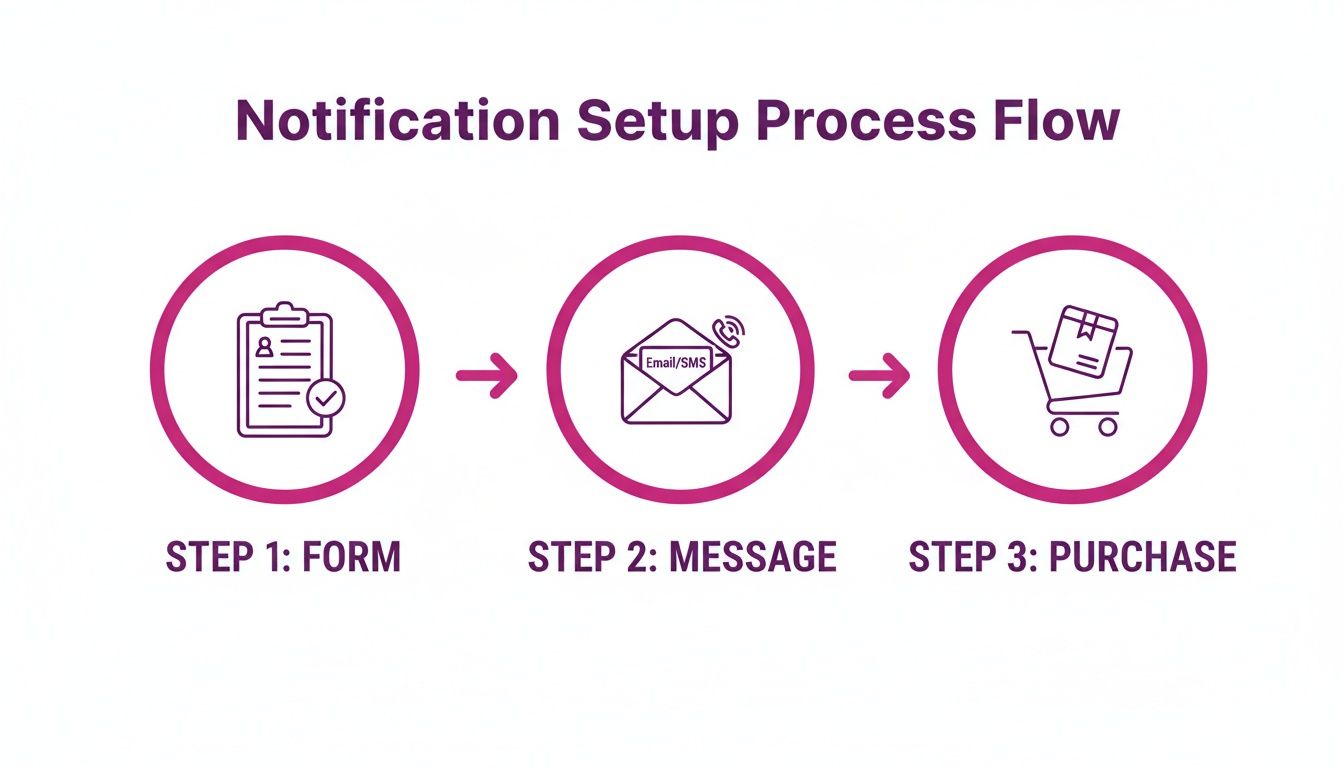
This visual shows the ideal user journey. It's a smooth flow from the moment they sign up on a product page to the instant they get the alert and head to checkout.
Advanced Segmentation Strategies
The real power of modern in stock alerts apps isn't just sending a notification; it's their ability to segment your subscribers. This is how you move beyond generic blasts and create campaigns that are hyper-relevant and incredibly effective. You can slice and dice your waitlists using all sorts of valuable data.
Here are a few segmentation ideas to get you started:
- By Product Interest: Group subscribers by the specific product or even the exact variant (like "Size Large, Black") they asked for. This ensures your notifications are always spot on.
- By Purchase History: Create segments for customers who’ve bought related products. When a complementary item is restocked, hit them with a targeted cross-sell alert.
- By Customer Value: Segment out your high-LTV (Lifetime Value) customers or VIPs. These are your best customers—treat them like it.
Think about it. A highly anticipated, limited-edition sneaker is about to drop again. Instead of a free-for-all, you can use segmentation to your advantage.
Send a 'VIP early access' alert to your best customers 24 hours before anyone else. This not only rewards their loyalty but creates a powerful sense of exclusivity that can drive immediate sales and strengthen their bond with your brand.
It's a small touch that makes a customer feel seen and valued, turning a simple restock into a memorable brand experience.
Automated Workflows That Drive Conversions
Automation is the engine that runs your whole personalization strategy. Once you set up smart workflows, you can nurture leads from initial interest to final purchase without lifting a finger.
This is where you can get really creative. An in stock alert doesn't have to be a one-and-done message. You can build out an entire sequence to maximize your chances of conversion.
For instance, you could set up a workflow that sends a follow-up reminder if a subscriber doesn't buy within 48 hours of the first alert. Frame it as a "last chance" notification. That gentle nudge creates urgency and can recapture sales from people who just got busy and missed the first email.
We see this work for our clients all the time, from emerging brands to established Shopify Plus operators. A recent analysis of over 100 brands showed that real-time notifications via SMS or email increased repeat purchase rates by 41%. And looking ahead, it's projected that by 2026, 78% of global eCommerce sales will hinge on inventory accuracy. Brands that adopt alerts are positioned to capture 15% more market share in competitive industries. You can read the full analysis on market risks and opportunities for 2026 to see the bigger picture.
The numbers don't lie. The brands that master inventory-driven communication are the ones that will win.
Leveraging Data for Predictive Insights
Beyond the immediate sales, the data from your alert system is an absolute goldmine for inventory forecasting. Every single sign-up is a vote for a specific product. By analyzing this demand data, you can stop reacting to stockouts and start predicting them.
Here’s how to use this information strategically:
- Identify Breakout Products: A sudden spike in sign-ups for a new item? That's a screaming signal you've got a bestseller on your hands. You can place a larger reorder with confidence.
- Optimize Variant Quantities: Seeing a ton of requests for "Size Small" but almost none for "XL"? This data helps you fine-tune your purchase orders to match real-world demand, cutting down on dead stock.
- Inform Product Development: Is an old, discontinued product still getting a steady stream of notification requests? That might be a sign it’s time to bring it back.
By automating and personalizing your in stock alerts, you’re building a sophisticated system that does more than just recover lost sales. It builds loyalty, gives you priceless business intelligence, and ultimately drives sustainable growth for your Shopify store.
Measuring Success and Tracking Your In Stock Alert KPIs
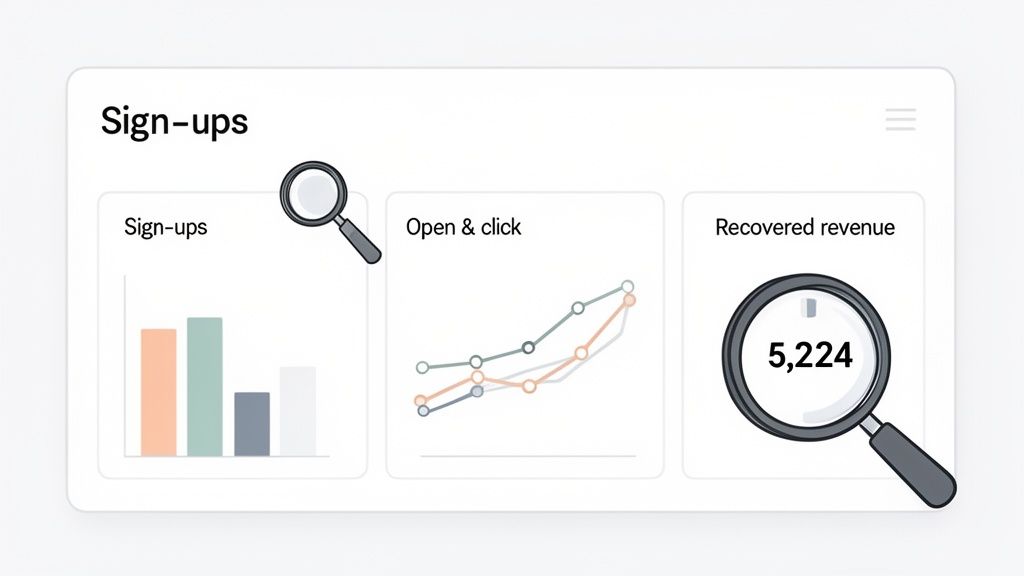
If you can't measure your in stock alerts, you can't improve them. More importantly, you can't prove their value. Setting up alerts is a great start, but the real magic happens when you dive into the data. That’s what turns this feature from a simple customer convenience into a powerful engine for revenue recovery and business intelligence.
Without tracking your key performance indicators (KPIs), you're flying blind. You might feel like the system is working, but you won't actually know. The analytics are what give you the hard numbers to justify investing more into this strategy and making smarter inventory decisions down the line.
Core KPIs Every Store Must Track
Thankfully, most dedicated stock alert apps come with a built-in analytics dashboard, which makes tracking performance pretty straightforward. While the specific names might vary slightly between apps, there are a few non-negotiable metrics you absolutely have to watch.
These are the numbers that tell the real story of your system's effectiveness.
- Sign-up Rate: This is the percentage of visitors on an out-of-stock product page who actually sign up. A high rate tells you your sign-up form is visible, compelling, and easy to use.
- Notification Open Rate: This tracks how many subscribers open your alert email or SMS. Strong open rates mean your subject lines are hitting the mark and your brand is trusted.
- Click-Through Rate (CTR): Of those who opened the alert, what percentage clicked the link back to your product page? A solid CTR shows your message is clear and your call-to-action is doing its job.
These initial metrics are vital for diagnosing the health of your alert funnel. A low sign-up rate might mean your form needs a design tweak. A poor open rate could signal an issue with email deliverability or a boring subject line. And a low CTR? That might mean the message content just isn't exciting enough.
The Most Important Metric: Recovered Revenue
While those funnel metrics are useful diagnostics, the ultimate KPI is Recovered Revenue. This is the total dollar amount of sales generated directly from customers who clicked an in-stock alert and completed a purchase. It's the tangible proof that your system is working and paying for itself.
Most apps calculate this for you, tracking users who click an alert and buy something within a specific attribution window (usually 24-72 hours). It’s the single most powerful number you can use to justify the existence and cost of your alert system.
When you can say, "Our in-stock alerts recovered $15,000 in otherwise lost sales last quarter," it fundamentally changes the conversation. It's no longer just another app subscription; it's a proven profit driver.
This is where the power of these alerts really becomes clear. A 2024 study of 1,200 global brands found that automated notifications boosted inventory turnover by 52% and led to a direct 19% expansion in profit margins. During Cyber Week in the U.S., Shopify merchants with alerts avoided 67% of potential stockouts, preserving an estimated $2.4 billion in sales. You can discover more about these market-moving findings to see just how massive this impact is.
Turning Data into Business Intelligence
The value of your alert data goes way beyond just measuring sales. It’s a direct line into your customers' minds, offering priceless insights for your inventory management and marketing strategies.
By analyzing the demand data from your in stock alerts sign-ups, you can transform a simple notification system into a predictive tool.
Inventory Forecasting:
Your sign-up list for a sold-out product is the purest demand data you can get. If 500 people are waiting for one t-shirt and only 50 are waiting for another, you know exactly how to prioritize your next purchase order. This helps you stop overstocking unpopular items and avoid understocking your next bestseller.
Marketing Campaign Insights:
Seeing a sudden, unexpected spike in alert sign-ups for a product you aren't even promoting? That's a huge signal. It could mean it’s going viral on social media or just got featured by an influencer. You can then jump on that momentum and spin up a marketing campaign to pour fuel on the fire.
Analyzing these trends allows you to be proactive, not reactive. Instead of guessing what customers want, you have a constantly updated report telling you exactly what to order and what to market next. That makes your entire operation more efficient and, ultimately, more profitable.
Your Questions About In Stock Alerts Answered
When you’re in the thick of managing inventory and marketing, it's natural for questions to pop up about new tools like in stock alerts. We've been there. This is our go-to list of the most common questions and concerns we hear from store owners just like you, with quick, straight-up answers.
Think of this as your personal cheat sheet for strategy and troubleshooting.
Do In Stock Alerts Hurt My Store's SEO?
Actually, it's quite the opposite—they can indirectly give your SEO a nice boost. While an alert system isn't something Google directly looks for as a ranking signal, it massively improves the user experience on your sold-out product pages. And that is something search engines notice.
Instead of a potential customer hitting a dead end and bouncing right back to the search results (a big red flag for Google), they have a reason to stick around and engage with your brand. It turns a moment of frustration into an opportunity.
That lower bounce rate and extra time spent on your page signals to Google that your site is valuable, even when an item is out of stock. The page keeps its ranking power and collects authority, and the alert system gives you a way to capture that traffic's value instead of losing it for good.
What's the Best Channel to Send Alerts: Email, SMS, or Push?
The real answer? The best channel is whichever one your customer actually wants to hear from you on. There's no single "right" answer here, and trying to force a channel on someone is a great way to get your message ignored. The winning play is to offer a choice.
- SMS is the king of speed and open rates, often hitting over 95%. It's perfect for those high-demand items where every second counts—think limited edition drops or flash restocks.
- Email gives you more room to be creative. It’s fantastic for crafting a richer, more branded message. You can show off beautiful product photos, write detailed descriptions, and even cross-sell related items. It’s less intrusive and lets you tell more of a story.
- Web push notifications are a great middle ground. They’re perfect for capturing shoppers who might be a little hesitant to hand over their email or phone number. It's a low-friction way to keep the conversation going.
Here's the key takeaway: Let the customer choose their preferred channel right on the sign-up form. This puts them in control, respects their preferences, and dramatically increases the odds that your alert will be seen and acted on.
Can I Add Alert Subscribers to My Main Marketing List?
This is a huge one for compliance and trust. You can only add these subscribers to your general marketing list if you get their explicit, separate consent. This isn't just a good idea; it's often a legal requirement under privacy rules like GDPR.
When someone signs up for a stock alert, they're only agreeing to that one specific notification about that one product. They haven't said "yes" to your weekly newsletter or holiday promotions.
To bring them into your main list the right way, you absolutely must include a separate, unchecked opt-in box on the alert form. Something simple like, "Also sign me up for weekly deals and new arrivals." Pre-checking this box is a shortcut to eroding trust and running into compliance trouble. This list of high-intent customers is a goldmine—don't spoil it by cutting corners on permission.
What Happens If Only Some Variants of a Product Are Restocked?
A well-built in-stock alert app will handle this perfectly. The only way to do this right is to notify only the customers who signed up for the specific variant that's back in stock—like 'Size Medium, Blue'. This should be a non-negotiable feature for any store selling products with options.
Sending a blast notification to everyone when only a few niche sizes or less popular colors are available is a recipe for disappointment. Imagine getting that exciting "It's back!" email, clicking through, and realizing your size is still sold out. It’s a terrible customer experience that leads to frustration and unsubscribes.
When you're choosing an app, make sure it specifically supports variant-level alerts. This guarantees your notifications are always relevant and helpful, protecting your conversion rates and the trust you've built. It proves you were listening to exactly what they asked for.
At ECORN, we specialize in implementing and optimizing high-converting eCommerce solutions for Shopify stores. If you're ready to turn your "out of stock" pages into a powerful revenue recovery engine, we can help. Explore our scalable Shopify solutions and see how we can help your brand grow.



10 Best Podcast Ecommerce Shows for Store Growth in 2026

Shopify Developer Hourly Rate: What to Pay in 2026

Critical Shopify Setup Errors That Are Secretly Sabotaging Your Store

Ecommerce Conversion Tracking: The Complete How-To Guide

Shopify Design Agency: How to Pick the Right Partner

Mastering Multi Store Management on Shopify

Scale Shopify Store

10 Shopify App Ideas Worth Building in 2026

Conversion Rate Optimization for Landing Pages: The Playbook

Shopify Plus Automation: A Guide for 2026

10 Social Selling Platforms for Shopify Merchants

Shopify Website Design Examples: 7 Stores Worth Studying

7 Ecommerce Newsletter Examples for Shopify Brands

One Product Shopify Store: Build and Scale

Mobile Pop Up Strategy for Shopify Stores That Converts

Sitemap for Shopify: How to Find, Optimize, and Submit It

7 Single Product Websites Worth Emulating

Product Variants Shopify: The Complete 2026 Guide

Ecommerce Analytics Consulting for Growth

What Is AI Integration for eCommerce

How to Choose the Right eCommerce Website Development Firm

E Business Strategy Implementation

Conversion Tracking Setup for Shopify Stores

BigCommerce vs Shopify Plus Which Enterprise Wins in 2026

Shopify Theme Kit: Setup, Commands, and Migration Guide

Shopify Extension Development: A Practical 2026 Guide

Shopify Speed Score Explained and How to Improve It

Shopify Mobile Optimization: The 2026 Playbook

How to Add Subcategory in Shopify for Better UX

How to Implement Structured Data for Ecommerce in 2026

SEO App Mobile: Shopify Store Optimization Guide

Shopify Plus Support: What It Includes and How to Choose

Google Ads for Shopify: The Complete 2026 Playbook

Shopify New York: How to Find and Hire the Right Agency

Google Search Console for Shopify: The Complete Setup

First Party Data Collection for eCommerce Growth

FAQ Online Store Guide: Build and Measure It Right

Do FB Ads Work for eCommerce in 2026?

One Page Checkout for Shopify: Design and Implementation

Shopify GraphQL vs REST: The 2026 Developer Decision

Shopify Ecommerce Consulting: Strategy, Pricing &

Are Reddit Ads Worth It for eCommerce Brands

Shopify Title and Meta Description: A Practical 2026 Guide

Product Video Best Practices for Shopify Brands

Real-Time Inventory Management: A 2026 Guide

AI Chatbot Integration for Shopify Stores

Affiliate Program Management: A Shopify Guide

10 Best Performance Monitoring Tools for Shopify in 2026

Digital Asset Management for eCommerce Brands in 2026

Every Type of Facebook Ads Explained for eCommerce Growth

Product Information Management Explained for Shopify Brands

Support Ticket System: A Guide for Shopify Stores

10 Best Customer Service Tools for Shopify in 2026

Can I Start a Business with No Money? a 2026 Blueprint

What Sells Good on Etsy: Best Niches for 2026

Shopify Add to Cart Button: A Practical 2026 Guide

Customer Feedback Automation: A Practical eCommerce Guide

Critical Rendering Path: A Guide for Shopify Stores

How to Promote on TikTok for eCommerce in 2026

B2B eCommerce Consulting That Drives Real Revenue

10 Best Practices for Site Navigation in 2026

Return vs Refund for Shopify Stores: A Practical Guide

What Is Customer Lifetime Value and Why It Matters

What Is Voice of Customer Research for eCommerce

SMS Marketing for Ecommerce That Actually Converts

Master How to Improve Email Deliverability in 2026

Top 8 eCommerce Partners NYC for Shopify Brands in 2026

Machine Learning for Ecommerce: Boost Your Shopify Store

Beauty Market Research: Your 2026 Growth Guide

Shopify International Expansion: A 2026 Roadmap

What Does CRO Stand for in Business: Understanding CRO

Shopify Visual Merchandising: A Playbook for Higher Sales

Shopify Landing Page Design: Master Conversion in 2026

10 Best AI SEO Optimization Tools for Shopify in 2026

Agentic AI for Ecommerce: Boost Your Sales in 2026
Mastering Email Marketing Data for eCommerce Growth

Conversion Rate Optimisation Australia: Boost Your Sales

Conversion Rate Optimization AI: Your Shopify Store Guide

10 Product Bundling Strategies for Shopify in 2026

How to Increase Customer Lifetime Value: A Shopify Playbook

AI Customer Service Automation: Shopify Guide 2026

Clean Website Design: A Shopify Conversion Playbook

Omnichannel Retail Strategy: A Shopify Playbook

Product Data Enrichment: A Guide for Shopify Brands

Instagram Shopping Features a Guide for Shopify Stores

What Is Revenue Optimization: A Holistic RevOps Guide

Benefits of Conversion Rate Optimization: Boost Your

WordPress to Shopify Migration: Your 2026 Seamless Switch

Boost Sales: Ecommerce Payment Processing Guide 2026

Unified Commerce Platform: Benefits, KPIs & Shopify Guide

How to Reduce Bounce Rate eCommerce: Your 2026 Guide

Shopify API Integration: A Practical End-to-End Guide

How to Implement Data Governance: A 2026 Guide

Shopify Store Development Cost: A 2026 Breakdown

What Is Server Side Tracking: The Shopify Guide 2026

Marketing Automation Workflows: A Shopify Guide for 2026

Shopify: How to Reduce Technical Debt

Shopify UX Design Change: A Playbook for Growth

User Generated Content Strategy: Shopify Playbook

Shopify Pause and Build Plan Cost: A Complete 2026 Guide


newsletter in your inbox