

If you want to put your products right in front of people ready to buy, Google Ads is where you need to be. It’s hands-down the most powerful way for online stores to tap into high-intent shoppers actively searching for what you sell, driving real, scalable revenue through Shopping, Performance Max, and Search campaigns.
Building Your Foundation for Ecommerce Growth
Before you even think about spending your first dollar on ads, we need to talk about the foundation. I’ve seen countless brands get excited and rush to launch campaigns, only to see them fail. Skipping this initial setup is like building a house on sand—it’s just not going to hold up.
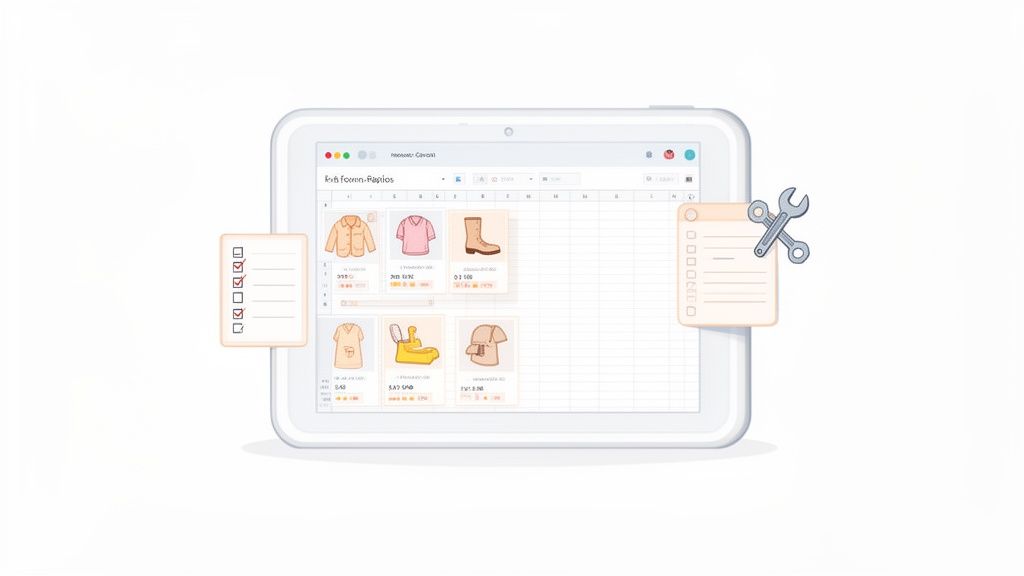
Success with Google Ads for ecommerce isn’t about who has the biggest budget. It’s about who gives Google the cleanest, most structured, and most complete data about their products. This groundwork all comes down to two things: your Google Merchant Center (GMC) and your product feed.
Think of GMC as your digital warehouse and the feed as your master inventory list. If that list is a mess, the warehouse can’t be stocked properly, and customers will walk away empty-handed.
The Central Role of Google Merchant Center
Google Merchant Center is the absolute nerve center for your products on Google. It’s the bridge that connects your Shopify store to your Google Ads account, making those eye-catching Shopping ads possible. Getting your GMC setup right is completely non-negotiable.
The basics include verifying your website, plugging in your tax and shipping details, and linking your Google Ads account. A classic mistake I see all the time is brands setting a single, statewide shipping rate when their actual costs vary by weight or zip code. This creates a nasty surprise at checkout and is a one-way ticket to abandoned carts. Be specific.
Policy compliance is another massive tripwire. GMC is notoriously strict, and a slip-up can get your account suspended in a heartbeat. Pay close attention to these areas:
- Return and Refund Policy: It needs to be crystal clear on your site and dead simple for a customer to find.
- Secure Checkout: Your entire checkout flow must be locked down with a valid SSL certificate. No exceptions.
- Contact Information: You must provide at least two ways for customers to reach you, like an email, phone number, or physical address.
Optimizing Your Product Feed
Your product feed is essentially a spreadsheet that contains all the details about your products—titles, descriptions, prices, images, and more. For Shopify stores, this is usually handled by an app or Shopify's own Google & YouTube channel. While these tools make it easier, a "set it and forget it" attitude is a recipe for wasted ad spend.
A well-oiled feed is your single biggest advantage in any campaign. If you neglect it, you’re basically fighting with one hand tied behind your back.
The product feed is the single most important factor for Google Shopping success. It dictates which search queries your products appear for, what your ad looks like, and ultimately, how profitable your campaigns will be. An unoptimized feed is the primary cause of wasted ad spend.
One of the most common—and damaging—issues I run into are problems with product identifiers like Global Trade Item Numbers (GTINs). Missing or incorrect GTINs will get your products disapproved left and right. If you’re a reseller, they are mandatory. If you make your own unique products, you’ll need to get a GTIN exemption, but that’s a process you have to go through inside GMC.
Getting this foundation right is a core part of your overall Ecommerce Growth Strategies. This initial grunt work ensures your campaigns are built on solid data, preventing major headaches down the road and paving the way for profitable, scalable growth.
Structuring Your Campaigns for Maximum Profitability
Once your product feed is clean and ready, it's time to build a campaign structure that actually makes you money. There's no magic bullet or one-size-fits-all setup for every store. Your ideal structure depends on your catalog size, your goals, and frankly, how much control you want over your ad spend.
A common mistake I see is merchants dumping everything into a single Performance Max campaign and just hoping for the best. A far better, more durable approach is to build a system where different campaigns work together, each with a clear job to do. For most Shopify stores, this means a powerful trio: Standard Shopping, Performance Max (PMax), and Branded Search. This combination gives you a healthy balance of fine-tuned control, automated growth, and brand protection.
Standard Shopping: Your Foundation for Control
Think of Standard Shopping as your foundational layer. This campaign type gives you the most direct control and, more importantly, the most valuable data. When you run a Standard Shopping campaign, you can see the exact search terms that trigger your product ads—insight you simply don't get from Performance Max.
If you have a handful of core products, a single Standard Shopping campaign with ad groups for segmentation might be all you need. But for a store with thousands of SKUs, you'll want to get more sophisticated. You could break out campaigns by brand, category, or even profit margin. This allows you to set different Return On Ad Spend (ROAS) targets for your high-margin heroes versus your lower-margin items.
This level of control is precisely why so many established Shopify Plus brands still lean heavily on Standard Shopping. It’s no secret that 81% of retail shoppers do their homework online before buying, and a well-built Shopping campaign is your best tool for capturing that research phase. We've even seen split tests where running Standard Shopping alongside PMax resulted in a ROAS that was hundreds of points higher, proving it's far from obsolete.
Performance Max: Your Engine for Growth
With your Standard Shopping campaigns running and gathering data, it’s time to add Performance Max to the mix. PMax is Google’s AI-powered campaign that casts a wide net across all of Google's channels—YouTube, Display, Search, Discover, Gmail, and Maps. Its main job is to go out and find new customer segments you wouldn't have reached otherwise.
The trick with PMax is to give it clear boundaries. Don't just let it run wild. A crucial tactic is to use negative keywords to block it from bidding on your own brand terms. This forces PMax to do what it does best: hunt for new, non-branded traffic. Meanwhile, your Branded Search campaign (more on that in a moment) can efficiently scoop up users who are already looking for you.
Another powerful lever you can pull is Page Feeds. By feeding Google a list of specific URLs from your site—like your best-seller pages or key category pages—you give the algorithm a much clearer signal about what's important. This helps guide PMax and improves the quality of the traffic it sends your way.
Performance Max isn't a replacement for your other campaigns; it's a powerful supplement. Use it to expand your reach and find new customers, but keep your brand traffic protected and maintain control with dedicated Standard Shopping and Branded Search campaigns.
Branded Search: Protecting Your Territory
A Branded Search campaign is your defense. Its one job is to target people who are actively searching for your brand name or your unique products. I often hear merchants ask, "Why should I pay for clicks I'd probably get for free from SEO?" The answer is simple: if you don't, your competitors will.
Competitors can, and absolutely do, bid on your brand name to siphon off your most valuable, high-intent traffic. Running a dedicated Branded Search campaign ensures you own that top spot, protecting your customer base and capturing the cheapest, highest-converting traffic you'll ever get.
These three campaign types create a truly robust structure:
- Standard Shopping: Gives you granular control, crucial search term data, and a stable performance baseline.
- Performance Max: A growth engine for acquiring new customers across all of Google’s channels.
- Branded Search: Defends your brand turf and captures high-intent, low-cost conversions.
Once this foundation is solid, you can focus on continuous improvement. For a deeper dive into fine-tuning your approach, make sure you're following the best practices for optimizing Google Ads campaigns. This ecosystem ensures you're not just spending money on ads but are building a profitable, scalable customer acquisition machine.
Mastering Bidding Strategies and Profit Targets
Once your campaigns are properly structured, the next battle is won or lost with your bidding strategy. This is where the rubber meets the road—connecting your ad spend directly to your store’s bottom line. It’s about shifting from just chasing clicks to generating predictable profit.
Choosing the right approach for your google ads for ecommerce strategy comes down to knowing when to let Google's AI do the heavy lifting and when to take back manual control. The two main players in automated bidding for ecommerce are Target ROAS (tROAS) and Maximize Conversion Value. While they might sound similar, they serve very different functions in your account.
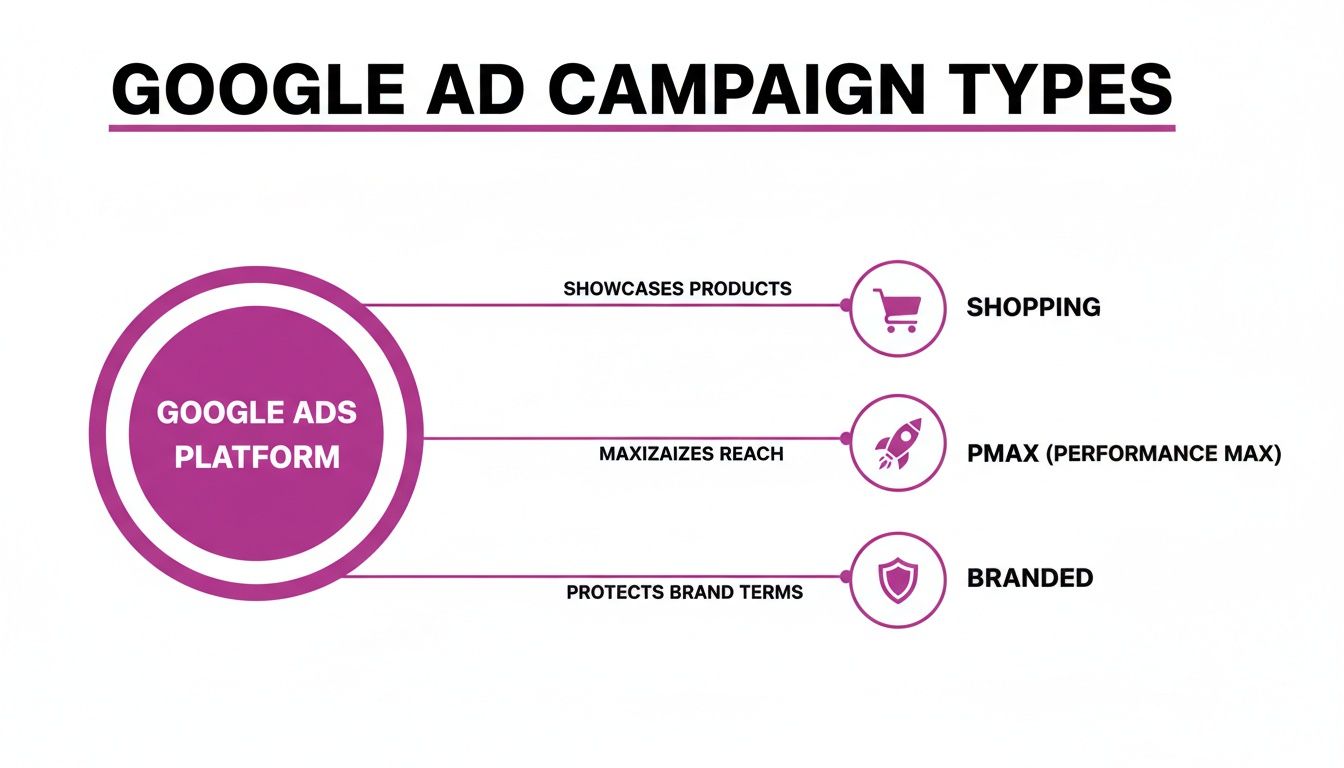
As you can see, these campaign types form a cohesive ecosystem, and the bidding strategy you choose is what fuels their performance.
Choosing Your Automated Bidding Strategy
Maximize Conversion Value is your go-to strategy when you're just starting out or have very little conversion data. Its goal is simple: squeeze the most revenue possible out of your daily budget. Think of it as flooring the gas pedal to see what the car can really do. It's perfect for gathering the initial data you need to understand your account's potential.
Once you have a steady stream of data flowing—we're talking at least 30-50 conversions over a 30-day period—it's time to graduate to Target ROAS (tROAS). This is where you dial in the precision. Instead of just aiming for maximum revenue, you tell Google the exact Return On Ad Spend you want to achieve. If you set a 400% ROAS, Google's algorithm will work to generate $4 in revenue for every $1 spent.
This shift gives you direct control over your profitability. It's the difference between driving fast and driving fast while staying perfectly on the racetrack.
Setting Realistic ROAS Targets
One of the most common mistakes we see is brands plucking a ROAS target out of thin air. Your target has to be grounded in your actual business math. Setting a tROAS of 800% might sound amazing, but if it’s too aggressive, you’ll just starve the algorithm and your ads will barely get any impressions.
To find your starting point, you first need to calculate your Break-Even ROAS.
- Break-Even ROAS = 1 / Gross Profit Margin
Let's say your product sells for $100 and your cost of goods is $60. Your gross profit is $40, which means your margin is 40% (or 0.4). Your Break-Even ROAS is 1 / 0.4, which equals 2.5, or 250%. This is the absolute minimum ROAS you need to hit just to break even on your ad spend.
Your initial tROAS should be set slightly below your campaign's recent historical performance. If your Maximize Conversion Value campaign was hitting a 350% ROAS over the last 30 days, set your initial tROAS to around 320%. This gives the algorithm some breathing room to learn without feeling choked.
Navigating the Learning Period
Whenever you change your bidding strategy or launch a new campaign, Google enters a "learning period." This can last anywhere from a few days to a couple of weeks. During this time, performance can be all over the place as the algorithm tries to figure out how to hit your new target.
The key to surviving the learning period is simple: patience. Do not make any major changes to your budget, targets, or ad creative during this window. Every significant tweak you make just resets the learning process, trapping you in a cycle of unpredictable results. You have to feed the algorithm consistent data, trust the process, and wait for performance to stabilize before making your next move.
Setting Up Tracking for Accurate Performance Data
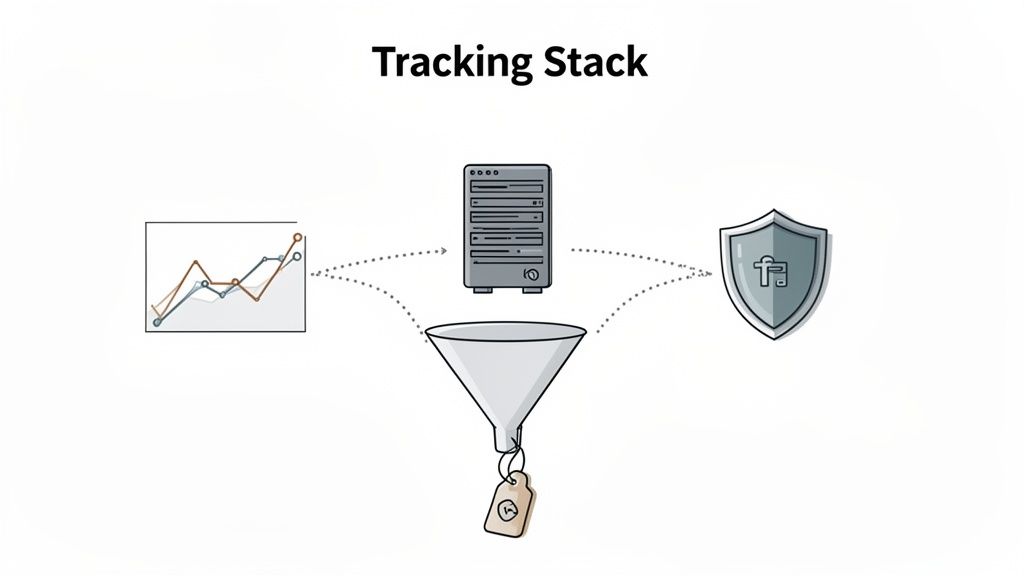
Running Google Ads without rock-solid tracking is a recipe for wasting money. When your data is unreliable, you’re just guessing with your budget. Bad data leads to bad decisions, which means you’re leaving serious growth on the table. For any google ads for ecommerce strategy to work, a modern, accurate tracking stack isn't optional—it's the absolute core.
It all boils down to setting up your conversion tracking cleanly from the start. This is what feeds Google's machine learning the right information to find more of your ideal customers. Without it, even the most perfectly structured campaigns will sputter and fail.
The GA4 Ecommerce Tracking Foundation
The first piece of the puzzle is getting your Google Analytics 4 (GA4) ecommerce tracking implemented correctly. If you're on Shopify, the native Google & YouTube sales channel app is designed to make this easier. In theory, it should automatically pass all the key event data—like view_item, add_to_cart, and the all-important purchase event—straight from your store into GA4.
But don't just set it and forget it. "Automatic" doesn't always mean "flawless." You have to verify that your transaction data, especially revenue and item details, is actually being recorded accurately. The simplest gut check is to compare the revenue GA4 reports against your Shopify dashboard for the same date range. Small differences are okay, but if the numbers are way off, that's a huge red flag that your data layer is broken.
Think of a solid GA4 setup as your single source of truth for how users behave on your site. If you're wrestling with this part, our guide on the GA4 migration process has a ton of detail that’s still perfect for making sure your foundation is solid.
Recovering Lost Data with Enhanced Conversions
With privacy restrictions getting tighter and third-party cookies disappearing, a big chunk of your conversion data is bound to get lost. This creates blind spots in your reporting and hobbles automated bidding strategies. Google’s solution to patch this hole is Enhanced Conversions.
Here's how it works: When a customer buys something, their first-party data (like an email or phone number) is securely hashed and sent from your website to Google. If that customer was logged into their Google account when they clicked your ad, Google can connect the dots and attribute the conversion, even if a cookie was blocked along the way.
Implementing Enhanced Conversions is a no-brainer. It helps you reclaim conversion data that would otherwise be lost, giving your campaigns a more complete picture of performance and directly improving the effectiveness of bidding algorithms like tROAS.
It’s like finding a missing piece of a puzzle. It doesn't change the picture, but it makes it a whole lot clearer. For most Shopify stores, this is as simple as ticking a box in the Google & YouTube app settings.
The Non-Negotiable Move to Server-Side Tracking
If Enhanced Conversions is patching the holes, server-side tracking is like building a whole new, stronger ship. It’s a completely different way of thinking about how data gets from point A to point B.
Traditional client-side tracking is fragile. All the tracking scripts run in the user's browser, making them an easy target for ad blockers, browser privacy settings like ITP, and even poor network connections.
With server-side tracking, you build a much more durable data pipeline. Instead of relying on the browser, the data is sent directly from your Shopify store's server to a secure Google Tag Manager server container that you control. From there, it's passed on to platforms like Google and Meta. This approach is far more resistant to the common disruptions that cause data loss.
Ultimately, you get a much more complete and accurate view of your campaign performance. This leads directly to smarter bidding, better budget allocation, and a real competitive edge. For any serious ecommerce brand planning to scale with Google Ads, moving to a server-side setup isn't a question of if, but when.
Optimizing Your Feed and Store for More Conversions
Getting your Google Ads dialed in is one thing, but what happens after the click? That's where the real magic—and the sale—happens. A truly elite google ads for ecommerce strategy doesn't just drive traffic; it creates a frictionless path from the first ad impression all the way to the "thank you" page.
This means you need to fight a battle on two fronts: optimizing what shoppers see before they click (your product feed) and what they experience after they land on your site (your store). If one side is weak, you're just lighting ad spend on fire.
Advanced Product Feed Optimization
Think of your product feed as your digital salesperson on Google Shopping. The quality and detail within that feed directly impact your click-through rate (CTR), how relevant Google thinks your ads are, and what you ultimately pay per click.
There's a good reason to get this right. Google Shopping has become a powerhouse, gobbling up around 30% of global eCommerce ad spend. With an average Cost Per Click (CPC) of just $0.66, it’s an incredibly efficient channel. In fact, these ads are so compelling they pull in an incredible 85.3% of all clicks on Google Ads.
To really make the most of this, you have to move beyond the basics.
Keyword-Rich Product Titles: Don't settle for your default product name. You need to structure your titles strategically, front-loading the most important keywords. A formula that consistently works is: Brand + Product Type + Key Attributes (e.g., Color, Size, Material). So, "Leather Wallet" becomes "Stark Co. - Men's Bifold Leather Wallet - Brown." This small change aligns your product perfectly with how real people search.
High-Quality Custom Images: Your main image needs that clean, white background, but the supplemental images are your chance to shine. Use lifestyle photos, shots of the product in use, and close-ups that highlight unique features. These custom images can seriously boost engagement and make you stand out from a sea of generic stock photos.
Supplemental Feeds: This is a real power-user move. A supplemental feed acts as a secondary data source that can add or even override information in your primary feed—all without messing with your core Shopify data. For example, you could spin up a supplemental feed to A/B test product titles, apply sale prices for a weekend promo, or add custom labels like "bestseller" or "high-margin" to segment your campaigns.
Linking Ads to On-Site Conversion Rate Optimization
Driving that click is only half the job. The moment a user lands on your product page, the clock starts ticking. Your landing page has to immediately deliver on the promise your ad just made. This is where Conversion Rate Optimization (CRO) becomes your secret weapon.
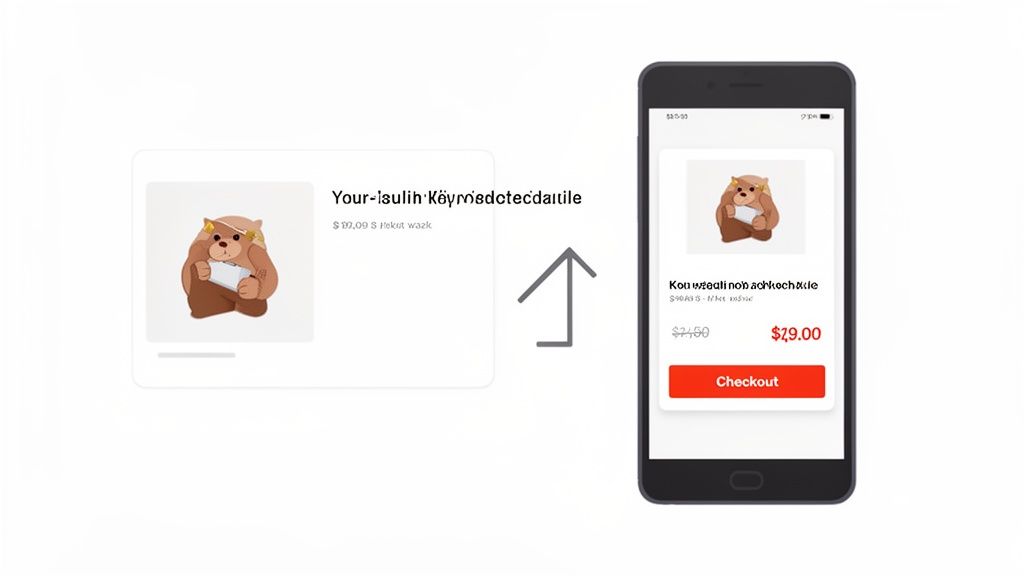
The most critical principle here is landing page continuity. The headline, images, and price on your product page must be a perfect match for what the user just saw in the Shopping ad. Any disconnect, no matter how small, creates friction and doubt, sending potential customers straight to the back button.
Think of your ad as the start of a conversation and your landing page as the continuation. If the landing page changes the subject, the conversation ends abruptly. Consistency builds trust and guides the user smoothly toward the "Add to Cart" button.
This is even more vital on mobile, which is where most shopping trips start these days. If your site is slow, a pain to navigate on a small screen, or has a checkout process from 2010, you are actively throwing your ad budget away. For a much deeper dive, check out our guide on how to approach your Shopify product page optimization to turn more of those visitors into buyers.
Streamlining the Path to Purchase
Every single extra step or moment of hesitation in your checkout process is another chance for a customer to abandon their cart. Your mission is to make buying from your store as easy as humanly possible.
Here are a few quick wins to consider:
- Slash Form Fields: Be ruthless. Only ask for information that is absolutely essential to fulfill the order. Do you really need their phone number?
- Offer Guest Checkout: Forcing someone to create an account is one of the biggest conversion killers out there. Let them buy quickly and offer the option to create an account after the sale is complete.
- Provide Multiple Payment Options: Add popular digital wallets like Apple Pay, Google Pay, and PayPal. These can shrink the checkout process down to just a few seconds.
When you sync up your feed optimizations with a relentless focus on on-site CRO, you create a powerful flywheel. A better feed drives more qualified clicks, and a better website experience converts more of that high-intent traffic. This is how you maximize the return on every single dollar you put into ads.
Even with the best playbook, you're bound to run into specific questions when you're in the trenches managing a Google Ads account. We get these all the time from founders and marketers. Let's tackle some of the most common ones head-on with some straight-up, actionable advice.
How Much Should an Ecommerce Store Spend on Google Ads?
There's no single magic number here, but a good rule of thumb for a growing brand is to earmark 10-20% of your monthly revenue for Google Ads. The real number you need to know, though? Your break-even ROAS (Return On Ad Spend). You need to know this figure cold.
Figure out your product's gross margin and all the other costs that go into a sale. This will tell you the absolute minimum ROAS you need to stay profitable. From there, start with a test budget you're comfortable losing for the first 30-60 days. If you're consistently hitting or beating your target ROAS, that's your green light to start scaling your spend.
Keep in mind, established brands with a solid customer lifetime value (LTV) can often get away with a lower initial ROAS. They know they'll make up the profit on repeat purchases down the road.
Should I Use Performance Max or Standard Shopping?
For most Shopify stores we see today, the answer isn't "either/or"—it's a strategic "both." Think of them as a tag team working together.
Kick things off with a Standard Shopping campaign. This is your foundation. It builds a performance baseline, gives you priceless search query data, and lets you have tight, granular control over your bids and individual products. It’s your control group and your data-gathering machine.
Once you’ve got a steady flow of sales coming in—aim for at least 30 conversions in a 30-day window—it’s time to bring in Performance Max. PMax is a phenomenal discovery engine, fantastic at finding new pockets of customers across all of Google's channels. The key is you have to guide it. Make sure you add negative keywords to block it from bidding on your own brand terms; this forces it to go out and hunt for new, top-of-funnel traffic.
Use Standard Shopping for control and insights; use Performance Max for expansion and new customer acquisition. Run them in tandem, and you get the best of both worlds: stability and growth.
My Google Shopping Ads Are Not Getting Impressions What Should I Do?
This is a really frustrating problem, but it’s almost always caused by one of a few usual suspects. Here’s your checklist.
Check Google Merchant Center First: This should always be your first stop. Dig around for any product disapprovals, policy warnings, or account-level red flags. A single issue in GMC can bring your ads to a screeching halt.
Review Your Bids and Targets: If you're bidding manually, your bids might just be too low to get into the auction. For automated strategies like tROAS, your target might be set too high (which is actually more aggressive), telling the algorithm not to even bother with auctions it can't win at that high return.
Examine Your Budget: A tiny daily budget can get eaten up in the first few hours of the day, killing your impression volume before it even gets started.
Optimize Your Product Feed: This is the hidden culprit a lot of the time. If your product titles are missing important keywords or your data is incomplete, Google has no idea how to match your products to what people are searching for.
By working through these four areas methodically, you can almost always diagnose why your ads aren't showing and get your campaigns back in the game.
Ready to stop guessing and start growing? ECORN specializes in building and optimizing profit-driven Google Ads strategies for ambitious Shopify brands. Whether you need an audit of your existing campaigns or a full-funnel strategy built from the ground up, our team has the expertise to scale your revenue. Explore our flexible packages and see how we can help your brand grow.


Shopify Git Integration: A Developer's Guide to 2026
Headless Ecommerce Development Services Explained

How to Build a Shopify Clothing Website That Converts

How to Launch a Box Subscription Business in 2026

Luxury Skincare Branding Playbook That Converters

10 Best Podcast Ecommerce Shows for Store Growth in 2026

Shopify Developer Hourly Rate: What to Pay in 2026

Critical Shopify Setup Errors That Are Secretly Sabotaging Your Store

Ecommerce Conversion Tracking: The Complete How-To Guide

Shopify Design Agency: How to Pick the Right Partner

Mastering Multi Store Management on Shopify

Scale Shopify Store

10 Shopify App Ideas Worth Building in 2026

Conversion Rate Optimization for Landing Pages: The Playbook

Shopify Plus Automation: A Guide for 2026

10 Social Selling Platforms for Shopify Merchants

Shopify Website Design Examples: 7 Stores Worth Studying

7 Ecommerce Newsletter Examples for Shopify Brands

One Product Shopify Store: Build and Scale

Mobile Pop Up Strategy for Shopify Stores That Converts

Sitemap for Shopify: How to Find, Optimize, and Submit It

7 Single Product Websites Worth Emulating

Product Variants Shopify: The Complete 2026 Guide

Ecommerce Analytics Consulting for Growth

What Is AI Integration for eCommerce

How to Choose the Right eCommerce Website Development Firm

E Business Strategy Implementation

Conversion Tracking Setup for Shopify Stores

BigCommerce vs Shopify Plus Which Enterprise Wins in 2026

Shopify Theme Kit: Setup, Commands, and Migration Guide

Shopify Extension Development: A Practical 2026 Guide

Shopify Speed Score Explained and How to Improve It

Shopify Mobile Optimization: The 2026 Playbook

How to Add Subcategory in Shopify for Better UX

How to Implement Structured Data for Ecommerce in 2026

SEO App Mobile: Shopify Store Optimization Guide

Shopify Plus Support: What It Includes and How to Choose

Google Ads for Shopify: The Complete 2026 Playbook

Shopify New York: How to Find and Hire the Right Agency

Google Search Console for Shopify: The Complete Setup

First Party Data Collection for eCommerce Growth

FAQ Online Store Guide: Build and Measure It Right

Do FB Ads Work for eCommerce in 2026?

One Page Checkout for Shopify: Design and Implementation

Shopify GraphQL vs REST: The 2026 Developer Decision

Shopify Ecommerce Consulting: Strategy, Pricing &

Are Reddit Ads Worth It for eCommerce Brands

Shopify Title and Meta Description: A Practical 2026 Guide

Product Video Best Practices for Shopify Brands

Real-Time Inventory Management: A 2026 Guide

AI Chatbot Integration for Shopify Stores

Affiliate Program Management: A Shopify Guide

10 Best Performance Monitoring Tools for Shopify in 2026

Digital Asset Management for eCommerce Brands in 2026

Every Type of Facebook Ads Explained for eCommerce Growth

Product Information Management Explained for Shopify Brands

Support Ticket System: A Guide for Shopify Stores

10 Best Customer Service Tools for Shopify in 2026

Can I Start a Business with No Money? a 2026 Blueprint

What Sells Good on Etsy: Best Niches for 2026

Shopify Add to Cart Button: A Practical 2026 Guide

Customer Feedback Automation: A Practical eCommerce Guide

Critical Rendering Path: A Guide for Shopify Stores

How to Promote on TikTok for eCommerce in 2026

B2B eCommerce Consulting That Drives Real Revenue

10 Best Practices for Site Navigation in 2026

Return vs Refund for Shopify Stores: A Practical Guide

What Is Customer Lifetime Value and Why It Matters

What Is Voice of Customer Research for eCommerce

SMS Marketing for Ecommerce That Actually Converts

Master How to Improve Email Deliverability in 2026

Top 8 eCommerce Partners NYC for Shopify Brands in 2026

Machine Learning for Ecommerce: Boost Your Shopify Store

Beauty Market Research: Your 2026 Growth Guide

Shopify International Expansion: A 2026 Roadmap

What Does CRO Stand for in Business: Understanding CRO

Shopify Visual Merchandising: A Playbook for Higher Sales

Shopify Landing Page Design: Master Conversion in 2026

10 Best AI SEO Optimization Tools for Shopify in 2026

Agentic AI for Ecommerce: Boost Your Sales in 2026
Mastering Email Marketing Data for eCommerce Growth

Conversion Rate Optimisation Australia: Boost Your Sales

Conversion Rate Optimization AI: Your Shopify Store Guide

10 Product Bundling Strategies for Shopify in 2026

How to Increase Customer Lifetime Value: A Shopify Playbook

AI Customer Service Automation: Shopify Guide 2026

Clean Website Design: A Shopify Conversion Playbook

Omnichannel Retail Strategy: A Shopify Playbook

Product Data Enrichment: A Guide for Shopify Brands

Instagram Shopping Features a Guide for Shopify Stores

What Is Revenue Optimization: A Holistic RevOps Guide

Benefits of Conversion Rate Optimization: Boost Your

WordPress to Shopify Migration: Your 2026 Seamless Switch

Boost Sales: Ecommerce Payment Processing Guide 2026

Unified Commerce Platform: Benefits, KPIs & Shopify Guide

How to Reduce Bounce Rate eCommerce: Your 2026 Guide

Shopify API Integration: A Practical End-to-End Guide

How to Implement Data Governance: A 2026 Guide

Shopify Store Development Cost: A 2026 Breakdown

What Is Server Side Tracking: The Shopify Guide 2026


newsletter in your inbox