


Your Shopify store likely already possesses the raw material for AI. Product data, order history, traffic patterns, support tickets, inventory movement, and return reasons are all available. The problem isn't access to data. It is that retail staff are still making decisions too late, in too many tabs, with too much manual cleanup in between.
That's why so many founders feel oddly stuck. Sales are coming in, but margins stay tight. Paid traffic gets more expensive, but conversion rate doesn't move enough. Inventory is either too deep in the wrong SKUs or too thin in the products customers want today.
AI retail solutions matter when they solve those exact operating problems. Not when they generate another dashboard your team won't open. For Shopify brands, the opportunity is practical deployment. Start with one workflow, connect it properly, measure it inside the systems you already use, and expand only after the first use case proves itself.
Beyond the Hype What AI Retail Solutions Mean for You
Monday morning usually starts the same way for a Shopify brand. A bestseller is running low, paid traffic is landing on products with weak conversion, support tickets are piling up, and no one has time to check whether the discount plan is helping margin or eroding it. AI matters if it helps your team make those calls faster and with fewer mistakes.
That is the practical meaning of AI retail solutions. They are systems that use store, customer, and operational data to improve decisions your team already makes every day. For Shopify brands, that usually means better product discovery, tighter inventory decisions, faster support handling, sharper pricing, or clearer reporting.

What counts as an AI retail solution
In practice, these tools fall into a few groups:
- Customer-facing tools: Product recommendations, search improvements, support automation, and personalized merchandising.
- Operational tools: Demand forecasting, replenishment planning, inventory alerts, and fraud detection.
- Commercial tools: Dynamic pricing, promotion planning, and segmentation for retention campaigns.
- Decision support tools: Systems that surface patterns in product, channel, and customer data faster than a team can review manually.
The useful test is simple. If a tool helps your team reduce repetitive work or make a better retail decision using live store data, it belongs in this category. If it only produces another dashboard with no action tied to it, it probably does not.
Why this matters now
AI adoption in retail is no longer limited to large enterprise chains. Industry reporting from IBM has shown that retailers are already putting AI to work across customer service, supply chain, and merchandising, which means the competitive pressure is operational, not theoretical. For a Shopify brand, the takeaway is more grounded. Competitors gain ground by improving one important workflow first, then building from there.
That first workflow might be search and recommendations. It might be replenishment alerts. It might be support deflection for common order-status questions. A useful overview of the opportunity is this guide to AI applications in ecommerce, but the priority should always come back to the bottleneck that is costing the business money now.
Practical rule: Buy a defined outcome. Fewer stockouts, higher conversion on collection pages, lower support volume, better return visibility.
What AI will not fix on its own
AI does not repair bad product tagging, broken tracking, or disconnected systems. It scales whatever operating conditions already exist.
I have seen brands install recommendation engines before cleaning collection logic, or add forecasting tools before standardizing SKU data across Shopify and their inventory platform. The result is predictable. The model produces output, the team does not trust it, and adoption stalls.
A better approach is phased. Start with one use case, make sure the inputs are clean enough to support it, connect it properly to Shopify, and measure the business result. That is also where a partnership model helps reduce risk. Instead of asking your team to buy software and figure out the process later, you define the commercial goal first, test one implementation path, and expand only after it proves itself.
The Four Pillars of AI in Modern Retail
Retail teams usually get traction with AI when they stop thinking in terms of tools and start thinking in terms of operating areas. Four pillars matter most for a Shopify brand: customer experience, operational efficiency, merchandising and marketing, and business intelligence.
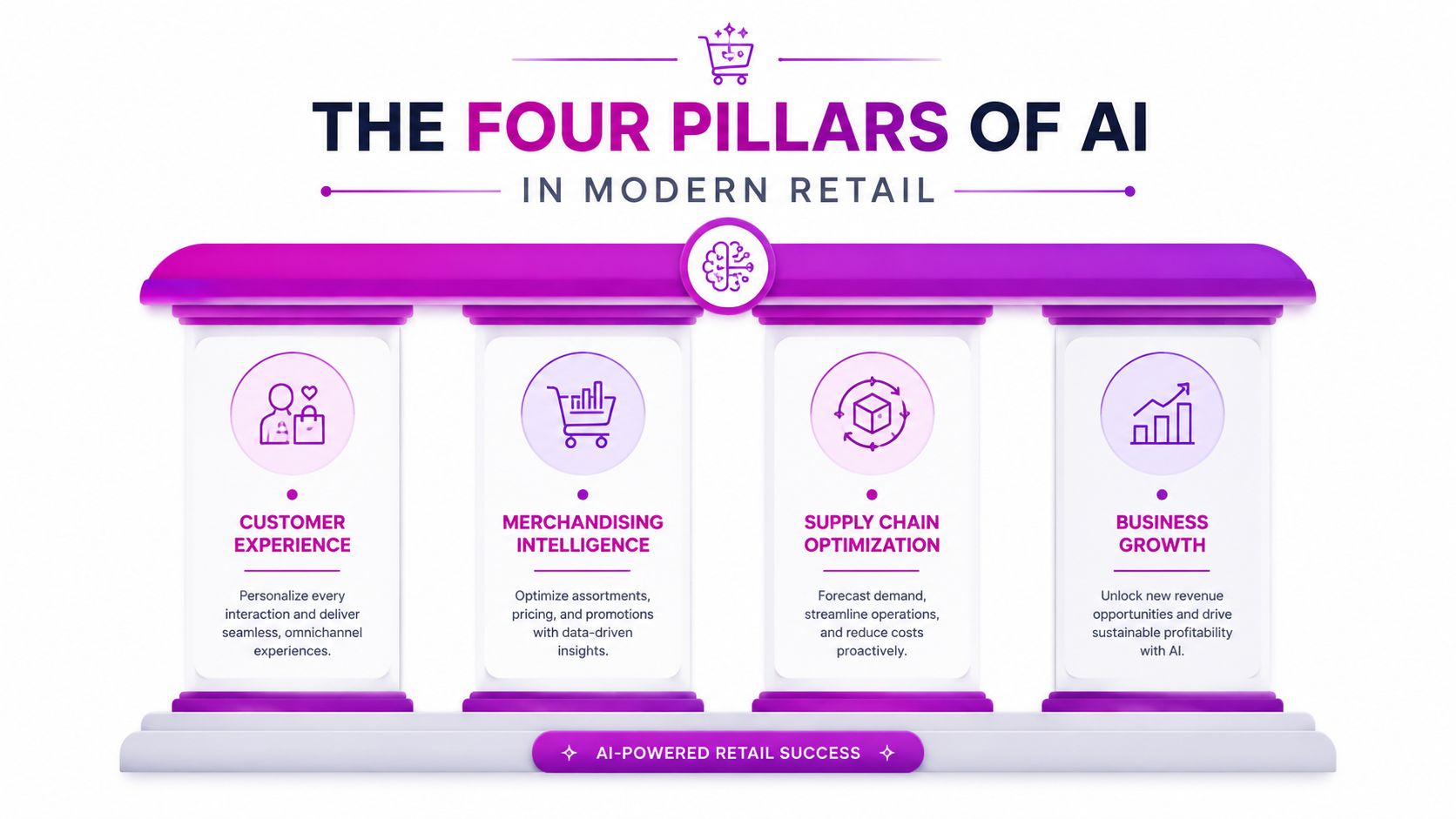
Customer experience
Many brands start here because the use cases are visible fast. AI can improve on-site search, tailor product recommendations, and automate routine support conversations that don't need a human every time.
Chatbots are a good example when they're deployed with limits. They work well for order status, returns policy guidance, and common pre-purchase questions. They work badly when a brand asks them to handle edge cases with no escalation path.
If you want a broader view of where this fits, this guide to AI applications in ecommerce maps the opportunity set well.
Operational efficiency
This pillar drives some of the clearest financial value. Forecasting, replenishment, warehouse workflows, and stock visibility all improve when systems can react to live demand signals instead of weekly manual reviews.
Physical retail tech matters here too, especially for brands with stores, pop-ups, or wholesale inventory complexity. Machine or camera vision and RFID are used by 42% and 47% of retailers globally, and these systems can reduce out-of-stock incidents by up to 30% and cut shrinkage losses by 20% to 25% through fraud detection, according to IndataLabs on AI retail technology trends.
For Shopify brands, the important point isn't the hardware itself. It's the data loop. If store-level inventory signals don't sync back into your online storefront, availability and pricing drift apart fast.
When in-store AI and Shopify inventory don't talk to each other, the tool isn't advanced. It's isolated.
Merchandising and marketing
This pillar affects revenue quality. AI helps teams segment customers, adjust product ranking, personalize offers, and support dynamic pricing decisions based on demand and stock position.
The trap here is over-automation. A merchandising team still needs brand judgment. AI can suggest what to push, what to bundle, or where discount pressure is building. It shouldn't be left to rewrite your entire assortment strategy without rules.
Business intelligence
This is the least flashy pillar and often the most useful. Good AI systems surface why performance changed, not just that it changed. They help teams connect promotions, inventory levels, channel shifts, and product performance in ways standard reporting often misses.
A simple way to think about these pillars is this:
| Pillar | Main objective | Strong first use case |
|---|---|---|
| Customer experience | Reduce friction and improve relevance | Recommendations or support automation |
| Operational efficiency | Protect margin through better execution | Forecasting or inventory alerts |
| Merchandising and marketing | Improve sell-through and campaign precision | Segmentation or pricing support |
| Business intelligence | Speed up better decisions | Exception reporting and root-cause analysis |
Most stores don't need all four at once. They need one pillar that solves a current bottleneck.
Quantifying the Business Impact of AI
Founders don't need another argument that AI is “transformational.” They need to know whether it improves margin, lowers operating drag, or helps revenue grow without adding headcount in the wrong places.
The business case is strongest when AI is tied to a real retail bottleneck. If your warehouse is expensive, focus there. If your pricing is too slow, start there. If teams are wasting hours every week on manual forecasting, fix that first.

Where the numbers are clearest
Some retail AI categories already show direct financial impact. Retailers using AI for process optimization report an average annual saving of USD 1.2 million. AI applications in warehouses have cut operational costs by 5% to 10%, and predictive analytics now underpin decision-making for 62% of leading retailers, according to Electro IQ's AI in retail statistics.
That doesn't mean every Shopify brand should chase warehouse automation first. It means the upside is usually highest where manual work, delay, or inconsistency already costs the business money.
Margin impact versus vanity impact
Some AI projects look impressive and deliver very little. Others are boring and pay back fast.
A smart recommendation engine can help relevance. That's useful. But if your deeper issue is poor stock allocation, the bigger gain may come from forecasting and replenishment before you touch front-end personalization.
Here's how I'd frame impact by priority:
- Margin protection: Pricing, forecasting, inventory accuracy, and returns-related decisioning.
- Labor efficiency: Customer support automation, reporting automation, merchandising workflows.
- Revenue lift: Better recommendations, more relevant promotions, improved search and discovery.
- Risk reduction: Fraud monitoring, anomaly detection, stock discrepancy alerts.
What strong ROI projects have in common
They usually share three traits:
- They target a known leak. Not a vague ambition.
- They connect to existing workflows. Teams don't need to log into five new systems.
- They can be measured quickly. You can compare before and after with clean KPIs.
Operator view: The best AI project is often the one your team already knows how to judge by instinct. AI just lets them act on it faster and more consistently.
That's why the strongest first projects are often unglamorous. Better demand signals. Better product ranking. Better stock visibility. Better handling of repetitive support load. Those changes show up in margin, working capital, and team capacity.
If the investment can't be tied back to a decision your team makes every day, it's probably too early or too broad.
Your Roadmap to Implementing AI Solutions
It usually starts the same way. A Shopify brand installs an AI app to fix conversion, support load, or forecasting. Three weeks later, the results are mixed because product tags are inconsistent, inventory data is late, and nobody owns the pilot.
A phased rollout reduces that risk. It also gives the team a fair way to judge whether AI is improving the store or just adding another dashboard.
Phase one. Clean up the operating data
Start with the inputs that drive day-to-day decisions. For Shopify brands, that usually means reviewing the quality and consistency of:
- Product data: Titles, tags, collections, variant logic, inventory status, and product attributes.
- Order data: Channel attribution, refund status, fulfillment timing, and discount detail.
- Customer data: Repeat purchase patterns, support history, and segmentation fields.
- Operational data: Inventory movement, stockouts, return reasons, and pricing history.
This work is not glamorous, but it affects everything that comes later. Recommendation tools struggle with weak product attributes. Forecasting tools drift when SKU structures change every month. Support automation fails when policy content is outdated or spread across multiple systems.
For teams comparing options, this is also the point to review the current stack and identify gaps. A short list of AI tools for ecommerce teams is useful only after the data and workflows are clear.
Phase two. Choose one pilot with a clear business owner
Pick a use case where the pain is obvious, the workflow already exists, and the result can be measured in a few weeks.
Strong first pilots often include:
- CRO support: Product recommendations, search tuning, or merchandising rules for a high-volume collection.
- Support automation: Repetitive order status, shipping, and return questions with human handoff.
- Forecasting support: Reorder signals for core SKUs or better planning for seasonal lines.
- Pricing support: Controlled testing on products with margin pressure or predictable demand patterns.
Broad mandates create messy pilots. A better brief sounds like this: reduce support tickets on WISMO queries, improve conversion on category search, or cut stockouts on the top 20 SKUs.
Assign one owner. If nobody is accountable for the outcome, the pilot turns into software evaluation instead of operational improvement.
Phase three. Evaluate vendors like an operator
Feature lists are less useful than workflow fit. The right question is not whether a platform can do ten things. It is whether it can do one important thing inside your current Shopify setup, with data your team already has, and with controls your team will use.
Ask vendors questions like:
- How does it connect to Shopify? Native app, middleware, custom API work, or scheduled sync?
- What data does it need to perform well? Catalog data, order history, inventory feeds, support content, or customer events?
- What can the team control? Rules, exclusions, thresholds, testing windows, and manual overrides?
- How is success reported? In Shopify, in the vendor dashboard, or in both places?
- Where does it usually fail first? Catalog changes, multi-market setups, returns flows, or inventory lag?
I also look for trade-offs early. Some tools are fast to launch but shallow on reporting. Others are powerful but need custom setup that smaller teams will struggle to maintain. A good vendor will explain those limits clearly.
Phase four. Roll out in layers
Start with a narrow scope. One category. One support flow. One set of high-volume SKUs. That keeps the pilot readable and limits the cost of bad assumptions.
Expand only after confirming three things:
| Checkpoint | What to verify |
|---|---|
| Integration | Data syncs correctly and on schedule |
| Team adoption | Merchandising, ops, or support teams use it in real workflows |
| Commercial value | KPIs improved enough to justify a broader rollout |
Many brands get impatient at this stage. They see an early win and try to push the tool across the whole store. That usually creates noise. A controlled expansion gives cleaner learnings and makes training easier for the team.
Phase five. Add governance before you scale
Once the pilot proves itself, treat it like an operating capability. Set ownership for data quality, QA, exception handling, and changes to rules or model settings. Document what the tool is allowed to automate and what still needs human review.
For Shopify brands, this matters even more when multiple apps affect the same customer journey. Search, merchandising, support, pricing, and inventory tools can interfere with each other if nobody reviews the full system.
This is also where a partnership model helps. An external team can pressure-test the use case, manage implementation details, and keep the rollout tied to margin, conversion, or labor efficiency instead of app activity. That lowers adoption risk, especially for brands that need AI to work inside a live store, not inside a slide deck.
Integrating AI with Your Shopify Store and Measuring Success
A Shopify implementation usually fails at the connection layer, not the concept layer. The tool may be solid. The model may be strong. But if catalog data, inventory feeds, pricing logic, and storefront behavior don't sync properly, results get muddy fast.
That's why integration deserves more attention than vendor demos.
Where Shopify integration usually gets messy
There are a few recurring friction points:
- Inventory drift: Physical store stock and Shopify storefront availability don't update cleanly.
- Pricing inconsistency: In-store promotions and online pricing logic fall out of sync.
- Customer data gaps: Marketing tools, support tools, and Shopify customer records don't match.
- Reporting fragmentation: Teams can't prove impact because performance sits across multiple dashboards.
A useful setup often relies on a mix of native Shopify apps, API-based integrations, and automation layers such as Shopify Flow. More advanced use cases may also use middleware or custom connections through Shopify's APIs.
What better forecasting looks like in Shopify
Some of the most promising retail AI work is happening in forecasting and diagnostics. Agentic AI in retail forecasting can achieve Mean Absolute Percentage Error under 10% and outperform traditional methods by 30% to 50%. For Shopify operators, this enables elastic pricing models that integrate with Shopify's GraphQL API for real-time CRO, according to RELEX on real AI retail transformation.
That matters because Shopify brands often need decisions at the SKU, product, or collection level in near real time. Not just a monthly forecast deck.
If you're exploring the software side, this roundup of AI tools for ecommerce is a useful starting point for comparing the categories.
Good integration means the AI output changes a real workflow inside Shopify. It doesn't just create a recommendation in a separate login.
What to measure after launch
Don't measure AI as a standalone initiative. Measure the business process it changed.
For a Shopify store, common KPI groupings include:
For personalization
- Conversion rate: Did sessions exposed to recommendations convert better?
- Average order value: Did product suggestions improve basket depth?
- Product discovery: Did more shoppers reach product pages from search or collection pages?
For forecasting and inventory
- Out-of-stock page views: Are fewer shoppers landing on unavailable products?
- Sell-through by SKU or collection: Is inventory moving more cleanly?
- Markdown pressure: Are you carrying fewer products that require aggressive discounting?
For support automation
- Ticket volume by topic: Are repetitive queries dropping?
- Resolution speed: Are common issues handled faster?
- Escalation quality: Are human agents receiving cleaner handoffs?
A simple measurement cadence
Use this rhythm:
- Benchmark before launch
- Run a controlled test or limited rollout
- Review weekly for workflow issues
- Review monthly for commercial impact
- Expand only after the signal is clear
The biggest mistake is scaling after a promising first week without checking data quality, override rates, or edge-case failures. Shopify makes fast deployment easy. That doesn't remove the need for disciplined review.
Starting Smart Phased AI Adoption with ECORN
The hardest part of AI adoption for a Shopify brand usually isn't deciding whether it matters. It's deciding how to start without creating cost, complexity, and integration debt.
That caution is justified. A major market gap still exists around connecting AI retail solutions to eCommerce platforms like Shopify. While 70% of retailers plan AI modernization by 2027, only 10% achieve maturity because of fragmented strategies and poor platform integration, according to Retail Insight on rethinking AI in retail operations.
Why a phased model works better
A practical rollout lowers risk in three ways:
- It limits scope: You solve one operational problem first.
- It surfaces integration issues early: Before they affect pricing, merchandising, or inventory at scale.
- It creates proof: The business sees whether the use case deserves more budget and attention.
That's also why partnership models tend to outperform big-bang implementations for growing brands. A team can start with a contained project, validate the workflow, then move into a broader roadmap once the first result is measurable.
What that looks like in practice
A sensible starting engagement might focus on one of these:
| Starting point | What the project is trying to prove |
|---|---|
| Recommendation or merchandising logic | Better product discovery and basket building |
| Forecasting support | Better reorder timing and fewer stock issues |
| Support automation | Lower repetitive support load with cleaner escalation |
| Pricing workflow support | Faster reaction to inventory and demand shifts |
One way to approach this is through a specialist partner that already works inside the Shopify ecosystem. ECORN offers Shopify development, CRO, and eCommerce consulting, with flexible project and subscription-based engagement models that fit phased adoption rather than a large upfront transformation.
Start with the use case your team complains about every week. That's usually where the first AI win is hiding.
What doesn't work
A few patterns usually create trouble:
- Buying a broad platform before defining ownership
- Launching across every market or catalog segment at once
- Judging success by novelty instead of business impact
- Ignoring integration until after contracts are signed
Brands get better outcomes when they treat AI like an operational capability. Not a campaign. Not a trend. Not a side experiment that sits outside the people responsible for revenue, stock, support, and margin.
The good news is that you don't need a massive transformation to begin. You need a clear use case, clean data, a Shopify-aware integration plan, and a partner or internal team that can test responsibly.
If you want a practical starting point, ECORN can help map the first AI use case for your Shopify store, whether that's personalization, forecasting support, CRO, or a tighter integration plan that keeps your stack manageable from day one.



How to Choose the Right eCommerce Website Development Firm

E Business Strategy Implementation

Conversion Tracking Setup for Shopify Stores

BigCommerce vs Shopify Plus Which Enterprise Wins in 2026

Shopify Theme Kit: Setup, Commands, and Migration Guide

Shopify Extension Development: A Practical 2026 Guide

Shopify Speed Score Explained and How to Improve It

Shopify Mobile Optimization: The 2026 Playbook

How to Add Subcategory in Shopify for Better UX

How to Implement Structured Data for Ecommerce in 2026

SEO App Mobile: Shopify Store Optimization Guide

Shopify Plus Support: What It Includes and How to Choose

Google Ads for Shopify: The Complete 2026 Playbook

Shopify New York: How to Find and Hire the Right Agency

Google Search Console for Shopify: The Complete Setup

First Party Data Collection for eCommerce Growth

FAQ Online Store Guide: Build and Measure It Right

Do FB Ads Work for eCommerce in 2026?

One Page Checkout for Shopify: Design and Implementation

Shopify GraphQL vs REST: The 2026 Developer Decision

Shopify Ecommerce Consulting: Strategy, Pricing &

Are Reddit Ads Worth It for eCommerce Brands

Shopify Title and Meta Description: A Practical 2026 Guide

Product Video Best Practices for Shopify Brands

Real-Time Inventory Management: A 2026 Guide

AI Chatbot Integration for Shopify Stores

Affiliate Program Management: A Shopify Guide

10 Best Performance Monitoring Tools for Shopify in 2026

Digital Asset Management for eCommerce Brands in 2026

Every Type of Facebook Ads Explained for eCommerce Growth

Product Information Management Explained for Shopify Brands

Support Ticket System: A Guide for Shopify Stores

10 Best Customer Service Tools for Shopify in 2026

Can I Start a Business with No Money? a 2026 Blueprint

What Sells Good on Etsy: Best Niches for 2026

Shopify Add to Cart Button: A Practical 2026 Guide

Customer Feedback Automation: A Practical eCommerce Guide

Critical Rendering Path: A Guide for Shopify Stores

How to Promote on TikTok for eCommerce in 2026

B2B eCommerce Consulting That Drives Real Revenue

10 Best Practices for Site Navigation in 2026

Return vs Refund for Shopify Stores: A Practical Guide

What Is Customer Lifetime Value and Why It Matters

What Is Voice of Customer Research for eCommerce

SMS Marketing for Ecommerce That Actually Converts

Master How to Improve Email Deliverability in 2026

Top 7 eCommerce Partners NYC for Shopify Brands in 2026

Machine Learning for Ecommerce: Boost Your Shopify Store

Beauty Market Research: Your 2026 Growth Guide

Shopify International Expansion: A 2026 Roadmap

What Does CRO Stand for in Business: Understanding CRO

Shopify Visual Merchandising: A Playbook for Higher Sales

Shopify Landing Page Design: Master Conversion in 2026

10 Best AI SEO Optimization Tools for Shopify in 2026

Agentic AI for Ecommerce: Boost Your Sales in 2026
Mastering Email Marketing Data for eCommerce Growth

Conversion Rate Optimisation Australia: Boost Your Sales

Conversion Rate Optimization AI: Your Shopify Store Guide

10 Product Bundling Strategies for Shopify in 2026

How to Increase Customer Lifetime Value: A Shopify Playbook

AI Customer Service Automation: Shopify Guide 2026

Clean Website Design: A Shopify Conversion Playbook

Omnichannel Retail Strategy: A Shopify Playbook

Product Data Enrichment: A Guide for Shopify Brands

Instagram Shopping Features a Guide for Shopify Stores

What Is Revenue Optimization: A Holistic RevOps Guide

Benefits of Conversion Rate Optimization: Boost Your

WordPress to Shopify Migration: Your 2026 Seamless Switch

Boost Sales: Ecommerce Payment Processing Guide 2026

Unified Commerce Platform: Benefits, KPIs & Shopify Guide

How to Reduce Bounce Rate eCommerce: Your 2026 Guide

Shopify API Integration: A Practical End-to-End Guide

How to Implement Data Governance: A 2026 Guide

Shopify Store Development Cost: A 2026 Breakdown

What Is Server Side Tracking: The Shopify Guide 2026

Marketing Automation Workflows: A Shopify Guide for 2026

Shopify: How to Reduce Technical Debt

Shopify UX Design Change: A Playbook for Growth

User Generated Content Strategy: Shopify Playbook

Shopify Pause and Build Plan Cost: A Complete 2026 Guide

Compare at Price on Shopify: A Complete Guide for 2026

Where Can I Sell My Prints? 10 Best Platforms for 2026

Shopify Order Management System: The Ultimate Guide 2026

What Is Marketing Attribution? an eCommerce Guide for 2026

10 Best Black Friday Sales Sheets for 2026

Discover the Top Social Media Marketing Agencies For

Consumer Confidence Definition for eCommerce in 2026

What Is Social Commerce? Your 2026 Guide to Boosting Sales

A Social Ad Campaign Playbook for eCommerce Growth

7 Best FAQ Page Examples for SaaS & eCommerce

Market Research in Fashion Industry: A Guide for Shopify

Shopify Migration Services: Expert Guide for 2026

Mastering FB Retargeting Ads for Shopify in 2026

What Is Omnichannel Ecommerce

Master Your Shopify Plus Migration: The 2026 Guide

Shopify Integration Services: A Merchant's 2026 Guide

Shopify Collection Description: A Guide to SEO & Sales

Shopify Plus Contact: Reach Sales & Support Effectively

Top Luxury Shopify Stores: Design & UX Strategies

How to Improve Customer Experience: A Shopify Roadmap


newsletter in your inbox