

Before you even think about choosing a Shopify theme or uploading your first product, there's some critical groundwork to lay. This is the strategic stuff—the part that separates the brands that last from the ones that fizzle out after a few months.
It’s tempting to jump straight into the fun part of designing your store, but the real magic happens when you build a solid foundation first. This is less about chasing trends and more about building a business with real staying power.
Crafting a Brand That Stands Out
Let’s start with finding a profitable corner of the market to call your own. Trying to sell "women's clothing" is a surefire way to get lost in the crowd. The key is to dig deeper.
Think about a specific group with a specific need. For example, instead of just "yoga wear," what about "sustainable and ethically-made yoga wear for new mothers"? A tight niche like this allows you to become the go-to solution for a dedicated audience that bigger players often overlook.
Define Your Ideal Customer
Once you've carved out your niche, you have to get laser-focused on who you're actually selling to. This is where building a detailed customer persona becomes non-negotiable, and it goes way beyond basic demographics.
What do they truly value? What are their daily frustrations? Where do they spend their time online? For our yoga wear brand, we might create "Eco-conscious Emma." She's a 32-year-old marketing manager who values transparency, follows wellness influencers on Instagram, and is willing to pay a premium for quality. Every single decision you make—from your brand's tone of voice to your marketing channels—should be made with Emma in mind.
Analyze Your Competitors Strategically
Next up, take a hard look at who’s already playing in your sandbox. Competitor analysis isn't about copying what others are doing; it’s about finding the gaps they’ve left open for you. Pick out 3-5 of your closest competitors and break down their strategy.
- Brand Messaging: What story are they telling? Is it all about luxury, affordability, or building a community?
- Product Offerings: Look at their bestsellers. More importantly, what are they not offering? Are there any missing product types or variations?
- Customer Reviews: This is gold. What do customers rave about? And what do they complain about? Those complaints are your opportunities.
Key Insight: Your goal isn't to be just another option in the market. It's to be the only option for a specific group of people by being different and better in a way that truly matters to them.
For a deeper dive into this process, check out our guide on how to create a brand identity that resonates.
Choose Your eCommerce Business Model
This is a big one. Your business model will directly shape your startup costs, day-to-day operations, and potential profit margins. It's a choice that has to line up with your budget, risk tolerance, and long-term goals.
This decision tree can help you visualize the paths available. It really starts with your budget and how much control you want over your product quality and customer experience.
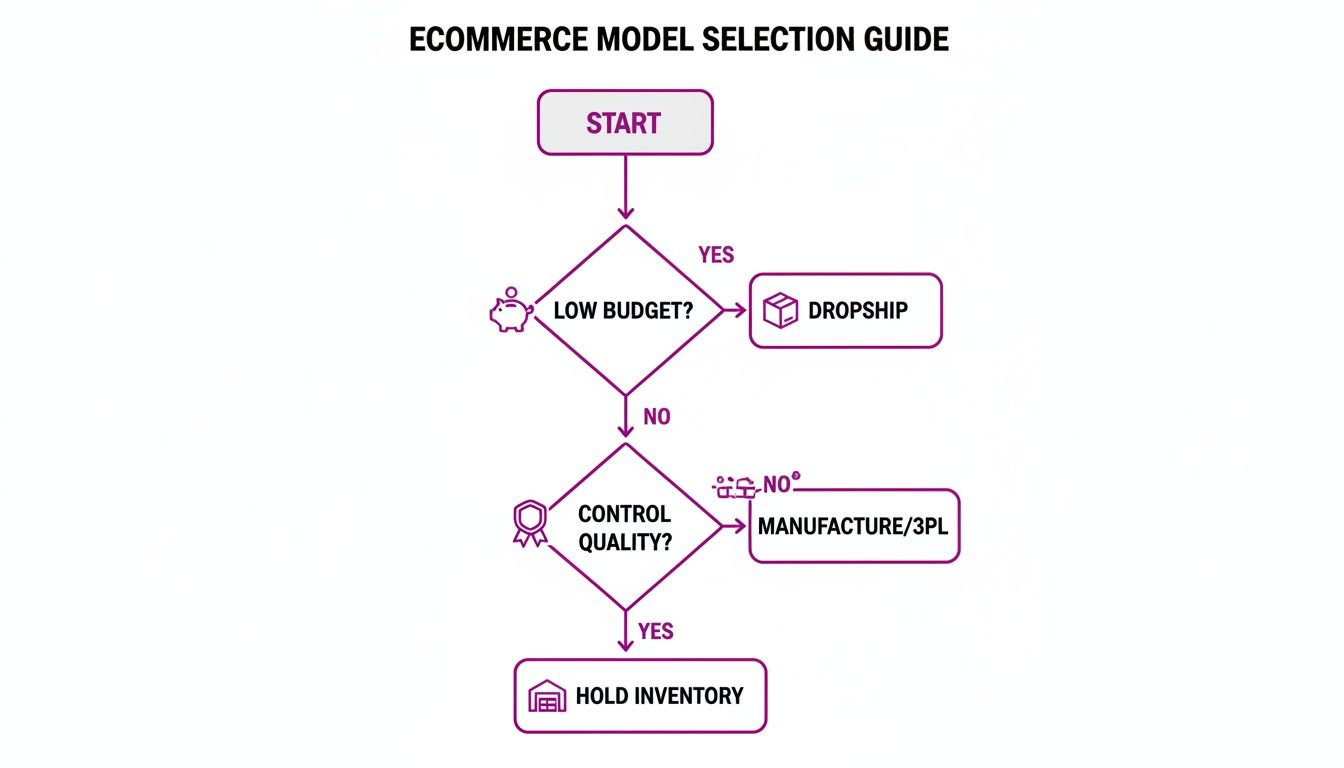
As you can see, founders on a tight budget often lean into dropshipping to get started. On the other hand, those with more capital who want to prioritize quality control usually opt to hold their own inventory from the get-go.
To help you weigh the pros and cons, here's a quick comparison of the most common models.
Choosing Your Business Model A Quick Comparison
| Business Model | Upfront Cost | Inventory Management | Best For |
|---|---|---|---|
| Dropshipping | Very Low | None (Supplier handles it) | Testing ideas, wide product catalogs, beginners on a tight budget. |
| 3PL (Third-Party Logistics) | Medium | Outsourced (You own it, they store & ship) | Scaling brands that want to offload fulfillment but maintain control over stock. |
| In-House / Self-Fulfillment | High | Full Control (You store & ship everything) | Brands needing total quality control, custom packaging, and a hands-on approach. |
Each model has its place. Your job is to pick the one that best fits your product, your budget, and the experience you want to provide for your customers.
The opportunity right now is massive. Global e-commerce sales are projected to smash $6.42 trillion in 2025 and keep climbing to $6.88 trillion in 2026—making up 21.1% of all retail. With over 2.77 billion people shopping online, a well-thought-out strategy is your ticket to grabbing a piece of that pie.
Building Your Shopify Store That Converts
Okay, you've got your brand strategy nailed down. Now it's time for the fun part: bringing that vision to life and building an online store that actually sells.
The opportunity couldn't be bigger. Global e-commerce is expected to hit $24.90 trillion in 2026 and skyrocket to $83.19 trillion by 2035. For anyone launching on a platform like Shopify, that’s a massive wave to ride.
Selecting the Right Shopify Plan and Theme
Your first move is picking a Shopify plan. Don't overthink this or feel like you need the most expensive option right out of the gate. For most new businesses, the 'Basic' Shopify plan has more than enough firepower to get you started and secure those first crucial sales. You can always upgrade later as you grow.
And while we’re big fans of Shopify, it’s always smart to do your homework. Take a look at the best ecommerce platforms for small business to make sure you're landing on the perfect fit for your specific business goals.
Next up is your theme. This is way more than just picking a pretty layout; your theme is the foundation of your customer experience and has a direct line to your conversion rate.
When you're browsing themes, here's what really matters:
- Mobile-First Design: The vast majority of your customers will find you on their phones. Your store has to be flawless on a small screen. No exceptions.
- Blazing-Fast Speed: A slow website is the fastest way to lose a sale. Every millisecond counts, so a lightweight, optimized theme is non-negotiable.
- High-Quality Reviews: See what other merchants are saying. Pay close attention to comments about the developer's support—you'll be glad you did when you need help.
A great starting point is the official Shopify Theme Store. Every theme there has been vetted for quality and performance, so it's a safe bet.
Crafting Product Pages That Sell
Think of your product page as your best salesperson, working 24/7. This is the moment a casual browser decides to become a customer, so every single element needs to build desire and trust.
Start with your product descriptions. It’s a classic mistake to just list features. Instead, talk about the benefits. How will this product make your customer’s life easier, better, or more enjoyable?
Use short paragraphs, bullet points, and bold text to make your copy easy to scan. And yes, weave in your target keywords for SEO, but always write for a human first.
Expert Tip: Your product images need to do more than just show what the product looks like—they need to tell a story. Mix in clean, white-background shots with lifestyle photos that show your product in a real-world setting. This helps customers visualize themselves using it.
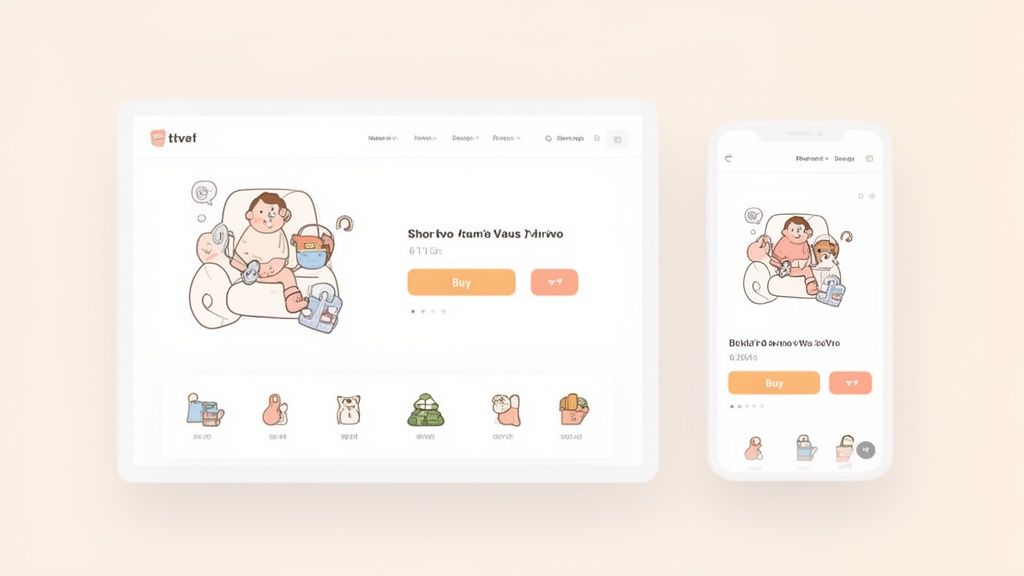
The best brands use clean layouts, compelling imagery, and obvious call-to-action buttons to make buying feel effortless, whether the customer is on a tablet, phone, or desktop.
Building Trust with Essential Store Pages
Beyond your homepage and product pages, a few key pages are absolute must-haves. They build credibility and show customers there’s a real, trustworthy business behind the website.
Make sure you have these essentials locked down:
- About Us Page: Tell your story. Why did you start this business? What's your mission? This is where you connect with people on a human level.
- Contact Page: Make it incredibly simple for people to get in touch. Include a contact form, an email address, and links to your social media. The easier you are to reach, the more trustworthy you seem.
- FAQ Page: Get ahead of common questions about shipping times, your return policy, or product sizing. This not only cuts down on customer service emails but also removes friction for someone who's on the fence about buying.
These pages aren't just checkboxes to tick off; they are powerful trust signals that can be the difference between a sale and an abandoned cart.
Finally, take a hard look at your site’s navigation. A confusing menu is a fast track to a lost customer. Keep it simple and intuitive. Think like your customer: what are they looking for and where would they expect to find it? Group your products into logical categories and make sure your search bar is easy to spot. A store that’s easy to navigate just feels more professional.
Setting Up Your Payments, Shipping, And Taxes
A gorgeous storefront is great, but it's only one piece of the puzzle. If customers can’t pay you and you can’t get them their products, your store is dead in the water. This is the operational engine of your business, and getting it right from day one is non-negotiable.
Let's dig into the three pillars of your store’s operations: payments, shipping, and taxes. They might not be the most exciting topics, but they're what makes every single sale possible.
Configuring Your Payment Gateways
First things first: you need a way for customers to give you their money. For almost any new store on Shopify, the answer is simple: activate Shopify Payments. It's built right in, so the setup is practically instant.
By using Shopify Payments, you can accept all major credit cards without the headache of setting up a separate third-party merchant account. The biggest perk? You get 0% additional transaction fees from Shopify. This is a huge deal and can save you a serious amount of money as your store grows. You’ll just pay the standard credit card processing rate.
Now, there are some cases where you might look at other gateways like PayPal or Stripe. This usually comes up if you're in a high-risk industry or want to offer specific payment options for international customers. Just know that if you use an external gateway, Shopify will typically charge its own transaction fee on top of what the payment processor charges.
Key Takeaway: Just start with Shopify Payments. It's the easiest, most cost-effective way to get up and running. You can always explore other options down the road if a real business need pops up.
Structuring Your Shipping Strategy
Shipping can make or break a sale. In fact, unexpected shipping costs are the #1 reason people abandon their shopping carts. Your job is to find that perfect balance where you protect your profit margins but don't send potential buyers running for the hills.
When setting up your rates in Shopify, you’ve got a few solid models to choose from.
Common Shipping Rate Models
- Free Shipping: This is a marketing powerhouse. You can offer it on everything, but it's smarter to use it to increase your average order value (e.g., "Free shipping on orders over $75"). Customers will often add another item to their cart just to hit that threshold.
- Flat-Rate Shipping: Simple and effective. You charge one single price for shipping, no matter what's in the cart. A "$5 flat rate on all U.S. orders" is a classic example that's easy for customers to understand.
- Weight-Based or Price-Based Rates: This gets a bit more granular. You set up different shipping tiers based on the order's total weight or price. For example, 0-1 lb costs $5, 1-3 lbs costs $8, and so on. It’s a fair way to cover your costs.
- Carrier-Calculated Rates: This is the most accurate method. Shopify connects directly with carriers like USPS, UPS, and DHL to pull their live rates at checkout based on the package weight, dimensions, and customer's address. It ensures you never over- or undercharge for shipping.
For a deeper dive into these strategies and how to configure them in your admin, check out our complete guide to setting up shipping on Shopify.
Navigating Sales Tax Compliance
Alright, let's tackle sales tax. This is where a lot of new store owners get intimidated, but Shopify has some fantastic tools to make it manageable. The basic rule is that you have to collect sales tax in states where your business has a significant physical or economic connection, which is known as nexus.
This "nexus" can be triggered by having an office, a warehouse, employees, or even by hitting a certain sales threshold in a state. The rules are different everywhere, so it's critical to know where you stand.
Shopify’s built-in tax engine can automatically calculate the exact sales tax rate at checkout based on the customer's shipping address. All you have to do is go into your settings and tell Shopify which states you have nexus in. The system then handles applying the right state, county, and city taxes. While Shopify automates the collection, remember that you're still responsible for registering with the state and remitting the taxes you collect.
Your Final Pre-Launch Quality Check
This is it. The final stretch before your store goes live. It's tempting to just hit the launch button, but these last few moments are your final chance to catch the small mistakes that can turn into massive headaches.
Think of this as your pre-flight inspection. You wouldn't want a pilot to skip checking the controls, and you can't afford to launch your business with a broken link or a clunky checkout. This isn't just about ticking boxes; it's about making sure your first paying customers have a flawless experience.
Become Your First Customer
The absolute best way to check your work is to walk through your store just like a customer would. You need to place several test orders to scrutinize every single click of the buyer's journey.
Luckily, Shopify makes this painless with its "Bogus Gateway." It lets you simulate a complete transaction—from adding to cart to the thank you page—without ever touching a real credit card.
As you go, put on your most critical customer hat. Is adding items to the cart a breeze? Does the checkout feel intuitive? This is your opportunity to iron out any friction before it costs you real sales.
Here’s a quick list of what to hammer on during your test orders:
- Cart Functionality: Can you easily add multiple products? What about updating quantities or removing items?
- Discount Codes: Grab those codes you created and test them. Do they apply correctly? Do they discount the right amount?
- Shipping Rates: Verify that your shipping rules are firing correctly. Does the right flat rate show up? Does your free shipping kick in at the right cart value?
- Customer Emails: The moment you complete a test order, jump over to your inbox. Did the order confirmation email arrive? Does it look professional? Is all the information accurate?
Conduct a Thorough Technical Audit
Once you’re confident in the customer journey, it’s time to get a bit more technical. A slow, buggy site is a surefire way to lose credibility and sales.
First up, hunt down any broken links. A "404 Not Found" error is a dead end for a potential customer. You can use a free tool like Ahrefs' Broken Link Checker to crawl your site and flag any bad links. Be sure to manually click through your main navigation, footer links, and crucial pages like "About Us" and "Contact."
Next, put your site's speed to the test. Every second counts. In fact, a page that takes more than three seconds to load will have visitors hitting the back button. Use a tool like Google's PageSpeed Insights to see how you measure up on both mobile and desktop. It won't just give you a score; it provides a list of actionable things you can do to improve, like compressing your images or cleaning up old app code.
Pro Tip: Don't just check your site on your fancy desktop monitor. Your mobile experience is arguably more important. Grab your phone, a friend's phone, an old tablet—whatever you can find. Click every button, open every menu, and go through the entire checkout process. You’d be shocked at what you might find on a smaller screen.
Verify Your Analytics and Tracking
You can't grow what you can't measure. Before a single real customer visits your store, you absolutely must confirm that your analytics are installed and firing correctly. These tools are your eyes and ears.
There are two that are completely non-negotiable:
- Google Analytics: Make sure your GA4 tag is properly installed. The easiest way to check is to open the Realtime report, visit your site in another tab, and see if you show up as a live user.
- Meta Pixel (Facebook Pixel): If you have any intention of running ads on Facebook or Instagram, this is a must. The Meta Pixel Helper browser extension is a lifesaver here. It will show you if the pixel is active and firing correctly on key pages.
Getting this foundation right is critical. The market is huge—with U.S. e-commerce marketplaces hitting $536.1 billion in 2026 and the global number of digital buyers climbing to 2.86 billion—but it's also competitive. Data shows that poorly performing sites can lose 70% of visitors almost instantly. A technically sound, well-tracked store gives you a massive head start. You can dive deeper into these trends in this comprehensive e-commerce statistics report.
Plan a Quiet Soft Launch
Before you shout about your launch from the rooftops, whisper about it first. A "soft launch" is when you share the live, functioning site with a small, trusted group—think friends, family, or mentors—for a day or two.
Ask them for their brutally honest feedback. Tell them to try and break things. After staring at your own site for weeks, you develop blind spots. A fresh set of eyes will almost certainly catch typos, confusing navigation, or weird quirks you've completely missed. This small-scale test run is the ultimate confidence booster before the big day.
Alright, you’ve hit the big red button. Your store is live. Take a moment to celebrate—this is a massive milestone. But don't get too comfortable. The real work starts now. Shifting from building a store to building a business is where the magic happens. It’s all about getting those first customers through the door and using data to create real, sustainable growth.
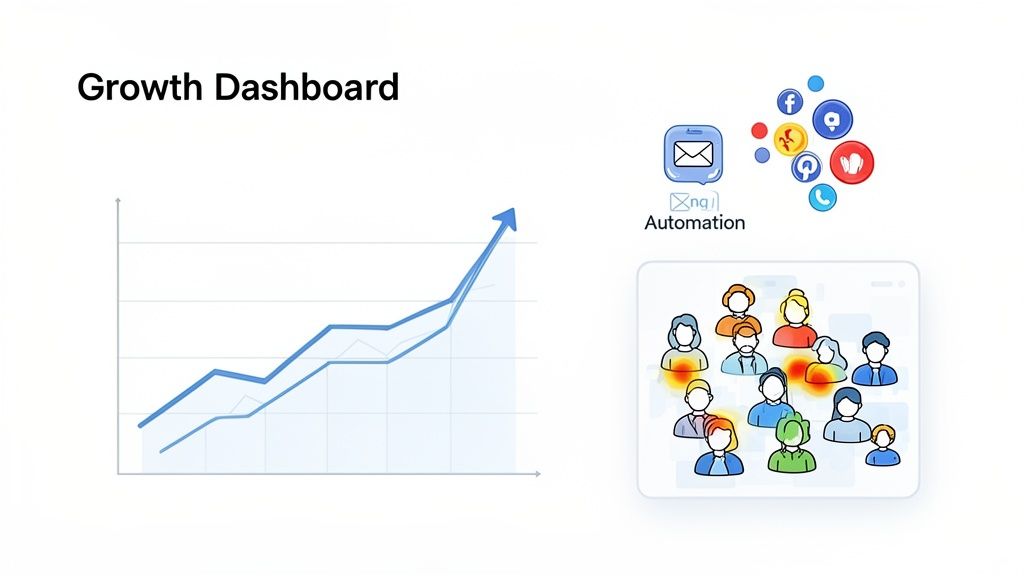
The period right after you launch is all about building momentum. You don’t need a huge marketing budget to get things moving. Instead, focus on a few high-impact, low-cost tactics to bring in that first wave of traffic.
Get Your Email Automations Running
Before you even think about spending a dime on ads, get your email marketing in order. Seriously. Email is the most powerful asset you have for nurturing interest and clawing back sales that would otherwise be lost. It's a direct line to your audience that you completely own.
At the bare minimum, you need to have these two automations set up in your store using an app like Shopify Email or Klaviyo.
- Welcome Series: Don't just send a single "thanks for subscribing" email. Create a three-part series. The first introduces your brand story, the second shows off your bestsellers, and the third can offer a small incentive, like a 10% discount, to push for that first purchase.
- Abandoned Cart Reminders: Here’s a startling stat: nearly 70% of all shopping carts are abandoned. A simple, automated email that reminds a customer what they left behind is one of the quickest ways to recapture that lost revenue.
These automations are your 24/7 sales team, working in the background to turn browsers into buyers.
Key Insight: Don't just set up these emails and forget them. The subject line, "You left something in your cart," is played out. Get creative. Try something like, "Is everything okay?" or "Your [Product Name] is waiting!" to actually stand out.
Once your store is live, a critical next step is learning how to market your online business effectively for the long haul. This groundwork separates the stores that fizzle out from those that scale.
Embrace the "Always Be Improving" Mindset
Thinking you’re "done" after launching is one of the biggest mistakes you can make. The most successful stores are in a constant state of improvement, running a continuous loop of learning, testing, and tweaking.
Your first move should be to install tools that let you see what your visitors are actually doing. Heatmap tools like Hotjar or Microsoft Clarity are absolute gold here. They create visual maps that show you where people are clicking, how far they scroll, and where they get frustrated and leave.
Let’s say you look at a heatmap and realize only 20% of visitors on a key product page ever scroll below the main image. That’s a massive red flag. It could mean your "Add to Cart" button is buried too far down, or the info above the fold just isn't convincing enough.
Armed with that data, you can form a clear hypothesis: "I bet if I move the product benefits higher up the page, more people will scroll down and click 'Add to Cart'." Now you have a specific, data-backed test to run. That's the core of conversion rate optimization (CRO)—making small, smart changes based on real user behavior.
Here are a few other ways to get that crucial feedback:
- Post-Purchase Surveys: On the thank-you page, ask one simple question: "What almost stopped you from buying today?" The answers will point you directly to the friction points on your site.
- Customer Interviews: Reach out to your very first customers. Offer them a generous gift card for 15 minutes of their time. Get on a call and ask about their experience. You'll be amazed at what you learn.
This cycle—listen, hypothesize, test, repeat—is the engine that will drive your store's long-term growth. It's how you go from launching a store to truly scaling one.
To help you hit the ground running, here's a quick summary of the essential activities to prioritize right after you launch.
Essential Post-Launch Growth Levers
This table outlines the key marketing and optimization activities you should focus on immediately after launch to start building momentum and gathering crucial data.
| Growth Lever | Key Activity | Primary Goal | Recommended Tool |
|---|---|---|---|
| Email Automation | Set up welcome and abandoned cart flows. | Nurture leads and recover lost sales. | Klaviyo / Shopify Email |
| On-Page SEO | Optimize product titles and descriptions. | Attract free organic search traffic. | Ahrefs / SEMrush |
| User Behavior Analytics | Install and analyze heatmaps/recordings. | Understand how real users interact with your site. | Hotjar / Microsoft Clarity |
| Social Media Buzz | Engage with early followers and influencers. | Build brand awareness and initial social proof. | Instagram / TikTok |
| Customer Feedback | Implement post-purchase surveys. | Identify and remove hidden conversion blockers. | Shopify's built-in survey |
Tackling these levers will give you a solid foundation and set the stage for more advanced growth tactics down the road.
Answering Your Top Launch Questions
Even with the best playbook in hand, launching a new store always brings up questions. It's just part of the process. We get these all the time from founders, so let's tackle the big ones head-on.
How Much Does It Really Cost to Launch an Online Store on Shopify?
You'll see people claim you can start for under $500, and while that's technically true, it's not a realistic budget for a serious launch.
Your absolute baseline costs will be your Shopify plan (which starts around $29/month), a custom domain (figure on $15/year), and maybe a one-time theme purchase, which can run anywhere from $180 to $350.
But a launch that's actually set up for success needs more. You have to account for your first batch of inventory, a marketing budget to get the word out ($500+ is a safe floor for ads), essential app subscriptions, and getting professional product photos.
A much more realistic budget for a strong first go is somewhere between $2,000 and $10,000. Where you fall in that range really depends on your product costs and how aggressively you plan to market from day one.
How Long Does It Take to Build and Launch a Shopify Store?
This one is almost entirely down to how prepared you are. If you walk in the door with your brand strategy locked, all your copy written, and your product photos shot, you could have a basic store live in less than a week.
For most people launching their first store, though, a 4 to 6 week timeline is a much healthier and more practical expectation. This gives you the breathing room to really dial in your theme, write copy that actually sells, and most importantly, test every single click, button, and link on your site.
Rushing the build is a classic mistake that leads to a sloppy launch. Give yourself the space to get the details right—it pays off tremendously in customer trust and fewer post-launch headaches.
What Are the Most Common Mistakes to Avoid When Launching?
We see the same three mistakes trip up new store owners again and again. If you can sidestep these, you'll be miles ahead of most of the competition.
- Forgetting About Marketing: The single biggest error is the "if you build it, they will come" mindset. It just doesn't work. You need a plan to drive traffic on day one.
- Bad Product Photos: Nothing kills trust and craters sales faster than low-quality, unprofessional images. Your photos are your digital handshake; they have to be great.
- A Clunky Checkout: Any friction here is a conversion killer. Forcing account creation or having a confusing process will send your abandoned cart rate soaring. Make it incredibly easy for people to give you their money.
Nail your marketing basics, invest in great visuals, and create a frictionless checkout. Those three things will give your new store the best possible shot at making it.
At ECORN, we specialize in turning promising stores into powerful brands. From initial design and Shopify development to strategic conversion rate optimization, our team is ready to help you scale efficiently. Explore our flexible packages to see how we can support your growth. Learn more about our Shopify services.



7 Single Product Websites Worth Emulating

Product Variants Shopify: The Complete 2026 Guide

Ecommerce Analytics Consulting for Growth

What Is AI Integration for eCommerce

How to Choose the Right eCommerce Website Development Firm

E Business Strategy Implementation

Conversion Tracking Setup for Shopify Stores

BigCommerce vs Shopify Plus Which Enterprise Wins in 2026

Shopify Theme Kit: Setup, Commands, and Migration Guide

Shopify Extension Development: A Practical 2026 Guide

Shopify Speed Score Explained and How to Improve It

Shopify Mobile Optimization: The 2026 Playbook

How to Add Subcategory in Shopify for Better UX

How to Implement Structured Data for Ecommerce in 2026

SEO App Mobile: Shopify Store Optimization Guide

Shopify Plus Support: What It Includes and How to Choose

Google Ads for Shopify: The Complete 2026 Playbook

Shopify New York: How to Find and Hire the Right Agency

Google Search Console for Shopify: The Complete Setup

First Party Data Collection for eCommerce Growth

FAQ Online Store Guide: Build and Measure It Right

Do FB Ads Work for eCommerce in 2026?

One Page Checkout for Shopify: Design and Implementation

Shopify GraphQL vs REST: The 2026 Developer Decision

Shopify Ecommerce Consulting: Strategy, Pricing &

Are Reddit Ads Worth It for eCommerce Brands

Shopify Title and Meta Description: A Practical 2026 Guide

Product Video Best Practices for Shopify Brands

Real-Time Inventory Management: A 2026 Guide

AI Chatbot Integration for Shopify Stores

Affiliate Program Management: A Shopify Guide

10 Best Performance Monitoring Tools for Shopify in 2026

Digital Asset Management for eCommerce Brands in 2026

Every Type of Facebook Ads Explained for eCommerce Growth

Product Information Management Explained for Shopify Brands

Support Ticket System: A Guide for Shopify Stores

10 Best Customer Service Tools for Shopify in 2026

Can I Start a Business with No Money? a 2026 Blueprint

What Sells Good on Etsy: Best Niches for 2026

Shopify Add to Cart Button: A Practical 2026 Guide

Customer Feedback Automation: A Practical eCommerce Guide

Critical Rendering Path: A Guide for Shopify Stores

How to Promote on TikTok for eCommerce in 2026

B2B eCommerce Consulting That Drives Real Revenue

10 Best Practices for Site Navigation in 2026

Return vs Refund for Shopify Stores: A Practical Guide

What Is Customer Lifetime Value and Why It Matters

What Is Voice of Customer Research for eCommerce

SMS Marketing for Ecommerce That Actually Converts

Master How to Improve Email Deliverability in 2026

Top 7 eCommerce Partners NYC for Shopify Brands in 2026

Machine Learning for Ecommerce: Boost Your Shopify Store

Beauty Market Research: Your 2026 Growth Guide

Shopify International Expansion: A 2026 Roadmap

What Does CRO Stand for in Business: Understanding CRO

Shopify Visual Merchandising: A Playbook for Higher Sales

Shopify Landing Page Design: Master Conversion in 2026

10 Best AI SEO Optimization Tools for Shopify in 2026

Agentic AI for Ecommerce: Boost Your Sales in 2026
Mastering Email Marketing Data for eCommerce Growth

Conversion Rate Optimisation Australia: Boost Your Sales

Conversion Rate Optimization AI: Your Shopify Store Guide

10 Product Bundling Strategies for Shopify in 2026

How to Increase Customer Lifetime Value: A Shopify Playbook

AI Customer Service Automation: Shopify Guide 2026

Clean Website Design: A Shopify Conversion Playbook

Omnichannel Retail Strategy: A Shopify Playbook

Product Data Enrichment: A Guide for Shopify Brands

Instagram Shopping Features a Guide for Shopify Stores

What Is Revenue Optimization: A Holistic RevOps Guide

Benefits of Conversion Rate Optimization: Boost Your

WordPress to Shopify Migration: Your 2026 Seamless Switch

Boost Sales: Ecommerce Payment Processing Guide 2026

Unified Commerce Platform: Benefits, KPIs & Shopify Guide

How to Reduce Bounce Rate eCommerce: Your 2026 Guide

Shopify API Integration: A Practical End-to-End Guide

How to Implement Data Governance: A 2026 Guide

Shopify Store Development Cost: A 2026 Breakdown

What Is Server Side Tracking: The Shopify Guide 2026

Marketing Automation Workflows: A Shopify Guide for 2026

Shopify: How to Reduce Technical Debt

Shopify UX Design Change: A Playbook for Growth

User Generated Content Strategy: Shopify Playbook

Shopify Pause and Build Plan Cost: A Complete 2026 Guide

Compare at Price on Shopify: A Complete Guide for 2026

Where Can I Sell My Prints? 10 Best Platforms for 2026

Shopify Order Management System: The Ultimate Guide 2026

What Is Marketing Attribution? an eCommerce Guide for 2026

10 Best Black Friday Sales Sheets for 2026

Discover the Top Social Media Marketing Agencies For

Consumer Confidence Definition for eCommerce in 2026

What Is Social Commerce? Your 2026 Guide to Boosting Sales

A Social Ad Campaign Playbook for eCommerce Growth

7 Best FAQ Page Examples for SaaS & eCommerce

Market Research in Fashion Industry: A Guide for Shopify

Shopify Migration Services: Expert Guide for 2026

Mastering FB Retargeting Ads for Shopify in 2026

What Is Omnichannel Ecommerce

Master Your Shopify Plus Migration: The 2026 Guide

Shopify Integration Services: A Merchant's 2026 Guide


newsletter in your inbox