


You launch your store, install a theme, add products, and then hit the part that trips up a lot of first-time merchants. The Shopify App Store is full of tools that all sound useful, and beginners often end up stacking too many of them before they know what the store needs.X
That usually leads to two problems. The storefront gets heavier than it should be, and the backend gets harder to manage than it needs to be. I see new stores add reviews, chat, email, bundles, popups, search tools, and analytics all at once, then spend more time managing apps than fixing conversion issues.
A better starter stack is built around business problems, not app categories. New stores usually need help with a short list of jobs: building trust, answering pre-purchase questions, increasing average order value, recovering revenue, improving product discovery, and spotting where shoppers hesitate.
That is the angle of this toolkit.
Each app below earns its place because it solves one of those early-stage problems clearly, and each one includes a Quick Setup Tip so you can get value from it fast without turning your store into a patchwork of overlapping tools. Some apps are free. Some are worth paying for early. The key is choosing the few that remove friction for buyers and give you useful data.
If you’re coming from a marketplace and setting up your first independent storefront, this guide for Etsy sellers transitioning to Shopify is also worth reading.
1. Shopify Inbox
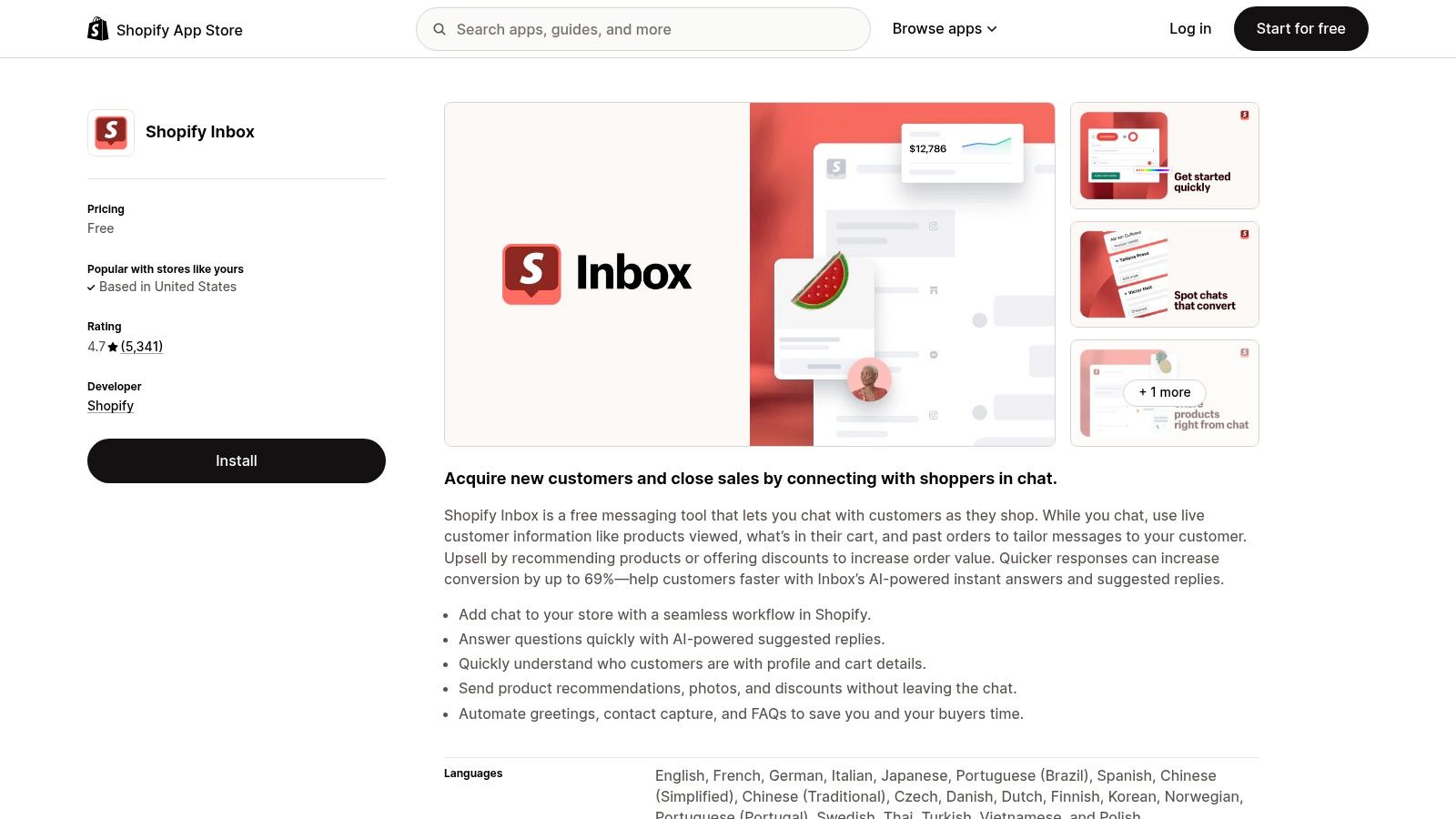
Some apps help you scale later. Shopify Inbox helps you make the first sales that are sitting one question away from converting.
For a beginner, that matters more than is commonly understood. Shoppers ask about sizing, shipping times, materials, returns, or whether a product works for their use case. If they can’t get an answer fast, many leave. Shopify Inbox gives you native storefront chat plus messaging tied into Shopify’s ecosystem, so you can answer questions without wiring together a separate support tool.
Why beginners usually benefit fast
Inbox is useful because it removes friction without much setup. You can send product links and discounts inside chat, set basic automated greetings, and manage conversations from mobile or web. That’s often enough for a new store that doesn’t need advanced ticket routing or support workflows yet.
The trade-off is depth. If your store starts handling high support volume, Inbox can feel light compared with a dedicated help desk. Some merchants also prefer to be careful with any script-based app on a fresh theme, especially when performance is already a concern.
Keep the chat widget if it answers buying questions. Don’t keep it just because “live chat feels professional.”
Quick Setup Tip
Use one welcome message tied to buying intent, not a generic “How can we help?” opener.
- Lead with a real friction point: Ask about shipping, sizing, or product fit.
- Add one saved reply per common question: Delivery times, returns, and sizing usually cover the early volume.
- Only offer discounts when needed: Don’t train every chat visitor to wait for a coupon.
2. Klaviyo Email Marketing and SMS
Most beginner stores think of email as a newsletter tool. That’s too narrow. Email is your recovery system, retention channel, and one of the first places where automation saves real time.
Klaviyo is still one of the most practical choices because its Shopify integration is deep, its flow builder is mature, and it gives you room to grow into segmentation without switching platforms later. In beginner app stacks, email and recovery apps sit in the second-highest adoption tier, and the reason is simple: pre-built automations can run from customer actions like cart abandonment or browsing behavior without constant manual work, as outlined in Zapier’s review of the best Shopify apps.
Where Klaviyo works well
Klaviyo is strong when you need welcome flows, abandoned cart sequences, browse abandonment, and campaign segmentation in one place. It also supports SMS and WhatsApp, which helps if you don’t want separate systems for each channel.
The downside is complexity. New merchants often open Klaviyo and immediately overbuild. They create too many segments, too many branches, and too many campaign types before they have enough traffic or customer data to justify it. Cost also rises with list growth and usage, so poor list hygiene gets expensive.
Practical rule: Build three flows first. Welcome, abandoned cart, and post-purchase. Ignore everything else until those are live and reviewed.
Quick Setup Tip
Start with a simple lifecycle setup.
- Use Shopify events first: Product viewed, checkout started, and order placed are enough to begin.
- Keep your welcome flow short: Introduce the brand, answer objections, and point to bestsellers.
- Exclude recent buyers from promos: Beginners often annoy new customers by sending campaign blasts too soon.
3. Judge.me Product Reviews
A new store has one obvious weakness. Nobody knows if the products are any good.
That’s why a review app belongs near the top of any best shopify apps for beginners list. Judge.me is a common starting point because it’s affordable, quick to install, and focused on the thing early stores need most: visible social proof on product pages and across the customer journey.
Why it solves a trust problem fast
Judge.me lets you collect product and store reviews, request them automatically by email, and display them through widgets, carousels, and Q&A elements. It also supports photo and video reviews, which matter because plain star ratings help, but visual proof usually does more to reduce hesitation.
The main caution is presentation. Review apps can look bolted on if you leave the defaults untouched. Styling often needs a bit of theme work so the widgets feel native rather than pasted in. Moderation also matters. A cluttered review section with inconsistent formatting can weaken trust instead of building it.
A lot of beginners make a second mistake here. They wait too long to ask for reviews. If you don’t set up requests early, you miss the easiest review window, right after delivery when the product is still top of mind.
Quick Setup Tip
Set review request timing based on the product experience, not a generic schedule.
- Send requests after expected delivery: Too early feels careless.
- Ask for photo reviews on visual products: Apparel, home goods, accessories, and beauty products benefit most.
- Place the summary rating high on the page: Don’t bury the proof below long descriptions.
4. PageFly Landing Page Builder

Sometimes your theme is good enough. Sometimes it blocks you from launching a proper landing page, promo page, or custom product layout without developer help. That’s where PageFly earns its place.
For beginners, PageFly is useful because it shortens the gap between idea and execution. You can build landing pages, product pages, and collection layouts with a visual editor instead of editing theme files. That’s helpful when you want to test bundles, promotional angles, or campaign-specific pages without touching your live theme structure.
The real trade-off is speed discipline
Page builders solve flexibility. They also create new ways to make a store heavy. The broader app ecosystem has a real gap here: beginner guides often recommend large app stacks without giving a framework for app-related performance trade-offs, and TinyIMG’s roundup explicitly warns merchants to monitor speed and remove apps if performance suffers in this list of free Shopify apps.
That same caution applies to PageFly. It can work well, but only if you build with restraint. Too many sections, oversized images, animation overload, and duplicate app widgets will hurt page quality.
A page builder won’t fix weak messaging. It just lets you publish weak messaging faster if you’re not careful.
Quick Setup Tip
Build one page type first and make it earn its place.
- Start with a campaign landing page: Don’t rebuild your whole site immediately.
- Reuse sections instead of redesigning each block: Consistency keeps pages cleaner.
- Audit mobile before publishing: Beginners often design on desktop and miss the mobile experience entirely.
5. Upsell.com
Most new stores focus on getting the first conversion rate up. That’s fair. But average order value matters early too, especially if paid traffic is part of the plan.
Upsell.com is built for that problem. It gives you pre-purchase, post-purchase, and thank-you-page offer options, so you can present relevant add-ons without rebuilding your checkout flow from scratch. For beginners, that’s usually easier than stitching together several niche apps to handle bundles, one-click offers, and thank-you-page promotions.
What works and what usually doesn’t
Targeted offers work. Random offers don’t. If someone buys a skincare product, a complementary item makes sense. If they buy a single minimalist product and you hit them with three unrelated upsells, it feels desperate.
This is why beginner merchants should keep the logic tight. Start with one complementary offer and one post-purchase test. If you want broader strategy ideas before configuring the app, this guide to increasing average order value is a useful reference point.
The other thing to watch is pricing. Usage-based billing can be fine when the app is producing value, but beginners should still read the terms carefully and make sure the economics stay clear as order volume changes.
Quick Setup Tip
Use your catalog structure to decide the first offer.
- Pair products people naturally buy together: Accessories, refills, consumables, and matching items are easier wins.
- Test one post-purchase offer first: It’s less disruptive than crowding the product page.
- Match copy to intent: “Complete the set” usually lands better than generic discount language.
6. DSers AliExpress Dropshipping
If you’re testing products without holding inventory, DSers is one of the more established ways to do it on Shopify. It handles AliExpress product importing, supplier mapping, bulk order placement, and order syncing, which removes a lot of repetitive admin work.
That convenience is why it stays popular with beginners. You can validate product demand without buying stock upfront, and if you’re managing more than one storefront, the multi-store capability helps keep operations from turning chaotic.
The app is not the risk. Supplier quality is.
DSers can automate ordering. It can’t fix poor sourcing decisions. Beginners sometimes blame the app for problems that come from weak supplier vetting, inconsistent product quality, poor communication, or unreliable shipping expectations.
That’s the big trade-off with dropshipping stacks. Setup is easy. Brand control is harder. If your offer depends on speed, premium packaging, or a polished post-purchase experience, you need to be much more selective with products and suppliers.
The fastest route to early refunds is selling a product you never properly vetted yourself.
Quick Setup Tip
Treat supplier selection like product selection.
- Order samples before you scale spend: Product pages won’t reveal packaging quality or actual delivery experience.
- Map backup suppliers where possible: It gives you some protection when a source changes or goes out of stock.
- Rewrite imported product copy: Default listings usually sound generic and lower trust.
7. AfterShip Returns
Returns are usually ignored until they become a headache. That’s backwards. A store with a confusing returns process creates more support tickets, more buyer hesitation, and more internal mess.
AfterShip Returns helps beginners professionalize that side of the business early. It gives you a branded self-service returns portal, rules for eligibility, exchange workflows, and label-related functionality that can save a small team a lot of manual back-and-forth.
Why this matters earlier than most founders think
A clear return path affects trust before the purchase, not just after it. If shoppers can tell your store has a structured process, they’re often more comfortable placing the order. Internally, a self-service setup also stops returns from living in email threads and DMs.
The trade-off is that some of the deeper functionality sits in paid tiers, and costs can become more noticeable as return volume grows. For a tiny store with very low order volume, a simpler manual process may still be workable at first. Once support time starts getting eaten by exchange requests and return questions, the app starts making more sense.
Quick Setup Tip
Don’t launch the portal without setting clear rules first.
- Define eligibility in plain language: Time windows, final sale rules, and condition requirements should be easy to understand.
- Prefer exchanges or store credit where appropriate: That can preserve revenue without creating friction.
- Link the policy from product pages and footer: Customers shouldn’t have to hunt for it.
8. Lucky Orange Heatmaps and Replay
When beginners ask why their store isn’t converting, the honest answer is usually, “You don’t know enough about what shoppers are doing yet.”
Lucky Orange helps solve that. It combines session recordings, heatmaps, funnels, form analytics, chat, and surveys, so you can see where people hesitate, rage-click, abandon forms, or stop scrolling. For non-technical founders, that’s often the first useful layer of conversion research.
Why behavior data beats guessing
Analytics and conversion apps tend to deliver the strongest ROI for beginner Shopify merchants, and tools with session recordings and heatmaps can reveal friction points without technical implementation. In the verified market summary, merchants who implement findings from session replay data typically see conversion improvements in the 15-25% range, cited in Yotpo’s overview of Shopify apps that boost conversion rates.
That doesn’t mean the app itself creates the lift. The value comes from acting on what you see. If shoppers repeatedly miss your size guide, abandon at shipping, or get stuck on mobile image galleries, then you fix those specific issues.
The practical downside is script load and privacy handling. Replay tools need thoughtful consent and configuration. Don’t install them and forget them.
Quick Setup Tip
Record first, redesign second.
- Filter by key pages: Product, cart, and checkout-adjacent pages are where friction is easiest to spot.
- Tag repeated issues: Navigation confusion, broken trust signals, and form drop-offs show patterns fast.
- Watch mobile sessions separately: A page that feels fine on desktop can be clumsy on phones.
9. TinyIMG SEO and Image Optimizer
SEO for a new Shopify store usually breaks down into two jobs. Technical hygiene first, content strategy second. TinyIMG helps with the first part.
It automates image compression, alt text support, metadata tasks, structured data help, redirect handling, and other maintenance work that beginners often skip because it feels tedious or too technical. That makes it one of the better utility apps for getting a store into cleaner shape without doing everything manually.
Good for hygiene, not a full SEO strategy
Expectations matter. TinyIMG can improve image handling and technical cleanliness, but it won’t replace product positioning, content quality, internal linking strategy, or authority building. It’s useful because it handles the repeatable pieces well.
There’s also a broader beginner issue worth remembering. Many new stores install too many apps without considering speed trade-offs. TinyIMG’s own content highlights the need to monitor performance and remove apps if the store suffers, which is still one of the most underrated disciplines in Shopify operations. If you’re working through image-heavy pages, this guide to Shopify image optimization gives useful context for what to fix inside and outside the app.
Better images help SEO and speed. Massive uncompressed lifestyle photos can quietly undermine both.
Quick Setup Tip
Run optimization in stages, not all at once.
- Start with top-traffic product and collection pages: That’s where cleanups tend to matter first.
- Review generated alt text: Automation helps, but product context still matters.
- Check redirects after structure changes: Beginners often rename products or collections and forget the SEO consequences.
10. Shopify Search and Discovery
A beginner store doesn’t need advanced AI search on day one. It does need basic product discovery to stop feeling clumsy.
Shopify Search & Discovery is one of the best low-risk installs because it’s native, free, and directly improves how shoppers browse. You can control filters, create synonyms, influence merchandising, and assign complementary products without adding another paid app to the stack.
Why it belongs in a lean starter stack
Search and category navigation matter more as your catalog grows, but even small stores benefit from cleaner discovery. If shoppers search with different terminology than your product titles use, synonyms help. If collections need clearer filters, this app handles that. If you want related or complementary recommendations, it gives you a straightforward way to add them.
The limitation is scale. Once catalogs get large or search behavior becomes more complex, some merchants need specialized search solutions with deeper logic. For a beginner, though, this app covers a lot of practical ground without extra spend.
One reason I like it for new stores is that it improves usability without creating much operational overhead. You set it up, tune a few basics, and customers get a better browsing experience almost immediately.
Quick Setup Tip
Set up filters and synonyms based on how customers speak, not how your inventory spreadsheet is organized.
- Create synonyms for common terms: Think “hoodie” and “sweatshirt,” or “sofa” and “couch.”
- Keep filters useful, not excessive: Size, color, material, and price usually beat long filter menus.
- Add complementary products manually to bestsellers first: That gives the feature more impact early.
Top 10 Shopify Apps for Beginners, Quick Comparison
SolutionCore focus & win 🏆Key features ✨Quality ★Pricing/value 💰Best fit 👥Shopify InboxOn‑site chat + Shop messaging, native, instant setup 🏆Chat, product cards, discounts, basic automations ✨★★★★☆💰 Free; lightweight with minor theme impact👥 New stores & small support teamsKlaviyo: Email Marketing & SMSFull ecommerce CRM for retention, deep Shopify data 🏆Visual flows, SMS/WhatsApp, segments, analytics ✨★★★★☆💰 Free tier; costs scale with list size👥 Growth brands focused on retentionJudge.me Product ReviewsReview collection & SEO rich snippets, flat, reliable pricing 🏆Unlimited requests, photo/video reviews, widgets ✨★★★★☆💰 Free essentials; $15/mo for 'Awesome'👥 SMBs building social proofPageFly Landing Page BuilderDrag‑drop landing pages for CRO, no dev needed 🏆Visual editor, 100+ templates, reusable blocks ✨★★★★☆💰 Free plan; paid tiers; watch page weight👥 Merchants running offers & testsUpsell.com (ReConvert)All‑journey upsells to boost AOV, focused wins 🏆Post‑purchase offers, targeting, A/B tests ✨★★★★☆💰 Usage‑based; can scale with volume👥 Stores optimizing AOV & funnelsDSers – AliExpress DropshippingAliExpress partner for bulk dropshipping automation 🏆Bulk orders, supplier mapping, multi‑store ✨★★★☆☆💰 Free/basic; paid tiers for scale👥 Dropship test stores without inventoryAfterShip ReturnsBranded self‑service returns & exchange workflows 🏆Returns portal, label generation, exchanges ✨★★★★☆💰 Paid tiers for advanced features; cost ↑ with volume👥 Merchants scaling return volumeLucky Orange Heatmaps & ReplayCRO toolkit with session replays for conversion insight 🏆Recordings, heatmaps, funnels, live chat ✨★★★★☆💰 Paid tiers; data/usage pricing👥 UX/CRO teams diagnosing blockersTinyIMG: SEO & Image OptimizerAutomated image + SEO hygiene, set‑and‑forget wins 🏆Image compression, alt/meta, JSON‑LD, 404 fixes ✨★★★★☆💰 Plans from ~$23/mo; extra on‑demand fees👥 Non‑technical founders improving speed/SEOShopify Search & DiscoveryNative search, filters & merchandising, free usability lift 🏆Filters/facets, synonyms, recommendations, analytics ✨★★★★☆💰 Free; feature ceiling for large catalogs👥 Small‑to‑mid catalogs improving browseability
11. Kite Discount & Free Gift
Why it's great for beginners
Kite Discount & Free Gift makes it easy to add automatic discounts and free gift promotions at checkout—no coding required. With 4.9 stars and 800+ reviews, it's one of the most trusted apps for new store owners looking to boost conversions with bundle deals, volume discounts, and free gift with purchase offers. Setup takes minutes and the interface is intuitive enough that you don't need a developer to get it running.
Quick Setup Tip
Start with one simple rule: offer a free gift when customers spend above your average order value. This gives you a concrete conversion lift to measure from day one, and you can layer in more complex promotions once you see what works.
12. MultiVariants
Many Shopify stores are built for customers who buy one variant at a time. That becomes inefficient when wholesale or bulk buyers need several sizes, colors, flavors, or pack quantities in the same order.
MultiVariants solves this by turning the standard product selector into a bulk order form. Customers can view multiple variants together, enter quantities for each one, and add the full selection to the cart in one step. This makes it especially useful for B2B, wholesale, apparel, food, printing, and other variant-heavy stores.
Where MultiVariants works well
MultiVariants is strong when customers regularly order combinations of the same product. Merchants can display variants in a table, grid, list, or matrix and set minimum, maximum, and incremental quantity rules.
It also supports combined quantity requirements, inventory visibility, customer eligibility, B2B pricing, custom product options, and file uploads. That makes it a practical partner for apps focused on discounts, subscriptions, shipping, fulfillment, or inventory management.
The downside is that not every store needs this level of control. A simple retail store with only a few variants may be fine with Shopify's default selector. Too many rules can also make the buying process feel restrictive.
Quick Setup Tip
Use MultiVariants when customers need to order several variants at once.
- Start with a simple layout
- Check with your store and adjust if needed
- Then add only the quantity rules your ordering process truly requires.
Beyond the Basics When to Scale Your App Stack
A common beginner mistake looks like this. The store is live, sales start coming in, and then five more apps get installed in a week because each one promises a quick win. A month later, the theme loads slower, app features overlap, and no one is sure which tool is driving revenue.
A beginner stack should solve clear business problems first: answer pre-purchase questions, collect reviews, recover abandoned visitors, improve product discovery, and spot friction in the buying path. That is enough for a new store owner to get useful signals without turning the admin into a mess. If an app does not have a defined job, it usually becomes dead weight.
The right time to scale your app stack is usually tied to operational pressure, not curiosity. Support volume climbs and Inbox is no longer enough. Email and SMS flows get more complex than a beginner setup in Klaviyo can comfortably manage. Returns start eating support time, so AfterShip Returns goes from nice-to-have to practical. Landing pages need tighter testing than a drag-and-drop builder alone can support. Those are real triggers.
Analytics is another point where beginners often add tools too early. Basic Shopify reports, Klaviyo campaign data, and Lucky Orange recordings can take a store surprisingly far if someone is reviewing them each week. More advanced reporting tools make sense once the store has enough orders, channels, and team members to justify cleaner attribution and deeper reporting. As noted earlier, free and low-cost analytics apps make testing easier, but they still need oversight or they turn into another layer of noise.
Custom development becomes the better investment when apps start fighting each other. I usually look for three signs: repeated features across multiple apps, noticeable speed loss from extra scripts, and manual workarounds that staff repeat every day. At that point, adding another app rarely fixes the problem. Removing two and replacing one workflow often does.
If your store needs custom integrations, app stack cleanup, or a more structured CRO process, a Shopify-focused partner can be useful. ECORN is one option for brands that need Shopify development, CRO support, and integration help without hiring a full internal team. The same discipline applies if you are still early and trying to keep acquisition costs under control while earning your first affiliate commission. Start with the tools tied to a clear problem. Keep the stack lean until the business gives you a reason to add more.
If your store has outgrown patchwork app installs and you need help with Shopify development, CRO, or cleaning up a stack that’s getting too heavy, ECORN is worth a look. Their team works with brands that need practical Shopify support, from focused project work to ongoing subscription-based execution.



How to Implement Structured Data for Ecommerce in 2026

SEO App Mobile: Shopify Store Optimization Guide

Shopify Plus Support: What It Includes and How to Choose

Google Ads for Shopify: The Complete 2026 Playbook

Shopify New York: How to Find and Hire the Right Agency

Google Search Console for Shopify: The Complete Setup

First Party Data Collection for eCommerce Growth

FAQ Online Store Guide: Build and Measure It Right

Do FB Ads Work for eCommerce in 2026?

One Page Checkout for Shopify: Design and Implementation

Shopify GraphQL vs REST: The 2026 Developer Decision

Shopify Ecommerce Consulting: Strategy, Pricing &

Are Reddit Ads Worth It for eCommerce Brands

Shopify Title and Meta Description: A Practical 2026 Guide

Product Video Best Practices for Shopify Brands

Real-Time Inventory Management: A 2026 Guide

AI Chatbot Integration for Shopify Stores

Affiliate Program Management: A Shopify Guide

10 Best Performance Monitoring Tools for Shopify in 2026

Digital Asset Management for eCommerce Brands in 2026

Every Type of Facebook Ads Explained for eCommerce Growth

Product Information Management Explained for Shopify Brands

Support Ticket System: A Guide for Shopify Stores

10 Best Customer Service Tools for Shopify in 2026

Can I Start a Business with No Money? a 2026 Blueprint

What Sells Good on Etsy: Best Niches for 2026

Shopify Add to Cart Button: A Practical 2026 Guide

Customer Feedback Automation: A Practical eCommerce Guide

Critical Rendering Path: A Guide for Shopify Stores

How to Promote on TikTok for eCommerce in 2026

B2B eCommerce Consulting That Drives Real Revenue

10 Best Practices for Site Navigation in 2026

Return vs Refund for Shopify Stores: A Practical Guide

What Is Customer Lifetime Value and Why It Matters

What Is Voice of Customer Research for eCommerce

SMS Marketing for Ecommerce That Actually Converts

Master How to Improve Email Deliverability in 2026

Top 7 eCommerce Partners NYC for Shopify Brands in 2026

Machine Learning for Ecommerce: Boost Your Shopify Store

Beauty Market Research: Your 2026 Growth Guide

Shopify International Expansion: A 2026 Roadmap

What Does CRO Stand for in Business: Understanding CRO

Shopify Visual Merchandising: A Playbook for Higher Sales

Shopify Landing Page Design: Master Conversion in 2026

10 Best AI SEO Optimization Tools for Shopify in 2026

Agentic AI for Ecommerce: Boost Your Sales in 2026
Mastering Email Marketing Data for eCommerce Growth

Conversion Rate Optimisation Australia: Boost Your Sales

Conversion Rate Optimization AI: Your Shopify Store Guide

10 Product Bundling Strategies for Shopify in 2026

How to Increase Customer Lifetime Value: A Shopify Playbook

AI Customer Service Automation: Shopify Guide 2026

Clean Website Design: A Shopify Conversion Playbook

Omnichannel Retail Strategy: A Shopify Playbook

Product Data Enrichment: A Guide for Shopify Brands

Instagram Shopping Features a Guide for Shopify Stores

What Is Revenue Optimization: A Holistic RevOps Guide

Benefits of Conversion Rate Optimization: Boost Your

WordPress to Shopify Migration: Your 2026 Seamless Switch

Boost Sales: Ecommerce Payment Processing Guide 2026

Unified Commerce Platform: Benefits, KPIs & Shopify Guide

How to Reduce Bounce Rate eCommerce: Your 2026 Guide

Shopify API Integration: A Practical End-to-End Guide

How to Implement Data Governance: A 2026 Guide

Shopify Store Development Cost: A 2026 Breakdown

What Is Server Side Tracking: The Shopify Guide 2026

Marketing Automation Workflows: A Shopify Guide for 2026

Shopify: How to Reduce Technical Debt

Shopify UX Design Change: A Playbook for Growth

User Generated Content Strategy: Shopify Playbook

Shopify Pause and Build Plan Cost: A Complete 2026 Guide

Compare at Price on Shopify: A Complete Guide for 2026

Where Can I Sell My Prints? 10 Best Platforms for 2026

Shopify Order Management System: The Ultimate Guide 2026

What Is Marketing Attribution? an eCommerce Guide for 2026

10 Best Black Friday Sales Sheets for 2026

Discover the Top Social Media Marketing Agencies For

Consumer Confidence Definition for eCommerce in 2026

What Is Social Commerce? Your 2026 Guide to Boosting Sales

A Social Ad Campaign Playbook for eCommerce Growth

7 Best FAQ Page Examples for SaaS & eCommerce

Market Research in Fashion Industry: A Guide for Shopify

Shopify Migration Services: Expert Guide for 2026

Mastering FB Retargeting Ads for Shopify in 2026

What Is Omnichannel Ecommerce

Master Your Shopify Plus Migration: The 2026 Guide

Shopify Integration Services: A Merchant's 2026 Guide

Shopify Collection Description: A Guide to SEO & Sales

Shopify Plus Contact: Reach Sales & Support Effectively

Top Luxury Shopify Stores: Design & UX Strategies

How to Improve Customer Experience: A Shopify Roadmap

Creative Facebook Ads: 10 Examples for Shopify Brands

Remarketing with Facebook Ads: A Shopify Guide for 2026

SEO Linking Strategies for Shopify Stores
Top 7 Statistics YouTube Channels for eCommerce in 2026

Hiring Shopify Plus Designers: A Founder's Guide
Shopify Product Variation: Master Your Variants for 2026

Leverage Ai Solutions Brands: Your 2026 Shopify Growth Guide
Filters in Shopify: A Guide for Growing Brands

Shopify Plus Developer: A Guide for Growing Brands


newsletter in your inbox