

You're usually not thinking about the Shopify authentication app on a good day.
You're thinking about orders shipping on time, paid campaigns holding efficiency, customer service clearing tickets, and whether the next product drop will stress your storefront. Authentication only gets attention when something breaks. A founder gets locked out. A marketer can't access the admin before a launch. A customer abandons sign-in because the flow feels clumsy. Or worse, someone gets in who shouldn't.
That's why this topic matters more than many organizations realize. Authentication sits in a strange but important spot between security, conversion, and operations. If it's weak, your store is exposed. If it's heavy-handed, staff and customers fight the process. If it's planned properly, it fades into the background and keeps the business moving.
Why Secure Logins Are Your Store's Unsung Hero
A product launch is an hour away. Paid traffic is live, support is staffed, and the person who needs to approve a last-minute homepage change cannot get into Shopify because their two-step method is tied to an old phone. At the same time, a former contractor still has app access nobody cleaned up after the last campaign.
That is not a technical edge case. It is an operations problem with revenue, security, and customer experience attached to it.
Many brands on a high-growth trajectory run into this after a few hiring cycles, a few agency relationships, and a few new tools. What started as one or two trusted logins turns into a mix of staff accounts, outside collaborators, connected apps, and improvised recovery methods. The Shopify authentication app conversation starts there, but the core issue is broader. It is about who can get in, how they prove it, and what happens when access breaks at the worst possible time.
Passwords alone do not hold up well under real-world pressure. They get reused. They get shared in Slack. They stay active longer than they should. A secure login setup reduces the chance of unauthorized access, but it also reduces self-inflicted disruption.
That matters in a few practical ways:
- Launch reliability: The right people can still access Shopify during promotions, site incidents, and merchandising changes.
- Cleaner offboarding: Former staff, freelancers, and agencies lose access on time instead of lingering in the background.
- Lower support volume: Customers and staff hit fewer avoidable login and recovery problems.
- Stronger trust: Account access feels predictable, which matters for both internal teams and repeat buyers.
The business trade-off is straightforward. Add too little protection and the store is exposed to stolen credentials, shared-account habits, and weak recovery practices. Add too much friction and teams avoid the process, customers drop off, and everyone starts looking for shortcuts.
The strongest authentication setups account for both sides. They protect admin access, but they also plan for account recovery, device loss, role changes, and app fatigue across teams who already use too many tools. I have seen brands invest in stronger login requirements, then lose hours during a launch because nobody documented backup methods or assigned an owner for access governance. Good authentication policy is not just about blocking bad actors. It keeps the business moving when something predictable goes wrong.
That is why secure logins are often undervalued. They sit in the background until a contractor is over-permissioned, a founder gets locked out, or customer sign-in creates enough friction to hurt repeat purchase behavior. Managed well, authentication protects margin in quiet ways. Fewer avoidable incidents. Fewer access delays. Fewer support tickets. More confidence in who is inside your store and systems.
Understanding Key Authentication Concepts for eCommerce
Authentication language gets muddled fast, and that confusion usually shows up later as the wrong app choice, a messy rollout, or avoidable login friction. The practical question is simpler. What problem are you solving: protecting admin access, reducing customer sign-in drop-off, controlling staff access across tools, or approving one system to access another?
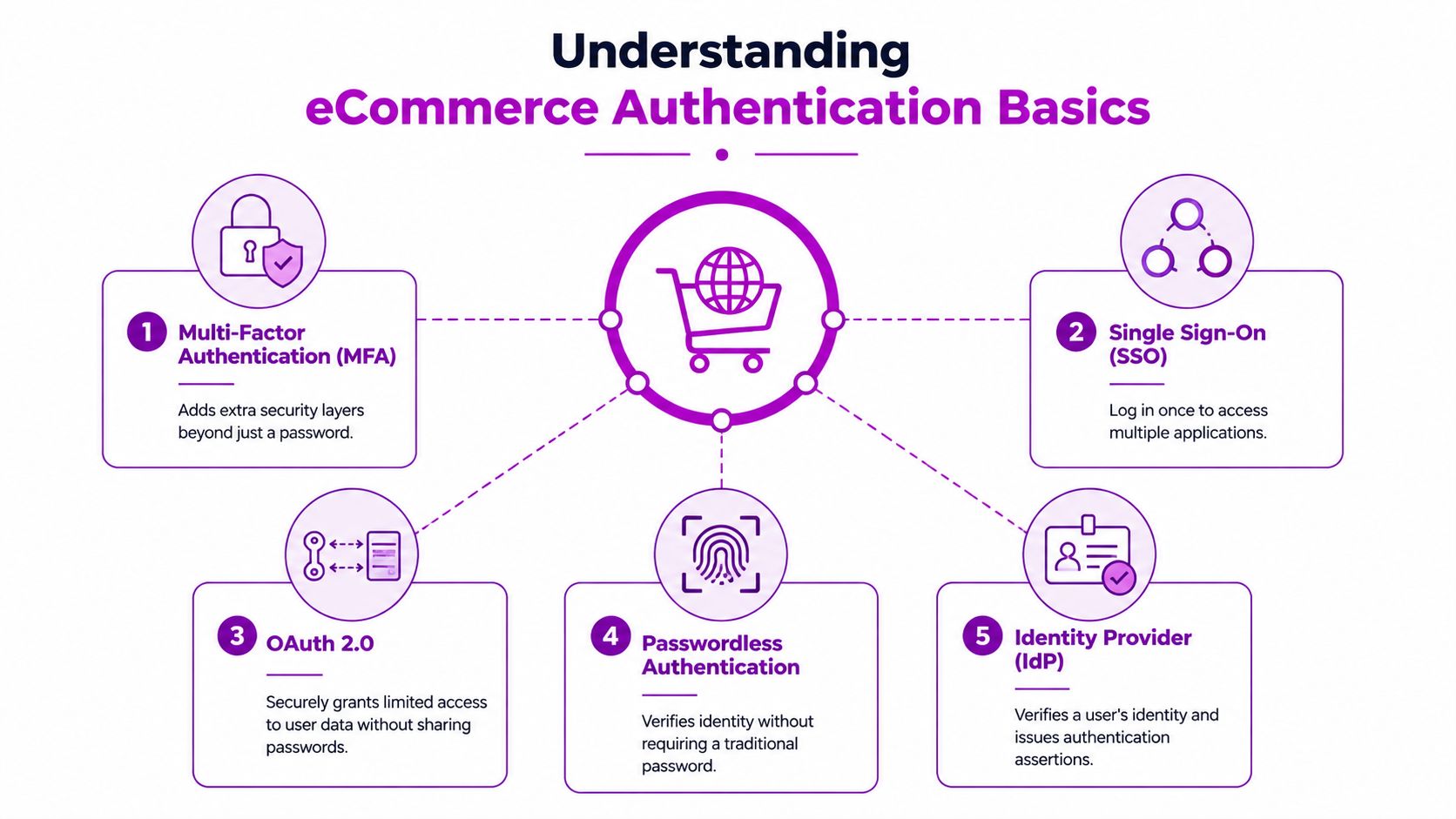
A growing brand often needs more than one answer. The owner account may need stricter controls than a support rep. A repeat customer should not face the same friction as an internal finance user. An embedded app also has a different trust model from a storefront login.
MFA and two-step authentication
Multi-factor authentication (MFA) means the user proves identity with two or more different factors. Usually that is a password plus a time-based code, device approval, security key, or biometric check.
For Shopify admin access, the common version is two-step authentication with an authenticator app that generates a short-lived code. That extra step matters because admin accounts carry operational risk. A compromised admin login can lead to fraudulent orders, theme changes, payout changes, or customer data exposure.
The trade-off is straightforward. MFA adds friction at login, but for admin users that friction is usually worth it. Where merchants run into trouble is not setup. It is recovery. If a founder loses a phone during a launch week and nobody stored backup methods properly, the business problem is no longer security alone. It is downtime.
SSO, social login, and identity providers
Single sign-on (SSO) is about staff efficiency and access control. One trusted login is used across multiple business systems, which cuts password reuse and makes onboarding and offboarding easier to manage.
An identity provider (IdP) is the system that verifies the user and applies company rules. In larger organizations, that often connects authentication to email accounts, device management, and security policies. This matters when teams grow, agencies rotate in and out, and access ownership starts getting blurry.
Social login serves a different audience. It gives customers a faster way to sign in with an existing account such as Google or Apple. That can help reduce account creation friction, especially on mobile, but it is not automatically better for every brand. Some customer bases prefer email login because it feels more familiar, while others abandon sign-in if they are pushed into another provider flow they do not trust.
App fatigue shows up here too. Internal teams get tired of too many login prompts across tools. Customers get tired of too many account choices and verification steps. Good authentication design reduces that fatigue instead of shifting it around.
OAuth and passwordless methods
OAuth 2.0 is an authorization framework, not just a login shortcut. It allows one system to grant limited access to another system without exposing the user's password.
That distinction matters in Shopify projects. If a private tool, headless frontend, or third-party app needs scoped access, OAuth helps limit what that connection can do and makes revocation cleaner. Used well, it reduces blast radius. Used poorly, it creates confusing permissions and support headaches.
Passwordless authentication removes the traditional password and replaces it with a magic link, one-time code, passkey, or biometric approval. The upside is lower password friction and fewer reset requests. The downside is that recovery planning becomes more important. If the user loses access to the device or inbox tied to login, your fallback flow has to be clear or support volume rises.
| Concept | Best use case | Main trade-off |
|---|---|---|
| MFA | Protecting admin accounts and sensitive staff access | Adds an extra login step and needs a recovery plan |
| SSO | Teams working across multiple internal systems | Requires setup, policy ownership, and user rollout |
| OAuth 2.0 | Granting limited access between apps and platforms | Permissions can get messy if scopes are poorly planned |
| Passwordless | Reducing customer login friction and password resets | Recovery and fallback design become more important |
| IdP | Centralizing staff identity and access rules | Usually makes more sense once team complexity increases |
Good authentication is matched to risk, user type, and operational reality. The right setup for a founder account, a customer login, and a custom app should differ.
Exploring Native Shopify Authentication Methods
A growing store usually hits this point after the first security scare or the first login complaint from customers. The team starts looking for a Shopify authentication app, even though Shopify already covers a large share of what many brands need.
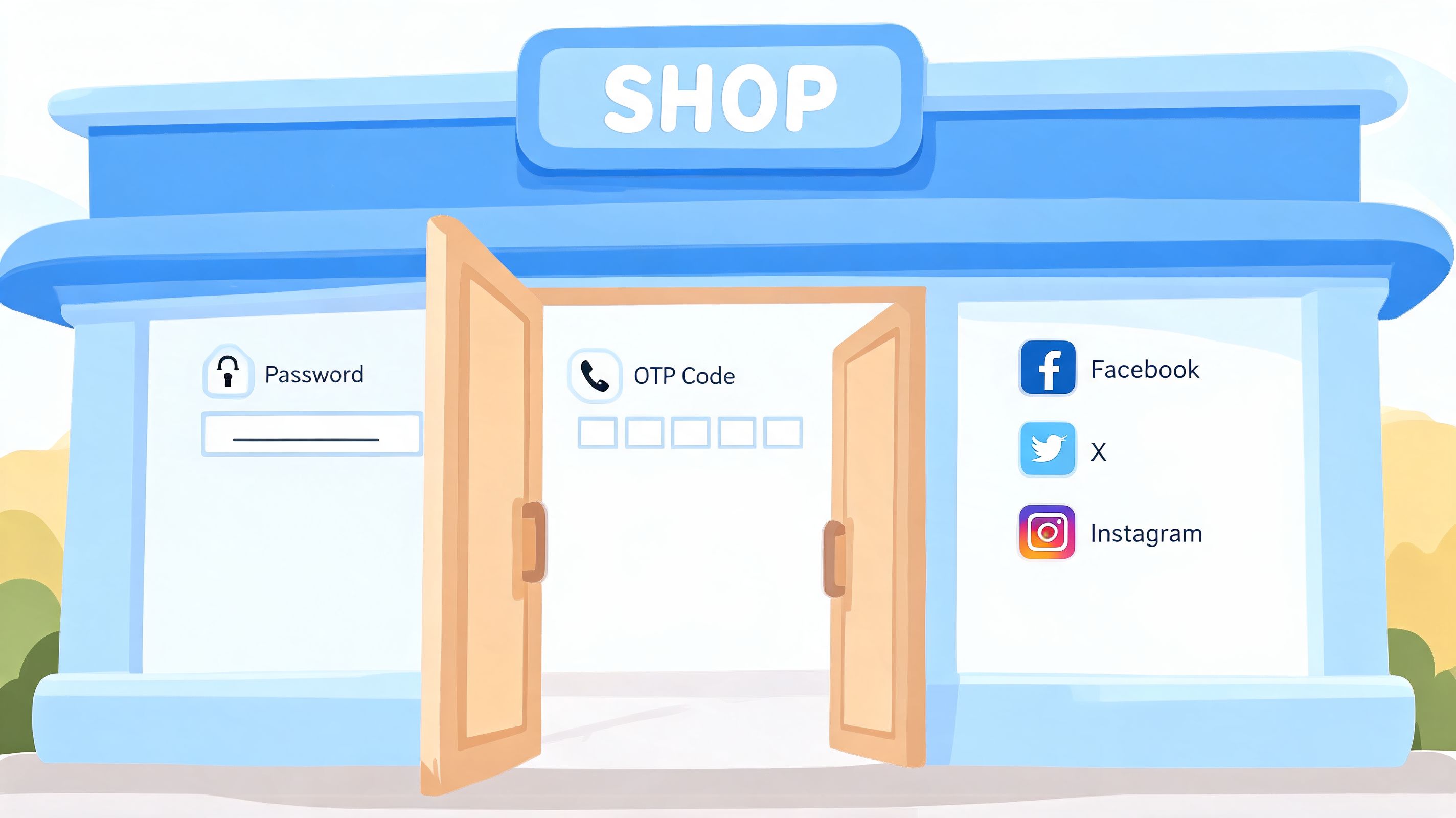
That matters because every added login tool creates overhead. Staff need rollout instructions. Customers hit new points of friction. Support teams need a recovery process for lost devices, expired codes, and locked accounts. Native Shopify options are often the best starting point because they reduce that operational burden.
Admin protection with the authenticator app
For admin access, Shopify's built-in two-step authentication should be the default. It protects store owners and staff accounts with a second factor, usually through an authenticator app that generates rotating codes inside Shopify admin security settings.
For many merchants, this is the most literal use of a shopify authentication app. It is the app a team uses to secure the business side of the store.
The upside is clear. Setup is simple, the feature is built into Shopify, and it covers the highest-risk accounts first. The trade-off is that implementation is not the same as readiness. If a founder keeps backup codes in one device, or a marketing lead is the only person who can approve access changes during a campaign launch, the store still has a real continuity risk.
Plan recovery before there is a lockout.
That means deciding who owns backup methods, how access is restored when an employee leaves, and how quickly the team can regain admin entry during a high-volume sales window. Brands that skip this step usually discover the gap under pressure.
Customer accounts and recognized checkout experiences
On the customer side, native authentication has a different job. The goal is to balance account security with purchase flow. Too much friction hurts conversion. Too little structure can create account confusion, duplicate profiles, and more support tickets around order history and returns.
Shopify's native customer account options work well for brands that want a standard login experience without managing a separate identity stack. Shop Pay also helps recognized customers move through checkout faster, which is often more valuable than adding a heavily customized login flow early.
The business trade-off becomes clearer at this point. A fashion brand focused on repeat consumer purchases may benefit more from recognized returning users and faster checkout than from adding multiple login methods. A B2B seller with approval-based access rules usually needs more control than native customer accounts provide. Brands expanding into markets with varied payment expectations, including teams evaluating UAE startup payment solutions, should make the same assessment. Keep the login experience aligned with how customers buy.
Native options by store type
Native Shopify methods fit best when the use case is clear:
- Standard customer accounts: Best for brands that want a familiar account experience with low maintenance.
- Shop Pay and recognized sessions: Best for stores where checkout speed and returning-customer convenience matter more than deep account customization.
- Multipass for Shopify Plus: Best for Plus merchants that already have an external identity system and need customers to move into Shopify without a separate login.
- Storefront tokens for headless builds: Best for teams running a decoupled storefront where authentication needs to connect custom frontends with Shopify infrastructure.
The common mistake is asking native tools to cover edge cases they were not designed to handle. Wholesale approval flows, complex role logic, and specialized verification rules usually push a store beyond Shopify's defaults. Native authentication is strongest when the business wants secure admin access, a clean customer login path, and less infrastructure to maintain.
Expanding Options with Third-Party Authentication Apps
Third-party authentication apps make sense when your needs stop matching Shopify's defaults. That usually happens for one of three reasons. You want a different customer login experience, you need stronger rules around who can access what, or your store serves a specialized audience such as wholesale buyers or regulated categories.
The three app categories that matter
The easiest way to assess the App Store isn't by app name. It's by problem type.
- Social login apps: These are for stores that want customers to sign in with providers like Google or Facebook. They can reduce password friction for consumer brands, especially if repeat purchase behavior matters.
- Advanced verification and MFA apps: These extend beyond basic login and can add stronger customer-side identity checks or specialized access controls.
- B2B and wholesale portal apps: These help brands segment who sees pricing, who can log in, and how account approval works.
Each category solves a different pain point. That's why “best authentication app” is usually the wrong buying question. The right question is whether the tool fixes a specific operational issue without damaging conversion.
Where third-party tools usually outperform native options
Third-party apps tend to win when you need more opinionated behavior. Native Shopify is designed to be broadly useful. App-based authentication is usually more useful when the business rules are narrower.
A few examples:
| Need | Native Shopify fit | Third-party app fit |
|---|---|---|
| Simple admin 2FA | Strong | Usually unnecessary |
| Social customer login | Limited | Often better |
| Wholesale account gating | Partial | Often stronger |
| Custom customer approval flows | Limited | Often better |
| Regulated identity checks | Limited | Often necessary |
What doesn't work is stacking multiple apps that each touch login behavior. That creates overlap, conflicting UX, and harder debugging.
Regional and operational context matter
Authentication decisions don't happen in isolation. If you're operating across markets, payment expectations, compliance needs, and customer trust patterns shape what login experience feels normal. For teams evaluating regional infrastructure alongside checkout and identity flows, this overview of UAE startup payment solutions is useful context because payment and authentication choices often need to align in expansion markets.
The practical takeaway is simple. Install a third-party authentication app when Shopify's native tools leave a clear gap. Don't install one because the feature list sounds impressive.
Building Custom Authentication for Headless and Plus
Custom authentication is where merchants can waste a lot of money if they start too early. It only makes sense when your business model or architecture demands behavior that native tools and apps can't handle cleanly.
That's most common in headless builds, complex Shopify Plus environments, or businesses integrating Shopify with an existing identity system.

When custom becomes justified
A custom approach is usually warranted when one of these conditions is true:
- You have an existing identity layer: For example, staff or customers already authenticate through another system and Shopify needs to fit into that model.
- You run a headless storefront: The frontend is decoupled, so the authentication flow can't rely on standard theme assumptions.
- You need embedded app security: Internal tools or merchant-facing apps need secure request validation inside Shopify admin.
- You have multi-store complexity: Access and session handling need to stay clean across storefronts or environments.
If you're evaluating that route, this guide to Shopify app creation from concept to revenue is a helpful primer on what the development path involves.
The architecture that trips teams up
For embedded admin apps, Shopify requires a layered security model. Shopify mandates OAuth 2.0 for initial authorization and App Bridge-validated session tokens for ongoing requests, as described in this overview of modern Shopify app authentication architecture.
That requirement matters because many teams assume installation auth is the hard part. It isn't. The harder part is handling ongoing session validation correctly once the app is running inside Shopify admin.
The install flow gets attention. Session handling is where weak implementations usually show up.
What works and what fails in custom projects
Custom authentication works when the business rules are stable and the engineering team owns the full lifecycle. That includes token handling, expiry behavior, session validation, recovery planning, and ongoing maintenance.
It fails when the build starts with vague goals like “more control” or “better security” but no precise requirement behind them.
A useful internal test is this: if you can describe the exact user journey, the exact systems involved, and the exact policy reason Shopify's native or app-based options fall short, custom might be justified. If you can't, you probably need a better selection process, not a custom build.
Navigating Security, Compliance, and User Experience
Authentication gets real here. Most guides stop at setup. Actual operations start after setup.
The hard part isn't enabling two-step authentication. The hard part is making sure the business still functions when a phone is lost, a staff member changes roles, a freelancer leaves, or a team in another time zone can't complete a login challenge before a campaign goes live.
Account recovery is not a side note
One of the biggest blind spots in authentication planning is recovery. Shopify's own help guidance makes the risk clear: merchants need backup authentication methods to avoid catastrophic lockouts if they lose access to their primary authenticator device, as noted in Shopify's help article on authenticator apps.
That isn't a technical footnote. It's an operational requirement.
A sensible setup includes:
- Backup access methods: Don't rely on a single device for a critical admin account.
- Named responsibility: Someone should own the recovery process and document it.
- Role-based resilience: Avoid a model where one founder or operator becomes the single point of failure.
- Peak-period planning: Recovery shouldn't be improvised during a launch or major sale.
If your lead operator loses their phone on a launch day and nobody knows the recovery path, the problem isn't security. The problem is process design.
Adoption friction is real
The second blind spot is team adoption. Authentication fatigue shows up fast when merchants roll out stronger login requirements without planning for behavior change.
People don't usually resist security because they oppose security. They resist it because the flow feels inconsistent, interrupts their work, or wasn't explained well. Marketing signs in from one device, support from another, warehouse staff from shared environments, and leadership from wherever they happen to be traveling.
That means the rollout needs to be operational, not just technical.
What makes rollouts work better
The best rollouts I've seen share a few habits:
- Start with the highest-risk accounts. Founders, store admins, finance, and app managers go first.
- Standardize the method. Too many allowed methods create support confusion.
- Document recovery before enforcement. Not after.
- Train with real scenarios. Device loss, staff offboarding, and urgent access should all be covered.
- Tie access to policy. If someone should no longer have access, remove it immediately.
Merchants also need to think about compliance and handling customer identity data carefully. If your authentication setup touches regulated workflows, sensitive account information, or payment-adjacent controls, your broader security posture matters just as much as the login layer. This guide to PCI compliance for Shopify stores is relevant reading because authentication decisions often connect directly to wider compliance obligations.
Security that nobody can use isn't good security. But convenience that leaves your admin exposed isn't good UX either. The right setup is the one your team can follow under pressure.
Choosing Your Path Build, Buy, or Partner
By the time most brands seriously evaluate authentication, they already feel the strain. The team is bigger, the app stack is messier, and access patterns don't match the old setup anymore.
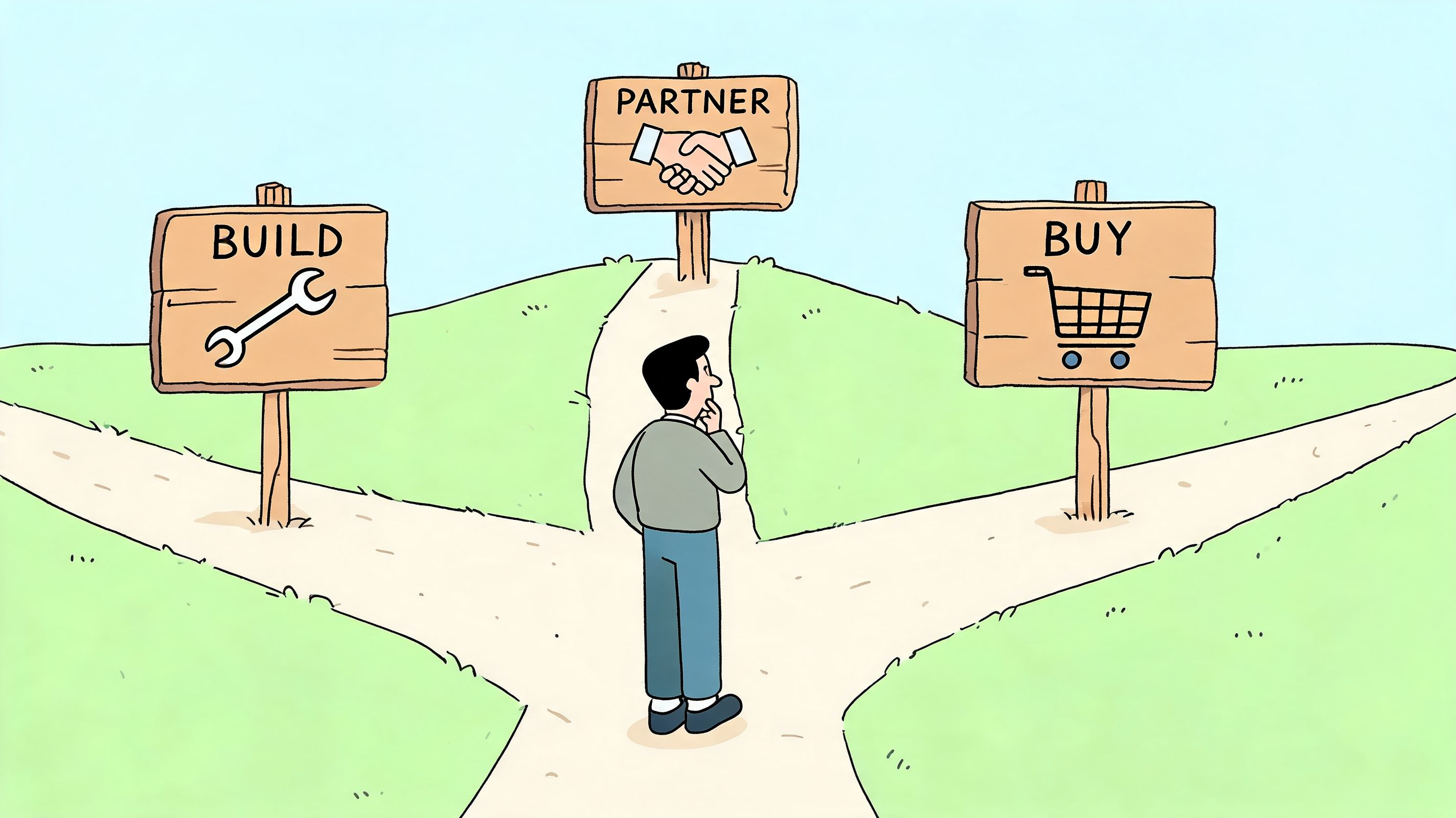
There are really three paths. Use Shopify's native tools, buy a third-party app, or build something custom. The right answer depends less on ambition and more on complexity.
Choose native when the problem is ordinary
Stick with native Shopify authentication when your needs are clear and conventional. That means securing admin access with two-step authentication, keeping customer accounts straightforward, and avoiding unnecessary moving parts.
This is the right choice for many emerging brands. It's lower maintenance, easier to document, and less likely to create hidden dependencies.
Buy when you have a defined gap
A third-party app is usually the right move when the gap is specific. Maybe you need social login, wholesale account approval, stronger customer-side verification, or a login experience Shopify doesn't natively provide.
The key is restraint. Buy one app to solve one real problem.
Consider this perspective:
- Use native if your team mostly needs secure admin access and standard customer login behavior.
- Buy an app if the business case is clear and the feature need is narrow.
- Build only when architecture, integration, or policy requirements make off-the-shelf options unworkable.
Here's a useful walkthrough that frames the strategic side of choosing between approaches:
Partner when the stakes are higher
Partnering with an agency makes sense when the decision touches multiple systems at once. That could mean Shopify Plus migrations, headless builds, custom app ecosystems, B2B logic, or access policies that need to scale across teams and storefronts.
You don't need external help because authentication is impossible. You need it when the wrong decision creates long-term operational drag.
If you're weighing options right now, don't ask which authentication method is most advanced. Ask which one your team can run consistently, recover safely, and scale without constant rework.
If your store has outgrown a basic login setup, ECORN can help you assess whether native Shopify authentication, a third-party app, or a custom solution fits your architecture and growth stage. Their team works with brands that need practical Shopify security, cleaner operations, and scalable implementation without turning authentication into a bottleneck.



Conversion Tracking Setup for Shopify Stores

BigCommerce vs Shopify Plus Which Enterprise Wins in 2026

Shopify Theme Kit: Setup, Commands, and Migration Guide

Shopify Extension Development: A Practical 2026 Guide

Shopify Speed Score Explained and How to Improve It

Shopify Mobile Optimization: The 2026 Playbook

How to Add Subcategory in Shopify for Better UX

How to Implement Structured Data for Ecommerce in 2026

SEO App Mobile: Shopify Store Optimization Guide

Shopify Plus Support: What It Includes and How to Choose

Google Ads for Shopify: The Complete 2026 Playbook

Shopify New York: How to Find and Hire the Right Agency

Google Search Console for Shopify: The Complete Setup

First Party Data Collection for eCommerce Growth

FAQ Online Store Guide: Build and Measure It Right

Do FB Ads Work for eCommerce in 2026?

One Page Checkout for Shopify: Design and Implementation

Shopify GraphQL vs REST: The 2026 Developer Decision

Shopify Ecommerce Consulting: Strategy, Pricing &

Are Reddit Ads Worth It for eCommerce Brands

Shopify Title and Meta Description: A Practical 2026 Guide

Product Video Best Practices for Shopify Brands

Real-Time Inventory Management: A 2026 Guide

AI Chatbot Integration for Shopify Stores

Affiliate Program Management: A Shopify Guide

10 Best Performance Monitoring Tools for Shopify in 2026

Digital Asset Management for eCommerce Brands in 2026

Every Type of Facebook Ads Explained for eCommerce Growth

Product Information Management Explained for Shopify Brands

Support Ticket System: A Guide for Shopify Stores

10 Best Customer Service Tools for Shopify in 2026

Can I Start a Business with No Money? a 2026 Blueprint

What Sells Good on Etsy: Best Niches for 2026

Shopify Add to Cart Button: A Practical 2026 Guide

Customer Feedback Automation: A Practical eCommerce Guide

Critical Rendering Path: A Guide for Shopify Stores

How to Promote on TikTok for eCommerce in 2026

B2B eCommerce Consulting That Drives Real Revenue

10 Best Practices for Site Navigation in 2026

Return vs Refund for Shopify Stores: A Practical Guide

What Is Customer Lifetime Value and Why It Matters

What Is Voice of Customer Research for eCommerce

SMS Marketing for Ecommerce That Actually Converts

Master How to Improve Email Deliverability in 2026

Top 7 eCommerce Partners NYC for Shopify Brands in 2026

Machine Learning for Ecommerce: Boost Your Shopify Store

Beauty Market Research: Your 2026 Growth Guide

Shopify International Expansion: A 2026 Roadmap

What Does CRO Stand for in Business: Understanding CRO

Shopify Visual Merchandising: A Playbook for Higher Sales

Shopify Landing Page Design: Master Conversion in 2026

10 Best AI SEO Optimization Tools for Shopify in 2026

Agentic AI for Ecommerce: Boost Your Sales in 2026
Mastering Email Marketing Data for eCommerce Growth

Conversion Rate Optimisation Australia: Boost Your Sales

Conversion Rate Optimization AI: Your Shopify Store Guide

10 Product Bundling Strategies for Shopify in 2026

How to Increase Customer Lifetime Value: A Shopify Playbook

AI Customer Service Automation: Shopify Guide 2026

Clean Website Design: A Shopify Conversion Playbook

Omnichannel Retail Strategy: A Shopify Playbook

Product Data Enrichment: A Guide for Shopify Brands

Instagram Shopping Features a Guide for Shopify Stores

What Is Revenue Optimization: A Holistic RevOps Guide

Benefits of Conversion Rate Optimization: Boost Your

WordPress to Shopify Migration: Your 2026 Seamless Switch

Boost Sales: Ecommerce Payment Processing Guide 2026

Unified Commerce Platform: Benefits, KPIs & Shopify Guide

How to Reduce Bounce Rate eCommerce: Your 2026 Guide

Shopify API Integration: A Practical End-to-End Guide

How to Implement Data Governance: A 2026 Guide

Shopify Store Development Cost: A 2026 Breakdown

What Is Server Side Tracking: The Shopify Guide 2026

Marketing Automation Workflows: A Shopify Guide for 2026

Shopify: How to Reduce Technical Debt

Shopify UX Design Change: A Playbook for Growth

User Generated Content Strategy: Shopify Playbook

Shopify Pause and Build Plan Cost: A Complete 2026 Guide

Compare at Price on Shopify: A Complete Guide for 2026

Where Can I Sell My Prints? 10 Best Platforms for 2026

Shopify Order Management System: The Ultimate Guide 2026

What Is Marketing Attribution? an eCommerce Guide for 2026

10 Best Black Friday Sales Sheets for 2026

Discover the Top Social Media Marketing Agencies For

Consumer Confidence Definition for eCommerce in 2026

What Is Social Commerce? Your 2026 Guide to Boosting Sales

A Social Ad Campaign Playbook for eCommerce Growth

7 Best FAQ Page Examples for SaaS & eCommerce

Market Research in Fashion Industry: A Guide for Shopify

Shopify Migration Services: Expert Guide for 2026

Mastering FB Retargeting Ads for Shopify in 2026

What Is Omnichannel Ecommerce

Master Your Shopify Plus Migration: The 2026 Guide

Shopify Integration Services: A Merchant's 2026 Guide

Shopify Collection Description: A Guide to SEO & Sales

Shopify Plus Contact: Reach Sales & Support Effectively

Top Luxury Shopify Stores: Design & UX Strategies

How to Improve Customer Experience: A Shopify Roadmap

Creative Facebook Ads: 10 Examples for Shopify Brands

Remarketing with Facebook Ads: A Shopify Guide for 2026


newsletter in your inbox