


Your store is still taking orders, but the warning signs are already hitting revenue.
A campaign lands and the site slows down. A simple merchandising change turns into a developer ticket. Operations hesitates to approve fixes because one update could disrupt subscriptions, reporting, or fulfillment. That is usually when leadership stops treating platform pain as a technical annoyance and starts evaluating a switch to Shopify.
Teams that manage this transition effectively do not just chase a cleaner admin or a new theme framework. They aim to remove operating friction that reduces margin, delays launches, and caps growth. The primary goal is not just to complete a replatform. It is to protect revenue during the transition, avoid the usual post-launch conversion dip, and finish with a store the team can improve without rebuilding every feature from scratch.
That also means being honest about fit. Shopify solves a lot of problems well, but it introduces its own constraints around customization, app choices, and platform conventions. Brands should assess those trade-offs before committing. If you are still validating the platform decision itself, this breakdown of the pros and cons of Shopify is a practical place to start.
A good migration plan covers more than data transfer and design. It sets redirect rules before rankings slip, maps app replacements before operations break, and defines launch safeguards before paid traffic starts hitting the new store. That is where DIY projects usually get expensive. The technical move is only part of the job. Preserving revenue and setting up the next stage of growth is the part that matters.
Is It Time to Migrate to Shopify
A common turning point looks like this. The marketing team wants a new landing page before a campaign goes live, operations needs cleaner fulfillment logic, and product wants to launch a bundle. None of those requests are unusual. The problem is that your current platform turns each one into a small project with developer dependency, testing risk, and a growing backlog.
That is usually the moment to evaluate Shopify seriously. Not because a migration is fashionable, but because platform friction is starting to cut into revenue. Teams feel it first in slower launches and missed experiments. Finance feels it later in higher maintenance cost, lower conversion efficiency, and too much staff time spent holding together systems that should already work.
What usually pushes teams to make the call
In agency migrations, the trigger is rarely one dramatic failure. It is a pattern of recurring drag that keeps getting more expensive to ignore.
A move becomes justified when you see issues like these:
- Release cycles keep stretching because merchandising, content, and product changes depend on custom development
- Storefront flexibility is limited and routine updates like collection changes, market expansion, or campaign builds take too long
- Checkout or app constraints are blocking growth in areas like subscriptions, bundles, B2B requirements, or cleaner operational reporting
- Manual workarounds are spreading across inventory, customer support, search, promotions, and content publishing
A store can look stable from the outside and still be draining margin internally.
Why Shopify becomes the practical option
Shopify tends to win these evaluations because it reduces the amount of custom platform management a team has to carry. For many brands, that means faster execution, easier admin workflows, and a larger ecosystem of apps and agency support. It does not solve every problem. Complex logic, ERP-heavy operations, and highly custom buying flows still need careful architecture. But for brands stuck on brittle builds or expensive maintenance cycles, Shopify often gives the team a cleaner operating model.
The key question is cost of delay. If every campaign, feature request, or market expansion takes longer than it should, the business is already paying for the wrong platform. The invoice just shows up indirectly.
If you are still deciding whether the platform itself fits your business, this breakdown of the pros and cons of Shopify is a useful first filter.
The important trade-off is straightforward. Migration has an upfront cost and real execution risk. Staying put has a recurring cost that compounds through slower delivery, weaker testing velocity, and post-launch opportunities your team never gets to pursue. The right time to migrate is usually before those hidden costs become normal.
The Pre-Migration Blueprint for a Seamless Switch
Before any data moves, the project needs a business case, a scope, and a line in the sand on what success looks like. Most failed migrations don't start with bad code. They start with vague planning.
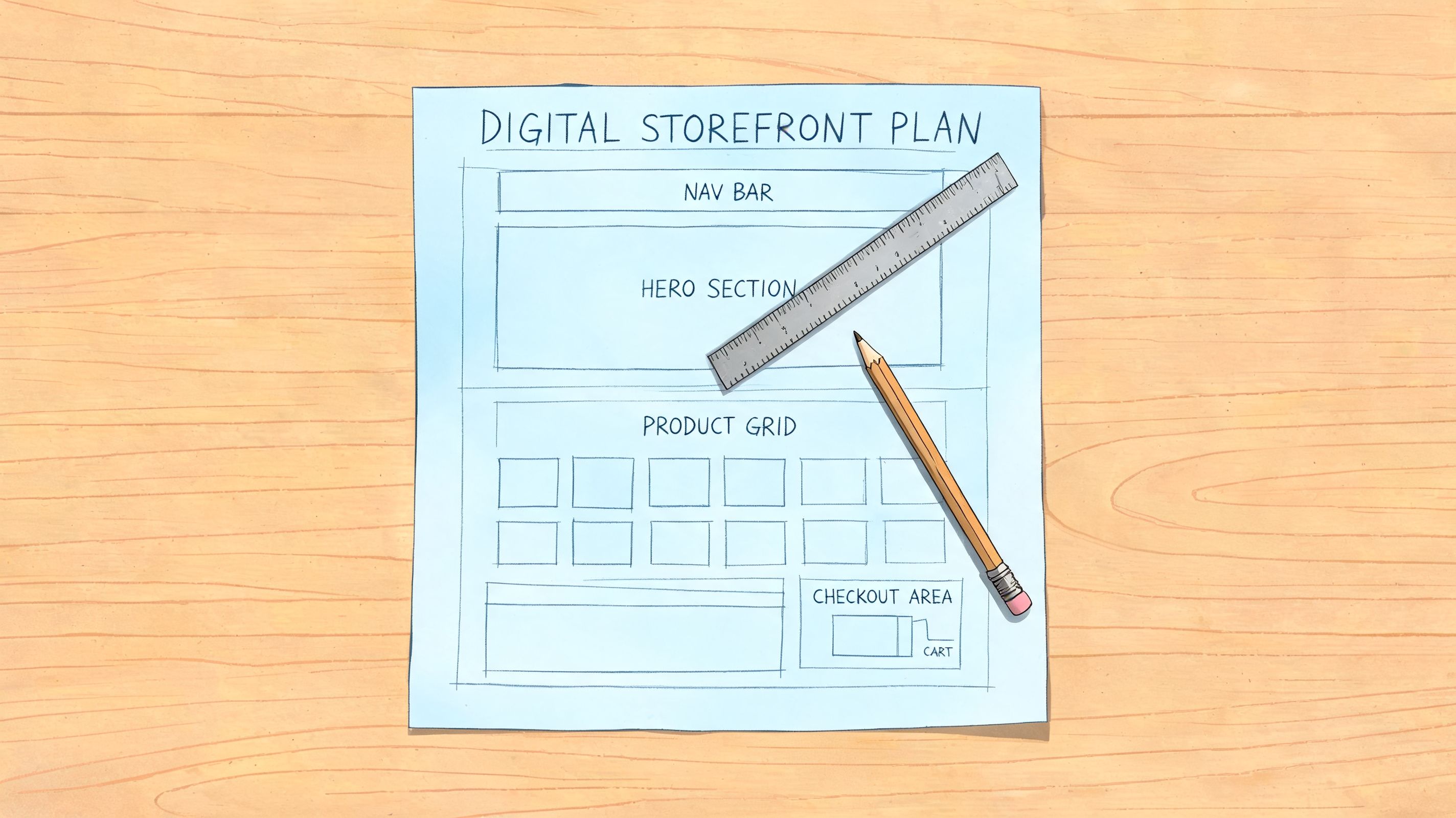
A realistic budget helps prevent that. Shopify migration costs can range from $500 to $5,000 for small stores taking 2 to 6 weeks, while enterprise projects often land at $10,000 to $50,000+, according to Technology Checker's migration insights. Those numbers are useful, but they're only the visible part of the cost.
Scope the migration before you price it
A founder will often ask, “How much to migrate to Shopify?” The better question is, “What exactly are we migrating?”
This is what needs scoping before anyone talks timeline with confidence:
| Area | What to define early |
|---|---|
| Catalog | Product count, variants, bundles, collections, image quality, SKU cleanliness |
| Customer data | Accounts, tags, segments, password expectations, historical data needs |
| Orders | How much order history matters operationally and for support |
| Content | Pages, blogs, FAQs, landing pages, redirects, metadata |
| Apps and integrations | Subscriptions, reviews, loyalty, ERP, WMS, 3PL, email, search, analytics |
| Storefront | Theme migration, redesign, headless rebuild, or selective UX refresh |
| Markets | Multi-store needs, B2B requirements, currency, language, region-specific flows |
If you skip this stage, the budget looks clean for one week and chaotic for the next six.
DIY vs agency is really a TCO decision
Many brands compare a DIY migration with an agency proposal as if they're buying the same thing. They usually aren't. One is a direct invoice. The other includes hidden internal costs that rarely show up in the first spreadsheet.
Internal teams should account for:
- Engineering diversion from revenue-generating work
- Operator time spent cleaning exports, checking imports, and rebuilding settings
- Campaign delays when merchandising and marketing are blocked during the migration window
- Rework risk if data, redirects, or integrations aren't validated properly after launch
That's why a lower upfront option can still be the more expensive path. Total cost includes delay, debugging, and stabilization.
Practical rule: If nobody owns the full migration across data, storefront, integrations, SEO, QA, and launch readiness, the project is under-scoped.
Build a project charter that removes ambiguity
A good charter stops a migration from turning into a rolling set of assumptions. It should answer five things in writing.
Commercial objective
Are you migrating to reduce maintenance load, improve conversion, simplify operations, enable subscriptions, support B2B, or all of the above?Must-keep assets
Define what cannot be compromised. Usually that means customer data, order visibility, key SEO pages, subscription continuity, and fulfillment accuracy.Launch model
Decide whether you're doing a like-for-like migration, a selective redesign, or a larger replatform plus UX rebuild.Success metrics
Keep them concrete and operational. Think clean imports, accurate redirects, working integrations, stable analytics, and a functioning checkout across devices.Decision ownership
Name who signs off on catalog structure, app replacements, redirects, analytics, and launch readiness.
If your team needs a planning aid before kickoff, this Shopify migration checklist is a practical place to tighten the brief.
Budget for stabilization, not just build
One mistake shows up constantly. Teams budget for the migration build and forget the first few weeks after launch. That's when QA findings, app issues, redirect fixes, and conversion adjustments tend to surface.
A cleaner budget usually has three buckets:
- Core migration work for data, theme, integrations, and setup
- Launch support for smoke tests, monitoring, and issue response
- Post-launch optimization for UX fixes, CRO work, and analytics cleanup
That third bucket is where many brands either protect the upside or give it away.
Executing a Flawless Data Migration
A Shopify migration can pass basic QA and still hurt the business on day one. The catalog looks fine, checkout loads, and then support tickets start piling up. Customer accounts are incomplete, subscription records do not match, collection rules are off, and paid traffic lands on product pages with the wrong variant selected. That is the difference between transferring data and preserving revenue.
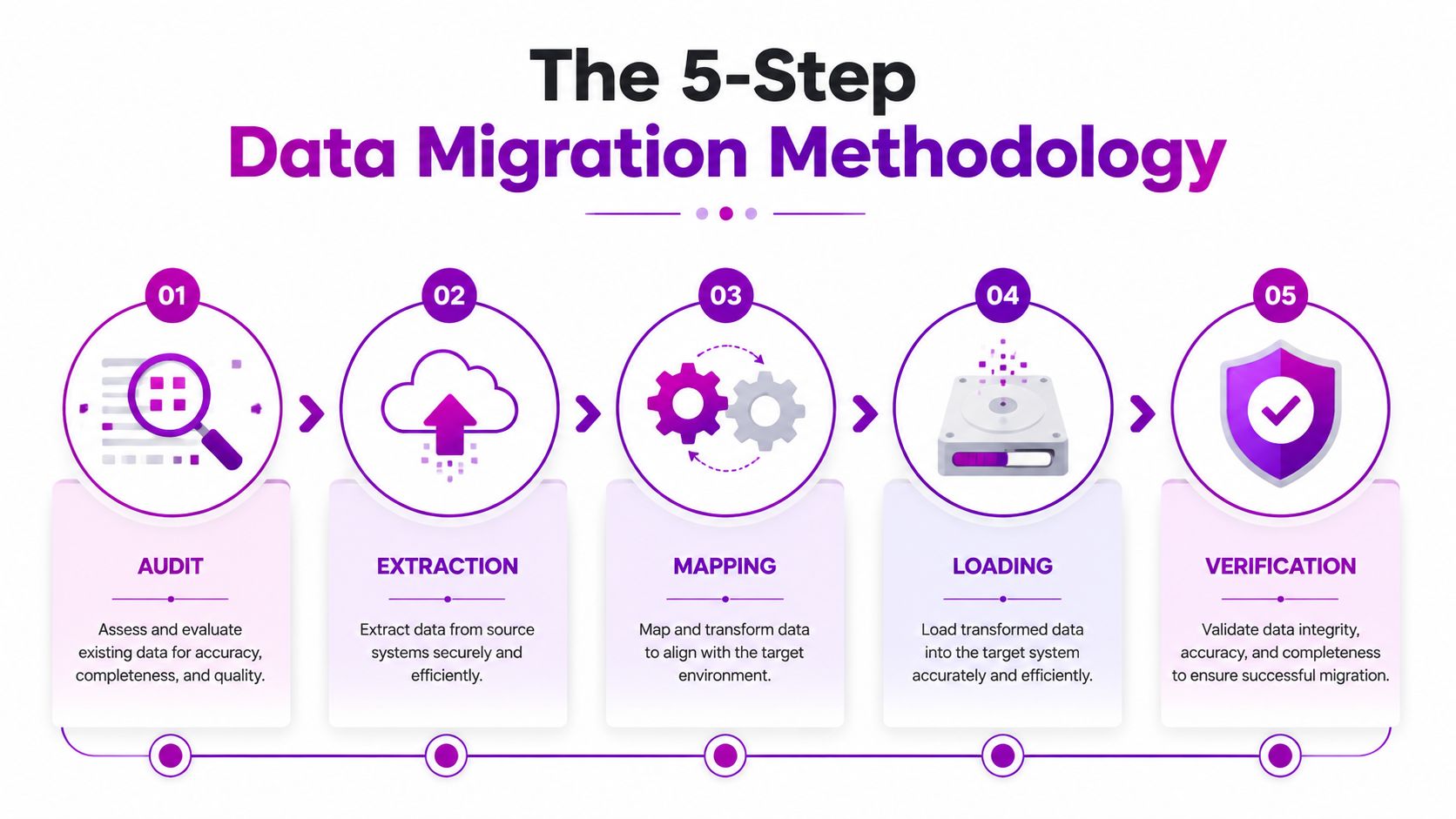
Large migrations fail for predictable reasons. Teams rely on flat exports for data that has relational dependencies, or they push bad source data into a new platform and hope to fix it later. Shero Commerce outlines the risks clearly in its overview of migrating to Shopify, including failure rates for manual CSV workflows and corruption caused by poor field mapping. In practice, the lesson is simple. Treat migration as a controlled data operation with validation checkpoints, not a bulk import task.
Start with a source-data audit
Exports come second.
The first pass should identify what will break before anything enters Shopify. That usually includes duplicate SKUs, inconsistent product option structures, missing image references, malformed customer records, outdated tags, and category logic that does not translate into Shopify collections.
For larger catalogs, a test migration through a tool like Cart2Cart or a scripted sample export helps expose issues early. The point is not speed. The point is finding the records that can damage merchandising, reporting, fulfillment, or account access after launch.
Map fields against Shopify's actual data model
Every source platform stores commerce data differently. Magento attributes, WooCommerce taxonomies, BigCommerce options, and custom database fields do not map cleanly by default. A migration can import successfully and still create a store that merchandisers cannot manage or customers cannot use.
The common failure points are specific:
- Variants break when source options exceed Shopify's structure or are normalized poorly
- Collections lose logic when categories are imported as static groupings instead of rule-based merchandising
- SEO fields disappear when meta titles, descriptions, handles, or alt text are skipped
- Customer segmentation weakens when tags, B2B markers, or lifecycle fields are left behind
- Metafields become cluttered when naming conventions are inconsistent or data types are wrong
If someone suggests cleaning this up after import, expect higher costs and more QA time. Cleanup inside a live Shopify store is slower, riskier, and easier to get wrong.
Import in stages and validate each layer
Products usually move first, then customers, then orders, then app-dependent records. That order is not arbitrary. Each layer depends on the one before it being accurate.
A phased import makes rollback manageable and keeps debugging contained. If image associations fail, handles duplicate, or collection rules misfire, the team can fix one layer without contaminating the rest of the dataset. It also gives merchandising, support, and operations teams a chance to review real records before launch approval.
Check the storefront, not just the admin. Open product pages. Test filters. Review search behavior. Confirm variant selection, pricing, compare-at prices, and image order on mobile and desktop.
A short walkthrough helps if you want to see how migration workflows are commonly structured in practice:
Reconnect integrations based on business risk
The migration is only finished when the systems around Shopify are working as expected. ERP, WMS, 3PL, CRM, subscriptions, loyalty, reviews, tax, and analytics all affect revenue after launch. A missing connector is obvious. A partially working connector is more dangerous because it can create silent failures in stock, order routing, or customer retention.
Before reinstalling apps, review what the store needs. Many brands carry over old tooling that slows the site, duplicates functionality, or creates conflicting scripts. It helps to audit your Shopify app inventory before rebuilding the stack.
A practical review looks like this:
| Integration type | What to confirm |
|---|---|
| ERP or inventory tools | Product sync, stock adjustments, order status flow |
| 3PL and shipping systems | Fulfillment routing, tracking updates, exception handling |
| Subscriptions | Subscriber continuity, billing logic, portal access |
| Reviews and loyalty | Historical content transfer, display rules, account linkage |
| Analytics and pixels | Event parity, checkout tracking, attribution sanity |
Verify post-import data against real customer journeys
Final verification needs more than row counts. Compare source and destination records. Spot-check high-value products. Test customer account login and order history. Review returns flows, discount behavior, tax calculation, and any edge cases that matter to the business model.
Post-migration performance usually slips at this stage. The store is technically live, but merchandising data is messy, subscription logic is inconsistent, or analytics no longer match channel spend. Revenue drops are often traced back to migration shortcuts that looked harmless in staging.
Experienced teams use reconciliation sheets, sample-based QA, and clear sign-off criteria for each dataset. Agency support adds value here because someone needs to own mapping decisions, cleanup rules, import sequencing, and validation across systems. ECORN is one option for brands that want that work handled as part of a broader Shopify build and conversion-focused rollout.
Rebuilding Your Storefront and App Ecosystem
Once the data is stable, the next decision is whether you're rebuilding the same store on a new platform or using the migration to create a better one. Those are different projects.

A like-for-like rebuild is faster and usually safer. A deeper redesign can improve merchandising, speed up content production, and reduce app dependency, but it also introduces more variables. The right choice depends on what's broken. If the old platform is the problem, don't use the migration to add a full rebrand unless the team can absorb the complexity.
Choose the storefront model that matches the business
There are three common paths.
Pre-built theme with light customization works well when the brand needs speed, a cleaner admin, and better maintainability. This is often enough for growing brands that want to migrate to Shopify without rebuilding every interaction from scratch.
Custom theme development makes sense when merchandising rules, content flexibility, or UX patterns are central to the business. It gives more control without the operational overhead of a fully decoupled setup.
Headless or heavily customized architecture is justified when the storefront has unusual experience requirements, deep external system dependencies, or a product model that standard theme patterns can't support cleanly.
A simple decision filter helps:
- Choose a theme-first approach if launch speed and maintainability matter most
- Choose custom development if your team needs distinct UX and tighter merchandising control
- Choose headless carefully if there's a real technical reason, not just architectural ambition
Audit every app before you replace it
App migration is where a lot of stores carry old complexity into a new platform. Don't ask, “What's the Shopify version of our old stack?” Ask, “Which of these tools still deserve to exist?”
Start by listing every active app or plugin by business function. A structured way to audit your Shopify app inventory can help teams separate essential functionality from accumulated clutter.
Then review each app against these criteria:
| Criteria | What good looks like |
|---|---|
| Business necessity | It supports a real revenue or operational need |
| Integration depth | It works cleanly with your theme and core systems |
| Support quality | The vendor can respond when issues hit production |
| Cost profile | Pricing stays reasonable as order volume and complexity grow |
| Operational risk | The app doesn't create fragile front-end behavior or reporting gaps |
Replace categories, not just products
Think in systems. A reviews app is not just a widget. It affects PDP trust, merchandising, and sometimes SEO. A subscription tool affects checkout logic, customer support, retention workflows, and analytics. A loyalty app changes account UX and post-purchase messaging.
That's why app replacement should be organized by business area:
- Revenue tools like subscriptions, bundles, upsells, and loyalty
- Trust tools such as reviews, UGC, and returns management
- Operations tools including ERP, WMS, shipping, and customer support connectors
- Marketing tools like email, SMS, search, feed management, and analytics
The strongest Shopify rebuilds usually end with fewer moving parts than the old platform, not more.
Protecting Revenue with SEO Preservation and Testing
A migration can be technically complete and still damage revenue within hours of launch. Two things cause the most immediate pain: search visibility loss and broken buying journeys.

The SEO side is not subtle. Traffic can drop 20% to 60% without complete URL mapping and 301 redirects, and 30% of projects miss testing the full checkout flow, which can lead to immediate abandonment issues, according to Inspira Digital's migration guide. This is why launch readiness needs the same rigor as the build.
SEO preservation is a redirect discipline
When brands migrate to Shopify, URLs often change. Product paths change. Collection paths change. Blog structures sometimes change too. Search engines need a clear path from old locations to new ones, and users do too.
The process should be methodical:
- Crawl the existing site and export every indexable URL
- Map each old URL to the most relevant Shopify destination
- Implement 301 redirects before launch, not after complaints arrive
- Retain metadata and key content signals where possible
- Check live redirects after cutover on priority pages first, then long-tail pages
If the migration also involves a domain change, this guide on changing domains without losing rankings is a useful companion to the redirect work.
Revenue safeguard: Redirect the full site, not just top pages. Long-tail product and content URLs often carry buying intent that teams underestimate.
Testing has to follow the customer journey
Plenty of teams test the homepage, click around collections, and call it done. That's not launch QA. Real QA follows the path customers take when money is on the line.
Test these flows before go-live:
- Discovery paths including search, collection filtering, sorting, internal links, and breadcrumbs
- PDP behavior such as variant selection, media galleries, size selection, subscription toggles, and delivery messaging
- Cart behavior with promo codes, quantity changes, shipping estimators, and edge-case product combinations
- Checkout flow using Shopify's Bogus Gateway or an equivalent safe test method, across desktop and mobile
- Post-purchase sequence covering confirmation pages, emails, order statuses, and support visibility
Run a launch-candidate pass on multiple devices
The storefront that works on one laptop may still fail for a customer on mobile Safari or an older Android browser. Testing should include the devices and browsers your customers use, especially for sticky cart behavior, dynamic payment buttons, and subscription widgets.
A practical pre-launch sign-off table often looks like this:
| Area | Questions to answer before launch |
|---|---|
| URLs | Do old pages resolve to the right new destinations? |
| Collections and search | Can users find products through more than one path? |
| Product pages | Do all variants, media, and purchase options behave correctly? |
| Cart and checkout | Can customers complete a purchase without friction? |
| Emails and support | Are order confirmations and support workflows intact? |
| Tracking | Are analytics events firing in a way the team can trust? |
Test the store like a distracted customer, not like the person who built it.
Don't leave launch-day checks to memory
Use a documented QA sheet. Assign names beside each check. Mark blockers, warnings, and accepted risks. If a checkout issue appears after launch, the team should know whether it was tested, who verified it, and what changed.
That kind of discipline feels slow during the final sprint. It's much faster than diagnosing lost revenue after customers find the bug first.
The Launch Plan and Post-Migration Growth Strategy
Launch day should feel controlled, not dramatic. If it feels dramatic, the migration probably carried too much uncertainty into the cutover.
The strongest launches follow a simple pattern. Freeze unnecessary changes. Run final smoke tests on the launch candidate. Confirm redirects, analytics, checkout, transactional emails, and app-dependent features. Then monitor closely for the first wave of real customer behavior instead of assuming the project is done.
What to watch in the first hours
The first hours after go-live aren't for broad redesign opinions. They're for signal detection.
Focus on a short list:
- Site accessibility across homepage, collections, PDPs, cart, and checkout
- Order flow sanity so the team can see purchases, statuses, and support details
- Traffic patterns that may point to broken redirects or crawl issues
- Customer friction showing up through support tickets, on-site behavior, or unusual checkout exits
- Tracking integrity so the team doesn't mistake analytics failure for demand failure
A rollback plan should also exist before launch, not after a problem appears. Define who can call it, what issue threshold triggers it, and which parts of the stack can be reverted cleanly.
The hidden risk is post-migration conversion softness
A lot of migration content stops at SEO preservation. That's incomplete. Traffic can recover or remain stable while conversion dips because users are adapting to a new nav, unfamiliar PDP layout, changed cart behavior, or different trust signals.
That risk is especially relevant in self-led projects. 41% of self-led migrations experience ranking drops in the first 60 days, according to Skyloom Studios' migration guide. Rankings are only part of the story. Teams also need to watch what happens inside the funnel after users arrive.
Stable traffic with a weaker funnel is still a revenue problem.
Build a post-launch CRO window into the migration
The first month after launch should be treated as an optimization sprint, not a maintenance tail. That means comparing the new store against a pre-migration baseline and looking for points of regression quickly.
Track pre- and post-launch benchmarks for:
| Area | What to compare |
|---|---|
| Product discovery | Search use, collection engagement, path to PDP |
| PDP performance | Variant interaction, add-to-cart behavior, scroll depth |
| Cart progression | Cart exits, coupon behavior, device-specific friction |
| Checkout movement | Step completion, payment choice patterns, error points |
| Retention signals | Repeat purchase paths, account usage, subscription management behavior |
Then act on what the data and session evidence show. Heatmaps, session replays, user testing, support tickets, and merchandising review all help identify where the new experience is creating hesitation.
Use the migration as a growth reset
The upside of a Shopify migration isn't just lower platform friction. It's what your team can finally work on once the store is easier to operate. Cleaner merchandising. Faster campaign builds. Better landing page testing. More consistent analytics. Smarter app use. Tighter checkout and post-purchase flows.
That's the shift mature teams make. They stop treating migration as a finish line and start treating it as a reset point for growth work that was blocked on the old platform.
If you're about to migrate to Shopify, protect two things at all costs: revenue continuity during the move and optimization velocity after the move. Most project plans focus on the first one. The stronger ones plan for both.
If you need a team to handle the migration with that wider view, ECORN works with brands on Shopify design, development, migrations, and CRO. That combination matters when the goal isn't just getting onto Shopify, but getting through launch with revenue protected and a clear plan for post-launch growth.



How to Choose the Right eCommerce Website Development Firm

E Business Strategy Implementation

Conversion Tracking Setup for Shopify Stores

BigCommerce vs Shopify Plus Which Enterprise Wins in 2026

Shopify Theme Kit: Setup, Commands, and Migration Guide

Shopify Extension Development: A Practical 2026 Guide

Shopify Speed Score Explained and How to Improve It

Shopify Mobile Optimization: The 2026 Playbook

How to Add Subcategory in Shopify for Better UX

How to Implement Structured Data for Ecommerce in 2026

SEO App Mobile: Shopify Store Optimization Guide

Shopify Plus Support: What It Includes and How to Choose

Google Ads for Shopify: The Complete 2026 Playbook

Shopify New York: How to Find and Hire the Right Agency

Google Search Console for Shopify: The Complete Setup

First Party Data Collection for eCommerce Growth

FAQ Online Store Guide: Build and Measure It Right

Do FB Ads Work for eCommerce in 2026?

One Page Checkout for Shopify: Design and Implementation

Shopify GraphQL vs REST: The 2026 Developer Decision

Shopify Ecommerce Consulting: Strategy, Pricing &

Are Reddit Ads Worth It for eCommerce Brands

Shopify Title and Meta Description: A Practical 2026 Guide

Product Video Best Practices for Shopify Brands

Real-Time Inventory Management: A 2026 Guide

AI Chatbot Integration for Shopify Stores

Affiliate Program Management: A Shopify Guide

10 Best Performance Monitoring Tools for Shopify in 2026

Digital Asset Management for eCommerce Brands in 2026

Every Type of Facebook Ads Explained for eCommerce Growth

Product Information Management Explained for Shopify Brands

Support Ticket System: A Guide for Shopify Stores

10 Best Customer Service Tools for Shopify in 2026

Can I Start a Business with No Money? a 2026 Blueprint

What Sells Good on Etsy: Best Niches for 2026

Shopify Add to Cart Button: A Practical 2026 Guide

Customer Feedback Automation: A Practical eCommerce Guide

Critical Rendering Path: A Guide for Shopify Stores

How to Promote on TikTok for eCommerce in 2026

B2B eCommerce Consulting That Drives Real Revenue

10 Best Practices for Site Navigation in 2026

Return vs Refund for Shopify Stores: A Practical Guide

What Is Customer Lifetime Value and Why It Matters

What Is Voice of Customer Research for eCommerce

SMS Marketing for Ecommerce That Actually Converts

Master How to Improve Email Deliverability in 2026

Top 7 eCommerce Partners NYC for Shopify Brands in 2026

Machine Learning for Ecommerce: Boost Your Shopify Store

Beauty Market Research: Your 2026 Growth Guide

Shopify International Expansion: A 2026 Roadmap

What Does CRO Stand for in Business: Understanding CRO

Shopify Visual Merchandising: A Playbook for Higher Sales

Shopify Landing Page Design: Master Conversion in 2026

10 Best AI SEO Optimization Tools for Shopify in 2026

Agentic AI for Ecommerce: Boost Your Sales in 2026
Mastering Email Marketing Data for eCommerce Growth

Conversion Rate Optimisation Australia: Boost Your Sales

Conversion Rate Optimization AI: Your Shopify Store Guide

10 Product Bundling Strategies for Shopify in 2026

How to Increase Customer Lifetime Value: A Shopify Playbook

AI Customer Service Automation: Shopify Guide 2026

Clean Website Design: A Shopify Conversion Playbook

Omnichannel Retail Strategy: A Shopify Playbook

Product Data Enrichment: A Guide for Shopify Brands

Instagram Shopping Features a Guide for Shopify Stores

What Is Revenue Optimization: A Holistic RevOps Guide

Benefits of Conversion Rate Optimization: Boost Your

WordPress to Shopify Migration: Your 2026 Seamless Switch

Boost Sales: Ecommerce Payment Processing Guide 2026

Unified Commerce Platform: Benefits, KPIs & Shopify Guide

How to Reduce Bounce Rate eCommerce: Your 2026 Guide

Shopify API Integration: A Practical End-to-End Guide

How to Implement Data Governance: A 2026 Guide

Shopify Store Development Cost: A 2026 Breakdown

What Is Server Side Tracking: The Shopify Guide 2026

Marketing Automation Workflows: A Shopify Guide for 2026

Shopify: How to Reduce Technical Debt

Shopify UX Design Change: A Playbook for Growth

User Generated Content Strategy: Shopify Playbook

Shopify Pause and Build Plan Cost: A Complete 2026 Guide

Compare at Price on Shopify: A Complete Guide for 2026

Where Can I Sell My Prints? 10 Best Platforms for 2026

Shopify Order Management System: The Ultimate Guide 2026

What Is Marketing Attribution? an eCommerce Guide for 2026

10 Best Black Friday Sales Sheets for 2026

Discover the Top Social Media Marketing Agencies For

Consumer Confidence Definition for eCommerce in 2026

What Is Social Commerce? Your 2026 Guide to Boosting Sales

A Social Ad Campaign Playbook for eCommerce Growth

7 Best FAQ Page Examples for SaaS & eCommerce

Market Research in Fashion Industry: A Guide for Shopify

Shopify Migration Services: Expert Guide for 2026

Mastering FB Retargeting Ads for Shopify in 2026

What Is Omnichannel Ecommerce

Master Your Shopify Plus Migration: The 2026 Guide

Shopify Integration Services: A Merchant's 2026 Guide

Shopify Collection Description: A Guide to SEO & Sales

Shopify Plus Contact: Reach Sales & Support Effectively

Top Luxury Shopify Stores: Design & UX Strategies

How to Improve Customer Experience: A Shopify Roadmap


newsletter in your inbox