


You already know the feeling. Your WordPress site ranks, your blog brings in qualified traffic, and your product pages still don’t convert the way they should. Or the opposite is true. Your Shopify store sells well, but your content operation feels boxed in, slow to publish, and weaker than it should be for long-term organic growth.
That’s usually when integrating shopify and wordpress stops being a technical curiosity and becomes a business decision. The question isn’t which platform is better. It’s which platform should own content, which should own commerce, and how tightly they should work together.
Done well, this setup gives you a stronger SEO foundation, a cleaner buying journey, and an architecture you can keep scaling without rebuilding the business every year.
Why Smart Brands Combine WordPress and Shopify
Most brands don’t start from a blank slate. They inherit a stack.
Sometimes that means a mature WordPress site with years of content, rankings, backlinks, and editorial workflows. Sometimes it means a Shopify store that already handles products and checkout well, but has a weaker publishing engine behind it. For both cases, combining the two platforms usually makes more sense than forcing a migration.
The market reality supports that decision. WordPress is used by 60.8% of all websites with known content management systems, versus 6.7% for Shopify, according to this WordPress vs Shopify market comparison. That gap explains why so many brands already have significant WordPress assets they don’t want to lose.
Why the hybrid model keeps showing up
A full replatform often creates avoidable damage.
You risk changing URLs, restructuring content, breaking internal links, and disrupting the editorial process that built your organic traffic in the first place. If WordPress already does the heavy lifting for search and content operations, replacing it can be a bad trade.
Shopify solves a different set of problems. It handles catalog management, checkout, and commerce operations with less friction than most WordPress ecommerce stacks. So the practical move is often simple: keep WordPress where it’s strong, let Shopify run commerce where it’s strong.
Practical rule: Don’t migrate away from an established content engine just because your store needs a better checkout.
This is why smart brands treat the integration as content on WordPress, transactions on Shopify. It preserves what’s already working while fixing what isn’t.
The real decision isn’t platform versus platform
It’s easy to frame this as WordPress versus Shopify, but that’s the wrong lens. The better lens is operational ownership.
Ask three questions:
- Where does your traffic come from If content, guides, and SEO pages drive discovery, WordPress should usually stay central.
- Where do purchases break down If checkout flow, product management, or store maintenance are the pain points, Shopify should take the commerce role.
- What are you protecting For many brands, the asset worth protecting isn’t the old cart plugin. It’s years of ranking content and category authority.
If you’re still weighing broader platform trade-offs, this Shopify vs WooCommerce comparison is useful context because it highlights why many content-led brands keep WordPress for publishing while moving commerce responsibilities elsewhere.
The strongest setup is rarely ideological. It’s practical. Keep the authority you’ve built. Upgrade the buying experience. Connect the two cleanly.
Choosing Your Integration Strategy
There isn’t one right way to connect these platforms. There are three common architectures, and each one fits a different stage of growth.
Choose the wrong one and you’ll feel it fast. The store will look disconnected, the site will slow down, or the team will outgrow the setup within months.
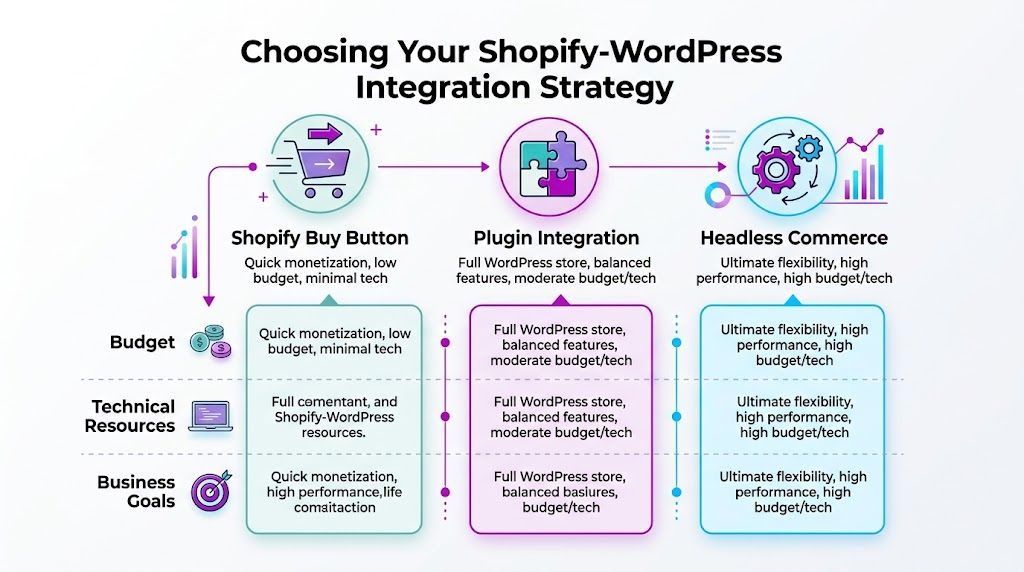
Shopify and WordPress integration methods compared
| Method | Best For | Technical Effort | SEO Control | Cost |
|---|---|---|---|---|
| Shopify Buy Button | Content-led sites that want quick monetization | Low | Limited | Low |
| Plugin Integration | Brands that want products inside the WordPress experience | Medium | Strong | Moderate |
| Headless Commerce | Teams prioritizing performance, flexibility, and unified UX | High | Very strong | High |
A more detailed architectural breakdown lives in this ECORN piece on WordPress and Shopify integration patterns, but the decision usually comes down to how much control you need.
Buy Button works when speed matters more than depth
This is the leanest option.
You keep WordPress as the main site and embed Shopify products or collections inside pages, posts, or landing pages. It’s fast to launch and easy for marketing teams to manage.
Use it when:
- You need a fast commercial layer A publisher, creator brand, or service business can start selling without rebuilding the entire site.
- Your catalog is focused A small product range is much easier to present with embedded blocks than a large storefront.
- You don’t need full storefront behavior If content drives the sale and the product module is there to close the loop, this approach can work well.
Where it starts to break is scale. Merchandising flexibility is limited, storefront behavior can feel bolted on, and the customer journey may split between WordPress pages and Shopify-hosted commerce flows.
Plugin integration is the practical middle ground
Many growing brands should start here.
A dedicated plugin setup gives WordPress a more native storefront layer. Products and collections become easier to integrate into your site structure, your theme, and your SEO workflows. The experience feels less like an embed and more like a proper store.
This route fits brands that want:
- A stronger content-to-product journey Articles, guides, and category pages can feed directly into native-feeling product pages.
- Better design consistency The store doesn’t look like a separate system dropped into the site.
- More control without going full custom You can get serious gains without committing to a headless build.
For a lot of teams, this is the sweet spot. Enough flexibility to scale. Not so much engineering complexity that every change becomes a sprint.
Headless is for brands that have outgrown the obvious solutions
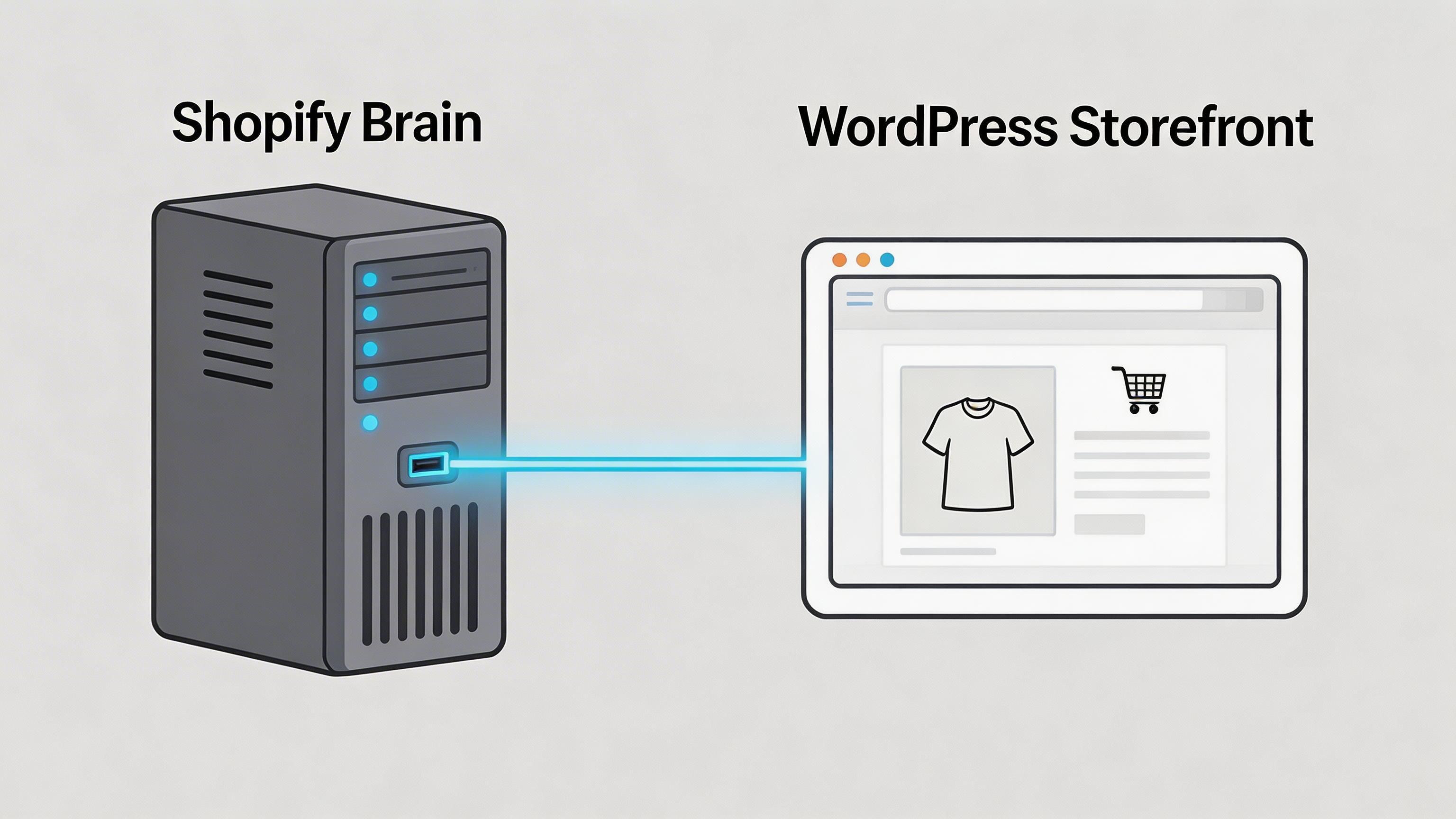
Headless commerce separates the frontend experience from Shopify’s backend. WordPress can still drive content, but the product and cart experience is built with custom logic through Shopify APIs.
This is the right move when:
- Performance is a revenue issue High-traffic sites can’t afford clunky product rendering or fragmented frontend behavior.
- The buying journey spans multiple content paths Educational content, collections, bundles, and custom landing pages often need tighter orchestration.
- Cart continuity matters across environments If users move from article to product to checkout and the cart state breaks, you need more than a plugin fix.
Simpler integrations are easier to launch. More advanced integrations are easier to scale.
The mistake isn’t picking a lightweight option. The mistake is keeping it after the business has clearly outgrown it.
Quick Start Embedding Products with the Buy Button
If your goal is to monetize content quickly, the Buy Button route is usually the fastest path.
It doesn’t try to turn WordPress into a full commerce platform. It lets Shopify handle the product and checkout side while WordPress continues doing what it already does well.

How to set it up
The official Sell on WordPress plugin is the straightforward option for this.
Follow the core setup sequence:
Install the plugin
In WordPress admin, go to Plugins, upload the plugin, activate it.Enable the sales channel in Shopify
In Shopify admin, add the Sell on WordPress sales channel and generate the API access token.Connect WordPress to Shopify
Paste the token into the Shopify settings area inside WordPress.Embed products with blocks
Use Gutenberg blocks such as Shopify Product, Shopify Collection, or Buy Button to place products where they make sense.Adjust styling
Use CSS targeting.shopify-blockclasses so the module fits your existing theme instead of looking like a foreign element.
That’s enough to get products live inside blog posts, landing pages, and resource pages without rebuilding your storefront architecture.
Why this route performs better than typical WordPress ecommerce add-ons
The value here isn’t just convenience. It’s checkout quality.
According to this review of the WordPress Shopify plugin setup, the official Sell on WordPress plugin uses Shopify’s Admin API for real-time sync and has shown an 18% CVR uplift in major markets versus standalone WordPress ecommerce setups. The same source attributes that to Shopify’s PCI-DSS compliant checkout, with abandonment under 7% compared with 12% for WooCommerce.
That matters because embedded selling only works if checkout still feels credible and efficient. Shopify’s checkout does that better than most patched-together WordPress carts.
If your content already persuades the customer, you don’t need a complicated storefront first. You need a cleaner path to checkout.
Where the Buy Button starts to struggle
This method is a quick win, not a forever architecture.
It becomes limiting when:
- You need deeper SEO control Embedded products aren’t the same as fully integrated product content inside your WordPress structure.
- You want a true storefront feel The more products and category depth you add, the more obvious the limitations become.
- You care about experience continuity The handoff from content page to commerce flow can feel disconnected if you don’t design it carefully.
A few practical tips make this setup more effective:
- Use embeds inside intent-heavy content Product blocks work best in buying guides, comparison posts, and educational pages with clear commercial intent.
- Keep styling consistent Match button styles, spacing, and typography to the rest of the site.
- Limit clutter Too many embeds on one page can make the experience feel like an ad unit rather than a curated buying path.
For brands with a small catalog or a content-first sales motion, this setup is enough. For brands that want products to feel native across the site, it’s usually the starting point, not the end state.
Building a Native Storefront with a Plugin
Once the Buy Button starts feeling restrictive, a plugin-based storefront is the next practical step.
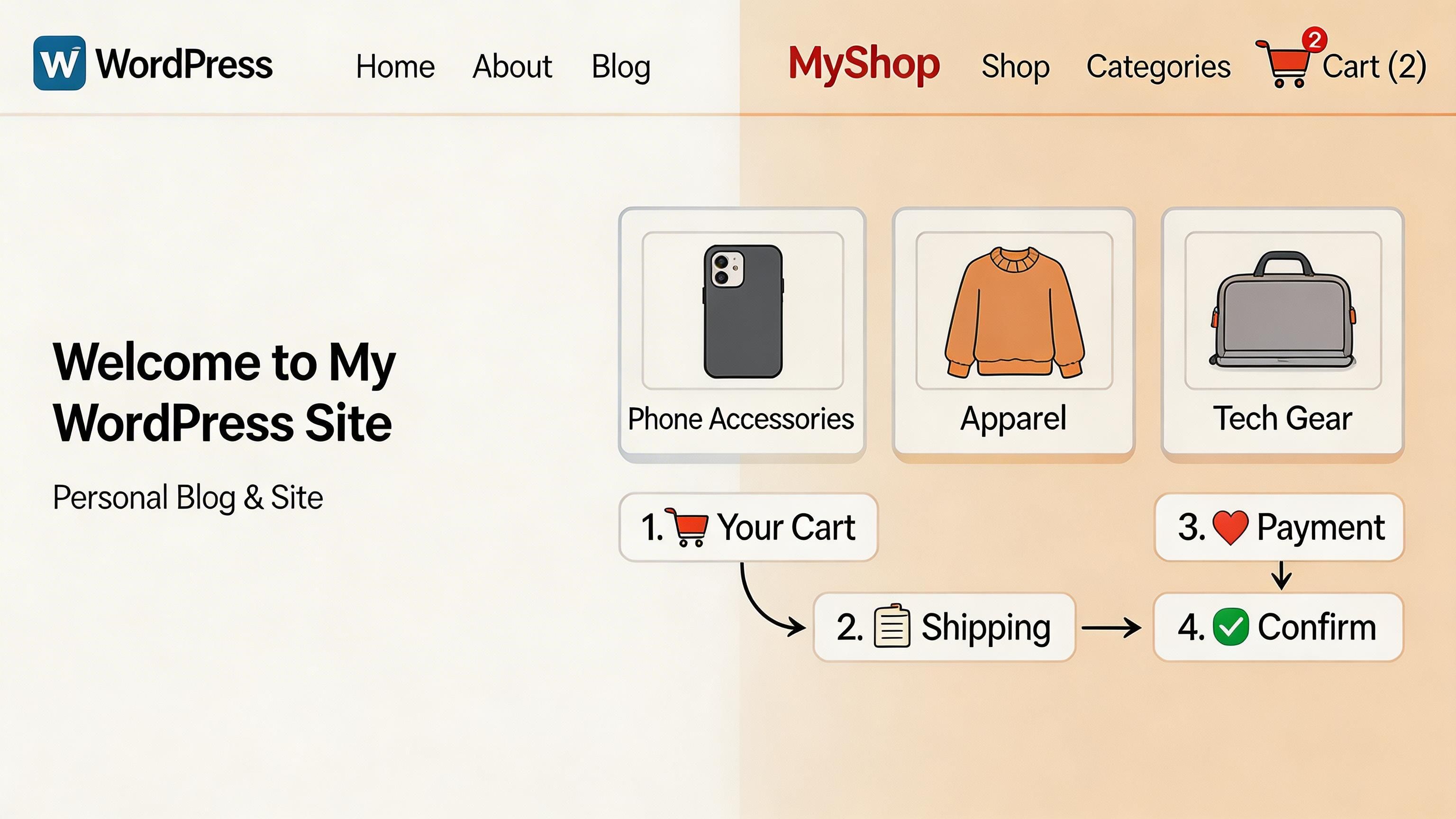
Integrating Shopify and WordPress starts to feel like a real operating model instead of a simple embed. Products become part of the WordPress experience. Merchandising gets cleaner. SEO teams regain control. Designers stop fighting the limits of iframe-style interfaces.
Why native-feeling products matter
The difference between a plugin integration and a simple embed is architectural.
Research summarized in this integration analysis from Redtree Web Design found that plugins like ShopWP, which store products natively in the WordPress database, offer stronger SEO control through tools like Rank Math and Yoast, while also improving load behavior by reducing external script dependencies.
That changes several things at once:
- URLs become easier to manage Product content fits your WordPress structure better.
- Metadata stays under your control SEO teams can work inside familiar WordPress tooling.
- Internal linking gets simpler Editors can connect blog content, category pages, and product pages naturally.
- Styling becomes consistent Theme-level control replaces the patchwork feel of external embeds.
This is usually the best fit for brands that want WordPress to remain the visible front end of the site while Shopify remains the commercial backend.
A practical ShopWP setup flow
A standard ShopWP Pro implementation follows a clear sequence. The process described in this Codeable guide to Shopify and WordPress integration is close to what most developers use in practice.
The workflow looks like this:
Install ShopWP Pro
Add the plugin through the WordPress dashboard and activate it.Connect the Shopify store
Open the ShopWP Pro connection screen, enter the Shopify store domain, and begin OAuth authorization.Approve access in Shopify
Confirm the app installation in Shopify admin, then validate the connection from the WordPress side.Confirm the store is linked
The plugin should show the connected store name before you move to syncing.Sync products and collections
Pull products, variants, images, tags, and metafields into WordPress post types.Place products inside pages
Use the Layout Builder, Gutenberg blocks, or shortcodes depending on how the site is structured.
That setup is practical because content teams can keep building in WordPress while commerce ops continue managing products in Shopify.
What usually goes wrong
Plugin integrations are solid, but they’re not magic.
The weak points tend to be operational, not conceptual:
- Large variant sets can cause sync strain High-variant products are harder to pull and render reliably.
- API limits require planning Bulk syncing and refresh logic need to be handled carefully.
- Custom Shopify apps add complexity The more custom logic inside the Shopify stack, the more edge cases appear during connection and synchronization.
Don’t judge a plugin integration by the demo store. Judge it by how it behaves with your actual catalog, your actual metafields, and your actual editorial workflow.
A good implementation starts by testing the actual catalog, not a sample product set.
How to get more SEO value from this setup
The plugin route only pays off if you use the control it gives you.
Focus on these areas:
- Product templates Build WordPress templates that support descriptive content, FAQs, and internal links instead of thin product blocks.
- Metadata ownership Use Yoast or Rank Math to tailor titles, descriptions, and indexing rules at the page level.
- Editorial linking Link category guides, blog posts, and comparison pages directly to relevant products within the same WordPress environment.
- Schema strategy Add the structured data your search team wants, rather than accepting default embed behavior.
Later in the build, it helps to review a visual walkthrough of how these storefront connections behave in practice.
When plugin integration is the right answer
For many growing brands, this is the strongest balance of speed, control, and maintainability.
Choose it if you want:
- A WordPress-led customer experience
- Shopify-backed product and checkout management
- Better SEO ownership than the Buy Button route
- Less engineering overhead than a headless build
It won’t match the flexibility of a fully custom headless stack. But for teams that need a native storefront feel without committing to a custom frontend, it’s often the most sensible architecture.
Solving Advanced Challenges with a Headless Approach
Some brands hit a ceiling with standard integrations.
The site may still work, but the cracks show up in all the places that matter. Frontend performance becomes inconsistent. Product presentation is hard to customize. The cart behaves differently depending on where the customer entered the funnel.
That’s where headless starts to earn its keep.
The cart persistence problem most guides ignore
This is the most common issue basic tutorials skip.
A customer lands on a WordPress article, adds a product through an embedded Shopify experience, then clicks into the main store on a separate Shopify domain or subdomain. Suddenly the cart state isn’t where they expect it to be. In many implementations, it effectively resets or feels reset from the customer’s point of view.
That friction isn’t minor. According to discussion summarized from the Shopify community, hybrid setups can see cart abandonment spikes of 20% to 30% when cart persistence breaks between WordPress and Shopify environments, as covered in this Shopify community discussion on WordPress and Shopify integration.
For content-led brands, that’s a direct leak in the revenue path.
A hybrid stack fails when the customer has to understand the architecture to complete a purchase.
Why headless solves it better
Headless commerce gives you control over unified cart state management.
Instead of relying on a patchwork of embeds and redirects, developers use Shopify’s Storefront API to manage products, cart behavior, and checkout transitions inside a custom frontend. WordPress can still own the editorial experience, but the commerce journey no longer breaks when a customer moves between content and store surfaces.
That means you can coordinate:
- Persistent cart behavior The cart follows the customer through content and shopping flows.
- Consistent interaction design Buttons, drawers, PDP modules, and mini-cart patterns behave the same way everywhere.
- Faster frontend logic You’re not waiting for multiple external scripts to stitch the experience together.
This is also where modern frameworks start to make sense. If you want a broader view of how these architectures differ, this detailed guide to headless commerce solutions is a useful companion...com/blog/headless-commerce-solutions) is a useful companion read.
Where headless makes sense
A headless setup is justified when the business needs custom behavior, not because the term sounds advanced.
It’s a strong fit if:
- Your site mixes editorial and commerce heavily Buying guides, bundles, collections, and educational content all need a single journey.
- Performance is under pressure Traffic spikes, campaigns, and international growth expose weaknesses quickly.
- Your UX team needs full freedom You want to control every interaction rather than work around plugin constraints.
For teams considering that route, this internal guide on Shopify headless commerce architecture is a helpful reference point.
The trade-off nobody should ignore
Headless is not the cheap option and it’s not the simple option.
It asks for stronger frontend development, better QA, and clearer ownership between content, commerce, and engineering teams. If the business doesn’t need advanced cart logic or frontend control, a plugin integration is usually a better use of time.
But if your hybrid experience already feels stitched together, headless is often the first architecture that fixes the problem at the root instead of papering over it.
Optimizing Your Hybrid Site for SEO and Conversions
The build is only the first half of the job. Significant gains come from what you do after launch.
A hybrid stack can drive strong results, but only if the site behaves like one system. SEO, design, speed, and conversion flow all need to reinforce each other. If they don’t, the integration stays technically impressive and commercially average.
Build internal links like a merchandiser, not just an editor
Content teams often stop at publishing. That leaves money on the table.
A stronger model is to map articles to product intent. Buying guides should route into relevant collections. Educational posts should point to product pages where the next step feels obvious. Comparison content should lead toward decision-ready SKUs or curated category pages.
Use a simple internal linking pattern:
- Top-of-funnel posts Link to category or solution pages.
- Mid-intent guides Link to curated product groups and comparison pages.
- Bottom-intent articles Link directly to products with clear commercial relevance.
This does two things at once. It helps users move through the buying journey, and it gives search engines clearer topical relationships between editorial content and product destinations.
Performance work should target the architecture you chose
A lot of teams talk about speed in generic terms. That’s a mistake.
The right optimization depends on whether your build is plugin-based or headless. According to the same Codeable source cited earlier, headless builds can achieve sub-second page loads with TTFB under 200ms when developers query Shopify’s Storefront API directly in custom WordPress themes, while plugin-based setups can reduce product import and sync times by up to 40% for catalogs over 5,000 products by using Redis Object Cache.
Those are different performance problems with different solutions.
For plugin-based builds, focus on:
- Object caching Redis Object Cache is one of the highest-impact improvements for large synced catalogs.
- Image discipline Keep product and editorial images compressed and consistently sized.
- Script restraint Every extra frontend dependency makes the storefront harder to keep fast.
For headless builds, focus on:
- API efficiency Don’t overfetch product or cart data.
- Render strategy Make sure product-critical content loads fast and predictably.
- Cache planning Product, collection, and content responses need a clear refresh strategy.
Faster pages don’t automatically convert better. Faster pages with a coherent buying path do.
Conversion work is mostly about continuity
Most hybrid sites lose conversion rate at the seams.
The WordPress theme feels one way. The product pages feel another. Checkout feels like a third brand entirely. Customers don’t always articulate that problem, but they react to it.
The fix is practical:
- Keep visual language aligned Typography, spacing, button shapes, and icon style should carry across content and commerce.
- Reduce jumpiness in the journey Avoid abrupt changes in layout logic when moving from article to product to cart.
- Support the decision with content Add FAQs, comparison modules, and trust signals near product entry points.
- Merchandise from context A blog post about product use should show the right product, not a generic best-sellers block.
A strong hybrid setup doesn’t just put products on content pages. It turns content into a route to purchase without making the user feel pushed.
Building Your Unified Content and Commerce Engine
The best version of integrating shopify and wordpress isn’t a workaround. It’s a system.
WordPress gives you editorial flexibility, content depth, and a structure that supports search visibility. Shopify gives you operationally cleaner commerce, better product management, and a checkout flow built to convert. When those responsibilities are assigned deliberately, the stack gets stronger instead of more complicated.
The right path depends on the stage of the business.
The Buy Button route is useful when speed matters and the catalog is simple. A plugin-based storefront is usually the best middle ground when you want WordPress to stay customer-facing while Shopify powers the backend. A headless build makes sense when performance, cart continuity, and frontend control become core business requirements.
What matters most is fit.
A lightweight integration can work well for a long time if the customer journey stays clean. A complex architecture can still underperform if product discovery, internal linking, and conversion flow are weak. The winning setup is the one that matches your traffic model, your operational team, and your growth plan.
If you get that right, content stops being separate from commerce. The blog supports revenue. Product pages benefit from editorial authority. SEO and conversion work stop competing for priority and start supporting the same goal.
If you want help choosing the right architecture, improving a weak hybrid setup, or building a faster Shopify experience around your WordPress content operation, ECORN can help. Their team works on Shopify development, CRO, and scalable ecommerce builds for brands that need stronger performance without unnecessary complexity.



Ecommerce Conversion Tracking: The Complete How-To Guide

Shopify Design Agency: How to Pick the Right Partner

Mastering Multi Store Management on Shopify

Scale Shopify Store

10 Shopify App Ideas Worth Building in 2026

Conversion Rate Optimization for Landing Pages: The Playbook

Shopify Plus Automation: A Guide for 2026

10 Social Selling Platforms for Shopify Merchants

Shopify Website Design Examples: 7 Stores Worth Studying

7 Ecommerce Newsletter Examples for Shopify Brands

One Product Shopify Store: Build and Scale

Mobile Pop Up Strategy for Shopify Stores That Converts

Sitemap for Shopify: How to Find, Optimize, and Submit It

7 Single Product Websites Worth Emulating

Product Variants Shopify: The Complete 2026 Guide

Ecommerce Analytics Consulting for Growth

What Is AI Integration for eCommerce

How to Choose the Right eCommerce Website Development Firm

E Business Strategy Implementation

Conversion Tracking Setup for Shopify Stores

BigCommerce vs Shopify Plus Which Enterprise Wins in 2026

Shopify Theme Kit: Setup, Commands, and Migration Guide

Shopify Extension Development: A Practical 2026 Guide

Shopify Speed Score Explained and How to Improve It

Shopify Mobile Optimization: The 2026 Playbook

How to Add Subcategory in Shopify for Better UX

How to Implement Structured Data for Ecommerce in 2026

SEO App Mobile: Shopify Store Optimization Guide

Shopify Plus Support: What It Includes and How to Choose

Google Ads for Shopify: The Complete 2026 Playbook

Shopify New York: How to Find and Hire the Right Agency

Google Search Console for Shopify: The Complete Setup

First Party Data Collection for eCommerce Growth

FAQ Online Store Guide: Build and Measure It Right

Do FB Ads Work for eCommerce in 2026?

One Page Checkout for Shopify: Design and Implementation

Shopify GraphQL vs REST: The 2026 Developer Decision

Shopify Ecommerce Consulting: Strategy, Pricing &

Are Reddit Ads Worth It for eCommerce Brands

Shopify Title and Meta Description: A Practical 2026 Guide

Product Video Best Practices for Shopify Brands

Real-Time Inventory Management: A 2026 Guide

AI Chatbot Integration for Shopify Stores

Affiliate Program Management: A Shopify Guide

10 Best Performance Monitoring Tools for Shopify in 2026

Digital Asset Management for eCommerce Brands in 2026

Every Type of Facebook Ads Explained for eCommerce Growth

Product Information Management Explained for Shopify Brands

Support Ticket System: A Guide for Shopify Stores

10 Best Customer Service Tools for Shopify in 2026

Can I Start a Business with No Money? a 2026 Blueprint

What Sells Good on Etsy: Best Niches for 2026

Shopify Add to Cart Button: A Practical 2026 Guide

Customer Feedback Automation: A Practical eCommerce Guide

Critical Rendering Path: A Guide for Shopify Stores

How to Promote on TikTok for eCommerce in 2026

B2B eCommerce Consulting That Drives Real Revenue

10 Best Practices for Site Navigation in 2026

Return vs Refund for Shopify Stores: A Practical Guide

What Is Customer Lifetime Value and Why It Matters

What Is Voice of Customer Research for eCommerce

SMS Marketing for Ecommerce That Actually Converts

Master How to Improve Email Deliverability in 2026

Top 7 eCommerce Partners NYC for Shopify Brands in 2026

Machine Learning for Ecommerce: Boost Your Shopify Store

Beauty Market Research: Your 2026 Growth Guide

Shopify International Expansion: A 2026 Roadmap

What Does CRO Stand for in Business: Understanding CRO

Shopify Visual Merchandising: A Playbook for Higher Sales

Shopify Landing Page Design: Master Conversion in 2026

10 Best AI SEO Optimization Tools for Shopify in 2026

Agentic AI for Ecommerce: Boost Your Sales in 2026
Mastering Email Marketing Data for eCommerce Growth

Conversion Rate Optimisation Australia: Boost Your Sales

Conversion Rate Optimization AI: Your Shopify Store Guide

10 Product Bundling Strategies for Shopify in 2026

How to Increase Customer Lifetime Value: A Shopify Playbook

AI Customer Service Automation: Shopify Guide 2026

Clean Website Design: A Shopify Conversion Playbook

Omnichannel Retail Strategy: A Shopify Playbook

Product Data Enrichment: A Guide for Shopify Brands

Instagram Shopping Features a Guide for Shopify Stores

What Is Revenue Optimization: A Holistic RevOps Guide

Benefits of Conversion Rate Optimization: Boost Your

WordPress to Shopify Migration: Your 2026 Seamless Switch

Boost Sales: Ecommerce Payment Processing Guide 2026

Unified Commerce Platform: Benefits, KPIs & Shopify Guide

How to Reduce Bounce Rate eCommerce: Your 2026 Guide

Shopify API Integration: A Practical End-to-End Guide

How to Implement Data Governance: A 2026 Guide

Shopify Store Development Cost: A 2026 Breakdown

What Is Server Side Tracking: The Shopify Guide 2026

Marketing Automation Workflows: A Shopify Guide for 2026

Shopify: How to Reduce Technical Debt

Shopify UX Design Change: A Playbook for Growth

User Generated Content Strategy: Shopify Playbook

Shopify Pause and Build Plan Cost: A Complete 2026 Guide

Compare at Price on Shopify: A Complete Guide for 2026

Where Can I Sell My Prints? 10 Best Platforms for 2026

Shopify Order Management System: The Ultimate Guide 2026


newsletter in your inbox