

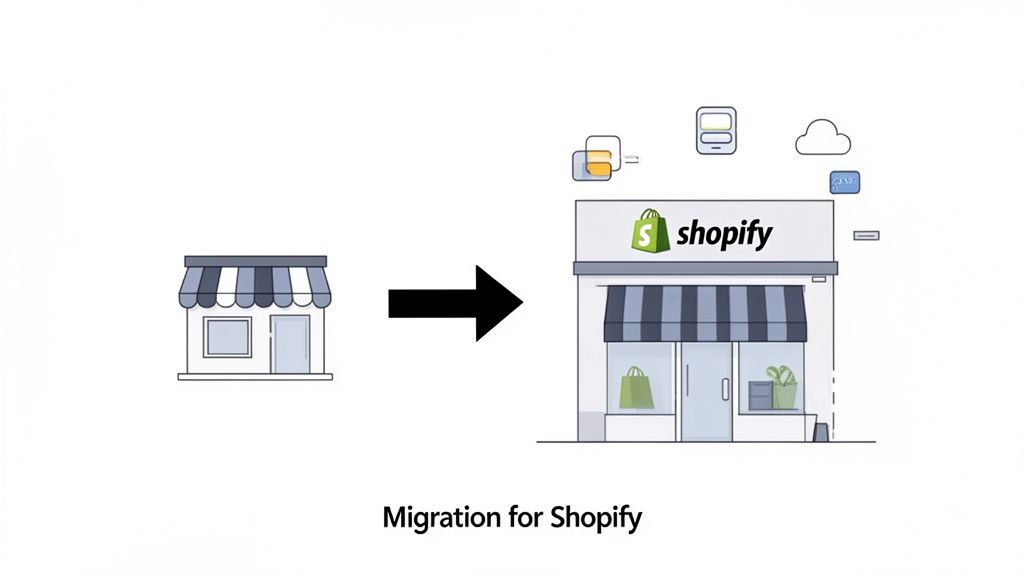
So, what exactly is a Shopify migration? At its core, it's about uprooting your entire online business—your products, customer data, and order history—from a platform like Magento or WooCommerce and replanting it in Shopify's ecosystem. But this is far more than just a technical copy-paste job; it's a strategic business upgrade.
Why a Shopify Migration Is Your Next Growth Move
Let's be real: replatforming your entire online store is a huge call to make. For a lot of growing brands we talk to, it’s not just about getting a new look. It's a calculated move to secure the future of the business.
It’s about trading the headaches of clunky, self-hosted maintenance for smooth, streamlined operations backed by world-class security. This single shift lets you pour your time and money back into what actually grows your brand—marketing, product innovation, and building customer relationships—instead of worrying about server updates and patching security holes.
The Data Doesn't Lie
The momentum behind Shopify is impossible to ignore. We're not just talking about hype; there's a clear trend of businesses leaving behind outdated or cumbersome platforms for Shopify's powerful, purpose-built environment.
According to recent Shopify analytics, for every one merchant that leaves the platform, two more migrate to it. That 2:1 ratio is a powerful signal of platform gravity. This is backed by an incredibly low 2.2% churn rate and a 96.9% merchant retention rate across nearly 3 million active stores. The satisfaction is palpable.
These aren't just abstract figures. They represent thousands of founders and marketing leaders who've decided to bet their business on Shopify's infrastructure. Of course, before you jump in, it's smart to see how it stacks up for your own needs. A good Shopify vs. WordPress comparison can help clarify the specific advantages for your brand.
Here’s a quick look at why Shopify has become the go-to destination for ambitious brands.
Shopify Migration at a Glance: Key Platform Metrics for 2026
| Metric | Statistic | Why It Matters for Your Migration |
|---|---|---|
| Merchant Growth | 2:1 migration ratio (in vs. out) | A strong indicator of market confidence and a mature, reliable ecosystem. |
| Merchant Retention | 96.9% | Shows high long-term satisfaction; brands that move to Shopify stay on Shopify. |
| Merchant Churn | 2.2% annually | An exceptionally low churn rate suggests the platform consistently delivers value. |
| App Ecosystem | 8,000+ apps | You can find a pre-built solution for almost any functionality you need, reducing custom dev costs. |
| Developer Ecosystem | 4.5 million partners/devs | A massive talent pool is available if you need custom work or specialized help. |
As the numbers show, Shopify isn't just a platform; it's a thriving commercial ecosystem designed for one thing: growth.
Tangible Benefits Beyond the Basics
So, what does moving to Shopify actually unlock for your brand? The real value goes far beyond just a new theme.
- Scalability on Demand: Shopify's cloud infrastructure is engineered to handle massive, sudden traffic spikes. Your store won't crash during a Black Friday rush or a viral TikTok campaign, meaning you never leave money on the table.
- A World of Functionality: The Shopify App Store is your gateway to thousands of vetted apps. Need a loyalty program, advanced subscriptions, or a pre-order system? There’s an app for that, allowing you to add powerful features without a massive development project.
- Innovation at Your Fingertips: Shopify is constantly rolling out new tools. From the built-in power of Shopify AI to workflow automation with Shopify Flow, you get access to features that would be incredibly costly and complex to build from scratch.
- Unified Commerce: If you run brick-and-mortar stores alongside your website, Shopify POS is a game-changer. It creates a single, seamless system for your online and in-person sales, unifying your inventory, customer data, and reporting.
Ultimately, migrating to Shopify is about building your business on a stronger, more resilient foundation. It's about gaining a serious competitive advantage by using a platform that is obsessed with making commerce better for everyone.
Building Your Migration Blueprint
Let’s be honest: a Shopify migration that goes off without a hitch is never a last-minute decision. It's a carefully planned project, and rushing this stage is the #1 reason we see for blown budgets, missed deadlines, and a chaotic launch day. Think of this blueprint phase as pouring the concrete foundation for your new store—get it right, and everything else will stand strong.
The whole thing kicks off with a deep, honest audit of your current site. This isn't just a quick look-around. It’s a full inventory of every single asset, function, and piece of data that keeps your business running today. You have to become an archaeologist of your own website, digging into the details to understand exactly what you’re moving.
Cataloging Your Current eCommerce Setup
Before you can figure out where you’re going, you need a detailed map of where you are right now. The goal here is to create a master document that lists every single component of your existing store. This is what saves you from the dreaded "scope creep" that can sneak up on you later.
Your audit needs to be detailed. Document everything:
- Product Data: Don't just count your products. Catalog all the variants (like sizes and colors), any custom options you offer, and unique product types. Make a note of how many products have complex descriptions with custom HTML that might need to be cleaned up.
- Customer Groups: How do you segment your customers? Do you have wholesale tiers, a VIP program, or tax-exempt groups? Each of these will need a new home and a specific setup in Shopify.
- Third-Party Integrations: List every single plugin, extension, or third-party service connected to your store. This means everything from your email marketing tool like Klaviyo to your inventory management system and customer service helpdesk.
- Custom Code & Functionality: Write down any unique features you had custom-built. This could be anything from a product customizer to special shipping logic or a bespoke merchandising tool. These rarely have a direct equivalent in Shopify and require the most planning.
Getting this level of detail is non-negotiable. Forgetting one critical app or a piece of custom code can completely derail your timeline and budget when you discover it halfway through the build. For a structured approach, you can work through our comprehensive Shopify migration checklist to make sure you don't miss a thing.
Budgeting and Timelines for Your Migration
Once your audit is complete, you can start putting together a realistic timeline and budget. A classic mistake is underestimating the time and money it will take, especially when it comes to rebuilding custom features. This is often where the decision between a DIY approach and hiring an agency like ECORN comes into focus.
A DIY migration might look cheaper on paper, but for a business owner juggling a dozen other responsibilities, it often takes three to four times longer than expected. An agency brings in a dedicated team, which can slash that timeline from months down to just a few weeks.
The pull of Shopify's platform is strong, with projections showing it will grow from 5.46 million users in 2024 to 6.9 million by 2026. This incredible growth, which fuels over $11.56 billion in annual revenue, shows just how powerful the platform is. But to join those ranks successfully, you need a solid financial and time-based plan. For more on these trends, you can explore the latest Shopify statistics and growth projections.
Finally, it’s time to map every single item from your audit to its new home in Shopify. This mapping exercise is where your blueprint really comes to life.
- Native Transfer: What can you move using Shopify's own CSV import tools? This usually covers basic products and customer lists.
- App Store Solution: Which of your current plugin functions can be replaced by an app from the Shopify App Store? Start researching and vetting potential apps now, not later.
- Custom Development: What features are so unique they’ll require a Shopify expert to build a custom solution? This is typically the most time-consuming and expensive part of any migration project.
This careful planning and mapping process turns what feels like a massive, daunting project into a series of clear, manageable tasks. It gives you a roadmap, sets real-world expectations, and ensures your move to Shopify starts—and finishes—on the right foot.
Executing the Technical Data Transfer
Alright, this is where the planning stops and the real work begins. Moving your data is the heart of the migration—it's the phase where your products, customer lists, and precious order histories make the journey from your old platform over to Shopify.
This isn't about high-level strategy anymore. It's about careful, hands-on execution. Whether you're coming from Magento, BigCommerce, or WooCommerce, the goal is a clean transfer. A single misstep here can lead to lost data, confused customers, and a launch day that’s memorable for all the wrong reasons.
Choosing Your Data Migration Method
You've got a few ways to get your data from point A to point B. The best path really boils down to your store's complexity, your budget, and how comfortable your team is with the technical side of things.
- Manual CSV Import: This is Shopify's built-in method. You export data from your old store into CSV files, spend some time reformatting them to fit Shopify’s template, and upload them. It's a solid choice for smaller stores with a simple product catalog.
- Third-Party Migration Apps: Tools like Matrixify, Cart2Cart, or LitExtension are lifesavers for many brands. They automate most of the heavy lifting, connecting to both stores and pulling the data across. They’re especially useful for complex data like order history.
- Agency-Led Migration: For large, complex, or heavily customized stores, bringing in a specialist agency like ECORN is the safest bet. We use a mix of powerful tools and manual oversight to manage tricky data maps and solve problems before they start.
A critical note on order history: Shopify's native CSV import does not support order history. If you need to keep detailed historical orders for your customer service team or for reporting, you absolutely have to use a dedicated migration app or an agency.
This kind of move is part of a much bigger trend. The global eCommerce boom is undeniable—a staggering 21.1% of all retail sales are expected to happen online by 2026, pushing the market to an incredible $6.88 trillion. Shopify is at the forefront, fueled by a 29% compound annual growth rate and on track for $12 billion in revenue, much of it driven by brands migrating to the platform. You can dig deeper into how migrations are shaping the industry with these comprehensive Shopify statistics from Uptek.
To help you decide on the right approach, we've put together a quick comparison of the most common data transfer methods.
Shopify Migration Data Transfer Options
Choosing how to move your data is a critical decision. This table breaks down the three main options to help you see which one aligns best with your store’s size, complexity, and budget.
| Migration Method | Best For | Pros | Cons |
|---|---|---|---|
| Manual CSV Import | Small stores (<1000 products), simple data | No extra cost, full control over data cleanup | Time-consuming, error-prone, no order history import |
| Migration Apps | Medium to large stores, moderate complexity | Automated, fast, supports order history, has support | Can be costly, may require some manual cleanup post-transfer |
| Agency Partner | Large, complex stores, custom functionality | Fully managed, high data integrity, expert troubleshooting | Highest initial investment, requires lead time for planning |
Each method has its place, but for growing brands, the limitations of a manual import often make a dedicated app or an agency partner a more reliable and scalable choice.
Preserving Your SEO Authority with Redirects
If there's one technical task you can't afford to mess up, it's your redirects. A 301 redirect is a permanent signal that tells search engines like Google that a page has moved. Without a rock-solid redirect map, all the SEO value you've built up over the years—your rankings, your backlinks—will lead to "404 Not Found" errors. All that hard work, gone.
The process itself is straightforward, but it demands absolute precision. You'll need to create a spreadsheet that maps every single important URL from your old site to its new counterpart on Shopify.
Here’s a simple visual that shows how this fits into the bigger planning picture—it all starts with a deep audit of your existing assets, including your URLs.
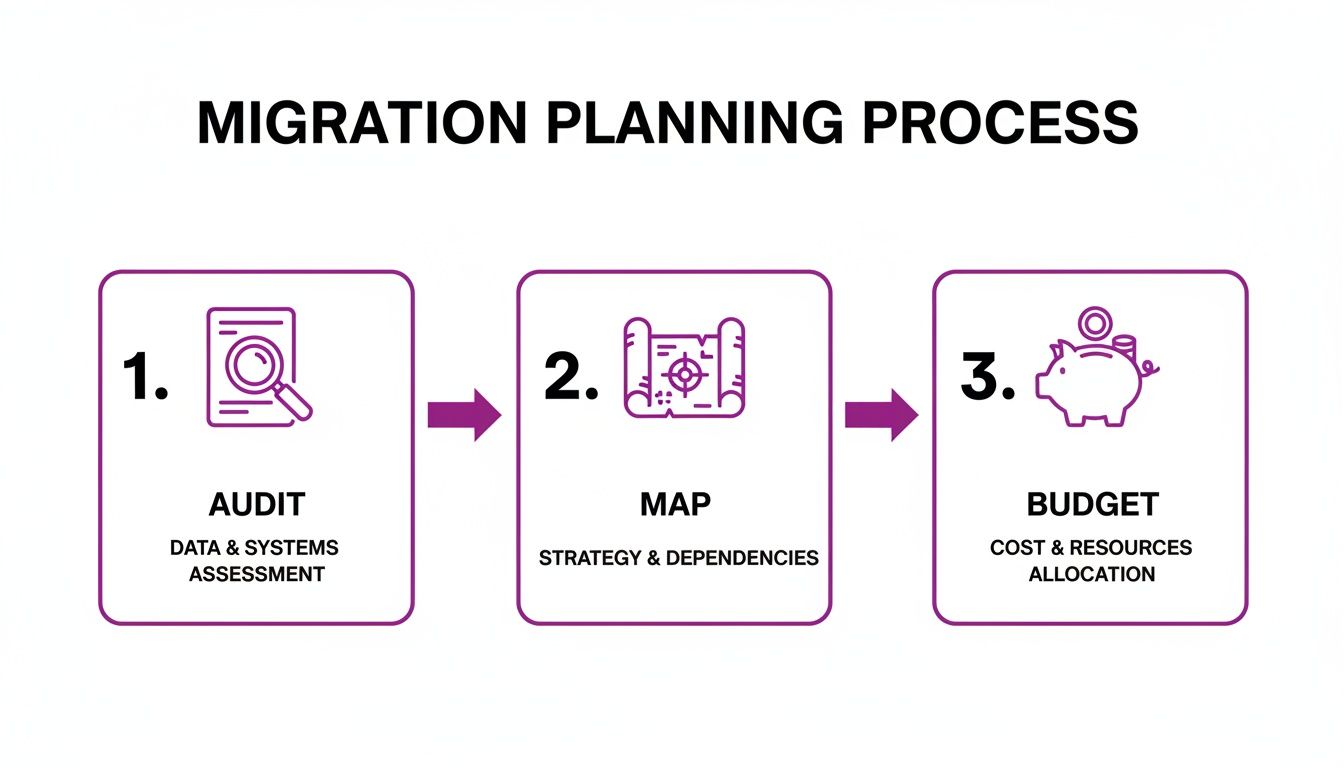
As you can see, you first audit what you have, then map it to where it's going, and finally, budget the resources needed to get it there.
Your redirect map needs to be exhaustive. We're talking about:
- Product Pages:
oldsite.com/products/cool-blue-shirt->newshopifysite.com/products/cool-blue-shirt - Collection/Category Pages:
oldsite.com/categories/mens-shirts->newshopifysite.com/collections/mens-shirts - Content Pages & Blog Posts:
oldsite.com/blog/our-founding-story->newshopifysite.com/blogs/news/our-founding-story
Thankfully, Shopify lets you upload these redirects as a single CSV file, which saves a huge amount of time. Don't take any shortcuts here. Every single URL you miss is a potential lost customer and a ding on your hard-earned search rankings.
Final Checks Before Going Live
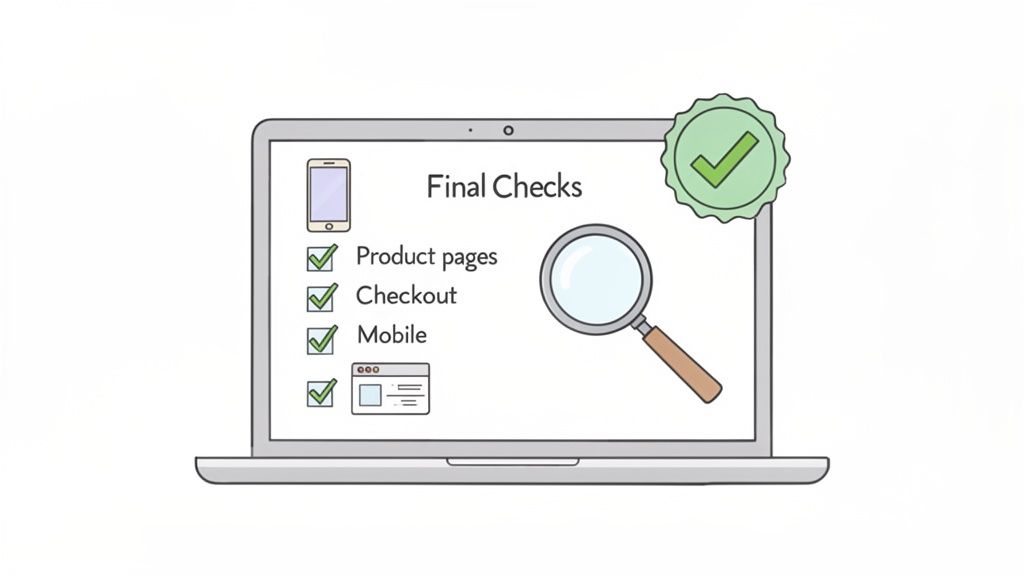
You're so close to the finish line. The data's been migrated, your new design is locked in, and the excitement is probably at an all-time high. But this final phase, quality assurance (QA), is your last line of defense against a messy launch. It's the meticulous work that separates a smooth, professional transition from a day spent putting out fires, answering angry customer emails, and watching sales slip through the cracks.
Think of this as the final dress rehearsal. The whole point is to catch every single potential hiccup on a password-protected staging site before a single real customer lays eyes on it. A thorough testing plan isn't just a good idea—it's your insurance policy for a successful migration for shopify.
Functional and Transactional Testing
First things first, you have to focus on the core functions that actually make you money. This means walking through every possible path a customer could take, from discovering a product all the way through to completing a purchase. The checkout process, in particular, needs to be bulletproof.
Get a detailed checklist together and be relentless in your testing:
- Product Page Accuracy: Check that every piece of product information—titles, descriptions, prices, images, and variants—is exactly as it should be. Can you click through different sizes and colors? Does the main image update like it's supposed to?
- Collection Page Functionality: Go through and test all your filters and sorting options. Are they working as expected? Are the right products showing up in the correct collections?
- Cart and Checkout Flow: Add items to your cart from both product and collection pages. Test the mini-cart, try updating quantities, and then complete the entire checkout process with different payment methods.
A critical mistake we see is assuming the Shopify checkout is unbreakable. It's incredibly robust, but custom code or a misbehaving app can still corrupt cart data before a customer even gets to the checkout page. We once saw a bug where carts defaulted to the smallest product size, causing five-figures in sales to require manual customer service intervention on launch day.
Verifying Site-Wide User Experience
Once you've confirmed the money-making functions are solid, it's time to zoom out and look at the overall site experience. Even a small technical glitch can erode trust and send a potential customer bouncing right off your site.
Expand your QA checklist to cover these crucial areas:
- Mobile Responsiveness: Don't just rely on your browser's "mobile view." You need to physically test your site on various real devices, both iOS and Android. Navigate the menu, look at products, and complete a full test purchase entirely on a mobile phone.
- Cross-Browser Compatibility: Open your site on Chrome, Firefox, Safari, and Edge. You'd be surprised how often minor CSS issues pop up in one browser but not another.
- App Integration: Confirm every single app you've installed is firing correctly. Is your email pop-up showing? Are product reviews loading? Does your loyalty program widget appear when a test customer is logged in?
This is also the perfect moment to double-check all your redirects. A broken redirect isn't just a 404 error; it's a direct hit to your hard-earned SEO and a frustrating dead end for your customers. For a deeper dive, check out our guide on how to implement Shopify URL redirects properly to protect your search rankings.
The Pre-Launch Countdown
With all your testing wrapped up, you can build a detailed go-live plan. This should be a minute-by-minute schedule for launch day to keep downtime to an absolute minimum and ensure a smooth handover.
Your plan needs to include:
- Content Freeze: Announce a "content freeze" on your old site 24-48 hours before the launch. This means no new products, no blog posts, and no price changes are made, which prevents any last-minute data mismatches.
- Final Data Sync: If it makes sense for your migration, run one final data sync to pull over any orders or customer sign-ups that came in after your main data import.
- DNS Switch Timing: Plan your DNS update for a low-traffic period. For most businesses, this is late at night or over a weekend. This is the big moment when your domain starts pointing to your new Shopify store.
- Post-Launch Checks: The moment the DNS has propagated, run through a quick version of your QA checklist on the live site. You need to confirm immediately that everything is working just as it did on the staging site.
This systematic preparation is what turns a potentially nerve-wracking launch into a controlled, successful event. By meticulously testing every element and planning your go-live sequence, you're ensuring your new Shopify store starts on the strongest footing possible.
Launch Day and Driving Post-Migration Growth
Getting your new Shopify store live is just the beginning. After all the planning and hard work, this is where the real race starts. A smooth launch day builds immediate momentum, but a smart post-launch strategy is what turns a successful migration for shopify into a real growth driver for your brand.
Those first few hours post-launch are absolutely crucial. This is an "all-hands-on-deck" moment where your team needs to follow a precise checklist to monitor the site's health. Don't leave anything to chance.
Your Immediate Launch Day Checklist
The moment your DNS fully propagates and the new site is live, the clock is ticking. Your first job is to find any problems before your customers do. Run through these checks immediately.
- DNS Propagation: Use a DNS checker to make sure your domain is pointing to Shopify’s servers correctly across the globe.
- SSL Certificate: Is the padlock icon showing in the browser? Verify your site is secure on every page.
- Homepage Check: Load your homepage on different browsers and both mobile and desktop devices. It should render perfectly.
- Test Transaction: This is non-negotiable. Place a real order using a live credit card. Go through the entire flow, from adding to cart all the way to the thank-you page. It's the only way to be 100% sure your checkout is working.
- Redirect Spot-Check: Test a handful of your most important redirects. Make sure your top product and category pages from the old site land on their new Shopify counterparts.
That first hour is all about stability. Your goal is to spot and fix any show-stopping bugs before they can affect a large number of shoppers.
A common myth we hear is that you can't break the Shopify checkout. While you can't edit the core checkout files, you can absolutely break the process leading to it. We've seen a misconfigured app or a small theme code error corrupt cart data, costing brands five figures in lost sales on launch day. Always, always place a real order first.
Shifting Focus to Conversion and Growth
Once you’ve confirmed the site is stable, your focus immediately shifts to growth. Your new Shopify store has incredible potential, but it won't optimize itself. The data flowing into your Shopify Analytics dashboard is your new best friend.
This is your command center now. Start tracking key metrics from day one to establish your new performance baseline. Don't just obsess over sales; you need to understand the why behind the numbers.
Key Metrics to Monitor Post-Launch:
- Conversion Rate: What percentage of your visitors are actually buying?
- Average Order Value (AOV): How much is a typical customer spending in a single transaction?
- Add to Cart Rate: Are people adding products to their cart but not checking out?
- Top Landing Pages: Which pages are the main entry points for your traffic?
These numbers tell the story of how customers are interacting with your new site. A poor conversion rate might mean there's friction on your product pages. A high bounce rate on your top landing pages could signal a disconnect between your ads and the on-page experience.
Implementing Practical CRO Strategies
With a baseline established, you can start making data-backed changes to improve performance. This process, known as Conversion Rate Optimization (CRO), is about making small, iterative improvements that lead to big gains.
For instance, if your "Add to Cart" rate is strong but your overall conversion rate is low, that points to an issue in your cart or checkout. You could A/B test adding different trust badges, clarifying shipping costs, or highlighting different payment options to see what moves the needle.
If you notice a high drop-off rate on a specific collection page, maybe the filtering is confusing or the product images aren't clear enough. Shopify’s theme editor and the massive app ecosystem make it easier than ever to run these kinds of targeted tests.
To keep your momentum going, you'll need to double down on your Search Engine Optimization (SEO) strategies to capitalize on the strong technical foundation you've just built.
Leveraging AI for Smart Automation
Finally, your new home on Shopify unlocks access to some incredibly powerful AI tools that can put your growth on autopilot. These aren't just buzzwords; they're practical features you can start using right away.
- AI-Powered Personalization: Apps can now analyze a customer's real-time browsing behavior to serve up personalized product recommendations, significantly lifting AOV.
- Marketing Automation: Use AI tools to segment customers based on their buying habits and automatically send them highly targeted email and SMS campaigns.
- AI-Generated Content: Shopify Magic is built right in, helping your team draft compelling product descriptions or blog post outlines in a fraction of the time.
A successful migration for shopify is about more than just moving your store. It's about setting your brand up for its next phase of growth by combining a flawless launch with a relentless focus on data and the smart use of new technology.
Common Questions About a Migration for Shopify
Even with a rock-solid plan, a migration for Shopify is a big move, and it’s bound to bring up some tough questions. It's only natural to be cautious when you're moving your entire business. We've managed countless migrations, and these are the concerns that come up time and time again.
Let's clear the air and give you the direct answers you need.
How Long Does a Migration for Shopify Typically Take?
This is always the first question, and the honest-to-goodness answer is: it all comes down to complexity.
A small shop with a few hundred products and a clean slate on apps might get across the finish line in just two to four weeks. But for a larger, established brand with a deep history of orders, thousands of customers, and a bunch of custom-coded features, you could be looking at a three to six-month project.
The timeline really hinges on a few key things:
- Data Complexity: How clean is your data? If your product, customer, and order files are a mess, a huge chunk of time will be spent just cleaning and reformatting everything before it can even touch Shopify.
- App and Feature Mapping: Take stock of your current plugins and custom features. Each one needs a Shopify equivalent, which means research, testing, and integration. This can easily add weeks to your project.
- Theme Customization: Are you picking a theme off the shelf and making a few tweaks, or are you aiming for a completely bespoke design? Custom theme development is a significant time commitment, plain and simple.
Bringing in an agency with migration experience can often compress this timeline. Having a dedicated team that has done this before means they can anticipate problems and work much more efficiently.
Will I Lose My SEO Rankings When I Migrate to Shopify?
Losing your search engine ranking is a huge, and very real, risk. But it's also 100% preventable if you're meticulous. The absolute most critical task is building and implementing a complete 301 redirect map.
This map is your way of telling Google that every single URL from your old site has a new, permanent home on Shopify. It's what transfers all that SEO equity you've worked so hard to build.
It's normal to see a small dip in rankings right after launch while Google gets reacquainted with your site. But with a well-executed migration, you should see things stabilize quickly and often even improve in the long run.
Don't think it's just about redirects. You have to migrate every piece of metadata—page titles, descriptions—and keep your content structure logical. The second you go live, your new sitemap needs to be submitted to Google Search Console. Skipping any of these steps can create SEO headaches that are a nightmare to fix later.
Should I Migrate to Shopify or Shopify Plus?
The technical side of the migration is pretty similar for both. The real question is about your scale and what you need the platform to do for your business down the road. Standard Shopify is a beast, but Shopify Plus is built for another level of commerce.
A migration to Shopify Plus is the right call if your business:
- Needs a customizable checkout to boost conversions or add unique branding touches.
- Could benefit from serious automation using tools like Shopify Flow to handle complex back-office tasks.
- Is planning to run multiple storefronts for different countries or a B2B channel all from one dashboard.
- Depends heavily on other systems and needs the higher API call limits that Plus offers.
A good agency can run a needs analysis and tell you straight up if your revenue and growth trajectory justify the investment in Plus.
Can I Migrate Customer Subscriptions and Gift Cards?
Yes, but they are two very different beasts. Migrating gift cards is fairly simple. You can usually just export the codes and balances into a CSV file and import them directly into Shopify’s native system or a gift card app.
Customer subscriptions, however, are one of the trickiest parts of a migration for Shopify. You can't just move sensitive payment details from one platform to another. This process demands tight coordination between your team, your new subscription app (like Recharge, Skio, or Bold Subscriptions), and your payment processor to securely migrate payment tokens.
This is a specialized task. It has to be planned with absolute precision to make sure your recurring revenue isn't disrupted.
Navigating the complexities of a Shopify migration requires expertise and a steady hand. At ECORN, we specialize in helping brands like yours make a seamless transition to Shopify, protecting your data and setting you up for future growth. If you want to ensure your migration is a success, explore how our team can help.



What Is AI Integration for eCommerce

How to Choose the Right eCommerce Website Development Firm

E Business Strategy Implementation

Conversion Tracking Setup for Shopify Stores

BigCommerce vs Shopify Plus Which Enterprise Wins in 2026

Shopify Theme Kit: Setup, Commands, and Migration Guide

Shopify Extension Development: A Practical 2026 Guide

Shopify Speed Score Explained and How to Improve It

Shopify Mobile Optimization: The 2026 Playbook

How to Add Subcategory in Shopify for Better UX

How to Implement Structured Data for Ecommerce in 2026

SEO App Mobile: Shopify Store Optimization Guide

Shopify Plus Support: What It Includes and How to Choose

Google Ads for Shopify: The Complete 2026 Playbook

Shopify New York: How to Find and Hire the Right Agency

Google Search Console for Shopify: The Complete Setup

First Party Data Collection for eCommerce Growth

FAQ Online Store Guide: Build and Measure It Right

Do FB Ads Work for eCommerce in 2026?

One Page Checkout for Shopify: Design and Implementation

Shopify GraphQL vs REST: The 2026 Developer Decision

Shopify Ecommerce Consulting: Strategy, Pricing &

Are Reddit Ads Worth It for eCommerce Brands

Shopify Title and Meta Description: A Practical 2026 Guide

Product Video Best Practices for Shopify Brands

Real-Time Inventory Management: A 2026 Guide

AI Chatbot Integration for Shopify Stores

Affiliate Program Management: A Shopify Guide

10 Best Performance Monitoring Tools for Shopify in 2026

Digital Asset Management for eCommerce Brands in 2026

Every Type of Facebook Ads Explained for eCommerce Growth

Product Information Management Explained for Shopify Brands

Support Ticket System: A Guide for Shopify Stores

10 Best Customer Service Tools for Shopify in 2026

Can I Start a Business with No Money? a 2026 Blueprint

What Sells Good on Etsy: Best Niches for 2026

Shopify Add to Cart Button: A Practical 2026 Guide

Customer Feedback Automation: A Practical eCommerce Guide

Critical Rendering Path: A Guide for Shopify Stores

How to Promote on TikTok for eCommerce in 2026

B2B eCommerce Consulting That Drives Real Revenue

10 Best Practices for Site Navigation in 2026

Return vs Refund for Shopify Stores: A Practical Guide

What Is Customer Lifetime Value and Why It Matters

What Is Voice of Customer Research for eCommerce

SMS Marketing for Ecommerce That Actually Converts

Master How to Improve Email Deliverability in 2026

Top 7 eCommerce Partners NYC for Shopify Brands in 2026

Machine Learning for Ecommerce: Boost Your Shopify Store

Beauty Market Research: Your 2026 Growth Guide

Shopify International Expansion: A 2026 Roadmap

What Does CRO Stand for in Business: Understanding CRO

Shopify Visual Merchandising: A Playbook for Higher Sales

Shopify Landing Page Design: Master Conversion in 2026

10 Best AI SEO Optimization Tools for Shopify in 2026

Agentic AI for Ecommerce: Boost Your Sales in 2026
Mastering Email Marketing Data for eCommerce Growth

Conversion Rate Optimisation Australia: Boost Your Sales

Conversion Rate Optimization AI: Your Shopify Store Guide

10 Product Bundling Strategies for Shopify in 2026

How to Increase Customer Lifetime Value: A Shopify Playbook

AI Customer Service Automation: Shopify Guide 2026

Clean Website Design: A Shopify Conversion Playbook

Omnichannel Retail Strategy: A Shopify Playbook

Product Data Enrichment: A Guide for Shopify Brands

Instagram Shopping Features a Guide for Shopify Stores

What Is Revenue Optimization: A Holistic RevOps Guide

Benefits of Conversion Rate Optimization: Boost Your

WordPress to Shopify Migration: Your 2026 Seamless Switch

Boost Sales: Ecommerce Payment Processing Guide 2026

Unified Commerce Platform: Benefits, KPIs & Shopify Guide

How to Reduce Bounce Rate eCommerce: Your 2026 Guide

Shopify API Integration: A Practical End-to-End Guide

How to Implement Data Governance: A 2026 Guide

Shopify Store Development Cost: A 2026 Breakdown

What Is Server Side Tracking: The Shopify Guide 2026

Marketing Automation Workflows: A Shopify Guide for 2026

Shopify: How to Reduce Technical Debt

Shopify UX Design Change: A Playbook for Growth

User Generated Content Strategy: Shopify Playbook

Shopify Pause and Build Plan Cost: A Complete 2026 Guide

Compare at Price on Shopify: A Complete Guide for 2026

Where Can I Sell My Prints? 10 Best Platforms for 2026

Shopify Order Management System: The Ultimate Guide 2026

What Is Marketing Attribution? an eCommerce Guide for 2026

10 Best Black Friday Sales Sheets for 2026

Discover the Top Social Media Marketing Agencies For

Consumer Confidence Definition for eCommerce in 2026

What Is Social Commerce? Your 2026 Guide to Boosting Sales

A Social Ad Campaign Playbook for eCommerce Growth

7 Best FAQ Page Examples for SaaS & eCommerce

Market Research in Fashion Industry: A Guide for Shopify

Shopify Migration Services: Expert Guide for 2026

Mastering FB Retargeting Ads for Shopify in 2026

What Is Omnichannel Ecommerce

Master Your Shopify Plus Migration: The 2026 Guide

Shopify Integration Services: A Merchant's 2026 Guide

Shopify Collection Description: A Guide to SEO & Sales

Shopify Plus Contact: Reach Sales & Support Effectively

Top Luxury Shopify Stores: Design & UX Strategies


newsletter in your inbox