


So, what exactly is a free website audit report? Think of it as a comprehensive diagnostic check-up for your online store. It’s a no-cost analysis of your site's performance, SEO health, and overall user experience, designed to flag critical issues that could be quietly hurting your traffic and sales.
Why a Free Website Audit Is Your First Step to Growth
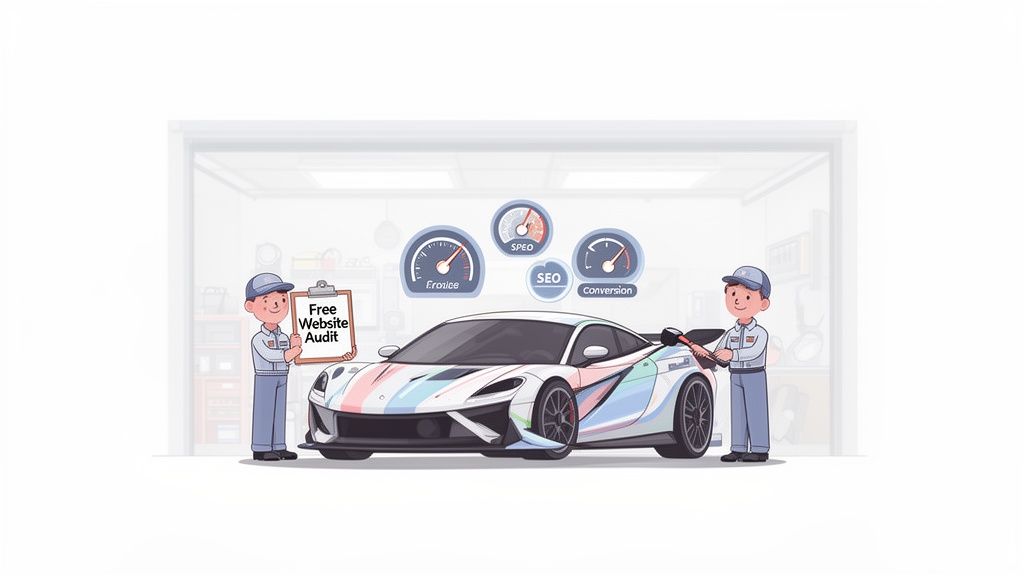
Picture your Shopify store as a high-performance race car. You’ve invested in a sleek body and a powerful engine, but is it actually ready for the track? A free website audit report is that full diagnostic from your pit crew, showing you exactly what needs a tune-up to win over more customers and leave your competition in the dust.
This isn't some overly technical chore; it's a fundamental health check for your business. It gives you a clear, data-driven roadmap that turns guesswork into a solid strategy for growth. For countless Shopify store owners, it's the single most impactful step they take toward building a profitable, long-lasting brand.
Uncovering Hidden Opportunities
A free website audit report digs deep into your store's foundation, shining a light on problems you might not even realize you have. These issues often act as silent conversion killers, frustrating shoppers and slowly chipping away at your search engine rankings.
This powerful report gives you a real understanding of:
- Technical SEO Health: Can search engines actually find and understand all your pages, or are you practically invisible due to crawl errors and broken links?
- Performance Bottlenecks: How fast does your site load? A delay of just one second can send your bounce rate through the roof.
- On-Page Optimization Gaps: Are your product pages set up with the right keywords, titles, and descriptions to pull in qualified buyers?
- User Experience Friction: Is navigating your site a breeze on both desktop and mobile, or are customers giving up because they can't find what they need?
By systematically finding and fixing these issues, you stop reacting to problems and start proactively optimizing for success. An audit gives you the blueprint for making smart decisions that directly boost your bottom line.
To give you a clearer picture, let's break down what an audit typically looks at and why it matters.
Key Insights from a Free Website Audit Report
| Audit Area | Common Issues Found | Potential Impact on Your Store |
|---|---|---|
| Technical SEO | Broken links, 404 errors, poor site structure, no sitemap | Search engines can't index your site properly, leading to poor rankings and lost organic traffic. |
| Page Speed | Large image files, bloated code, slow server response | Frustrates users, increases bounce rates, and lowers conversion rates. A slow site is a sales killer. |
| On-Page SEO | Missing meta descriptions, duplicate titles, thin content | Your product and category pages won't rank for valuable keywords, missing out on ready-to-buy customers. |
| Mobile Experience | Unresponsive design, tiny buttons, hard-to-read text | Alienates the majority of shoppers who browse on their phones, costing you immediate sales. |
This table only scratches the surface, but it highlights how interconnected these elements are. Fixing one area often has a positive ripple effect across your entire store.
The results really do speak for themselves. After analyzing over 500 websites, it was found that businesses conducting regular SEO audits saw a staggering 61% increase in organic traffic within just six months of acting on the findings.
Ultimately, a free website audit report is your starting line. It’s the first step toward achieving serious eCommerce growth. By getting a clear view of your site's current strengths and weaknesses, you can build a prioritized action plan that makes a real difference. Our complete guide on running an eCommerce website audit dives even deeper into this process.
How to Read Your Free Website Audit Report
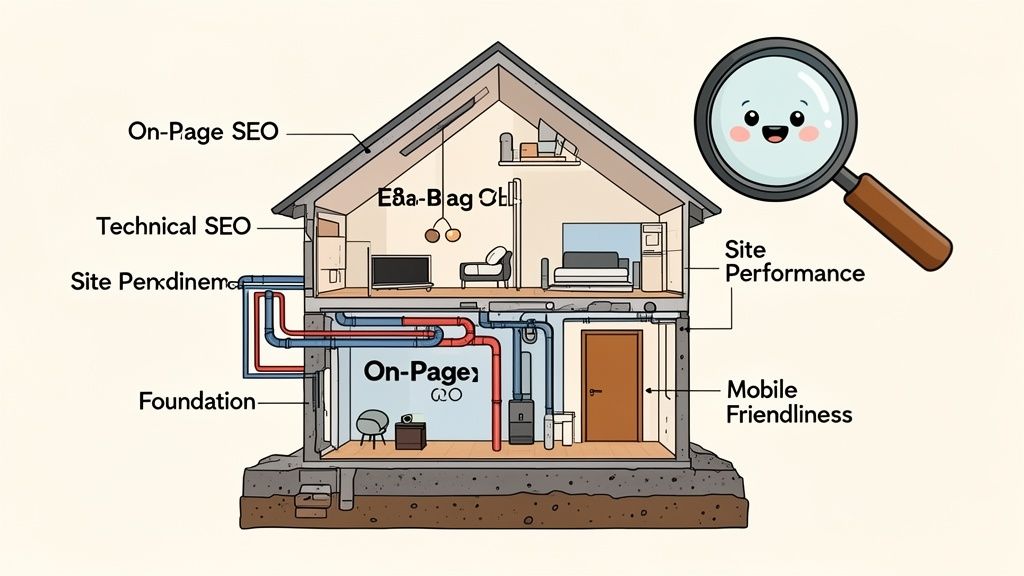
Cracking open your first free website audit report can feel a bit like reading a mechanic's diagnostic sheet—a lot of technical terms, scores, and red flags. But don't worry, we're here to translate it into plain English. We'll walk through what each part means so you can understand the story it's telling about your store's health.
The easiest way to think about it is to imagine your website is a house. You're building it to attract visitors and convince them to stick around. Each section of the audit looks at a critical part of that house's construction and curb appeal.
Decoding Technical SEO: Your Site's Foundation
The technical SEO section is all about the structural integrity of your website. Think of it as the concrete foundation, the support beams, and the core framework that everything else is built on. If that foundation is cracked, it doesn't matter how nice the rest of the house looks—it's unstable.
This part of your report flags issues that stop search engines like Google from properly "crawling" and "indexing" your site. Put simply, if Google's bots can't find their way around, your product pages might as well be invisible to shoppers.
Here are a few common things you'll see:
- Crawl Errors: These are basically dead ends that Google's bots hit while exploring your site, like a collapsed hallway in your house. The most common is a "404 Not Found" error, which pops up when a page has been deleted but old links still point to it.
- Sitemap Status: A sitemap is the blueprint of your website that you hand directly to search engines. A missing or broken sitemap is like giving a construction crew a blank piece of paper and telling them to build your house.
- Robots.txt File: This little file gives search engines rules about which parts of your "house" they're allowed to visit. If it's set up wrong, you could be accidentally blocking them from your most important rooms, like your product collections.
Fixing these foundational issues is always priority number one. It makes sure that all the other improvements you make will actually get seen by search engines and customers.
Understanding On-Page SEO: The Interior Design
With a solid foundation in place, it's time to look at the interior. On-page SEO is the interior design of your house—how you arrange the rooms, label the doors, and decorate the walls to make it welcoming and easy for people to find what they're looking for.
This part of your free website audit report digs into the content and HTML of your individual pages. The goal is to make every page as clear and relevant as possible for both your customers and the search engines. A good layout helps Google understand what each page is about, which in turn helps you rank for the right keywords.
Keep an eye out for these key elements:
- Title Tags & Meta Descriptions: This is the first thing a shopper sees in the search results. A weak title is like an unlabeled door—nobody knows what's inside, so they just walk past.
- Header Tags (H1, H2, H3): These structure your content, acting like signs that guide visitors through a room and make your pages easy to scan.
- Image Alt Text: This text describes your images for visually impaired users and, crucially, for search engines. Without alt text, your beautiful product photos are just blank spaces to Google.
A low score here usually means your product pages are confusing search engines and you're missing out on traffic from people searching for exactly what you sell. Polishing your on-page SEO is like adding clear, helpful signage all over your store.
Analyzing Site Performance: The Plumbing and Electricity
Site performance is the plumbing and electricity of your house. It’s what makes everything work. If the lights flicker or the water pressure is terrible, visitors get frustrated and leave fast. For an ecommerce store, speed isn't a bonus feature; it's an absolute necessity.
Your audit report scores this using metrics known as Core Web Vitals. These are Google’s official benchmarks for user experience. Slow load times directly lead to higher bounce rates and tanking conversion rates. In fact, a site that loads in 1 second has a conversion rate 3x higher than a site that takes 5 seconds to load.
Mobile friendliness is another huge piece of this puzzle. With well over half of all web traffic coming from mobile devices, your "house" absolutely needs to be accessible for everyone. If your site is a pain to use on a phone, you're basically slamming the door on the majority of your potential customers. This part of the report tells you if your buttons are too small, your text is unreadable, or your layout is just plain broken on a smaller screen.
Turning Audit Data Into Actionable Insights
Getting your hands on a free website audit report is a great first step. But the real work starts when you translate all that data into a solid action plan for your store. Let's walk through how to read between the lines, see the story behind the scores, and turn abstract numbers into real-world problems you can actually fix.
Think of your report as a set of clues. It gives you the evidence—a low performance score here, a bunch of duplicate titles there. Your job is to connect those dots to what’s actually happening on your site and how it affects your customers. This is how a simple list of issues becomes a roadmap for growth.
From Metrics to Meaning
An audit report can feel like a wall of technical terms and numbers. Don't get bogged down. Instead, focus on what each metric means for a real person trying to shop on your site.
Let's take a common finding from a performance report as an example.
Here’s a sample showing a few key metrics that have a direct impact on how users experience your store.
This report shows a poor "Largest Contentful Paint" (LCP) score. In plain English, this means the biggest, most important piece of content on the page—probably your main banner or a hero product shot—is loading way too slowly. For a shopper, that means staring at a blank space where your product should be. It’s a frustrating experience that often ends with them leaving before your page even finishes loading.
Identifying Patterns in Your Report
As you look through the results, start searching for patterns. Are you dealing with one-off problems or are these issues happening all over your site?
- Isolated Issue: A single broken link on an old blog post is an easy, one-time fix.
- Systemic Issue: If dozens of your product pages have slow-loading images, you have a bigger, systemic issue with how your images are optimized. This needs a sitewide solution.
Spotting these patterns is the key to prioritizing your work. Tackling a systemic problem, like setting up automatic image compression on Shopify, can knock out hundreds of individual errors in one go. It's a much smarter approach than fixing things one by one. To get a better feel for this, you can check out different SEO audit report sample generators to see how various tools present these kinds of patterns.
Prioritizing Fixes with the Impact vs. Effort Framework
Once you know what the problems are, you need to decide what to tackle first. Not all fixes are created equal. A simple but powerful way to build your to-do list is with an "Impact vs. Effort" framework.
Categorize each task based on how much effort it will take to complete and how much positive impact it will have on your store’s performance, user experience, and ultimately, your sales.
Here's how to break it down:
- High-Impact, Low-Effort (Quick Wins): These are your top priorities. Think fixing broken internal links, adding missing alt text to key product images, or rewriting duplicate title tags on your most important category pages.
- High-Impact, High-Effort (Major Projects): These are bigger initiatives that promise big returns but need more time and resources. This could be a complete overhaul of your site's navigation or fixing complex code that's slowing down your entire store.
- Low-Impact, Low-Effort (Fill-in Tasks): These are small tweaks worth doing when you have spare time, but they won't move the needle much on their own.
- Low-Impact, High-Effort (Re-evaluate): You should generally put these tasks on the back burner. Unless they're a necessary part of a much larger strategic project, your energy is better spent elsewhere.
This simple grid helps you focus your energy where it counts, making sure the changes you make will have a real, positive effect on your bottom line. Making these kinds of data-driven decisions is a fundamental part of effective eCommerce data analytics. The payoff can be huge; a 2025 analysis found that stores using free audit tools improved their on-page scores by up to 40%, which directly correlated with a 28% lift in conversion rates on their landing pages.
Prioritizing Fixes for Maximum eCommerce Impact
Getting your audit report back can feel a bit overwhelming. Suddenly you have this long, intimidating to-do list staring you down. With dozens of issues, from tiny technical errors to bigger on-page tweaks, the question is always the same: where do you even start?
The secret is to change your mindset. Stop thinking about just "fixing errors" and start thinking about "optimizing for sales."
This is where Conversion Rate Optimization (CRO) comes into the picture. Instead of seeing a finding like "slow page speed" as a technical problem, you reframe it. It's a direct cause of cart abandonment. Every single item on your free website audit report needs to be looked at through the lens of its impact on the customer journey—and your bottom line.
This flow chart shows the simple but powerful process of turning a report's findings into real business results.
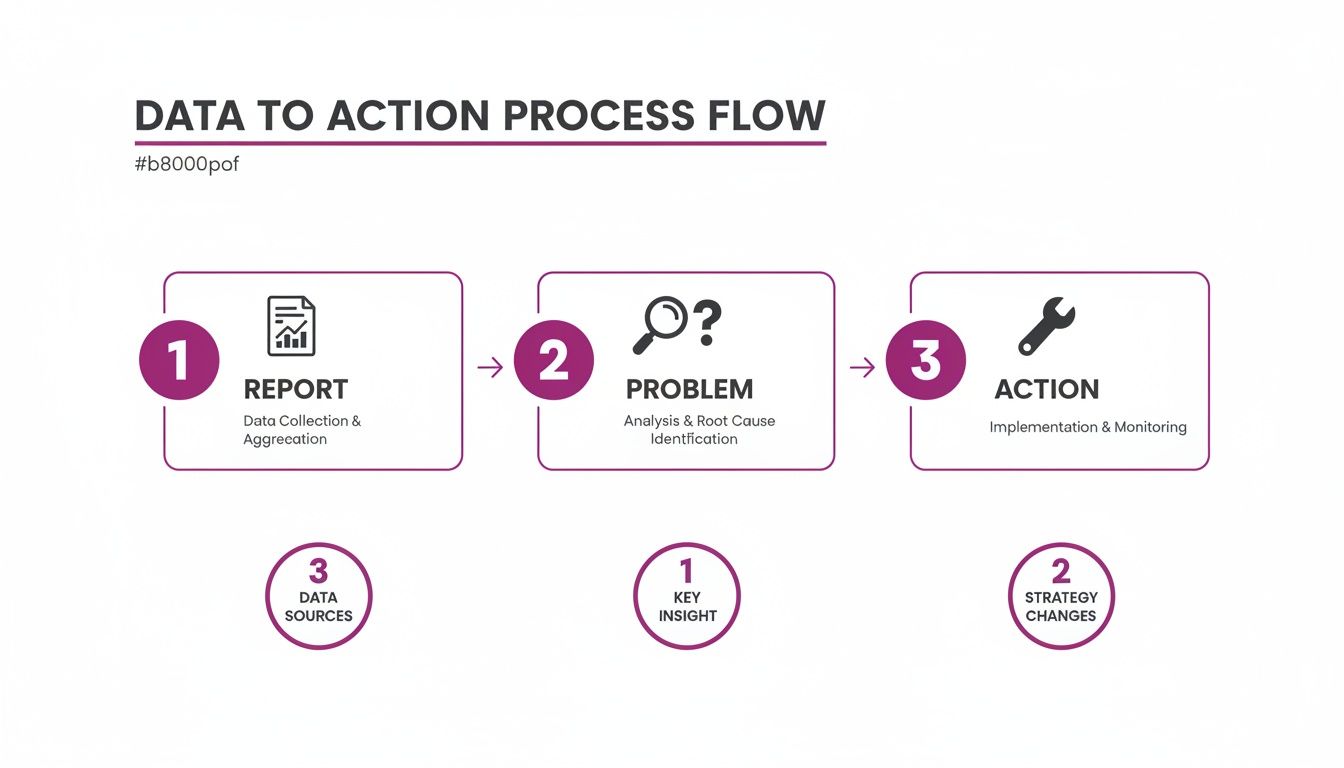
The process is straightforward. Your audit report points out a problem, you take direct action to solve it, and the result is a smoother, more profitable experience for your customers.
Create a CRO-Focused Action Plan
To get the biggest bang for your buck, you need an action plan that's laser-focused on eCommerce. This means zeroing in on the fixes that directly remove friction from your customer's path to purchase.
For many online stores, this means a targeted approach that converts existing traffic more effectively. For instance, some eCommerce businesses apply an effective Amazon CRO Strategy to turn their traffic into more sales, and the same logic applies to your own store.
For your Shopify site, this means looking at your audit and prioritizing based on what's most likely to boost revenue. Here’s a simple, three-step priority list to get you started on the fixes that will make the biggest difference.
Priority 1: Enhance Mobile Usability
With over 60% of online shoppers now using their smartphones, a perfect mobile experience isn't a "nice-to-have"—it's non-negotiable. Your audit report will almost certainly flag issues specific to mobile, like buttons that are too small to tap or text that’s a pain to read.
Fixing mobile usability issues is one of the highest-impact activities you can undertake. A frustrating mobile experience is like having a "closed" sign on your door for the majority of your potential customers.
Start by tackling these common mobile-related findings:
- Responsive Design Breaks: Make sure your theme looks and works perfectly on every screen size, from the smallest iPhone to the largest tablet.
- Tap Target Size: Increase the size of your buttons and links. They need to be easy for a thumb to press without accidentally hitting something else.
- Font Readability: Check that your text is large and clear enough to be read without anyone having to pinch and zoom.
These changes directly cut down on shopper frustration and make it way easier for customers to browse and buy while they're on the go.
Priority 2: Optimize Images and Core Web Vitals
Slow-loading pages are absolute conversion killers. The performance section of your audit, especially your Core Web Vitals scores, points directly to these profit-draining bottlenecks. One of the biggest culprits for slow speeds on eCommerce sites? Unoptimized product images.
A poor Largest Contentful Paint (LCP) score, for example, often means your main hero image is taking forever to load. This causes shoppers to bounce before they even see what you're selling.
Your action items here are crystal clear:
- Compress All Images: Use Shopify apps or online tools to shrink the file size of your product and banner images without making them look blurry.
- Use Modern Image Formats: Convert your images to next-gen formats like WebP. It offers way better compression than old-school JPEGs and PNGs.
- Implement Lazy Loading: This is a technique that only loads images as the user scrolls down the page, which dramatically improves the initial page load time.
Improving your Core Web Vitals doesn't just help your search engine rankings; it keeps customers engaged and moves them one step closer to checkout.
Priority 3: Fix Your Internal Linking Structure
Finally, take a hard look at any errors related to your site's navigation. A finding like "broken internal links" or "404 errors" might look small, but these are critical roadblocks in the shopping journey.
Imagine a customer clicks a link for "Summer Dresses" from your homepage and lands on a "Page Not Found" error. That's a lost sale, guaranteed.
Fixing these links creates a seamless path through your store, encouraging people to discover more products and making it easy for them to find exactly what they're looking for. This doesn't just help users; it also helps search engines understand your site's structure, which can improve your rankings for important product and category pages. Start by running a broken link checker and methodically updating or redirecting every dead link you find.
When to Go Beyond the Free Report
A free website audit report is an incredible starting point. Think of it as a top-level health check for your store, pointing out obvious problems and quick wins that can boost your performance. But just like a basic check-up, it has its limits. Sometimes, you need a specialist to dig deeper.
Automated tools are fantastic at flagging what's wrong, but they often struggle to explain why it's happening in the context of your specific store and goals. They'll give you a diagnosis, but not the specialized treatment plan. This is where moving beyond a free report isn't just an expense—it's a strategic investment in your brand's future.
Knowing when to switch from DIY fixes to bringing in an expert is key. It's not about admitting defeat; it’s about being smart with your time and resources to unlock that next level of growth, saving you countless hours and preventing costly mistakes down the line.
Signs You Have Outgrown Automated Audits
As your brand gets bigger, your website gets more complex. The quick fixes that gave you a nice boost when you were starting out might not be enough to move the needle anymore. Recognizing the signs that you need a deeper, human-led analysis is crucial for keeping your momentum.
You might need an expert's eye if you're facing these situations:
- You've Hit a Growth Plateau: You've diligently fixed all the "easy" issues from your report, but your traffic, rankings, and sales numbers are frustratingly flat.
- The Problems Are Highly Technical: The report is flagging things deep in your Shopify theme's code, talking about server response times, or mentioning complex schema markup that you have no idea how to tackle.
- Your To-Do List Is Overwhelming: The report spits out a massive list of errors, and you're paralyzed. You have no idea which fixes will actually make a difference and which are just noise.
If your free report keeps flagging the same critical issues month after month, that’s a loud and clear signal. The root of the problem is deeper than a surface-level fix can handle, and it's time to call in a specialist.
Scenarios That Demand Expert Intervention
Some challenges almost always need a human expert to step in. While a free website audit report is great for identifying the symptoms, these scenarios require a specialist to diagnose the underlying disease and create a cure.
Consider getting professional help for:
- Deep Architectural and Technical SEO Issues: For stores with huge product catalogs, problems like crawl budget waste, poor site structure, or messy international SEO can seriously throttle your visibility. An expert can completely restructure your site to make sure search engines can find and rank all of your valuable pages efficiently.
- Advanced Conversion Rate Optimization (CRO): A free tool can’t watch user session recordings to see why people are abandoning their carts or run A/B tests on your product pages. A CRO expert takes the data from your audit as a starting point to form hypotheses, run controlled experiments, and find statistically proven ways to get more people to click "buy."
- Post-Migration or Redesign Complications: After a big site change, it's common for a free report to light up with 404 errors and show a scary drop in rankings. An expert can manage the messy process of mapping old URLs to new ones and hunt down the technical glitches to recover your lost traffic fast.
At the end of the day, a free report gives you the "what." An expert delivers the "how" and the "why," building a custom strategy that lines up your site's technical health with your most important business goals.
Frequently Asked Questions About Website Audits
Even after diving into the data, you probably have a few questions rolling around in your head about what a free website audit report really means for your store. That’s a good thing. Turning raw data into a smart, effective strategy starts with asking the right questions.
Let’s get into some of the most common ones we hear from founders and marketers. The goal here is to give you clear, practical answers so you can move forward with confidence.
How Often Should I Run a Free Website Audit?
For most eCommerce stores, running a full audit every quarter is the sweet spot. This rhythm helps you catch new problems that creep in as you add products, launch collections, or post new content. It’s the perfect cadence to maintain good site health without getting overwhelmed.
However, some events should trigger an immediate audit. Don't wait—run a fresh report right away if you:
- See a sudden, unexplained drop in your organic traffic.
- Just finished a major site redesign or rebranding project.
- Migrate your store to a new platform, like moving to Shopify Plus.
If you’re running a high-traffic store, it’s also smart to do quick monthly spot-checks on critical areas like site speed and crawlability. This helps you stay way ahead of any potential performance killers.
Are the Scores in a Free Audit Report Accurate?
Yes, for the most part. The scores you get from a good audit tool are accurate reflections of very specific, technical data. They’re calculated using real, measurable points, like how long your largest contentful paint (LCP) takes to load or if your product pages are missing title tags.
But it's critical to see these scores as diagnostic tools, not a final report card.
A 70/100 performance score doesn't mean your site is a 'C' student. It simply points to specific, identified opportunities to improve your loading speed—which we know directly impacts user experience and, ultimately, your conversion rates.
The real gold in a free website audit report isn't the number itself. It’s the detailed, actionable recommendations that come with it. Focus on the "why" behind that score, because that's where you'll find your roadmap for improvement.
Can I Fix the Issues Found in an Audit Myself?
Absolutely. A lot of the issues flagged in an audit are perfect for a bit of DIY, especially on a friendly platform like Shopify. You can probably tackle tasks like these on your own:
- Compressing those huge, unoptimized product images.
- Fixing broken internal links that point to 404 error pages.
- Writing new meta descriptions for key pages that are duplicate or missing.
That said, some problems really do need a specialist. Complex technical SEO issues often fall into this bucket. If you’re not an expert, trying to edit your theme’s liquid code to fix Core Web Vitals, implement advanced schema markup for rich snippets, or solve deep-seated crawl budget issues can create more problems than it solves.
A great approach is to knock out the "low-hanging fruit" yourself. Once that's done, bring in a specialist for the high-impact technical fixes that require deep expertise.
What Is the Difference Between a Free and a Paid Audit?
This is a really important distinction to understand. A free audit and a paid audit serve two different, though related, purposes.
A free website audit report is an automated scan. It’s fantastic at identifying what is wrong by checking your site against a list of technical best practices. Think of it as a great starting point for a diagnosis—a data-driven list of errors and warnings.
A paid audit, on the other hand, brings in human expertise to figure out the why. A professional audit puts those findings into context, looking at them through the lens of your specific business goals, your target audience, and what your competitors are doing. It delivers a prioritized strategic roadmap, not just a list of problems. It’s all about turning that raw data into a comprehensive growth strategy, often including implementation support and deeper dives into CRO and user journey mapping.
Ready to stop guessing and start making data-driven improvements to your Shopify store? The team at ECORN specializes in turning audit insights into real, measurable growth. Whether you need an expert to tackle a thorny technical issue or a full-blown CRO strategy to boost your conversion rate, we have flexible solutions to help your brand thrive.
Explore our Shopify services and see how we can help you scale.



How to Choose the Right eCommerce Website Development Firm

E Business Strategy Implementation

Conversion Tracking Setup for Shopify Stores

BigCommerce vs Shopify Plus Which Enterprise Wins in 2026

Shopify Theme Kit: Setup, Commands, and Migration Guide

Shopify Extension Development: A Practical 2026 Guide

Shopify Speed Score Explained and How to Improve It

Shopify Mobile Optimization: The 2026 Playbook

How to Add Subcategory in Shopify for Better UX

How to Implement Structured Data for Ecommerce in 2026

SEO App Mobile: Shopify Store Optimization Guide

Shopify Plus Support: What It Includes and How to Choose

Google Ads for Shopify: The Complete 2026 Playbook

Shopify New York: How to Find and Hire the Right Agency

Google Search Console for Shopify: The Complete Setup

First Party Data Collection for eCommerce Growth

FAQ Online Store Guide: Build and Measure It Right

Do FB Ads Work for eCommerce in 2026?

One Page Checkout for Shopify: Design and Implementation

Shopify GraphQL vs REST: The 2026 Developer Decision

Shopify Ecommerce Consulting: Strategy, Pricing &

Are Reddit Ads Worth It for eCommerce Brands

Shopify Title and Meta Description: A Practical 2026 Guide

Product Video Best Practices for Shopify Brands

Real-Time Inventory Management: A 2026 Guide

AI Chatbot Integration for Shopify Stores

Affiliate Program Management: A Shopify Guide

10 Best Performance Monitoring Tools for Shopify in 2026

Digital Asset Management for eCommerce Brands in 2026

Every Type of Facebook Ads Explained for eCommerce Growth

Product Information Management Explained for Shopify Brands

Support Ticket System: A Guide for Shopify Stores

10 Best Customer Service Tools for Shopify in 2026

Can I Start a Business with No Money? a 2026 Blueprint

What Sells Good on Etsy: Best Niches for 2026

Shopify Add to Cart Button: A Practical 2026 Guide

Customer Feedback Automation: A Practical eCommerce Guide

Critical Rendering Path: A Guide for Shopify Stores

How to Promote on TikTok for eCommerce in 2026

B2B eCommerce Consulting That Drives Real Revenue

10 Best Practices for Site Navigation in 2026

Return vs Refund for Shopify Stores: A Practical Guide

What Is Customer Lifetime Value and Why It Matters

What Is Voice of Customer Research for eCommerce

SMS Marketing for Ecommerce That Actually Converts

Master How to Improve Email Deliverability in 2026

Top 7 eCommerce Partners NYC for Shopify Brands in 2026

Machine Learning for Ecommerce: Boost Your Shopify Store

Beauty Market Research: Your 2026 Growth Guide

Shopify International Expansion: A 2026 Roadmap

What Does CRO Stand for in Business: Understanding CRO

Shopify Visual Merchandising: A Playbook for Higher Sales

Shopify Landing Page Design: Master Conversion in 2026

10 Best AI SEO Optimization Tools for Shopify in 2026

Agentic AI for Ecommerce: Boost Your Sales in 2026
Mastering Email Marketing Data for eCommerce Growth

Conversion Rate Optimisation Australia: Boost Your Sales

Conversion Rate Optimization AI: Your Shopify Store Guide

10 Product Bundling Strategies for Shopify in 2026

How to Increase Customer Lifetime Value: A Shopify Playbook

AI Customer Service Automation: Shopify Guide 2026

Clean Website Design: A Shopify Conversion Playbook

Omnichannel Retail Strategy: A Shopify Playbook

Product Data Enrichment: A Guide for Shopify Brands

Instagram Shopping Features a Guide for Shopify Stores

What Is Revenue Optimization: A Holistic RevOps Guide

Benefits of Conversion Rate Optimization: Boost Your

WordPress to Shopify Migration: Your 2026 Seamless Switch

Boost Sales: Ecommerce Payment Processing Guide 2026

Unified Commerce Platform: Benefits, KPIs & Shopify Guide

How to Reduce Bounce Rate eCommerce: Your 2026 Guide

Shopify API Integration: A Practical End-to-End Guide

How to Implement Data Governance: A 2026 Guide

Shopify Store Development Cost: A 2026 Breakdown

What Is Server Side Tracking: The Shopify Guide 2026

Marketing Automation Workflows: A Shopify Guide for 2026

Shopify: How to Reduce Technical Debt

Shopify UX Design Change: A Playbook for Growth

User Generated Content Strategy: Shopify Playbook

Shopify Pause and Build Plan Cost: A Complete 2026 Guide

Compare at Price on Shopify: A Complete Guide for 2026

Where Can I Sell My Prints? 10 Best Platforms for 2026

Shopify Order Management System: The Ultimate Guide 2026

What Is Marketing Attribution? an eCommerce Guide for 2026

10 Best Black Friday Sales Sheets for 2026

Discover the Top Social Media Marketing Agencies For

Consumer Confidence Definition for eCommerce in 2026

What Is Social Commerce? Your 2026 Guide to Boosting Sales

A Social Ad Campaign Playbook for eCommerce Growth

7 Best FAQ Page Examples for SaaS & eCommerce

Market Research in Fashion Industry: A Guide for Shopify

Shopify Migration Services: Expert Guide for 2026

Mastering FB Retargeting Ads for Shopify in 2026

What Is Omnichannel Ecommerce

Master Your Shopify Plus Migration: The 2026 Guide

Shopify Integration Services: A Merchant's 2026 Guide

Shopify Collection Description: A Guide to SEO & Sales

Shopify Plus Contact: Reach Sales & Support Effectively

Top Luxury Shopify Stores: Design & UX Strategies

How to Improve Customer Experience: A Shopify Roadmap


newsletter in your inbox