


You’re probably here because your Shopify store isn’t broken, but it’s getting harder to run the way you want. The app stack keeps growing. Your team is stitching together workflows that should feel native. A B2B requirement lands, or a merchandising rule becomes awkward, and suddenly “just one more app” starts looking like a bad operating model.
That’s when brands start looking at how to transfer Shopify to BigCommerce. Sometimes that’s the right move. Sometimes it isn’t.
A replatform is never just a data export and import. It’s a business decision with technical consequences: catalog structure, customer access, theme logic, SEO continuity, checkout behavior, reporting, and internal workflows all get touched. If you treat it like a simple cart migration, you usually pay for that mistake after launch.
Is Moving from Shopify to BigCommerce the Right Call
The strongest reason to move from Shopify to BigCommerce is usually operational fit, not hype. BigCommerce often makes sense for brands that want more built-in functionality, especially around customer groups, promotions, API flexibility, or B2B-oriented workflows, without relying on a patchwork of apps.
That said, leaving Shopify isn’t automatically an upgrade. It’s a trade-off.
When BigCommerce is a rational move
BigCommerce is worth serious consideration when your team keeps hitting the same friction points:
- Built-in features matter more than marketplace depth: You want fewer apps, fewer vendor dependencies, and less maintenance overhead.
- Your catalog logic is getting more demanding: Category architecture, customer-specific pricing, or layered merchandising is becoming part of daily operations.
- You’re tired of app fatigue: The issue isn’t one app. It’s the cumulative drag of many apps affecting cost, speed, and admin complexity.
- You need a platform your ops team can standardize around: Predictability matters more than endless extension options.
For some businesses, this is enough to justify a move. For others, it’s a sign that the current Shopify setup needs cleanup, not replacement.
Practical rule: Migrate because the target platform supports your business model better. Don’t migrate because your current store has accumulated messy decisions.
When staying on Shopify may be more profitable
A lot of brands underestimate what they’d be giving up on the conversion side. Merchants moving to Shopify have reported conversion rate improvements of 15% to 36%, driven in part by Shopify’s checkout and mobile-first experience, and 71% of Shopify traffic comes from mobile devices, according to Fyresite’s migration analysis.
That doesn’t mean BigCommerce can’t perform well. It means your current pain might not be a platform problem. It might be:
- a poor theme build
- weak merchandising rules
- bloated app usage
- slow internal processes
- underdeveloped CRO work
- custom features that were bolted on badly
If that sounds familiar, compare both platforms carefully before committing. A practical place to start is ECORN’s breakdown of Shopify vs BigCommerce, then widen the lens with broader best CMS for small business options if your platform decision is still unsettled.
The real decision test
Ask one blunt question: Are you escaping limitations, or escaping accountability for an under-optimized store?
If the answer is limitations, BigCommerce may be the right operational platform. If the answer is under-optimization, a replatform can become an expensive distraction. I’ve seen teams spend months moving platforms only to recreate the same problems with different admin screens.
Your Pre-Migration Audit and Strategic Plan
A clean migration starts long before data moves. The first serious task is building an audit that separates must-transfer assets from legacy clutter.
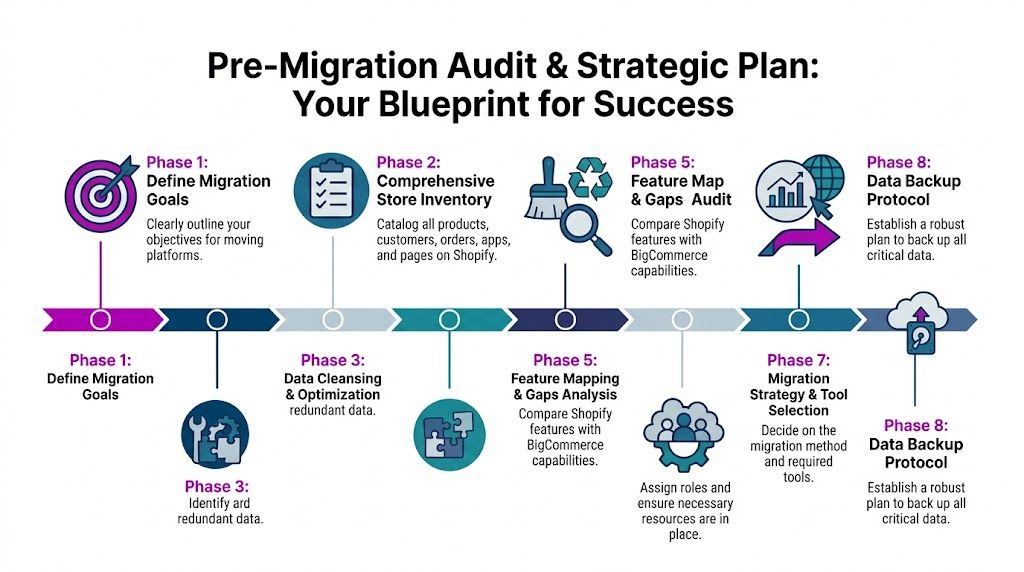
Start with business scope, not exports
Before anyone touches CSV files or migration tools, define what success looks like. That includes the obvious items like catalog transfer and launch timing, but also less glamorous decisions such as what historical data must live in the new store.
A useful pre-work checklist looks like this:
Define the business reason for moving
Is the main driver B2B functionality, lower app dependence, cost predictability, or better API fit? If the answer changes every week, the project scope will too.Inventory every major store entity
Products, variants, images, customer accounts, addresses, order history, discounts, blogs, pages, redirects, and SEO metadata all need named owners on your side.Document every app and integration
ERP, OMS, WMS, reviews, subscriptions, search, loyalty, email, tax, shipping, and custom middleware should all be mapped. Some features will move cleanly. Others will need replacement.Flag what should not be migrated
Old products, unused collections, dead landing pages, broken redirects, and stale customer tags often create more cleanup work after launch than before it.
Audit the areas that usually create scope creep
Most migration overruns come from three places: catalog complexity, custom logic, and hidden dependencies.
Use the audit to answer questions like these:
- How many products have deep variant structures?
- Which products rely on metafields for storefront logic?
- Are bundles or subscriptions handled natively or through apps?
- Which Shopify collections are manual versus rule-based?
- Which landing pages depend on app blocks or theme custom code?
- Which workflows live outside Shopify but still depend on Shopify data?
Don’t accept “we’ll sort that out during QA” as a plan. That’s how technical debt gets imported into the new platform.
Build the timeline around complexity
For planning purposes, a typical Shopify to BigCommerce migration for a mid-market store spans 10 to 14 weeks, while more complex projects can extend to 14 to 20 weeks, based on Technology Checker’s migration insights. Complexity usually comes from custom integrations, large catalogs, B2B requirements, or a full storefront redesign.
Use that as a baseline, then pressure-test it against your actual store.
Here’s a practical budgeting view that combines the verified timeline ranges with realistic execution models.
| Store Tier | Typical Timeline | DIY/Tool-Based Cost | Agency-Led Cost |
|---|---|---|---|
| Simple store | 6 to 8 weeks | Qualitatively lower if the catalog is small and the feature set is standard | Higher than tool-led migration because planning, QA, and rebuild work are included |
| Mid-market store | 10 to 14 weeks | Usually moderate if tools handle most entity transfers and your team owns QA | Higher, but often justified when integrations, SEO, and customer comms carry revenue risk |
| Complex or redesigned store | 14 to 20 weeks | Often becomes difficult to control because custom work erodes the savings | Usually the safer route when integrations, redesign, and B2B logic overlap |
This is also the point where a formal checklist helps. ECORN’s ecommerce replatforming checklist is a good reference for organizing owners, dependencies, and launch-critical tasks.
The audit deliverable you actually need
Don’t settle for a vague “migration plan.” Build a working document with these sections:
- Entity inventory: what exists today
- Migration decision: move, archive, rebuild, or drop
- Mapping notes: how Shopify structures will translate
- Replacement plan: what app or custom solution fills each gap
- Owner and deadline: who signs off each area
- Risk notes: what could block launch
That document becomes your control system for the whole transfer Shopify to BigCommerce project. Without it, every issue turns into a meeting.
Executing the Core Data Migration
The data migration is where teams usually discover whether they planned properly. Products, customers, and orders can all move. The challenge is preserving the relationships and logic that made them work on Shopify in the first place.
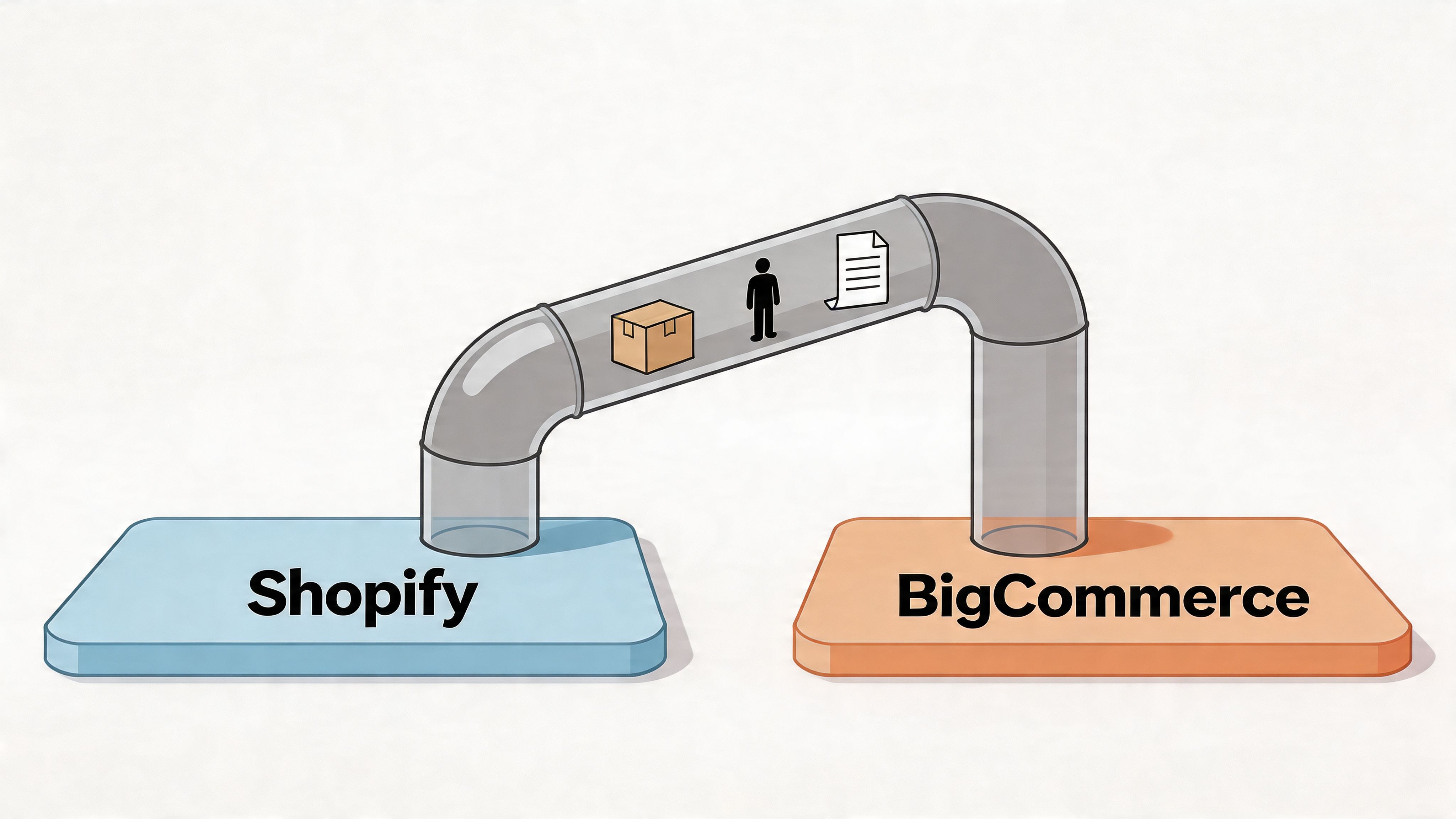
Choose the migration method that matches the store
There are three common ways to transfer Shopify to BigCommerce, and each has a clear use case.
Manual CSV transfer
Manual CSV work gives you the most direct control. It fits small catalogs, simple data structures, and teams that are comfortable cleaning spreadsheets and handling imports carefully.
It usually works when:
- the product catalog is straightforward
- there’s little custom field logic
- the store has minimal integration complexity
- the team can spend time validating imports line by line
It usually fails when a business assumes “small store” means “simple store.” A catalog with modest SKU count can still be difficult if product options, metafields, and collection logic drive the storefront.
Automated migration tools
Tools like Cart2Cart and LitExtension are useful when you want faster transfer of standard entities without hand-building every import. They’re especially practical for products, customers, orders, blogs, and metadata where source and target structures are similar enough to automate.
Their real value is not just speed. It’s repeatability. You can run a limited migration, inspect the result, adjust mapping decisions, and run again.
API-based or custom migration workflows
API-led migration is the right call when the store has custom business rules, complex entity relationships, or middleware that must stay intact. It takes more planning, but it gives technical teams the control they need over transformation logic.
Agencies and developers earn their keep during such migrations. If your migration includes custom pricing rules, advanced customer segmentation, or non-standard product data, generic imports can create a lot of cleanup work.
Data mapping is the real bottleneck
The biggest technical mistake in a Shopify to BigCommerce transfer is assuming entities line up neatly. They don’t.
According to The Commerce Shop’s migration checklist, data mapping is a critical bottleneck because Shopify collections must be deliberately mapped to BigCommerce categories, and Shopify metafields require schema documentation before being translated into BigCommerce custom fields.
That sounds administrative. It isn’t. It directly affects how customers browse, how merchandisers work, and how your frontend behaves after launch.
The mappings that deserve special attention
- Collections to categories: Shopify’s collection model and BigCommerce’s category model aren’t equivalent. Treating them as interchangeable creates navigation problems.
- Metafields to custom fields: If metafields power PDP content, filters, badges, compatibility data, or merchandising logic, document every one before migration.
- Variants and option structure: Product options may need restructuring if the storefront or admin relies on them differently.
- SEO fields and URLs: Slugs, meta titles, meta descriptions, and blog paths need validation, not blind transfer.
- Images and assignments: Don’t just confirm that images imported. Confirm they’re attached to the correct variants and products.
A migration can be technically complete and still be commercially wrong. The data is there, but the logic behind it is broken.
Run a test migration before full execution
Never start with the full catalog. A subset migration gives you a safer way to catch structural problems early.
A solid test batch should include 100 to 500 products, which is the practical range highlighted in the verified migration guidance. That sample should represent the ugliest parts of the catalog, not just the easiest ones. Include products with many variants, image-heavy products, metafield-driven pages, and edge cases like bundles or unusual pricing.
Use the test to validate:
- pricing accuracy
- inventory values
- image placement
- variant structure
- URL slugs
- SEO metadata
- category placement
- custom field behavior
This is also a good point to review the workflow visually.
Decide how much order history really needs to move
Complete historical migration sounds attractive until database weight, QA burden, and operational relevance collide. Many teams are better served by moving the order history that still supports customer service, finance, and trust, then archiving older records outside the live storefront workflow.
That decision shouldn’t be made by IT alone. Customer support, finance, and marketing all need input.
What good execution looks like
A strong core migration has a simple rhythm:
- audit the source data
- map the data model
- run a sample migration
- validate edge cases
- correct transformation rules
- execute the full transfer
- recheck the business-critical records
That’s not glamorous. It’s what keeps launch week from turning into repair week.
Rebuilding Your Storefront and App Ecosystem
Once the data is in place, the job shifts from transfer to reconstruction. Many teams lose time during this phase because they try to “copy the old store exactly” instead of deciding what should be preserved, what should be simplified, and what should be rebuilt for BigCommerce properly.
Theme migration is not copy and paste
A Shopify theme doesn’t migrate directly into BigCommerce. The visual language can be recreated, but the code, templates, and platform conventions are different. Treat the storefront as a rebuild project.
You generally have three options:
| Approach | Best fit | Trade-off |
|---|---|---|
| Pre-built BigCommerce theme | Teams that need a faster launch and can accept some design compromise | Faster setup, but less brand specificity |
| Customized BigCommerce theme | Brands that want continuity without rebuilding every component from scratch | Balanced route, but requires disciplined scoping |
| Fully custom storefront | Businesses with advanced UX requirements or unusual merchandising rules | More flexibility, more cost, more QA |
Trying to replicate every Shopify interaction can be a mistake. Some behaviors existed only because the old theme or app stack forced them. Rebuilding gives you a chance to remove awkward UX, simplify collection logic, and tighten product discovery.
Audit app functions, not app names
When merchants say they want to reduce app sprawl, they usually mean the store has become hard to maintain. That’s one reason some brands choose BigCommerce. It offers more built-in functionality for areas like customer groups and promotions, which can reduce app fatigue qualitatively compared with a heavily app-dependent Shopify setup.
The right audit question isn’t “What apps do we need to replace?” It’s “What jobs do these apps perform?”
Break your Shopify stack into functions:
- Revenue-driving tools: subscriptions, upsells, bundling, reviews, loyalty
- Operational systems: shipping, tax, ERP, WMS, OMS
- Merchandising and search: filtering, sorting, recommendations, search
- Content and marketing: landing pages, blog tools, email capture, personalization
- Admin support: reporting, automation, bulk editing, customer service
Then assign each function to one of four buckets:
- native in BigCommerce
- available through a BigCommerce app
- better handled through middleware
- needs custom development
If you only compare app marketplaces, you’ll miss the bigger operational question. The target stack should be simpler than the source stack, not just different.
What works and what doesn’t
What works:
- Rebuilding navigation around BigCommerce’s category structure
- Simplifying merchandising rules where the old setup had too many exceptions
- Replacing overlapping Shopify apps with fewer, clearer systems
- Redesigning product templates when the old pages grew around hacks
What doesn’t work:
- Forcing BigCommerce to mimic every Shopify app-driven behavior
- Keeping outdated workflows because “that’s how the team is used to doing it”
- Recreating technical debt inside a new theme
- Treating frontend QA as cosmetic instead of revenue-critical
A storefront rebuild is where platform strategy becomes visible to customers. If the migration improves your admin but weakens search, navigation, product pages, or checkout confidence, customers won’t care that the back office is cleaner.
SEO Preservation, Launch Strategy, and Post-Launch Checks
The cleanest migration is the one customers barely notice. The second cleanest is the one where they notice only that the store feels better. What hurts brands is a launch with broken URLs, missing metadata, poor device testing, and confused returning customers.
Protect SEO before you touch launch timing
Your redirect map should be built during migration prep, not after the new store is live. Every important product, category, page, and blog URL from Shopify needs a mapped destination on BigCommerce.
A practical SEO launch checklist includes:
- Redirect mapping: Match old URLs to the closest live equivalent, not just the homepage.
- Metadata review: Confirm titles, descriptions, and slugs imported properly.
- Image checks: Verify alt text and key product imagery on high-traffic pages.
- Sitemap submission: Publish the new sitemap promptly after launch.
- Crawl monitoring: Watch for errors, redirect loops, and unexpected indexation issues.
- Internal links: Update hardcoded links in navigation, content blocks, and blog posts.
If category architecture changed materially, spend extra time on collection-to-category redirect logic. That’s where a lot of organic performance gets damaged.
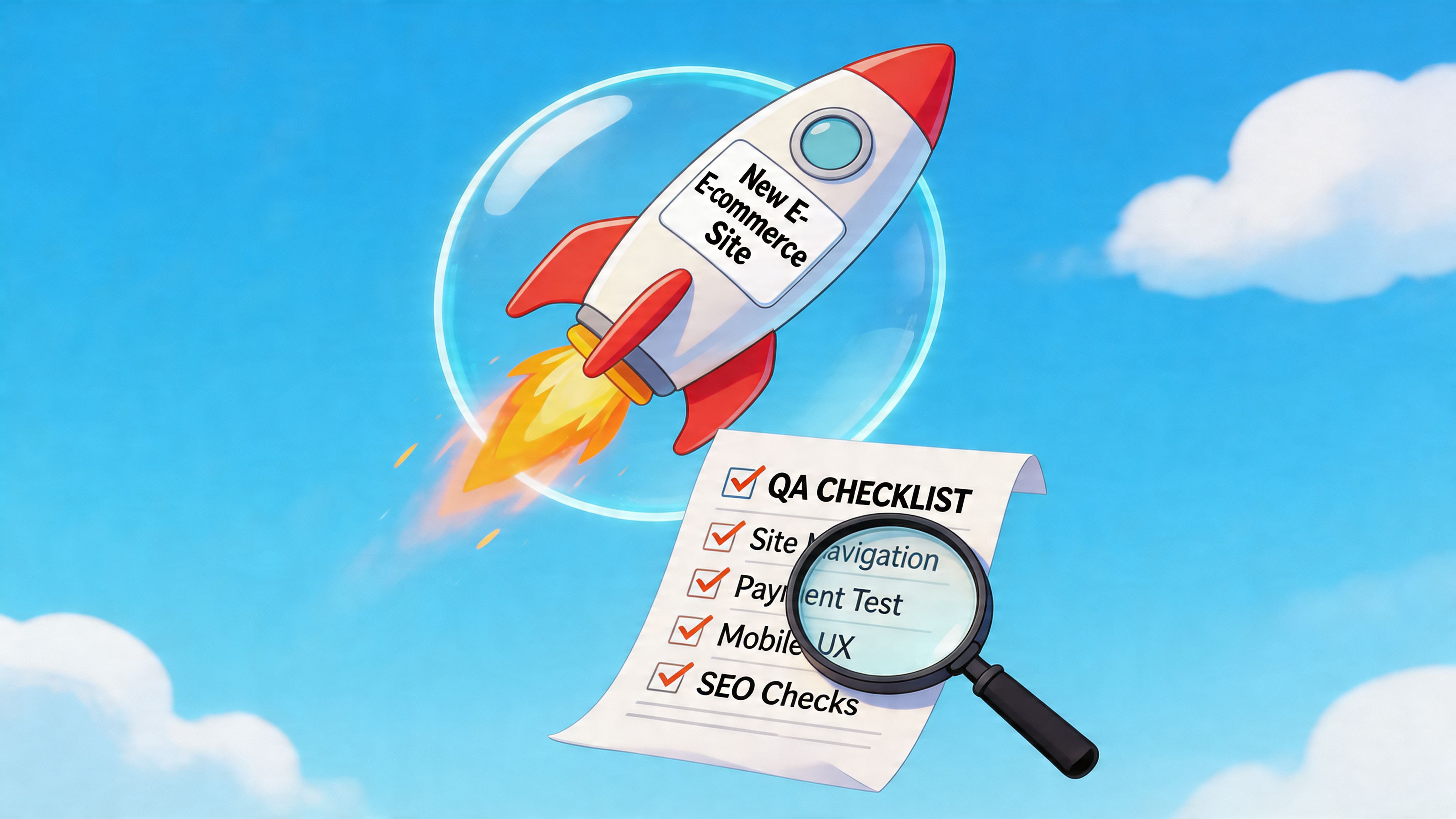
QA has to be commercial, not just technical
A page can load and still fail QA. The right testing process focuses on tasks that generate revenue or reduce support load.
Use a launch checklist that includes:
Storefront checks
- Navigation: Menus, breadcrumbs, category sorting, filters, and search all behave as expected.
- PDP accuracy: Pricing, variants, images, availability, and custom field content are correct.
- Cart behavior: Promotions, shipping estimates, discount logic, and edge cases work.
- Content pages: About, FAQ, policy, and blog templates render cleanly.
- Mobile review: Core journeys work well on phones, not just desktop.
Operational checks
- Order flow: Orders move through the expected status pipeline.
- Email triggers: Transactional messages fire correctly and use the right branding.
- Tax and shipping rules: Location-based logic is tested against real scenarios.
- Customer service visibility: Staff can find account and order details quickly.
- Analytics tracking: Core events and attribution platforms are recording as intended.
Launch-day confidence doesn’t come from optimism. It comes from a tested rollback path and a short list of people who can fix issues fast.
Customer passwords are the hidden retention risk
Customer account migration is where many Shopify to BigCommerce projects stumble. Passwords do not transfer between platforms, which means returning customers need to reset access after launch.
That sounds manageable until you see how badly poor handling can perform. According to Dynamic Dreamz’s migration analysis, weak execution around password resets can cause 20% to 35% churn in reactivated accounts for high-revenue stores, while agency-led migrations using segmented communication retain up to 92% of customers, versus 65% for DIY efforts.
The fix isn’t complicated, but it does require planning.
A workable reactivation approach
- Segment your customer base: Separate recent buyers, repeat customers, wholesale accounts, and inactive users.
- Send pre-launch notice: Tell customers the store is changing and that account access will require a reset.
- Send role-specific reset messaging: Wholesale buyers and retail buyers usually need different instructions.
- Reinforce trust signals: Mention saved addresses, order history access, or support availability where relevant.
- Support the first login wave: Customer service should be ready for account-access tickets immediately after launch.
A generic “reset your password” email blast is where DIY projects usually lose people. High-value customers need clearer communication than casual one-time shoppers.
Rollout discipline matters
A smooth launch usually follows a controlled sequence:
- final content freeze
- delta migration if needed
- QA pass on production-ready environment
- redirect validation
- customer communication deployment
- go-live monitoring
- rapid issue triage
Don’t rush the final checks because the team is tired of the project. The last stretch is where the highest-cost mistakes usually happen.
When to Go DIY vs Hiring a Migration Agency Like ECORN
The DIY versus agency decision isn’t about ambition. It’s about risk tolerance, internal capacity, and how expensive mistakes would be for your business.
DIY is reasonable in a narrow set of cases
A tool-based migration can work well if your store is structurally simple and your team has the time to own details. The strongest DIY candidates usually have:
- a clean, modest catalog
- limited metafield dependence
- no major custom integrations
- a straightforward content footprint
- internal people who can handle QA calmly
In that situation, tools like Cart2Cart or LitExtension can do a lot of the heavy lifting. If you already have developers in-house, or need to hire full-stack developers temporarily to support a limited-scope rebuild, that can be more practical than signing up for a full-service migration engagement.
Agency support becomes the safer investment when complexity compounds
Once a store has layered complexity, agency help stops being a convenience and starts being risk management.
You should strongly consider specialist support if any of these are true:
| Scenario | Why DIY gets risky |
|---|---|
| Complex catalog structure | Mapping collections, variants, bundles, and custom fields takes more validation than most internal teams expect |
| Heavy app reliance | Replacing app-driven features with native or alternative BigCommerce solutions requires architecture decisions, not just installs |
| Critical SEO dependency | Redirect planning and post-launch monitoring need disciplined execution |
| High-value repeat customer base | Password reset communication and account continuity can affect retention materially |
| Tight launch window | Internal teams often can’t pause day-to-day operations long enough to run migration properly |
| Custom integrations | ERP, middleware, fulfillment, and B2B logic can turn “simple migration” assumptions into expensive rework |
Where a specialist agency helps
An agency’s real value is usually in four areas:
- Scoping reality early: stopping underestimation before it turns into delay
- Mapping and validation: catching structural issues before full migration
- Cross-functional execution: coordinating data, theme, apps, SEO, and QA together
- Launch management: running the cutover with rollback planning and customer communication in place
That’s the kind of work a partner like ECORN can handle alongside the platform comparison, storefront rebuild, and migration planning covered earlier. Not every project needs that level of involvement. Some do.
If a failed migration would cost you more than the agency fee, the cheapest option is rarely the lowest-risk one.
A blunt way to decide
Go DIY if you can answer yes to all three questions:
- Can our team audit, map, test, and launch this without neglecting the business?
- Can we absorb mistakes in SEO, customer accounts, or data cleanup without serious commercial damage?
- Do we have someone responsible for the project who has done comparable platform work before?
If any answer is no, professional help is usually the more disciplined call.
If you’re weighing whether to transfer Shopify to BigCommerce, or whether your current Shopify store should be optimized instead, ECORN can help assess the trade-offs, map the migration scope, and identify whether a full replatform or a focused improvement plan makes more commercial sense.



How to Launch a Box Subscription Business in 2026

Luxury Skincare Branding Playbook That Converters

10 Best Podcast Ecommerce Shows for Store Growth in 2026

Shopify Developer Hourly Rate: What to Pay in 2026

Critical Shopify Setup Errors That Are Secretly Sabotaging Your Store

Ecommerce Conversion Tracking: The Complete How-To Guide

Shopify Design Agency: How to Pick the Right Partner

Mastering Multi Store Management on Shopify

Scale Shopify Store

10 Shopify App Ideas Worth Building in 2026

Conversion Rate Optimization for Landing Pages: The Playbook

Shopify Plus Automation: A Guide for 2026

10 Social Selling Platforms for Shopify Merchants

Shopify Website Design Examples: 7 Stores Worth Studying

7 Ecommerce Newsletter Examples for Shopify Brands

One Product Shopify Store: Build and Scale

Mobile Pop Up Strategy for Shopify Stores That Converts

Sitemap for Shopify: How to Find, Optimize, and Submit It

7 Single Product Websites Worth Emulating

Product Variants Shopify: The Complete 2026 Guide

Ecommerce Analytics Consulting for Growth

What Is AI Integration for eCommerce

How to Choose the Right eCommerce Website Development Firm

E Business Strategy Implementation

Conversion Tracking Setup for Shopify Stores

BigCommerce vs Shopify Plus Which Enterprise Wins in 2026

Shopify Theme Kit: Setup, Commands, and Migration Guide

Shopify Extension Development: A Practical 2026 Guide

Shopify Speed Score Explained and How to Improve It

Shopify Mobile Optimization: The 2026 Playbook

How to Add Subcategory in Shopify for Better UX

How to Implement Structured Data for Ecommerce in 2026

SEO App Mobile: Shopify Store Optimization Guide

Shopify Plus Support: What It Includes and How to Choose

Google Ads for Shopify: The Complete 2026 Playbook

Shopify New York: How to Find and Hire the Right Agency

Google Search Console for Shopify: The Complete Setup

First Party Data Collection for eCommerce Growth

FAQ Online Store Guide: Build and Measure It Right

Do FB Ads Work for eCommerce in 2026?

One Page Checkout for Shopify: Design and Implementation

Shopify GraphQL vs REST: The 2026 Developer Decision

Shopify Ecommerce Consulting: Strategy, Pricing &

Are Reddit Ads Worth It for eCommerce Brands

Shopify Title and Meta Description: A Practical 2026 Guide

Product Video Best Practices for Shopify Brands

Real-Time Inventory Management: A 2026 Guide

AI Chatbot Integration for Shopify Stores

Affiliate Program Management: A Shopify Guide

10 Best Performance Monitoring Tools for Shopify in 2026

Digital Asset Management for eCommerce Brands in 2026

Every Type of Facebook Ads Explained for eCommerce Growth

Product Information Management Explained for Shopify Brands

Support Ticket System: A Guide for Shopify Stores

10 Best Customer Service Tools for Shopify in 2026

Can I Start a Business with No Money? a 2026 Blueprint

What Sells Good on Etsy: Best Niches for 2026

Shopify Add to Cart Button: A Practical 2026 Guide

Customer Feedback Automation: A Practical eCommerce Guide

Critical Rendering Path: A Guide for Shopify Stores

How to Promote on TikTok for eCommerce in 2026

B2B eCommerce Consulting That Drives Real Revenue

10 Best Practices for Site Navigation in 2026

Return vs Refund for Shopify Stores: A Practical Guide

What Is Customer Lifetime Value and Why It Matters

What Is Voice of Customer Research for eCommerce

SMS Marketing for Ecommerce That Actually Converts

Master How to Improve Email Deliverability in 2026

Top 8 eCommerce Partners NYC for Shopify Brands in 2026

Machine Learning for Ecommerce: Boost Your Shopify Store

Beauty Market Research: Your 2026 Growth Guide

Shopify International Expansion: A 2026 Roadmap

What Does CRO Stand for in Business: Understanding CRO

Shopify Visual Merchandising: A Playbook for Higher Sales

Shopify Landing Page Design: Master Conversion in 2026

10 Best AI SEO Optimization Tools for Shopify in 2026

Agentic AI for Ecommerce: Boost Your Sales in 2026
Mastering Email Marketing Data for eCommerce Growth

Conversion Rate Optimisation Australia: Boost Your Sales

Conversion Rate Optimization AI: Your Shopify Store Guide

10 Product Bundling Strategies for Shopify in 2026

How to Increase Customer Lifetime Value: A Shopify Playbook

AI Customer Service Automation: Shopify Guide 2026

Clean Website Design: A Shopify Conversion Playbook

Omnichannel Retail Strategy: A Shopify Playbook

Product Data Enrichment: A Guide for Shopify Brands

Instagram Shopping Features a Guide for Shopify Stores

What Is Revenue Optimization: A Holistic RevOps Guide

Benefits of Conversion Rate Optimization: Boost Your

WordPress to Shopify Migration: Your 2026 Seamless Switch

Boost Sales: Ecommerce Payment Processing Guide 2026

Unified Commerce Platform: Benefits, KPIs & Shopify Guide

How to Reduce Bounce Rate eCommerce: Your 2026 Guide

Shopify API Integration: A Practical End-to-End Guide

How to Implement Data Governance: A 2026 Guide

Shopify Store Development Cost: A 2026 Breakdown

What Is Server Side Tracking: The Shopify Guide 2026

Marketing Automation Workflows: A Shopify Guide for 2026

Shopify: How to Reduce Technical Debt

Shopify UX Design Change: A Playbook for Growth


newsletter in your inbox