


Your revenue is climbing, your teams are adding markets, and every new campaign seems to uncover another platform workaround. Merchandising waits on developers. Operations manages inventory exceptions in spreadsheets. Finance wants cleaner data. Sales wants B2B self-service without sending wholesale buyers through a consumer checkout.
That’s usually the point when enterprise leaders start looking seriously at shopify for enterprise. Not because the current platform is unusable, but because growth has exposed the cost of complexity.
A lot of teams still associate Shopify with smaller brands. That view is outdated. The enterprise conversation now isn’t whether Shopify belongs on the shortlist. It’s whether its model fits your operating reality, your integration environment, and your B2B requirements well enough to justify a move.
Is Your Brand Outgrowing Its eCommerce Platform
The signs are rarely dramatic at first. A launch takes longer than it should. Regional teams duplicate work across storefronts. Promotions need engineering help. Peak traffic forces everyone into a war room. None of that means the business is failing. It means the platform is becoming a drag on execution.
That’s why Shopify deserves a serious review at enterprise level. It isn’t just a lightweight storefront tool anymore. It operates at very large scale, and the market has already validated that shift.
According to Variux's Shopify statistics summary, Shopify held 25% U.S. market share by December 2022, making it the top platform in that market. The same analysis notes Shopify’s 2024 growth rate was 20%, compared with global e-commerce growth of 8.4%, and that it processed commerce across 175+ countries. In Q2 2024, Shopify reached $67.2 billion in GMV, which is enough to settle the old question of whether it can support enterprise transaction volume.
What platform strain looks like in practice
Enterprise teams usually hit the same pressure points:
- Traffic volatility: Campaign spikes, launches, and seasonal peaks expose weak infrastructure fast.
- Operational sprawl: Different regions, brands, or business units start inventing their own processes.
- Channel fragmentation: DTC, B2B, retail, and marketplaces run on disconnected logic.
- Developer bottlenecks: Small changes pile up because the platform turns routine work into custom work.
Those issues don’t all point to Shopify. They do point to the need for a platform that removes friction instead of adding more of it.
Practical rule: If your commerce team spends more time managing exceptions than improving customer experience, the platform is now a strategic problem, not just a technical one.
The strongest case for Shopify at enterprise level is simple. It gives large brands a way to standardize core commerce operations without buying into a heavyweight stack that slows every decision.
That doesn’t mean it’s right for every business. It means dismissing it because it “feels too SMB” is no longer a credible position.
Unpacking Shopify Plus Platform Capabilities
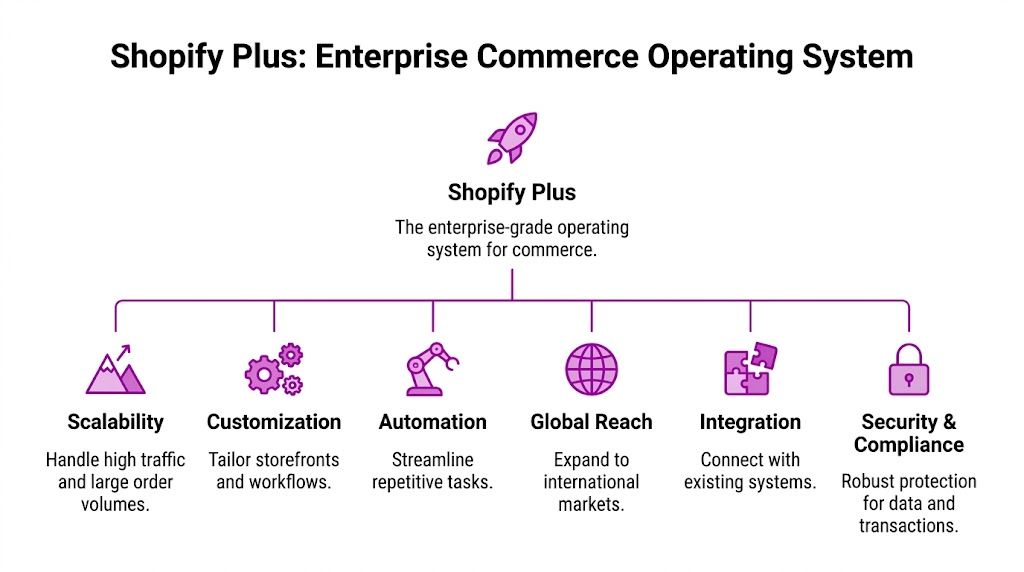
Shopify Plus is the enterprise tier, but it’s more useful to think of it as a commerce operating model. You’re not just buying a higher plan. You’re buying access to a set of tools, controls, and service layers built for brands that need scale, governance, and faster execution.
Ontap Group’s enterprise Shopify analysis notes that Shopify Plus powers over 52,757 stores globally. The same source highlights Shopify Plus recognition as a Leader in the 2024 Forrester Wave™ for B2B Commerce and IDC MarketScape for B2C Commerce, along with a 99.99% uptime SLA, native B2B tooling, and $52 million in monthly recurring revenue in Q2 2024 tied to Shopify Plus.
What enterprise teams actually gain
The value of Shopify Plus shows up in the day-to-day operating layer.
Automation gets easier. Shopify Flow is one of the clearest examples. Teams use it to automate tagging, fraud handling, routing, customer segmentation, and exception management without turning every workflow into an engineering ticket.
Campaign execution gets cleaner. Launchpad helps coordinate scheduled events such as product drops, flash sales, and merchandising changes. That matters when marketing wants precision and operations wants predictability.
Checkout control improves. Enterprise brands care about checkout because it’s where conversion, compliance, and business rules collide. Shopify Plus gives more room to tailor the checkout experience than standard plans, though the exact approach depends on the current Shopify customization model and your implementation path.
B2B tools are native now. Customer-specific catalogs, company accounts, and volume pricing reduce dependence on patchwork apps for wholesale basics.
Shopify vs Shopify Plus Feature Comparison
| Feature | Standard Shopify | Shopify Plus |
|---|---|---|
| Platform focus | General commerce for growing brands | Enterprise-grade commerce operations |
| Automation depth | More limited | Access to tools like Shopify Flow for broader workflow automation |
| Campaign management | Manual or app-dependent | Launchpad support for scheduled campaign operations |
| Checkout flexibility | More constrained | Greater enterprise control over checkout customization |
| B2B capabilities | Basic or app-led | Native B2B features for company accounts, catalogs, and pricing |
| Organizational complexity | Works for simpler setups | Better suited for multi-brand, multi-region, and cross-team governance |
| Service expectations | Standard support model | Enterprise-oriented support and reliability expectations |
Capabilities that matter more than feature lists
A feature checklist doesn’t tell you whether Shopify Plus will work for your business. Three questions do.
First, can non-technical teams move faster without breaking things? On Shopify Plus, the answer is often yes. That’s a bigger deal than it sounds. Enterprise commerce gets expensive when only developers can execute basic commercial decisions.
Second, can the platform support multiple business models on one foundation? For many brands, yes. DTC and B2B no longer need to live on entirely separate systems just because they have different users.
Third, can you simplify the stack without sacrificing control? That’s where Shopify Plus tends to outperform legacy setups. It doesn’t remove the need for architecture decisions, but it usually reduces the amount of plumbing required to stay operational.
The best Shopify Plus projects don’t try to rebuild a legacy platform feature for feature. They use Shopify’s strengths to remove old complexity.
That’s the core capability. Not more knobs to turn, but fewer systems to defend.
Evaluating the Pros Cons and Critical Limitations
Shopify Plus gets praised for speed, usability, and lower operational overhead. Most of that praise is deserved. The mistake is assuming those strengths automatically make it the right fit for every enterprise model.
The platform is strongest when a brand wants to simplify operations, ship faster, and avoid carrying unnecessary infrastructure. It’s weaker when the business depends on highly specialized workflows that sit outside Shopify’s core assumptions.

Where Shopify Plus is strong
The biggest practical advantage is operating simplicity. Admin experiences are easier for merchandising and marketing teams to use than many legacy enterprise platforms. That matters because every task that can move out of engineering frees technical teams to work on differentiated problems.
There’s also ecosystem advantage. Shopify has mature patterns for payments, storefronts, search, subscriptions, reviews, analytics, fulfillment, and international selling. Enterprise brands still need architecture discipline, but they don’t need to custom-build every foundational capability.
A few benefits show up repeatedly in successful implementations:
- Faster business execution: Teams can launch campaigns and manage merchandising with less technical mediation.
- Cleaner ownership: Commerce operations, marketing, and development can work in clearer lanes.
- Better maintainability: Fewer custom systems usually mean fewer fragile dependencies.
Where enterprise teams get surprised
The surprise usually isn’t B2C. It’s advanced B2B.
Shopify Plus has improved B2B significantly, but many guides stop at “it has native B2B now,” which hides the actual decision. Native B2B may be enough for standard wholesale operations. It may not be enough for procurement-heavy enterprise sales models.
According to Alokai’s analysis of Shopify limitations, Shopify Plus still falls short on more advanced requirements such as account-based pricing that varies by contract, punchout catalog integrations with procurement systems, and complex approval workflows. The same analysis notes that these gaps often force brands toward third-party apps or custom development, which increases total cost and operational complexity.
The B2B gap most articles skip
If your B2B operation looks like “company account plus negotiated catalog plus reorder flow,” Shopify Plus can work well.
If your B2B operation looks like this, you need to slow down:
- Contract-specific pricing logic: Different price structures by account, region, or negotiated terms.
- Procurement integration requirements: Punchout or buyer workflows tied to external purchasing systems.
- Approval hierarchies: Multi-step permissions for buyers, managers, and finance stakeholders.
- Sales-assisted edge cases: Orders that start self-serve but require manual intervention, credit controls, or account rules.
That doesn’t rule Shopify out. It changes the implementation.
Don’t ask whether Shopify has B2B. Ask whether Shopify has your B2B.
What works and what doesn’t
What works is using Shopify Plus for the core commerce layer, then extending selectively where the business has true complexity. What doesn’t work is pretending native features will cover procurement-grade B2B when they won’t.
A common enterprise mistake is trying to force one of two extremes:
| Approach | What happens |
|---|---|
| All native, no custom thinking | The team hits workflow gaps after launch and starts patching them reactively |
| Rebuild everything custom | The project imports legacy complexity and loses Shopify’s main advantages |
The right middle ground is disciplined extension. Keep the parts Shopify already handles well. Customize only where the business case is strong enough to justify long-term ownership.
That’s where expert implementation partners matter. Not because every project needs a huge custom build, but because enterprise teams need someone who can say no to unnecessary customization and yes to the right integration work.
Choosing Your Technical Architecture and Scaling Pattern
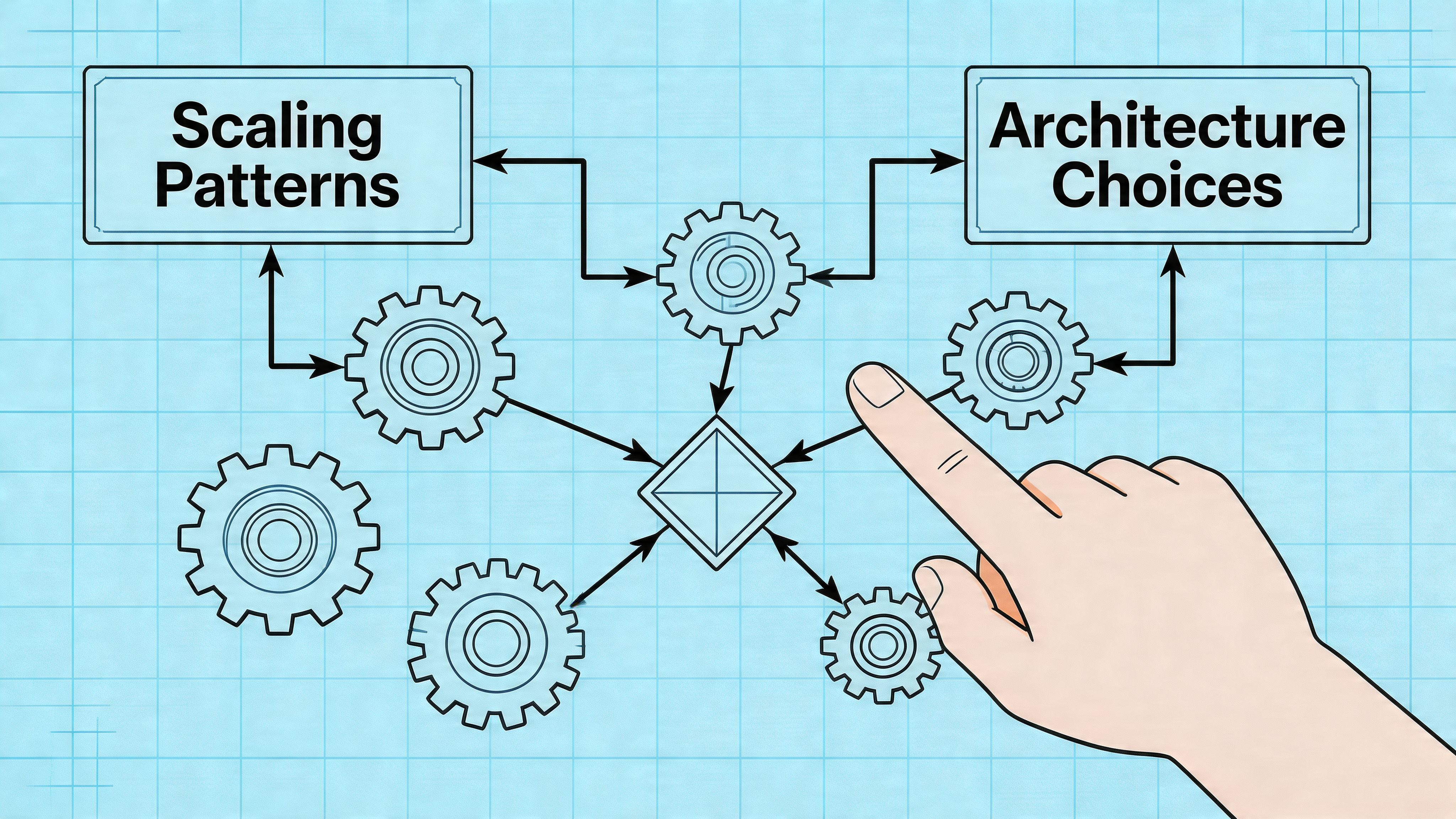
Most enterprise Shopify decisions aren’t blocked by the platform. They’re blocked by architecture choices made too early or too casually. The same brand can have a clean rollout or a painful one depending on whether it chooses the right scaling pattern.
Pattern one with multiple stores
A multi-store setup is often the most practical answer for enterprise brands managing multiple regions, brands, or business units. It gives teams separation where they need it, while keeping governance inside a shared platform model.
This approach tends to fit businesses that need distinct catalogs, localized content, regional pricing strategies, or brand-specific merchandising. It also works when legal, operational, or team structures are genuinely different across markets.
Multi-store is usually the right call when:
- Brand identity differs meaningfully: Different customer journeys, assortments, or creative systems.
- Regional teams need autonomy: Local operators can move without waiting on a global queue.
- Operational rules vary: Tax, inventory, fulfillment, or market conditions require separate setups.
The trade-off is management overhead. More stores mean more coordination, more release discipline, and sharper governance. If your teams aren’t aligned, multi-store can multiply inconsistency.
Pattern two with headless commerce
Headless commerce separates the storefront experience from the commerce engine underneath. Shopify still manages products, checkout, orders, and core commerce operations, but the frontend is built separately.
A simple analogy helps. Think of Shopify as the kitchen. Headless lets you create different dining experiences without changing how the kitchen prepares the food. The kitchen stays reliable. The presentation becomes far more flexible.
For leaders who want a deeper primer, this guide on what headless commerce is explains the model in more detail.
When headless is the right move
Headless makes sense when the brand experience itself is a competitive advantage, or when the frontend needs to do things a traditional theme approach won’t handle cleanly.
Typical triggers include immersive product storytelling, complex content models, tight integration with external systems, or performance requirements that justify a more custom frontend stack.
Here’s the caution. Headless is not a prestige architecture. It’s an operating commitment.
A headless build should solve a business problem that a standard Shopify implementation can’t solve cleanly.
If you go headless, your team takes on more frontend responsibility. That can be the right trade if the customer experience demands it. It’s the wrong trade if the project is really just trying to appear more advanced.
A useful way to compare the two patterns:
| Decision area | Multi-store | Headless |
|---|---|---|
| Primary goal | Operational separation and regional or brand control | Frontend flexibility and custom experience design |
| Best fit | Multi-brand, multi-region, localized operations | Experience-led brands with advanced frontend needs |
| Complexity type | Governance and coordination complexity | Development and architecture complexity |
| Common mistake | Creating too many stores without clear operating rules | Going headless without a real business case |
A short visual walkthrough can help if your team is weighing the composable route:
The better decision framework
The architecture decision should follow three filters.
First, where does the business need separation? If the answer is market, catalog, or team ownership, multi-store is often enough.
Second, where does the customer experience need freedom? If the answer is highly custom frontend behavior, headless deserves consideration.
Third, who will own the complexity after launch? Enterprise teams often approve an architecture without fully costing the people, process, and governance required to keep it healthy.
That final question is the one that prevents expensive mistakes.
Navigating Your Enterprise Implementation Roadmap
Enterprise Shopify projects succeed when the team treats them as operating model changes, not theme builds. The primary work isn’t just moving a storefront. It’s aligning data, workflows, ownership, and launch risk.
The roadmap usually breaks into three phases. Not because every project is linear, but because each phase answers a different kind of risk.
Discovery and strategic planning
This phase determines whether the implementation will be clean or chaotic. Teams need a clear view of business requirements before anyone starts building. That includes catalog structure, customer data, integration dependencies, B2B rules, content operations, and launch constraints.
The hard part is separating true requirements from legacy habits. Enterprise teams often carry platform-specific workarounds for years and mistake them for business-critical needs. Good discovery challenges that.
A useful discovery agenda typically includes:
- Business model mapping: DTC, B2B, retail, subscriptions, and market expansion plans.
- System environment review: ERP, PIM, CRM, OMS, search, tax, fraud, shipping, and fulfillment tools.
- Constraint analysis: What must remain, what can change, and what should be retired.
- Success criteria: The commercial and operational outcomes leadership expects after launch.
If discovery feels slow, that’s usually a sign the team is identifying risk before it turns into rework.
Data migration and technical build
At this juncture, enterprise projects either stay disciplined or start drifting.
Customer records, order history, product data, content assets, redirects, market configurations, and app logic all need a migration plan. The build itself may involve a theme architecture, a headless frontend, custom apps, checkout extensions, B2B logic, and integration middleware.
The technical challenge isn’t just moving data. It’s preserving the business meaning of that data inside Shopify’s model.
A few practices reduce avoidable pain:
- Migrate only what the business will use. Old platforms accumulate dead data, duplicate logic, and one-off custom fields.
- Test with realistic volumes. Enterprise catalog and order structures behave differently at scale than sample imports.
- Validate edge cases early. Discounts, customer groups, tax handling, and account rules break in the details.
- Run integration testing across departments. Commerce, operations, finance, and customer service all touch the platform differently.
Launch and continuous optimization
Launch day matters, but launch stability matters more. The best enterprise teams avoid turning go-live into a single dramatic cutover with no fallback thinking.
A disciplined launch plan covers content freezes, redirect validation, smoke tests, rollback considerations, payment checks, fulfillment checks, and post-launch monitoring. That includes operational readiness, not just technical readiness.
After launch, the work changes form. It doesn’t stop.
The most effective teams move into a structured optimization cycle:
- Conversion work: Improve merchandising, product detail pages, search, bundles, and checkout flows.
- Operational tuning: Refine workflows, permissions, and exception handling.
- Integration cleanup: Replace fragile workarounds discovered during stabilization.
- Governance upgrades: Clarify ownership for content, campaigns, releases, and app approvals.
Enterprise leaders should expect the first release to establish the platform foundation, not to perfect every process on day one. The win is getting onto a system that can improve faster after launch than the old one could before migration.
Understanding Costs Integrations and the Partner Ecosystem
The licensing fee is the smallest part of the enterprise budget conversation and the easiest part to misunderstand. Leaders often ask what Shopify Plus costs, when the more useful question is what the full operating model will cost once integrations, custom work, apps, and internal ownership are included.
If you want a detailed breakdown of the pricing model itself, this guide to Shopify Plus pricing for enterprise ecommerce is a useful starting point.
What your total cost really includes
The total cost of ownership usually sits across five buckets.
| Cost area | What it usually covers |
|---|---|
| Platform licensing | Your Shopify Plus subscription and platform-level access |
| Payments and transaction economics | Payment processing structure and the commercial implications of your setup |
| Apps and SaaS tools | Search, subscriptions, reviews, loyalty, analytics, returns, and other add-ons |
| Implementation and development | Migration, theme or headless build, custom apps, integrations, QA, and launch support |
| Ongoing operating costs | Retainers, optimization work, support, enhancement backlog, and internal team time |
This is why enterprise teams shouldn’t compare Shopify Plus only to a legacy platform’s license fee. The comparison should include maintenance burden, developer dependency, integration sprawl, and the cost of slow change.
Integrations are where budgets drift
Most enterprise brands need Shopify to sit inside a broader stack. That usually means some combination of ERP, PIM, CRM, OMS, tax tooling, shipping platforms, search, customer support systems, and analytics infrastructure.
The integration question isn’t “can Shopify connect to this.” In most cases, it can. The core question is how much business logic lives between systems.
A direct connector may be enough when the data model is simple. It won’t be enough when orders, inventory, pricing, customer segmentation, or fulfillment status rely on custom rules. That’s where timelines stretch and costs expand.
Fulfillment deserves special attention. Once order volume grows, warehouse workflows, shipping SLAs, and returns handling become part of the commerce experience. If your team is evaluating providers, this overview of Shopify order fulfillment services is helpful for understanding what to look for operationally.
Why the partner ecosystem matters
Enterprise brands don’t just need a platform. They need the right mix of specialists around it.
In practice, partner roles usually fall into a few groups:
- Implementation agencies: Migration planning, solution design, development, QA, and launch execution.
- System integrators: Complex middleware, ERP and OMS connections, and data orchestration.
- App and technology partners: Best-of-breed tools for functions Shopify doesn’t handle natively.
- Optimization partners: CRO, experimentation, merchandising support, analytics, and performance improvement.
Not every enterprise brand needs all four at once. Most do need clarity on who owns what.
A weak partner setup creates familiar problems. The design team overpromises. The dev team underestimates integration complexity. Nobody owns post-launch optimization. Apps get added without governance. Costs rise, and the platform gets blamed for decisions the implementation introduced.
The better pattern is smaller and sharper. Choose specialists who understand enterprise risk, know when to stay native, and can explain the long-term maintenance cost of every customization they recommend.
Defining and Measuring Success on Shopify Plus
A Shopify Plus implementation isn’t successful because the site launched on time. It’s successful when the platform gives the business a better way to grow.
That means your scorecard can’t stop at revenue. Enterprise teams need a performance view that connects commercial outcomes to platform decisions.
The metrics that actually matter
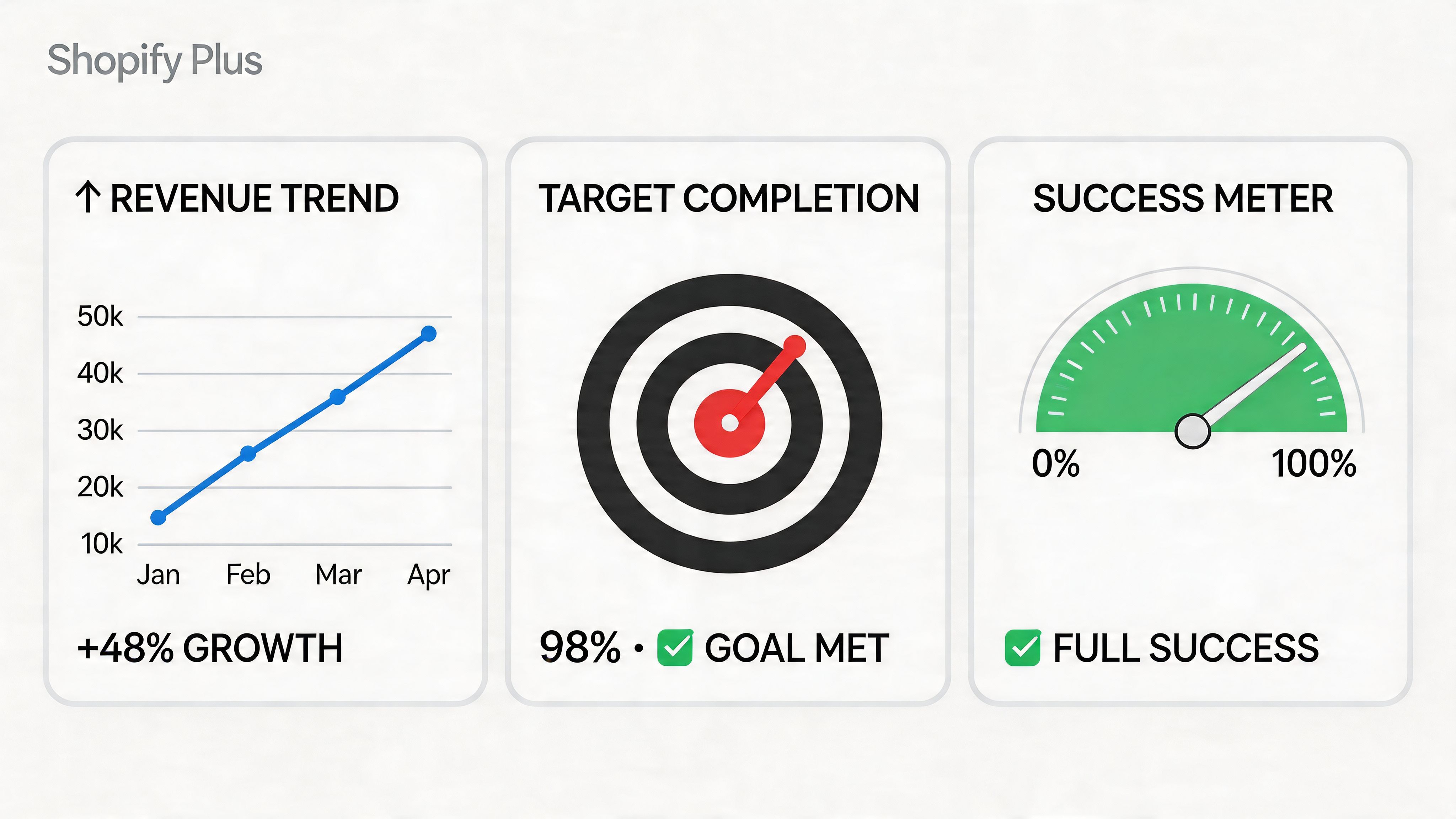
A useful enterprise dashboard usually includes four categories.
Conversion efficiency. Are more sessions turning into completed orders? This reflects site speed, navigation quality, merchandising clarity, checkout friction, and trust.
Average order value. Are your upsell, cross-sell, bundling, and merchandising systems improving order economics?
Customer value over time. Are repeat purchase behavior, retention, and account engagement improving after the migration?
Operational health. Are teams launching faster, resolving issues faster, and depending less on manual intervention?
Those metrics are better than vanity reporting because each one ties back to an operational decision. AOV can improve through smarter merchandising and checkout logic. Conversion can improve through cleaner UX and better testing discipline. Operational health improves when automation and governance reduce internal drag.
Tie metrics to platform levers
The best measurement frameworks connect outcomes to the parts of Shopify Plus your team can influence.
For example:
- Checkout and conversion: Optimized checkout experiences, cleaner payment flows, and fewer distractions support conversion work.
- AOV growth: Merchandising logic, bundles, recommendations, and cart incentives can raise order value.
- Retention: Better customer account experiences, subscription models, and post-purchase journeys support repeat business.
- Site performance: Lean storefront architecture and disciplined app governance help protect speed and stability.
This is also where experimentation becomes essential. Enterprise teams shouldn’t redesign pages based on opinion. They should test hypotheses in a controlled way. If your team needs a practical framework, these A/B testing best practices are a useful reference for structuring meaningful experiments.
Success on Shopify Plus comes from compounding small improvements across checkout, merchandising, and operations, not from one dramatic redesign.
What good reporting looks like
Strong reporting answers three questions every month:
- What improved
- What regressed
- What action will we take next
That sounds simple, but many enterprise teams still report on dashboards that don’t lead to decisions. They collect metrics without assigning ownership. They review trends without tying them to releases, tests, or operational changes.
A better reporting rhythm connects data to a backlog. If conversion drops on a key template, someone owns the investigation. If AOV rises after a bundle test, the team scales it. If app sprawl starts hurting performance, governance steps in.
That’s the long-term value of Shopify Plus. Not just a modern platform, but a commerce environment where change is easier to measure, prioritize, and execute.
If your team is weighing Shopify Plus seriously, the next step isn’t a generic demo. It’s a sober assessment of architecture, B2B complexity, integrations, and post-launch ownership. ECORN helps brands make that decision with practical Shopify strategy, development, and CRO support, whether you’re planning a replatform or trying to get more from an existing Shopify Plus setup.


SEO Consulting for Ecommerce: A Practical Guide
Shopify Theme Updater App: A Safe Update Playbook
Shopify Git Integration: A Developer's Guide to 2026
Headless Ecommerce Development Services Explained

How to Build a Shopify Clothing Website That Converts

How to Launch a Box Subscription Business in 2026

Luxury Skincare Branding Playbook That Converters

10 Best Podcast Ecommerce Shows for Store Growth in 2026

Shopify Developer Hourly Rate: What to Pay in 2026

Critical Shopify Setup Errors That Are Secretly Sabotaging Your Store

Ecommerce Conversion Tracking: The Complete How-To Guide

Shopify Design Agency: How to Pick the Right Partner

Mastering Multi Store Management on Shopify

Scale Shopify Store

10 Shopify App Ideas Worth Building in 2026

Conversion Rate Optimization for Landing Pages: The Playbook

Shopify Plus Automation: A Guide for 2026

10 Social Selling Platforms for Shopify Merchants

Shopify Website Design Examples: 7 Stores Worth Studying

7 Ecommerce Newsletter Examples for Shopify Brands

One Product Shopify Store: Build and Scale

Mobile Pop Up Strategy for Shopify Stores That Converts

Sitemap for Shopify: How to Find, Optimize, and Submit It

7 Single Product Websites Worth Emulating

Product Variants Shopify: The Complete 2026 Guide

Ecommerce Analytics Consulting for Growth

What Is AI Integration for eCommerce

How to Choose the Right eCommerce Website Development Firm

E Business Strategy Implementation

Conversion Tracking Setup for Shopify Stores

BigCommerce vs Shopify Plus Which Enterprise Wins in 2026

Shopify Theme Kit: Setup, Commands, and Migration Guide

Shopify Extension Development: A Practical 2026 Guide

Shopify Speed Score Explained and How to Improve It

Shopify Mobile Optimization: The 2026 Playbook

How to Add Subcategory in Shopify for Better UX

How to Implement Structured Data for Ecommerce in 2026

SEO App Mobile: Shopify Store Optimization Guide

Shopify Plus Support: What It Includes and How to Choose

Google Ads for Shopify: The Complete 2026 Playbook

Shopify New York: How to Find and Hire the Right Agency

Google Search Console for Shopify: The Complete Setup

First Party Data Collection for eCommerce Growth

FAQ Online Store Guide: Build and Measure It Right

Do FB Ads Work for eCommerce in 2026?

One Page Checkout for Shopify: Design and Implementation

Shopify GraphQL vs REST: The 2026 Developer Decision

Shopify Ecommerce Consulting: Strategy, Pricing &

Are Reddit Ads Worth It for eCommerce Brands

Shopify Title and Meta Description: A Practical 2026 Guide

Product Video Best Practices for Shopify Brands

Real-Time Inventory Management: A 2026 Guide

AI Chatbot Integration for Shopify Stores

Affiliate Program Management: A Shopify Guide

10 Best Performance Monitoring Tools for Shopify in 2026

Digital Asset Management for eCommerce Brands in 2026

Every Type of Facebook Ads Explained for eCommerce Growth

Product Information Management Explained for Shopify Brands

Support Ticket System: A Guide for Shopify Stores

10 Best Customer Service Tools for Shopify in 2026

Can I Start a Business with No Money? a 2026 Blueprint

What Sells Good on Etsy: Best Niches for 2026

Shopify Add to Cart Button: A Practical 2026 Guide

Customer Feedback Automation: A Practical eCommerce Guide

Critical Rendering Path: A Guide for Shopify Stores

How to Promote on TikTok for eCommerce in 2026

B2B eCommerce Consulting That Drives Real Revenue

10 Best Practices for Site Navigation in 2026

Return vs Refund for Shopify Stores: A Practical Guide

What Is Customer Lifetime Value and Why It Matters

What Is Voice of Customer Research for eCommerce

SMS Marketing for Ecommerce That Actually Converts

Master How to Improve Email Deliverability in 2026

Top 8 eCommerce Partners NYC for Shopify Brands in 2026

Machine Learning for Ecommerce: Boost Your Shopify Store

Beauty Market Research: Your 2026 Growth Guide

Shopify International Expansion: A 2026 Roadmap

What Does CRO Stand for in Business: Understanding CRO

Shopify Visual Merchandising: A Playbook for Higher Sales

Shopify Landing Page Design: Master Conversion in 2026

10 Best AI SEO Optimization Tools for Shopify in 2026

Agentic AI for Ecommerce: Boost Your Sales in 2026
Mastering Email Marketing Data for eCommerce Growth

Conversion Rate Optimisation Australia: Boost Your Sales

Conversion Rate Optimization AI: Your Shopify Store Guide

10 Product Bundling Strategies for Shopify in 2026

How to Increase Customer Lifetime Value: A Shopify Playbook

AI Customer Service Automation: Shopify Guide 2026

Clean Website Design: A Shopify Conversion Playbook

Omnichannel Retail Strategy: A Shopify Playbook

Product Data Enrichment: A Guide for Shopify Brands

Instagram Shopping Features a Guide for Shopify Stores

What Is Revenue Optimization: A Holistic RevOps Guide

Benefits of Conversion Rate Optimization: Boost Your

WordPress to Shopify Migration: Your 2026 Seamless Switch

Boost Sales: Ecommerce Payment Processing Guide 2026

Unified Commerce Platform: Benefits, KPIs & Shopify Guide

How to Reduce Bounce Rate eCommerce: Your 2026 Guide

Shopify API Integration: A Practical End-to-End Guide

How to Implement Data Governance: A 2026 Guide


newsletter in your inbox