

Picking the right payment gateway for your Shopify store is a lot like designing the checkout counter at a brick-and-mortar shop. It's that final, make-or-break moment where a customer either completes their purchase or walks away. Your choice here has a real, direct impact on customer trust, how much you pay in fees, and ultimately, your store's profitability.
Let's walk through everything you need to know to build a checkout process that’s smooth, secure, and profitable for your brand.
What Is a Shopify Payment Gateway?
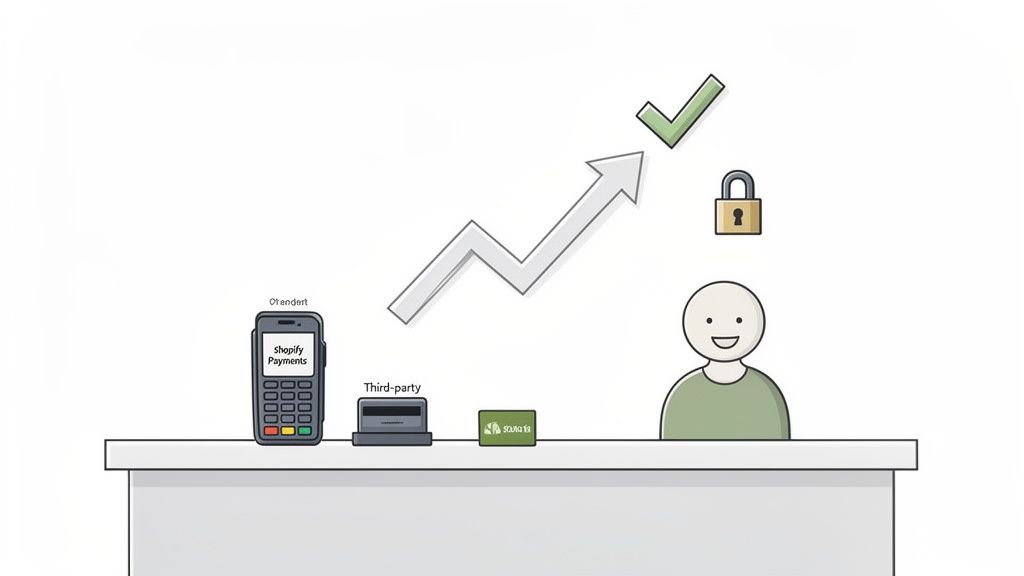
Think of a Shopify payment gateway as the digital version of a credit card reader. It’s the behind-the-scenes technology that securely grabs a customer's payment details, sends a request to their bank to authorize the charge, and then moves the money into your business account. Simply put, without one, you can't get paid online.
This whole process happens in seconds, but it’s a surprisingly complex dance between your store, the customer's bank, and your bank. The gateway is the secure middleman, making sure sensitive data like credit card numbers stay encrypted and protected every step of the way.
The Two Main Paths for Shopify Merchants
When you're setting up payments, you have a big decision to make. There are two main routes you can take, and your choice will affect your fees, the features you have access to, and what your customers experience at checkout.
- Shopify Payments: This is Shopify's own, built-in solution, which is powered by Stripe. It’s the default choice that’s ready to go right out of the box and works seamlessly within your Shopify admin.
- Third-Party Gateways: These are external payment processors like PayPal, Authorize.Net, or Klarna that you connect to your store. They often offer specialized features or are essential for merchants in regions where Shopify Payments isn’t available.
The single most important thing to understand is this: if you use any gateway besides Shopify Payments, Shopify will charge you an extra transaction fee on every single sale. This fee runs from 0.5% to 2.0%, depending on your Shopify plan, and it's on top of whatever fees the third-party gateway charges.
Why Your Gateway Choice Matters
Choosing your gateway is about so much more than just taking money. It's a huge factor in customer trust—shoppers are far more likely to finish a purchase if they see a payment option they recognize and feel safe using. It also hits your bottom line directly through processing rates and those potential extra transaction fees.
On top of that, some gateways are built for selling globally, making it easy to accept local currencies and popular regional payment methods. For a broader look at what's out there, you can check out some of the general top payment gateways for ecommerce. This guide, however, will focus specifically on how to navigate these options within the Shopify world to build a checkout that turns visitors into paying customers.
Shopify Payments vs Third-Party Gateways
When it comes to getting paid on your Shopify store, you’ve got a big decision to make right out of the gate: Do you stick with Shopify’s own payment system, or bring in an outside provider? This choice will have a real impact on your setup, your fees, and even the payment options you can show your customers.
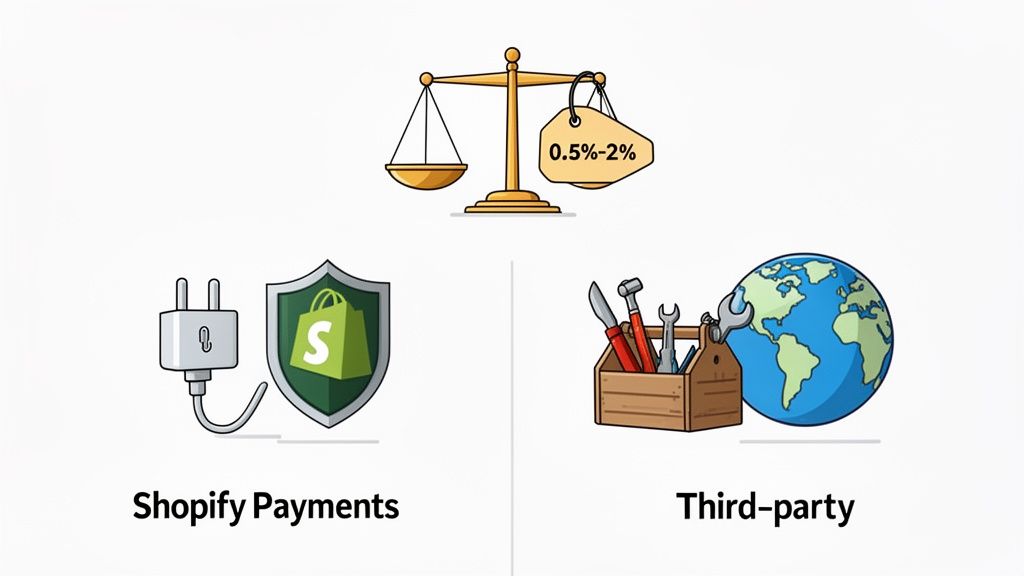
A good way to think about it is like the apps on your phone. Shopify Payments is the pre-installed, native app. It just works, right from the start, with no extra fiddling required. Third-party gateways are more like specialized apps you’d download from an app store—they offer powerful, unique features but need to be installed and managed separately.
The Plug-and-Play Solution: Shopify Payments
For most merchants, Shopify Payments is the simplest, most direct path to accepting money. It’s Shopify’s own integrated solution (powered by Stripe), which means you don’t need to go off and set up an account with another company. You just activate it from your Shopify admin, and everything from sales to payouts is handled in one convenient place.
The biggest draw, financially speaking, is that Shopify waives its own transaction fees if you use Shopify Payments. You’ll only pay the standard credit card processing rate, which changes based on your Shopify plan. This makes it an incredibly cost-effective option, especially for new and growing stores.
That simplicity does come with one major catch, though. Shopify Payments is only available in a handful of countries. If your business is based anywhere else, you'll have to explore other options.
The Specialized Tool: Third-Party Gateways
Third-party gateways are external payment processors like PayPal, Authorize.Net, or Klarna that you connect to your Shopify store. There are a few really compelling reasons why a merchant would go this route, even with the extra fees involved.
- Regional Availability: If Shopify Payments isn't supported in your country, a third-party gateway isn't just an option—it's a necessity.
- Specialized Features: Some gateways are built to handle high-risk industries (like CBD or certain subscription models) that Shopify Payments might not support.
- Local Payment Methods: To be successful selling internationally, you have to offer payment methods that local customers recognize and trust. A local gateway in Europe, for instance, could offer options like iDEAL in the Netherlands or Bancontact in Belgium, which can give your conversion rates a serious boost.
The crucial detail to remember is that if you use any third-party gateway to process credit card payments, Shopify will charge an additional transaction fee. This fee ranges from 2.0% on the Basic plan down to 0.5% on the Advanced plan, and it's charged on top of the fees from your chosen gateway.
A Direct Comparison
To help you see the difference clearly, let's look at a side-by-side comparison. Understanding these trade-offs is a key part of building a checkout that works for your bottom line, as you'll see in our comprehensive guide to Shopify payment gateways. This table offers a quick snapshot of what to expect.
Shopify Payments vs Third-Party Gateways at a Glance
Here’s a breakdown of the core differences between using Shopify’s native solution and an external one.
| Feature | Shopify Payments | Third-Party Gateways |
|---|---|---|
| Shopify Transaction Fees | None. You only pay the credit card rate. | 0.5% to 2.0% on top of the gateway's own fees. |
| Setup and Management | Activated and managed inside Shopify admin. | Requires a separate account and integration. |
| Payouts and Reporting | Integrated directly into your Shopify dashboard. | Managed through the third-party provider's portal. |
| Availability | Limited to specific countries. | Wide global coverage, depending on the provider. |
| Best For | Simplicity, cost-effectiveness, and integrated experience. | Global reach, high-risk industries, specific local payment methods. |
Ultimately, for merchants in eligible countries, Shopify Payments offers a level of convenience and cost savings that’s tough to beat. On the other hand, third-party payment gateways in Shopify provide the essential flexibility and functionality needed for businesses with specific regional or operational needs, even if it comes at an extra cost.
A Breakdown of Fees, Payouts, and Currencies
Let's talk money. Understanding the financial side of payment gateways is absolutely critical—it hits your profitability right where it counts. The numbers can look a bit intimidating at first, but once you break them down, you'll see exactly how your choice of payment gateways in Shopify impacts your bottom line.
Think of it this way: every time you make a sale, a tiny slice of that revenue goes to the service that processed the payment. Your job is to keep that slice as thin as possible while still giving your customers the payment options they expect.
Understanding Payment Processing Fees
There's no getting around it—every payment gateway has fees. The real difference lies in how they structure them. The most common fee you'll see is the credit card processing rate, which is simply a percentage of the sale plus a small, fixed fee.
If you're using Shopify Payments, this rate is tied directly to your Shopify subscription plan. For a store in the US, the rates typically look like this:
- Basic Shopify: 2.9% + 30¢ per online transaction
- Shopify Plan: 2.6% + 30¢ per online transaction
- Advanced Shopify: 2.4% + 30¢ per online transaction
As you can see, upgrading your plan directly lowers your processing rate. For a store with growing sales volume, that difference can add up to serious savings over time.
Now, here’s the real kicker. If you decide to use a third-party gateway instead of Shopify Payments, Shopify will charge an additional transaction fee. This is on top of whatever fees your provider (like PayPal or Authorize.Net) already charges.
For a $100 sale on a Basic Shopify plan, using a third-party gateway could mean paying a 2.9% + 30¢ fee to that provider, PLUS an additional 2.0% ($2.00) fee straight to Shopify. This "double-dipping" can eat into your profit margins fast.
We've put together a detailed guide on Shopify payment fees that breaks down exactly how these charges accumulate so you can calculate the true cost for your business. When weighing your options, comparing the fee structures of the best payment processing software for small business can also give you a broader perspective on managing costs effectively.
Comparing Payout Schedules and Cash Flow
After a customer clicks "buy," that money doesn't just teleport into your bank account. The time it takes for funds to travel from the gateway to you is called the payout schedule or settlement time. For any business, but especially for new ones, this is a huge factor in managing cash flow.
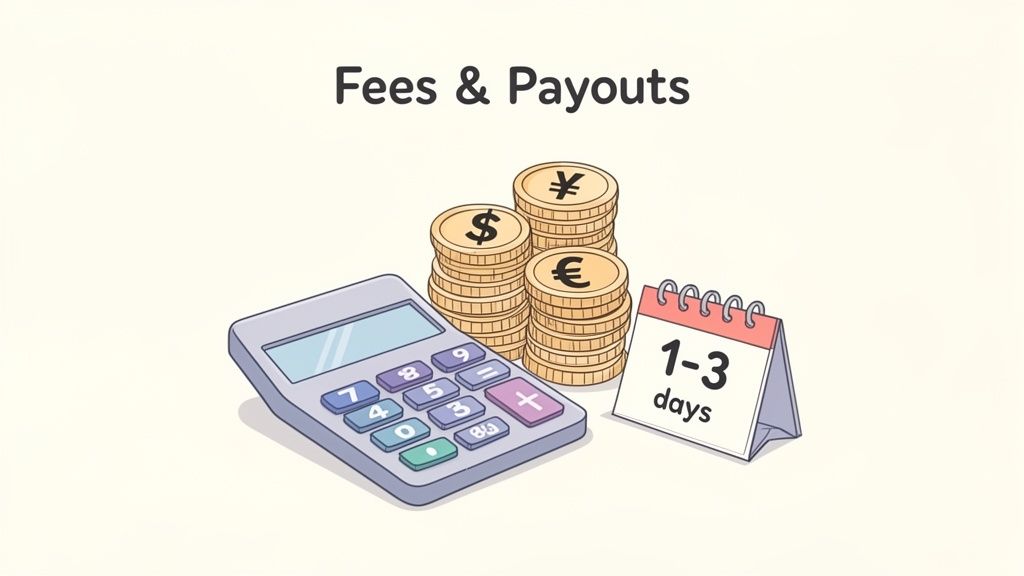
Shopify Payments has a clear advantage here. Payouts are usually processed within 1-3 business days, depending on your country. You can track every single one right from your Shopify admin, giving you predictable access to your cash for managing inventory, funding marketing campaigns, and just running your business.
Third-party gateways are all over the map with their timelines. Some might offer daily payouts, but others could hold your funds for a week or even a month. These gaps in cash flow can make it tough for a small business to stay nimble and react to opportunities.
Navigating Multi-Currency and Global Sales
If you're selling internationally—or plan to—your gateway's ability to handle different currencies is non-negotiable. It's a simple fact: customers are far more likely to buy when they see prices in their own local currency. It builds immediate trust and gets rid of the conversion guesswork.
Shopify Payments, when paired with Shopify Markets, makes this process incredibly smooth. You can show prices in over 130 currencies, and it handles all the conversions automatically. While there's a currency conversion fee, the customer experience is seamless, which is what drives conversions.
Third-party gateways can also support multi-currency selling, but the setup is often more hands-on. You'll need to dig in and confirm that the gateway:
- Supports the specific countries and currencies you're targeting.
- Offers competitive conversion rates that don't surprise you later.
- Integrates with popular local payment methods (LPMs), like iDEAL in the Netherlands or Bancontact in Belgium.
Not offering a familiar, trusted payment method is one of the top reasons for cart abandonment in global markets. Choosing a gateway that understands and supports these local preferences isn't just a feature—it's a core part of a smart international growth strategy.
How Gateways Handle Security and Fraud Prevention
When a customer hands over their payment information, they're placing a huge amount of trust in you. Get security wrong, and you could face serious trouble for both your customers and your brand's reputation. The good news is that when you're using payment gateways in Shopify, you're plugging into a powerful security framework that protects every single transaction.
Think of it like the layers of a bank vault. Shopify itself provides the first, thickest wall. The entire platform is Level 1 PCI DSS compliant, which is the gold standard for security in the payment card industry. This certification means Shopify's whole system is built to handle credit card data securely, taking a massive weight off your shoulders from day one.
Understanding PCI Compliance
So, what does PCI DSS compliance actually mean for you? It's a non-negotiable set of rules for any business that accepts credit card payments. Trying to achieve and maintain this compliance on your own is a huge headache—it involves intense network security, strict data policies, and constant vulnerability scans. It's expensive and time-consuming.
By using Shopify and a compliant payment gateway, you're essentially piggybacking on their certification. The gateway takes on the heavy lifting, ensuring every transaction it touches meets these tough security standards. Your job shrinks from building a fortress from scratch to simply following the platform's best practices.
This chart breaks down the security layers that kick in for every transaction, from the bedrock of PCI compliance to advanced fraud detection.
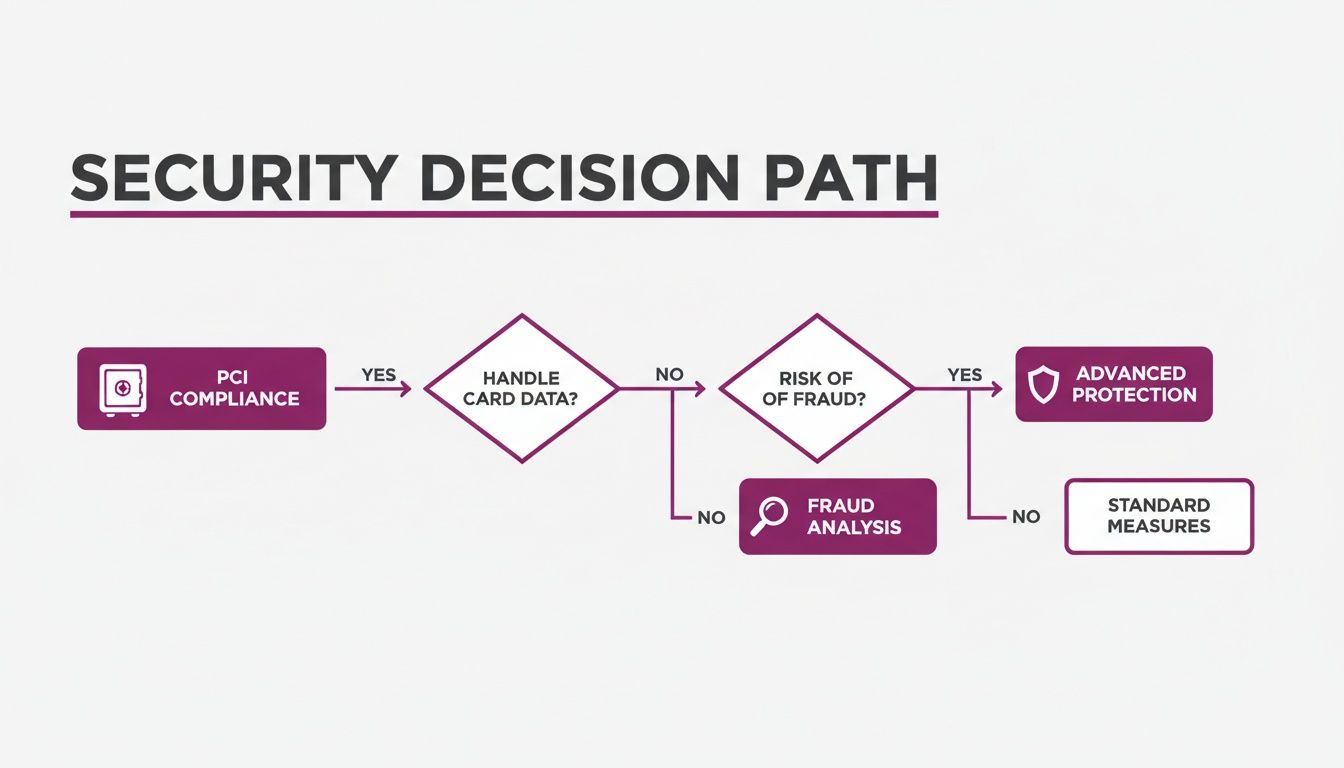
As you can see, a secure payment starts with the foundation of PCI compliance, moves through standard fraud analysis, and can then be beefed up with an optional layer of specialized protection.
Shopify’s Built-In Fraud Analysis
If PCI compliance is the vault, then Shopify’s built-in fraud analysis is the security guard posted at the door. Every single order that hits your store is automatically scanned for red flags. This system is your first line of defense, flagging sketchy orders so you can investigate before they turn into a costly chargeback.
This built-in tool looks at a few key signals to gauge an order's risk:
- Address Verification System (AVS): Does the billing address the customer typed in match the one their credit card company has on file?
- Card Verification Value (CVV): Did the customer correctly enter the 3 or 4-digit code from the back of the card, proving they have it in their hand?
- IP Address Mismatch: Is the customer's IP address located in a country halfway across the world from their shipping or billing address?
These checks generate a simple low, medium, or high-risk rating on each order. This lets you decide in a heartbeat whether to fulfill the order or take a closer look.
Think of fraud analysis as your store’s digital detective. It sifts through clues from every transaction, searching for patterns that just don't add up. A high-risk flag doesn't automatically mean an order is fraud, but it's a strong signal to hit the pause button and verify before you ship your product out the door.
When to Consider Advanced Fraud Protection
For most stores just getting started or with a straightforward business model, Shopify's built-in fraud tools are more than enough. But what if you’re in a high-risk industry, processing thousands of orders a day, or have been a fraud target before? You might need something with a bit more muscle.
This is where specialized third-party gateways really earn their keep. Providers like Stripe (which not only powers Shopify Payments but also offers advanced tools) and Authorize.Net have developed incredibly sophisticated fraud suites. These systems often lean on machine learning, analyzing data points from a global network of transactions to spot complex fraud rings and new threats as they happen.
They also give you the power to set up your own custom rules, like automatically blocking all transactions from a specific country or flagging any order over a certain dollar amount for a manual review.
Ultimately, picking the right security level is a balancing act. Shopify gives you an excellent, secure foundation to build on. But truly understanding your business's unique risk profile will help you decide if you need that extra layer of protection offered by more advanced payment gateways in Shopify.
Choosing the Right Gateway for Your Business Model
Picking the right payment gateway isn't just a box-ticking exercise; it's a huge strategic decision for your business. The best choice really depends on where you are in your eCommerce journey and where you're headed. A gateway that works perfectly for a brand-new store could easily become a roadblock for a business that's scaling fast.
So, how do you choose? We find it helps to look at three common types of businesses. See which one sounds most like you, and you’ll have a much clearer idea of which payment gateways in Shopify make sense.
For the New Store Owner
When you're just getting your store off the ground, your priorities are simple: you need something that's easy to set up, doesn't come with a bunch of upfront costs, and just works. The last thing you want is to be wrestling with technical integrations when you should be focusing on your products, marketing, and getting those first crucial sales.
For almost everyone in this position, Shopify Payments is the clear winner.
- Effortless Setup: You can get it up and running in a few minutes, right from your Shopify admin. There’s no painful application process for a separate merchant account.
- Cost-Effective: This is a big one. Using Shopify Payments means you dodge the extra transaction fees (anywhere from 0.5% to 2.0%) that Shopify applies to sales made with any other gateway. When you're starting out, every penny saved makes a difference.
- Integrated Management: Everything lives in one place. Your sales data, your payouts, all of it is right there in your Shopify dashboard. It makes bookkeeping so much simpler and gives you a real-time pulse on your finances.
When to consider an alternative: The biggest reason a new store owner might need to look elsewhere is simply availability. If Shopify Payments isn’t offered in your country, you'll have to choose a supported third-party gateway. It’s also a smart play to add PayPal as a secondary option; its familiar brand can really help build trust with first-time buyers.
For the Scaling Merchant
You’ve hit your stride. Sales are coming in consistently and growing. Now, your thinking shifts from just surviving to optimizing everything—you're looking at international expansion and creating a more polished customer experience. Your payment setup needs to be able to keep up.
Shopify Payments is still a very strong option here, but merchants at this stage have more to think about. Your needs now probably include:
- Multi-Currency and Local Payments: As you start selling to customers in other countries, showing prices in their local currency is a must. Even better is offering the payment methods they know and trust, like iDEAL in the Netherlands or Bancontact in Belgium. This can have a massive impact on conversion rates.
- Stronger Fraud Tools: More sales, unfortunately, means more risk. You might find you need more advanced fraud protection than the standard tools offer, particularly if you sell higher-risk products.
- Subscription Support: If you're building a business on recurring revenue, you need a gateway that handles subscription billing without a hiccup.
The solution here is often a hybrid approach. You could stick with Shopify Payments as your main processor but bring in a third-party provider like Stripe for its best-in-class fraud tools or Adyen for its incredible depth of global payment methods. The key is to run the numbers and see if the conversion lift and features from a specialized gateway justify paying Shopify's added transaction fees.
For the Shopify Plus Enterprise
You're at the top of the game—a large, established brand, maybe even running multiple stores for different countries. Your payment needs are complex. You're thinking about custom solutions, massive efficiency, and how your payment stack plugs into your other core business systems like an ERP or CRM.
For an enterprise on Shopify Plus, payment strategy is a completely different ballgame. You're not just picking off a list; you're building a custom infrastructure.
Here’s what’s on your radar:
- Multi-Store Management: Juggling payments across several international storefronts is a headache. You need a system that can centralize your reporting while still localizing the checkout for each specific region.
- Custom Integrations: Your development team probably needs a gateway with a powerful API to build out unique checkout flows or pipe payment data into your company's proprietary operational software.
- Negotiated Rates: When you're processing huge volumes, shaving off even a fraction of a percentage point in fees adds up to massive savings. Shopify Plus merchants have the clout to negotiate custom credit card processing rates directly with providers.
It's common for large enterprises to use a blend of payment gateways in Shopify. They might use Shopify Payments in their home market, a specialized regional gateway for their European operations, and another for Asia to maximize payment acceptance and sidestep cross-border fees. At this level, the goal is to build a payment system that’s as sophisticated and high-performing as the rest of your business.
Optimizing Your Checkout and Payment Strategy
Getting your payment gateways in Shopify set up is a huge first step, but don't stop there. The best brands know a payment gateway isn't just a pipe for cash to flow through—it’s a powerful tool you should be tweaking and refining all the time. This is where you move from having a checkout that works to one that actually drives growth.
Think of it as the difference between having a payment system and truly mastering it. It's all about making those small, deliberate tweaks that lead to a smooth ride for your customers and a much healthier bank account for you.
From Selection to Optimization
Once you've plugged in your gateway, the real fun begins. Your mission is to hunt down and eliminate every single point of friction that could make a shopper think twice. An incredibly effective place to start is with express checkouts.
Toggling on accelerated options like Shop Pay, Apple Pay, and Google Pay can give your conversion rates a serious lift. In fact, studies show they can increase conversions by as much as 18% on mobile. Why? Because they let returning customers breeze through checkout in seconds with their info pre-filled. It's one of the easiest and fastest wins you can get.
The perfect checkout experience is one your customer barely notices. They should glide from cart to confirmation without ever hitting a bump or having to question the process. That's the gold standard.
Advanced Strategies for Growth
As your business scales, your payment strategy needs to get smarter right along with it. This is especially true for brands on Shopify Plus that are juggling multiple storefronts for different countries. A smart multi-store payment strategy is key to delivering a consistent and, more importantly, localized experience everywhere you sell.
This goes way beyond just showing prices in the local currency. It's about offering the specific payment methods that shoppers in each market not only prefer but expect. For instance, if you're selling in Germany, having options like Sofort or Giropay isn't just a nice-to-have; it's a must.
Here are a few other optimization tactics to consider:
- A/B Test Gateway Placement: Play around with the order and design of your payment options. You might be surprised to see which one performs best when placed first.
- Customize Your Checkout Branding: If you're on Shopify Plus, use the
checkout.liquidfile to make sure your checkout page looks and feels like the rest of your brand, which builds crucial trust. - Dig into Failed Transactions: Don't just ignore them. Regularly pull the data from your gateway to spot patterns in failed payments and figure out what’s going wrong.
Ultimately, your payment setup should never be static; it needs to evolve as your business does. Here at ECORN, we live and breathe this stuff. We help brands move past the basic setup and build out sophisticated, custom payment strategies that work across multi-store architectures and fuel global expansion. We can get these optimizations in place to help you squeeze every drop of profit from your checkout and give your customers an experience they'll love.
Frequently Asked Questions
When you're digging into the world of Shopify payment gateways, a few common questions always pop up. Let's get them answered so you can make the right call for your store.
Can I Use More Than One Payment Gateway on Shopify?
Absolutely. In fact, it's a pretty smart move. Most successful stores will run Shopify Payments for their main credit card processing and then add other options like PayPal or Amazon Pay. It’s all about giving customers the choice to pay with the method they already know and trust.
For stores on Shopify Plus, using multiple gateways is even more common. You might see them add specific gateways for different international markets or to manage things like subscription billing. The one big thing to watch out for is the cost.
Shopify adds its own transaction fee to every single purchase made through a third-party gateway. This is on top of whatever the gateway itself charges you, so you have to factor that into your margins.
What if Shopify Payments Is Not Available in My Country?
This is a familiar roadblock for a lot of international merchants. If Shopify Payments isn't available where your business is based, you'll need to pick from Shopify's list of approved third-party providers that operate in your country. This means setting up an account directly with that provider first.
Once they've approved you, you just link that new account to your store under the 'Payments' section in your Shopify admin. You might miss out on the convenience and waived fees of Shopify Payments, but you can absolutely build a successful store with a solid local or international gateway.
How Do I Switch to Shopify Payments?
If Shopify Payments is available in your country, making the switch is refreshingly simple. They've designed the process to be as smooth as possible, pulling all your payment management right into your Shopify dashboard where it belongs.
Here’s the high-level process:
- Head to Settings > Payments in your Shopify admin.
- Click the option to 'Activate Shopify Payments'.
- You'll then be guided to fill in your business and banking details for verification.
Once you’re activated, Shopify Payments takes over as your primary gateway for all credit card payments, and those extra Shopify transaction fees disappear. Just do yourself a favor and double-check if you have any lingering contracts with your old gateway before you make the final move.
Figuring out these options and getting your checkout dialed in for maximum conversions is exactly what we do. At ECORN, our team of Shopify pros can help you implement the perfect payment strategy, manage complex multi-store setups, and make sure your checkout is a smooth, easy experience for every customer. Explore our Shopify solutions to see how we can help you grow.



Shopify Speed Score Explained and How to Improve It

Shopify Mobile Optimization: The 2026 Playbook

How to Add Subcategory in Shopify for Better UX

How to Implement Structured Data for Ecommerce in 2026

SEO App Mobile: Shopify Store Optimization Guide

Shopify Plus Support: What It Includes and How to Choose

Google Ads for Shopify: The Complete 2026 Playbook

Shopify New York: How to Find and Hire the Right Agency

Google Search Console for Shopify: The Complete Setup

First Party Data Collection for eCommerce Growth

FAQ Online Store Guide: Build and Measure It Right

Do FB Ads Work for eCommerce in 2026?

One Page Checkout for Shopify: Design and Implementation

Shopify GraphQL vs REST: The 2026 Developer Decision

Shopify Ecommerce Consulting: Strategy, Pricing &

Are Reddit Ads Worth It for eCommerce Brands

Shopify Title and Meta Description: A Practical 2026 Guide

Product Video Best Practices for Shopify Brands

Real-Time Inventory Management: A 2026 Guide

AI Chatbot Integration for Shopify Stores

Affiliate Program Management: A Shopify Guide

10 Best Performance Monitoring Tools for Shopify in 2026

Digital Asset Management for eCommerce Brands in 2026

Every Type of Facebook Ads Explained for eCommerce Growth

Product Information Management Explained for Shopify Brands

Support Ticket System: A Guide for Shopify Stores

10 Best Customer Service Tools for Shopify in 2026

Can I Start a Business with No Money? a 2026 Blueprint

What Sells Good on Etsy: Best Niches for 2026

Shopify Add to Cart Button: A Practical 2026 Guide

Customer Feedback Automation: A Practical eCommerce Guide

Critical Rendering Path: A Guide for Shopify Stores

How to Promote on TikTok for eCommerce in 2026

B2B eCommerce Consulting That Drives Real Revenue

10 Best Practices for Site Navigation in 2026

Return vs Refund for Shopify Stores: A Practical Guide

What Is Customer Lifetime Value and Why It Matters

What Is Voice of Customer Research for eCommerce

SMS Marketing for Ecommerce That Actually Converts

Master How to Improve Email Deliverability in 2026

Top 7 eCommerce Partners NYC for Shopify Brands in 2026

Machine Learning for Ecommerce: Boost Your Shopify Store

Beauty Market Research: Your 2026 Growth Guide

Shopify International Expansion: A 2026 Roadmap

What Does CRO Stand for in Business: Understanding CRO

Shopify Visual Merchandising: A Playbook for Higher Sales

Shopify Landing Page Design: Master Conversion in 2026

10 Best AI SEO Optimization Tools for Shopify in 2026

Agentic AI for Ecommerce: Boost Your Sales in 2026
Mastering Email Marketing Data for eCommerce Growth

Conversion Rate Optimisation Australia: Boost Your Sales

Conversion Rate Optimization AI: Your Shopify Store Guide

10 Product Bundling Strategies for Shopify in 2026

How to Increase Customer Lifetime Value: A Shopify Playbook

AI Customer Service Automation: Shopify Guide 2026

Clean Website Design: A Shopify Conversion Playbook

Omnichannel Retail Strategy: A Shopify Playbook

Product Data Enrichment: A Guide for Shopify Brands

Instagram Shopping Features a Guide for Shopify Stores

What Is Revenue Optimization: A Holistic RevOps Guide

Benefits of Conversion Rate Optimization: Boost Your

WordPress to Shopify Migration: Your 2026 Seamless Switch

Boost Sales: Ecommerce Payment Processing Guide 2026

Unified Commerce Platform: Benefits, KPIs & Shopify Guide

How to Reduce Bounce Rate eCommerce: Your 2026 Guide

Shopify API Integration: A Practical End-to-End Guide

How to Implement Data Governance: A 2026 Guide

Shopify Store Development Cost: A 2026 Breakdown

What Is Server Side Tracking: The Shopify Guide 2026

Marketing Automation Workflows: A Shopify Guide for 2026

Shopify: How to Reduce Technical Debt

Shopify UX Design Change: A Playbook for Growth

User Generated Content Strategy: Shopify Playbook

Shopify Pause and Build Plan Cost: A Complete 2026 Guide

Compare at Price on Shopify: A Complete Guide for 2026

Where Can I Sell My Prints? 10 Best Platforms for 2026

Shopify Order Management System: The Ultimate Guide 2026

What Is Marketing Attribution? an eCommerce Guide for 2026

10 Best Black Friday Sales Sheets for 2026

Discover the Top Social Media Marketing Agencies For

Consumer Confidence Definition for eCommerce in 2026

What Is Social Commerce? Your 2026 Guide to Boosting Sales

A Social Ad Campaign Playbook for eCommerce Growth

7 Best FAQ Page Examples for SaaS & eCommerce

Market Research in Fashion Industry: A Guide for Shopify

Shopify Migration Services: Expert Guide for 2026

Mastering FB Retargeting Ads for Shopify in 2026

What Is Omnichannel Ecommerce

Master Your Shopify Plus Migration: The 2026 Guide

Shopify Integration Services: A Merchant's 2026 Guide

Shopify Collection Description: A Guide to SEO & Sales

Shopify Plus Contact: Reach Sales & Support Effectively

Top Luxury Shopify Stores: Design & UX Strategies

How to Improve Customer Experience: A Shopify Roadmap

Creative Facebook Ads: 10 Examples for Shopify Brands

Remarketing with Facebook Ads: A Shopify Guide for 2026

SEO Linking Strategies for Shopify Stores
Top 7 Statistics YouTube Channels for eCommerce in 2026

Hiring Shopify Plus Designers: A Founder's Guide

Shopify Product Variation: Master Your Variants for 2026


newsletter in your inbox