


User generated content isn't a side tactic anymore. One industry summary reports that UGC drives 28% higher engagement than brand content and can increase web conversions by 9%, while product pages with customer content have shown conversion gains as high as 74% according to Archive's UGC performance summary. For a Shopify brand, that changes the conversation. You're not deciding whether customer content is nice to have. You're deciding how to operationalize it without creating a mess.
The mistake I see most often is treating UGC like a social campaign instead of a commerce system. A team launches a hashtag, reposts a few customer photos, and assumes they have a strategy. They don't. A real user generated content strategy covers collection, moderation, rights, merchandising, measurement, and scale.
The good news is that Shopify brands don't need a huge internal team to run this well. They need a clear operating model, a tight workflow, and the discipline to tie content decisions back to revenue.
Building Your UGC Foundation with Clear Objectives
The UGC platform market is projected to grow from USD 7.1 billion in 2025 to USD 64.31 billion by 2034, and that projection sits alongside a trust signal that matters more for operators: 79% of consumers say UGC highly impacts their purchasing decisions, according to Fortune Business Insights on the UGC platform market. That doesn't mean every brand should chase the same UGC program. It means every serious brand should define what role UGC plays in its growth model.
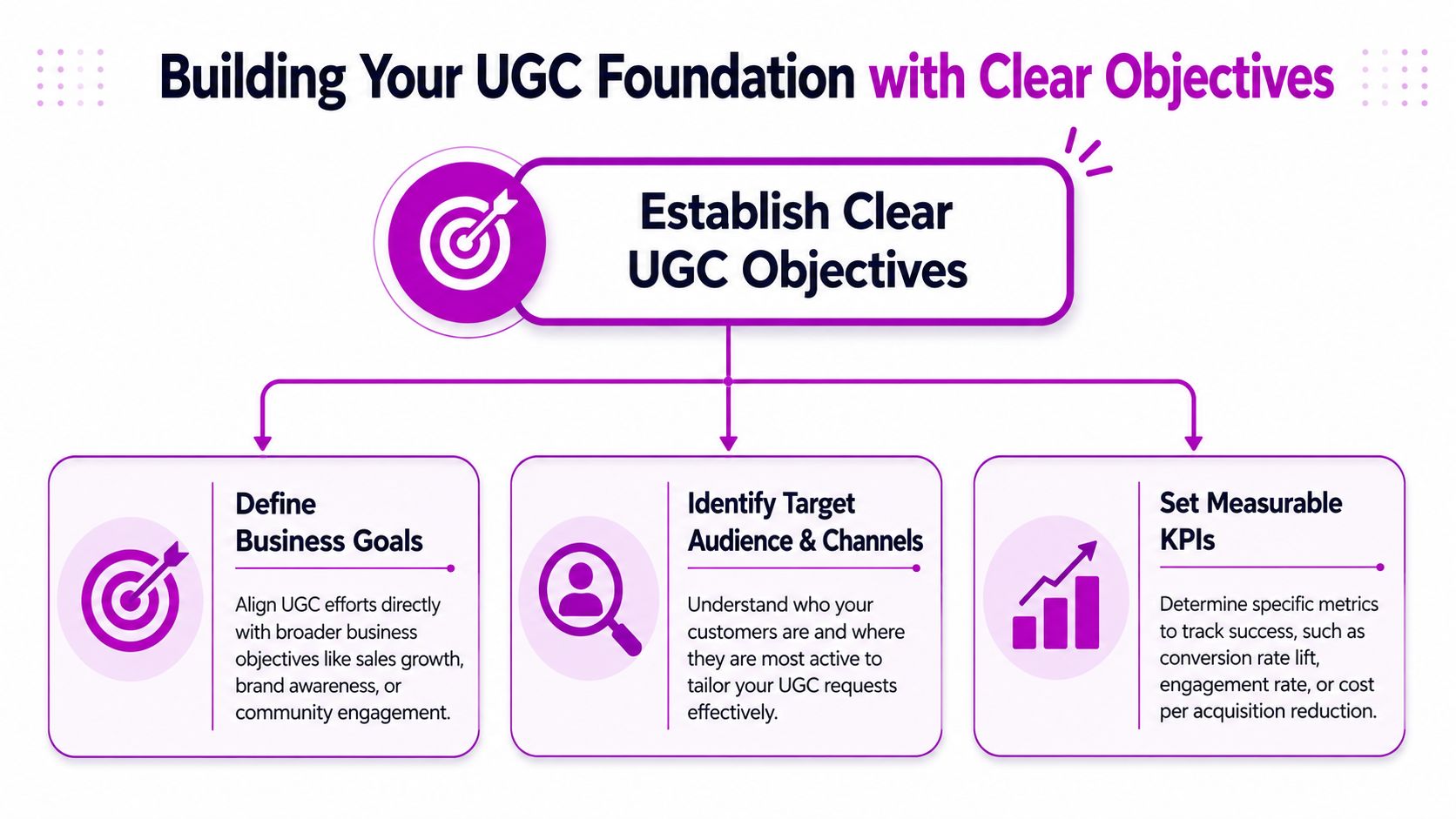
Start with business outcomes, not content volume
A weak brief sounds like this: “We need more customer photos.”
A strong brief sounds like this: “We need more social proof on high-intent product pages because shoppers hesitate on fit, finish, and real-world use.” That brief gives the team direction. It also tells you where to place content, what type to request, and how to measure whether it worked.
In practice, most Shopify brands fall into one of three UGC objective buckets:
- Trust building: Best for newer brands, premium products, or categories where shoppers need reassurance before first purchase.
- Conversion support: Best for stores with healthy traffic but weak product page performance.
- Content efficiency: Best for lean teams that need more reusable creative across email, paid social, PDPs, and landing pages.
Map each objective to a KPI you can actually track
Vanity metrics are fine for creative feedback. They aren't enough to guide investment. If your UGC strategy is meant to influence revenue, your KPI stack needs to reflect the funnel.
| Business priority | UGC objective | Strong KPI |
|---|---|---|
| Improve first-purchase confidence | Add social proof where shoppers hesitate | Product page conversion rate on pages with UGC |
| Reduce dependence on studio content | Build a repeatable customer asset pipeline | Volume of approved reusable assets by product line |
| Increase merchandising effectiveness | Show product in real-life use cases | Click-through to PDPs from UGC galleries |
| Improve retention messaging | Feature customer proof in post-purchase flows | Engagement and assisted conversion from UGC emails |
Practical rule: If a KPI can't influence a merchandising, creative, or lifecycle decision, it probably doesn't belong at the center of your UGC dashboard.
Build a simple objective chain
Most growing brands don't need a complicated framework. They need a chain that connects strategy to execution:
- Pick one commercial problem. Low product page trust. Weak creative throughput. Poor paid landing page performance.
- Define the UGC job. Answer objections, show real usage, increase proof, or produce more testable assets.
- Choose the metric that proves success. Conversion lift, assisted revenue, asset approval rate, or submission rate.
- Set the operating scope. Start with a category, campaign, or collection, not the entire store.
This keeps teams from collecting random content that never gets used.
Decide what “good” content means before you ask for it
A lot of UGC programs break because the brand never defines quality. If you're selling apparel, “good” may mean full-body imagery, varied body types, and natural lighting. If you're selling supplements, “good” may mean routine-based videos, packaging shots, and context around use.
Document those standards early. Your support team, retention team, social team, and merchandisers should all know what content is worth chasing.
Mastering UGC Collection Across Key Channels
Collection works when the ask matches the moment. Ask too early and customers haven't formed an opinion. Ask too vaguely and you get unusable submissions. Add friction and participation drops. According to Digital Applied's guide to UGC strategy and brand growth, every additional submission step can reduce participation by 40% to 60%, which is why strong programs use one-click uploads and pre-populated fields.
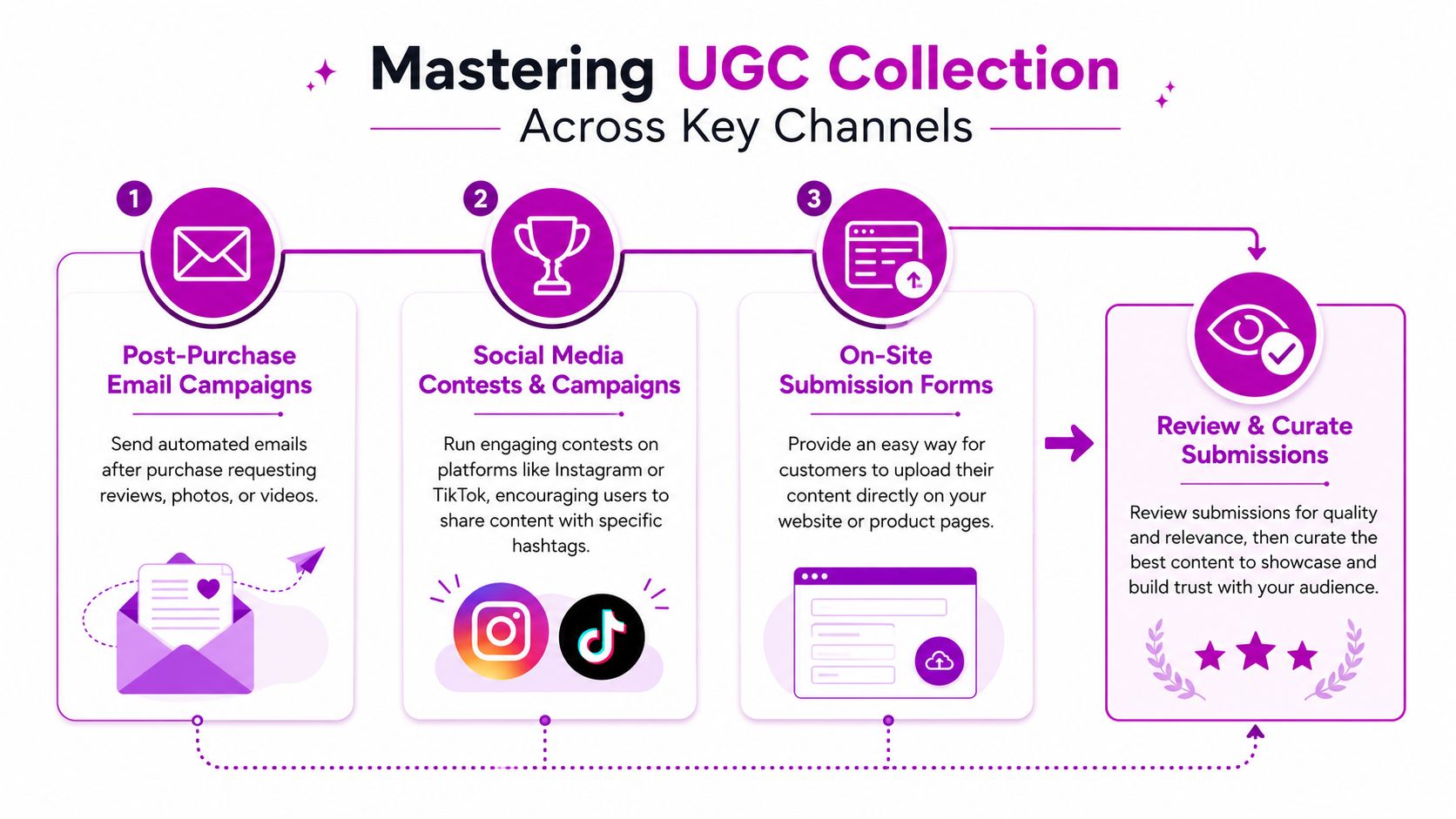
Three channels, three jobs
The best collection engine usually combines email, social, and on-site capture. Each channel produces different asset quality and different operational demands.
| Channel | Best use case | Strength | Weak spot |
|---|---|---|---|
| Post-purchase email | Reviews, product photos, routine feedback | High intent from real buyers | Can feel transactional if the ask is generic |
| Social campaigns | Lifestyle visuals, community energy, creator-style content | Broad reach and native engagement | Rights and quality control get messy fast |
| On-site upload forms | Structured submissions tied to specific SKUs | Clean workflow and easier attribution | Lower volume if the ask isn't promoted |
Post-purchase email is the cleanest place to start
For most Shopify brands, email should be the first channel you operationalize. The buyer is known, the product is known, and the request can be personalized by SKU, collection, or order type.
A skincare brand, for example, shouldn't send the same request for a cleanser and a weekly treatment. The prompt should reflect the product experience. Ask for texture shots, shelfie photos, or routine clips where that context helps the next shopper understand use.
A few tactics consistently improve response quality:
- Use product-specific prompts: Ask for the exact shot or feedback format you need.
- Reduce form effort: Pre-fill the product name and order context so customers don't have to explain what they bought.
- Request one thing first: Start with a rating or image upload. You can ask for more detail after the first action.
Social campaigns are strongest when the brand curates hard
Hashtag campaigns can work, but they often produce a lot of noise. If you run one, build it around a specific visual outcome instead of broad participation.
A fashion brand on Instagram might ask customers to post how they style one hero piece in everyday settings. That's better than asking people to “share your look,” which usually leads to inconsistent framing and weak merchandising value. If you're also investing in social shopping, this gets more powerful when paired with a clear path from content to product discovery, which is why many teams connect UGC planning with a broader social commerce strategy for Shopify brands.
Strong UGC collection prompts describe the scene, the product, and the intended use. Weak prompts just ask people to post.
On-site uploads are underrated for serious operators
On-site submission flows don't get discussed enough, but they're one of the best ways to control quality and metadata. You can connect uploads directly to a product, capture permissions language at the point of submission, and push approved content into moderation faster.
This approach works especially well for home, beauty, pet, and apparel brands where shoppers want real-world visuals tied to a specific SKU. Keep the flow lean. Name, file upload, and a short prompt are usually enough. If you force account creation, too many buyers drop off before submitting.
A Practical Guide to Moderation and Content Rights
Many brands only think about moderation after something goes wrong. That's backwards. Adobe's guidance on UGC management highlights a core operational issue: without centralized governance and moderation, authenticity can amplify off-brand or harmful content, making UGC harder to use safely across ecommerce touchpoints in Adobe's UGC guide for marketers.
Why this is a business risk, not just a legal detail
UGC feels low-risk because it comes from happy customers. But raw customer content can include copyrighted music, visible minors, competitor products, claims your legal team wouldn't approve, or imagery that doesn't fit your brand standards. Once that content spreads across PDPs, ads, email, and social, cleanup becomes expensive.
The bigger issue is reuse. If your team can't confidently answer who approved a piece of content, where rights were granted, and where that asset is currently live, you don't have a content library. You have a liability folder.
A simple moderation workflow that scales
You don't need a heavyweight legal process to get started. You do need a consistent one. For most Shopify teams, a three-step workflow works well.
Triage for fit and safety
Review each submission for product relevance, image clarity, visible claims, brand fit, and obvious risk flags. Reject anything misleading, offensive, or impossible to merchandise well.Secure explicit usage permission
If permission wasn't captured in the original submission flow, ask for it directly before reuse. Keep the request plain English. State where you want to use the content, such as site, email, and social.Tag and archive approved assets
Store approved content in one system with tags for SKU, collection, creator handle, usage rights status, and channel suitability. If a merchandiser can't find “black tote lifestyle image for product page” in seconds, your archive isn't operational.
Approval should answer three questions: Can we use it, should we use it, and where will it perform best?
Rights language should be clear enough for a customer to understand
Overcomplicated rights requests create hesitation. Keep the message direct and respectful. Brands often get better compliance when they explain the benefit plainly: “We'd love to feature your photo on our website, email, and social channels.”
Your legal team may still want formal terms behind the scenes. That's fine. The customer-facing request should still be readable. If you need a benchmark for how to communicate expectations and submission standards clearly, it's useful to review structured public-facing policy examples like Saaspa.ge's official guidelines.
What moderation should cover every time
Different categories need different checks, but these standards are universal:
- Brand alignment: The product should be shown in a way your merchandising team can stand behind.
- Claims review: Watch for health, performance, or outcome claims that create compliance issues.
- Third-party exposure: Look for logos, artwork, music references, or people who may not have consented.
- Reuse status: Mark whether the asset is approved for owned channels only or broader marketing use.
Skipping this work doesn't make your program faster. It just delays the cost.
Integrating UGC into Your Shopify Store for Conversion Lift
Most brands underuse the content they already have. They collect reviews, a few customer photos, maybe some tagged Instagram posts, then bury everything in a tab halfway down the product page. That's a waste of buying intent.
The highest-value placement is the product page. According to Yotpo's user-generated content strategy guide, shoppers who interact with reviews and UGC convert at a rate 161% higher than those who don't. That's why a smart Shopify implementation starts with PDP merchandising before it expands into galleries and landing pages.
A quick visual walkthrough helps when you're planning placement and layout:
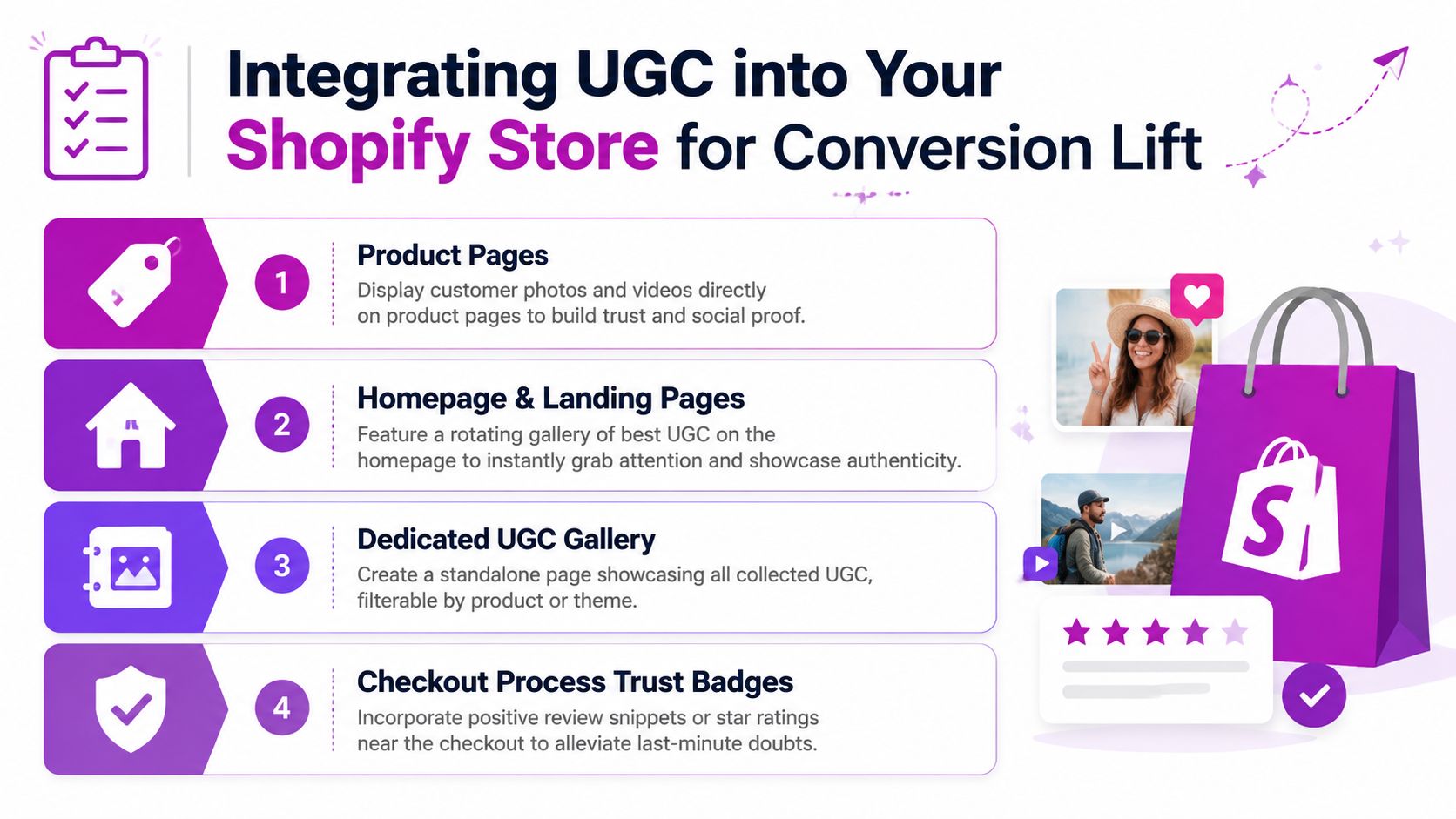
Product pages should answer shopper objections
Think about the difference between a PDP with only polished studio photography and one that also shows customer photos in normal lighting, on different body types, in real homes, or in daily routines. The second page reduces uncertainty.
For Shopify stores, the most effective PDP placements are usually:
- Inline galleries near the primary media block: Best for apparel, home, beauty, and accessories where shoppers need realism.
- Review modules with photo filters: Useful when buyers want proof tied to a specific use case.
- Shoppable carousels lower on the page: Good for reinforcing trust after visitors read product details.
The key is matching placement to buying behavior. If sizing is the issue, customer imagery belongs near the media gallery. If durability is the issue, review snippets and use-case photos may work better lower down near FAQs.
Homepage and landing pages need curation, not clutter
A homepage gallery works best when it's selective. Don't dump every asset into a scrolling wall. Curate around a product family, campaign theme, or customer outcome.
A strong homepage treatment often includes:
- A small rotating gallery of best-performing customer visuals
- Captions that sound like customers, not ad copy
- Direct links into featured products or collections
That same logic applies to campaign landing pages. If you're driving paid traffic to a collection, use customer content that mirrors the traffic source. A creator-style ad paired with a stiff, studio-only landing page creates friction.
A lot of teams benefit from seeing implementation examples before changing theme sections or app blocks, so this walkthrough is worth reviewing:
Build a dedicated gallery only if it supports discovery
A standalone UGC gallery can work well, but only when it helps shoppers browse by product, style, use case, or category. If it isn't filterable, it usually becomes decorative.
The best Shopify gallery builds connect each asset to product cards and collections. That turns inspiration into navigation. It's especially useful for brands with broad assortments where customers shop visually before they shop by SKU.
Customer content performs best when it removes doubt at the exact point where a shopper hesitates.
Don't ignore cart and checkout-adjacent trust signals
Brands often stop at PDPs, but trust reinforcement matters later in the journey too. Depending on your Shopify setup, you can surface concise review snippets, customer quotes, or lightweight social proof near cart drawers or pre-checkout surfaces.
Keep this simple. The goal isn't to add another content block. The goal is to reduce last-minute hesitation with the kind of proof that feels credible and relevant to the purchase already in motion.
Measuring the ROI of Your User Generated Content
Brands keep funding UGC when it changes revenue, not when it solely adds content volume. The useful question is straightforward: did customer content increase conversion rate, average order value, repeat purchase rate, or reduce paid creative costs?
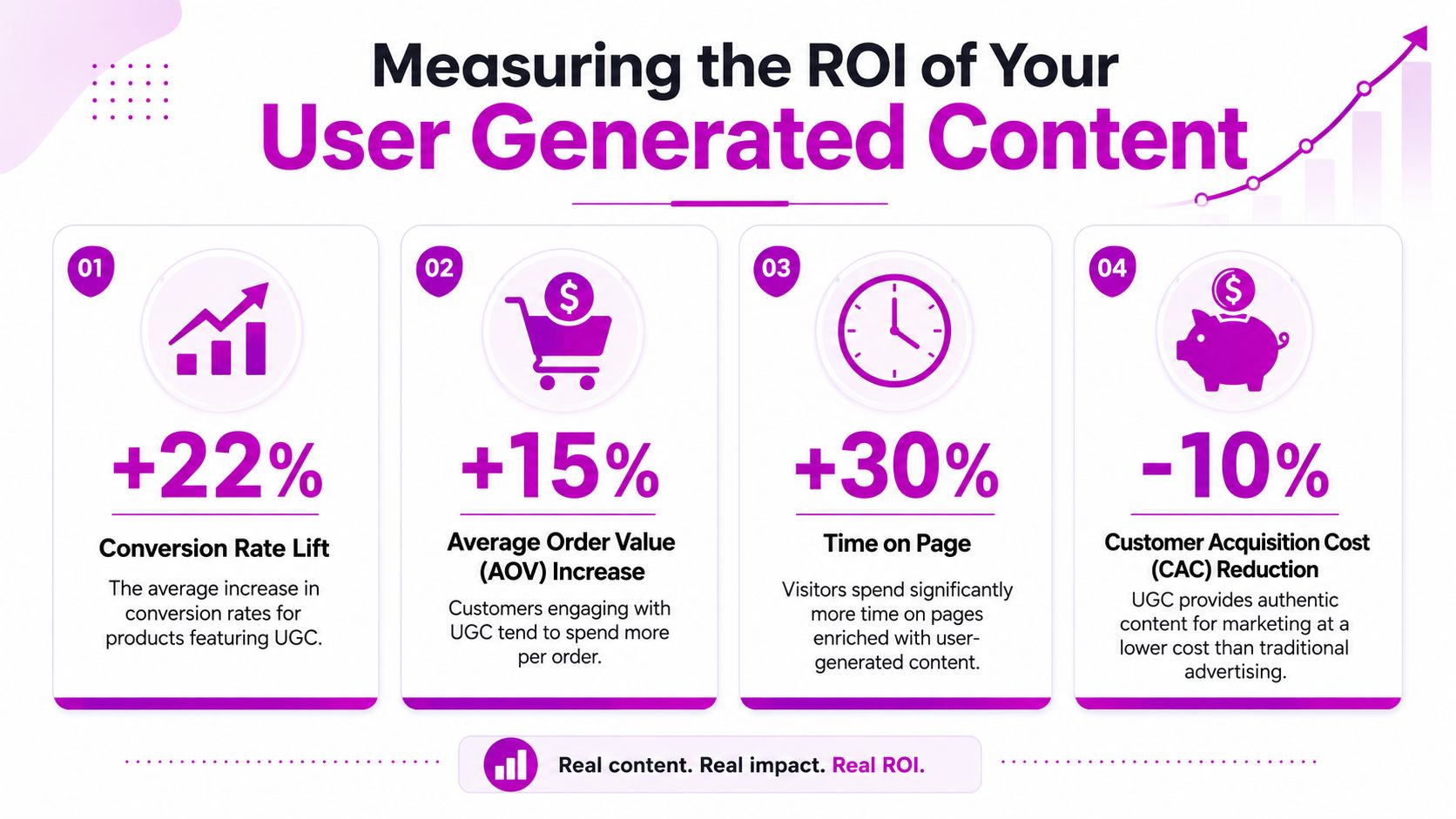
Measure UGC at three levels
Teams lose the plot when they report only asset count or social engagement. A useful scorecard separates operational health from commercial impact, so you can see whether the problem sits in collection, merchandising, or attribution.
| Measurement layer | What to track | Why it matters |
|---|---|---|
| Input | Submission rate, approval rate, rights-cleared asset volume by SKU | Shows whether the program is producing usable content |
| Engagement | Clicks on galleries, review expansions, video plays, add-to-cart rate after UGC interaction | Shows whether shoppers are actually using the content |
| Commercial impact | PDP conversion rate, assisted revenue, AOV, repeat purchase rate, paid creative replacement rate | Shows whether UGC changed buying behavior or lowered content costs |
This framework also helps teams make better trade-offs. If submission volume is high but approval rate is low, the issue usually sits in request quality or moderation standards. If shoppers engage with UGC modules but conversion stays flat, placement, product fit, or page context usually needs work.
Set up a reporting model that works in Shopify and GA4
Start inside Shopify with product-level comparisons. Review PDPs and collections where UGC is live, then compare performance against a prior period or a matched group of pages without UGC. That gives a cleaner read than storewide averages, which get distorted by seasonality, promotions, and inventory shifts.
In GA4, track the actions that show shopper intent around UGC. Useful events include gallery opens, thumbnail clicks, review expansion, video starts, clicks from UGC modules to product pages, and add-to-cart after UGC interaction. If your app supports custom events, pass those into GA4 with product ID, page type, and asset type so merchandising and paid media teams can read the same dataset.
A monthly dashboard should stay tight:
- Rights-cleared approved assets by SKU: Shows whether supply matches merchandising demand
- UGC interaction rate by placement: Identifies which modules earn attention
- PDP conversion lift by template or product group: Separates true performance gains from noise
- Top assets by assisted revenue or click-through rate: Helps the team reuse what already works
- Content replacement value: Estimates what customer content saved in internal shoots or paid creator production
That last metric matters more than many brands realize. UGC ROI is not limited to direct conversion lift. It also shows up when a brand can brief fewer studio shoots, refresh ad creative faster, and give the retention team more usable assets for email and SMS. For teams exploring broader automation opportunities, this guide to AI applications in ecommerce is a useful reference point.
Test placement before you judge the asset
I see this mistake often on Shopify stores. Teams debate which customer photo is stronger, but the main issue is that the module sits too low on the page or appears in a tab shoppers rarely open.
Run practical tests first:
- Move customer imagery into the main media gallery
- Place review summaries near price and variant selection
- Compare a shoppable carousel against a static testimonial block
- Test UGC on high-intent collection pages, not only PDPs
A strong asset in a weak position usually underperforms. An average asset in the right position can still improve conversion.
Build reporting around decisions, not vanity metrics
A dashboard earns its keep when each metric points to an action. Low rights-cleared volume means the team should change request flows or automate follow-up. Weak interaction on one template means reposition the module or swap the format. High interaction with low conversion means the content may be interesting but not persuasive enough for that stage of the funnel.
Keep the review cadence simple. One monthly readout for collection health, one for storefront impact, and one list of changes to implement next. That structure is usually enough to keep UGC tied to revenue, legal compliance, and day-to-day Shopify execution instead of letting it drift into a brand-only initiative.
Scaling Your Strategy with Shopify Apps and AI
Manual UGC workflows collapse once volume increases. Someone forgets to send rights requests. Product photos sit in inboxes. Reviews live in one platform, visuals live in another, and your merchandiser can't find the right asset when launching a collection page. That's the point where Shopify apps stop being optional and start being infrastructure.
Choose apps based on workflow gaps
Most Shopify brands don't need the same tool stack. They need the stack that solves the specific bottleneck in their current process.
A few common categories matter most:
Review and visual UGC platforms
Apps like Yotpo, Loox, and Stamped help brands request reviews, collect photo submissions, and publish customer content into storefront modules. These are often the fastest route from basic collection to PDP deployment.Social curation tools
These are useful when a brand relies heavily on Instagram or creator-style content and needs a cleaner way to collect, tag, and republish visual assets.Digital asset and workflow systems
Once content volume grows, teams need a central place to store approved assets with metadata, rights status, and channel tags.
The right setup depends on what hurts today. If your issue is lack of content, start with review and request automation. If your issue is mess, prioritize organization and governance.
Automation should remove admin, not judgment
The strongest programs automate repetitive tasks and keep human review where it matters. Good candidates for automation include review request emails, asset routing, tagging prompts, status updates, and app-to-theme publishing.
What shouldn't be fully automated is brand judgment. A tool can flag blurry imagery or categorize content by product type. It can't reliably decide whether a photo fits your premium positioning or whether a customer quote creates a subtle compliance issue.
AI is most useful in tagging, sorting, and prioritization
AI begins to matter for lean ecommerce teams. Not as a replacement for your brand team, but as a force multiplier.
Useful AI-supported workflows include:
- Auto-tagging incoming assets by product, setting, visual style, or likely use case
- Sentiment clustering for reviews so operators can quickly spot recurring objections or strong proof points
- Content prioritization that helps teams surface likely high-value assets for PDPs, emails, and paid landing pages
For brands exploring the broader operational upside of AI in commerce, this overview of AI applications in ecommerce is a useful companion read.
Build the scaled version in layers
Don't try to automate everything at once. A workable scale plan usually looks like this:
- Stabilize collection with one primary app and one clear review request flow.
- Standardize moderation with tags, status labels, and rights tracking.
- Expand deployment into PDPs, homepage modules, collection pages, and lifecycle email.
- Add AI support where sorting, categorization, and prioritization are slowing the team down.
The end goal isn't more content. It's a cleaner system that helps your team find, approve, publish, and measure the right content faster.
A mature user generated content strategy looks less like a campaign calendar and more like a merchandising engine. It collects proof from customers, turns that proof into storefront assets, protects the brand through governance, and keeps improving through testing. That's what makes it valuable on Shopify. Not the hashtag. The operating discipline behind it.
If your Shopify team needs help turning scattered customer content into a measurable conversion system, ECORN can help. Their team works across Shopify design, development, CRO, and ecommerce strategy, which makes them a strong fit for brands that need more than app setup. They can help build the workflows, storefront placements, and testing structure that make UGC perform like a real growth channel.



Shopify Speed Score Explained and How to Improve It

Shopify Mobile Optimization: The 2026 Playbook

How to Add Subcategory in Shopify for Better UX

How to Implement Structured Data for Ecommerce in 2026

SEO App Mobile: Shopify Store Optimization Guide

Shopify Plus Support: What It Includes and How to Choose

Google Ads for Shopify: The Complete 2026 Playbook

Shopify New York: How to Find and Hire the Right Agency

Google Search Console for Shopify: The Complete Setup

First Party Data Collection for eCommerce Growth

FAQ Online Store Guide: Build and Measure It Right

Do FB Ads Work for eCommerce in 2026?

One Page Checkout for Shopify: Design and Implementation

Shopify GraphQL vs REST: The 2026 Developer Decision

Shopify Ecommerce Consulting: Strategy, Pricing &

Are Reddit Ads Worth It for eCommerce Brands

Shopify Title and Meta Description: A Practical 2026 Guide

Product Video Best Practices for Shopify Brands

Real-Time Inventory Management: A 2026 Guide

AI Chatbot Integration for Shopify Stores

Affiliate Program Management: A Shopify Guide

10 Best Performance Monitoring Tools for Shopify in 2026

Digital Asset Management for eCommerce Brands in 2026

Every Type of Facebook Ads Explained for eCommerce Growth

Product Information Management Explained for Shopify Brands

Support Ticket System: A Guide for Shopify Stores

10 Best Customer Service Tools for Shopify in 2026

Can I Start a Business with No Money? a 2026 Blueprint

What Sells Good on Etsy: Best Niches for 2026

Shopify Add to Cart Button: A Practical 2026 Guide

Customer Feedback Automation: A Practical eCommerce Guide

Critical Rendering Path: A Guide for Shopify Stores

How to Promote on TikTok for eCommerce in 2026

B2B eCommerce Consulting That Drives Real Revenue

10 Best Practices for Site Navigation in 2026

Return vs Refund for Shopify Stores: A Practical Guide

What Is Customer Lifetime Value and Why It Matters

What Is Voice of Customer Research for eCommerce

SMS Marketing for Ecommerce That Actually Converts

Master How to Improve Email Deliverability in 2026

Top 7 eCommerce Partners NYC for Shopify Brands in 2026

Machine Learning for Ecommerce: Boost Your Shopify Store

Beauty Market Research: Your 2026 Growth Guide

Shopify International Expansion: A 2026 Roadmap

What Does CRO Stand for in Business: Understanding CRO

Shopify Visual Merchandising: A Playbook for Higher Sales

Shopify Landing Page Design: Master Conversion in 2026

10 Best AI SEO Optimization Tools for Shopify in 2026

Agentic AI for Ecommerce: Boost Your Sales in 2026
Mastering Email Marketing Data for eCommerce Growth

Conversion Rate Optimisation Australia: Boost Your Sales

Conversion Rate Optimization AI: Your Shopify Store Guide

10 Product Bundling Strategies for Shopify in 2026

How to Increase Customer Lifetime Value: A Shopify Playbook

AI Customer Service Automation: Shopify Guide 2026

Clean Website Design: A Shopify Conversion Playbook

Omnichannel Retail Strategy: A Shopify Playbook

Product Data Enrichment: A Guide for Shopify Brands

Instagram Shopping Features a Guide for Shopify Stores

What Is Revenue Optimization: A Holistic RevOps Guide

Benefits of Conversion Rate Optimization: Boost Your

WordPress to Shopify Migration: Your 2026 Seamless Switch

Boost Sales: Ecommerce Payment Processing Guide 2026

Unified Commerce Platform: Benefits, KPIs & Shopify Guide

How to Reduce Bounce Rate eCommerce: Your 2026 Guide

Shopify API Integration: A Practical End-to-End Guide

How to Implement Data Governance: A 2026 Guide

Shopify Store Development Cost: A 2026 Breakdown

What Is Server Side Tracking: The Shopify Guide 2026

Marketing Automation Workflows: A Shopify Guide for 2026

Shopify: How to Reduce Technical Debt

Shopify UX Design Change: A Playbook for Growth

Shopify Pause and Build Plan Cost: A Complete 2026 Guide

Compare at Price on Shopify: A Complete Guide for 2026

Where Can I Sell My Prints? 10 Best Platforms for 2026

Shopify Order Management System: The Ultimate Guide 2026

What Is Marketing Attribution? an eCommerce Guide for 2026

10 Best Black Friday Sales Sheets for 2026

Discover the Top Social Media Marketing Agencies For

Consumer Confidence Definition for eCommerce in 2026

What Is Social Commerce? Your 2026 Guide to Boosting Sales

A Social Ad Campaign Playbook for eCommerce Growth

7 Best FAQ Page Examples for SaaS & eCommerce

Market Research in Fashion Industry: A Guide for Shopify

Shopify Migration Services: Expert Guide for 2026

Mastering FB Retargeting Ads for Shopify in 2026

What Is Omnichannel Ecommerce

Master Your Shopify Plus Migration: The 2026 Guide

Shopify Integration Services: A Merchant's 2026 Guide

Shopify Collection Description: A Guide to SEO & Sales

Shopify Plus Contact: Reach Sales & Support Effectively

Top Luxury Shopify Stores: Design & UX Strategies

How to Improve Customer Experience: A Shopify Roadmap

Creative Facebook Ads: 10 Examples for Shopify Brands

Remarketing with Facebook Ads: A Shopify Guide for 2026

SEO Linking Strategies for Shopify Stores
Top 7 Statistics YouTube Channels for eCommerce in 2026

Hiring Shopify Plus Designers: A Founder's Guide

Shopify Product Variation: Master Your Variants for 2026

Leverage Ai Solutions Brands: Your 2026 Shopify Growth Guide


newsletter in your inbox