


Sales growth feels good until operations start fighting back.
A lot of Shopify brands hit the same wall. Orders come in from the online store, a retail location, social channels, and a marketplace. Someone on the team is checking stock manually, splitting orders by hand, chasing tracking updates, and trying to stop oversells before customer support hears about them first. Revenue rises, but the back office gets slower and more fragile.
That's usually the moment when people start searching for a Shopify order management system. Not because they want another dashboard, but because the business needs a control layer for how orders move, where inventory gets allocated, and who handles exceptions when fulfillment doesn't go to plan.
When Growth Becomes an Order Management Problem
Early on, Shopify's native tools are often enough. A small team can work from the order list, print labels, update customers, and keep a decent handle on stock if the channel mix is simple.
Then complexity sneaks in. A brand adds Amazon. A store opens. A third-party logistics partner starts shipping wholesale alongside DTC. One SKU is available in one location, another sits in a 3PL, and support is trying to answer where an order is without a clean system of record.
That's when order management stops being an admin task and becomes an architecture problem.
Shopify's omnichannel guidance for 2026 frames a modern OMS around one core requirement: consolidating orders from online stores, physical locations, social platforms, and marketplaces like Amazon into a single point of truth for operations and inventory management, as summarized in this Shopify order management overview.
You rarely feel the need for an OMS at checkout. You feel it in the hour after checkout, when the business has to decide what happens next.
The symptoms operators usually see first
- Overselling starts happening more often because inventory updates depend on staff noticing issues instead of systems enforcing rules.
- Fulfillment slows down when orders need manual review for routing, partial shipments, or location assignment.
- Support carries operational debt because customers ask for tracking, edits, cancellations, and delivery answers that ops can't surface quickly.
- Reporting gets unreliable when channel data, warehouse data, and returns data live in separate tools.
What changes after the tipping point
At a certain stage, the question isn't whether the team is working hard enough. It's whether the business has a central system that can orchestrate orders across channels, locations, and partners without relying on tribal knowledge.
That's what a Shopify order management system is really for. It creates operating discipline after the sale, where margin and customer experience are won or lost.
What a Shopify Order Management System Really Is
Most merchants think of order management as the order list inside Shopify admin. That's understandable, but it's too narrow. A real Shopify order management system is an operational architecture.
The simplest way to understand it is to think about a busy restaurant kitchen. The waiter takes the order, but the expeditor decides what gets prepared first, what station handles each dish, what has to wait, and how the whole ticket goes out correctly. Checkout captures demand. The OMS orchestrates execution.
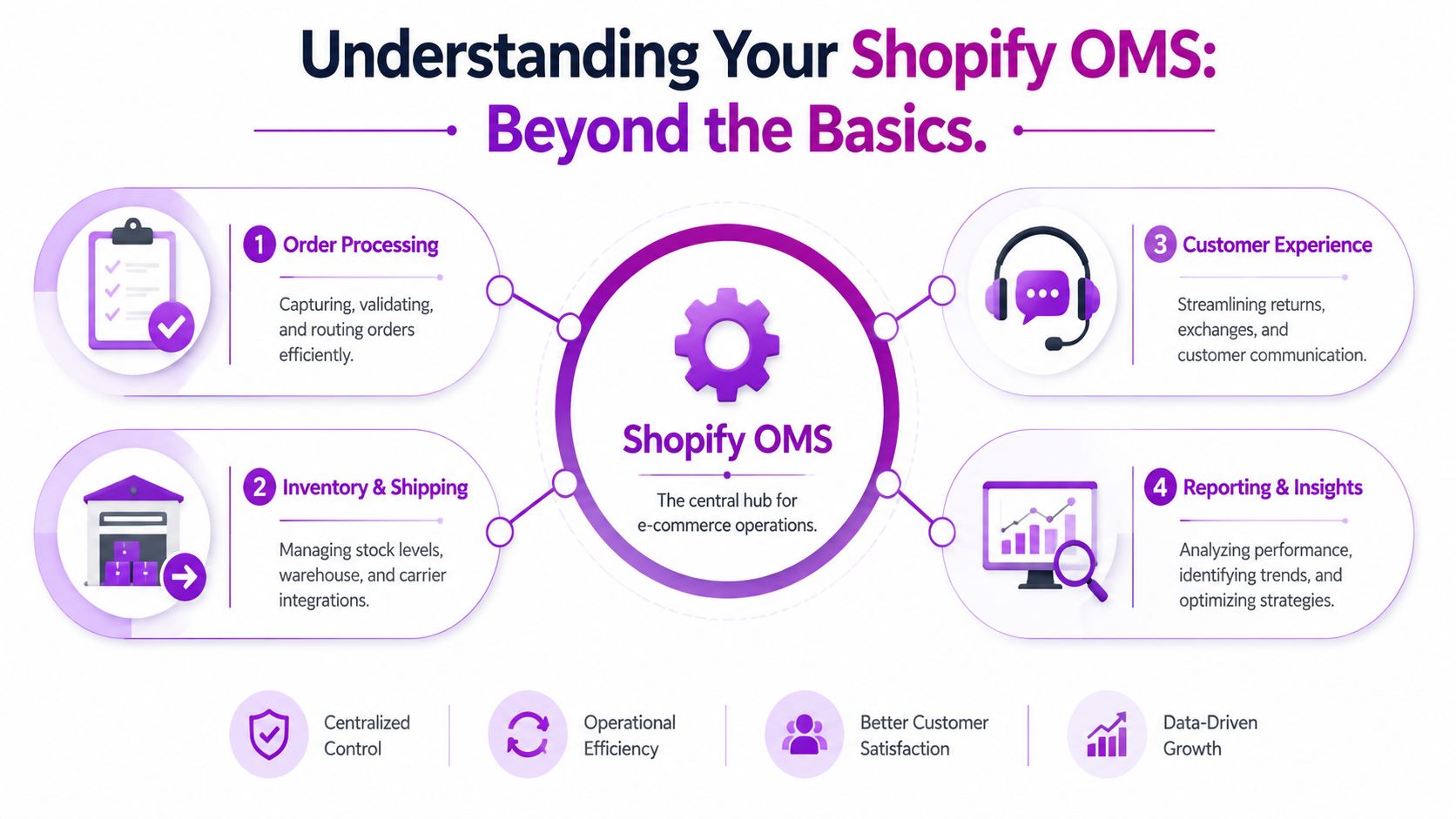
For higher-volume brands, that distinction matters. One useful framing is the five-layer architecture described in this enterprise Shopify OMS guide, which argues that once a business crosses roughly 1,000 orders/day, failure usually happens in orchestration, not checkout. The five layers are the Shopify data plane, routing logic, fulfillment execution, customer self-service, and reporting.
Layer one and two
The data plane is the order record itself. It includes what was purchased, payment status, customer data, tags, location context, and fulfillment status. Shopify is strong here. It's very good at creating and storing the commercial event.
Routing logic is a different job. This layer decides where an order should go and under what conditions. Should it ship from store, warehouse, or 3PL? Should high-risk orders pause for review? Should pre-orders and in-stock items split, or stay together?
Native Shopify can cover some of this with locations, order views, and Flow. But once routing logic becomes conditional and margin-sensitive, operators need more than a list and some automation rules.
Layer three and four
Fulfillment execution is where the abstract order turns into warehouse work. This includes WMS integrations, 3PL handoffs, carrier selection, picking, packing, exceptions, and confirmations. If your team is evaluating warehouse partners or trying to map what execution really requires, this primer on understanding 3PL warehousing is a useful companion to OMS planning.
Customer self-service often gets missed in OMS conversations. It includes order edits, status visibility, returns, exchanges, and cancellation logic. If customers can't manage common post-purchase actions cleanly, support becomes the fallback workflow.
Practical rule: If support tickets are being resolved by asking ops for warehouse updates, you don't have a customer service problem. You have an order orchestration problem.
Layer five
Reporting and reconciliation is where finance, operations, and service all meet. Teams need to reconcile captures, refunds, cancellations, inventory movements, fulfillment statuses, and returns across systems. This is usually the least glamorous layer and the one that causes the most pain when it's weak.
A basic Shopify setup can manage orders. A mature Shopify order management system coordinates decisions across all five layers. That's the difference between processing orders and controlling operations.
Native Shopify Tools vs Dedicated OMS Platforms
Native Shopify is good at helping merchants manage orders inside Shopify. A dedicated OMS is built to orchestrate orders across the business.
That sounds subtle, but in practice it's the dividing line between a clean small-scale setup and a scalable operating model.
Where native Shopify works well
For brands with one main sales channel, simple location logic, and a tight catalog, native Shopify usually does the job. The strengths are obvious:
- Fast setup because checkout, payments, orders, and admin live in one system.
- Lower operational overhead since the team doesn't need to learn a second orchestration platform immediately.
- Tight Shopify alignment with native features for fulfillment, edits, refunds, cancellations, and order views.
This is why many emerging brands should resist buying an enterprise OMS too early. If the underlying issue is weak process discipline, adding software won't fix it.
Where native tools start to fail
The problem appears when fulfillment logic stops being straightforward.
Common tipping points include:
- Multi-warehouse inventory where available stock exists in different locations with different service levels.
- 3PL plus in-house fulfillment where routing has to account for capability, cutoffs, and exceptions.
- International operations where carrier, market, and returns rules vary by region.
- Complex allocation for bundles, pre-orders, partial shipments, or channel-priority inventory rules.
- Post-purchase complexity when edits, exchanges, fraud reviews, and finance actions need strong controls.
At that stage, Shopify's enterprise pattern becomes important. Shopify's guidance describes a handoff model where Shopify creates the order and authorizes payment at checkout, then an external OMS takes over routing, allocation, fulfillment, and post-checkout actions, writing updates back through the GraphQL Admin API in this enterprise OMS integration model.
Native Shopify vs. Dedicated OMS At a Glance
| Feature | Native Shopify | Dedicated OMS |
|---|---|---|
| Primary role | Manages orders within Shopify admin | Orchestrates orders across channels, locations, and external systems |
| Best fit | Simpler operations with limited routing complexity | Brands with multi-location, marketplace, 3PL, or international complexity |
| Inventory visibility | Useful for standard location-based workflows | Stronger when inventory needs allocation logic across multiple systems |
| Routing control | Works for basic rules and native workflows | Better for complex routing, exceptions, and service-level decisions |
| 3PL and WMS coordination | Often depends on apps and manual checks | Designed for structured execution across fulfillment partners |
| Customer self-service impact | Covers core post-purchase actions | Better when edits, returns, and exceptions need deeper workflow control |
| Finance and reconciliation | Suitable for simpler operating models | Stronger when capture, refund, and fulfillment data must stay aligned across tools |
| Implementation effort | Lower | Higher, because process design matters as much as software |
| Long-term control | Good until complexity compounds | Better when operations need centralized orchestration |
Native Shopify is often enough until order volume and fulfillment complexity diverge. Then the real bottleneck isn't order intake. It's decision-making after checkout.
What operators often get wrong
The mistake isn't staying on native Shopify too long. The mistake is treating a dedicated OMS like a feature upgrade instead of a control system.
A dedicated OMS becomes necessary when the business can no longer tolerate routing by habit, inventory allocation by spreadsheet, or exception handling through Slack and email. At that point, the spend is architectural, not optional.
Key Criteria for Choosing Your OMS Solution
Choosing an OMS isn't about finding the platform with the longest feature list. It's about finding the one that matches the shape of your complexity.
A lot of evaluations go wrong because teams buy for current pain only. They focus on today's fulfillment issue and ignore what the business will look like after another warehouse, another market, or another sales channel gets added.
Start with your operating model
Write down how orders move today. Not how the software demo says they should move.
Look at:
- Channel mix. DTC only behaves very differently from DTC plus marketplaces, retail, or wholesale.
- Fulfillment model. One warehouse is simple. Store fulfillment, drop-ship, and 3PL combinations are not.
- Exception profile. Fraud review, address changes, partial fulfillments, and returns all put pressure on the system.
- Control needs. Some brands can automate aggressively. Others need more manual checkpoints because margin, product type, or service promises demand it.
Evaluate integration depth, not logo slides
Most OMS vendors can show a page of integrations. That doesn't tell you whether the implementation will behave well in your environment.
You need to know how the platform handles:
- Inventory synchronization across Shopify, WMS, 3PL, marketplaces, and finance tools
- Order state changes such as edits, cancellations, refunds, and returns
- Failure handling when data doesn't sync cleanly
- Admin usability for the operations team that will live in the system every day
If your stack includes custom workflows or non-standard operational logic, it helps to review what robust Shopify integration services should account for before selecting the OMS itself.
Build a scorecard that forces trade-offs
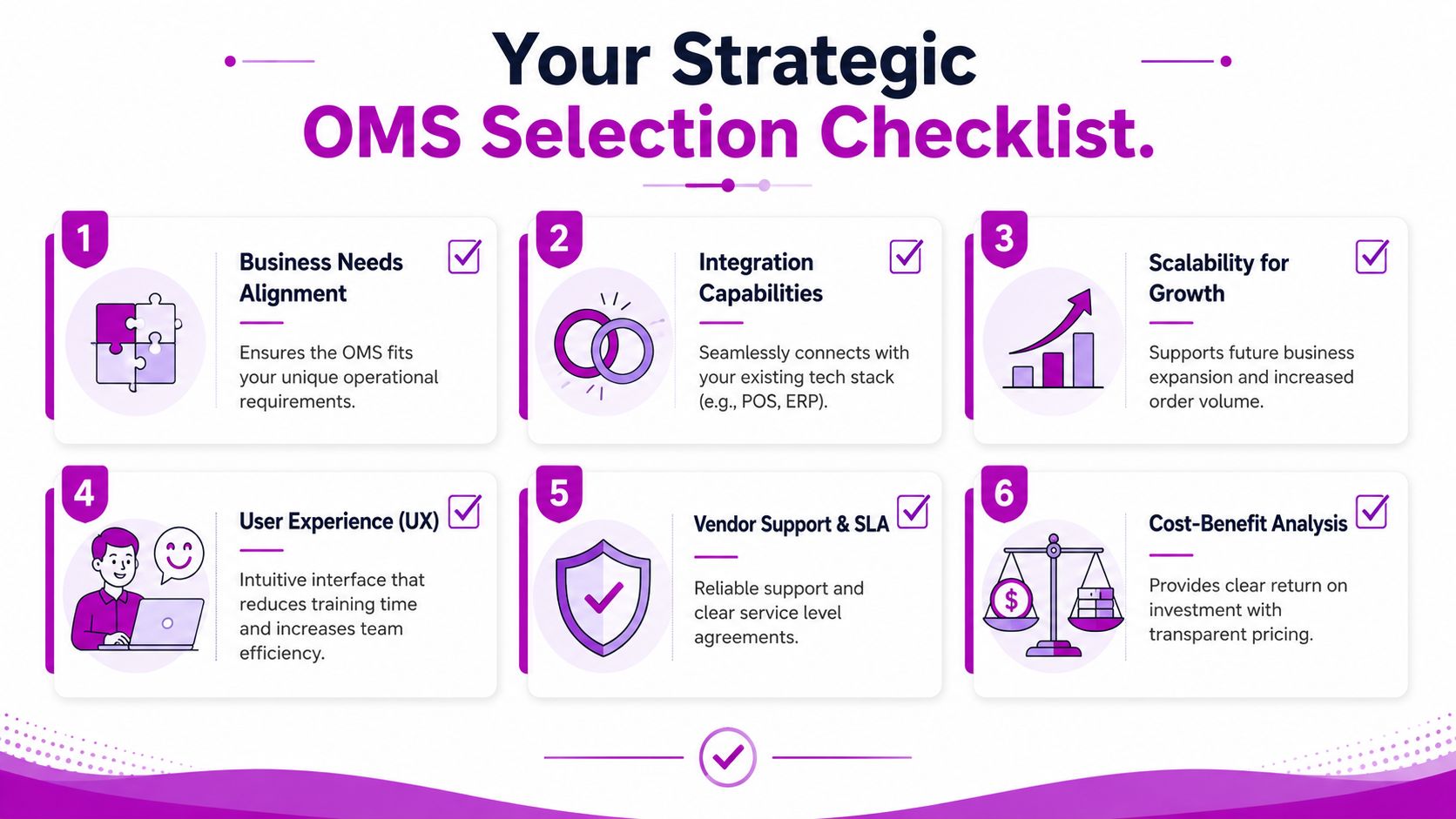
A practical scorecard usually works better than a generic RFP. Score each vendor against business-critical criteria such as:
- Scalability for your next operating phase
- Support for your routing and returns logic
- Ease of training for ops and support teams
- Quality of reconciliation and reporting
- Implementation risk
- Total cost of ownership
Don't let procurement flatten all of this into subscription price. Cheap software becomes expensive when your team builds workarounds around it.
A strong OMS fit feels boring in the best way. Orders flow, exceptions surface clearly, and teams stop inventing side processes to keep the business moving.
The right decision usually isn't the most powerful platform on the market. It's the one that fits your fulfillment complexity, your integration environment, and the business you expect to run in a few years, not just the one you have this quarter.
Your OMS Implementation and Migration Checklist
An OMS rollout is not a plug-in project. It's an operational redesign. Teams that treat it like a software install usually end up recreating old problems in a newer interface.
Shopify defines automated order management across the full order lifecycle, including capture, tracking, communication, and reconciliation, in its overview of automated order management on Shopify. That's the right scope for implementation planning too. If you only map fulfillment and ignore edits, cancellations, returns, or finance events, the migration will look successful until the first exception hits production.
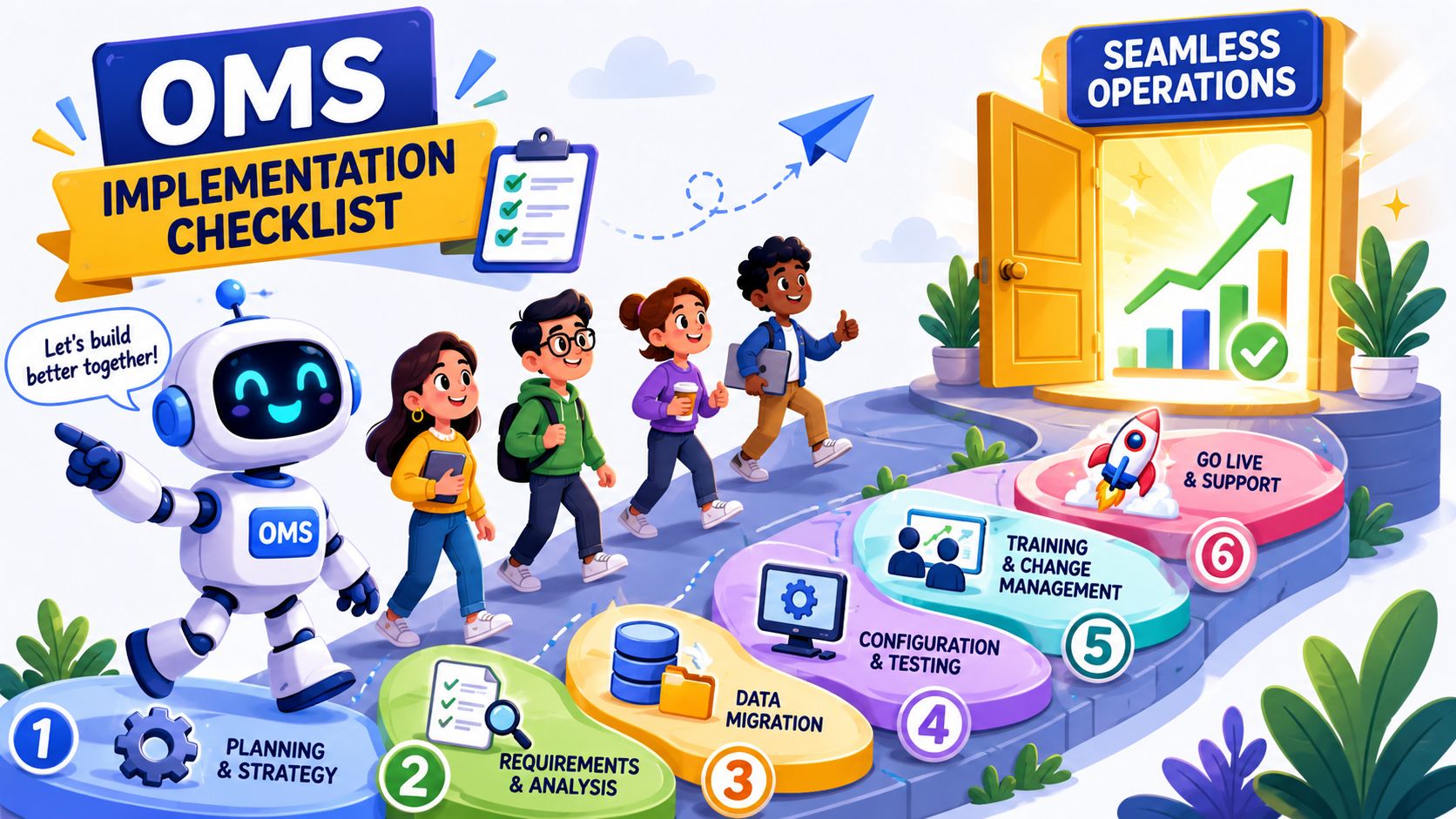
Phase one discovery
Before any configuration starts, document the current state.
- Map order flows from checkout to delivery, including manual interventions.
- List business rules for routing, allocation, payment capture, edits, cancellations, and returns.
- Identify exception paths such as failed syncs, split shipments, fraud review, and out-of-stock substitutions.
- Clarify ownership so everyone knows whether ops, finance, CX, or warehouse teams make each decision.
This is also the right moment to compare the implementation against your wider ecommerce fulfillment solutions, because OMS logic and fulfillment design need to support each other.
Phase two configuration and migration
Once the workflows are clear, configure the system around them.
A practical migration checklist usually includes:
- Clean product and location data so routing decisions don't run on bad inputs.
- Define status mapping between Shopify, the OMS, and any WMS or 3PL systems.
- Set automation rules carefully for priority orders, split shipments, holds, and customer notifications.
- Import only the history you'll use for service, reporting, or reconciliation.
Phase three testing and go-live
Most failures show up at the edges, not in the happy path.
Test scenarios such as:
- An order edit after submission
- A partial refund after one shipment has left
- A cancellation before capture
- A return that changes inventory state
- A fulfillment exception from a warehouse or 3PL
Don't sign off on an OMS because the standard order worked. Sign off because the messy order worked.
Train the people who will use the system under pressure. That means support leads, warehouse managers, finance stakeholders, and operations coordinators, not just admins and developers.
Measuring Success ROI and Performance KPIs
If you can't measure the OMS after launch, you'll end up defending it with anecdotes. That's a mistake. Order management should be judged by operational control, customer outcomes, and financial clarity.
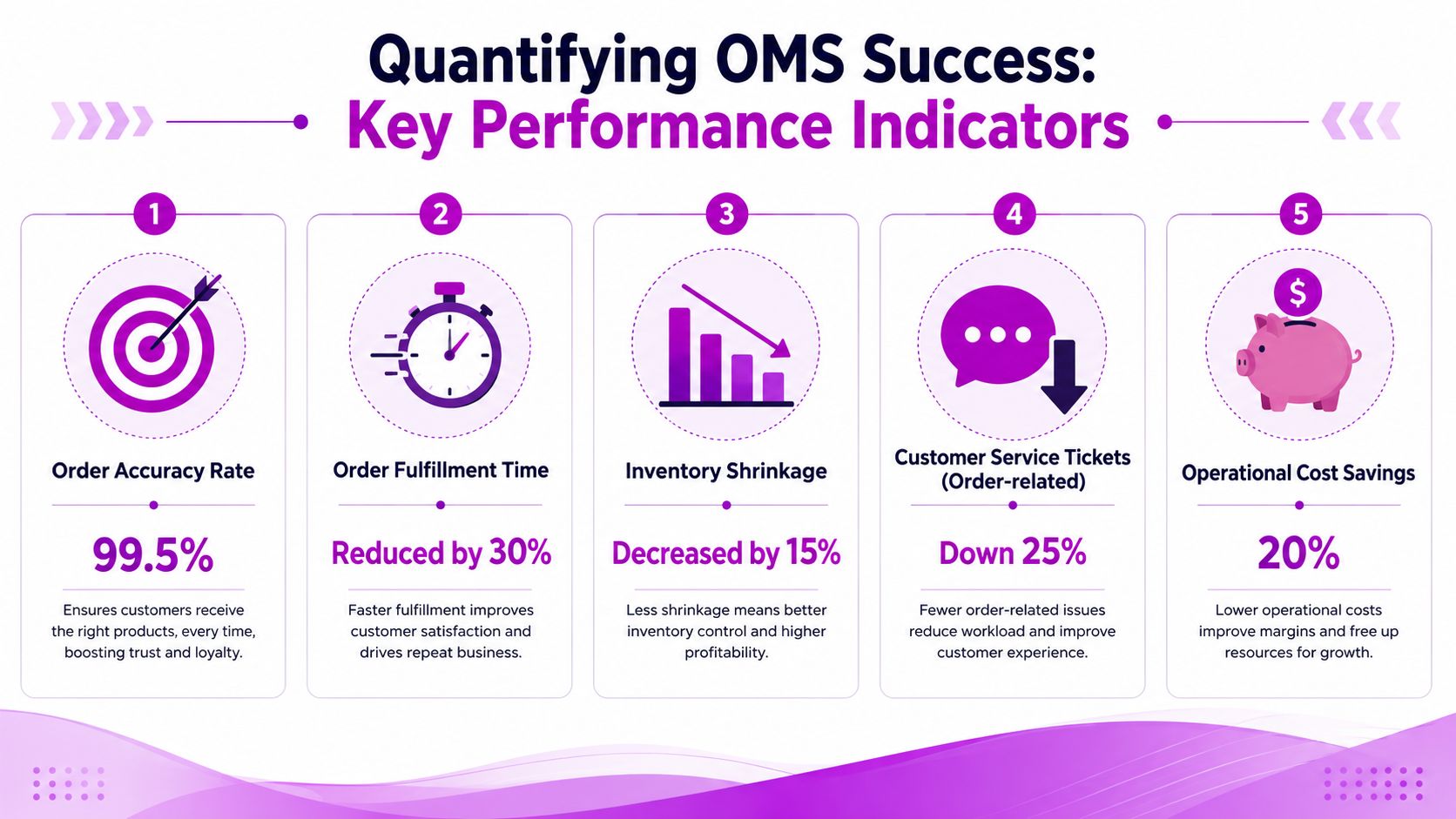
The exact targets will vary by business, so the useful approach is to track direction and consistency rather than force generic benchmarks. The image below includes example KPI values, but treat those as illustrative design elements rather than universal targets.
Operational efficiency KPIs
Start with workflow health.
- Order cycle time tracks how long it takes for an order to move from placement to fulfillment release.
- Exception rate measures how many orders need manual intervention.
- Rework volume shows how often teams correct routing, inventory, or status errors after the fact.
If these don't improve, the OMS may be adding system complexity without reducing process friction.
Customer experience KPIs
Customers feel OMS quality through speed, accuracy, and visibility.
Useful indicators include:
- Order accuracy rate
- Time to tracking availability
- Order-related support ticket volume
- Return and exchange handling speed
A better Shopify order management system should reduce the number of customer interactions that exist only because internal systems aren't aligned.
Financial and control KPIs
The last bucket is where many implementations either prove their value or get questioned.
Track:
| KPI | What it tells you |
|---|---|
| Canceled due to stock issue | Whether inventory and allocation logic are preventing avoidable lost orders |
| Refund reconciliation time | Whether finance events align cleanly with order and fulfillment data |
| Split shipment frequency | Whether routing logic is creating unnecessary cost |
| Manual labor hours in order ops | Whether automation is removing repetitive admin work or just moving it elsewhere |
What matters most is trend quality. A strong OMS should make order handling more predictable, easier to audit, and less dependent on heroic manual effort.
Advanced Strategies for Scaling and Automation
Once the core order flow is stable, scaling stops being about processing more orders and starts being about enforcing better decisions across more complexity.
That usually shows up in three places. Multi-store inventory, international fulfillment, and automation policy.
Build automation around rules, not optimism
Automation is helpful when the rules are clear. It becomes risky when the business expects software to infer intent that operators haven't defined.
Shopify's fulfillment documentation highlights a broad order management scope that includes payment capture, edits, refunds, cancellations, and multiple fulfillment methods. That's why the hardest questions aren't about what automation can do, but when it should be constrained. This trade-off is captured well in Shopify's fulfillment guidance, especially for areas like AI-assisted routing, fraud checks, and returns.
Examples of smart restraint include:
- Holding high-risk orders instead of sending every flagged order straight into warehouse flow
- Limiting auto-routing when margin differs sharply by location or carrier
- Requiring human review for high-value returns, unusual exchanges, or channel-specific policy conflicts
Good automation doesn't remove judgment. It decides where judgment is actually required.
Scale across stores and regions without losing control
As brands expand, they often bolt on new stores, new fulfillment partners, and new market rules faster than they redesign the order architecture. That's why scaling can feel messy even when sales are strong.
A better approach is to treat the OMS as the enforcement layer for:
- Market-specific routing rules
- Store-level inventory visibility
- Returns policy by channel or region
- Operational handoffs between internal teams and partners
For operators trying to connect order management with procurement, replenishment, and network planning, this expert guide to ecommerce SCM is useful context. OMS decisions don't exist in isolation. They affect the wider supply chain every day.
Use AI carefully
AI can help classify exceptions, surface fraud risk, suggest routing, and prioritize service actions. But it shouldn't become an excuse to remove override paths.
The best setups use automation to narrow decisions, not hide them. If a team can't explain why an order routed a certain way, or why a return was approved automatically, they don't have scalable intelligence. They have opaque operational risk.
Your Order Management System Is Your Growth Engine
A Shopify order management system isn't just a way to organize orders. It's the layer that decides whether growth stays profitable and controllable once complexity increases.
Native Shopify is often enough early on. It stops being enough when routing, allocation, fulfillment coordination, and exception handling become business-critical. At that point, choosing an OMS is an architectural decision about how the company will operate at scale.
The brands that get this right don't just fulfill faster. They build a cleaner system for margin protection, customer experience, and long-term expansion.
If your Shopify operation is hitting complexity around multi-location inventory, fulfillment logic, or post-purchase workflows, ECORN can help you design the right architecture before you invest in the wrong system. Their team works with growing brands on Shopify strategy, integrations, development, and optimization so order management supports scale instead of slowing it down.



Why Is Conversion Rate Optimization Important
Ecommerce Loyalty Program Software How to Choose and Launch
Shopify Plans Comparison for Every Business Stage

How to Improve User Experience for eCommerce Growth

Shopify Checkout Optimization That Converts More
Shopify Inventory Sync: A Practical Setup Guide

Shopify App Integration Playbook That Scales
Shopify CMS Integration: Your 2026 Guide to Options

Shopify Store Audit: Find Hidden Conversion Leaks

Shopify Plus Experts: How to Hire the Right Team

Chargeback Protection Shopify: A Practical 2026 Guide

8 Examples of Conversion Rate Optimization
How to Conversion Rate Optimization for Shopify Stores

Shopify Design Essentials Every Store Owner Needs
Ecommerce Terms of Service: How to Draft and Implement

How to Implement Structured Data for Ecommerce in 2026

SEO App Mobile: Shopify Store Optimization Guide

Shopify Plus Support: What It Includes and How to Choose

Google Ads for Shopify: The Complete 2026 Playbook

Shopify New York: How to Find and Hire the Right Agency

Google Search Console for Shopify: The Complete Setup

First Party Data Collection for eCommerce Growth

FAQ Online Store Guide: Build and Measure It Right

Do FB Ads Work for eCommerce in 2026?

One Page Checkout for Shopify: Design and Implementation

Shopify GraphQL vs REST: The 2026 Developer Decision

Shopify Ecommerce Consulting: Strategy, Pricing &

Are Reddit Ads Worth It for eCommerce Brands

Shopify Title and Meta Description: A Practical 2026 Guide

Product Video Best Practices for Shopify Brands

Real-Time Inventory Management: A 2026 Guide

AI Chatbot Integration for Shopify Stores

Affiliate Program Management: A Shopify Guide

10 Best Performance Monitoring Tools for Shopify in 2026

Digital Asset Management for eCommerce Brands in 2026

Every Type of Facebook Ads Explained for eCommerce Growth

Product Information Management Explained for Shopify Brands

Support Ticket System: A Guide for Shopify Stores

10 Best Customer Service Tools for Shopify in 2026

Can I Start a Business with No Money? a 2026 Blueprint

What Sells Good on Etsy: Best Niches for 2026

Shopify Add to Cart Button: A Practical 2026 Guide

Customer Feedback Automation: A Practical eCommerce Guide

Critical Rendering Path: A Guide for Shopify Stores

How to Promote on TikTok for eCommerce in 2026

B2B eCommerce Consulting That Drives Real Revenue

10 Best Practices for Site Navigation in 2026

Return vs Refund for Shopify Stores: A Practical Guide

What Is Customer Lifetime Value and Why It Matters

What Is Voice of Customer Research for eCommerce

SMS Marketing for Ecommerce That Actually Converts

Master How to Improve Email Deliverability in 2026

Top 7 eCommerce Partners NYC for Shopify Brands in 2026

Machine Learning for Ecommerce: Boost Your Shopify Store

Beauty Market Research: Your 2026 Growth Guide

Shopify International Expansion: A 2026 Roadmap

What Does CRO Stand for in Business: Understanding CRO

Shopify Visual Merchandising: A Playbook for Higher Sales

Shopify Landing Page Design: Master Conversion in 2026

10 Best AI SEO Optimization Tools for Shopify in 2026

Agentic AI for Ecommerce: Boost Your Sales in 2026
Mastering Email Marketing Data for eCommerce Growth

Conversion Rate Optimisation Australia: Boost Your Sales

Conversion Rate Optimization AI: Your Shopify Store Guide

10 Product Bundling Strategies for Shopify in 2026

How to Increase Customer Lifetime Value: A Shopify Playbook

AI Customer Service Automation: Shopify Guide 2026

Clean Website Design: A Shopify Conversion Playbook

Omnichannel Retail Strategy: A Shopify Playbook

Product Data Enrichment: A Guide for Shopify Brands

Instagram Shopping Features a Guide for Shopify Stores

What Is Revenue Optimization: A Holistic RevOps Guide

Benefits of Conversion Rate Optimization: Boost Your

WordPress to Shopify Migration: Your 2026 Seamless Switch

Boost Sales: Ecommerce Payment Processing Guide 2026

Unified Commerce Platform: Benefits, KPIs & Shopify Guide

How to Reduce Bounce Rate eCommerce: Your 2026 Guide

Shopify API Integration: A Practical End-to-End Guide

How to Implement Data Governance: A 2026 Guide

Shopify Store Development Cost: A 2026 Breakdown

What Is Server Side Tracking: The Shopify Guide 2026

Marketing Automation Workflows: A Shopify Guide for 2026

Shopify: How to Reduce Technical Debt

Shopify UX Design Change: A Playbook for Growth

User Generated Content Strategy: Shopify Playbook

Shopify Pause and Build Plan Cost: A Complete 2026 Guide

Compare at Price on Shopify: A Complete Guide for 2026

Where Can I Sell My Prints? 10 Best Platforms for 2026

What Is Marketing Attribution? an eCommerce Guide for 2026

10 Best Black Friday Sales Sheets for 2026

Discover the Top Social Media Marketing Agencies For

Consumer Confidence Definition for eCommerce in 2026

What Is Social Commerce? Your 2026 Guide to Boosting Sales

A Social Ad Campaign Playbook for eCommerce Growth

7 Best FAQ Page Examples for SaaS & eCommerce

Market Research in Fashion Industry: A Guide for Shopify

Shopify Migration Services: Expert Guide for 2026

Mastering FB Retargeting Ads for Shopify in 2026

What Is Omnichannel Ecommerce

Master Your Shopify Plus Migration: The 2026 Guide


newsletter in your inbox