


Social commerce stopped being a side channel the moment the market got too large to ignore. Mordor Intelligence estimates it will reach $2.11 trillion in 2026, up from $1.63 trillion in 2025, and grow to $7.55 trillion by 2031 at a 29.12% CAGR (Mordor Intelligence social commerce market forecast). If you run a Shopify brand, that changes the question from “Should we test social commerce?” to “What role should it play in our revenue mix?”
For most merchants, the hard part isn't understanding that people buy inside social platforms. The hard part is deciding where the transaction should happen. In-app checkout can remove friction. Sending shoppers to your Shopify store gives you more control over customer data, merchandising, margin, and retention. That trade-off is where strategy starts.
The Trillion-Dollar Shift in Online Shopping
Social commerce has already moved beyond channel experimentation. For Shopify brands, it now affects merchandising, conversion paths, paid media efficiency, and how much customer data you keep after the first sale.
That matters because social platforms no longer sit only at the top of the funnel. They shape product discovery, influence consideration, and increasingly try to capture the transaction itself. If your brand sells where customers spend attention, you need a clear operating model for what social is supposed to do.
Why this matters to Shopify brands
Shopify merchants usually see the shift in performance before they label it. A product gets traction from creator content. Tagged posts drive high-intent traffic. Comments answer objections faster than a product page FAQ. By the time a shopper clicks, much of the selling work is already done.
That changes the job of your storefront. Your site is still your revenue engine, but it is no longer the only place where purchase intent is built. Social can now function as discovery channel, conversion layer, or both, and each option carries a different set of trade-offs.
Three practical implications follow:
- Discovery starts inside feeds: Shoppers often encounter products through short-form video, UGC, creator mentions, and product tags before they ever search for your brand.
- Checkout friction has a bigger revenue impact: When intent forms in-platform, every extra click gives that momentum a chance to fade.
- Channel design affects economics: Native checkout may lift conversion, but it can also limit customer data, reduce control over upsells, and weaken your retention playbook.
For operators focused on scaling online businesses, that last point deserves the most attention. More orders from social do not automatically mean a better business. If those orders come through a platform-controlled checkout, you may gain conversion rate and lose some control over LTV, attribution, and remarketing.
The strategic question for Shopify brands
The strategic question is not whether social commerce matters. It is where the sale should happen.
If your audience discovers products on TikTok, Instagram, Facebook, or Pinterest, you need to decide whether social should close the order inside the app or send buyers to Shopify. In-app checkout can reduce drop-off and capture impulse demand. Sending traffic to your store gives you stronger ownership of customer data, merchandising, bundles, subscriptions, post-purchase flows, and the broader customer relationship.
Strong brands treat that as a business model decision, not a feature toggle. The right answer depends on your margins, repeat purchase behavior, average order value, and how much your growth plan depends on owned customer data.
What Social Commerce Is and What It Is Not
What is social commerce? The cleanest definition is this. It's an in-app transaction layer on top of social discovery. BigCommerce describes it as a model that combines product tagging, native storefronts, and platform checkout so people can move from content exposure to purchase without leaving the app (BigCommerce guide to social commerce).
That definition is more useful than the generic “selling on social media” version because it explains the mechanism. The key difference is not that products appear on social media. Products have appeared there for years. The difference is that the platform now supports part or all of the buying journey.
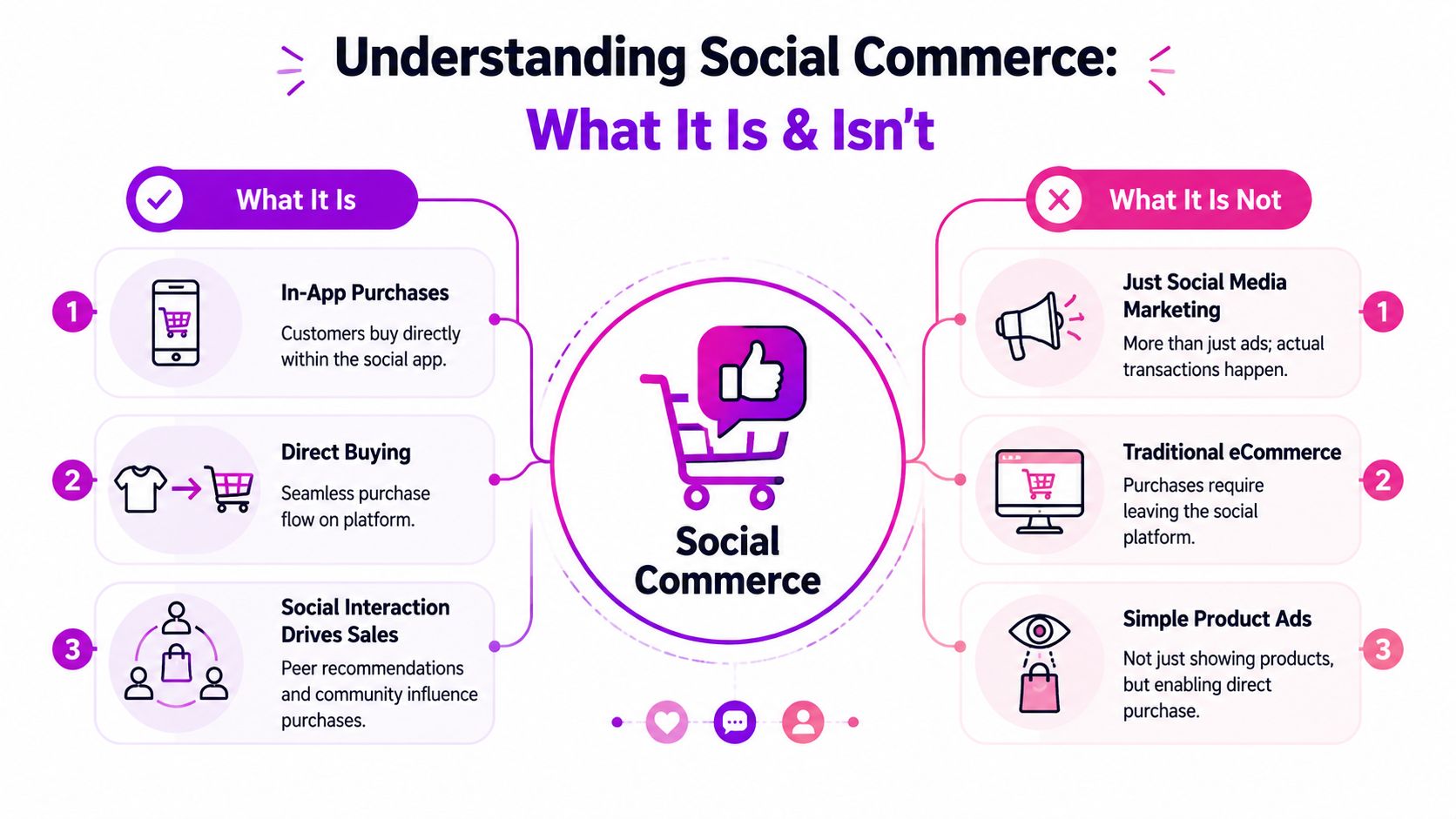
A simple way to think about it
Use a physical retail analogy.
Social media marketing is a billboard. It gets attention and points people toward a store.
Traditional ecommerce is the store itself. People arrive there with some level of intent, browse, then check out.
Social commerce is the display at the counter inside a place people were already spending time in. They notice the product, get social proof from the people around them, and can buy before the moment passes.
That's why social commerce works especially well for visually clear products, products that benefit from demonstration, and products with a strong emotional or identity component.
What it is not
Social commerce gets blurred with adjacent tactics, and that causes bad channel decisions.
It is not:
- Just organic social content: Posting product photos on Instagram isn't social commerce unless the path to purchase is built into the platform experience.
- Just paid social ads: Ads can support social commerce, but buying media and enabling transactions are different jobs.
- The same as your Shopify storefront: Your site is where you control the full experience. Social commerce happens inside environments owned by platforms.
A useful distinction is this short comparison:
| Model | Primary job | Where purchase happens |
|---|---|---|
| Social media marketing | Generate awareness and demand | Usually off-platform |
| Ecommerce | Convert on your owned store | On your website |
| Social commerce | Merge discovery and transaction | Inside the platform, or in a platform-guided flow |
Practical rule: If the shopper has to fully leave the social context and re-enter a separate buying journey, you're doing social marketing that supports ecommerce, not pure social commerce.
That doesn't make it worse. In many cases, it's the smarter choice. But you need to label the model correctly, because the economics, attribution, and data ownership are different.
Key Social Commerce Platforms and Their Features
Not every platform deserves equal effort. The right one depends less on trend chasing and more on how your product is discovered, how much explanation it needs, and whether your audience buys on impulse or after consideration.
eMarketer projects U.S. social commerce sales will exceed $100 billion in 2026, reaching $100.99 billion with 18% year-over-year growth. In that same projection, TikTok Shop is forecast to generate $23.4 billion in U.S. ecommerce sales in 2026 with a 48% annual increase, while Facebook still has about 250 million monthly Facebook Shops users in the U.S. (Ringly summary of 2026 social commerce projections). That mix tells you something important. Newer entertainment-driven platforms are growing fast, but incumbent Meta surfaces still matter at scale.
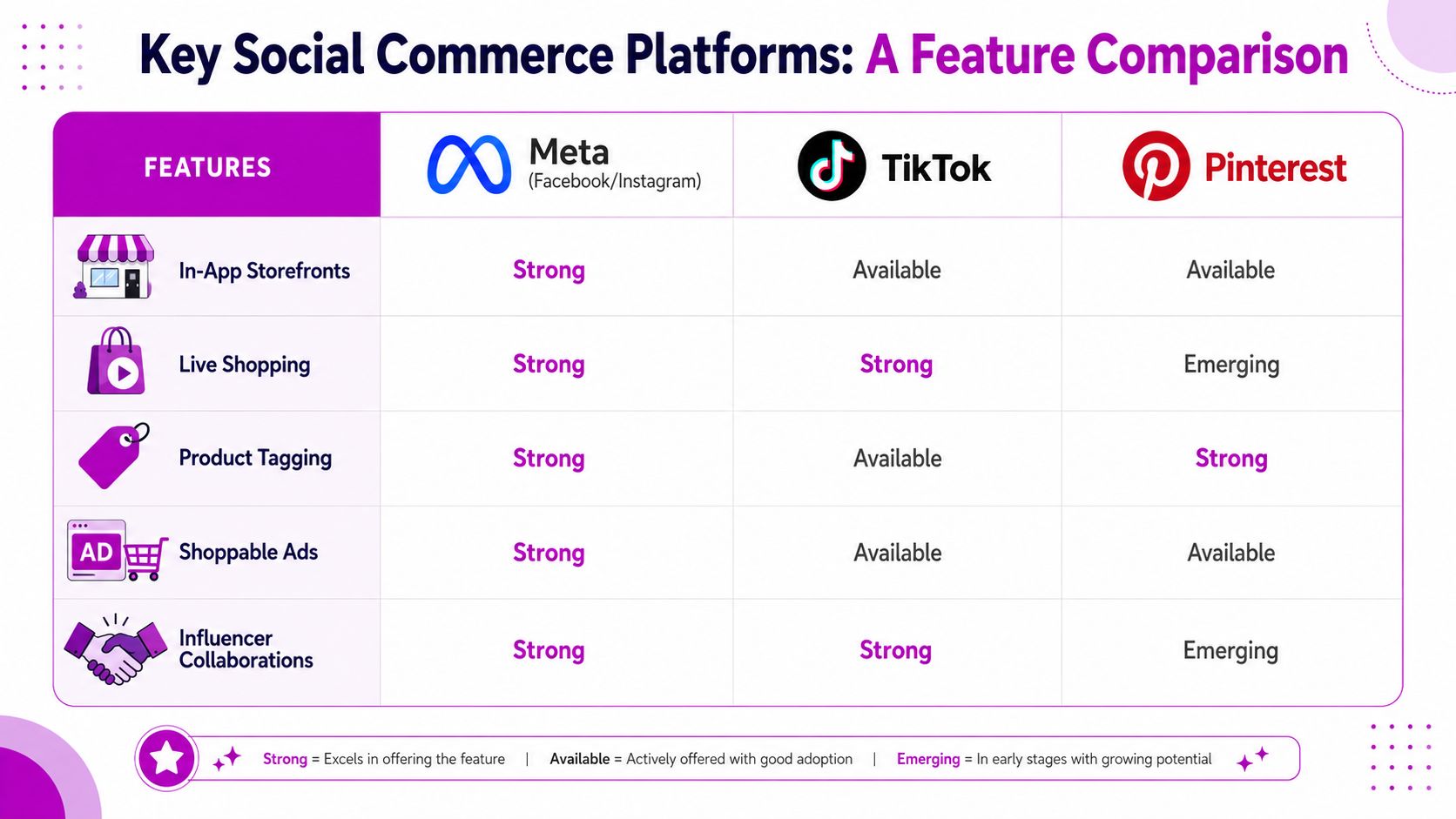
Meta for broad catalog coverage
Meta is usually the most practical starting point for established Shopify brands because it supports storefront-style merchandising across Facebook and Instagram.
What tends to work well on Meta:
- Apparel and accessories: Clear visuals, broad audience fit, easy tagging.
- Beauty and wellness: Strong creator ecosystem and repeat-purchase potential.
- Home and lifestyle: Good fit for collection-based browsing and retargeting.
Meta is rarely the most exciting platform to talk about. It is often one of the most operationally useful. Catalog sync, product tagging, and storefront structure can make it a strong base layer for brands that want consistent merchandising and broad reach.
TikTok for discovery-driven demand
TikTok is the strongest fit when your product wins through demonstration, reaction, or entertainment. If someone needs to see the product in motion, hear a creator explain it, or feel cultural momentum around it, TikTok usually gives you more upside than static-first platforms.
Good fits include:
- Beauty and personal care
- Kitchen and problem-solving products
- Fashion with clear styling angles
- Impulse-friendly accessories and giftable items
TikTok can create demand quickly. It can also punish weak creative just as quickly. Brands that fail on TikTok usually treat it like another ad placement. Brands that win build content that feels native first and commercial second.
Pinterest for planned purchases
Pinterest sits in a different behavior pattern. People often use it while planning, comparing, saving, and organizing ideas. That makes it useful for products with a longer inspiration window.
Pinterest tends to fit:
- Home decor
- Furniture and renovation-adjacent products
- Fashion with seasonal or occasion-driven intent
- Wedding, gifting, and event categories
Pinterest is less about hype and more about durable discovery. Merchants who need immediate social velocity may find it slower. Merchants with strong visual assets and search-aware merchandising often find it steadily effective.
Choose by buying behavior, not platform popularity
A simple decision filter helps:
- If your product needs entertainment and proof in motion, start with TikTok.
- If your catalog benefits from broad merchandising and retargeting support, start with Meta.
- If your product is tied to planning, inspiration, or search-led browsing, start with Pinterest.
For teams managing content across different audiences, even niche sectors can borrow workflow ideas from adjacent industries. For example, a guide on best social media tools for churches is useful because it shows how organizations with limited resources structure scheduling, publishing, and engagement across multiple channels.
The Business Case Why Your Brand Needs Social Commerce
The business case isn't “your customers use social media.” That's too shallow. The case is that social commerce solves several expensive ecommerce problems at the same time.
First, it shortens the path between attention and purchase. Every extra step creates drop-off. If someone discovers a product in a Reel, a TikTok, or a tagged post, then has to switch environments, wait for a site to load, re-orient, and re-find the item, intent leaks out of the funnel.
What it fixes in practice
For many Shopify brands, social commerce improves weak points that already exist:
- Low conversion from social traffic: Product tags and native storefronts reduce the disconnect between content and transaction.
- Thin social proof on product pages: Creator content, comments, saves, and customer posts make the product feel validated before the shopper ever reaches your site.
- Slow feedback loops: DMs, comments, and live interactions reveal objections fast. You learn what customers don't understand, what they want to compare, and what language they use.
That matters more than vanity metrics. Likes don't pay the bills. A smoother route from discovery to purchase does.
Why some brands still underperform
The common mistake is treating social commerce as a catalog export. Merchants connect a feed, tag products, and expect revenue. That rarely works on its own.
Social commerce performs when three things line up:
- The content creates buying intent
- The product offer is easy to understand quickly
- The checkout path matches the shopper's level of intent
If any one of those breaks, results flatten. Strong content with a clumsy purchase path wastes demand. Efficient checkout with weak creative never gets momentum. Good products with poor merchandising disappear inside crowded feeds.
The platform can reduce friction, but it can't fix weak positioning.
A lot of this sits inside your broader funnel design. If you're revisiting paid, owned, and conversion channels together, this guide to building a powerful ecommerce digital marketing strategy is useful because it frames social commerce as one part of the wider growth system, not a standalone tactic.
The real benefit
The benefit is not that social commerce replaces your site. It's that it gives you another way to convert demand at the moment it appears. For some brands, that means in-app checkout. For others, it means social discovery feeding a stronger Shopify conversion path.
Either way, the goal is the same. Don't make the customer restart the buying journey.
How to Implement Social Commerce on Your Shopify Store
The first implementation decision isn't technical. It's commercial. Before you install apps or sync a catalog, decide whether social commerce should close the sale inside the platform or send shoppers back to Shopify.
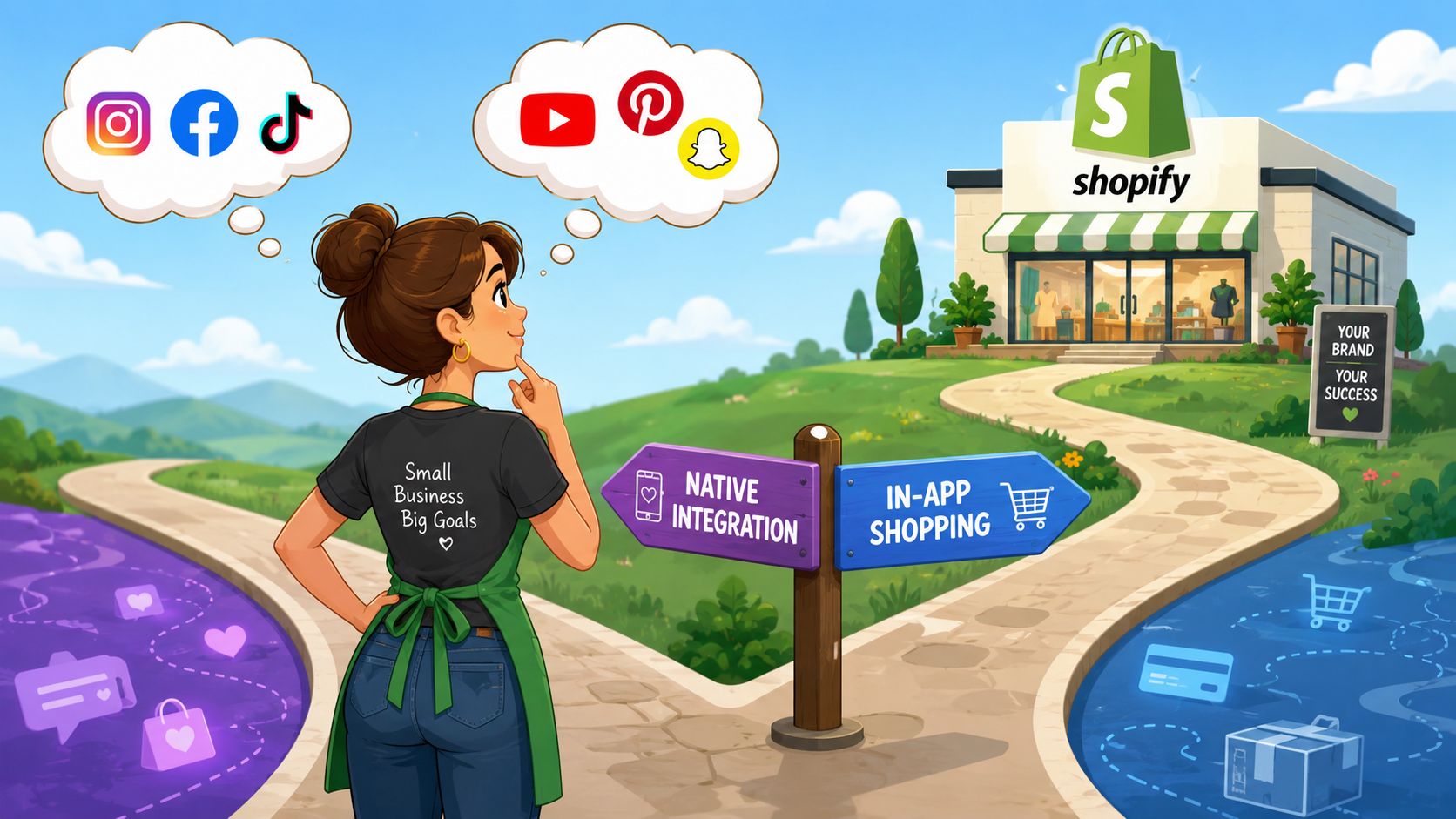
Scayle makes this point well. The strategic question is where the checkout happens, because that choice affects friction, data ownership, margin control, and attribution (Scayle glossary on social commerce models).
Step one is picking your checkout model
There are three workable models for Shopify brands.
Native in-app checkout
This model is built for speed. The shopper discovers the product and completes the order without leaving the platform.
Use it when:
- Your product is impulse-friendly
- Mobile buying behavior dominates
- Creative is the main growth engine
- You're willing to trade some control for less friction
Watch-outs:
- Platform dependency increases
- Customer data can be less complete than your own store flow
- Margin pressure can become more noticeable when platform costs or constraints stack up
Click-out to Shopify
This model uses social as the discovery and intent engine, but your store closes the sale.
Use it when:
- You need stronger control over bundling, subscriptions, upsells, or post-purchase flows
- Retention is a major part of your economics
- You rely on richer first-party customer data
- Your product needs comparison, education, or deeper merchandising
Watch-outs:
- Every extra click can reduce purchase momentum
- Slow mobile landing pages will kill performance
- If the product page doesn't match the promise of the content, the handoff breaks
Conversational commerce
This sits between content and checkout. The customer asks questions in DMs, Messenger, or WhatsApp, then buys after that interaction.
Use it when:
- The product has sizing, fit, customization, or usage questions
- Your team can respond quickly
- Higher-consideration buyers need reassurance before purchase
Step two is connecting Shopify properly
Once the model is clear, then do the platform setup. In practice that means syncing product data, variants, pricing, and inventory accurately.
The workflow usually includes:
- Catalog connection: Push your Shopify catalog into the relevant platform commerce manager or app.
- Product mapping: Make sure variants, images, titles, and descriptions are clean enough to work in social surfaces.
- Inventory sync: Don't treat this as admin work. It directly affects customer experience.
- Order handling: Confirm where orders flow, who owns support, and how returns are managed.
If TikTok is part of your plan, this walkthrough on how to connect Shopify to TikTok Shop is a practical starting point for the integration side.
A short walkthrough can help your team understand the setup flow before launch:
Step three is merchandising for social, not for desktop ecommerce
Many brands lose momentum in this scenario. They reuse standard product data and expect it to perform in feed-driven environments.
You need social-first merchandising:
- Lead with the clearest image: Not the most polished image. The clearest one.
- Write titles for recognition: People should understand the product fast on a small screen.
- Show the use case immediately: Lifestyle content helps, but clarity matters more than mood.
- Keep the offer simple: Social traffic responds better when the value proposition is obvious.
Field note: If your product needs a paragraph of explanation before it looks useful, lead with video or creator content before pushing direct purchase.
Step four is assigning channel ownership
Social commerce fails when no one owns the operational details. Marketing thinks operations has returns covered. Operations thinks support is answering DMs. Support assumes paid media owns the inbox.
Assign clear ownership for:
| Area | Owner should know |
|---|---|
| Catalog and feed health | What's published, rejected, or out of sync |
| Customer support | Where questions arrive and expected response times |
| Promotions | Which offers are valid on-platform versus on-site |
| Reporting | Whether revenue is measured in-platform, in Shopify, or both |
If you want outside support on implementation, agencies like ECORN can help with Shopify development, CRO, and social commerce-related execution. That matters most when the issue isn't “how do we turn this on?” but “how do we make this channel fit the rest of our stack?”
Measuring Success and Avoiding Common Pitfalls
Most social commerce reporting is too soft. Teams talk about reach, engagement, and follower growth when the key questions are operational. Did the channel produce profitable orders? Did the handoff work? Did support, inventory, and merchandising hold up under demand?
The right metrics depend on your model, but they should map directly to potential failure points.
Match the KPI to the problem
Use a simple diagnostic lens:
- Conversion by platform or campaign: Tells you whether the traffic and merchandising fit the surface where the customer discovered the product.
- Social-driven revenue: Shows whether social commerce is becoming a real sales channel or just an engagement engine.
- Product tag or shop click-through quality: Helps you see whether interest in content turns into shopping behavior.
- Cancelled orders and support tickets: Useful when inventory sync or order handling is shaky.
- Response speed in DMs or social inboxes: Important when shoppers expect pre-purchase answers inside the platform.
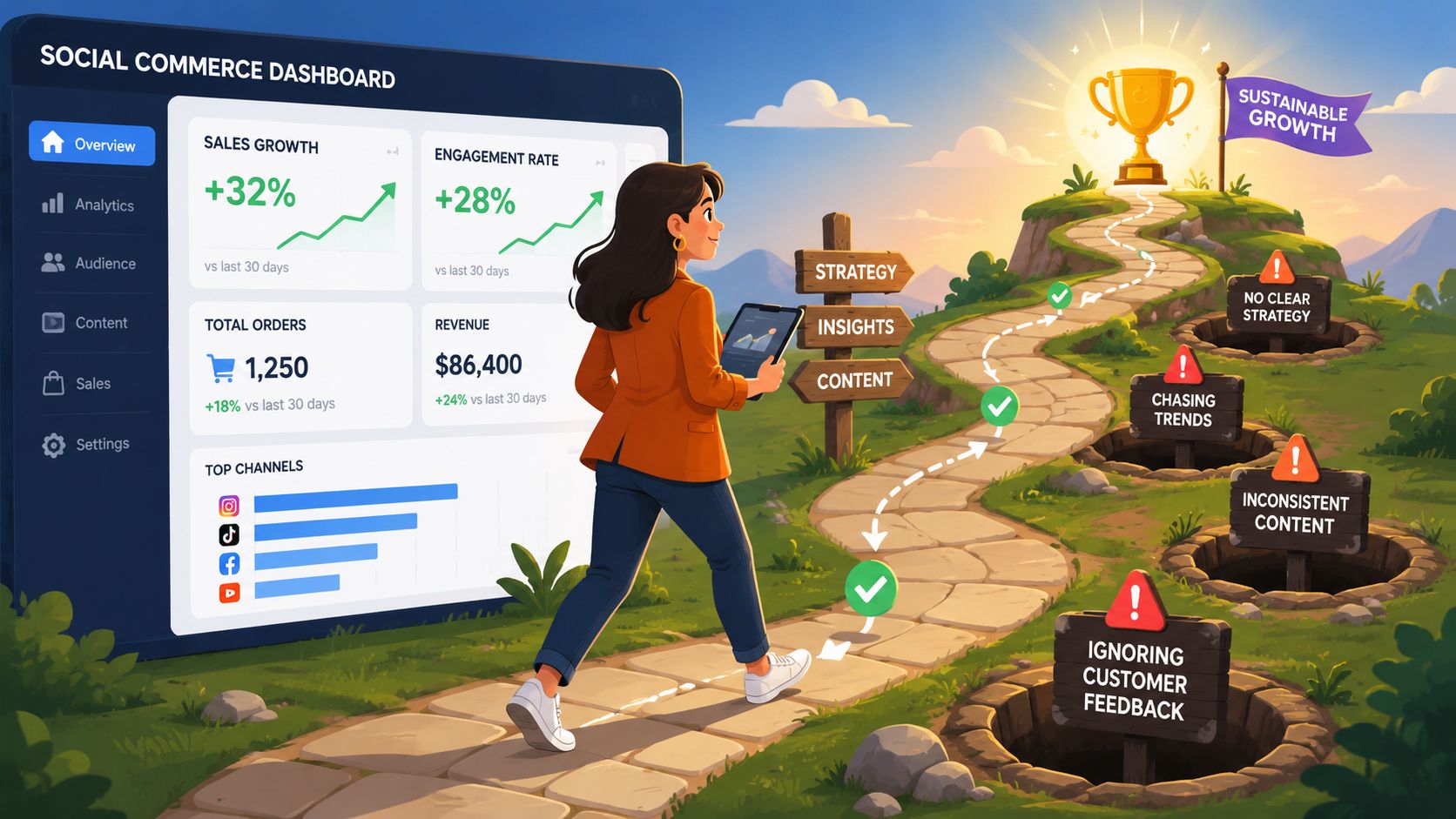
Common mistakes that hurt revenue
Some problems repeat across almost every brand launch.
Weak inventory sync
This creates the worst kind of friction. The customer sees an available product, buys, then learns it's unavailable or delayed. Watch order cancellations, refund reasons, and support messages tied to stock issues.
Treating comments and DMs like secondary support
If people ask “Does this come in another size?” or “Will this work for sensitive skin?” they're close to buying. Slow or missing replies push them away. If your social commerce flow depends on conversation, inbox operations are part of conversion.
Overly polished creative
Content that looks like an ad often performs worse than content that explains, demonstrates, or proves. The fix isn't lower quality. It's higher relevance.
If shoppers stop to watch but don't move toward product views or orders, your content may be entertaining without being commercial.
Build one reporting view
Don't split channel truth across five dashboards. Pull platform data, Shopify data, and customer support feedback into one view your team can review weekly. You need one shared answer to what's selling, where friction appears, and which products are worth pushing harder.
Social Commerce FAQs for Shopify Merchants
Should I use in-app checkout or send traffic to my Shopify store
Use in-app checkout when speed and impulse matter more than control. Use Shopify checkout when customer data, bundling, subscriptions, retention, and margin structure matter more. Many brands end up using both, but not for the same products or campaigns.
How should I handle returns when the order starts on a social platform
Decide this before launch. Your support team needs one clear policy for return windows, refund timing, and where the customer should contact you. Then make sure that policy appears consistently in the platform shop, order communication, and your internal support macros.
Can social commerce work for products that need explanation
Yes, but not with a shallow setup. If the product needs education, use creator demos, comparison content, FAQs in captions, and conversational support. In those cases, social often works better as the demand creator and qualification layer, while Shopify handles the more detailed conversion flow.
If your Shopify brand is deciding how social commerce should fit into acquisition, conversion, and retention, ECORN can help map the trade-offs, connect the technical pieces, and improve the conversion path on the channels that matter to your business.


Shopify Plus Ecommerce Agency: How to Pick the Right One

Shopify Themes Retina: How to Serve 2x Images

How to Cross Sell on Shopify Without Friction
Best Shopify Theme for Custom Products Compared
Multi Store Inventory Management: A Practical Guide

SEO Consulting for Ecommerce: A Practical Guide

Shopify Theme Updater App: A Safe Update Playbook

Shopify Git Integration: A Developer's Guide to 2026
Headless Ecommerce Development Services Explained

How to Build a Shopify Clothing Website That Converts

How to Launch a Box Subscription Business in 2026

Luxury Skincare Branding Playbook That Converters

10 Best Podcast Ecommerce Shows for Store Growth in 2026

Shopify Developer Hourly Rate: What to Pay in 2026

Critical Shopify Setup Errors That Are Secretly Sabotaging Your Store

Ecommerce Conversion Tracking: The Complete How-To Guide

Shopify Design Agency: How to Pick the Right Partner

Mastering Multi Store Management on Shopify

Scale Shopify Store

10 Shopify App Ideas Worth Building in 2026

Conversion Rate Optimization for Landing Pages: The Playbook

Shopify Plus Automation: A Guide for 2026

10 Social Selling Platforms for Shopify Merchants

Shopify Website Design Examples: 7 Stores Worth Studying

7 Ecommerce Newsletter Examples for Shopify Brands

One Product Shopify Store: Build and Scale

Mobile Pop Up Strategy for Shopify Stores That Converts

Sitemap for Shopify: How to Find, Optimize, and Submit It

7 Single Product Websites Worth Emulating

Product Variants Shopify: The Complete 2026 Guide

Ecommerce Analytics Consulting for Growth

What Is AI Integration for eCommerce

How to Choose the Right eCommerce Website Development Firm

E Business Strategy Implementation

Conversion Tracking Setup for Shopify Stores

BigCommerce vs Shopify Plus Which Enterprise Wins in 2026

Shopify Theme Kit: Setup, Commands, and Migration Guide

Shopify Extension Development: A Practical 2026 Guide

Shopify Speed Score Explained and How to Improve It

Shopify Mobile Optimization: The 2026 Playbook

How to Add Subcategory in Shopify for Better UX

How to Implement Structured Data for Ecommerce in 2026

SEO App Mobile: Shopify Store Optimization Guide

Shopify Plus Support: What It Includes and How to Choose

Google Ads for Shopify: The Complete 2026 Playbook

Shopify New York: How to Find and Hire the Right Agency

Google Search Console for Shopify: The Complete Setup

First Party Data Collection for eCommerce Growth

FAQ Online Store Guide: Build and Measure It Right

Do FB Ads Work for eCommerce in 2026?

One Page Checkout for Shopify: Design and Implementation

Shopify GraphQL vs REST: The 2026 Developer Decision

Shopify Ecommerce Consulting: Strategy, Pricing &

Are Reddit Ads Worth It for eCommerce Brands

Shopify Title and Meta Description: A Practical 2026 Guide

Product Video Best Practices for Shopify Brands

Real-Time Inventory Management: A 2026 Guide

AI Chatbot Integration for Shopify Stores

Affiliate Program Management: A Shopify Guide

10 Best Performance Monitoring Tools for Shopify in 2026

Digital Asset Management for eCommerce Brands in 2026

Every Type of Facebook Ads Explained for eCommerce Growth

Product Information Management Explained for Shopify Brands

Support Ticket System: A Guide for Shopify Stores

10 Best Customer Service Tools for Shopify in 2026

Can I Start a Business with No Money? a 2026 Blueprint

What Sells Good on Etsy: Best Niches for 2026

Shopify Add to Cart Button: A Practical 2026 Guide

Customer Feedback Automation: A Practical eCommerce Guide

Critical Rendering Path: A Guide for Shopify Stores

How to Promote on TikTok for eCommerce in 2026

B2B eCommerce Consulting That Drives Real Revenue

10 Best Practices for Site Navigation in 2026

Return vs Refund for Shopify Stores: A Practical Guide

What Is Customer Lifetime Value and Why It Matters

What Is Voice of Customer Research for eCommerce

SMS Marketing for Ecommerce That Actually Converts

Master How to Improve Email Deliverability in 2026

Top 8 eCommerce Partners NYC for Shopify Brands in 2026

Machine Learning for Ecommerce: Boost Your Shopify Store

Beauty Market Research: Your 2026 Growth Guide

Shopify International Expansion: A 2026 Roadmap

What Does CRO Stand for in Business: Understanding CRO

Shopify Visual Merchandising: A Playbook for Higher Sales

Shopify Landing Page Design: Master Conversion in 2026

10 Best AI SEO Optimization Tools for Shopify in 2026

Agentic AI for Ecommerce: Boost Your Sales in 2026
Mastering Email Marketing Data for eCommerce Growth

Conversion Rate Optimisation Australia: Boost Your Sales

Conversion Rate Optimization AI: Your Shopify Store Guide

10 Product Bundling Strategies for Shopify in 2026

How to Increase Customer Lifetime Value: A Shopify Playbook

AI Customer Service Automation: Shopify Guide 2026

Clean Website Design: A Shopify Conversion Playbook

Omnichannel Retail Strategy: A Shopify Playbook

Product Data Enrichment: A Guide for Shopify Brands

Instagram Shopping Features a Guide for Shopify Stores

What Is Revenue Optimization: A Holistic RevOps Guide

Benefits of Conversion Rate Optimization: Boost Your

WordPress to Shopify Migration: Your 2026 Seamless Switch


newsletter in your inbox