


Your Shopify store has probably reached the point where “just install an app” no longer describes the work. A new merchandising tool needs theme access, the CRM needs customer and order data, the warehouse needs inventory events, and the analytics stack needs reliable attribution. Each app looks reasonable in isolation. Together, they can slow the storefront, duplicate records, compete for the same fields, and create an outage nobody owns.
That's why Shopify app integration should be managed as a lifecycle, not a one-time installation. The decision starts before approval, continues through permissions and data mapping, and only ends when the team has a rollback plan, performance baseline, monitoring routine, and replacement criteria.
Why Shopify App Integration Needs a Playbook
A merchant can install an app in minutes and still spend weeks dealing with its consequences. The app may add scripts to a theme, request broad data access, overwrite a metafield, or send an event that another system interprets incorrectly. On a Shopify Plus store, those interactions multiply across markets, catalogs, checkout customizations, fulfillment systems, and internal workflows.
The ecosystem is large enough that app selection itself has become an operating decision. A May 2026 tracker counted 21,509 live public apps in the Shopify App Store, alongside 828,076 reviews and an average rating of 4.65 stars among apps with at least five reviews, according to App Store Pulse's Shopify report. A separate September 2026 snapshot counted 26,142 total apps, with 1,617 added during the preceding 30 days and a 97% year-over-year change, which illustrates the pace of ecosystem expansion. The store isn't a collection of a few optional plugins. It's a platform layer spanning marketing, operations, shipping, analytics, and storefront experience.
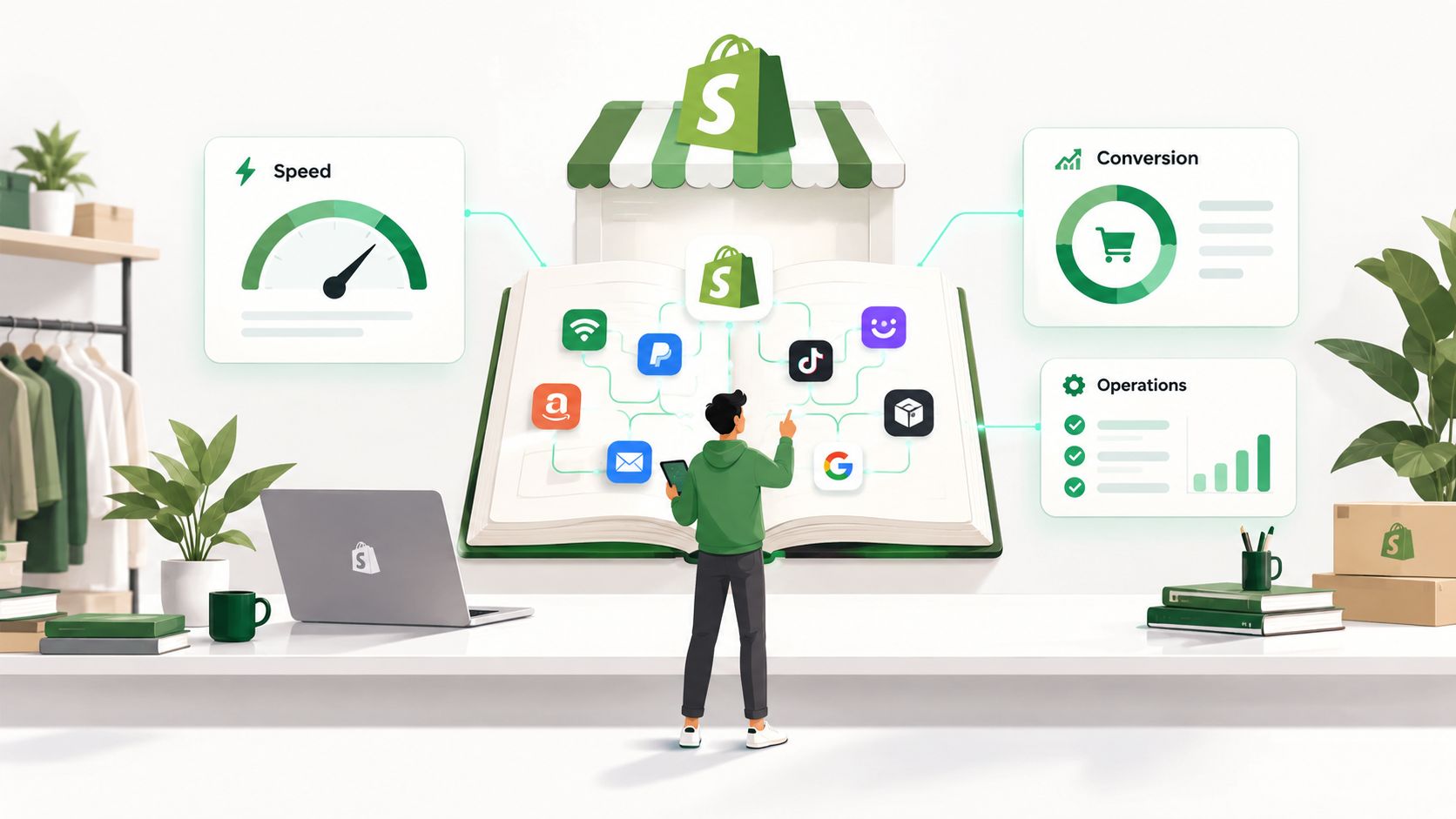
The hidden cost of app sprawl
App sprawl creates debt in several forms:
- Performance debt: Multiple storefront apps may load assets, inject blocks, or compete for rendering time.
- Data debt: Two tools may claim ownership of the same customer, product, order, or metafield.
- Operational debt: Staff must learn separate settings, billing rules, permission models, and support channels.
- Upgrade debt: A deprecated API, theme change, or app update can disrupt a workflow that nobody documented.
- Governance debt: Teams lose track of which app has access to sensitive customer or order data.
Shopify's trajectory explains why this debt matters. The Shopify App Store launched on June 2, 2009, surpassed 10,000 apps by 2024, and a typical merchant used six apps by 2021, based on the historical milestones compiled by Craftberry's Shopify App Store statistics overview. Shopify app partners collectively earned over $230 million in 2020, showing how third-party software is embedded in the commercial model.
A lifecycle that survives growth
The playbook I use treats every integration as five connected decisions: select, install, map, prove, and maintain. A tool that solves a narrow problem cleanly may be safer than a broad platform that duplicates existing capabilities. Sometimes consolidation is the right move. Sometimes a custom integration is justified because the workflow affects revenue, fulfillment accuracy, or customer service.
Founders who need a broader framework for connecting products and systems can also review this resource on integration architecture for founders. The useful question isn't “Can this app connect to Shopify?” It's “What will this connection own, what can it change, and how will the team know when it fails?”
How to Evaluate and Choose the Right Shopify Apps
Star ratings are a starting signal, not a procurement process. An app with excellent reviews may still be a poor fit if it overlaps with an existing tool, requests permissions your team can't justify, or depends on a theme architecture you're planning to replace.
Start with the business job. Write the workflow in plain language, including the trigger, the data involved, the destination, and the desired outcome. “Improve retention” is too broad. “Send order and customer events to the CRM without creating duplicate profiles” gives your team something testable.
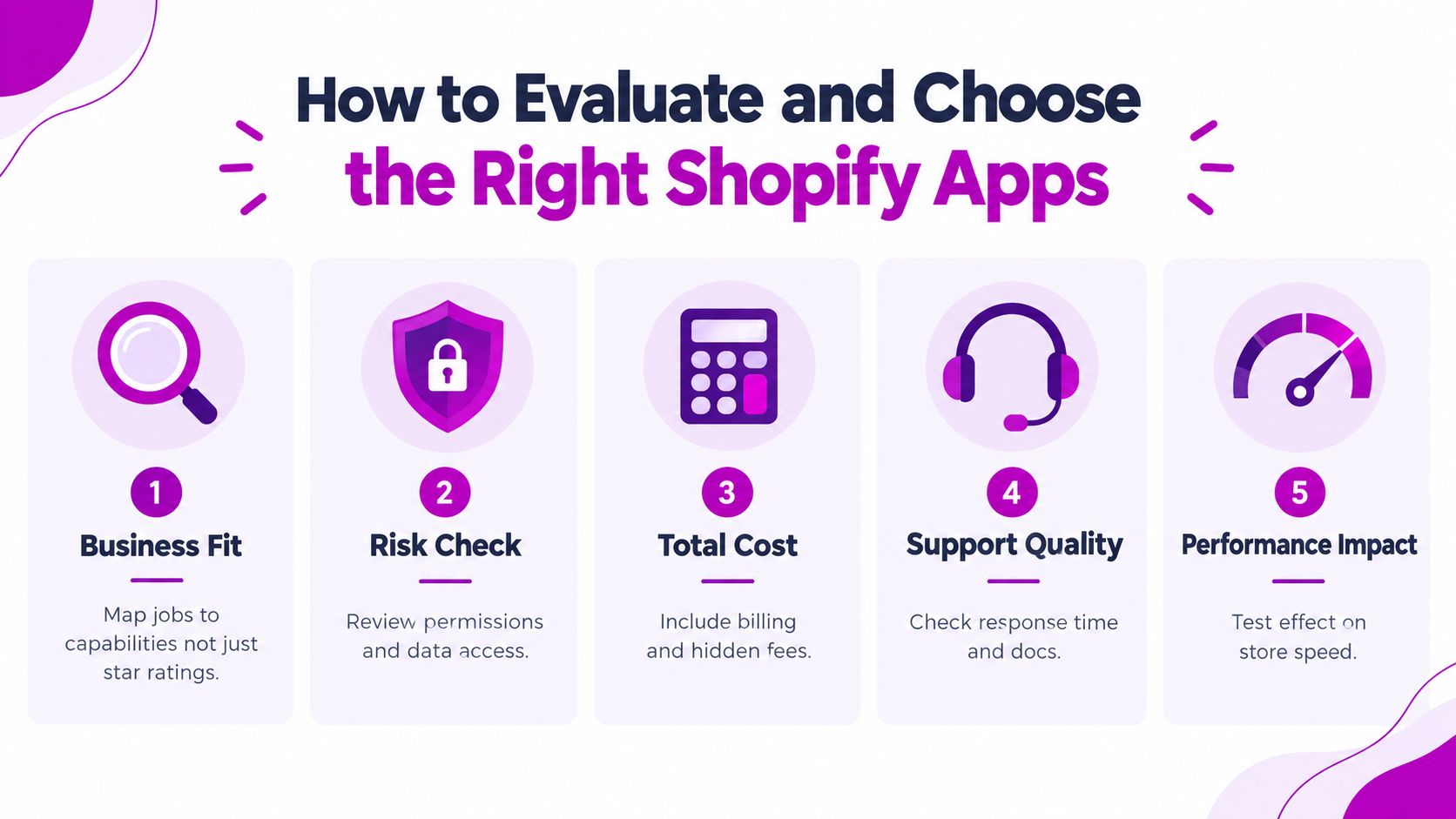
Compare candidates against the same criteria
Use a short matrix before anyone approves an installation. The weights should reflect the store's risk profile. A merchandising app may receive a high performance weight because it touches collection and product pages. A back-office connector may receive a higher data integrity weight because storefront speed isn't its primary exposure.
| Criteria | What to Check | Weight |
|---|---|---|
| Business fit | Does the app solve the defined job without duplicating another tool? | High |
| Data and permission risk | Which resources can it read or write, and are those scopes necessary? | High |
| Total cost | Review subscription terms, usage billing, implementation effort, and replacement cost. | Medium |
| Support quality | Check documentation, escalation paths, changelog detail, and support responsiveness. | High |
| Performance impact | Confirm whether it affects themes, storefront requests, checkout, or admin screens. | High |
Built for Shopify status deserves attention, but it isn't a substitute for testing. Shopify's own performance requirements include a storefront Lighthouse impact limit and explicit admin performance thresholds, so an app's technical behavior matters alongside its marketplace reputation. Review the app's permissions, installation model, theme requirements, API approach, and update history before you look at polish.
Decide between consolidation and best of breed
A single platform can reduce handoffs and simplify ownership, but it may provide weaker depth in a critical workflow. Several specialist apps can offer more control, yet they increase the number of vendors, data contracts, and failure points. The right choice depends on whether the workflow benefits more from specialization or from a shared system of record.
Reject an app when it duplicates a native Shopify feature, cannot explain its data retention behavior, lacks a rollback path, or requires broad access for a narrow job. Reject it when the vendor can't tell you how it handles API changes. A low-friction trial is useful, but only if the team tests the catalog, theme, and operational flow before production.
Decision rule: Choose the smallest integration that solves the defined job, preserves a clear owner for each data field, and can be removed without making the store unshoppable.
Installing Configuring and Connecting Your Apps Safely
Approval is not deployment. Treat installation as a controlled change to a production commerce system, even when the app comes from the Shopify App Store.
Begin on a development or test store. Load representative products, variants, images, discounts, customer records, and order scenarios. A blank store hides the problems that appear when an app encounters the actual shape of your catalog or the edge cases in your fulfillment process.
Use a permission-first installation
Review requested scopes before accepting them. Document why the app needs each resource and identify whether it can read, create, update, or delete records. Keep that record with the integration documentation, because permission review shouldn't depend on the person who happened to install the app.
Check billing before configuration. Confirm whether the app charges a subscription, usage fees, transaction fees, or separate implementation costs. Assign a business owner and a technical owner, then limit staff access to the settings required for their role. Shared administrator access makes troubleshooting harder and weakens accountability.
Theme-based apps need extra care. Prefer Theme App Extensions and app blocks where the vendor supports them, because they give merchants a more controlled way to place functionality in a theme. Treat legacy script-based behavior as a migration risk rather than a permanent foundation. Test in a duplicated theme, verify mobile behavior, and record every manual theme edit.
Connect credentials and map fields deliberately
The common external connection pattern has two distinct stages. First, create or install the app inside Shopify. Then use the app access token and API key to complete the connection to the external service. Store naming, credentials, and field mapping errors cause many failed setups, even when the underlying transport works correctly.
Use a mapping document that names the source field, destination field, transformation rule, ownership, and failure behavior. Decide what happens when a value is blank, changed, deleted, or received twice. Don't allow two systems to update the same field unless the conflict rule is explicit.

Run a connection test with known records. Confirm that the expected object arrives, the correct store is connected, field values land in the right destination, and a failed request produces a visible error. Save screenshots or logs of the successful test, then repeat it after configuration changes.
The following walkthrough can help teams understand the practical shape of a setup flow:
Don't install several apps in one change window. Sequential installation gives the team a baseline and makes it possible to identify which change introduced a theme conflict, duplicate event, or data anomaly.
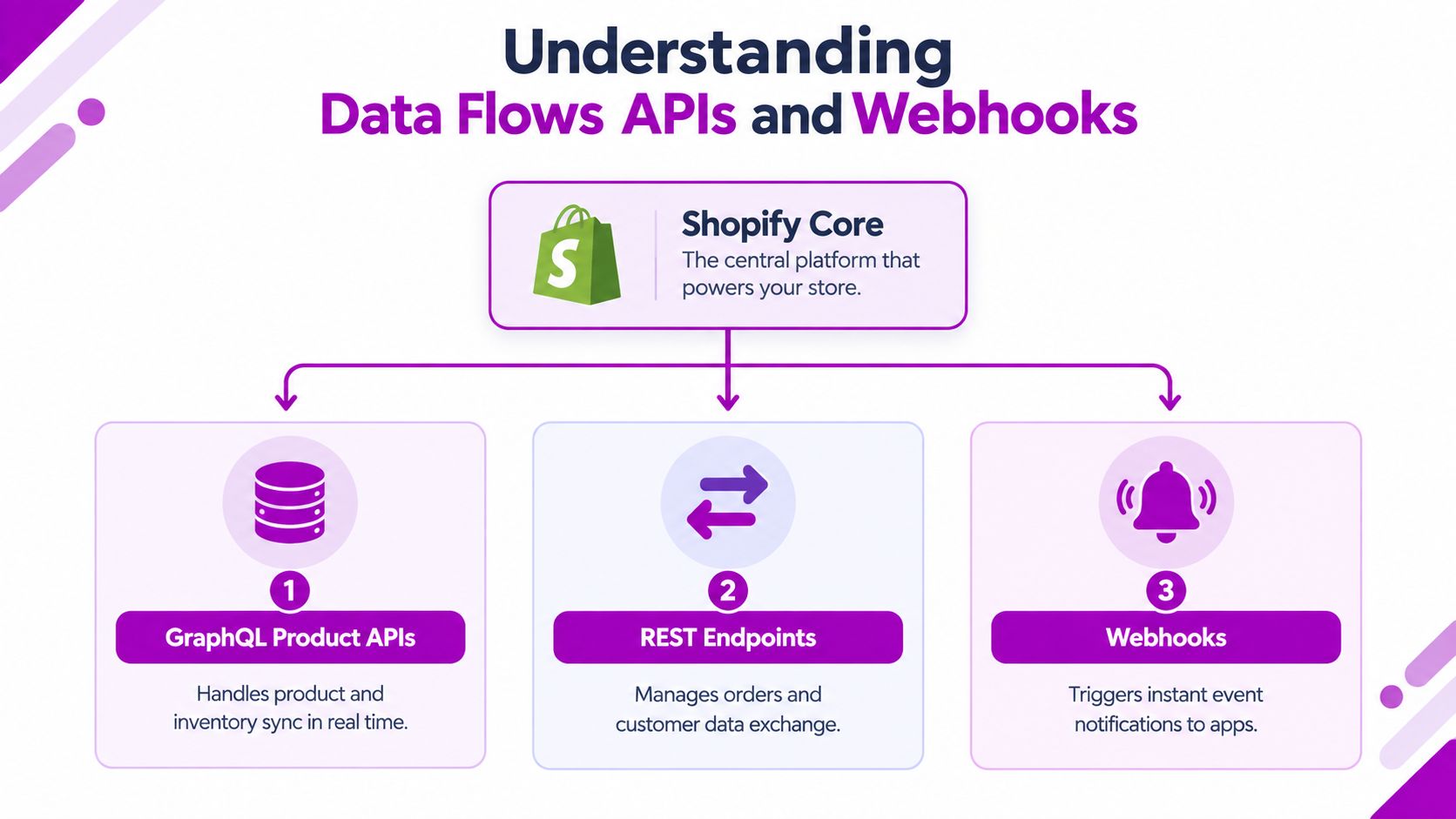
Understanding Data Flows APIs and Webhooks
The “connect” button only establishes a relationship. The integration becomes reliable when the team defines which system owns each object, how data moves, and what happens when delivery fails.
For product and inventory workflows, new Shopify App Store submissions must use the GraphQL Product APIs from January 6, 2025, while public apps were required to migrate by February 14, 2025, according to Shopify's migration guidance summarized in this Shopify integration analysis. Existing integrations should be reviewed against the current API strategy rather than assuming an older connector will remain safe indefinitely.
Design the flow before writing the mapping
Separate data into business objects and event types:
- Products and variants: Define which system owns titles, descriptions, prices, inventory quantities, and merchandising metadata.
- Orders: Decide whether Shopify is the system of record and whether downstream tools receive immutable order events or editable records.
- Customers: Establish the matching key and determine how guest orders, consent, and duplicate profiles are handled.
- Metafields: Document namespaces, keys, value types, and ownership before multiple apps begin writing to them.
- Webhooks: Subscribe only to events the workflow needs, then record delivery, processing, and retry status.
Keep synchronization narrow. Shopify's app-store guidance warns against implying direct synchronization with Shopify or unrelated carts and apps when no such data flow exists, as described in the Shopify app best practices documentation. Broad “sync everything” projects usually create unclear ownership and make failures difficult to isolate.
Build for retries and platform change
Webhooks are notifications, not proof that a downstream process completed. Your receiver should validate the event, persist enough information to retry safely, and use idempotency so the same event doesn't create duplicate orders, customers, or inventory adjustments. Queue processing where appropriate, monitor failures, and alert a named owner instead of allowing errors to accumulate in a log nobody reads.
API calls need the same discipline. Handle rate limiting, transient failures, authentication expiry, malformed payloads, and partial writes. A failed product update shouldn't leave the catalog with a new title but an old price without an operator-visible status.
Script tags are another architectural exposure. Shopify's documentation says script tags stop being added to storefronts on March 1, 2027, so teams should inventory integrations that depend on them and prioritize replacements using supported extension patterns. The migration question is operational: what storefront behavior, tracking event, or merchandising function disappears first if the script no longer loads?
Architecture principle: A resilient integration makes ownership visible. If nobody can explain who writes a field, how an event is retried, and what a migration changes, the integration isn't finished.
Testing Rollout and Performance Optimization
A successful test proves more than authentication. It proves that the app behaves correctly with the store's real templates, assets, devices, customer paths, and operational exceptions.
Shopify's documented workflow is practical: install the app on a test store, configure the most-used features with typical assets, and rerun PageSpeed Insights to measure the change. For storefront-impacting apps, Shopify compares pre-install and post-install Lighthouse scores on home, product, and collection pages using a weighted average method, and an app must not reduce storefront Lighthouse performance by more than 10 points, as specified in Shopify's app performance requirements.
Test the paths that make money
Use a release checklist that follows the customer journey:
- Browse: Check navigation, search, collection filters, product cards, merchandising blocks, and responsive layouts.
- Select: Test variants, subscriptions, bundles, quantity rules, personalization, and inventory states.
- Cart: Add several products, change quantities, remove items, apply discounts, and verify line-item properties.
- Checkout: Confirm that the expected data reaches checkout and that the app hasn't changed shipping, payment, tax, or discount behavior unexpectedly.
- Post-purchase: Verify order creation, fulfillment handoff, customer messaging, analytics events, and refunds.
Test both a normal path and a failure path. Disconnect an external service, submit an invalid value, duplicate an event, and retry a timed-out request. The integration should fail safely, with a useful error and no silent corruption.
Protect the performance budget
Shopify requires admin UI performance to meet Core Web Vitals thresholds at the 75th percentile over a trailing 28-day window. The thresholds are 2.5 seconds or less for Largest Contentful Paint, 0.1 or less for Cumulative Layout Shift, and 200 milliseconds or less for Interaction to Next Paint, based on at least 100 real-user calls, according to the same Shopify performance documentation.
These aren't abstract engineering targets. A storefront app that shifts product cards, delays variant selection, or blocks interaction can create conversion friction even when the checkout itself works. Measure home, product, and collection pages before installation, after installation, and after merchandising configuration. Review mobile behavior separately because a desktop pass can conceal a poor mobile experience.
Roll out with control
Release first to a duplicate theme or controlled audience where possible. Use feature settings or flags to activate the app's behavior gradually, monitor error logs and real-user performance, and define the disable procedure before launch. Freeze nonessential theme changes during the rollout so the team can attribute regressions accurately.
Remove unused app assets after uninstalling. An app that leaves blocks, snippets, scripts, or tracking calls behind can continue affecting the storefront after the subscription ends. The final approval should require a documented rollback, not just a green installation screen.
Maintaining Troubleshooting and Scaling Your Integrations
Lifecycle governance needs an owner and a rhythm. Review webhook failures, API errors, sync queues, theme changes, permissions, billing, and app updates on a recurring basis. The schedule can vary by business risk, but critical order, inventory, and checkout-adjacent integrations deserve more attention than a low-risk reporting connector.
Keep an integration register with the app name, business owner, technical owner, data scopes, objects, theme touchpoints, API version, webhook topics, vendor contact, rollback method, and last verification date. That register turns troubleshooting from detective work into an operating process.
Fix the failures teams see most often
Credential errors usually come from the wrong store, expired authorization, or a mismatched token. Reconfirm the store identifier, reconnect through the approved installation flow, and rotate credentials through the documented process rather than pasting new values into multiple systems.
Field mapping errors need record-level inspection. Compare the source payload with the destination record, check data type and formatting rules, and test blank, changed, and duplicate values. If two tools write to the same metafield or customer attribute, assign one owner and make the other read-only.
Theme conflicts require isolation. Disable the app in a duplicate theme, inspect app blocks and extension settings, then compare the rendered output with the production theme. Don't “fix” a conflict with an undocumented snippet that another developer will later mistake for native theme logic.
Consolidate before complexity becomes normal
Ask whether each app still earns its place. Replace overlapping tools with a native capability, a consolidated platform, or a custom workflow when the maintenance burden exceeds the value. Shopify's 2025 trend coverage points toward consolidation, composable commerce, agentic AI workflows, and stricter performance expectations, while Shopify's admin guidance favors keeping core workflows inside Shopify and simplifying third-party settings. The practical test is whether the integration reduces friction or adds governance debt.
Shopify Plus teams also need multi-store controls. Keep configuration differences explicit, document which stores share credentials or mappings, and treat checkout extensibility and market-specific behavior as separate test surfaces. Higher platform capacity doesn't remove the need for ownership, idempotency, monitoring, or release discipline.
For teams that need implementation support across app connections, APIs, and store operations, ECORN's Shopify integration services cover the delivery work behind a governed integration stack.
Use this checklist before approving any new connection:
- Business job: Define the workflow and success condition.
- Ownership: Name the system and team responsible for each important field.
- Permissions: Record every requested scope and its business justification.
- Performance: Capture the baseline, test representative assets, and document the impact.
- Data resilience: Verify retries, idempotency, deduplication, and failure alerts.
- Migration exposure: Check API dependencies, extension architecture, and script usage.
- Rollback: Document how to disable the app and restore the prior storefront behavior.
- Review date: Set a point at which the app's value, cost, and risk will be reassessed.
ECORN helps Shopify and Shopify Plus teams design, build, test, and maintain app integrations across storefronts, APIs, and operational systems. If your store is dealing with app sprawl, migration exposure, or performance regressions, visit ECORN to discuss a focused integration, CRO, or Shopify Plus development project.



Shopify CMS Integration: Your 2026 Guide to Options

Shopify Store Audit: Find Hidden Conversion Leaks

Shopify Plus Experts: How to Hire the Right Team

Chargeback Protection Shopify: A Practical 2026 Guide

8 Examples of Conversion Rate Optimization
How to Conversion Rate Optimization for Shopify Stores

Shopify Design Essentials Every Store Owner Needs
Ecommerce Terms of Service: How to Draft and Implement

How to Implement Structured Data for Ecommerce in 2026

SEO App Mobile: Shopify Store Optimization Guide

Shopify Plus Support: What It Includes and How to Choose

Google Ads for Shopify: The Complete 2026 Playbook

Shopify New York: How to Find and Hire the Right Agency

Google Search Console for Shopify: The Complete Setup

First Party Data Collection for eCommerce Growth

FAQ Online Store Guide: Build and Measure It Right

Do FB Ads Work for eCommerce in 2026?

One Page Checkout for Shopify: Design and Implementation

Shopify GraphQL vs REST: The 2026 Developer Decision

Shopify Ecommerce Consulting: Strategy, Pricing &

Are Reddit Ads Worth It for eCommerce Brands

Shopify Title and Meta Description: A Practical 2026 Guide

Product Video Best Practices for Shopify Brands

Real-Time Inventory Management: A 2026 Guide

AI Chatbot Integration for Shopify Stores

Affiliate Program Management: A Shopify Guide

10 Best Performance Monitoring Tools for Shopify in 2026

Digital Asset Management for eCommerce Brands in 2026

Every Type of Facebook Ads Explained for eCommerce Growth

Product Information Management Explained for Shopify Brands

Support Ticket System: A Guide for Shopify Stores

10 Best Customer Service Tools for Shopify in 2026

Can I Start a Business with No Money? a 2026 Blueprint

What Sells Good on Etsy: Best Niches for 2026

Shopify Add to Cart Button: A Practical 2026 Guide

Customer Feedback Automation: A Practical eCommerce Guide

Critical Rendering Path: A Guide for Shopify Stores

How to Promote on TikTok for eCommerce in 2026

B2B eCommerce Consulting That Drives Real Revenue

10 Best Practices for Site Navigation in 2026

Return vs Refund for Shopify Stores: A Practical Guide

What Is Customer Lifetime Value and Why It Matters

What Is Voice of Customer Research for eCommerce

SMS Marketing for Ecommerce That Actually Converts

Master How to Improve Email Deliverability in 2026

Top 7 eCommerce Partners NYC for Shopify Brands in 2026

Machine Learning for Ecommerce: Boost Your Shopify Store

Beauty Market Research: Your 2026 Growth Guide

Shopify International Expansion: A 2026 Roadmap

What Does CRO Stand for in Business: Understanding CRO

Shopify Visual Merchandising: A Playbook for Higher Sales

Shopify Landing Page Design: Master Conversion in 2026

10 Best AI SEO Optimization Tools for Shopify in 2026

Agentic AI for Ecommerce: Boost Your Sales in 2026
Mastering Email Marketing Data for eCommerce Growth

Conversion Rate Optimisation Australia: Boost Your Sales

Conversion Rate Optimization AI: Your Shopify Store Guide

10 Product Bundling Strategies for Shopify in 2026

How to Increase Customer Lifetime Value: A Shopify Playbook

AI Customer Service Automation: Shopify Guide 2026

Clean Website Design: A Shopify Conversion Playbook

Omnichannel Retail Strategy: A Shopify Playbook

Product Data Enrichment: A Guide for Shopify Brands

Instagram Shopping Features a Guide for Shopify Stores

What Is Revenue Optimization: A Holistic RevOps Guide

Benefits of Conversion Rate Optimization: Boost Your

WordPress to Shopify Migration: Your 2026 Seamless Switch

Boost Sales: Ecommerce Payment Processing Guide 2026

Unified Commerce Platform: Benefits, KPIs & Shopify Guide

How to Reduce Bounce Rate eCommerce: Your 2026 Guide

Shopify API Integration: A Practical End-to-End Guide

How to Implement Data Governance: A 2026 Guide

Shopify Store Development Cost: A 2026 Breakdown

What Is Server Side Tracking: The Shopify Guide 2026

Marketing Automation Workflows: A Shopify Guide for 2026

Shopify: How to Reduce Technical Debt

Shopify UX Design Change: A Playbook for Growth

User Generated Content Strategy: Shopify Playbook

Shopify Pause and Build Plan Cost: A Complete 2026 Guide

Compare at Price on Shopify: A Complete Guide for 2026

Where Can I Sell My Prints? 10 Best Platforms for 2026
Shopify Order Management System: The Ultimate Guide 2026
What Is Marketing Attribution? an eCommerce Guide for 2026

10 Best Black Friday Sales Sheets for 2026

Discover the Top Social Media Marketing Agencies For

Consumer Confidence Definition for eCommerce in 2026

What Is Social Commerce? Your 2026 Guide to Boosting Sales

A Social Ad Campaign Playbook for eCommerce Growth

7 Best FAQ Page Examples for SaaS & eCommerce

Market Research in Fashion Industry: A Guide for Shopify

Shopify Migration Services: Expert Guide for 2026

Mastering FB Retargeting Ads for Shopify in 2026
What Is Omnichannel Ecommerce

Master Your Shopify Plus Migration: The 2026 Guide
Shopify Integration Services: A Merchant's 2026 Guide

Shopify Collection Description: A Guide to SEO & Sales

Shopify Plus Contact: Reach Sales & Support Effectively

Top Luxury Shopify Stores: Design & UX Strategies
How to Improve Customer Experience: A Shopify Roadmap

Creative Facebook Ads: 10 Examples for Shopify Brands


newsletter in your inbox