

A standard Shopify Plus organization includes 1 main store and up to 9 expansion stores at no extra contract cost, provided each store extends the same brand. That single condition overturns the most popular advice you'll hear about Shopify Plus expansion stores, which treats the nine slots as free stores for any idea, label, or side project.
They aren't. The allowance is a same-brand entitlement for localized versions of one business, not a multi-brand license. The second common mistake follows from the first. Teams open a store, translate every page, and call it localized, while payment methods, duties, delivery promises, and returns stay foreign. Shoppers notice the second list at checkout, where margin is made or lost.
Use the nine slots sparingly. Prove a market needs its own store, then build that store around the economics of that market.
What the Plus Store Allowance Includes
You can act on the entitlement today if your next store passes one test. The Shopify expansion stores documentation states that a standard Plus organization can operate up to 10 stores without additional cost, made up of 1 main store and 9 expansion stores.
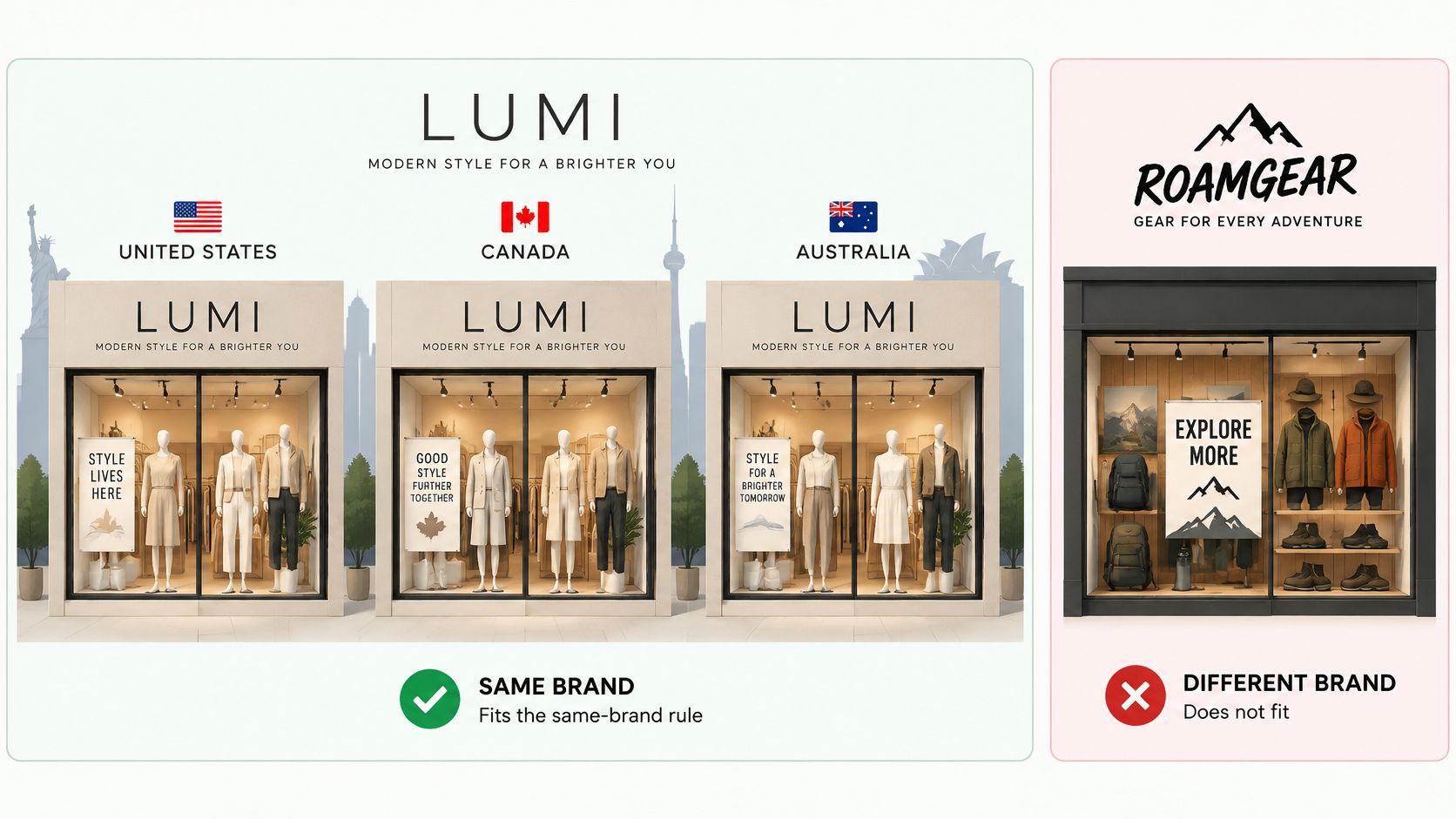
Those extra stores exist for localized versions of a single brand. Say you sell the same apparel line from distinct storefronts for the United States, Canada, and Australia. Each market gets its own language settings, currency, and regional operations, while the organization keeps administration and billing central.
The Same-Brand Test
An expansion store must extend the main brand, use the same brand identity, and sell the same types of goods or services. A second, unrelated label doesn't qualify, even if you own both labels and you still have unused slots.
Read that rule beside the number every time you plan a market. The question isn't only whether a slot is free. It's whether the store you want to put in that slot is recognizably the same brand selling the same kind of products.
Nine available slots don't create nine valid uses. The brand and goods have to match first.
Plus store types inside one organization
| Store type | Counts toward 10 | Extra Plus contract fee | Theme license | Intended use |
|---|---|---|---|---|
| Main store | Yes, 1 of 10 | Included in the Plus contract | Required for the live theme | Primary storefront for the brand |
| Expansion store | Yes, up to 9 | No additional fee for the standard nine | Separate license for each live store | Same brand, localized region, language, or currency |
| Staging store | No, excluded from the cap | Included for development use | As needed for the environment | Build, QA, and release testing |
| Live store past the nine | Not covered by the standard allowance | Not automatic; needs a separate arrangement | Required if the store is live | Extra markets or a brand that fails the same-brand test |
What Stays Independent
Central billing doesn't mean central everything. Each live store remains independently configurable, so your team still sets up its theme, apps, catalog, domains, currencies, and staff access store by store. A regional team can run day to day storefront settings without taking over organization level administration.
- Theme and content: License the theme for that live store where a license applies, then adapt layout and copy for the market.
- Catalog and pricing: Decide which products appear, what they cost, and which currency shoppers see.
- Operations: Configure payments, shipping, tax, duties, and returns for that region.
- People: Give regional staff the access they need in their store, and keep organization controls with organization admins.
That's the budget catch. The nine store allowance is an entitlement, not a built store. You don't pay an extra Plus contract fee for a standard expansion slot, but you still pay in setup time, localized content, app configuration, operational work, and a separate theme license where one applies.
Staging stores help you protect the live allowance. They're excluded from the 10 store limit, so development and QA environments don't consume a slot you could sell from.
Before you reserve a slot, check it against the broader value of the contract you're already paying for. Our guide to the benefits of Shopify Plus helps you judge whether the next market belongs inside the nine or needs a different conversation entirely.
When Markets Beats a Separate Store
Start with the shared catalog case, because it's the most common one. If you're selling substantially the same products, through the same checkout model, under the same legal entity and team, you probably don't need another store yet.
The Shopify Markets getting started guide describes how one store can configure country or regional experiences for currency, language, product availability, and pricing. That keeps market settings in one admin and avoids maintaining the same theme and app stack twice.
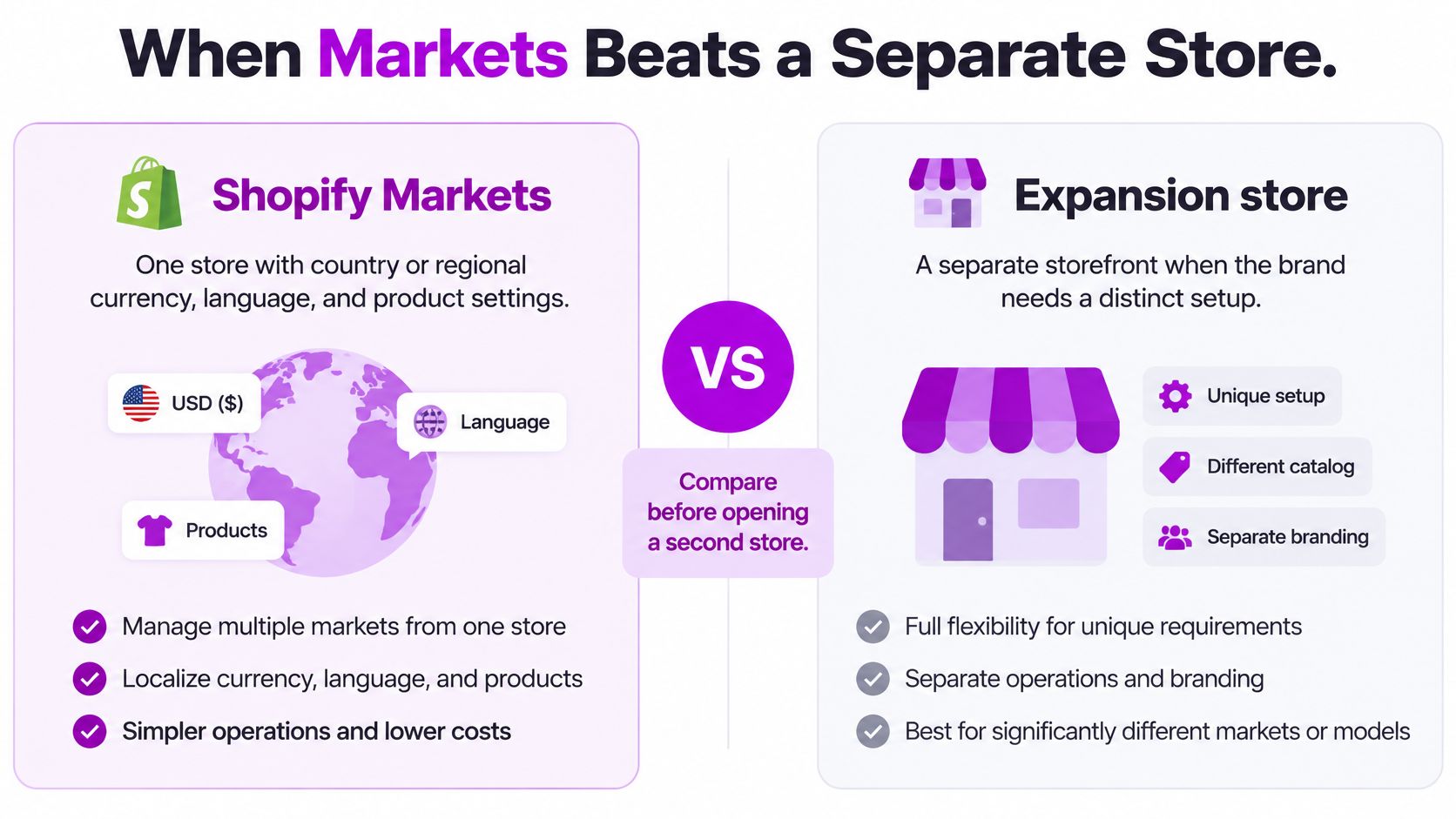
Shopify Markets versus an expansion store
| Decision point | Shopify Markets | Expansion store |
|---|---|---|
| Catalog | One catalog with regional availability and pricing | Fully separate catalog and merchandising |
| Checkout and fulfillment | Shared checkout model and operations | Can differ by region, carrier, or process |
| Legal entity and team | One store ownership and admin | Separate operational ownership is possible |
| Storefront experience | Shared theme with localized content | Independent theme, content, and release cycle |
| Maintenance cost | One theme and one app stack | Own theme license plus duplicated QA, apps, and analytics |
| Choose it when | Catalog, checkout, team, and brand stay substantially the same | Divergence creates compliance or operations pain that outweighs duplication |
Why One Store Often Feels Local Enough
A shared store isn't a generic store forced on every shopper. Shopify's theme infrastructure supports localization selectors through the Liquid localization object and localization form, so shoppers can choose a country or language. Shopify Plus also provides automatic country detection to preselect the relevant enabled market.
Say a skincare brand sells the same range in three countries, with the same products, same claims, and same fulfillment logic. Different currencies and translated product pages don't justify three admins. Markets handles the regional presentation while the team maintains one catalog and one release cycle.
When a Split Earns Its Cost
A separate store becomes defensible when a region needs a materially different catalog, checkout or fulfillment process, legal entity, owning team, or storefront experience. Name that divergence in one sentence before you build. If you can't, you're likely duplicating work for a translation project.
The split path carries costs that don't show up in a feature comparison. Every live expansion store needs its own theme license, and your team duplicates theme development, QA, analytics setup, app configuration, and release management for each storefront.
Decision rule: Prototype the market in Markets first. Split only when regional divergence creates operational or compliance complexity that costs more than the duplication you'll take on.
That rule protects you in both directions. You won't trap a genuinely different region inside a shared setup that fights it, and you won't multiply maintenance for a market that only needed local pricing.
Localization That Changes Margin
Translation is visible, so teams fund it first. Margin usually moves elsewhere. Shoppers judge whether the price is credible, whether they can pay the way they normally pay, when the order will arrive, what duties they'll owe, how returns work, and who answers support questions.
The execution gap is still wide. DHL's 2025 cross-border survey found that 22% of Canadian, 21% of US, and 18% of UK B2C businesses still do not localize ecommerce with local languages and currencies. Payment preference also varies sharply, since digital wallets represent 77% of transactions in Asia Pacific but 23% in Latin America.
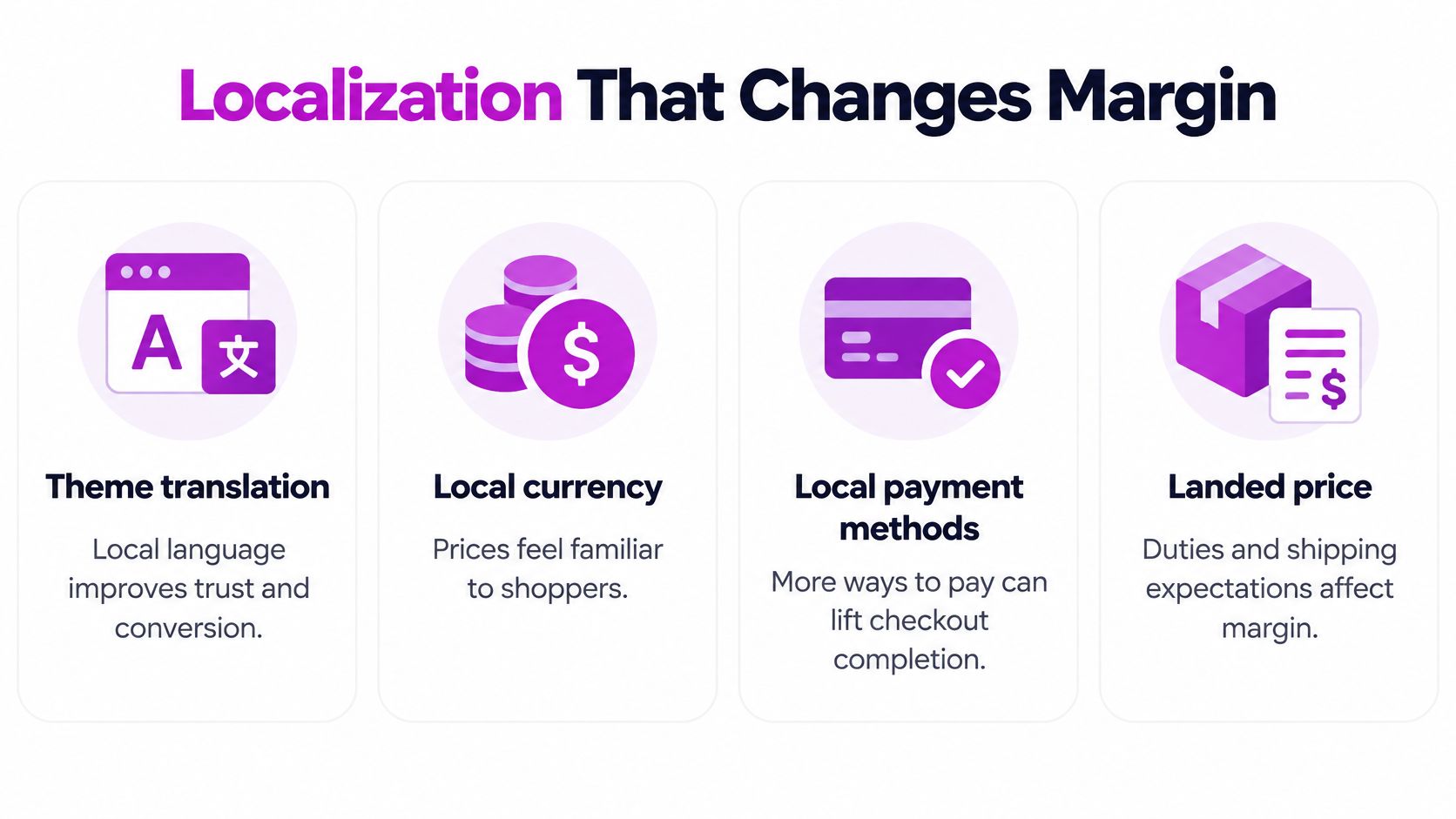
That wallet gap changes your checkout bet. A wallet first market and a card first market shouldn't receive the same payment priority, the same checkout testing, or the same launch budget.
Market readiness scorecard
| Readiness item | What to verify | Priority |
|---|---|---|
| Local payment methods | Match wallets and cards to the market; wallets are 77% of Asia Pacific transactions and 23% of Latin American transactions | Before translation |
| Landed price | Show duties, shipping, and tax before checkout | Before translation |
| Delivery promise | Carrier, timeframe, and tracking match local expectations | Before translation |
| Returns path | Local returns address and refund method are defined | Before cloning |
| Support hours | Customer questions are answered in the local language and time zone | Before cloning |
| Full page translation | Storefront and emails translated after the checks above pass | Last |
Rank the Spend Before You Translate
Run the first five checks in order. Confirm the shopper can pay, sees an honest landed price, gets a delivery promise you can keep, knows how to return the product, and can reach support. Then translate the full storefront and emails.
A smaller market often gains more from a trusted payment method and transparent duties than from translating every page. That doesn't make language unimportant. It means language shouldn't consume the budget while checkout still surprises shoppers with extra costs.
Calculate earnings after delivery costs and transaction fees, then extend that view to duties, refunds, FX, and support costs. Watch conversion, delivery problems, and customer questions before you scale the same setup into another country. If shoppers keep asking where their order is or why the final price changed, cloning the store will clone the problem.
Our planning guide for Shopify international expansion connects those market checks to the wider entry sequence. Use it to turn the scorecard into a ranked spend list for the one market you're opening next, not a generic localization wish list.
Store Setups That Fit the Same Brand
Patterns make the eligibility rule easier to apply than definitions do. Three setups below fit because the brand and product types stay constant while one operational fact changes. The fourth fails for the opposite reason.
Fashion Across Three Countries
Say a fashion brand sells one catalog to the United States, Canada, and Australia. The jackets, sizing logic, and brand story don't change, so the same-brand test is comfortable. Duties, carriers, delivery times, and returns handling do change, and each region needs operations your team can control without disturbing the others.
The single divergence is landed cost and fulfillment. Separate storefronts let each region present its own shipping promise and returns path while merchandisers keep the same seasonal range.
Beauty With Regulated EU Claims
Say a beauty brand sells the same serums in the US and the EU, but the EU store must show different ingredient disclosures, restrict certain claims, and name a local legal seller. Publishing US claims in Europe creates compliance risk, and watering down US copy to satisfy Europe weakens both stores.
Here the divergence is regulated claims and the legal seller. The EU expansion store owns compliance copy that the US store must not publish, with its own product pages, legal pages, and review process.
Retail and Wholesale Under One Identity
Say a home goods brand sells the same products to consumers and to trade buyers. Retail shoppers need standard pricing and a fast checkout. Wholesale buyers need price lists, different staff handling, and a buying flow built around larger orders.
The divergence is the selling motion. A second store can work if both storefronts still sell the same goods under one brand identity. If the wholesale side starts carrying unrelated product categories under a different name, it stops looking like an extension of the main store.
The Setup That Does Not Fit
Say a group runs a successful footwear brand on Plus and wants to place a new, unrelated supplement label in an unused expansion slot. The slot is empty, the team knows Shopify, and the contract is already paid for. None of that matters.
The label has a different identity and sells different goods, so it fails the same-brand and same-goods test. Plan it as its own contract conversation instead of treating it as a free ninth store. Map your proposal to one of these four patterns before anyone discusses domains or themes.
How to Launch One Expansion Store
Build in an order that catches expensive mistakes while they're still cheap. Each step below prevents a specific failure, so don't treat the sequence as a feature tour you can shuffle.
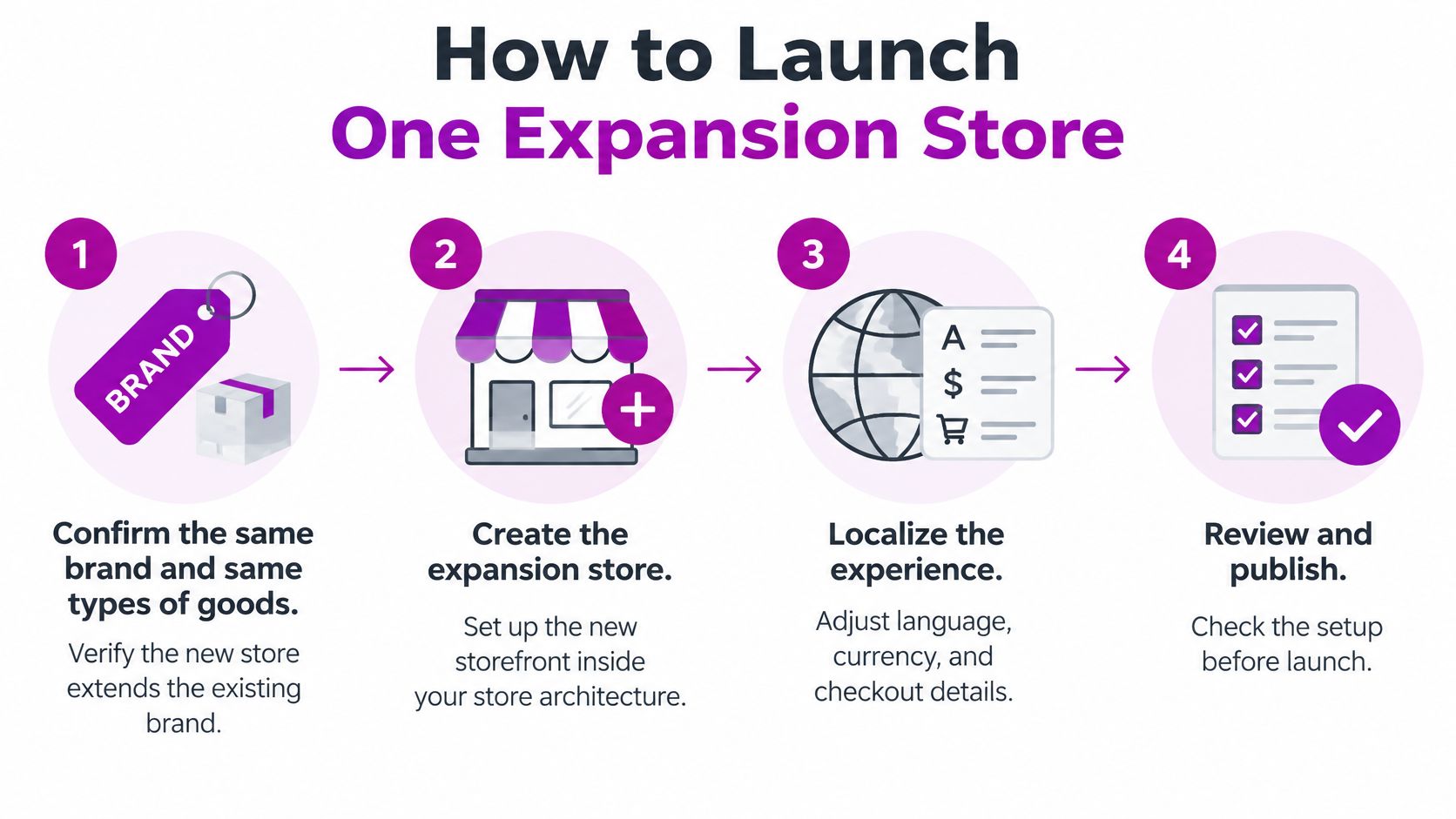
Confirm and Create
- Confirm the brand fit. Write down how the new store extends the main brand and sells the same types of goods. This stops a brand that fails the same-brand rule from consuming a slot you'll have to unwind later.
- Create the store inside your existing Plus organization. Billing stays on the current contract, and organization admins keep oversight from day one. Creating a detached store instead invites a separate billing and access tangle.
- Assign the regional domain, language, and currency. Agree the naming pattern before you create the store, and keep staging environments out of your live count. This prevents development stores from eating capacity meant for selling.
Build Only What the Market Needs
- License and adapt the theme for this store. Don't assume the main store license covers the new storefront. A licensed, adapted theme prevents a regional store from launching on an unlicensed copy and gives the regional team a clean base to change.
- Install only the apps and rules this market needs. Add the payment methods, shipping setup, tax and duty rules, and apps that serve this region. Copying the full main store stack by default creates app sprawl, extra cost, and tax settings nobody has checked.
- Set staff permissions by responsibility. Regional staff should run day to day settings in their store, while organization admins keep billing and user control. Tight permissions stop one person's mistake from reaching every store in the organization.
- Separate analytics properties and naming. Give the new store its own property, naming convention, and reporting view. Clear separation prevents revenue from being double counted across stores and makes regional performance readable.
- QA on a staging store. Test checkout, duties, returns, and transactional emails in the local language, with real regional addresses and payment methods. Staging catches checkout and duty errors before customers find them, and it doesn't consume an expansion slot.
- Write the release rule. Decide which theme and app changes stay local and which must be ported back to the main store, and who approves each kind. A written rule stops regional code from drifting so far that future updates become a rebuild.
- Audit the current market. List its catalog items, prices, shipping zones, and payment methods. Mark the one divergence that now justifies a split, so the new store solves a named problem.
- Map the new store. Confirm the same brand and same goods, reserve the expansion slot, and set the domain, language, and currency.
- Plan every URL. Map each market page to its new address and prepare permanent redirects so rankings and inbound links carry over instead of landing on error pages.
- Decide what happens to customer data. Accounts, order history, and loyalty balances don't merge automatically. Choose whether you'll copy records, re-invite customers, or keep accounts separate, and tell shoppers what to expect.
- Map inventory and fulfillment. Assign each location and carrier to the new store, then confirm the same stock can't be sold twice during the transition.
- Re-point measurement. Move analytics, ad pixels, and tag managers so conversions land in the right property from the first order.
- Rehearse on staging. Run a full rehearsal outside the live store cap, including a test order with duties and a completed return.
- Cut over in a quiet window. Pick low order volume hours, keep the existing market pricing live until redirects are verified, and keep a rollback plan you can execute without improvising.
- Monitor daily at first. Watch conversion, redirect errors, and support tickets every day for the first thirty days. Close the old market configuration only after those signals settle.
- Write three lines. Name the target market, the divergence it creates, and the first margin risk you expect. Keep each line short enough to argue about.
- Stay on Markets when the fundamentals match. If catalog, checkout, team, and legal entity match your current store, fix payments and landed cost there before you build any new storefront.
- Open one expansion store when they don't. If the region needs its own catalog, legal entity, or team, launch that single store properly and finish the full build sequence before you consider another country.
- Don't spend a slot on a shared setup. If the next country would share catalog, checkout, team, and legal entity with a store you already run, improve the weak market economics on that store instead.
- Bring in specialist help for multi-store development. Work that goes beyond a theme tweak usually needs more capacity than an in house team can spare across every storefront.
Name an owner for content, checkout, and releases before launch day. A store without named owners becomes everyone's side task and nobody's priority.
Measure and Test Before Shoppers Do
Assign each step to a person, not a team. Content, checkout, and releases each need one accountable owner who can say no when a launch date pressures the team to skip staging or permissions.
Migrating a Market Into Its Own Store
Moving a proven market out of a shared setup is a migration, not a fresh launch. You have live traffic, existing customers, and URLs that already earn visits, so sequence matters more than speed.
Limits That Stay After Launch
A correct launch doesn't repeal the constraints. An expansion store still can't host a different brand identity or unrelated goods, no matter how many slots remain unused. If a regional store gradually becomes a different business, it has outgrown the entitlement that created it.
Data stays separate unless you deliberately connect it. Analytics, customer accounts, and inventory don't merge on their own, so decide what syncs across stores and what stays regional. Document that decision where new staff will find it, because undocumented sync rules turn into stock errors and confused customers.
Access risk grows with store count. The same people often administer the whole organization, so one permission mistake can reach further than it would in a single store. Review who holds organization level access whenever someone changes role or leaves.
Currency display isn't margin. FX movement, duties, refunds, and local support costs can erase the gain from a translated homepage, so track contribution per order rather than celebrating storefront traffic. When you monitor search visibility for each regional storefront, a rank tracker from Keyword Kick can help you see whether the right store is surfacing for the right market queries.
Recurring costs need a standing budget line. Theme licenses and duplicated QA return with every live store and every release, and a staging store, useful as it is for testing, doesn't substitute for a licensed theme on a live storefront.
Run a quarterly review for each live store. Check it against the same-brand test, the shared catalog question, and its margin numbers. Merge or retire any store that fails those checks instead of letting habit keep it alive.
Choose Markets or One New Store
Pick one next move, assign it to one owner, and give it a date. Multi-store plans stall when every country stays theoretically open and none gets finished.
Your Five Step Decision
We're an official Shopify Partner Agency, and we scope this work two ways. Single-project work on Shopify and Shopify Plus costs $69 per hour, with no minimum or maximum project size. For scaling brands at $100k/mo on Shopify Plus or with multiple storefronts, the Shopify pack costs $6400 per month and includes 160 hours of the eCommerce team.
Bring your written market, divergence, and margin risk to that scoping conversation. You'll get a price for a specific store, with a specific owner and launch date, rather than an estimate built on a hunch.
If your next market has outgrown a shared store, we can confirm the same-brand fit, build the expansion store inside your Plus organization, and localize payments, duties, delivery, and checkout before translation spend takes over. Visit ECORN to scope one store properly, with the market, divergence, and margin risk written down before development starts.


Shopify Theme Update: Safe Steps, Backups and Rollback
Shopify Website Design Packages: What You Actually Get

How to Choose a Shopify Plus Web Design Agency in 2026
Shopify Plus Ecommerce Agency: How to Pick the Right One
Shopify Themes Retina: How to Serve 2x Images

How to Cross Sell on Shopify Without Friction
Best Shopify Theme for Custom Products Compared
Multi Store Inventory Management: A Practical Guide

SEO Consulting for Ecommerce: A Practical Guide
Shopify Theme Updater App: A Safe Update Playbook
Shopify Git Integration: A Developer's Guide to 2026
Headless Ecommerce Development Services Explained

How to Build a Shopify Clothing Website That Converts
How to Launch a Box Subscription Business in 2026

Luxury Skincare Branding Playbook That Converters
10 Best Podcast Ecommerce Shows for Store Growth in 2026
Shopify Developer Hourly Rate: What to Pay in 2026
Critical Shopify Setup Errors That Are Secretly Sabotaging Your Store

Ecommerce Conversion Tracking: The Complete How-To Guide

Shopify Design Agency: How to Pick the Right Partner

Mastering Multi Store Management on Shopify

Scale Shopify Store

10 Shopify App Ideas Worth Building in 2026

Conversion Rate Optimization for Landing Pages: The Playbook

Shopify Plus Automation: A Guide for 2026

10 Social Selling Platforms for Shopify Merchants

Shopify Website Design Examples: 7 Stores Worth Studying

7 Ecommerce Newsletter Examples for Shopify Brands

One Product Shopify Store: Build and Scale

Mobile Pop Up Strategy for Shopify Stores That Converts

Sitemap for Shopify: How to Find, Optimize, and Submit It

7 Single Product Websites Worth Emulating

Product Variants Shopify: The Complete 2026 Guide

Ecommerce Analytics Consulting for Growth

What Is AI Integration for eCommerce

How to Choose the Right eCommerce Website Development Firm

E Business Strategy Implementation

Conversion Tracking Setup for Shopify Stores

BigCommerce vs Shopify Plus Which Enterprise Wins in 2026

Shopify Theme Kit: Setup, Commands, and Migration Guide

Shopify Extension Development: A Practical 2026 Guide

Shopify Speed Score Explained and How to Improve It

Shopify Mobile Optimization: The 2026 Playbook

How to Add Subcategory in Shopify for Better UX

How to Implement Structured Data for Ecommerce in 2026

SEO App Mobile: Shopify Store Optimization Guide

Shopify Plus Support: What It Includes and How to Choose

Google Ads for Shopify: The Complete 2026 Playbook

Shopify New York: How to Find and Hire the Right Agency

Google Search Console for Shopify: The Complete Setup

First Party Data Collection for eCommerce Growth

FAQ Online Store Guide: Build and Measure It Right

Do FB Ads Work for eCommerce in 2026?

One Page Checkout for Shopify: Design and Implementation

Shopify GraphQL vs REST: The 2026 Developer Decision

Shopify Ecommerce Consulting: Strategy, Pricing &

Are Reddit Ads Worth It for eCommerce Brands

Shopify Title and Meta Description: A Practical 2026 Guide

Product Video Best Practices for Shopify Brands

Real-Time Inventory Management: A 2026 Guide

AI Chatbot Integration for Shopify Stores

Affiliate Program Management: A Shopify Guide

10 Best Performance Monitoring Tools for Shopify in 2026

Digital Asset Management for eCommerce Brands in 2026

Every Type of Facebook Ads Explained for eCommerce Growth

Product Information Management Explained for Shopify Brands

Support Ticket System: A Guide for Shopify Stores

10 Best Customer Service Tools for Shopify in 2026

Can I Start a Business with No Money? a 2026 Blueprint

What Sells Good on Etsy: Best Niches for 2026

Shopify Add to Cart Button: A Practical 2026 Guide

Customer Feedback Automation: A Practical eCommerce Guide

Critical Rendering Path: A Guide for Shopify Stores

How to Promote on TikTok for eCommerce in 2026

B2B eCommerce Consulting That Drives Real Revenue

10 Best Practices for Site Navigation in 2026

Return vs Refund for Shopify Stores: A Practical Guide

What Is Customer Lifetime Value and Why It Matters

What Is Voice of Customer Research for eCommerce

SMS Marketing for Ecommerce That Actually Converts

Master How to Improve Email Deliverability in 2026

Top 8 eCommerce Partners NYC for Shopify Brands in 2026

Machine Learning for Ecommerce: Boost Your Shopify Store

Beauty Market Research: Your 2026 Growth Guide

Shopify International Expansion: A 2026 Roadmap

What Does CRO Stand for in Business: Understanding CRO

Shopify Visual Merchandising: A Playbook for Higher Sales

Shopify Landing Page Design: Master Conversion in 2026

10 Best AI SEO Optimization Tools for Shopify in 2026

Agentic AI for Ecommerce: Boost Your Sales in 2026
Mastering Email Marketing Data for eCommerce Growth

Conversion Rate Optimisation Australia: Boost Your Sales

Conversion Rate Optimization AI: Your Shopify Store Guide

10 Product Bundling Strategies for Shopify in 2026

How to Increase Customer Lifetime Value: A Shopify Playbook

AI Customer Service Automation: Shopify Guide 2026

Clean Website Design: A Shopify Conversion Playbook

Omnichannel Retail Strategy: A Shopify Playbook

Product Data Enrichment: A Guide for Shopify Brands

Instagram Shopping Features a Guide for Shopify Stores


newsletter in your inbox