


You've launched a Shopify store, published hundreds of products, and submitted the sitemap. Yet Google Search Console still shows a frustrating gap between the URLs Shopify lists and the pages Google has indexed. That gap often leads teams to edit themes, install another SEO app, or resubmit the same file repeatedly, when the issue is usually discovery, crawlability, or page quality, not sitemap generation.
A sitemap for Shopify is useful infrastructure, but it isn't an indexing switch. Shopify creates the XML files automatically. Your job is to verify that the files expose the right URLs, submit the parent file correctly, audit localized versions, and investigate why important pages remain undiscovered or unindexed.
Why Your Shopify Store Needs a Healthy Sitemap
A store owner notices the problem after months of steady work. Products are live, collections are organized, and paid campaigns are sending visitors to the site, but organic traffic remains flat. In Search Console, the sitemap has been submitted, yet many important product pages still don't appear in the index.
The sitemap isn't necessarily broken. It may be listing URLs Google can discover but doesn't consider ready to index. It may also be out of alignment with canonical tags, redirects, access rules, or the store's internal links. That distinction matters because a sitemap tells Google where a URL exists, not whether Google must index or rank it. Google's sitemap documentation makes the same practical point: sitemaps support discovery, while Google makes its own crawling and indexing decisions.
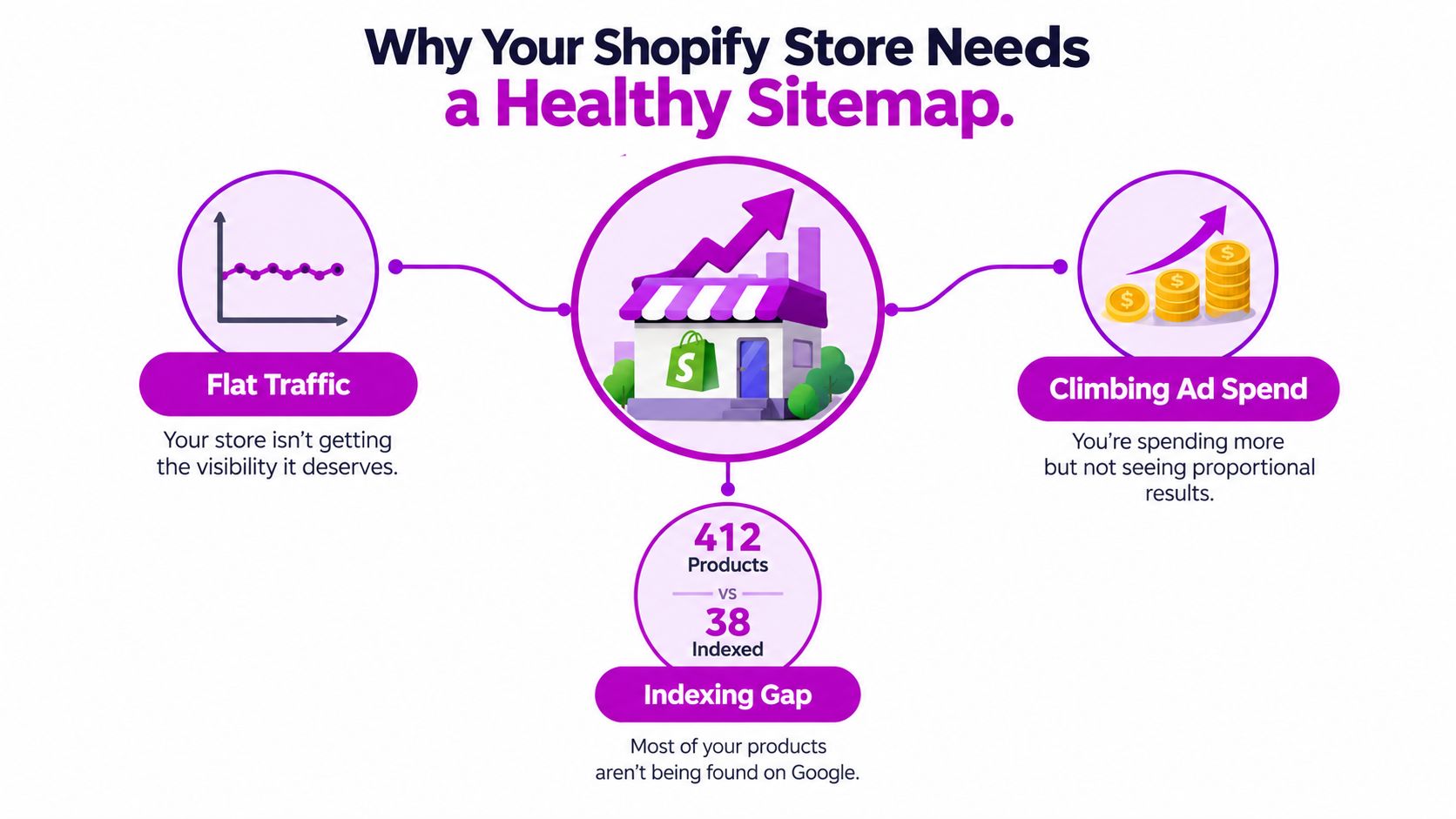
Discovery is not the same as indexing
Large catalogs expose weaknesses that small stores can hide. A product buried behind several collection layers, a page reachable only through filtered navigation, or a recently migrated URL may not receive enough crawl attention from internal links alone. The XML sitemap gives Google a structured list of published product, collection, blog, and page URLs to inspect.
It also helps you compare intended coverage with actual coverage. If a product appears in the sitemap but has a noindex directive, redirects elsewhere, or a canonical pointing to another page, the file is exposing a conflict rather than solving one.
Practical rule: Treat the sitemap as a discovery map first, a technical quality check second, and a ranking lever never.
Shopify's automatic canonical behavior can help consolidate duplicate URL versions, but it doesn't replace a clean information architecture. Keep important products linked from relevant collections, make their canonical URLs consistent, and use the sitemap to confirm that the pages you want Google to find are present.
Finding the Default Sitemap Shopify Generates
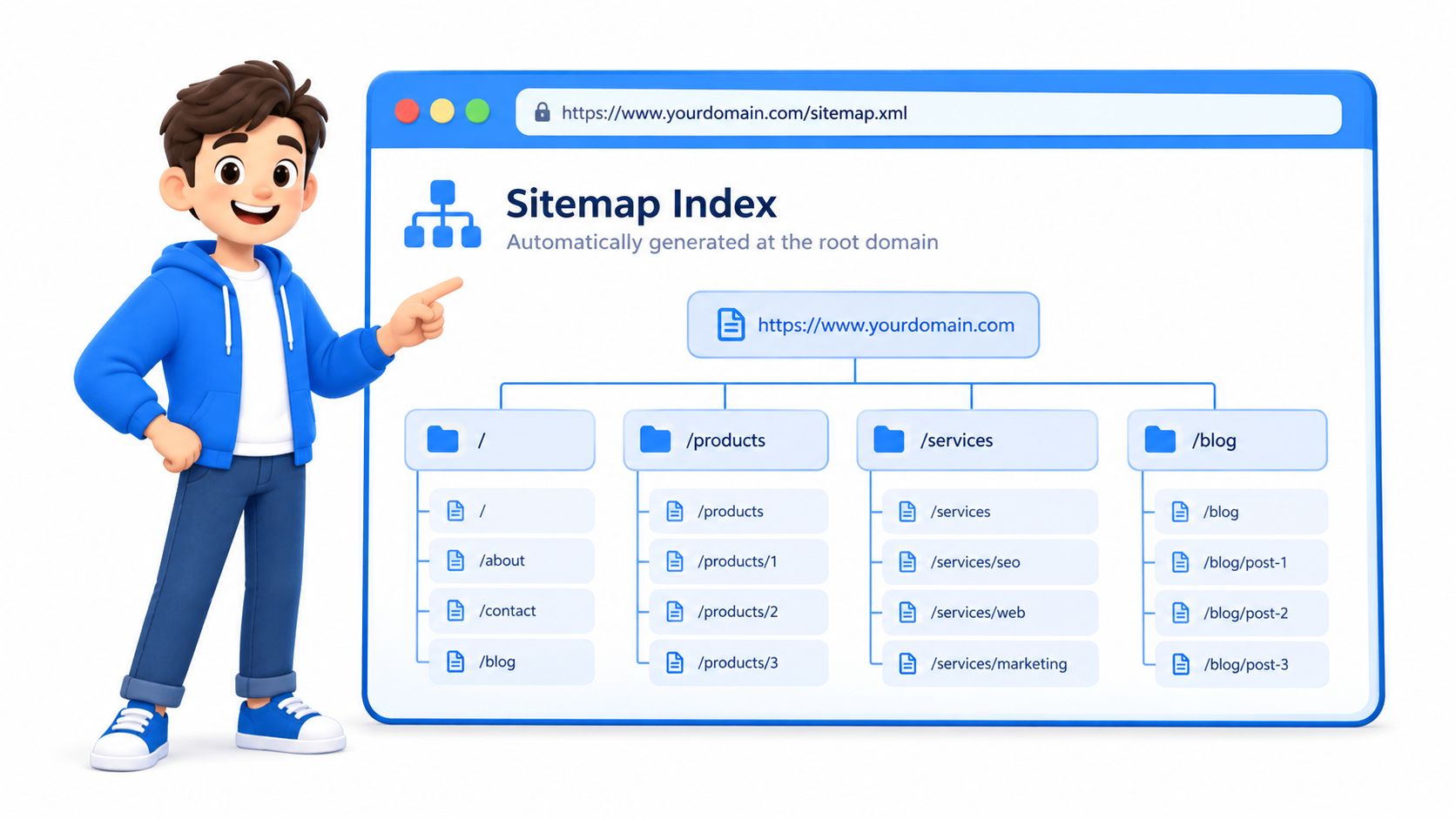
A live Shopify store publishes an XML sitemap at the root of its primary domain. Open a browser and enter the domain followed by /sitemap.xml, such as https://your-store.com/sitemap.xml. Shopify's official sitemap guidance confirms that Shopify generates this file automatically and includes published products, primary product images, pages, collections, and blog posts.
The first file is usually a sitemap index, not a single list containing every storefront URL. It links to child files for products, collections, pages, and blog posts, and large catalogs may have several product files. Use the filenames shown in the index as your reference. Shopify can change the generated structure, so do not assume a child URL exists because another store uses that pattern.
Inspect the parent and child files
Load the parent file over the live HTTPS domain. Check that each <loc> value uses the same host customers visit, then open the linked child files. A sitemap can be fetched successfully while still containing URLs that redirect, resolve to another canonical page, or belong to the wrong domain.
Review representative URLs from each group:
- Product URLs: Confirm published products use their live canonical paths.
- Collection URLs: Check that current collections replace retired campaign destinations.
- Page URLs: Test buying guides, landing pages, and support content.
- Blog URLs: Verify published posts resolve without redirects or access restrictions.
If the root sitemap returns a 404, test the production domain instead of a preview or password-protected storefront. A custom-domain setup, host mismatch, or non-production environment can make a valid sitemap appear missing. Do not create a replacement XML file until the host is confirmed.
Shopify splits large catalogs into child files to stay within Google's documented limit of 50,000 URLs per sitemap file and 50 MB uncompressed. Inspecting those child files matters because submitting the index only starts discovery. Google may need additional crawl cycles to process changes, and localized stores should audit each domain or language path for correct hosts, canonicals, and live URLs.
Submitting Your Sitemap in Google Search Console
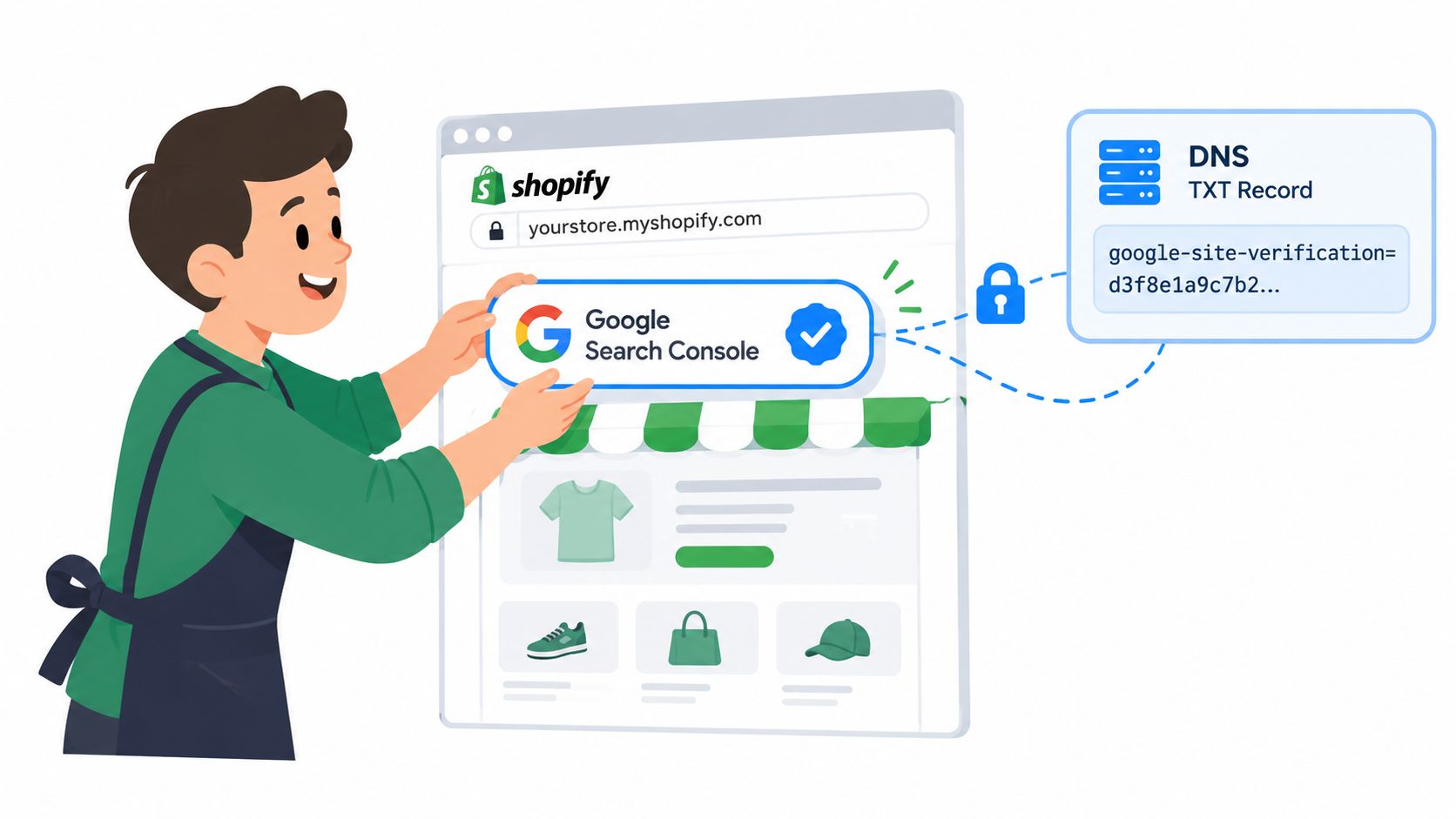
Verification comes before submission. Add the production Shopify domain to Google Search Console and verify ownership using a method that remains independent of theme edits, such as DNS verification. Make sure the property covers the host you submit, because a sitemap on one domain variant won't be treated as the same submission on another property.
For a practical walkthrough of the broader setup, use this Google Search Console guide for Shopify.
Once the property is verified, follow this sequence:
- Open Sitemaps: In Search Console, select Indexing, then Sitemaps.
- Enter the root path: Use
sitemap.xmlin the submission field when the selected property already represents your store domain. - Submit the parent file: Google will fetch the root index and follow the child sitemap references.
- Review the status: A clean fetch should move toward a successful submission. A failure requires investigation of the host, access rules, or property selection.
Submit the parent sitemap only. Adding every product, collection, page, or blog child file separately creates unnecessary administrative clutter and can make diagnosis harder. The Shopify index already tells Google where those files are.
Google Search Console provides visibility into whether Google can fetch the sitemap and how submitted URLs relate to indexing reports. It doesn't force Google to index every listed page, so avoid judging success solely by the submission status.
After the initial submission, give Google time to process the structure before making repeated changes. If the store has undergone a major domain, URL, or catalog change, resubmitting the root file is reasonable. Repeatedly clicking submit won't repair a noindex directive, a redirect chain, a blocked resource, or a weak product page.
A visual walkthrough can help teams confirm they're using the correct Search Console area:
Optimizing Sitemap Quality for Better Crawling
A healthy sitemap contains URLs that are accessible, canonical, indexable, and valuable enough to deserve search visibility. Shopify controls the generated XML, so optimization usually happens by fixing the pages and settings that determine what Shopify publishes, rather than by editing the file directly.
Open the root sitemap in a browser, follow its child files, and compare the output with a crawl of the live storefront. An audit tool can expose conflicts that aren't obvious from the XML alone. For example, a listed product may return a redirect, carry a meta robots restriction, or declare a different canonical URL.
What to inspect first
Focus on mismatches between sitemap inclusion and indexability. Search result pages, cart URLs, parameter variations, and temporary landing pages generally don't belong in a search discovery feed. If Shopify lists a URL you don't want indexed, fix the page-level configuration, theme logic, app behavior, or publication status that generated the conflict.
The <lastmod> value deserves more attention than the legacy frequency fields. It should reflect a meaningful content update, not a bulk app save that touches every product and makes the entire catalog appear freshly changed. Google states that <priority> and <changefreq> are ignored, so spending time tuning those values won't improve crawling. Use Google's sitemap guidance as the basis for prioritizing accurate coverage and trustworthy modification dates.
If structured data is also part of the audit, review structured data for ecommerce alongside indexability. Schema won't make a blocked URL indexable, but errors on product pages can weaken how Google interprets pages that are otherwise crawlable.
| Signal | Healthy State | Red Flag |
|---|---|---|
| URL coverage | Important live URLs appear in the relevant child sitemap | Key products or collections are absent |
| HTTP response | Listed URLs resolve successfully | Redirects, errors, or password protection |
| Canonical | Sitemap URL matches the page's preferred canonical | Canonical points to another product or domain |
| Robots directives | Page is available to crawlers and eligible for indexing | noindex or restrictive robots rules |
| Last modification | Timestamp changes after meaningful edits | Bulk updates make every URL look freshly changed |
| Content quality | Page offers distinct, useful information | Thin, duplicated, or placeholder content |
Sitemap quality is therefore a coordination task. Merchandising, development, and SEO teams should agree on which published pages deserve discovery, then keep the storefront's navigation and technical directives consistent with that decision.
Handling Multilingual and Multi-Domain Stores
Submitting sitemap.xml once doesn't prove that every language or market version is discoverable. Shopify's default workflow is straightforward for a single-domain store, but international catalogs introduce localized paths, separate domains, subdomains, and property boundaries that require their own audit.
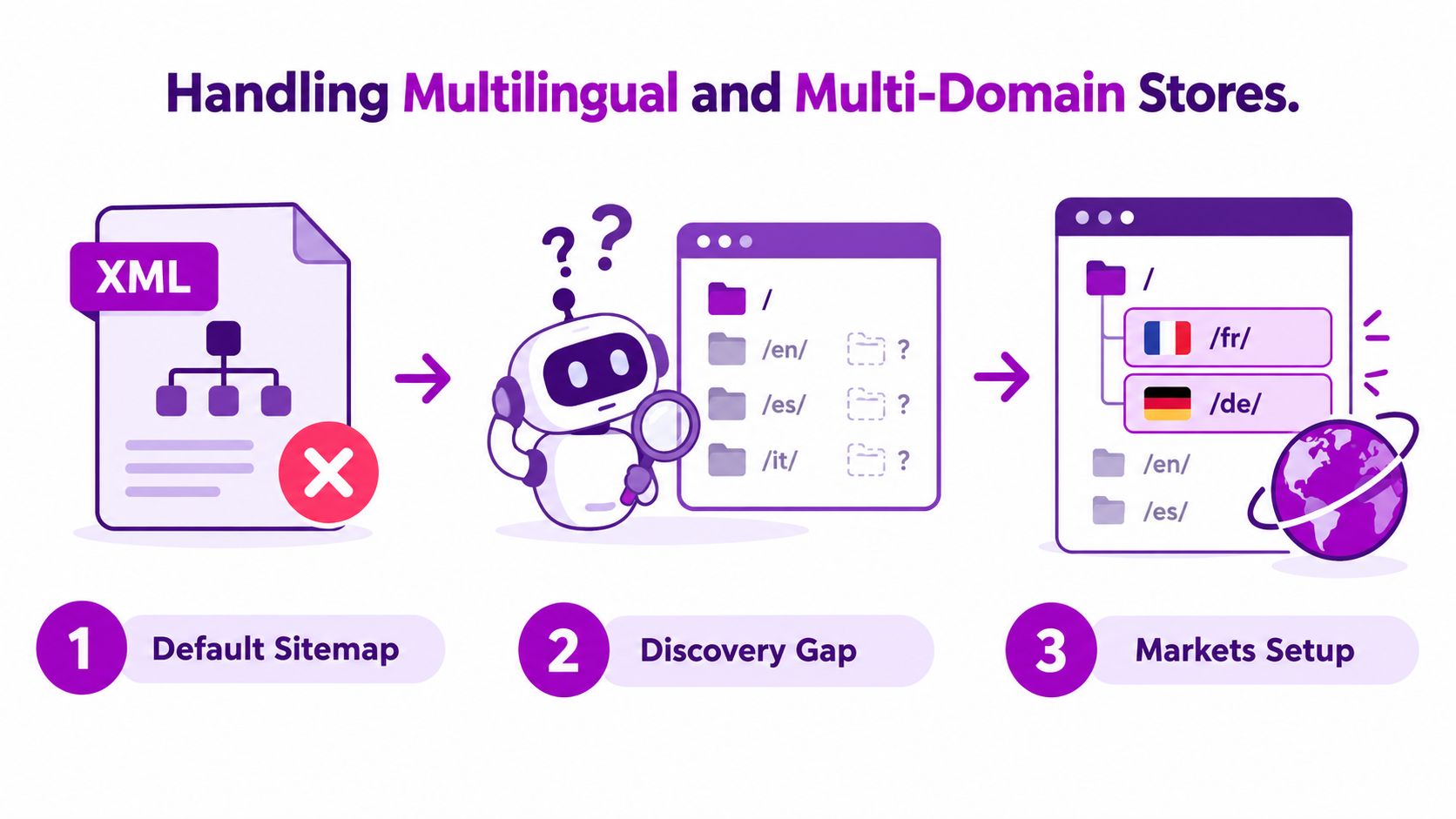
Start by inventorying the URL patterns your markets use. That could include language subfolders such as /fr/ and /de/, country-specific domains, or subdomains. Record the expected product, collection, and content URL for each market, then test whether those pages can be crawled without a password, blocked resource, or market-specific robots rule.
Audit localized discovery, not just translation
Inspect the HTML <head> on localized pages and verify that hreflang references use the correct absolute URLs. The references should point to accessible equivalents, not staging hosts, redirected paths, or language pages that resolve to the default market.
Then compare that URL inventory with the sitemap output. Shopify's default sitemap is largely non-customizable, so a store shouldn't assume that translated paths are represented exactly as the team expects. Shopify's ecommerce SEO audit guidance specifically highlights localized URLs and resource access as technical SEO checks.
For separate domains, create and verify a Search Console property for each production domain and submit that domain's sitemap independently. Don't rely on the property for the primary market to provide complete reporting for every other host.
Localized SEO fails quietly when the translated page exists for shoppers but not in the discovery and linking systems search engines use.
A missing localized URL doesn't automatically mean Google will classify the page as duplicate content, but it does create a discovery and interpretation gap. Support each market with consistent internal links, correct canonicals, valid hreflang relationships, and a clear sitemap strategy. Test a sample across products, collections, and editorial pages, not just the homepage.
Troubleshooting Common Shopify Sitemap Issues
When Search Console reports a sitemap problem, begin with the file itself, then move toward the URLs it contains. Don't start by installing an app or replacing Shopify's generated structure.
A practical diagnostic sequence
- Load the root file: Open the live domain's
/sitemap.xmlin a browser. Confirm that it returns the parent index rather than an error, preview page, or unexpected host. - Follow each child sitemap: Open every child URL listed in the parent file. Check whether the XML loads and whether the URLs match the current storefront.
- Test representative pages: Choose products, collections, pages, and blog posts. Check their HTTP response, visible content, canonical tag, meta robots directive, and access status.
- Compare Search Console reports: Use URL Inspection and the Pages report to distinguish discovery from indexing. A submitted URL can remain unindexed for reasons unrelated to the XML file.
- Check theme and app output: Inspect whether a theme customization or third-party SEO app injects
noindex, changes canonicals, or references a staging domain. - Resubmit only after a real fix: If the structure or access problem changed, submit the root
sitemap.xmlagain. Don't add every child sitemap as a separate entry.
A Couldn't fetch status usually points to a retrieval problem, such as a property and sitemap host mismatch, a temporary access issue, or a blocking rule. Confirm the production URL in a browser first, then check the Search Console property selected during submission.
For submitted but not indexed URLs, compare the sitemap entry with the live page. A product may be listed but still carry noindex, resolve behind a password, redirect to another product, or expose a canonical that tells Google to choose a different URL. If the page is technically eligible, review its content and internal links instead of treating another submission as the fix.
Pagination requires careful handling. If unwanted /page/ URLs appear in search, review the theme's canonical and robots behavior, and prevent those pages from becoming discovery targets where appropriate. Don't block a URL blindly if Google needs to crawl it to reach important products.
Google's indexing process can take hours to weeks, according to the technical guidance in its sitemap documentation, so allow a meaningful observation period after a correction. Search Console is a monitoring system, not an instant confirmation that every page has been accepted.
Key Takeaways and Ongoing Sitemap Strategy
A healthy Shopify sitemap needs an operating routine, not a one-time Search Console submission. The XML file gives Google discovery paths, while indexing still depends on each page's technical signals, content, and internal links.
- Submit the root: Use the Shopify store's
sitemap.xmlas the single Search Console submission point. - Audit the children: Review the product, collection, page, and blog files referenced by the parent index. Large catalogs require audits at child-file level.
- Validate the URLs: Check canonicals, redirects, robots directives, content quality, and market-specific access.
- Watch coverage: Compare submitted URLs with discovery and indexing reports, rather than treating a successful submission as proof of indexing.
- Revisit after changes: Resubmit after a domain or URL structure change, not after every routine product edit.
Shopify splits large catalogs across child files, so audit those files directly and confirm that each localized domain or language version contains the intended URLs. Check lastmod values after substantial page changes, and keep them accurate. Google's documentation favors meaningful update signals and accurate URL coverage over ignored priority settings.
Treat the sitemap as living infrastructure. Review it quarterly, monitor Search Console monthly, and repeat localized URL audits whenever you add a market or alter domain structure. After a correction, allow time for crawling and indexing before judging the result. If indexing stalls, inspect the page and its discovery paths before resubmitting the same XML file.
ECORN helps Shopify teams audit technical visibility, storefront architecture, and crawl issues across Shopify and Shopify Plus builds. Visit ECORN to discuss a sitemap audit or development project.



7 Single Product Websites Worth Emulating

Product Variants Shopify: The Complete 2026 Guide

Ecommerce Analytics Consulting for Growth

What Is AI Integration for eCommerce

How to Choose the Right eCommerce Website Development Firm

E Business Strategy Implementation

Conversion Tracking Setup for Shopify Stores

BigCommerce vs Shopify Plus Which Enterprise Wins in 2026

Shopify Theme Kit: Setup, Commands, and Migration Guide

Shopify Extension Development: A Practical 2026 Guide

Shopify Speed Score Explained and How to Improve It

Shopify Mobile Optimization: The 2026 Playbook

How to Add Subcategory in Shopify for Better UX

How to Implement Structured Data for Ecommerce in 2026

SEO App Mobile: Shopify Store Optimization Guide

Shopify Plus Support: What It Includes and How to Choose

Google Ads for Shopify: The Complete 2026 Playbook

Shopify New York: How to Find and Hire the Right Agency

Google Search Console for Shopify: The Complete Setup

First Party Data Collection for eCommerce Growth

FAQ Online Store Guide: Build and Measure It Right

Do FB Ads Work for eCommerce in 2026?

One Page Checkout for Shopify: Design and Implementation

Shopify GraphQL vs REST: The 2026 Developer Decision

Shopify Ecommerce Consulting: Strategy, Pricing &

Are Reddit Ads Worth It for eCommerce Brands

Shopify Title and Meta Description: A Practical 2026 Guide

Product Video Best Practices for Shopify Brands

Real-Time Inventory Management: A 2026 Guide

AI Chatbot Integration for Shopify Stores

Affiliate Program Management: A Shopify Guide

10 Best Performance Monitoring Tools for Shopify in 2026

Digital Asset Management for eCommerce Brands in 2026

Every Type of Facebook Ads Explained for eCommerce Growth

Product Information Management Explained for Shopify Brands

Support Ticket System: A Guide for Shopify Stores

10 Best Customer Service Tools for Shopify in 2026

Can I Start a Business with No Money? a 2026 Blueprint

What Sells Good on Etsy: Best Niches for 2026

Shopify Add to Cart Button: A Practical 2026 Guide

Customer Feedback Automation: A Practical eCommerce Guide

Critical Rendering Path: A Guide for Shopify Stores

How to Promote on TikTok for eCommerce in 2026

B2B eCommerce Consulting That Drives Real Revenue

10 Best Practices for Site Navigation in 2026

Return vs Refund for Shopify Stores: A Practical Guide

What Is Customer Lifetime Value and Why It Matters

What Is Voice of Customer Research for eCommerce

SMS Marketing for Ecommerce That Actually Converts

Master How to Improve Email Deliverability in 2026

Top 7 eCommerce Partners NYC for Shopify Brands in 2026

Machine Learning for Ecommerce: Boost Your Shopify Store

Beauty Market Research: Your 2026 Growth Guide

Shopify International Expansion: A 2026 Roadmap

What Does CRO Stand for in Business: Understanding CRO

Shopify Visual Merchandising: A Playbook for Higher Sales

Shopify Landing Page Design: Master Conversion in 2026

10 Best AI SEO Optimization Tools for Shopify in 2026

Agentic AI for Ecommerce: Boost Your Sales in 2026
Mastering Email Marketing Data for eCommerce Growth

Conversion Rate Optimisation Australia: Boost Your Sales

Conversion Rate Optimization AI: Your Shopify Store Guide

10 Product Bundling Strategies for Shopify in 2026

How to Increase Customer Lifetime Value: A Shopify Playbook

AI Customer Service Automation: Shopify Guide 2026

Clean Website Design: A Shopify Conversion Playbook

Omnichannel Retail Strategy: A Shopify Playbook

Product Data Enrichment: A Guide for Shopify Brands

Instagram Shopping Features a Guide for Shopify Stores

What Is Revenue Optimization: A Holistic RevOps Guide

Benefits of Conversion Rate Optimization: Boost Your

WordPress to Shopify Migration: Your 2026 Seamless Switch

Boost Sales: Ecommerce Payment Processing Guide 2026

Unified Commerce Platform: Benefits, KPIs & Shopify Guide

How to Reduce Bounce Rate eCommerce: Your 2026 Guide

Shopify API Integration: A Practical End-to-End Guide

How to Implement Data Governance: A 2026 Guide

Shopify Store Development Cost: A 2026 Breakdown

What Is Server Side Tracking: The Shopify Guide 2026

Marketing Automation Workflows: A Shopify Guide for 2026

Shopify: How to Reduce Technical Debt

Shopify UX Design Change: A Playbook for Growth

User Generated Content Strategy: Shopify Playbook

Shopify Pause and Build Plan Cost: A Complete 2026 Guide

Compare at Price on Shopify: A Complete Guide for 2026

Where Can I Sell My Prints? 10 Best Platforms for 2026
Shopify Order Management System: The Ultimate Guide 2026
What Is Marketing Attribution? an eCommerce Guide for 2026

10 Best Black Friday Sales Sheets for 2026

Discover the Top Social Media Marketing Agencies For

Consumer Confidence Definition for eCommerce in 2026

What Is Social Commerce? Your 2026 Guide to Boosting Sales

A Social Ad Campaign Playbook for eCommerce Growth

7 Best FAQ Page Examples for SaaS & eCommerce

Market Research in Fashion Industry: A Guide for Shopify
Shopify Migration Services: Expert Guide for 2026

Mastering FB Retargeting Ads for Shopify in 2026
What Is Omnichannel Ecommerce

Master Your Shopify Plus Migration: The 2026 Guide
Shopify Integration Services: A Merchant's 2026 Guide


newsletter in your inbox