


Collecting attractive email screenshots isn't a newsletter strategy. A polished layout can still fail if the subject line attracts the wrong audience, the offer damages margin, or the CTA sends shoppers to a generic collection page. Shopify brands need to study the complete campaign system, including the subject line, offer, layout, CTA, timing, audience logic, and conversion objective.
Email remains a major ecommerce channel. In 2026, email marketing contributed about 11.01% of total ecommerce sales, while benchmark ecommerce campaigns reached a 32.67% open rate and a 1.07% click-through rate, based on large-scale campaign data from recent ecommerce email benchmark research. That makes the right research process more valuable than another swipe file.
The seven resources below support different strategic jobs. Some are best for creative inspiration, others for competitive research, offer analysis, lifecycle planning, or production. Each one includes a practical way to turn observed patterns into a Shopify newsletter brief, test, or reusable workflow, with email campaign tools available when your sending stack needs broader support.
1. Really Good Emails
Really Good Emails is a strong starting point when the immediate problem is creative direction. Its curated gallery contains real marketing emails across industries, with substantial ecommerce coverage, while the site's RGE Studio adds a drag-and-drop creation workflow. That combination makes it more useful than a gallery that only collects screenshots.
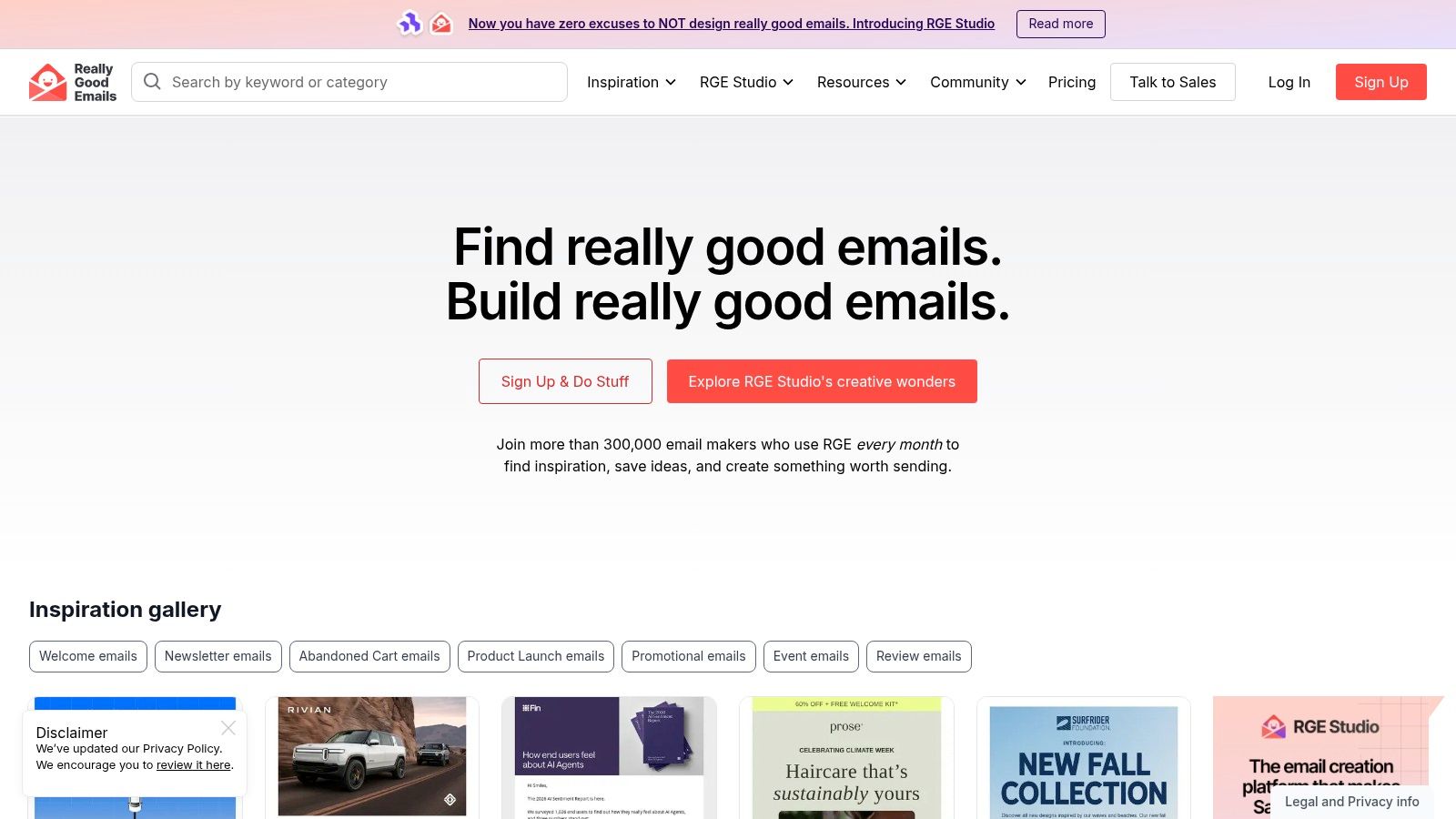
Use Really Good Emails to build a swipe file around a specific commercial job, not a vague visual mood. Search for product launches, seasonal promotions, editorial merchandising, or replenishment messages. Then record the subject line style, above-the-fold promise, number of products shown, CTA wording, and the page each CTA reaches. The gallery's seasonal collections, including BFCM patterns, can also help teams identify recurring promotion structures and CRO ideas.
Turn inspiration into a Shopify brief
The best output from RGE isn't “make it look like this.” It's a production-ready brief:
- Subject line pattern: Note whether the example leads with a product, benefit, event, or deadline.
- Layout logic: Identify whether the email uses one hero product, a product grid, editorial modules, or a single long-form story.
- CTA hierarchy: Separate the primary action from secondary links, then map the main CTA to a relevant Shopify landing page.
- Audience fit: Decide whether the structure suits new subscribers, active customers, category browsers, or VIP buyers.
RGE's advantage is the smooth path from reference to editable template through RGE Studio. Its limitation is equally important: the gallery isn't a sending platform, so you'll export the work to your email service provider. Advanced creation and collaboration capabilities may also require a paid plan.
Practical rule: Save the reason an email works beside the screenshot. A reference without an objective, audience, and CTA rationale becomes decoration.
For Shopify-specific implementation context, pair the gallery with this guide to email marketing in ecommerce. That helps connect visual inspiration to automated flows, retention, and transactional messaging rather than treating every email as a broadcast campaign.
2. Email Love
Email Love is a practical reference library for fast creative research. Its ecommerce gallery focuses on retail and DTC examples, with short descriptions and links to complete sends. That narrow focus helps copywriters, designers, and merchandisers find relevant references during a campaign-planning session without sorting through unrelated industries.
Its strategic job is creative comparison. Open several emails from the same category, such as beauty, fashion, home goods, or food, and compare how each brand moves a subscriber toward the store. Review the subject line and preheader, how quickly the product benefit appears, where the first CTA sits, and whether the layout favors a hero product or a broader grid. For Shopify brands, also check whether the click leads naturally to a product page, collection, or campaign landing page.
Use visual and copy conventions to build a focused reference board, not to copy a finished design. A collection launch might need a subject line built around novelty, while a replenishment email may lead with convenience. Under Product presentation, note whether items use benefit-led captions, prices, review cues, or no supporting copy. Compare CTA language, from broad commands such as “Shop now” to specific prompts such as “Find your fit.” Review Mobile behavior after modules stack vertically, since product order and CTA visibility can change on smaller screens. These observations also clarify the Message angle, whether it sells utility, status, seasonal relevance, or a new product.
The resulting brief should match the store's catalog, margins, and merchandising priorities. A high-priced product may need more education before the click. An impulse purchase can use a shorter route from hero image to product page. Segment the final send accordingly, since new subscribers, repeat buyers, and category browsers may need different levels of context.
Email Love's trade-off is limited research depth. It supports inspiration and quick briefing, but not competitor benchmarks, send-cadence analysis, or historical tracking. It also does not replace rendering checks, ESP validation, or Shopify analytics. Use it to shape the concept, then test the final email and CTA path in the production workflow.
3. Litmus Inspiration
Litmus Inspiration earns its place in a Shopify marketer's research stack when creative inspiration must lead to a production-ready email. The gallery covers retail, ecommerce, and other industries, with examples that explain tactics such as personalization, polls, and countdown elements. That context helps teams judge a component by its commercial job instead of copying its visual treatment. Browse Litmus Inspiration with one campaign question in mind, such as how to make an offer clearer or reduce friction before the click.
A countdown needs a real deadline and a segment that cares about it. Personalization needs a dependable Shopify data field, such as viewed category, purchase history, or customer status. If the store cannot provide the field accurately, the tactic can produce fallback content, irrelevant messaging, or production errors.
Turn inspiration into a QA-ready email
Start with an example tied to a clear objective, then strip it down to the decisions that affect performance:
- Subject line: Identify whether the example uses novelty, urgency, product specificity, or a direct offer. Adapt that approach to the subscriber's intent rather than copying the wording.
- Layout: Separate persuasive modules from decoration. Rebuild the hierarchy with the brand's type, imagery, product data, and merchandising priorities.
- CTA: Confirm that the primary button leads to the right Shopify destination, whether that is a product page, collection, or campaign landing page.
- Segmentation: Match the message and amount of context to new subscribers, repeat buyers, category browsers, or another defined group.
- CRO and QA: Check stacked mobile modules, CTA visibility, personalization fallbacks, and the complete path from tap to checkout on desktop and mobile.
This process keeps advanced features in proportion to the campaign goal. A poll can collect useful preference data, but it should not displace the product path when immediate conversion is the priority. A timer can clarify a genuine deadline, while a countdown that appears permanent can weaken trust.
Litmus fits teams that already use its testing and quality-control workflows. The gallery offers limited competitive history and little visibility into a brand's wider lifecycle program, so it cannot replace performance analysis or competitor research. Full testing and QA capabilities sit within the paid platform. Use the gallery to connect creative ideas with disciplined production decisions.
Strong email design reduces decision friction. It doesn't compensate for an unclear offer or an audience that isn't ready to buy.
4. Milled
Use Milled for a fast read on what competitors are sending. Its public archive lets Shopify marketers search brand emails, review subject lines, inspect offers, and scan recent campaigns without subscribing to every retailer. That speed is useful when a seasonal launch needs direction before the creative work begins.
The strongest use case is competitive research tied to offer analysis. Search several direct competitors around the same commercial event, then record the patterns that affect your own campaign:
- Offer: Compare percentage discounts, free shipping, bundles, gifts, thresholds, exclusions, and deadlines.
- Subject line: Note whether the message leads with the offer, names a product, signals urgency, or creates curiosity.
- Cadence: Check whether sends cluster around launches, holidays, or clearance periods.
- Destination: Follow the CTA to see whether it reaches a collection, product page, campaign landing page, or promotion hub.
This record turns an archive into a Shopify planning input. If competitors repeatedly send shoppers to curated collections, test a tighter themed edit rather than presenting the full catalog. If they emphasize a benefit in the subject line but bury restrictions in the email, make the terms visible in both the copy and the landing-page experience. That can reduce confusion and support friction while giving the offer a clearer CRO test.
Milled also helps with lifecycle planning, within limits. A retailer's campaign clusters can reveal how a category handles launches, seasonal promotions, or clearance. Use those observations to inform a welcome offer, browse follow-up, or repeat-buyer promotion, then adjust the message for each segment instead of copying a competitor's cadence.
Its volume creates the main trade-off. Quality and relevance vary because the archive is less curated, while the public format offers limited analytics and historical research tools compared with dedicated intelligence platforms. Competitor frequency is context, not a send schedule. Set your own cadence around engagement, deliverability, inventory, and margin.
For production, turn the research into a short brief: one offer to test, one subject-line angle, one Shopify destination, and one audience segment. Then build the layout around the product path, not the screenshot.
5. MailCharts
MailCharts suits teams researching the system behind a competitor's email program, not just collecting attractive screenshots. Its platform organizes email and SMS examples by brand, industry, lifecycle stage, and seasonal campaign. That scope supports planning for welcome series, abandoned-cart programs, post-purchase education, replenishment messages, and promotional calendars.
Start with a strategic question: which customer moment are you trying to improve? Search MailCharts for how brands introduce value to new subscribers, frame seasonal offers, or bring previous buyers back. Saved searches, exports, and brand or industry comparisons let the team build a planning library instead of restarting research for every campaign.
A useful review follows the customer state:
- New subscriber: Note the value proposition, first-purchase incentive, subject-line angle, and opening CTA.
- Known browser: Examine category reminders, product education, recommendation logic, and the path to a product or collection page.
- First-time buyer: Look for onboarding, usage guidance, cross-sell timing, and service reassurance.
- Repeat customer: Compare loyalty language, replenishment cues, exclusive offers, and early-access messages.
- Lapsed customer: Separate a meaningful win-back reason from discounts that condition customers to wait.
Translate each observation into a Shopify flow brief with a trigger, audience rule, message hierarchy, layout, CTA, destination, and success metric. A product grid may support a broad collection browse, while a single-product layout can focus attention on education or conversion. Test the subject line, offer framing, and landing-page match together so CRO results reflect the full path rather than the email alone. The sample email campaigns guide can provide additional campaign structures for that brief.
MailCharts also exposes a practical constraint: cadence and incentives depend on the business model. A retailer with long replenishment cycles should not copy a consumables brand's frequency, and a high-consideration product needs more support than a low-cost accessory.
A free account provides basic exploration, while deeper access is limited compared with the paid platform. Sales-led pricing and a possible enterprise conversation may challenge smaller teams. For coordinated lifecycle and seasonal planning, however, MailCharts offers more strategic context than a gallery.
6. EmailTuna
For a Shopify brand with a narrow catalog, EmailTuna is useful when the team needs relevant examples quickly, without adding another paid research platform. Search by brand and date, review historical sends, and collect subject lines, imagery, offer framing, and timing signals. Its coverage includes retail, fashion, beauty, marketplaces, and niche US brands, giving teams broader raw material than a single-brand review.
Use EmailTuna for a rapid research pass before writing a campaign brief. Choose a few brands with similar products or audiences, then compare recent sends with older campaigns. Review how each brand handles a product launch, routine promotion, seasonal event, and customer education email. Those differences expose the brand's lifecycle system and can inform Shopify segmentation, rather than supplying isolated design inspiration.
Convert archive findings into Shopify tests
Record each example in one decision table so the strategic job stays clear:
| Decision | Options to compare |
|---|---|
| Subject line tags | Product-led, benefit-led, urgency-led, curiosity-led, or editorial |
| Layout tags | Single hero, product grid, editorial story, comparison, quiz, or text-led |
| CTA tags | Direct purchase, collection browse, education, account action, or store locator |
| Offer tags | Discount, bundle, free shipping, gift, loyalty benefit, or no offer |
Then turn the pattern into a testable brief. A product-led subject line may suit a launch, while an education-led layout can support a specialist product with objections to address. Match the CTA to the destination, such as a product page, collection, or education page, and test the email with its landing-page path for a clearer CRO read.
Niche brands are particularly useful for focused catalogs and distinctive audiences. Their emails may show how to explain use cases, handle objections, and balance education with conversion more closely than large-retailer examples.
EmailTuna's limitation is context. It does not provide expert commentary, performance analytics, or a deep competitive dashboard. Archive gaps do not prove a brand never sent a message. Use the archive for raw material, then define the segment, objective, offer, CTA destination, and single variable to test.
7. LetterScout
LetterScout supports offer analysis rather than broad creative inspiration. Its ecommerce research centers on offer mechanics, including CTA structure, discount framing, urgency, keywords, promotional angles, and seasonal timing. That focus suits CRO-minded marketers and agencies that need to connect newsletter choices with clicks and revenue.
Search LetterScout by brand, country, promotional angle, or keyword. A Shopify team preparing a sale can compare how different businesses frame urgency, value, and product discovery. Use the results to assess the strategic job of each email: does it generate demand, explain an offer, move excess inventory, or support a seasonal push?
Build the campaign brief around four decisions. The primary promise should clarify whether the email sells savings, access, convenience, scarcity, discovery, or product performance. The CTA action should match the destination, such as a product page, collection, offer page, or quiz. Set the urgency level according to a real closing date, since vague pressure can weaken credibility. Finally, define segment fit for new customers, repeat buyers, high-value customers, or price-sensitive browsers.
Those decisions translate directly into Shopify tests. A product launch may need an “Explore the collection” CTA for engaged subscribers, supported by a product-led subject line and a visual layout that introduces several items. A replenishment email should reduce browsing and link to the relevant product. A clearance campaign may perform better with a focused collection page and clear exclusions than with an elaborate design that slows the path to purchase. Test the email and landing-page path together so CRO results reflect the full buying journey.
LetterScout is newer and has a smaller dataset than some legacy archives. Its free tier offers limited access, including a six-month archive window, while some paid options require checkout or a sales process. That limits broad historical research for agencies. For current offer ideation, its ecommerce focus keeps research close to subject lines, layouts, CTAs, segmentation, and purchase intent.
7-Source Ecommerce Newsletter Comparison
| Tool | Implementation complexity 🔄 | Resource requirements ⚡ | Expected outcomes 📊 | Ideal use cases 💡 | Key advantages ⭐ |
|---|---|---|---|---|---|
| Really Good Emails (RGE) | Low, browse + RGE Studio drag‑and‑drop | Low to moderate, web access; paid tiers for collaboration | 📊 Editable, production‑ready templates and high‑quality examples | 💡 Mood boards, quick template prototyping, ecommerce creative briefs | ⭐ High‑quality brand examples; smooth example → editable workflow |
| Email Love (Ecommerce Gallery) | Very low, fast visual scanning | Minimal, free browsing | 📊 Rapid trend spotting for visual & copy patterns | 💡 Quick briefs for Shopify/DTC stores, visual inspiration | ⭐ Clean, ecommerce‑focused gallery; speedy research |
| Litmus Inspiration | Low–moderate, curated examples with notes | Moderate, full testing/QA requires Litmus (paid) | 📊 Design patterns explained with QA/testing context | 💡 Teams using Litmus for design + QA workflows | ⭐ Editorial curation that explains why tactics work |
| Milled | Very low, search‑driven archive | Low, free public archive | 📊 Broad competitive sweeps: subject lines, cadence, offers | 💡 Promo cadence reviews and seasonal/subject‑line research | ⭐ Massive historical volume; free and fast access |
| MailCharts | Moderate, research platform with saved searches/exports | Moderate to high, paid for full access; limited free tier | 📊 Deeper competitive and seasonal insights for planning | 💡 Lifecycle planning, seasonal campaigns, competitive tracking | ⭐ Large categorized dataset with analytics and exports |
| EmailTuna | Very low, simple brand/date search | Low, free reference tool | 📊 Quick pulls of real examples (subject, timing, visuals) | 💡 Assembling example sets and subject/timing references | ⭐ Free and broad US brand coverage including niche sends |
| LetterScout | Low–moderate, ecommerce‑centric search and collections | Low to moderate, limited free tier; paid for full history | 📊 Offer‑mechanics insights (CTAs, discount framing, urgency) | 💡 Building briefs focused on promos, CRO, and offer angles | ⭐ Designed for offer mechanics and campaign ideation |
Turn Examples Into a Repeatable Shopify Workflow
The right resource depends on the decision you need to make. Use Really Good Emails, Email Love, and Litmus Inspiration for layout, copy, and production inspiration. Use Milled and EmailTuna for fast public competitive sweeps. Use MailCharts when you're planning lifecycle architecture, and use LetterScout when offer mechanics, urgency, and CTA decisions need closer analysis.
Don't save examples as anonymous screenshots. Give every reference a useful record with the brand, campaign type, audience, subject line pattern, offer, layout, CTA, destination, and the reason it earned a place in your library. Tag each item by customer intent, such as discovery, conversion, education, retention, replenishment, or win-back. That taxonomy makes it easier to retrieve the right pattern when a campaign brief arrives.
A repeatable Shopify process can stay simple:
- Research one objective: Choose a product launch, promotional event, post-purchase message, or retention campaign before opening a gallery.
- Collect comparable examples: Save emails from the same category or customer situation, not random designs from unrelated businesses.
- Translate the pattern: Write a brief with the subject line angle, hero message, product selection, CTA hierarchy, segment, and Shopify destination.
- Check the economics: Confirm that the offer supports margin, inventory, average order value, and the customer's likely intent.
- Test one meaningful variable: Change the subject line angle, offer framing, CTA, or layout priority, but don't alter the entire campaign at once.
- Review deliverability: Use a spam trigger words checker, validate authentication, and monitor engagement before increasing campaign volume.
Email performance depends on more than visual quality. Targeted emails have been reported to produce a 36.69% higher open rate and a 267.21% higher click-through rate than non-targeted campaigns, while automated emails in one industry analysis generated $3.41 per send compared with $0.155 for standard campaigns. Those figures come from ecommerce email marketing research, and they support a practical conclusion: the best newsletter example is the one that matches the right message to the right customer state.
If your team needs help turning research into a scalable email and storefront experience, ECORN offers Shopify design, development, CRO, ecommerce consulting, and Shopify Plus support. Its specialists can help connect campaign destinations, landing pages, merchandising, and conversion testing so the newsletter doesn't operate separately from the store.
ECORN supports Shopify brands with design, development, CRO, ecommerce consulting, and Shopify Plus services that can turn newsletter research into practical campaign and storefront improvements. Visit ECORN to discuss a focused project or an ongoing Shopify growth workflow.



One Product Shopify Store: Build and Scale

Mobile Pop Up Strategy for Shopify Stores That Converts

Sitemap for Shopify: How to Find, Optimize, and Submit It

7 Single Product Websites Worth Emulating

Product Variants Shopify: The Complete 2026 Guide

Ecommerce Analytics Consulting for Growth

What Is AI Integration for eCommerce

How to Choose the Right eCommerce Website Development Firm

E Business Strategy Implementation

Conversion Tracking Setup for Shopify Stores

BigCommerce vs Shopify Plus Which Enterprise Wins in 2026

Shopify Theme Kit: Setup, Commands, and Migration Guide

Shopify Extension Development: A Practical 2026 Guide

Shopify Speed Score Explained and How to Improve It

Shopify Mobile Optimization: The 2026 Playbook

How to Add Subcategory in Shopify for Better UX

How to Implement Structured Data for Ecommerce in 2026

SEO App Mobile: Shopify Store Optimization Guide

Shopify Plus Support: What It Includes and How to Choose

Google Ads for Shopify: The Complete 2026 Playbook

Shopify New York: How to Find and Hire the Right Agency

Google Search Console for Shopify: The Complete Setup

First Party Data Collection for eCommerce Growth

FAQ Online Store Guide: Build and Measure It Right

Do FB Ads Work for eCommerce in 2026?

One Page Checkout for Shopify: Design and Implementation

Shopify GraphQL vs REST: The 2026 Developer Decision

Shopify Ecommerce Consulting: Strategy, Pricing &

Are Reddit Ads Worth It for eCommerce Brands

Shopify Title and Meta Description: A Practical 2026 Guide

Product Video Best Practices for Shopify Brands

Real-Time Inventory Management: A 2026 Guide

AI Chatbot Integration for Shopify Stores

Affiliate Program Management: A Shopify Guide

10 Best Performance Monitoring Tools for Shopify in 2026

Digital Asset Management for eCommerce Brands in 2026

Every Type of Facebook Ads Explained for eCommerce Growth

Product Information Management Explained for Shopify Brands

Support Ticket System: A Guide for Shopify Stores

10 Best Customer Service Tools for Shopify in 2026

Can I Start a Business with No Money? a 2026 Blueprint

What Sells Good on Etsy: Best Niches for 2026

Shopify Add to Cart Button: A Practical 2026 Guide

Customer Feedback Automation: A Practical eCommerce Guide

Critical Rendering Path: A Guide for Shopify Stores

How to Promote on TikTok for eCommerce in 2026

B2B eCommerce Consulting That Drives Real Revenue

10 Best Practices for Site Navigation in 2026

Return vs Refund for Shopify Stores: A Practical Guide

What Is Customer Lifetime Value and Why It Matters

What Is Voice of Customer Research for eCommerce

SMS Marketing for Ecommerce That Actually Converts

Master How to Improve Email Deliverability in 2026

Top 7 eCommerce Partners NYC for Shopify Brands in 2026

Machine Learning for Ecommerce: Boost Your Shopify Store

Beauty Market Research: Your 2026 Growth Guide

Shopify International Expansion: A 2026 Roadmap

What Does CRO Stand for in Business: Understanding CRO

Shopify Visual Merchandising: A Playbook for Higher Sales

Shopify Landing Page Design: Master Conversion in 2026

10 Best AI SEO Optimization Tools for Shopify in 2026

Agentic AI for Ecommerce: Boost Your Sales in 2026
Mastering Email Marketing Data for eCommerce Growth

Conversion Rate Optimisation Australia: Boost Your Sales

Conversion Rate Optimization AI: Your Shopify Store Guide

10 Product Bundling Strategies for Shopify in 2026

How to Increase Customer Lifetime Value: A Shopify Playbook

AI Customer Service Automation: Shopify Guide 2026

Clean Website Design: A Shopify Conversion Playbook

Omnichannel Retail Strategy: A Shopify Playbook

Product Data Enrichment: A Guide for Shopify Brands

Instagram Shopping Features a Guide for Shopify Stores

What Is Revenue Optimization: A Holistic RevOps Guide

Benefits of Conversion Rate Optimization: Boost Your

WordPress to Shopify Migration: Your 2026 Seamless Switch

Boost Sales: Ecommerce Payment Processing Guide 2026

Unified Commerce Platform: Benefits, KPIs & Shopify Guide

How to Reduce Bounce Rate eCommerce: Your 2026 Guide

Shopify API Integration: A Practical End-to-End Guide

How to Implement Data Governance: A 2026 Guide

Shopify Store Development Cost: A 2026 Breakdown

What Is Server Side Tracking: The Shopify Guide 2026

Marketing Automation Workflows: A Shopify Guide for 2026

Shopify: How to Reduce Technical Debt

Shopify UX Design Change: A Playbook for Growth

User Generated Content Strategy: Shopify Playbook

Shopify Pause and Build Plan Cost: A Complete 2026 Guide

Compare at Price on Shopify: A Complete Guide for 2026

Where Can I Sell My Prints? 10 Best Platforms for 2026
Shopify Order Management System: The Ultimate Guide 2026
What Is Marketing Attribution? an eCommerce Guide for 2026
10 Best Black Friday Sales Sheets for 2026

Discover the Top Social Media Marketing Agencies For
Consumer Confidence Definition for eCommerce in 2026
What Is Social Commerce? Your 2026 Guide to Boosting Sales
A Social Ad Campaign Playbook for eCommerce Growth

7 Best FAQ Page Examples for SaaS & eCommerce

Market Research in Fashion Industry: A Guide for Shopify
Shopify Migration Services: Expert Guide for 2026
Mastering FB Retargeting Ads for Shopify in 2026


newsletter in your inbox