

The most popular advice about choosing a Shopify theme for custom products is to find a polished design with plenty of layout options. That's the wrong starting point. A beautiful demo can still make customers struggle to select options, understand a preview, or confirm that their personalization made it into the cart.
The best Shopify theme for custom products is the one that supports the whole buying journey after your product options and personalization tools are installed. Compare themes as production systems: test usability, app compatibility, mobile behavior, accessibility, and how the setup will hold up as your catalog grows.
Why Custom Products Change Theme Decisions
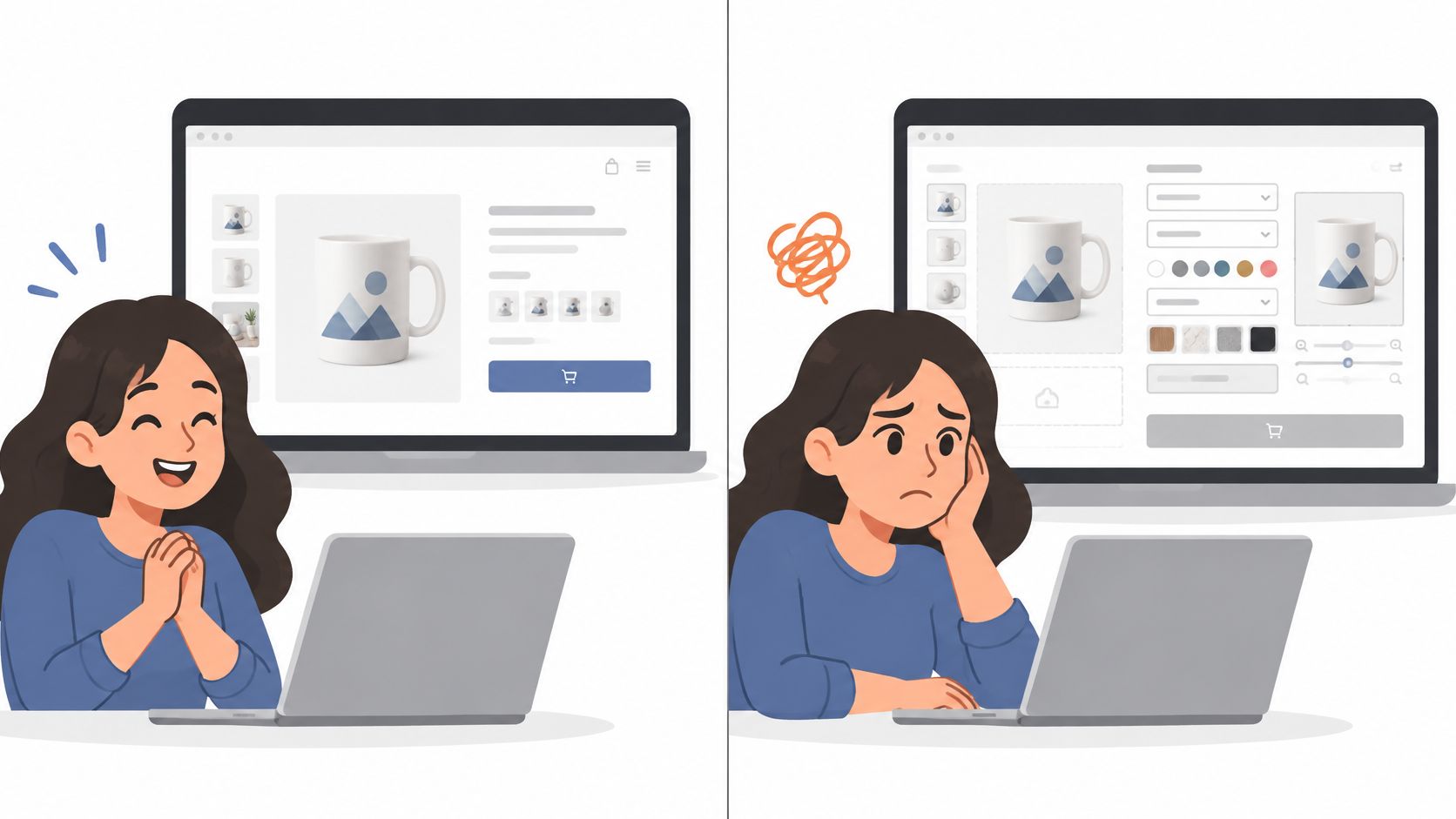
A merchant comparing theme demos might focus on homepage photography, animation, and how many sections can be rearranged. Then a real shopper opens a product page and has to choose a size, color, and material, enter engraving text, upload an image, and check that each choice is correct before buying. That's a different problem from selecting a color swatch on a standard product.
The key question is whether the theme makes each step clear. Does the shopper know which options are required? Can they see what they've selected while moving through the form? Does the preview reflect their choices, and can they verify the configured item in the cart? If the answer changes depending on the device or the app, the demo hasn't shown you enough.
Design the purchase, not just the page
Baymard reports a global average cart-abandonment rate of approximately 69%, based on a benchmark covering 344 leading ecommerce sites and more than 275,000 UX performance scores (Baymard's ecommerce UX resources). That benchmark isn't specific to personalized products, but it reinforces a practical point: friction anywhere in the shopping journey can leave a customer with an unfinished order.
For custom goods, uncertainty can start before checkout. A shopper might wonder whether an engraving has a character limit, whether a selected material changes the price, or whether an uploaded file meets the requirements. A theme won't resolve every product question by itself, but it can give the answers and controls a clear place on the page.
For a concrete example of how a shopper may approach a made-to-order item, planning a custom solid wood purchase can help merchants think through the information a buyer needs before committing. Apply that same buyer-focused thinking to the storefront: show the required decisions, retain the selections, and make the configured product recognizable in the cart.
Overview of Custom Product Theme Requirements
Evaluate the theme-plus-customization stack, not the theme alone. The theme provides the storefront structure and interaction patterns; apps or custom code may handle things like uploaded files, conditional options, previews, or pricing logic. A strong product page brings these parts together so shoppers can discover a product, configure it, add it to the cart, and understand what they're buying.
Start by mapping the configuration model. A product that needs a name or short message may work with straightforward product controls and line-item properties. A product with dependent choices, a visual preview, and option-based pricing may call for a personalization app, Shopify Functions, or an external configurator. Metafields can store product-specific content, while theme sections and app blocks help place information and functionality in a maintainable layout. The right combination depends on how the product is configured, not how many features a demo advertises.
For merchants evaluating option logic and how variants work in their catalog, this guide to Shopify product variants is a useful companion to hands-on testing. The test should include the entire product flow, not just whether a control appears on screen.
Custom Product Theme Evaluation Criteria
| Criterion | What to verify | Relevant architecture |
|---|---|---|
| Product discovery | Shoppers can find the right product and understand the choices available | Navigation, collection sections, product templates |
| Option selection | Choices are labeled, understandable, and remain visible | Native controls, app blocks, accessible option groups |
| Personalization input | Text and uploads have clear instructions and error handling | App fields, line-item properties, custom controls |
| Preview and pricing | Changes are understandable and prices update clearly | Configurator, app logic, Shopify Functions |
| Cart accuracy | The cart shows the selected options and personalization | Line-item properties, cart item display |
| Checkout handoff | The configured item remains identifiable through purchase | Cart and checkout integration |
| Mobile use | Controls and purchase actions work without awkward scrolling or tapping | Responsive sections, lightweight scripts |
A theme earns its place on a shortlist by passing these checks with the actual product workflow. For example, a guide for graduating students and families can help a merchant identify the decisions a buyer may need to make when personalizing a product. Translate those decisions into visible fields, helpful instructions, and a cart summary that reflects the final selection.
Comparing Leading Shopify Theme Approaches
Theme comparisons usually reward visual variety. For custom products, compare approaches instead: what each setup can handle, how much code it adds, and who maintains it after launch. A clean demo product page proves nothing about engraving inputs, file uploads, dependent options, preview updates, or add-on pricing.

Four practical archetypes
| Approach | Where it fits | Trade-off to investigate |
|---|---|---|
| Minimal and performance-oriented | Products with a focused set of native options or a simple personalization app | Less room for highly customized product layouts |
| Flexible visual theme | Brands where product imagery and content presentation matter | Additional features or scripts may add complexity |
| Customization-focused stack | Products that need app integrations or deeper configurator support | Integration quality and cart behavior need hands-on testing |
| Bespoke or heavily modified | Distinct workflows that existing theme structures can't support cleanly | Greater responsibility for code maintenance and updates |
A minimal theme works well as a canvas when product logic stays simple. Its advantage is that unnecessary interface elements are easier to keep off the page, though a stripped-down design alone doesn't guarantee a faster store. The downside shows up when a product needs more explanation or a layout the theme can't produce without edits.
A flexible visual theme gives a team more ways to present products, and that flexibility carries a cost. More sections and effects mean more code to inspect, more places for app components to render, and more work to keep the product page readable. The cost is easy to underestimate. The most flexible option in a theme store often becomes the hardest to maintain once two personalization apps and conditional option logic are running inside it.
A customization-focused stack pairs a capable theme with an app or purpose-built logic. That separation works when the theme handles the storefront and specialized code handles configuration, provided the handoff to cart and checkout behaves reliably.
A bespoke implementation offers the most control over an unusual workflow. It also concentrates responsibility for maintenance, accessibility, testing, and updates on whoever owns the code. Shopify's real-user data shows the share of shops passing all three Core Web Vitals ranges from 26.7% to 97.0% across themes, with a median of 89.9% (Shopify's theme performance data). A theme's name or visual category can't substitute for testing the store's own implementation.
Choose the simplest stack that supports your actual configuration model. If a theme needs custom code to display engraving limits, that cost belongs in the comparison.
Evaluate Product Pages and Cart Workflows
A theme can look orderly in a demo and become confusing when a customer starts configuring a product. Test a real item from the product page through the cart, and pay attention to whether the shopper's decisions stay visible as the page changes.

A simple monogram is a useful first test. Enter text, check whether the field explains any limits, and see whether a preview or summary reflects the input. Then try to add the item to the cart without filling a required field. The store should explain what needs attention and preserve completed selections when the customer corrects an error.
An image-upload product tests a different set of failures. Check whether upload instructions explain the accepted file requirements, whether the control is easy to find, and what happens if the file can't be used. If an app provides the preview, verify that the customer can tell whether it has updated, not just assume the change went through.
A made-to-order product with dependent options puts more pressure on page structure. For example, changing the selected material might alter available engraving choices or pricing. The page should make that relationship understandable, update related controls coherently, and show the final selections before the shopper adds the item to the cart.
Use a repeatable flow
Run the same tasks on every candidate theme:
- Find and understand the product. Check whether the product page explains the customization process before a shopper commits to an option.
- Complete the configuration. Try valid and incomplete selections, including an upload or dependent choice if the product requires one.
- Check feedback. Confirm that previews, summaries, and prices respond clearly to changes.
- Add and verify. Review the cart item for the text, options, and other details the customer expects to carry forward.
- Repeat on a phone. Scroll through the actual page, operate the fields, dismiss or open any controls, and use the purchase action. A responsive screenshot doesn't prove that the flow feels manageable on a real device.
A published ecommerce benchmark reports average conversion rates of 3.9% on desktop and 1.8% on mobile, and says a one-second page-load delay can reduce conversions by approximately 7% (the cited ecommerce benchmark). Treat those numbers as directional context, not a forecast for your store. For product-page layout and content considerations, compare the tested flows with this practical guide to ecommerce product page design. The decisive evidence is whether your own customers can complete a configured purchase without confusion or lost selections.
Test Speed, Accessibility, and Catalog Scale
The storefront needs to be tested after the representative personalization app and product data are in place. A clean theme preview can't reveal how a configurator, uploaded images, preview assets, and third-party scripts affect the finished product page.
Test the rendered experience
Shopify identifies LCP, CLS, and INP as the Core Web Vitals to consider. In practical terms, LCP concerns when the main product content becomes visible; CLS captures whether content shifts unexpectedly; and INP concerns how responsive the page feels when a shopper interacts. A large gallery, a late-loading preview, or an app control that reacts slowly can make an otherwise tidy page frustrating.
Shopify warns that essential product information placed in JavaScript can delay LCP and harm SEO. Repeated Liquid loops, variant iteration, and metafield lookups can also increase server-side execution time and TTFB (Shopify's theme template guidance). Prefer themes with modular product sections, clear app-block placement, and limited duplicated option logic. Don't assume that moving key product details into client-side scripts is harmless just because the demo appears to work.
Include assistive technology and catalog growth
Accessibility belongs in the theme-plus-app test. Complete a product flow with a keyboard, check the order in which controls receive focus, and confirm that required fields and errors are announced clearly to screen readers. Make sure upload controls have meaningful labels and instructions, price changes are understandable, and color choices aren't communicated by color alone. Shopify's accessibility guidance for themes also calls for regular and sale prices to be distinguishable both visually and in screen-reader markup.
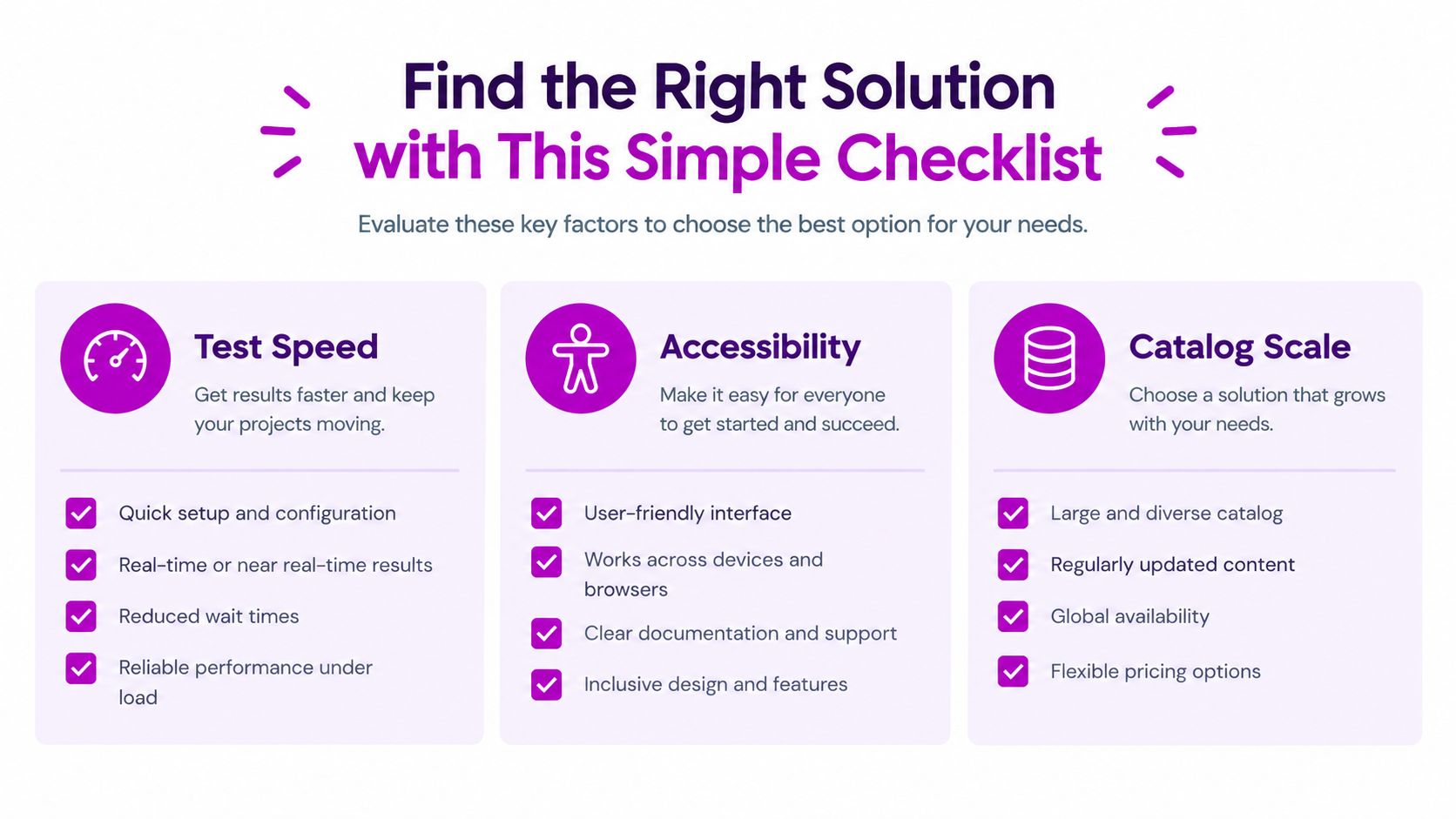
Catalog scale changes what needs scrutiny. A template that works for a small set of products may become difficult to maintain when more products rely on custom option combinations or product-specific metafields. Inspect the template for repeated variant logic and Liquid work that grows alongside the catalog.
Use a staged test: standardize the home, collection, and product pages; add the actual app and representative catalog data; run Lighthouse at least three times and compare median results; then inspect Liquid execution with Theme Inspector. After launch, use real-user monitoring to check how the live experience behaves across devices and regions. A single Lighthouse run is a useful diagnostic, not approval on its own.
The following video offers additional context for the implementation work:
Match Themes to Product Use Cases
The product's configuration model should determine the stack. A theme that suits a short personalization form may be a poor fit for a configurator with uploads, dependent selections, and extensive product-specific content.
For simple text personalization, prioritize clear fields, retained selections, and a cart item that displays the entered text. Native options or a focused app may be enough. Test error handling and confirm that the shopper can review the personalization before checkout.
For image-led customization, look beyond gallery quality. The page needs clear upload instructions, a preview customers can understand, and a recovery path when a file or selection doesn't work. Test the media and app together on a phone, where a large preview can compete for space with controls.
A complex made-to-order catalog needs closer attention to dependencies, conditional pricing, line-item attributes, and maintainability. If options affect one another, test the full set of choices and verify that the cart preserves the configuration. Merchants thinking through a distinctive retail experience can use this example to find custom wedding morning style, then map the customer's decisions to the storefront controls and cart summary.
When more control is justified
A more flexible theme or bespoke build can make sense when a standard product template can't support the workflow clearly, or when teams need more control across multiple storefronts. That flexibility should come with a defined maintenance plan: who owns the code, how app updates are tested, and how changes are checked for accessibility and performance.
For each use case, write down the architecture that will carry the options from page to cart. Then test it with representative products, real assets, the intended app, and the device types your customers use. Choose based on evidence that the workflow remains understandable and manageable, not on assumptions about a theme category.
Choose and Validate Your Shopify Theme
Choose a performance-oriented theme when customization relies mainly on native options, metafields, and a focused app integration. Consider a more flexible or bespoke setup when the product requires advanced conditional logic or a distinct configurator layout. In either case, the added functionality must remain understandable to shoppers and maintainable for the people supporting the store.
Before committing, build a proof of concept with representative products, the maximum option combinations you expect to support, real product images, and the intended personalization app. Test the full add-to-cart journey on mobile as well as desktop. Review accessibility, Core Web Vitals, app compatibility, cart accuracy, and how the implementation handles product-specific content.
Approve the theme only when the configured product stays clear from selection through cart, required controls work for assistive technology, performance holds with the stack, and the code can be maintained. ECORN works on Shopify theme selection, custom development, and conversion optimization for stores that need support putting those pieces together.
ECORN can help your team assess theme options, design and develop custom Shopify storefronts, and improve conversion-focused product experiences. If you're planning a custom-product build, visit ECORN to discuss the theme, integration, and implementation support your store needs.


Multi Store Inventory Management: A Practical Guide

SEO Consulting for Ecommerce: A Practical Guide
Shopify Theme Updater App: A Safe Update Playbook
Shopify Git Integration: A Developer's Guide to 2026
Headless Ecommerce Development Services Explained

How to Build a Shopify Clothing Website That Converts

How to Launch a Box Subscription Business in 2026

Luxury Skincare Branding Playbook That Converters

10 Best Podcast Ecommerce Shows for Store Growth in 2026
Shopify Developer Hourly Rate: What to Pay in 2026
Critical Shopify Setup Errors That Are Secretly Sabotaging Your Store

Ecommerce Conversion Tracking: The Complete How-To Guide

Shopify Design Agency: How to Pick the Right Partner

Mastering Multi Store Management on Shopify

Scale Shopify Store

10 Shopify App Ideas Worth Building in 2026

Conversion Rate Optimization for Landing Pages: The Playbook

Shopify Plus Automation: A Guide for 2026

10 Social Selling Platforms for Shopify Merchants

Shopify Website Design Examples: 7 Stores Worth Studying

7 Ecommerce Newsletter Examples for Shopify Brands

One Product Shopify Store: Build and Scale

Mobile Pop Up Strategy for Shopify Stores That Converts

Sitemap for Shopify: How to Find, Optimize, and Submit It

7 Single Product Websites Worth Emulating

Product Variants Shopify: The Complete 2026 Guide

Ecommerce Analytics Consulting for Growth

What Is AI Integration for eCommerce

How to Choose the Right eCommerce Website Development Firm

E Business Strategy Implementation

Conversion Tracking Setup for Shopify Stores

BigCommerce vs Shopify Plus Which Enterprise Wins in 2026

Shopify Theme Kit: Setup, Commands, and Migration Guide

Shopify Extension Development: A Practical 2026 Guide

Shopify Speed Score Explained and How to Improve It

Shopify Mobile Optimization: The 2026 Playbook

How to Add Subcategory in Shopify for Better UX

How to Implement Structured Data for Ecommerce in 2026

SEO App Mobile: Shopify Store Optimization Guide

Shopify Plus Support: What It Includes and How to Choose

Google Ads for Shopify: The Complete 2026 Playbook

Shopify New York: How to Find and Hire the Right Agency

Google Search Console for Shopify: The Complete Setup

First Party Data Collection for eCommerce Growth

FAQ Online Store Guide: Build and Measure It Right

Do FB Ads Work for eCommerce in 2026?

One Page Checkout for Shopify: Design and Implementation

Shopify GraphQL vs REST: The 2026 Developer Decision

Shopify Ecommerce Consulting: Strategy, Pricing &

Are Reddit Ads Worth It for eCommerce Brands

Shopify Title and Meta Description: A Practical 2026 Guide

Product Video Best Practices for Shopify Brands

Real-Time Inventory Management: A 2026 Guide

AI Chatbot Integration for Shopify Stores

Affiliate Program Management: A Shopify Guide

10 Best Performance Monitoring Tools for Shopify in 2026

Digital Asset Management for eCommerce Brands in 2026

Every Type of Facebook Ads Explained for eCommerce Growth

Product Information Management Explained for Shopify Brands

Support Ticket System: A Guide for Shopify Stores

10 Best Customer Service Tools for Shopify in 2026

Can I Start a Business with No Money? a 2026 Blueprint

What Sells Good on Etsy: Best Niches for 2026

Shopify Add to Cart Button: A Practical 2026 Guide

Customer Feedback Automation: A Practical eCommerce Guide

Critical Rendering Path: A Guide for Shopify Stores

How to Promote on TikTok for eCommerce in 2026

B2B eCommerce Consulting That Drives Real Revenue

10 Best Practices for Site Navigation in 2026

Return vs Refund for Shopify Stores: A Practical Guide

What Is Customer Lifetime Value and Why It Matters

What Is Voice of Customer Research for eCommerce

SMS Marketing for Ecommerce That Actually Converts

Master How to Improve Email Deliverability in 2026

Top 8 eCommerce Partners NYC for Shopify Brands in 2026

Machine Learning for Ecommerce: Boost Your Shopify Store

Beauty Market Research: Your 2026 Growth Guide

Shopify International Expansion: A 2026 Roadmap

What Does CRO Stand for in Business: Understanding CRO

Shopify Visual Merchandising: A Playbook for Higher Sales

Shopify Landing Page Design: Master Conversion in 2026

10 Best AI SEO Optimization Tools for Shopify in 2026

Agentic AI for Ecommerce: Boost Your Sales in 2026
Mastering Email Marketing Data for eCommerce Growth

Conversion Rate Optimisation Australia: Boost Your Sales

Conversion Rate Optimization AI: Your Shopify Store Guide

10 Product Bundling Strategies for Shopify in 2026

How to Increase Customer Lifetime Value: A Shopify Playbook

AI Customer Service Automation: Shopify Guide 2026

Clean Website Design: A Shopify Conversion Playbook

Omnichannel Retail Strategy: A Shopify Playbook

Product Data Enrichment: A Guide for Shopify Brands

Instagram Shopping Features a Guide for Shopify Stores

What Is Revenue Optimization: A Holistic RevOps Guide

Benefits of Conversion Rate Optimization: Boost Your

WordPress to Shopify Migration: Your 2026 Seamless Switch

Boost Sales: Ecommerce Payment Processing Guide 2026

Unified Commerce Platform: Benefits, KPIs & Shopify Guide

How to Reduce Bounce Rate eCommerce: Your 2026 Guide

Shopify API Integration: A Practical End-to-End Guide


newsletter in your inbox