


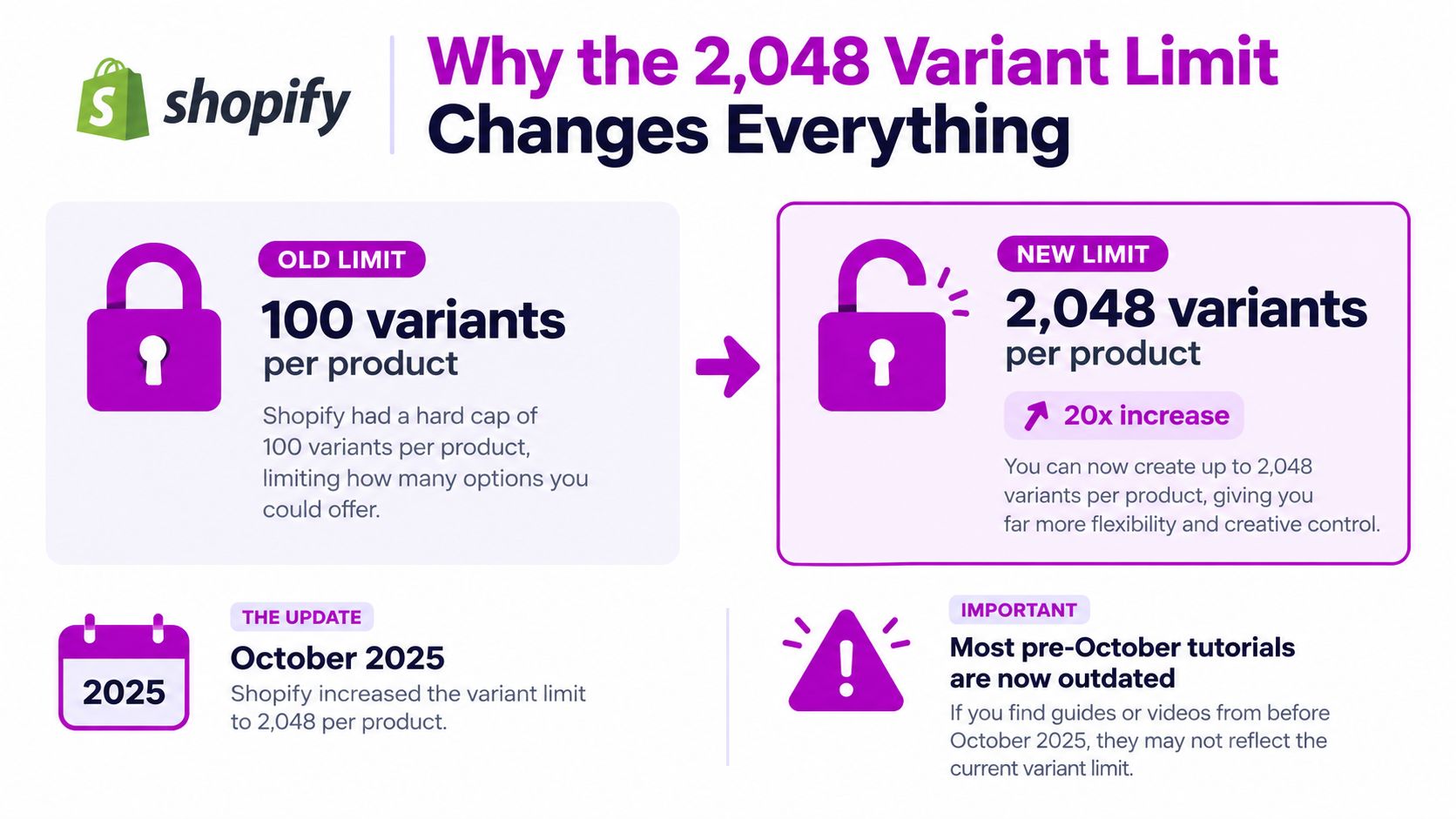
Most Shopify tutorials still tell you to split a product once it reaches 100 variants. That advice is now outdated. On October 15, 2025, Shopify raised the product limit from 100 to 2,048 variants, a 20.48x expansion that changes how apparel, footwear, furniture, and configurable products should be modeled (Shopify's variant announcement).
The new limit solves one problem, but it exposes several others. A product can fit inside Shopify's catalog model and still create trouble for your theme, ERP, PIM, fulfillment apps, import process, and merchandising team. The practical question for product variants Shopify implementations is no longer “Can this product fit?” It's “Can the business operate it safely?”
Why the 2,048 Variant Limit Changes Everything
Shopify's October 2025 expansion from a 100-variant ceiling to 2,048 variants per product changed the catalog model (Shopify's variant announcement). Merchants no longer need to split every large size, color, and material matrix across several listings or rely on apps to present those listings as one product. That removes product duplication, but it does not remove the engineering work. The core question is whether the store can operate a large product safely across its theme, ERP, PIM, fulfillment apps, feeds, and bulk workflows.
The limit increased, but the architecture did not become unlimited
Shopify still supports only three product options per product. A product can use Size, Color, and Material, but it cannot natively add a fourth option for fit, finish, region, or personalization (Shopify's variant setup guidance). That constraint often decides whether consolidation works. If the fourth attribute changes the item being purchased, it may require a different product model or an app-managed experience.
The larger ceiling also comes with separate storefront and store-wide limits:
- Theme rendering: Shopify themes cap
product.variantsat 250 variants. A product can contain more variants, but the theme must use alternate loading and selection patterns rather than rendering the full collection in one payload (Shopify's high-variant theme guidance). - Large-store imports: Once a store passes 500,000 variants, app and CSV uploads are capped at 10,000 new variants per day. Shopify Plus stores are exempt from that specific cap (Shopify's variant announcement).
- Admin product workflows: After a store reaches 50,000 product variants, Shopify's Admin GraphQL product workflows allow 1,000 new product variants per day for product creation and updates (Shopify Admin GraphQL product API documentation).
Treat 2,048 as a data-model ceiling, not a merchandising target. A 2,000-variant shirt may be valid in Admin while making selection difficult, slowing theme interactions, and increasing the payload passed to connected systems. Large products also make ERP synchronization, inventory updates, and recovery from failed imports harder to test.
Use the expanded capacity where one product identity improves governance and buying flow. Split products when the selector, integration ownership, or day-to-day operations cannot handle the resulting complexity.
Setting Up Variants the Right Way
Variant architecture starts before you enter the first value. In Shopify Admin, open Products, choose Add product, and decide which dimensions genuinely change the purchasable item. For most apparel, that might be Size, Color, and Material. For footwear, it could be Size, Width, and Color.
Define the option names first, then add their values. Shopify uses the option matrix to generate combinations, so a clean structure is easier to manage than a long list of manually corrected rows.

Design the option matrix before generating rows
Turn on Variants when adding options, then review the combinations Shopify creates. Remove combinations that shouldn't exist before you publish the product. If a red shirt isn't made in XL, exclude that combination in the matrix rather than generating it and deleting the row later.
This approach keeps the catalog closer to the actual assortment. It also reduces the chance that an ERP, warehouse system, or feed receives a variant that was never meant to be sold.
Use options only for attributes that determine a distinct purchasable variant. Free shipping, gift wrapping, care instructions, and marketing labels aren't product options. Put those in shipping rules, product data, metafields, or merchandising content instead.
Review the generated rows before publishing
Shopify applies product-level information across the generated variants, but each row still needs operational data. Review the generated list for:
- Pricing: Confirm whether every combination shares a price or whether specific materials and sizes need different pricing.
- Inventory tracking: Decide which variants need inventory quantities and locations.
- SKUs and barcodes: Apply the naming and identification system before orders arrive.
- Shipping details: Check weight and fulfillment attributes for combinations that differ materially.
- Images: Attach the correct product photography after the option values are stable.
Changing option names or their order later can affect integrations, selectors, and image associations. Establish the architecture first, then treat option changes as a controlled catalog change, not casual copy editing.
Building a SKU and Barcode System That Scales
A SKU should help a person identify a variant without opening Shopify. Random strings may be unique, but they don't help a warehouse operator distinguish a red medium shirt from a blue large one. A structured code such as TSH-RED-M-001 can encode category, colorway, size, and sequence in a predictable order.
The exact format depends on your business. What matters is consistency, stable segment positions, and a clear rule for variants that don't fit the original pattern. Don't encode a value that may change frequently, such as a promotional price or campaign name.
SKU naming patterns compared
| Pattern | Example | Strength | Weakness |
|---|---|---|---|
| Attribute-based | TSH-RED-M-001 | Easy for warehouse and support teams to interpret | Requires strict naming governance |
| Sequential | 1004827 | Simple and reliably unique | Provides little human context |
| Supplier-derived | SUP-4587-RED-M | Useful when supplier codes drive operations | Can expose external naming inconsistencies |
| Hybrid | TSH-RED-M-1004827 | Combines recognition with a unique identifier | Longer and harder to maintain |
Shopify can generate SKUs when the SKU field is left blank during certain CSV import workflows, but that isn't always the right choice. Auto-generation suits a catalog where Shopify owns identification and downstream systems don't require a predetermined code. A deterministic in-house scheme is safer when an ERP, PIM, warehouse, or marketplace uses the SKU as a shared key.
Assign barcodes per variant
Each variant needs its own barcode when the physical item is distinct. Store barcode values in the variant inventory data under Inventory, then validate them before publishing. Shopify rejects reused barcode values across variants where uniqueness is required, so copying the parent product's barcode across every size and color creates an avoidable data problem.
Set a release rule: no variant reaches production without a populated SKU and barcode. Use a bulk-edit filter or export audit to find missing values, then block the feed or fulfillment handoff until the exceptions are resolved.
Connecting Variants to the Right Images
A color variant without the correct image is a return waiting to happen. Product photography should follow the variant structure, not the other way around. Upload the product media, then use Shopify's variant image picker to associate the appropriate image with each option combination.
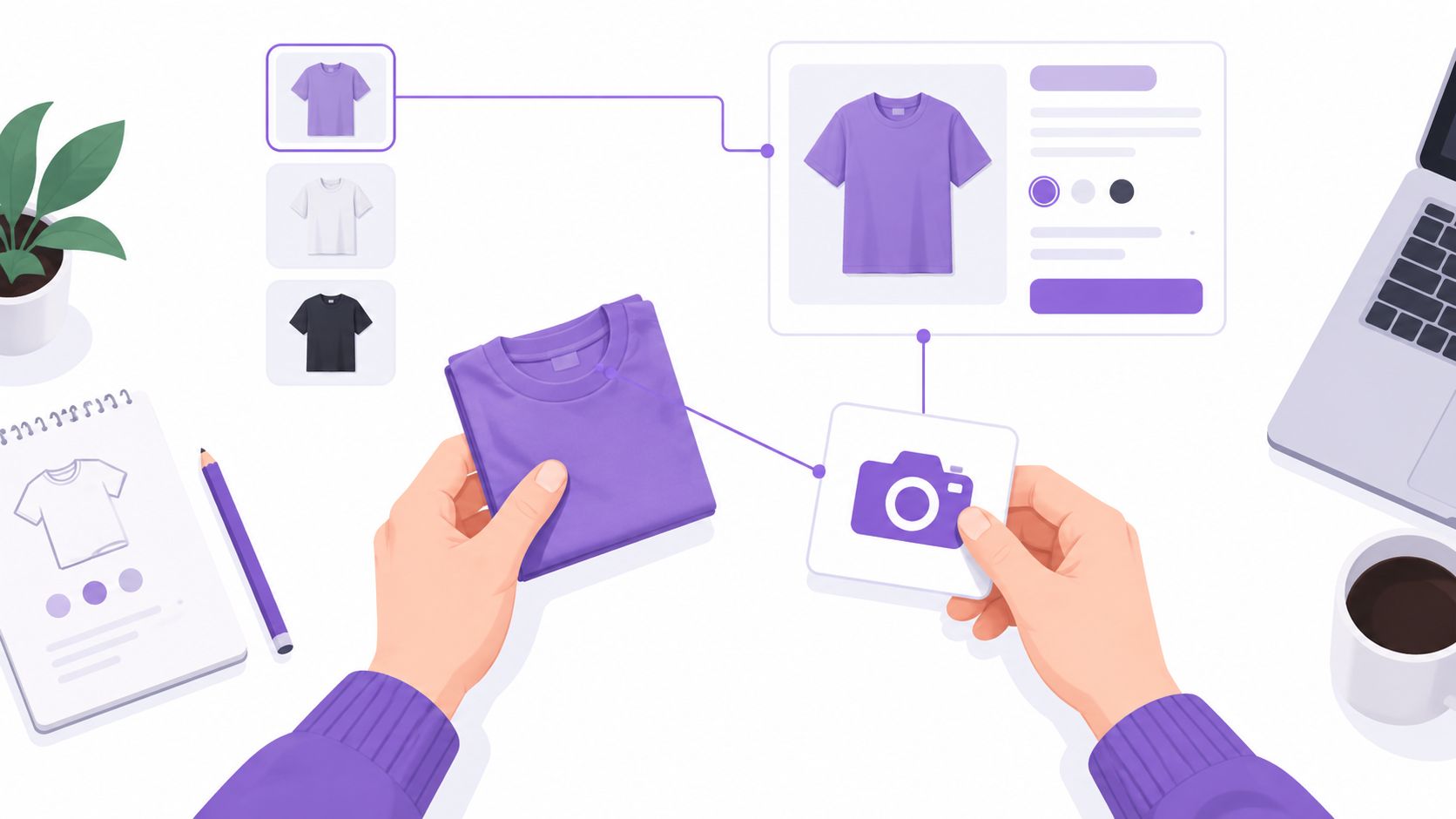
Shopify allows up to 2,000 images per product, but a large image allowance doesn't justify attaching every asset to every variant (Shopify's product variant guidance). Give each variant a clear visual owner where possible. Reusing the first product photo as a universal fallback makes color-driven product pages misleading, especially when the shopper changes a swatch and the gallery doesn't change with it.
Use stable option values for image selection
The variant picker works most predictably when the option values are unique and consistently named. If two colors share a label, or if values change from “Red” to “Ruby” after images are assigned, the theme may not match the intended media.
Option order also matters in custom implementations. If a developer changes the order from Color, Size to Size, Color, code that assumes a particular position can associate the wrong image or swatch. Fix the issue by using option names and values as keys rather than relying on array positions, then recheck every affected product after the change.
A sensible photography sequence is:
- SKU shot: A clean product image that confirms the actual item.
- On-model shot: A contextual view that helps the shopper judge fit and appearance.
- Close-up: Detail for material, texture, hardware, or finish.
For broader storefront image performance guidance, use this Shopify image optimization guide.
The picker should change the gallery only when the selected values identify a meaningful variant. If your theme swaps images inconsistently, inspect the variant ID, selected option values, and image association in the rendered product data before changing the CSS or JavaScript.
Bulk Editing and Importing Without Hitting the Daily Cap
The safest catalog migration is a sequence of controlled operations, not one giant upload. Export a rollback copy first, define whether the job updates existing records or replaces them, then divide the work into batches you can validate and reverse.
Shopify offers different tools for different jobs. The Admin bulk editor suits focused corrections. CSV import works for structured catalog loading and repeatable updates. GraphQL bulk workflows fit engineering teams that need automation, validation, monitoring, and integration with other systems.
Choose the method that matches the job
| Method | Daily limit | Best for | Watch out for |
|---|---|---|---|
| Admin bulk editor | Subject to Shopify's store and workflow thresholds | Focused edits by merchandising teams | Slow for large, complex migrations |
| Product CSV import | Stores with 500,000 or more variants face a 10,000-new-variant daily cap, while Shopify Plus stores are exempt from that specific cap | Repeatable catalog updates and initial loading | Incorrect handles or columns can overwrite existing data |
| GraphQL bulk workflow | Governed by Shopify's API and store thresholds | Engineering-led imports and integrations | Requires validation, monitoring, and supported product APIs |
Keep the CSV within Shopify's accepted file limits, and treat the handle as a record key. An upsert updates matching records. A replacement can overwrite or remove data you expected to retain. Test a small product set, compare the resulting export with the source, and process the wider catalog only after the differences are understood.
Apps built against Shopify's legacy REST product model may not handle products above 100 variants. Before migration, check whether each vendor uses Shopify's supported GraphQL product APIs, and ask how the app creates, updates, searches, and synchronizes variants. Test those operations against a representative high-variant product instead of relying on the app's age or marketplace rating.
Separate clean imports from second-pass work
Put handles, option values, titles, prices, SKUs, barcodes, and inventory settings in the primary import. Inventory cost, specialized metafields, media relationships, and integration-specific attributes often belong in a controlled second pass.
Before a production run, verify:
- Identity: Handles, product IDs, and variant IDs map to the intended records.
- Commercial data: Prices, compare-at prices, taxable status, and selling channels are correct.
- Inventory data: Locations, tracking rules, and quantities reconcile with the source system.
- Media links: Images resolve and match the intended option combinations.
- Integration behavior: ERP, PIM, feed, and fulfillment jobs recognize the new structure.
Keep an import log with the file version, batch scope, validation result, and approval owner. The Shopify bulk editing guide covers operational handling, but your own log remains the audit trail when an ERP sync, feed, or fulfillment job exposes a bad update.
Keeping Your Theme Fast at High Variant Counts
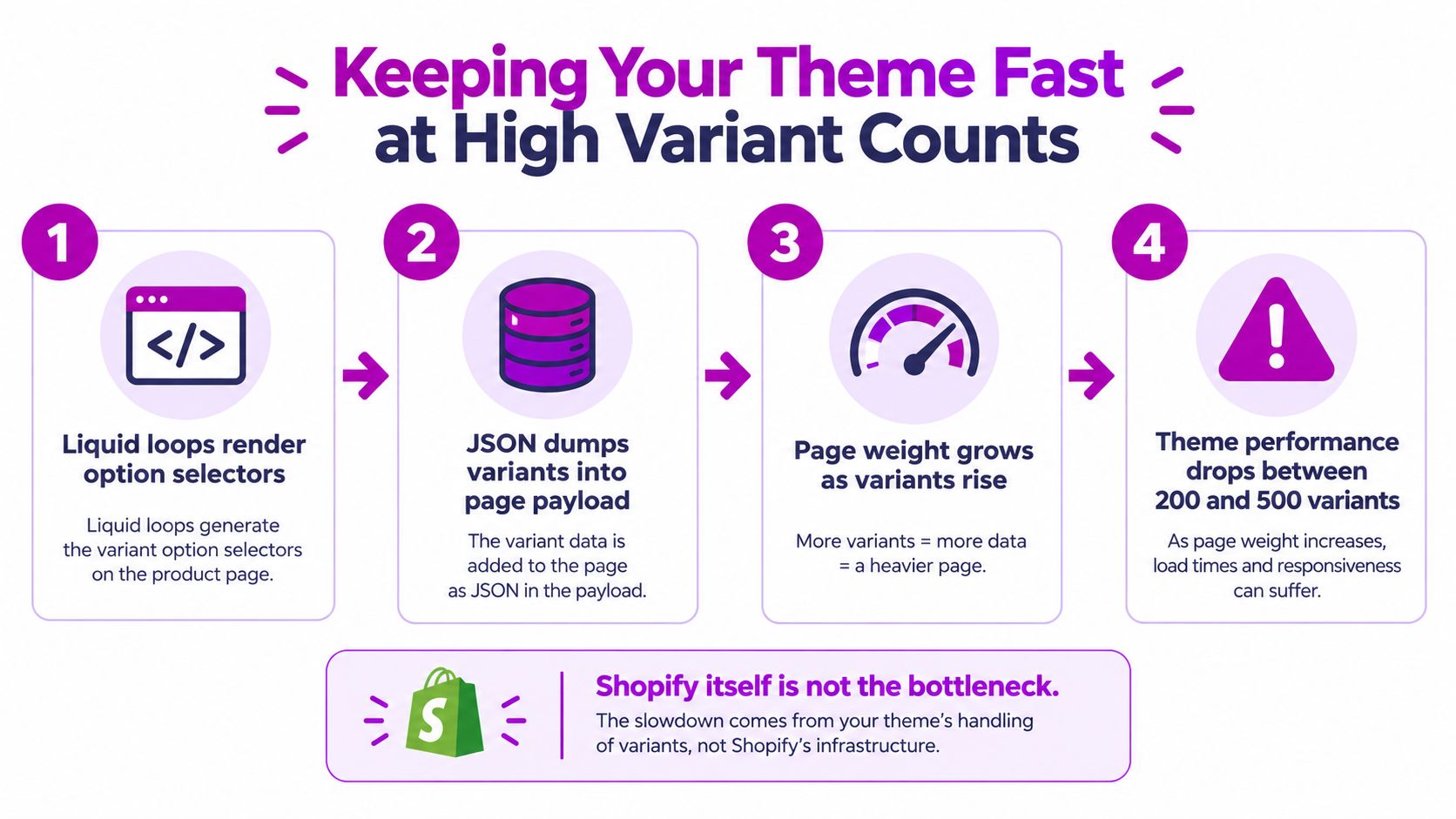
A product can fit Shopify's 2,048-variant ceiling and still deliver a poor buying experience. Admin capacity and storefront performance are separate constraints. Themes limit product.variants to 250 variants because iterating through every variant during the initial render can increase response time as the catalog grows, as explained in Shopify's high-variant theme guidance.
The failure usually sits in theme code. Liquid loops build option selectors, serialize variant data into page scripts, and send more information than the first screen requires. The Admin may handle the product correctly while the product page loads slowly, consumes excessive browser memory, or becomes awkward to use on mobile.
Render the buying decision, not the entire database
Identify the choices a shopper needs immediately. Render the primary option groups and visible availability first, then request the long tail after a selection changes. A custom picker can use targeted requests or a deliberately shaped data object instead of placing every variant in the initial HTML.
Shopify advises against iterating over all variants during the initial render. Shopify also reports that Admin product creation at the 2,048-variant ceiling became 10x faster, while single-variant creation became 33% faster after the platform work. These are Admin-side gains, not storefront benchmarks, so they do not reduce the rendering cost of a large product page.
A practical theme implementation should include:
- Initial selection: Render the option values relevant to the first view.
- Targeted fetching: Retrieve additional variant data after selection changes.
- Lean payloads: Send only the fields the picker needs, such as variant ID, availability, price, and image.
- Fallback behavior: Show a clear unavailable state rather than presenting combinations that cannot be purchased.
Headless builds and specialized Shopify Plus implementations provide more control over data fetching, but they still require careful product-state management. Replacing a standard theme changes the engineering surface, not the underlying catalog complexity. Test selection speed, add-to-cart behavior, and mobile rendering with a product that reflects the largest real catalog, not a small demonstration product.
Operating a Complex Variant Catalog Day to Day
A technically valid catalog becomes manageable only when ownership is explicit. Assign SKU creation to one accountable team, give merchandising authority over option combinations, and require QA to test the actual storefront rather than relying on an Admin preview.
New combinations should pass a short review before publication. Check that the item has a valid SKU, barcode, price, inventory policy, image, fulfillment mapping, and feed representation. Then select the options in the same order a customer will use them and confirm the URL, price, image, availability, and add-to-cart behavior.
Treat integrations as production systems
ERP and PIM connections can keep inventory and attribute data aligned, but they introduce their own failure modes. NetSuite, Akeneo, and Lightspeed integrations may respond differently to rate limits, webhook ordering, retries, and partial updates. A product can appear complete in Shopify while a downstream system still lacks its barcode, image relationship, or inventory record.
Keep a source-of-truth map for every field. Document whether Shopify, the PIM, ERP, or warehouse system owns the value, and prevent two systems from rewriting the same attribute without the other knowing.
Leave room for future assortment changes instead of designing the current matrix so tightly that every new material or regional size requires a structural rebuild. The right buffer depends on the catalog, but the principle is stable: preserve deliberate expansion capacity and retire dead combinations rather than accumulating inactive rows indefinitely.
Use tools for control, not duplicate logic
Matrixify and Ablestar Bulk Product Editor can help teams perform structured catalog operations. Stocky may fit inventory workflows for eligible businesses. The useful tools are the ones that expose changes, preserve auditability, and work with Shopify's supported product APIs.
Avoid stacking apps that each maintain their own variant rules. Duplicate logic creates conflicts over prices, inventory, images, and option labels. A lean integration map is easier to test than a collection of overlapping automations.
Use a maintenance rhythm that matches the cost of errors:
- Weekly: Export and audit missing SKUs, barcodes, prices, images, and inventory mappings.
- Monthly: Review image associations, option labels, selector behavior, and app synchronization logs.
- Quarterly: Retire dead SKUs, confirm redirects or merchandising replacements, and remove obsolete combinations from active workflows.
ECORN offers Shopify design, development, CRO, consulting, and Shopify Plus services for teams that need help restructuring high-variant catalogs or improving the storefront experience. Visit ECORN to discuss your variant architecture, theme performance, and integration workflow with a Shopify specialist.



Ecommerce Analytics Consulting for Growth

What Is AI Integration for eCommerce

How to Choose the Right eCommerce Website Development Firm

E Business Strategy Implementation

Conversion Tracking Setup for Shopify Stores

BigCommerce vs Shopify Plus Which Enterprise Wins in 2026

Shopify Theme Kit: Setup, Commands, and Migration Guide

Shopify Extension Development: A Practical 2026 Guide

Shopify Speed Score Explained and How to Improve It

Shopify Mobile Optimization: The 2026 Playbook

How to Add Subcategory in Shopify for Better UX

How to Implement Structured Data for Ecommerce in 2026

SEO App Mobile: Shopify Store Optimization Guide

Shopify Plus Support: What It Includes and How to Choose

Google Ads for Shopify: The Complete 2026 Playbook

Shopify New York: How to Find and Hire the Right Agency

Google Search Console for Shopify: The Complete Setup

First Party Data Collection for eCommerce Growth

FAQ Online Store Guide: Build and Measure It Right

Do FB Ads Work for eCommerce in 2026?

One Page Checkout for Shopify: Design and Implementation

Shopify GraphQL vs REST: The 2026 Developer Decision

Shopify Ecommerce Consulting: Strategy, Pricing &

Are Reddit Ads Worth It for eCommerce Brands

Shopify Title and Meta Description: A Practical 2026 Guide

Product Video Best Practices for Shopify Brands

Real-Time Inventory Management: A 2026 Guide

AI Chatbot Integration for Shopify Stores

Affiliate Program Management: A Shopify Guide

10 Best Performance Monitoring Tools for Shopify in 2026

Digital Asset Management for eCommerce Brands in 2026

Every Type of Facebook Ads Explained for eCommerce Growth

Product Information Management Explained for Shopify Brands

Support Ticket System: A Guide for Shopify Stores

10 Best Customer Service Tools for Shopify in 2026

Can I Start a Business with No Money? a 2026 Blueprint

What Sells Good on Etsy: Best Niches for 2026

Shopify Add to Cart Button: A Practical 2026 Guide

Customer Feedback Automation: A Practical eCommerce Guide

Critical Rendering Path: A Guide for Shopify Stores

How to Promote on TikTok for eCommerce in 2026

B2B eCommerce Consulting That Drives Real Revenue

10 Best Practices for Site Navigation in 2026

Return vs Refund for Shopify Stores: A Practical Guide

What Is Customer Lifetime Value and Why It Matters

What Is Voice of Customer Research for eCommerce

SMS Marketing for Ecommerce That Actually Converts

Master How to Improve Email Deliverability in 2026

Top 7 eCommerce Partners NYC for Shopify Brands in 2026

Machine Learning for Ecommerce: Boost Your Shopify Store

Beauty Market Research: Your 2026 Growth Guide

Shopify International Expansion: A 2026 Roadmap

What Does CRO Stand for in Business: Understanding CRO

Shopify Visual Merchandising: A Playbook for Higher Sales

Shopify Landing Page Design: Master Conversion in 2026

10 Best AI SEO Optimization Tools for Shopify in 2026

Agentic AI for Ecommerce: Boost Your Sales in 2026
Mastering Email Marketing Data for eCommerce Growth

Conversion Rate Optimisation Australia: Boost Your Sales

Conversion Rate Optimization AI: Your Shopify Store Guide

10 Product Bundling Strategies for Shopify in 2026

How to Increase Customer Lifetime Value: A Shopify Playbook

AI Customer Service Automation: Shopify Guide 2026

Clean Website Design: A Shopify Conversion Playbook

Omnichannel Retail Strategy: A Shopify Playbook

Product Data Enrichment: A Guide for Shopify Brands

Instagram Shopping Features a Guide for Shopify Stores

What Is Revenue Optimization: A Holistic RevOps Guide

Benefits of Conversion Rate Optimization: Boost Your

WordPress to Shopify Migration: Your 2026 Seamless Switch

Boost Sales: Ecommerce Payment Processing Guide 2026

Unified Commerce Platform: Benefits, KPIs & Shopify Guide

How to Reduce Bounce Rate eCommerce: Your 2026 Guide

Shopify API Integration: A Practical End-to-End Guide

How to Implement Data Governance: A 2026 Guide

Shopify Store Development Cost: A 2026 Breakdown

What Is Server Side Tracking: The Shopify Guide 2026

Marketing Automation Workflows: A Shopify Guide for 2026

Shopify: How to Reduce Technical Debt

Shopify UX Design Change: A Playbook for Growth

User Generated Content Strategy: Shopify Playbook

Shopify Pause and Build Plan Cost: A Complete 2026 Guide

Compare at Price on Shopify: A Complete Guide for 2026

Where Can I Sell My Prints? 10 Best Platforms for 2026
Shopify Order Management System: The Ultimate Guide 2026
What Is Marketing Attribution? an eCommerce Guide for 2026

10 Best Black Friday Sales Sheets for 2026

Discover the Top Social Media Marketing Agencies For

Consumer Confidence Definition for eCommerce in 2026

What Is Social Commerce? Your 2026 Guide to Boosting Sales

A Social Ad Campaign Playbook for eCommerce Growth

7 Best FAQ Page Examples for SaaS & eCommerce

Market Research in Fashion Industry: A Guide for Shopify
Shopify Migration Services: Expert Guide for 2026

Mastering FB Retargeting Ads for Shopify in 2026
What Is Omnichannel Ecommerce

Master Your Shopify Plus Migration: The 2026 Guide
Shopify Integration Services: A Merchant's 2026 Guide

Shopify Collection Description: A Guide to SEO & Sales

Shopify Plus Contact: Reach Sales & Support Effectively


newsletter in your inbox