


Why do shoppers browse your products, inspect the photos, and leave without buying, even when the price looks reasonable? Before changing the discount, check whether you've given them enough evidence to trust the purchase.
Missing trust signals can leave straightforward questions unanswered. Does the fabric look the same outside a studio? Will the product hold up? Have other customers bought from this store and received what they expected?
Shopify social proof answers those questions through written reviews, customer photos, testimonials, and genuine purchase activity. But these formats aren't interchangeable. A notification about a recent order won't explain sizing, and a glowing testimonial won't show how a lamp looks in someone's living room.
The same distinction matters when applying CRO tactics for Amazon brands to an independent storefront, where you control how buying evidence appears. Choose among these seven apps by the trust gap you need to close, not by how many widgets you can install.
1. Judge.me
Best for building a foundation of written product reviews. Judge.me is a practical starting point when your product pages lack customer feedback and you need collection, reminders, and storefront displays without adopting a broader customer-marketing suite.
Its capabilities include product and store reviews, photo and video submissions, star ratings, galleries, and review sharing with Shopify's Shop app. The main attraction is breadth within a focused review tool, rather than loyalty or referral functionality you might not need.
Prioritize coverage before decoration
In its foundational retailer study, Northwestern University's Spiegel Research Center found that products displaying five reviews had purchase likelihood 270% greater than comparable products displaying none. That isn't a promised Shopify uplift, but it supports prioritizing authentic feedback on products with no reviews before polishing an already busy carousel.
Start with your main product template. Put the rating summary near the product title, link it to the full review section, and schedule requests after customers have had time to use the product.
- Strength: Broad collection and display options make it suitable for stores establishing a repeatable review process.
- Trade-off: More customized layouts require widget configuration, and some customization depends on the plan.
- Implementation check: Confirm that imported reviews map to the correct products and that rating links work on mobile.
Use ECORN's guide to adding reviews on Shopify for the installation workflow. Judge.me is the sensible choice when your immediate problem is missing customer evidence, not missing marketing automation.
2. Loox
A shopper considering a jacket may understand your size chart and still wonder how it hangs on a real person. Loox fits that visual-confidence gap, especially for apparel, accessories, beauty, and home products.

Loox emphasizes customer photos alongside review collection, storefront widgets, and carousels. Video reviews, review summaries, and channel syndication are available through paid-tier capabilities, so compare the actual plan against the media formats you intend to collect.
Ask for evidence your photography can't provide
Don't send a generic request if the purchase question is specific. Ask apparel customers about fit and invite a worn photo; ask homeware customers to show the product in its intended setting.
Customer photos should help shoppers judge the product, not merely decorate the page.
Place a compact visual gallery near relevant product information, then keep the full review feed available farther down. Test the mobile layout with portrait and horizontal submissions, because inconsistent image shapes can make an otherwise clean product page awkward to browse.
The advantage is visual merchandising grounded in customer use. The trade-off is that you need useful submissions, appropriate permissions, and moderation, not just a visually appealing widget.
Loox also supports incentives for photo reviews. If you use them, disclose the incentive and reward participation rather than positive sentiment. Before choosing a plan, check order-volume conditions, video access, and syndication eligibility, since those determine whether the setup meets your needs as the store grows.
3. Yotpo Product Reviews
Choose Yotpo for connected customer proof, particularly when reviews need to work alongside loyalty and other customer-marketing tools. Yotpo Product Reviews combines automated requests, in-email submissions, review displays, moderation, analytics, and eligible-plan syndication.

Compared with a standalone review installation, the decision is less about adding stars and more about coordinating collection and customer engagement. Connections with Yotpo Loyalty can be useful, but only if someone owns the rules, rewards, and ongoing reporting.
Build credibility, not a flawless score
Northwestern's analysis of star ratings and review content found that purchase likelihood generally peaked at average ratings of approximately 4.2 to 4.5 stars, then declined as ratings approached perfection. Don't make an immaculate score your moderation objective.
Instead, use collection prompts that encourage specific descriptions of fit, durability, ease of use, or results. Keep critical feedback visible when it represents a legitimate customer experience.
- Best fit: Teams that want review collection connected to a broader customer-marketing setup.
- Operational advantage: Analytics and integrations can support a coordinated review program rather than isolated widgets.
- Trade-off: Order-volume pricing and higher-tier feature restrictions require a careful plan comparison.
Before rollout, identify which system sends each customer message. If your email platform and review platform both trigger post-purchase requests, customers may receive overlapping messages.
Also distinguish product capabilities from guaranteed placement. Google-related review features depend on eligibility and implementation; installing the app doesn't mean stars will automatically appear everywhere you advertise.
4. Okendo
For products that require explanation, generic praise isn't enough. Okendo suits stores that need more structured customer feedback, with customizable collection forms and displays alongside a wider engagement suite.
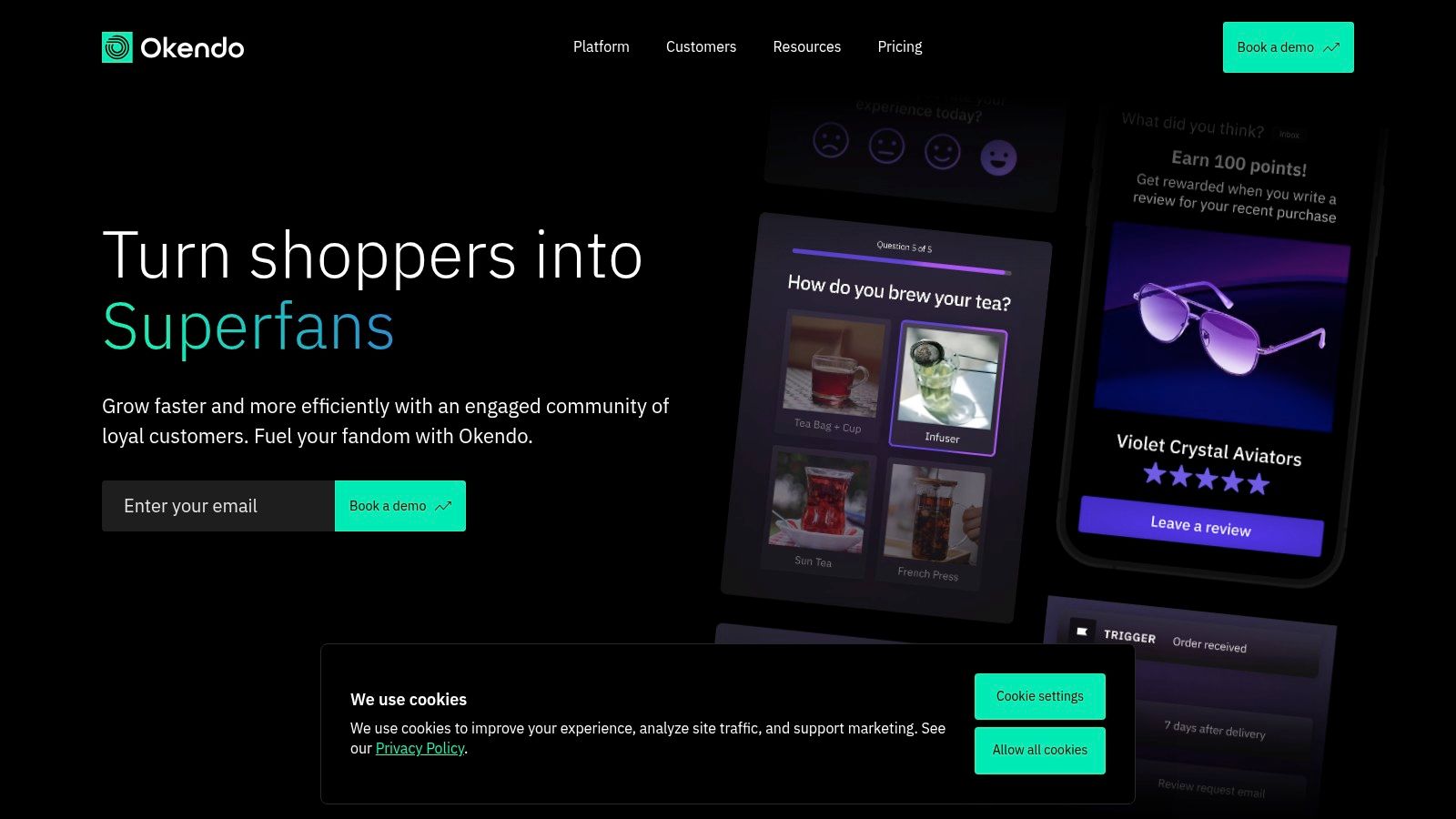
Okendo offers automated review collection, review rewards, grouping, moderation, and Google SEO snippets. Its broader product suite includes loyalty, referrals, quizzes, and surveys, while capabilities such as review summaries and Q&A depend on the tier.
Collect answers to purchase objections
Say you sell hiking clothing. A useful review form should invite comments about fit, comfort, and intended use, rather than collecting an overall rating alone.
Keep the form short enough to complete comfortably on a phone. Use the resulting detail in review displays where shoppers are comparing suitability, and group products only when the underlying customer experience is clearly comparable.
Practical rule: Shared styling doesn't make reviews transferable. Different materials, formulations, or functions can require separate evidence.
Okendo's advantage is the room to build a more deliberate customer-feedback system. Its trade-off is the operational work that comes with that flexibility: someone must manage forms, moderation, product grouping, and the relationship between reviews and other engagement programs.
Don't choose the broader suite just because it exists. If your team only needs collection emails and a basic product-page feed, a narrower tool may be easier to maintain.
For a growing catalog, assess the plan against expected order volume and the exact features you'll use. Test the review form and display together, because detailed answers aren't useful if shoppers can't find or interpret them.
5. Fera Product Reviews
Fera is worth considering when legitimate customer feedback already exists outside your Shopify store. Its import and sync options can help consolidate reviews, while its storefront tools include ratings, testimonials, galleries, photos, videos, and Q&A.

Fera Product Reviews supports review requests through email and SMS, with import or sync options involving sources such as Google, Etsy, and AliExpress. The important distinction is between moving relevant evidence and borrowing credibility from feedback that doesn't describe your product or service.
Audit provenance before importing
In a cross-market survey covered by eMarketer, 73% of US respondents had abandoned a purchase because reviews appeared fake or deceptive. Treat review origin as part of the implementation, not an administrative detail.
A Google review about your customer service shouldn't appear as evidence that a specific garment fits well. Likewise, feedback about a similar marketplace item shouldn't be presented as a verified purchase from your own store.
- Preserve context: Retain dates, product references, and original attribution where available.
- Separate review types: Distinguish store-service testimonials from product-performance feedback.
- Monitor limits: Check request allowances and order-volume conditions before scheduling collection campaigns.
Fera's practical strength is combining multiple collection and display formats. The trade-off is the care required to keep imported feedback accurate and consistently presented.
After installation, test the storefront as a visitor. Confirm that the review feed renders on each relevant template, media opens correctly, and products without reviews don't inherit misleading ratings. Use automation to request and organize real feedback, never to fabricate customer experiences.
6. Fomo
Fomo addresses activity-based reassurance, not detailed product evaluation. A genuine recent purchase can show that people are buying from the store, but it won't explain whether a moisturizer suits sensitive skin or a chair is comfortable.

Fomo displays notifications based on store events, including purchases, carts, reviews, visitor activity, and inventory signals. Popup and eligible-plan inline placements give you different ways to present that information.
Keep activity evidence out of the shopper's way
Start with genuine purchase events and inspect exactly what the notification says. A historical order shouldn't look like a purchase happening at that moment, and a storewide activity signal shouldn't imply demand for the specific product being viewed.
Use a restrained display schedule. On mobile, check whether notifications collide with cookie controls, chat launchers, variant selectors, or sticky add-to-cart buttons.
Placement test: If the notification blocks the action you want shoppers to take, move it, change its format, or remove it.
The advantage is contextual evidence that the store is active. The trade-off is interruption, especially when notifications repeat or carry little relevance to the current product.
Notification-volume limits also matter when comparing plans. Estimate usage from the display rules you intend to run, rather than assuming your order count determines the cost.
ECORN's guide to sales pop-ups provides useful implementation context. I'd add Fomo after establishing product reviews, then compare a restrained activity treatment against a clean control. Don't interpret notification clicks as proof that more shoppers completed their purchases.
7. Nudgify
Already using a review platform and looking for a lighter way to surface its evidence? Nudgify can connect review signals with purchase and visitor notifications, alongside other storefront prompts.
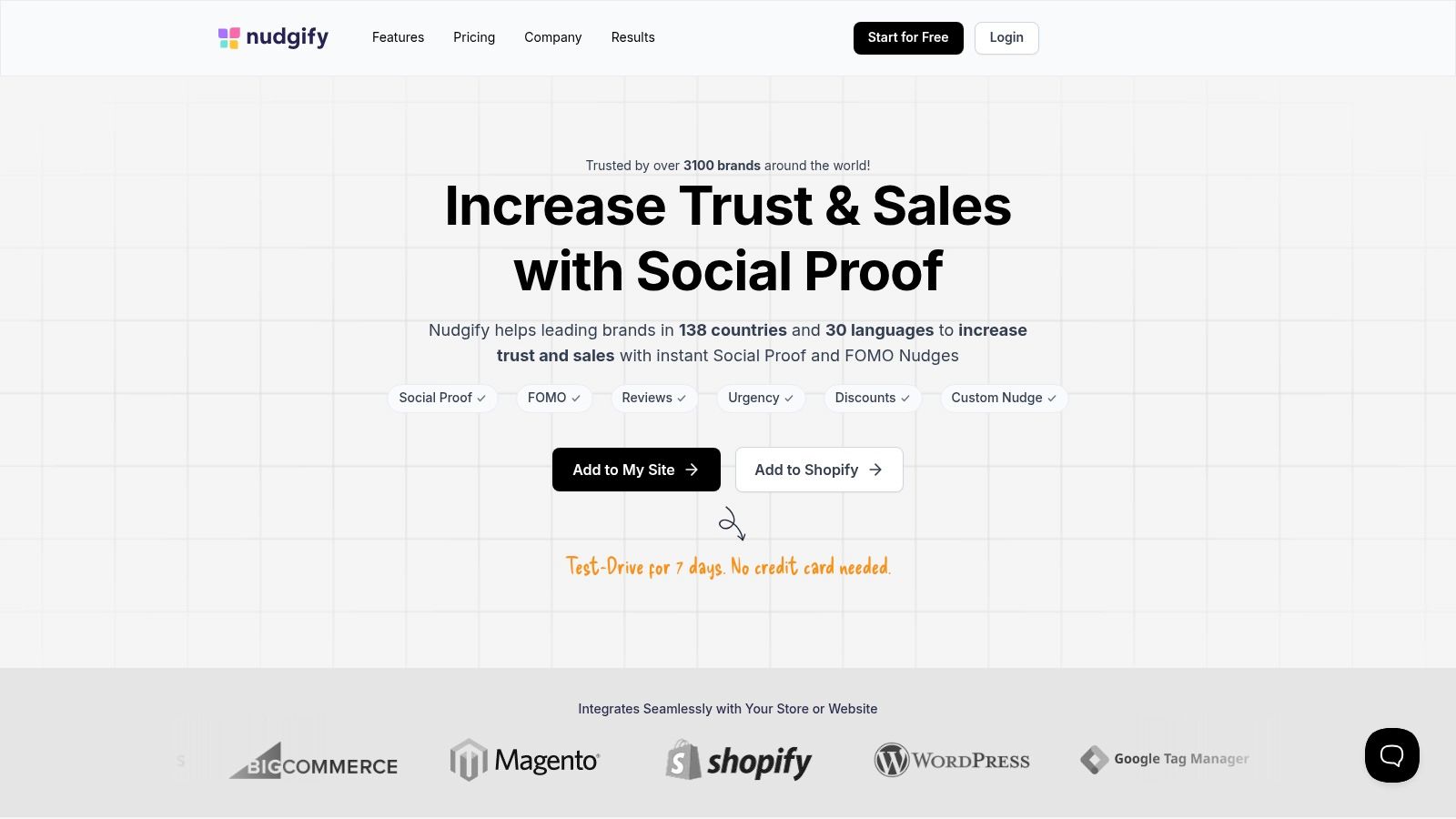
Nudgify supports recent-purchase, review, and visitor-activity nudges, plus low-stock and discount prompts. It also offers geolocation, multilingual support, and integrations with review platforms including Judge.me and Reviews.io.
Separate reassurance from urgency
A customer review is social proof. A discount is an offer, and low stock is an inventory condition, so don't evaluate them as though they persuade shoppers in the same way.
If you activate all those prompts together, you won't know whether shoppers responded to customer evidence, availability, or price. Start with the mechanism that matches the hesitation you're trying to resolve.
- For international storefronts: Check notification language, product naming, and geographic context against the shopper's market.
- For existing review programs: Use relevant customer feedback rather than duplicating the full review widget in a floating prompt.
- For inventory nudges: Connect messages to accurate stock information, including variant availability where applicable.
Nudgify's strength is its mix of notification types and localization options. Its weakness is the temptation to turn on too much, creating overlapping prompts that compete with the product information.
Plans use monthly impression allowances, so review how frequently each nudge will display before choosing a tier. Test actual mobile sessions and keep a record of enabled rules. If a notification doesn't answer a shopper's question or provide useful context, it probably doesn't deserve the screen space.
Shopify Social Proof Apps at a Glance
| App | Main Social Proof Type | Free Plan | Starting Paid Price | Best For |
|---|---|---|---|---|
| Judge.me | Product and store reviews | Yes; unlimited review requests | $15/month | Affordable, feature-rich review collection |
| Loox | Photo and video reviews | Yes; up to 500 orders | $49.99/month | Brands that benefit from visual reviews |
| Yotpo Product Reviews | Product reviews, ratings, photos, and videos | Yes; up to 50 monthly orders | Varies by order volume | Stores connecting reviews with broader marketing tools |
| Okendo | Reviews and customer engagement | Yes; up to 50 monthly orders | Not specified | Teams seeking reviews plus loyalty, referrals, and surveys |
| Fera Product Reviews | Reviews, testimonials, and Q&A | Not specified | Not specified | Stores wanting flexible review displays and review imports |
| Fomo | Live activity notifications | Yes | Not specified | Stores showcasing purchases, carts, and other activity |
| Nudgify | Storefront nudges and activity notifications | Yes | Not specified | Stores targeting shoppers across regions or languages |
Choosing the Right Mix and Putting It to Work
Start with the missing evidence. Choose Judge.me for a focused review foundation, Loox when customer imagery helps shoppers evaluate the product, or Yotpo, Okendo, or Fera when integrations, structured feedback, or existing review sources matter more.
Layer in Fomo or Nudgify once your store has enough genuine activity to make notifications relevant. They complement reviews; they don't replace them.
Measure the placement, not just the app
Across 170 Shopify-store social-proof A/B experiments, DTC Pages reported that 37.1% produced a statistically significant win and 19.4% lost, using a 90% confidence threshold. The practical lesson is to test your implementation rather than assume every trust widget helps.
Change a single mechanism at a time, such as rating placement or customer-photo visibility. Compare conversion rate and revenue per visitor, segment by device, and watch refunds rather than celebrating engagement alone.
Apps only deliver value when the storefront presents their widgets well. ECORN is an official Shopify Partner Agency that has supported over 100 brands; our conversion rate optimization approach includes a CRO audit with recommendations and bug fixing, A/B testing, and scaling hypotheses.
Broader top reputation management platforms can help with reputation workflows, but your product pages still need relevant customer evidence close to the decision.
Use this launch checklist:
- Install one review app: Choose the tool that closes your clearest trust gap.
- Automate requests: Send them after customers have received and experienced the product.
- Place a compact widget above the fold: Show the rating and review count without displacing essential purchase information.
- Review conversion impact within 30 days: Treat this as an initial measurement window, not a guarantee of statistical significance, and continue testing if traffic is insufficient.
ECORN offers Shopify design, development, and CRO services, including audits and A/B testing to evaluate social-proof placement. Visit ECORN to discuss your review setup and identify which product-page changes to test first.



10 Best Shopify Design App Tools for 2026: Pros and Cons
Shopify Local Development: Setup, Workflow and Fixes

Shopify Theme Minimal: How to Design and Build One
Consistent Website Design: A Practical Guide for Stores

Shopify Development Company in USA Hiring Guide
Shopify Inventory Tracking App: How to Set It Up Right
Shopify Volume Pricing: How to Set Up Tiered Discounts
How Does Shopify Work for Sellers? a Practical Guide
Shopify Theme ZIP: How to Upload and Install It
Shopify Plus Organization Admin: Roles and Access Guide
How to Build a Drop Down Menu in Shopify: Steps and Fixes
Shopify Plus Integration Services Guide

Shopify Customer Experience: A 2026 Guide

AI Lead Generation for E-commerce Growth

Shopify Plus Expansion Stores: Limits and Setup
Shopify Theme Update: Safe Steps, Backups and Rollback

Shopify Website Design Packages: What You Actually Get

How to Choose a Shopify Plus Web Design Agency in 2026
Shopify Plus Ecommerce Agency: How to Pick the Right One
Shopify Themes Retina: How to Serve 2x Images

How to Cross Sell on Shopify Without Friction

Best Shopify Theme for Custom Products Compared
Multi Store Inventory Management: A Practical Guide

SEO Consulting for Ecommerce: A Practical Guide

Shopify Theme Updater App: A Safe Update Playbook

Shopify Git Integration: A Developer's Guide to 2026
Headless Ecommerce Development Services Explained

How to Build a Shopify Clothing Website That Converts

How to Launch a Box Subscription Business in 2026

Luxury Skincare Branding Playbook That Converters

11 Best Podcast Ecommerce Shows for Store Growth in 2026

Shopify Developer Hourly Rate: What to Pay in 2026
Critical Shopify Setup Errors That Are Secretly Sabotaging Your Store
Ecommerce Conversion Tracking: The Complete How-To Guide

Shopify Design Agency: How to Pick the Right Partner
Mastering Multi Store Management on Shopify

Scale Shopify Store

10 Shopify App Ideas Worth Building in 2026

Conversion Rate Optimization for Landing Pages: The Playbook
Shopify Plus Automation: A Guide for 2026
10 Social Selling Platforms for Shopify Merchants

Shopify Website Design Examples: 7 Stores Worth Studying

7 Ecommerce Newsletter Examples for Shopify Brands

One Product Shopify Store: Build and Scale

Mobile Pop Up Strategy for Shopify Stores That Converts

Sitemap for Shopify: How to Find, Optimize, and Submit It
7 Single Product Websites Worth Emulating
Product Variants Shopify: The Complete 2026 Guide

Ecommerce Analytics Consulting for Growth

What Is AI Integration for eCommerce

How to Choose the Right eCommerce Website Development Firm

E Business Strategy Implementation
Conversion Tracking Setup for Shopify Stores
BigCommerce vs Shopify Plus Which Enterprise Wins in 2026
Shopify Theme Kit: Setup, Commands, and Migration Guide

Shopify Extension Development: A Practical 2026 Guide
Shopify Speed Score Explained and How to Improve It

Shopify Mobile Optimization: The 2026 Playbook

How to Add Subcategory in Shopify for Better UX
How to Implement Structured Data for Ecommerce in 2026

SEO App Mobile: Shopify Store Optimization Guide
Shopify Plus Support: What It Includes and How to Choose

Google Ads for Shopify: The Complete 2026 Playbook

Shopify New York: How to Find and Hire the Right Agency

Google Search Console for Shopify: The Complete Setup

First Party Data Collection for eCommerce Growth
FAQ Online Store Guide: Build and Measure It Right

Do FB Ads Work for eCommerce in 2026?

One Page Checkout for Shopify: Design and Implementation
Shopify GraphQL vs REST: The 2026 Developer Decision
Shopify Ecommerce Consulting: Strategy, Pricing &

Are Reddit Ads Worth It for eCommerce Brands

Shopify Title and Meta Description: A Practical 2026 Guide

Product Video Best Practices for Shopify Brands
Real-Time Inventory Management: A 2026 Guide

AI Chatbot Integration for Shopify Stores
Affiliate Program Management: A Shopify Guide
10 Best Performance Monitoring Tools for Shopify in 2026

Digital Asset Management for eCommerce Brands in 2026
Every Type of Facebook Ads Explained for eCommerce Growth
Product Information Management Explained for Shopify Brands

Support Ticket System: A Guide for Shopify Stores

10 Best Customer Service Tools for Shopify in 2026

Can I Start a Business with No Money? a 2026 Blueprint

What Sells Good on Etsy: Best Niches for 2026

Shopify Add to Cart Button: A Practical 2026 Guide

Customer Feedback Automation: A Practical eCommerce Guide

Critical Rendering Path: A Guide for Shopify Stores

How to Promote on TikTok for eCommerce in 2026

B2B eCommerce Consulting That Drives Real Revenue

10 Best Practices for Site Navigation in 2026
Return vs Refund for Shopify Stores: A Practical Guide

What Is Customer Lifetime Value and Why It Matters

What Is Voice of Customer Research for eCommerce

SMS Marketing for Ecommerce That Actually Converts

Master How to Improve Email Deliverability in 2026

Top 8 eCommerce Partners NYC for Shopify Brands in 2026

Machine Learning for Ecommerce: Boost Your Shopify Store

Beauty Market Research: Your 2026 Growth Guide

Shopify International Expansion: A 2026 Roadmap


newsletter in your inbox